Mobile menu toggle

Mac apps - page 36

Stack Your Mac With The Mac SuperBundle Featuring Roxio Toast [Deals]

By

CoM - Mac SuperBundle

Cult of Mac Deals has another stellar app bundle lined up for our readers — with a total savings of over $400 on 9 great Mac apps! The apps in this bundle can help you in a wide variety of activities, from digital media with Roxio Toast to searching for files more efficiently and effectively with Houdah Tembo to keeping track of your home inventory easily with Compartments.

All of these apps would normally retail for $453 on their own. But thanks to Cult of Mac Deals you can get all of them for only $49 for a limited time. That’s an 89% savings!

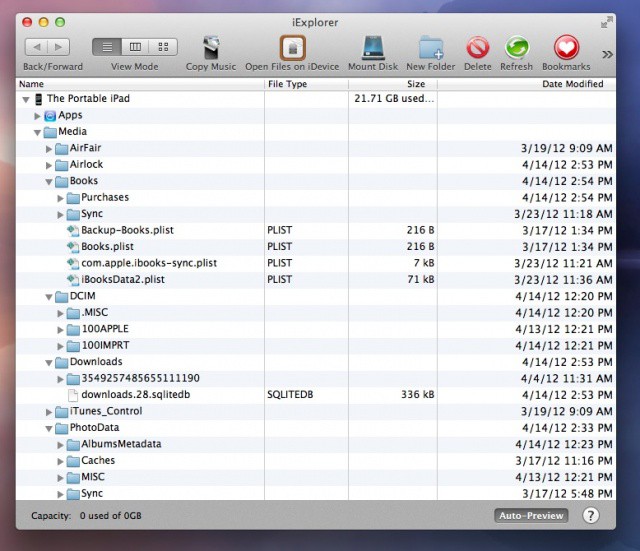
Figure Out What Is Taking Up So Much Space On Your iPad or iPhone With iExplorer [iOS Tips]

By

iExplorer Screen Shot

The other day, I was setting up an iPad for a client of mine when I noticed that there was 5 Gb of space being used on the device. When I plugged the iPad into my Macbook Air and opened iTunes, it said that the iPad had 3.9 Gb of space in the “Other” category, but none of the files in the file sharing section of iTunes were that big. This conundrum led me to today’s tip.

The OS X HackStore Aims To Bring The Cydia Experience To The Mac [Exclusive]

By

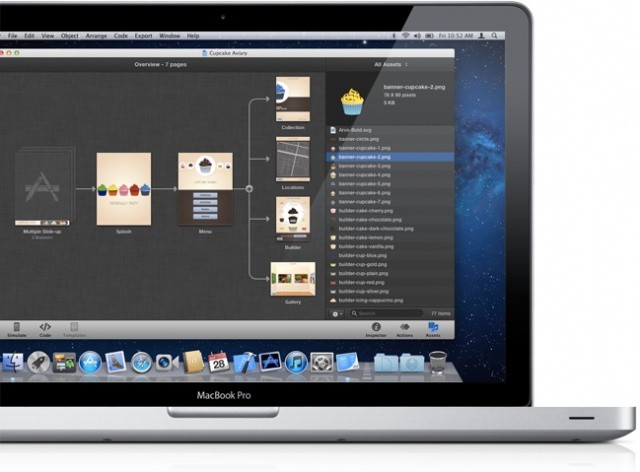
Introducing the HackStore, where Cydia meets the Mac App Store
Introducing the HackStore, where Cydia meets the Mac App Store (design in progress)

When the App Store first launched on iOS, the need for an alternative marketplace quickly arose. Jailbreakers and power-users wanted a way to download and install apps that gave them more control over their devices than what Apple would allow.

That was how Cydia was born. Created by Jay ‘saurik‘ Freeman, the Cydia app store allows users with jailbroken devices to not only install apps that bypass a number of iOS’s built-in restrictions, but to more easily discover them.

On the Mac, there’s obviously no jailbreaking, but given the sandboxing restrictions placed upon App Store developers, there’s still a need for a Cydia-like alternative: an easy-to-use, curated catalog for apps that give power-users too much control over their systems for Apple’s comfort.

Enter the HackStore, which hopes one day to be as synonymous with user-empowered Macs as Cydia is with jailbroken iOS devices.

Reflection App Updated To Effortlessly Mirror The New iPad’s Retina Display On A Mac

By

The new white iPad frame in Reflection 1.2 looks sexy.
The white iPad frame in Reflection 1.2 looks sexy.

Remember when we told you about the amazing Reflection Mac app that lets you mirror your iOS device screen over AirPlay? Well, the developer of Reflection just updated the app with support for Apple’s latest iPad and its beautiful Retina display.

The huge update also includes support for recording audio as well as video from your iPhone or iPad. Several new features, including full screen ‘theatre’ streaming to your Mac, have been included in version 1.2 of Reflection as well.

MacLegion Spring Bundle: $800 Worth Of Great Mac Apps For $50 [Deals]

By

Screen Shot 2012-03-10 at 10.25.16 PM

The guys at MacLegion are back at it with their 2012 Spring Bundle. They’ve assembled 10 fantastic Mac apps from great developers and packaged them into an offering that’s hard to pass up. If you decide to purchase this year’s Spring Bundle, you’ll be getting $800 worth of Mac software for only $50. Doesn’t get much better than that.

There’s only a little over a week left before the bundle expires, so don’t hesitate to buy if you’re interested.

Reflection App Uses AirPlay To Mirror Your iPhone 4S And iPad 2 Screen On Your Mac

By

Screen Shot 2012-02-29 at 7.53.45 PM

A new Mac app called Reflection allows you to wirelessly mirror your iPhone 4S or iPad 2 screen on your Mac. Using the magic of AirPlay and OS X Lion, Reflection will allow you to view your iOS device’s screen in real time on your Mac display, no setup required. Screen activity can be recorded and saved to your desktop. You can even kick back and play your favorite iOS game on your giant iMac! Now that’s awesome.

Smile Updates PDFpen Mac App For Mountain Lion’s Gatekeeper

By

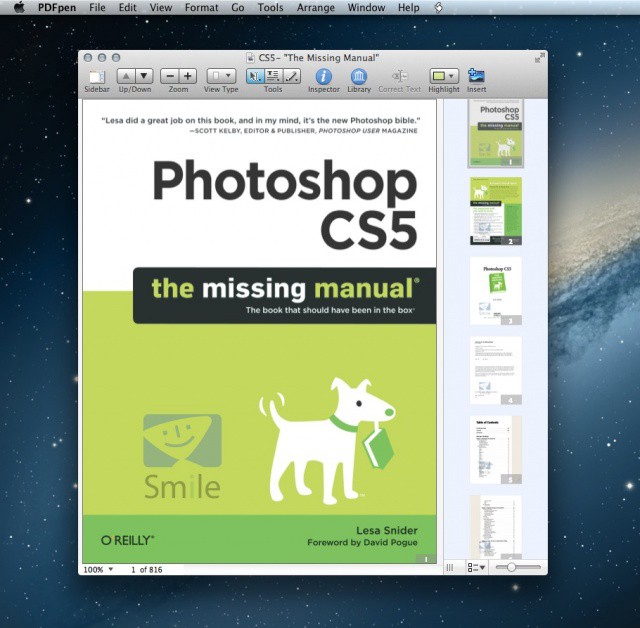
Screen Shot 2012-02-24 at 2.00.35 PM

Although Apple just announced OS X Mountain Lion last Thursday, Mac apps are already getting updated for compatibility with the next-gen OS. Mountain Lion is only available as a developer preview, but that hasn’t kept Smile from updating its popular PDF editor for the Mac, PDFpen, with Gatekeeper compatibility.

Smile makes great productivity apps for the Mac, like TextExpander. With this latest update to PDFpen, a Gatekeeper-friendly Developer ID has been added to help future Mountain Lion users install the app in a secure environment.

Tomahawk Is iTunes, Spotify, SoundCloud, YouTube + More In One Amazing Next-Gen Music Player

By

cult_logo_featured_image_missing_default1920x1080

With a plethora of options available for any taste, it’s a better time to be a digital music fan than ever before. iTunes Match. Spotify. Rdio. Soundcloud. Grooveshark. There’s a streaming music service for every taste, a place for every song in the cloud no matter how obscure.

With all of these competing services floating around, though, finding music in your library isn’t as easy as it once was, though… mostly because you probably don’t have a central music library. Some of your favorite albums are on iTunes, while others might only be available on Spotify, or knocking around as demos on Soundcloud.

Wouldn’t it be great if there was an iTunes-like media manager to consolidate all of your music? An app you could use to just find that song on all of your services, no matter where it’s stored: just type it in and hit play?

There is. It’s called Tomahawk. And it’s awesome.

Popular ‘Things’ To-Do App Finally Gets Cloud Sync With Public Beta

By

Screen Shot 2012-02-21 at 11.55.24 PM

After nearly a year of private beta testing, Cultured Code has finally implemented cloud sync in its popular to-do app Things. Now available as a public beta for the Mac, iPhone and iPad, Things Cloud can be enabled and tested for free by any customer.

When task management apps started adding cloud sync over a year ago, Things users were left behind while the developers at Cultured Code took a laboriously long time to get their sync solution off the ground. Now that iCloud is out and cloud sync is a staple feature of nearly every productivity app, has Things missed the bandwagon?

Instead Of Getting Sherlocked, Growl Plans To Make Notifications Better In Mountain Lion

By

mono-growl1

Apple has brought the iOS 5 Notification Center to the Mac with OS X Mountain Lion. The new interface displays incoming notifications from different apps in one place, mimicking the functionality of the Mac app called Growl. You’ve most likely used Growl before whether you know it or not, as the tool integrates with many popular Mac apps for displaying notifications through popups.

With the birth of Notification Center on the Mac in Mountain Lion, one would assume that Growl has been sherlocked. According to the app’s developers, that is not the case. In fact, Grow will make Mountain Lion’s notification system even better.

Mac Developers Now Have Until June 1 To Sandbox Their Apps

By

Screen Shot 2012-02-21 at 4.34.15 PM

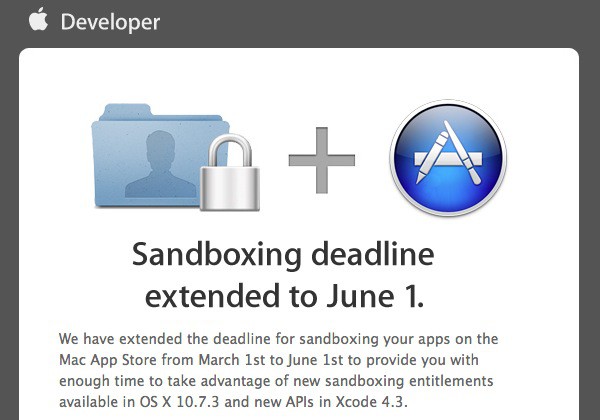
Apple has informed Mac developers that the deadline for sandboxing apps has been extended to June 1st. The date was postponed last November and set to take place on March 1st. Apple has been working on technical specifications for third-party developers since.

For those that are unfamiliar, “sandboxing” is essentially confining an app’s system access to its specific functions or entitlements, thereby hindering the possibility of an app behaving maliciously on a system level. Developers now have more time to appropriately implement sandboxing into their apps for the Mac App Store.

Fire Off An Instant Email From Your Mac’s Menu Bar With QuickMailer

By

Screen Shot 2012-02-21 at 11.07.43 AM

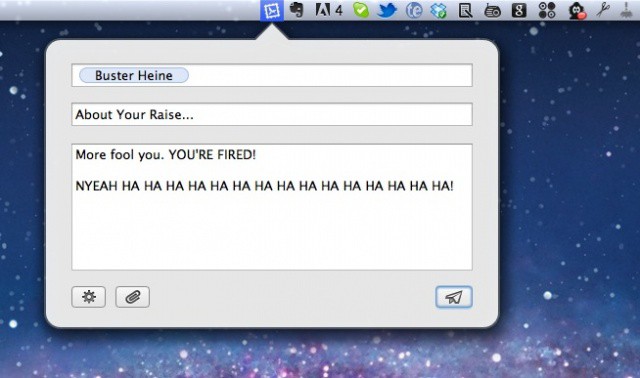
Sometimes the morass of Mail windows on a Mac can just become too much. Various apps have tried to help manage this in various ways: Sparrow by bringing the streamlined Tweetie aesthetic to mail, Postbox by in-line quick replies, and so on.

Even so, more often than not, when I close Mail for the day, I’m closing about a dozen or two blank or half-written email windows that have been opened during the day, then forgotten. Why can’t sending an email be as painlessly fire-and-forget as sending an IM? Enter QuickMailer.

VLC 2.0 Released For Mac, Get Downloading!

By

Screen Shot 2012-02-20 at 12.08.23 PM
The two color schemes and revamped interface in VLC 2.0

The VideoLAN organization has released VLC 2.0 “Twoflower” with a completely revamped interface, hundreds of bug fixes, performance enhancements, experimental BluRay support, and more. We told you that version 2.0 had hit the final design stage last week, and it’s finally ready to download!

Skip Tunes: A Simple Way To Control iTunes Or Spotify From Your Mac’s Menu Bar [Review]

By

Screen Shot 2012-02-14 at 12.31.57 PM

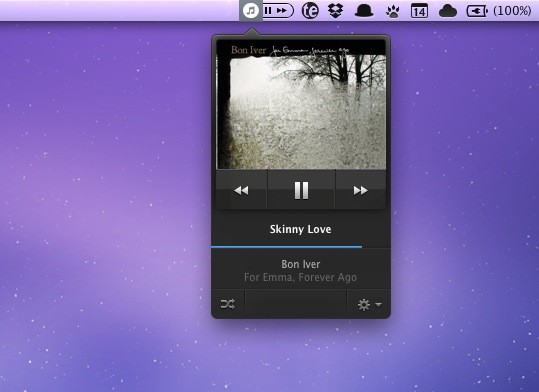
I’m always looking for ways to enhance my music listening experience on the Mac. For the last several months I’ve been using Bowtie to control iTunes with keyboard shortcuts, and Ecoute is another great alternative for managing iTunes in a minimal, simplified way.

When the developers of Skip Tunes contacted me, I was intrigued by the app’s menu bar interface. For quick access to simple music playback controls, it doesn’t get much better than this.

Snapseed Photo Editor Now Available In The Mac App Store

By

mzl.zgoxcrep.80500-75

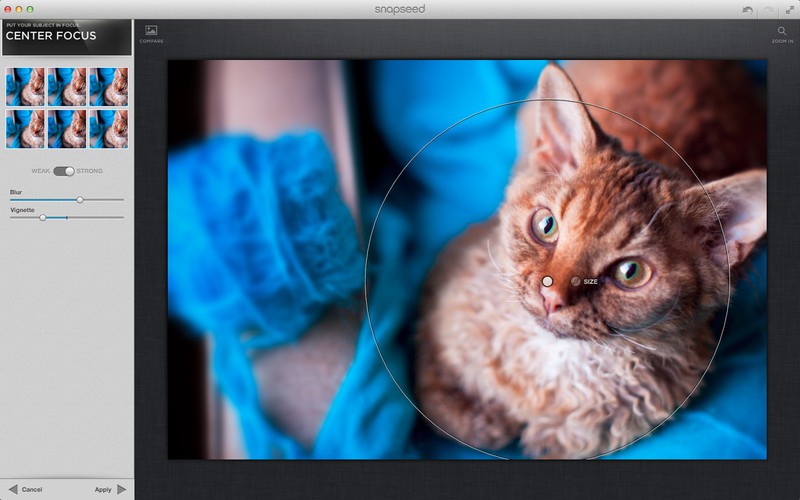
Nik Software has released its Snapseed photo editor in the Mac App Store. We told you a couple days ago from CES that Snapseed was headed to the Mac, and the app is now available for $19.99.

Snapseed has been an incredibly popular photo editing app on the iOS platform, so much so that it even won an Apple “App of the Year” award recently. The beautiful design and robust set of features we’ve come to expect from Nik Software is now available on the Mac.

Quicken For Mac 2007 Headed To Lion In Early Spring Of 2012

By

Screen Shot 2011-12-22 at 4.21.02 PM

Intuit has announced that its popular finance application, Quicken, will be updated with Lion support in “early spring” of next year. The 2007 version of Quicken for Mac will be updated with Lion compatibility and Intuit promises that it will focus more on Mac development in the future.

Quicken for Mac doesn’t work on Lion because Apple discontinued support for Rosetta apps that are based on PowerPC architecture. The updated version of Quicken for Mac 2007 will finally run natively on Intel hardware.

Scrivener, The Popular Word Processing App, Is Headed To iOS

By

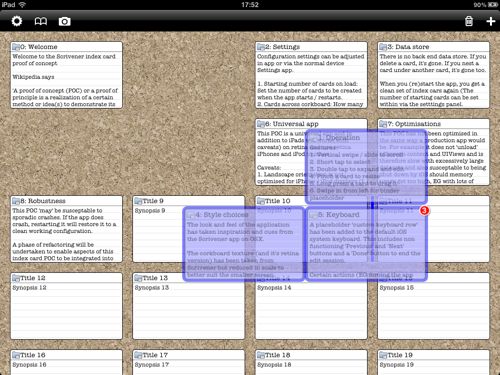
a Scrivener for iPad proof-of-concept

Literature & Latte, the development company behind the popular word processing app called Scrivener, has announced that an iOS version of Scrivener is in the works for a 2012 release.

Fans of Scrivener for Mac will be happy to know that the app is now in development for the iPhone and iPad. The professional writing tool will likely offer the most robust word processing experience for iOS to date.

Here Are Your Top Mac Apps Of 2011, Now Choose Your Number One [Best of 2011]

By

best mac apps 2011

As we reminisced in our previous poll, 2011 has been a monumental year for the Mac App Store. There have been countless new releases and updates that we’ve covered on the site, and the Mac app ecosystem has reached a whole new level of excellence.

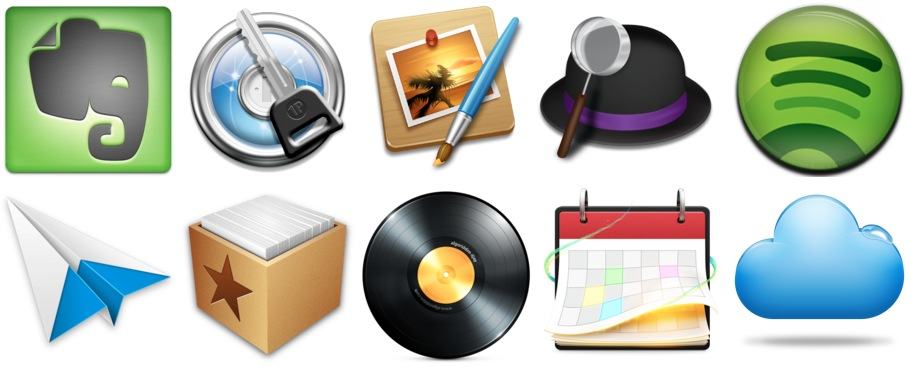
We told you to choose the 10 most innovative Mac apps of this year, and your votes garnered some interesting results. Here are the 10 most innovative Mac apps of 2011. And now we need you to choose your number one.

Here’s Your Chance to Win a Free Winter 2011 Mac Phenom Bundle [Giveaway]

By

Screen Shot 2011-12-10 at 5.27.19 PM


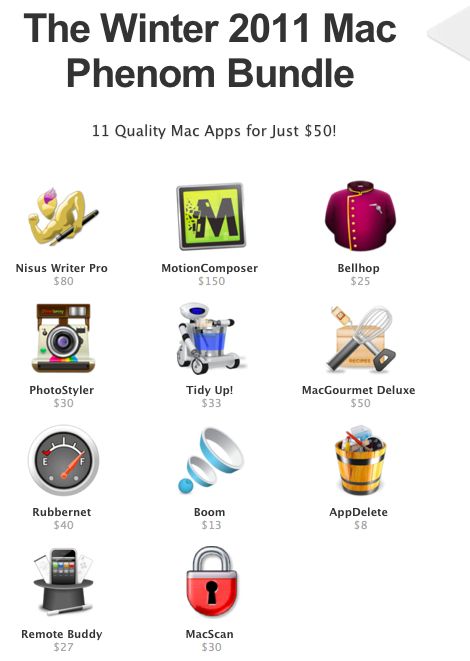
Have you checked out the sweet bundle of apps that we’ve scored over on Deals.CultofMac.com? The package includes 11 awesome Mac OS X apps for a crazy price of $50 (retail value of $486). The bundle is filled with goodies that will make the Holidays on your Mac a ton of fun – I’m personally a fan of PhotoStyler and TidyUp. With the Winter 2011 Phenom Bundle you can either gift individual apps from your own bundle or better yet, get the entire lineup for your friends and family!

This weekend we’re giving away three bundles of the Winter 2011 Mac Phenom Bundle for free so that three of our lucky readers can have some extra Christmas cheer. Entering the giveaway only takes a few seconds, so don’t miss out on your chance to win.

Here’s How To Enter:

What Are The Most Innovative Mac Apps Of 2011? [Poll]

By

mac_app_store_icon-copy

2011 has been a big year for the Mac app community. The Mac App Store was released to the public on January 6, 2011 and millions of free and paid apps have been downloaded since then.

After looking back at all of the great apps from this year, we decided to put together a list of the very best. But we need your help, so tells us what apps you think deserve to be included in our top 10 roundup.