As a follow-up to last week’s super guide of everything we expected at WWDC 2011, here’s everything Steve Jobs and Apple actually did announce at this year’s WWDC, from Lion’s exciting new features to the revolution of iOS 5 and iCloud.
He just struck a deal with the record labels to finally monetize pirated music — a move that “resets the whole music industry,” according to one music-tech CEO.
False versions of Xcode may have gotten into your apps; here's how to fix the problem. Photo: Apple
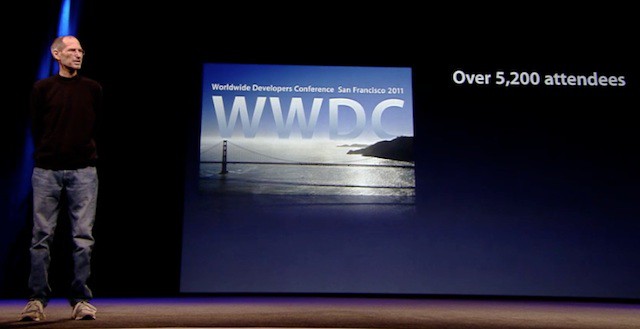
As promised, Steve Jobs and Apple made sweeping software-related announcements at the WWDC keynote in San Francisco Monday.
While much of the functionality previewed by the Cupertino, CA technology behemoth will not be available to users until sometime this fall, several companies and technology purveyors have got to be quaking in their boots as a result of seeing Apple’s roadmap to the future.
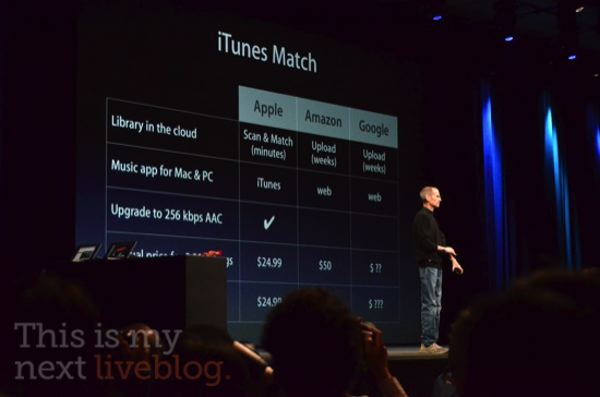
Hooray! One More Thing! And all is not lost: Apple’s giving us all Cloud Storage lockers! It’s called iTunes Match, and it’s the much ballyhooed scan-and-match functionality that Apple’s been working on.
“iTunes in the cloud,” Steve Jobs says. ” As you recall, it’s just for the music you purchased in the iTunes store. But you may have some that you ripped yourself. And there’s three ways you can deal with that.”
“One, you can sync your devices over Wi-Fi or cable, and then you can rely on iCloud. Or, if it’s just a few songs you love, you can buy them on iTunes. But we’re offering a third way, and we call it iTunes Match.”
iTunes will now scan your music collection and match it with the 18 million songs Apple has in the iTunes music store. It takes just minutes to do, and matches the stuff you’ve ripped and mirrors them in the cloud at 256kbps AAC with DRM free.
It’s affordable, too! It costs just $24.99 per year. For everything, no maximum storage. This is what Apple built its North Carolina data super center for.
Wow. That blew Amazon Cloud and Google Music out of the water. It pays to sign the contracts.
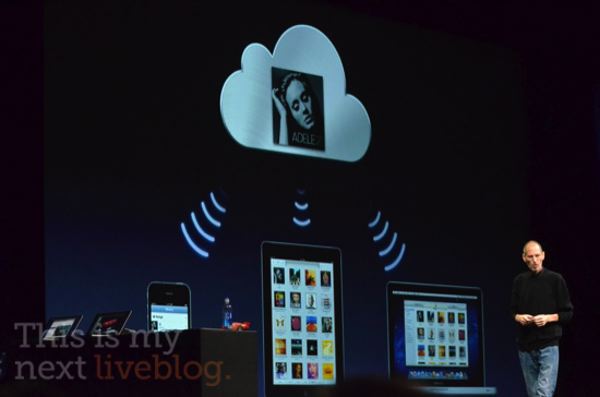
Steve Jobs is back on stage now, to unveil the last part of iCloud that makes it truly magical. We all know what to expect here, but Steve Jobs spells it out: “iTunes in the cloud.”
“You know, it’s the same old story. I buy something on my iPhone, and it’s not on my other devices. I grab my iPod and it ain’t there,” says Jobs.
They’re aiming to change that with iCloud. For songs you’ve already bought — like apps, or iBooks — there’s now a purchased button to allow you to easily re-
download to your device, no additional charge.
Buy a new track? It automatically pushes to all of your device. Steve says this is an industry first.
It all happens at 256K AAC, and supports up to 10 devices for free.
So this is what iCloud is. It isn’t streaming music at all. It just syncs any iTunes purchased track automatically across 10 iOS devices. Wow. That is outrageously disappointing. Does Steve have something up his sleeve still though?
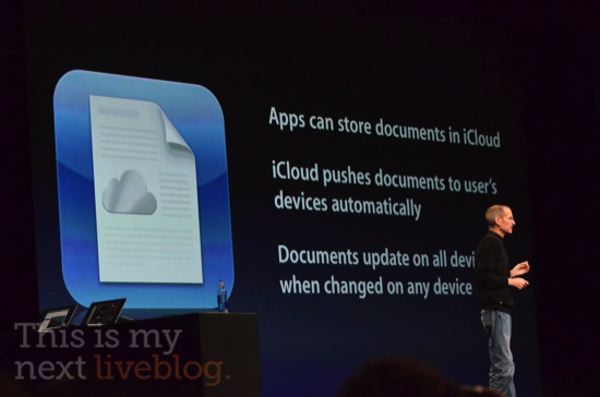
If you create a Pages document, it uploads and store in the cloud, then pushes live to all the devices you can run Pages on. That feature is live in Pages, Numbers and Keynote… it’s iWork grown up.
It’s a bit disappointing, in that you still need a native app to access all your documents. There also doesn’t appear to be any true cloud editing.
It’s all part of Apple’s attempt to get rid of the file system. As such, Apple’s releasing iCloud storage APIs, so any app can use them. It even works on Macs and PCs!
It works the same for Photos. “I take photos on any device, puts them in the camera roll, and then it’s uploaded to the cloud and downloaded to all of my devices, just waiting for me when I get home. In addition, I can import photos,” says Steve.
There’s nothing new to learn. You just access your Photo Stream by punching a button in Camera or Photos.app. On the Mac, it’s built into iPhoto. On the PC, it’s built into the Pictures folder. It even works on the Apple TV! The only problem is they only last for thirty days, which I don’t quite get.
Seems like we know what the North Carolina data facility was built for, don’t you think?
iCloud doesn’t stop at the free core apps, though. It’s getting App Store integration.
You can now see your purchase history on all devices, and redownload an app easily by just tapping it. No longer is there any confusion about which app you own and which you don;t.
iBooks does the same thing, as does music and video. When you buy anything new, it pushes down to all of your devices automatically.
With iBooks, it’ll even store bookmarks and notes across devices. This is Apple’s answer to Kindle’s Whispersync.
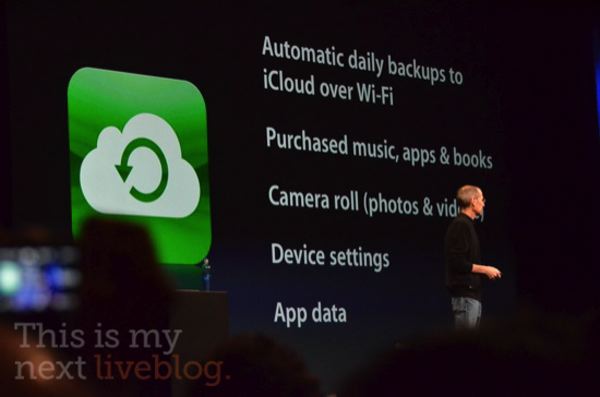
Even better? iCloud automatically backs up most of the data on your device to the cloud once a day, including purchased content, camera roll, device settings and app data.
But Steve Jobs promises that as impressive as this all is, it’s the last three features that are amazing.