Mobile menu toggle

Search results for: mechanical keyboard

Powerful M4 Pro MacBook replaces trusty M1 Pro laptop [Setups]
By

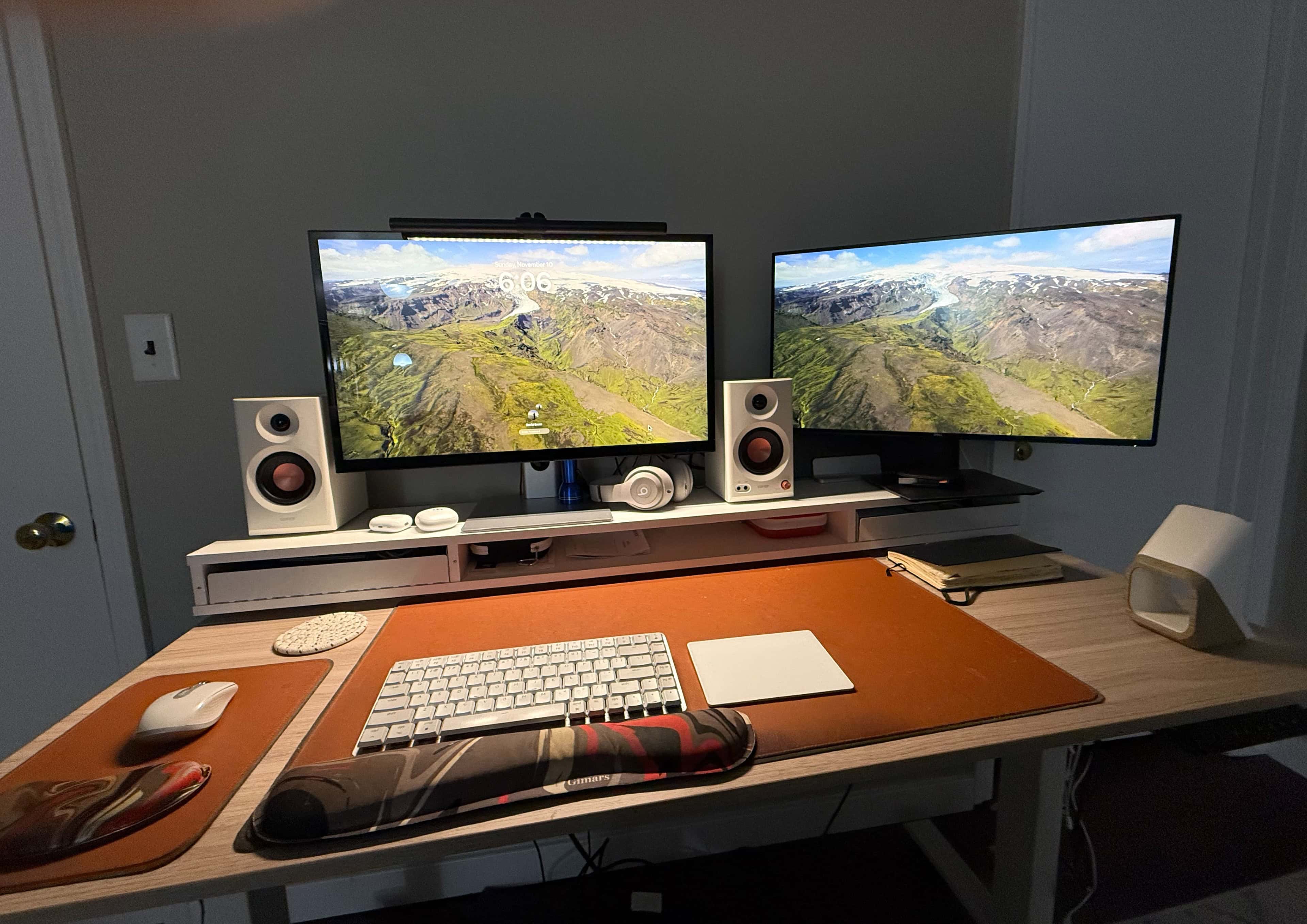
M4 Pro MacBook Pro setup
It's a beautiful laptop, and yet I've pretty much hidden it in my computer setup. It's on the vertical stand behind the right-hand display.
Photo: David Snow/Cult of Mac
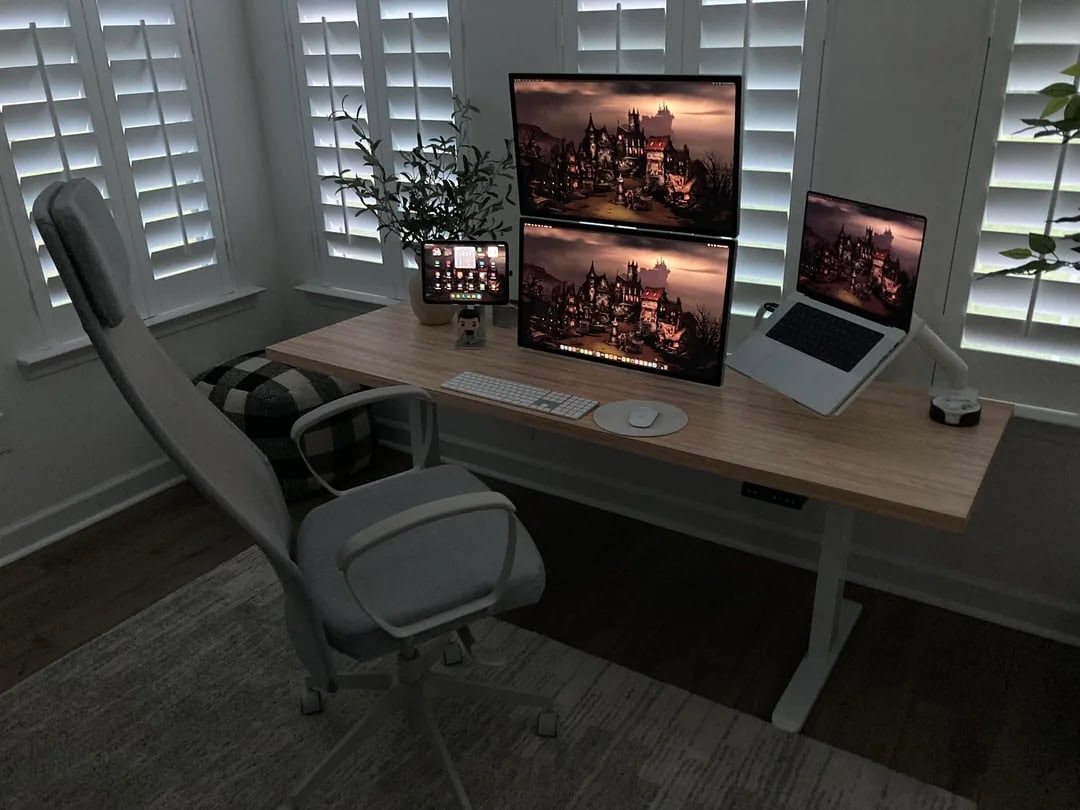
I’ve focused on my own workstation just a few times in several years of handling Cult of Mac setups coverage (this is setups article number 569 for me, by the way). Well, now it’s that time again, thanks to two major new upgrades in my personal rig. First, I replaced my trusty silver M1 Pro MacBook Pro with a brawny M4 Pro model in space black. And second, I installed a set of bookshelf speakers right in the workstation for the first time.

MacBook Pro rig relies on very unusual charger [Setups]

By

Anker Prime Charging Station setup
That little box under the right side of the Studio Display is an Anker Prime Charging Station.
Photo: [email protected]

These days so many people run external displays that operate as USB-C hubs that it’s getting rare to see a charger in the middle of a computer setup. But today’s MacBook Pro and Studio Display outfit features a powerful charger right in the mix — an Anker Prime Charging Station. It blasts up to 250 watts of power, works in Wi-Fi mode and features one very interesting and unusual feature.

Try not to trip over all the Mac Pros in this guy’s office [Setups]

By

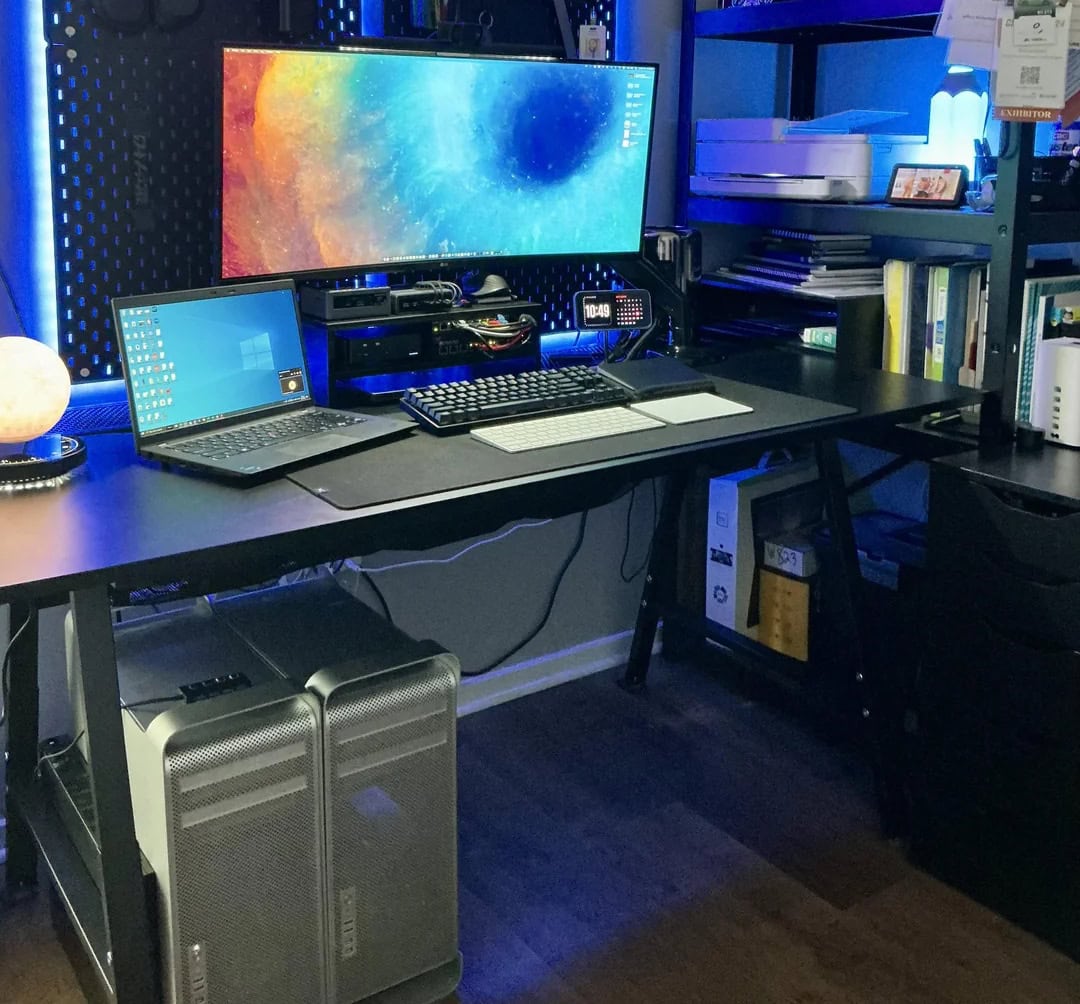
Mac Pro collection
This guy's a MacBook Pro and PC laptop user, but he's got three Mac Pro machines he wants to work on.
Photo: [email protected]

Today’s featured M3 MacBook Pro setup comes from a user who packs not one, not two but three Mac Pro desktop computers (you know, the famously powerful and expensive ones). He uses a “trash can” Mac Pro regularly, but he’s not sure what he’ll do with the other two that he acquired recently for his Mac Pro collection, other than work on them. In the meantime, he’s got his Apple laptop, but his work makes him deal with a PC laptop most of the time, he said.

Gorgeous MacBook Pro rig reveals key cable-management tip [Setups]

By

MacBook Pro cable managment
Underneath and behind that Studio Display and MacBook Pro lurks a key cable-management practice that even RGB lighting can't reveal.
Photo: [email protected]

It’s another thrilling Monday, so we thought we’d sex things up with everybody’s favorite scintillating subject — cable management. Sarcasm aside, it’s high on the list of things folks only love having done, not planning (and dreading) or actually doing (in half-assed ways). Anyone who’s ever been forced to clean their room can relate. So today’s easily digestible tidbit comes from a MacBook Pro user offering one simple and effective MacBook Pro cable management tip.

How to turn your iPad into an iMac

By

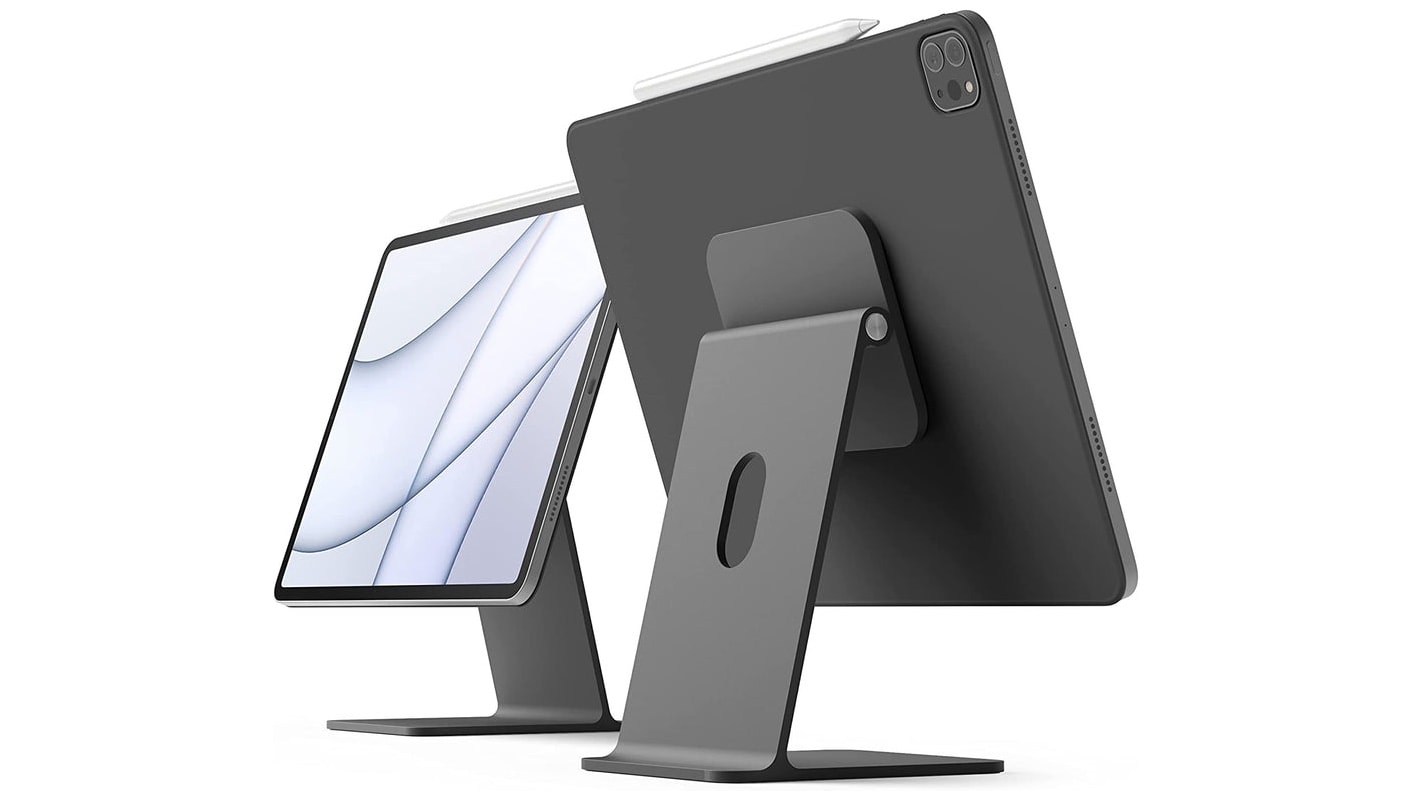
Make your iPad into an iMac with Elago's beautiful magnetic stand
Your iPad can also be a stylish iMac mini with this stand.
Photo: Elago

If you love your iPad, there’s no reason to buy a second computer. Add a few accessories and you can quickly transform an iPad into an iMac mini — a small desktop computer easily up to personal use.

I use an iPad as my primary computer, so I have some recommendations for items to take your tablet to the next level.

Another mammoth display stalks the world of workstations [Setups]

By

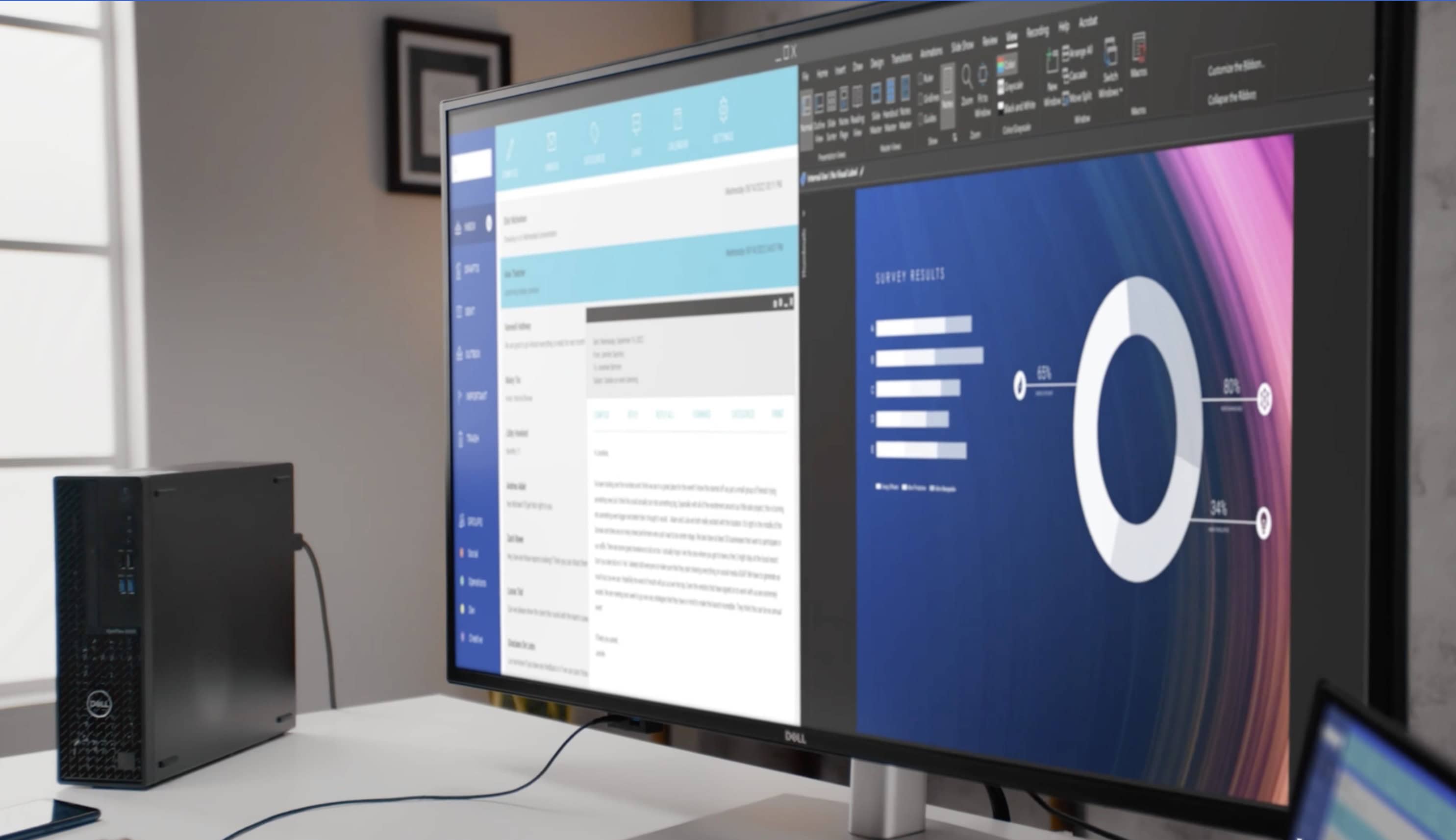
Dell UltraSharp monitor
This big Dell UltraSharp 4K display rivals many smart TVs, and it's 16 inches larger than the commonplace 27-inch monitors out there.
Photo: Dell

We’ve seen a trend for some time of people using massive smart TVs as external computer displays because they want something even bigger than most purpose-built monitors. But regular monitors are catching up. We’ve seen a few 49-inch curved gaming displays out there, of course, and today’s MacBook Pro setup uses a giant 43-inch Dell flat panel with 4K resolution.

Try MacBook Pro user’s perfect iPad Pro placement [Setups]

By

iPad Pro stand
Commenters on the post noticed the intriguing placement of the iPad Pro.
Photo: [email protected]

Not everyone keeps an iPad in their computer setup, especially when it’s not their main computer. But today’s M2 Pro MacBook Pro user does. And as commenters on his post noted, he may have found the perfect placement for his iPad Pro stand. He seems to get his laptop and tablet mounts working in perfect unison, within view and also within easy reach.

Here’s the argument for stacked Studio Displays [Setups]

By

stacked Studio Display setup
Stacking Studio Displays might seem odd to many folks, but this user loves it.
Photo: [email protected]

We’ve seen quite a few instances of stacked external displays in setups, but today’s M2 MacBook Pro rig might be the first time we’ve seen Studio Displays mounted that way. With all the questions commenters asked about the workstation, the user ended up laying out quite a few points about why it works great.

Killer MacBook Pro rig enjoys awesome audio recording and playback [Setups]

By

Shure MV7 USB microphone setup
A Shure MV7 USB microphone on a nice stand and Audioengine speakers keep the audio clear here.
Photo: [email protected]

If you’re going to sound your best on podcasts, online videos or conference calls, it helps to invest in a USB microphone. Today’s MacBook Pro setup takes advantage of a USB mic from the excellent brand Shure. And the user throws in a nice pair of Audioengine speakers for loud-and-clear playback, too.

1 40 41 42 43 44 48