Mobile menu toggle

Search results for: mechanical keyboard

5 Mac accessories I can’t live without

By

Image of a Mac with the word
Improve your Mac experience with these accessories.
Photo: Rajesh Pandey/CultOfMac

Apple makes the best desktop PCs and laptops. But I cannot say the same for its accessories. While I have been using Macs for more than a decade, I rely on these five Mac accessories made by third parties to enhance my experience.

The list ranges from a wireless keyboard to an ergonomic mouse to headphones that will amaze you with their noise cancellation. Read about my five favorite Mac accessories below.

Gamer loves easily switching from MacBook Pro to PC [Setups]

By

setup KVM switch
This setup uses and inexpensive KVM switch and Thunderbolt 3 dock to switch between MacBook Pro and gaming PC.
Photo: [email protected]

In a world where people love their Macs for some uses and their PCs for others — especially gaming — a setup KVM switch comes in mighty handy. That’s because it lets you easily switch between Mac and PC using the same peripherals, like keyboard, video (displays) and mouse. That spells K-V-M.

New audio interface and microphone give good voice to MacBook Pro rig [Setups]

By

Focusrite Scarlett 2i2 Studio audio interface bundle
Now I'm ready to record, podcast and sound better on calls.
Photo: David Snow/Cult of Mac

After finally incorporating a proper pair of speakers into my evolving MacBook Pro setup in late 2024 — following years of writing Cult of Mac setups articles, often with a focus on high-quality audio gear I shamelessly envied — I just upped my rig’s audio ante again. And this time it’s mainly from the input perspective. I added a new Focusrite Scarlett 2i2 audio interface, a condenser microphone mounted on an arm and, ridiculously, two more pairs of over-ear headphones (I already have too many cans and earbuds).

M4 Mac mini user loves his Samsung ultra-wide monitor [Setups]

By

Samsung ultra-wide monitor
The user loves using his M4 Mac mini with the Samsung ultra-wide 4K display.
Photo: [email protected]

In the world of computer setups, I see lots of people with two displays, loads of people with one ultra-wide display and tons of people arguing over which is best. Today’s M4 Mac mini user loves his Samsung ultra-wide monitor, which is one I haven’t seen often. But it looks like a keeper for both Mac and PC setups. And it’s deeply discounted right now.

Genius MacBook rig makes space with clever wall mounts [Setups]

By

MacBook setup with wall-mounted display
While some commenters quibbled with the ergonomics, most people raved about how cool this MacBook setup is.
Photo: [email protected]

You’ve got to love a computer, gaming and TV setup with a big external display that’s so efficiently arranged it barely even takes up any desk space. Today’s featured MacBook Pro workstation manages the feat by mounting a big smart TV as a display on the wall, along with a pegboard for peripherals storage. But the MacBook setup with wall-mounted display took some pretty serious DIY skills, described below.

Pairing tiny M4 Pro Mac mini with giant curved display [Setups]

By

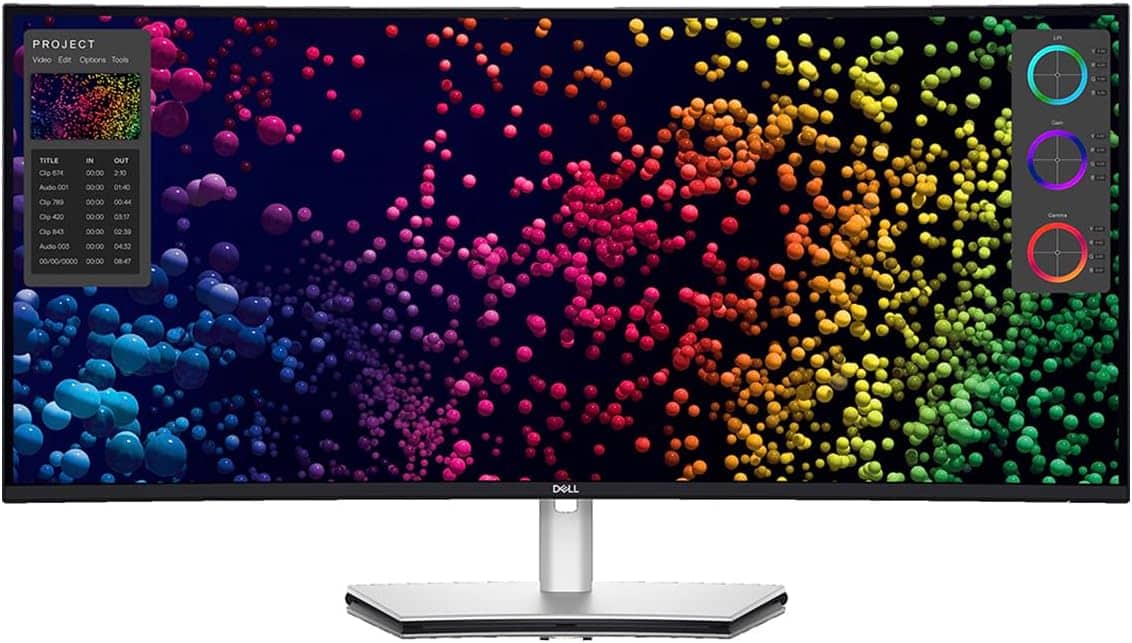
curved ultra-wide display
Today's M4 Pro Mac mini setup user loves this Dell ultra-wide display -- but with one downside.
Photo: Dell

No matter how delightfully small and incredibly powerful the new M4 Pro Mac mini may be, it’s helpless without an external display of some sort. Today’s Mac mini setup pairs the tiny beast with a gigantic pal — a curved ultra-wide display from Dell spanning 40 inches. And the mini shares the monitor and Logitech input devices with a Windows laptop.

First-time Mac owner KVM-switches between M4 Pro mini and Windows laptop [Setups]

By

Mac Windows KVM switch
The first-time Mac users loves their new M4 Pro Mac mini and used a KVM switch to use the same peripherals with a Windows laptop. And that bit sticking up in front of the display is a mounted MagSafe charger, by the way.
Photo: [email protected]

From time to time in computer setups coverage I come across a first-time Mac user, and their delight at having switched from Windows to Mac is often obvious. And that’s true of today’s M4 Pro Mac mini user, but they still need to work on a Windows laptop regularly. So they installed a Mac-Windows KVM switch in their setup to easily use the same peripherals with either machine with just the click of a button, as described and shown below.

‘Small upgrade, big difference’ [Setups]

By

USB-C cable adapters
It's amazing what a difference a 90-degree cable connector can make in a the look of a computer setup. See the "before" photo below.
Photo: [email protected]

This holiday season, give yourself or someone else the timeless gift of better cable management. Today’s MacBook Pro and LG DualUp display user shows us one way to make a small but significant improvement in the look of a computer setup. You can use cables with 90-degree connectors rather than straight ones for a cleaner look (or get USB-C cable adapters with right-angle or vertical ends for your straight cables). Check out the “after” photo above and the “before” photo below.

And seriously, if you’re hard up for stocking-stuffer ideas, a USB-C adapter kit might be just the thing. See below.

My go-to Beats headphones are a Cyber Monday steal [Setups – updated]

By

Beats Studio Pro Black Friday
Whether plugged into the speaker via the included cable for lossless audio or used via Bluetooth, Beats Studio Pro bring fantastic sound.
Photo: David Snow/Cult of Mac

While I’ve focused on my own workstation just a few times in several years of handling Cult of Mac setups coverage, it’s hard to resist an opportunity to extoll the virtues of my favorite over-ear headphones while they’re deeply discounted for Black Friday and Cyber Monday. I added the headphones to my workstation recently, and right now you can pick up Beats Studio Pro at Best Buy for $159.99. That’s about $10 less than the discount I nabbed on Amazon for the normally $350 cans (although you should not pay that full price because you usually don’t have to).

Update: This fantastic Black Friday deali s still in effect for Cyber Monday!

This post contains affiliate links. Cult of Mac may earn a commission when you use our links to buy items.

Powered studio monitor speakers focus M4 MacBook rig’s sound [Setups]

By

Edifier speakers
I like that these studio monitor speakers are on the small side and match my desk shelf.
Photo: David Snow/Cult of Mac

After years of writing Cult of Mac setups articles, often with a focus on high-quality audio gear — and after endlessly rearranging my own workstation — I’ve never managed to incorporate a proper pair of speakers into my setup. Until now. Previously, I’ve relied on MacBook Pro speakers, earbuds, over-ear headphones and, occasionally, a portable Bluetooth speaker or two. But now I’ve added a great-sounding and nice-looking pair of very affordable Edifier speakers that just fit right in.

1 39 40 41 42 43 48