Mobile menu toggle

Search results for: SSD

Apple now sells 14- and 16-inch MacBook refurbs with big discounts

By

Apple preps subscription service for iPhone, Mac and more
But Amazon is still cheaper.
Photo: Apple

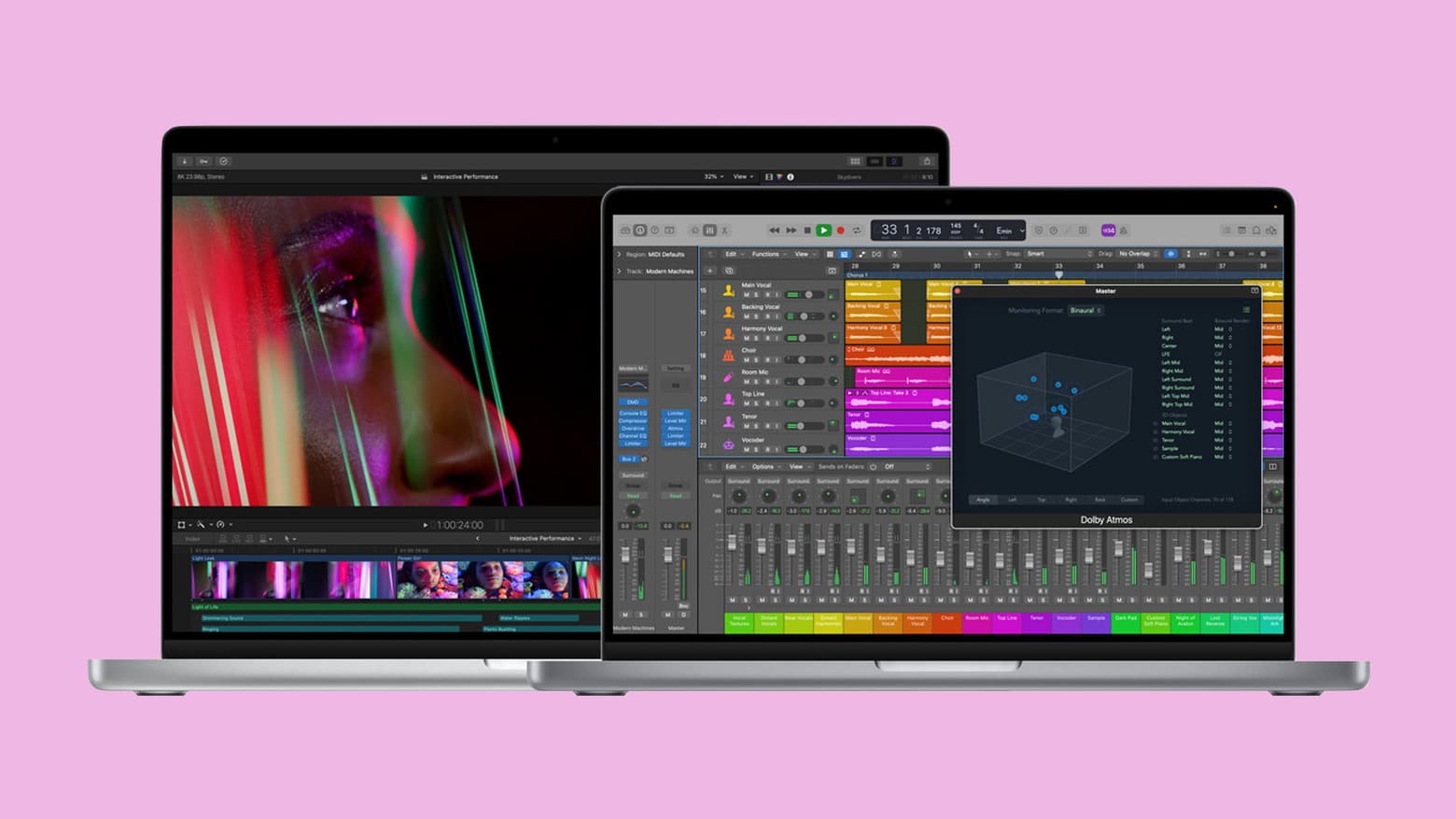
Refurbished versions of the newest MacBook Pro models are now available to purchase from the Apple Store online. Both 14- and 16-inch units are available with M1 Pro and M1 Max chips, and customers can save up to $350.

This is the first time refurbs of these machines have been made available by Apple since they made their debut last year. But if it’s a bargain you’re after, you’re likely to find a better deal elsewhere.

First M1 Max and M1 Pro MacBooks hit Apple’s refurb store

By

2021 MacBook Pro review roundup: Just what we hoped for
New isn’t always the best option. Save big by buying a refurbished 2021 MacBook Pro from Apple.
Photo: Apple

Just added to Apple’s refurbished offerings are the MacBook Pro models that in launched fall of 2021 with the blazing fast M1 Max and M1 Pro processors. These refubs offer welcome cost savings — especially on such recent notebooks — but they can not be reconfigured. Buyers can only choose from the configurations Apple has in stock.

But again, savings are considerable: a refurbished 16-inch MacBook Pro with M1 Max is up to $350 off.

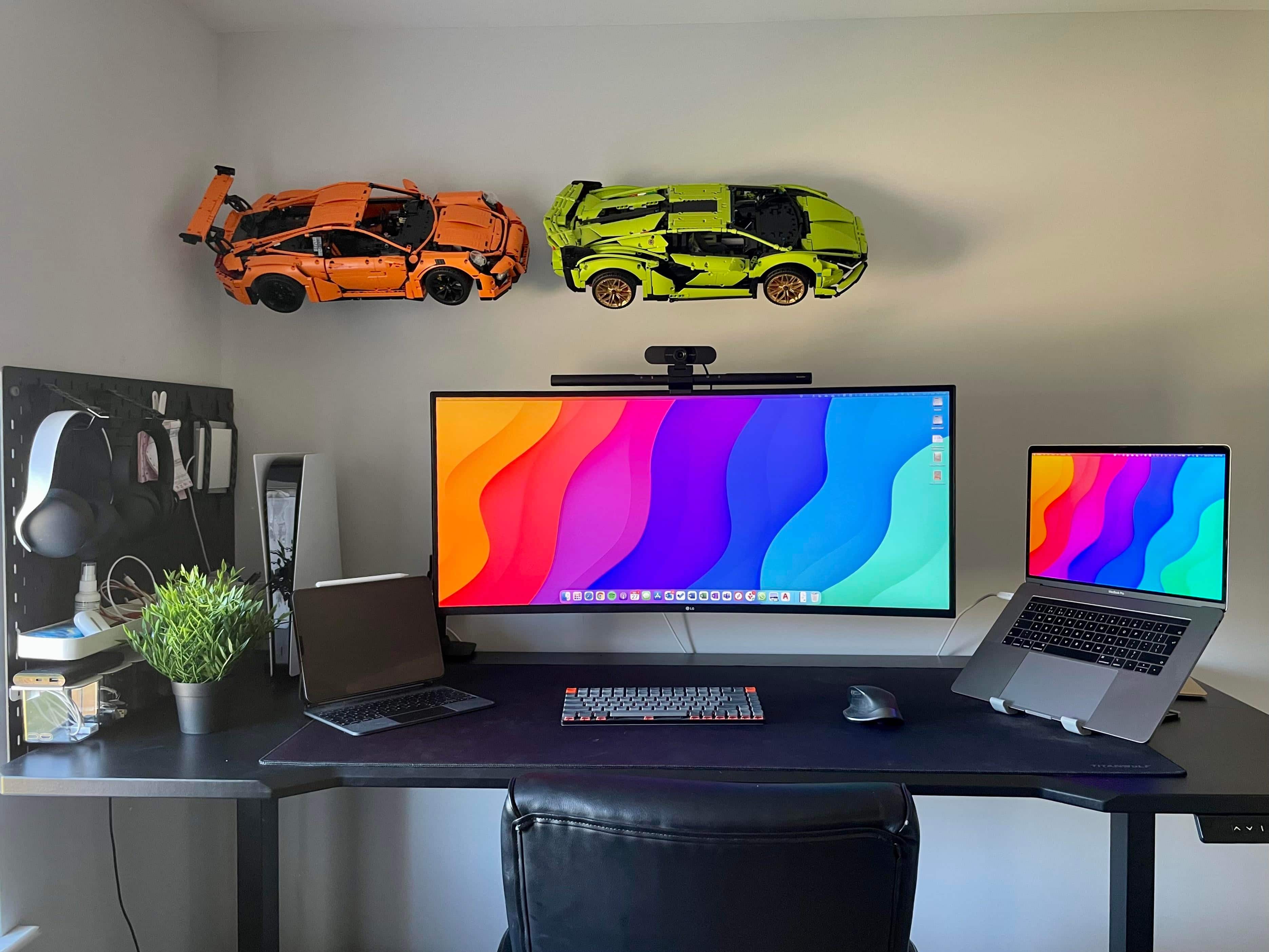
‘Mac setups are cool but Lego Technic is cooler’ [Setups]

By

Those Lego Technic race cars flying across the wall in the back are almost as complicated as real cars.
Photo: [email protected]

Who doesn’t like to have a little fun on a Friday, especially when it’s also April Fools’ Day? Not that today’s featured setup is a joke or fake in any way. It’s real. It’s serious. Not as serious as a heart attack, maybe. But it’s a working setup that likes to have a good time, let’s say.

The seriousness stems mainly from a late-model MacBook Pro and a killer ultra-wide LG display. The good time comes from the super-cool Lego Technic racing cars on the wall — two for now, with a third to come. Each one of these things has thousands of pieces.

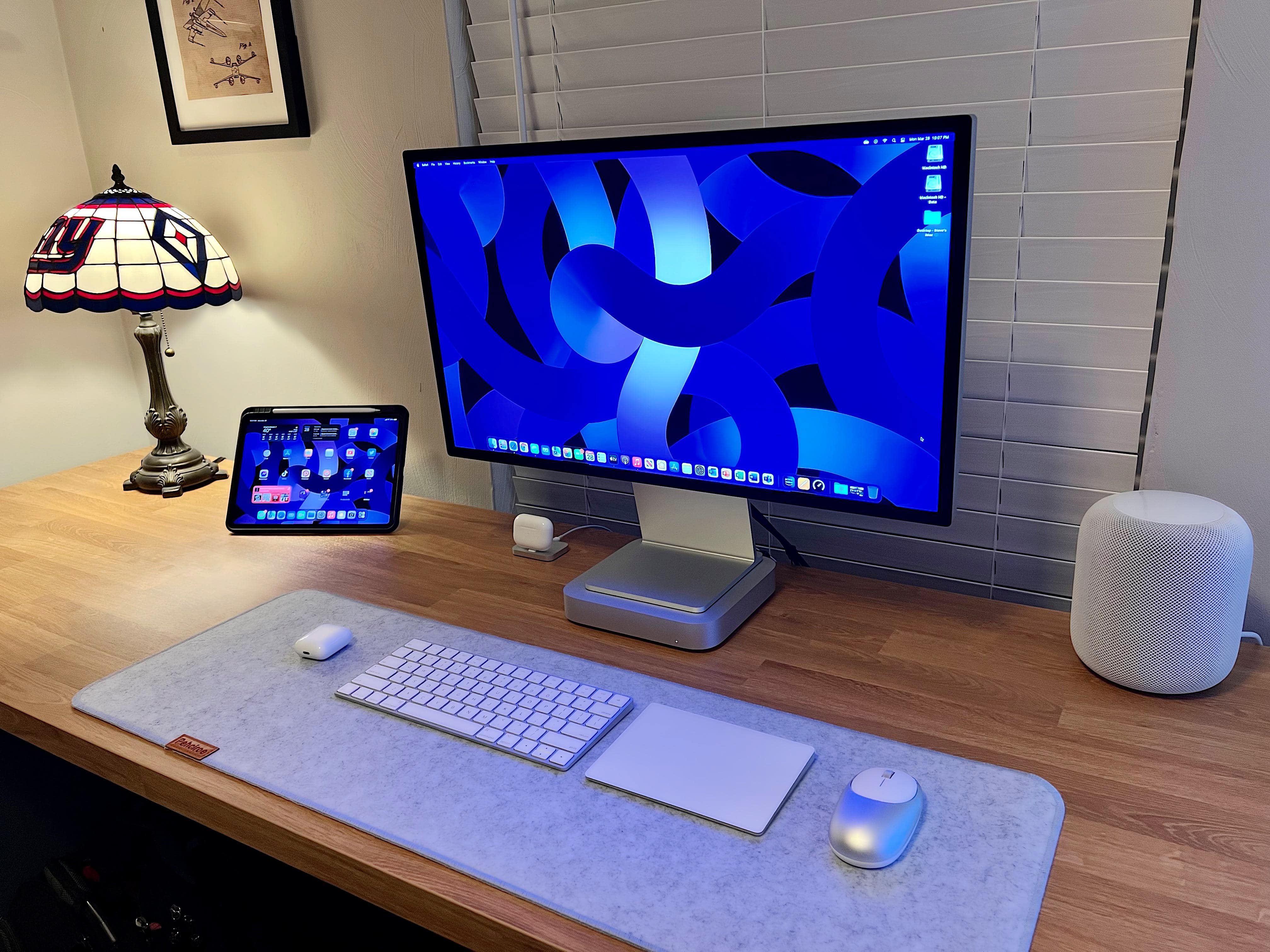
Is it OK to use a Mac mini as a stand for your display? [Setups]

By

Is it OK to rest your display on top of your Mac mini?
Photo: [email protected]

We’ve written about storing a Mac mini in an upright rather than a flat position to save space. It’s OK to do if the machine’s intake and exhaust vents are not blocked. But what about using your Mac mini as a stand for a display, as in today’s featured computer setup?

It’s not necessarily quite as cut-and-dried as the upright mini question. Whether it’s totally fine or a little risky depends a little more on the specific Mac mini and the kind of monitor you use.

iFixit takes a peek at Mac Studio’s amazing insides

By

Mac Studio teardown
Mac Studio's X-ray is oddly terrifying.
Photo: Creative Electron/iFixit

The gadget butchers at iFixit have finally gotten their hands on Mac Studio. After many hours on the operating table, Apple’s newest desktop has been pulled apart to give us a detailed look at its compact yet powerful insides.

You may be surprised to learn that many of Mac Studio’s components — including its SSDs and connectivity ports — are modular, which means they can be replaced if things go wrong. But user upgrades are out of the question.

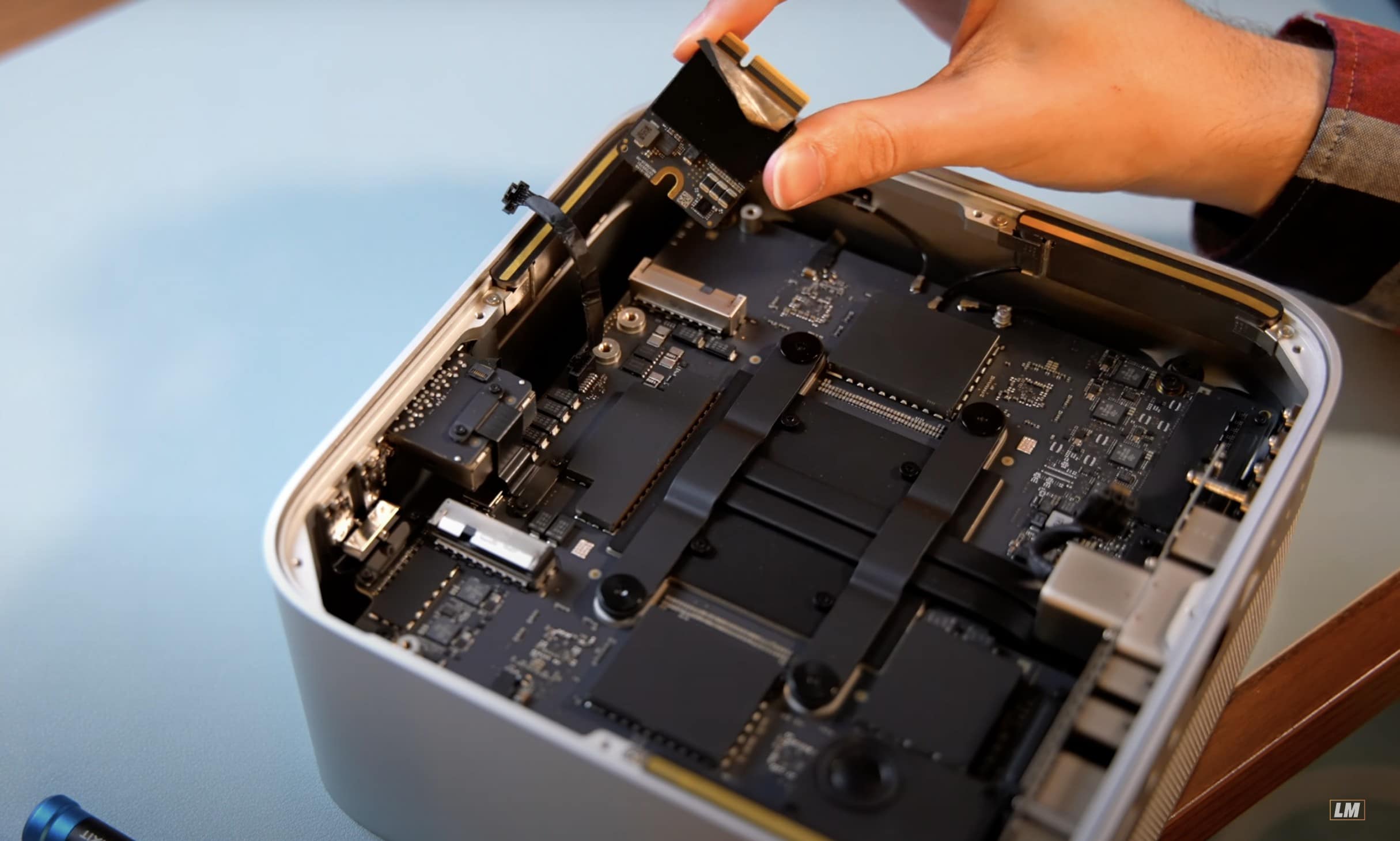
Mac Studio storage is removable but Apple blocks user upgrades

By

Mac Studio storage is removable
Why, Apple?!
Photo: Luke Miani

Breaking open the new Mac Studio reveals that its solid-state storage modules are easily removable, but you can forget trying to upgrade them. Not only does Apple use a proprietary connector, but it also blocks user swaps in macOS.

YouTuber Luke Miani pulled apart two Mac Studio machines and discovered that even if you take an original SSD out of one and put it in another, it will simply refuse to boot up.

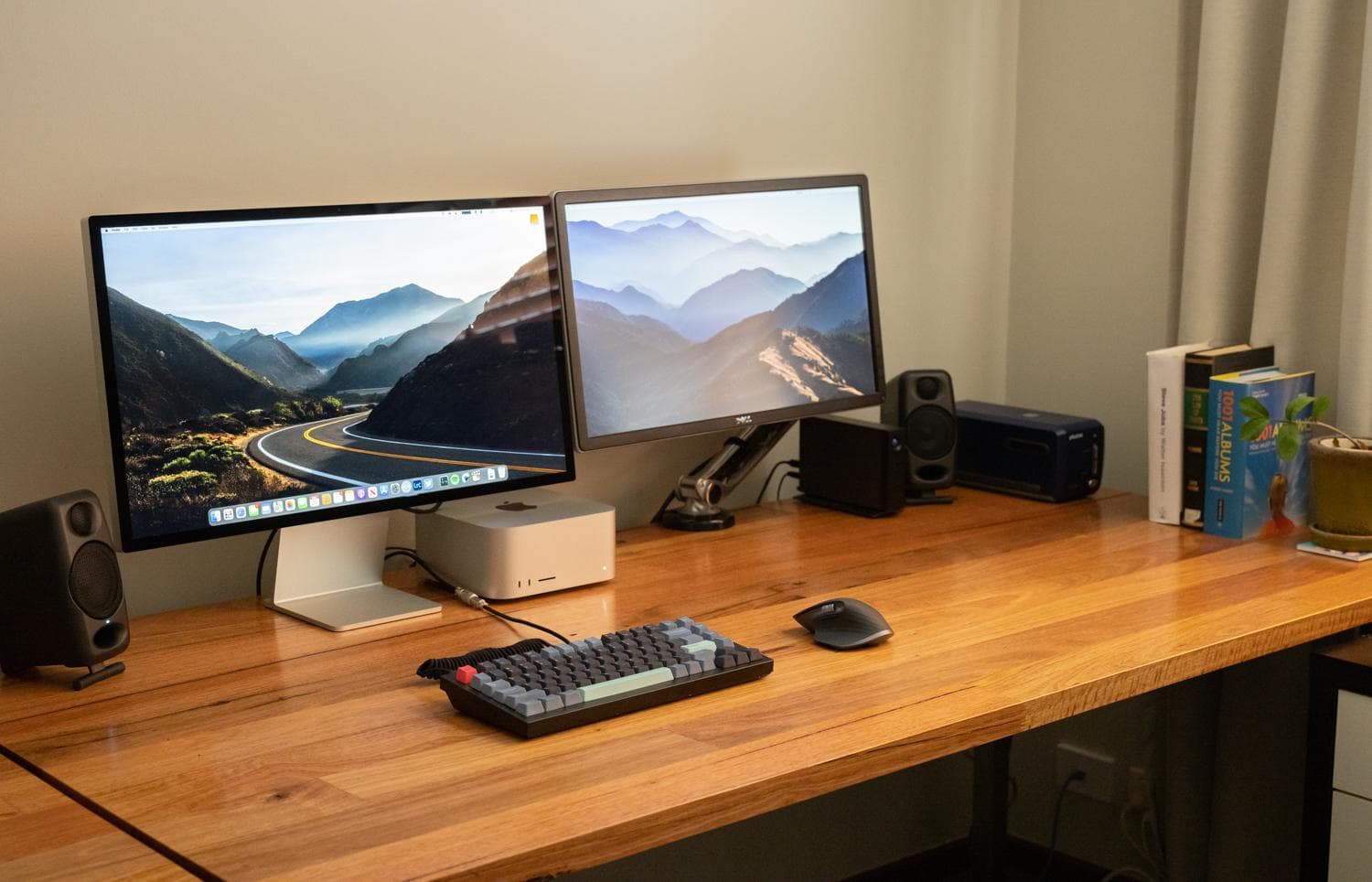
Here come the Mac Studio-powered workstations [Setups]

By

A new Mac Studio desktop and Studio Display anchor this setup.
Photo: [email protected]

With Apple’s big “Peek Performance” event only just past and deliveries of newly release products in progress, we see computer setups with new Mac Studio desktops and Studio Display monitors cropping up on social media sites.

Checking in with real people and their first impressions about the gear — and their answers to others’ questions about it — can be a pretty good early look at how things are going with Apple’s latest products.

Satechi debuts USB-C 4 cables alongside new 30W GaN charger

By

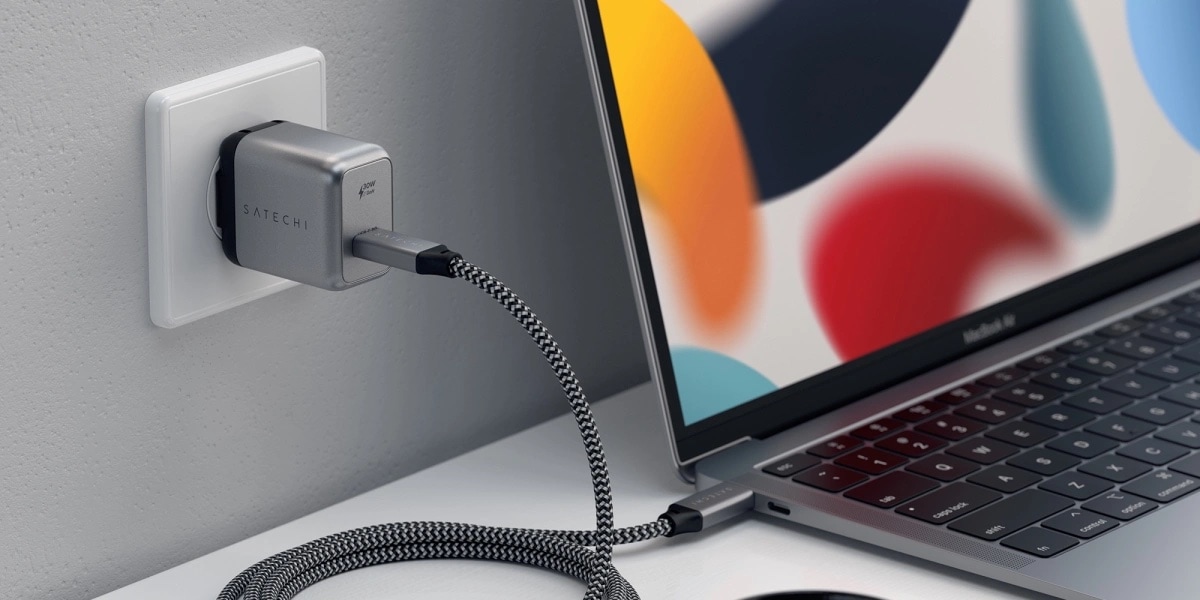
Satechi's compact new charger and USB-C 4 cables pair nicely with Apple's latest hardware.
Photo: Apple

Satechi beefed up its array of charging accessories Thursday with its first USB-C 4 cables and a compact new 30W GaN USB-C charger.

They pair nicely with Apple’s latest hardware, and you can get the new Satechi wares at a discount for launch.

Blowing half your budget on headphones and Lego sets [Setups]

By

The college kid who owns this computer setup might be headed for an aerospace-related career.
Photo: [email protected]

College students, often not exactly made of money (yet), usually feel obliged to be super-thrifty. Their setups might feature entry-level gear, hand-me-down equipment, doors on cinderblocks serving as desks — that sort of thing.

But today’s featured setup, owned by a college student, comes with some frills. They’re courtesy of a lucrative internship the computer science major completed last summer.

Wish you could make that cable go away? Here’s how. [Setups]

By

What would you do with that cable on the left?
Photo: [email protected]

Many a near-pristine computer setup is marred by one pretty ugly thing: a power cable. People pride themselves on having “one-cable” setups, where gear plugs into other gear or works wirelessly, and the whole shebang depends on one cable going into the wall outlet from a hub or a power strip. Others get as close as they can to that Zen-like state of near cableless-ness.

Today’s featured setup has that one, nagging cable. And we’re here to help make it go away.

1 71 72 73 74 75 144