Mobile menu toggle

Search results for: SSD

Build unlimited websites with this lifetime hosting service

By

Man on computer
Build unlimited websites with this lifetime hosting service
Photo: Cult of Mac Deals

Like it or not, starting a business (or trying to become an influencer) means putting yourself out there. Utilizing social media is a step in the right direction, but launching a website is mandatory if you want to make yourself stand out. And finding a great lifetime web hosting service is the place to start.

HostVerge will help you create as many websites (with subdomains) as you need, even with custom email addresses. Grab a lifetime subscription for just $178.99 (regularly $699) and make your online dreams come true.

Files app in iOS and iPadOS 18 has two hidden power features

By

Files app in iOS and iPadOS 18 has two hidden power features
The Files app has some new tricks.
Image: Ed Hardy/Cult of Mac

iOS 18 and iPadOS 18 let users reformat external drives as well as keep a copy of a file on iCloud permanently stored locally.

Both features were found by developers tinkering with the first betas of these operating systems, and should make the Files app on iPhone and iPad more useful.

Save up to a staggering $350 on M3 MacBook Pro models

By

Apple-MacBook-Pro-2up
You can get M3 Pro and M3 Max MacBooks Pro models in space black and yes, the sale includes them.
Photo: Apple

Sometimes Amazon stuns us with outstanding bargains. This week it’s big discounts on Apple’s powerhouse M3 MacBook Pro, in all or most of its iterations. You can save up to $350 off M3 MacBook Pro with the M3 Pro chip and solid specs, but that’s just one of many deals. We list six below where you can save anywhere from $200 to $350 on your machine of choice.

4 reasons Logitech’s M4 iPad Pro keyboard case is better than Apple’s [Review] ★★★★

By

Logitech Combo Touch for M4 iPad Pro★★★★
Logitech Combo Touch is one of the best M4 iPad Pro keyboard cases available.
Photo: Ed Hardy/Cult of Mac

Logitech’s Combo Touch keyboard case for the new M4 iPad Pro offers nearly everything Apple’s beloved Magic Keyboard case does. And the Logitech version includes features Apple’s does not.

I put both peripherals through hands-on testing. Here’s where the Combo Touch comes out ahead … and where it doesn’t.

Would you spend $650 on a desk lamp? [Setups]

By

Dyson Solarcycle Morph Desk Light-2
The light self-adjusts and allows for very focused lighting.
Photo: Dyson

Cult of Mac‘s setups coverage loves to look at premium products, but we often emphasize value with thrifty-but-reliable gear. Today we marvel, however, at just how much one desk lamp can cost. Our MacBook Pro user places a $650 Dyson Solarcycle Morph Desk Light on a very nice Vari sit-stand desk.

Do people really pay that much for a lamp? Even our user claims it was a gift, not a purchase.

Primo speakers and subwoofer blow the roof off [Setups]

By

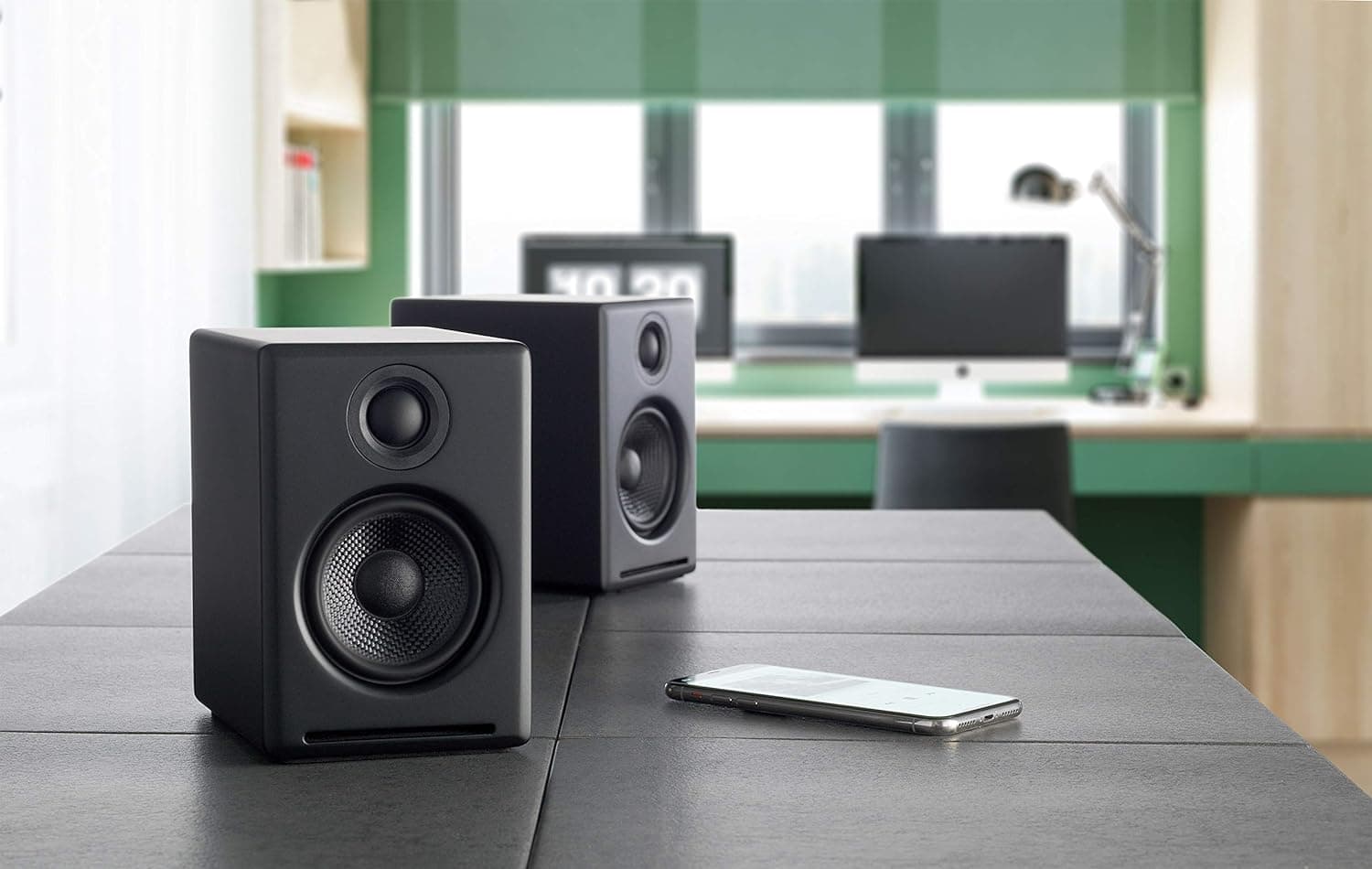
Audioengine desktop speakers
This shot from Audioengine shows its powerful A2 Plus desktop speakers with an iPhone.
Photo: Audioengine

At Cult of Mac, we love great audio. So when a computer setup comes along on social media showing off a killer system, we love to feature it. Today’s M3 Pro MacBook Pro setup kicks out the jams — we also love obscure references to cult-favorite bands of yesteryear — with Audioengine A2 Plus speakers and a Kanto Sub6 subwoofer.

So, as nice as the MacBook Pro’s six speakers may be, they don’t have a chance against that sound system.

Sweet ultra-wide display deserves great dual-monitor stand [Setups]

By

BenQ Creator Ultrawide Display
This 34-inch BenQ Creator Ultrawide Display features 1440p resolution and color-matching technology.
Photo: BenQ

Not everybody needs, wants or can afford an Apple display. Luckily, many good options abound for use with a Mac, including the 34-inch BenQ Ultrawide Creator Monitor featured in today’s exceptionally nice M3 Pro MacBook Pro setup. And it’s ideally situated on a handsome Oakywood dual-monitor stand.

Crown this mechanical keyboard ‘customization king’ [Setups]

By

Keychron custom mechanical keyboard
This shot from Keychron shows the Q2 QMK Custom Mechanical Keyboard.
Photo: Keychron

Some people are happy typing away on quiet membrane keyboards like Apple’s Magic Keyboard. Others are obsessed with pimping out their clickity-clackety mechanical keebs with the exact key caps, switches and design flourishes they prefer. Today’s M3 Pro MacBook Pro setup goes for the latter style with a Keychron Q2 custom mechanical keyboard.

It’s an excellent, moderately affordable option in a crowded market.

New MacBook Pro powers perfect workstation [Setups]

By

M3 MacBook Pro setup
Everything is well-situated on stands in this M3 MacBook Pro setup.
Photo: [email protected]

Some computer setups just seem to have it all. Today’s featured workstation sports a new M3 Pro MacBook Pro with hefty amounts of memory and storage, plus a speedy Thunderbolt 4 dock connected to a well-curated selection of peripherals. Even the gear stands and furniture are especially nice.

1 33 34 35 36 37 144