Get the most out of the browser in your pocket. Image: D. Griffin Jones/Cult of Mac
Since I spend a lot of time using Safari on my iPhone, any new tips and tricks I learn can feel life-changing. Apple’s mobile web browser proves absolutely instrumental to my iPhone usage (and odds are, it does for you, too).
Here are a few of my favorite hidden features. These Safari tips will help you browse the web faster, clean up your experience and restore tabs you accidentally close. I also have a handy Shortcut you can download at the end.
In 1996, Apple's worst quarter yet saw the company lose $700 million. Image: Ste Smith/Cult of Mac
March 28, 1996: In a dire message to Wall Street, Apple warns that it will report a $700 million after-tax loss for its most recent quarter.
Apple’s biggest quarterly loss in history, the shocking news reveals a company in far more financial trouble than previously thought. More than half the loss comes from $1 billion of unsold products.
It's not just an insulated water bottle you can't lose (with Find My), it's an iPhone stand that can work as a tripod or camera gimbal. Photo: Journey
A smart new water bottle called Reevus integrates with Apple’s Find My network so you never leave it behind at the gym, and it doubles as an iPhone stand and camera gimbal for steady photos and videos on your adventures, Journey said Friday. It called the water bottle the first of its kind.
“As eco-conscious people increasingly favor bottle monogamy, they’re investing in better quality bottles,” Journey said. “This is intensifying their dependence on un-losable bottles — because it’s too costly and disruptive to lose or misplace a bottle when you rely on it all day and every day.”
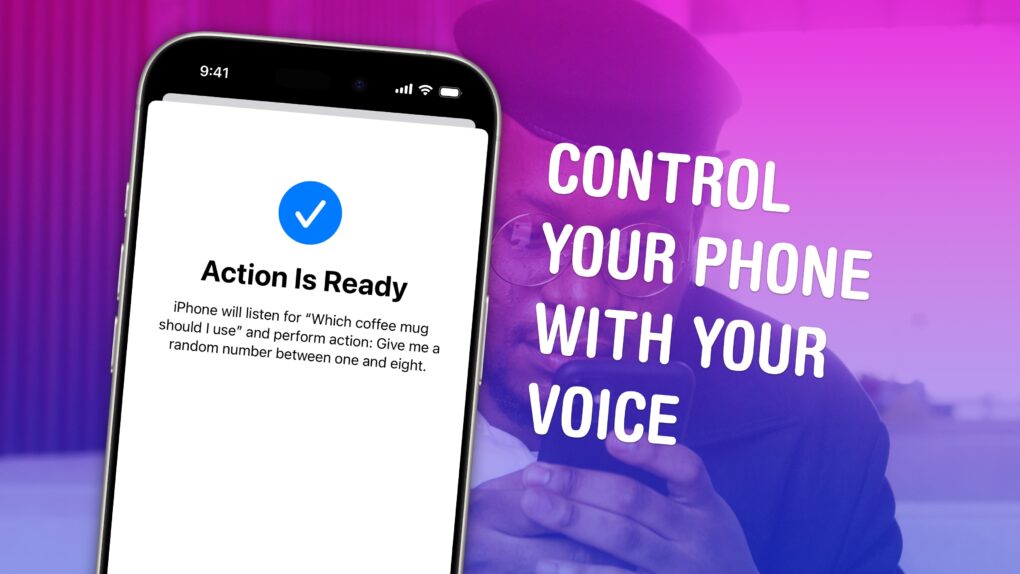
Vocal Shortcuts can feel like a superpower. Image: D. Griffin Jones/Cult of Mac
Vocal Shortcuts let you control your phone by speaking a command out loud. Think “Hey Siri,” but for running your own custom actions from Apple’s Shortcuts app. (Here’s a quick rundown on Shortcuts, if you’re not familiar with this powerful tool.)
Using Vocal Shortcuts is a versatile way to automate tasks on your iPhone with the power of your voice alone. You don’t need to make space on your Home Screen for a Shortcuts widget, type anything into Spotlight or, god forbid, open the Shortcuts app.
You can create a Vocal Shortcut that opens an app you use often, like the Apple TV remote, for instant access with your voice.
You can even use this feature as a roundabout way to use “OK Google” — or whatever your favorite alternative voice assistant may be — instead of Siri.
But will you do it? Screenshot: Rajesh Pandey/CultOfMac
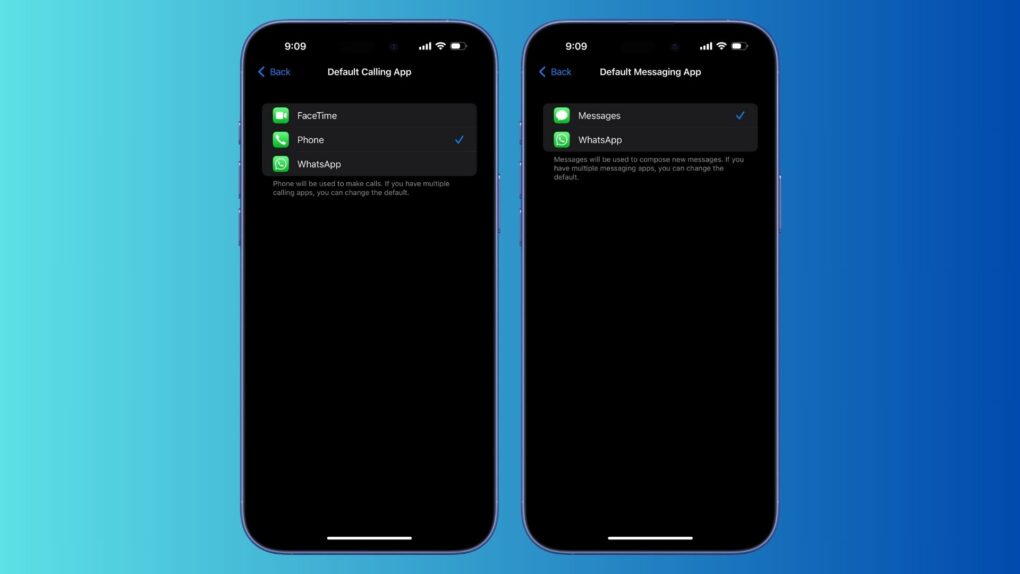
For the first time on an iPhone, you can set WhatsApp as the default calling and messaging app. The feature remains exclusive to the latest WhatsApp beta for iOS, but should soon expand to the public build.
WhatsApp is the first major app to adopt the necessary APIs, enabling you to replace Apple’s Phone and Messages apps on your iPhone.
Upgrade your iPhone into a portable gaming console with Backbone One: Xbox Edition. Photo: Backbone
Clip the latest Backbone One iPhone controller to your iPhone to assemble what’s essentially an Xbox you can take anywhere. Press a dedicated button on the controller to dive into Xbox Cloud Gaming or Remote Play.
Apple deals abound in Amazon's Big Spring Sale through March 31. Photo: Amazon
Amazon is famous for its Prime Day and Black Friday deals, but it also runs the Amazon Big Spring Sale, on now. It ends Monday, March 31, unless extended. That wouldn’t be too surprising, given that the mega retailer often extends its sales. So it’s another chance for you to score savings on all sorts of Apple gear, including MacBook Pro, MacBook Air, Mac mini, iPad Pro, iPad Air, Apple Watch, AirPods Pro 2 and more. Click on our posts to all the best deals, below.
A 4x jump in video recording resolution. Concept: Ed Hardy/Cult of Mac
The upcoming iPhone 17 Pro could feature 8K video recording capabilities, bringing a big boost in resolution over Apple’s current models, which max out at 4K 120fps.
8K recording has been a standard feature on flagship Android phones for years, but Apple steered clear of the trend.
The marching band sequence in the season 2 finale was a particularly complicated editing job. Photo: Apple TV+
In a fascinating new installment of its “Behind the Mac” series, Apple spotlights the pivotal role Mac computers play in editing acclaimed Apple TV+ series Severance. The 11-minute video posted Wednesday on the Apple YouTube channel and in a feature article on apple.com offers unprecedented insight into the creative process behind the thrilling season finale.
Note: Spoilers for season 2 of Severance, which recently concluded with its season finale on Apple TV+, lie below.
Also note: In a surprising little twist, Apple added a faux listing for Lumon Terminal Pro, just like the ones used in Lumon’s Macrodata Refinement Department, to Apple Store with a link to the video as well as Macs for sale. The Severance promos and tie-ins keep coming!



 March 28, 1996: In a dire message to Wall Street, Apple warns that it will report a $700 million after-tax loss for its most recent quarter.