So you have your iPad and your apps, and you even arranged a bowl of fruit/nude model (delete as applicable). But what about hardware? After all, only stupid babies fingerpaint, right?
If you’re doing a lot of iPad painting, you should pick some kind or drawing tool. But what kind? Styluses can be had as dumb pencils, as brushes or even in Bluetooth pressure-sensitive versions.
And then there are the other accessories that’ll make painting a little easier.
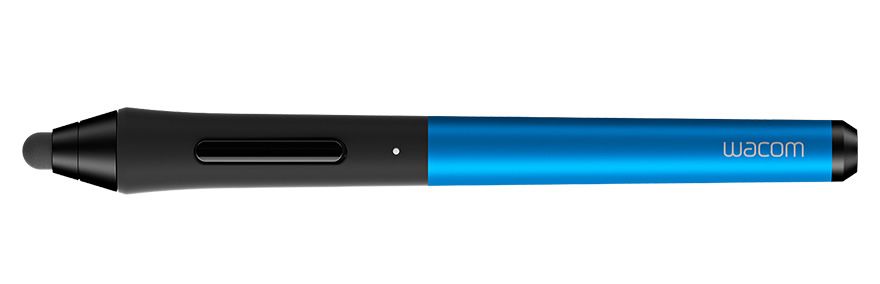
Wacom ICS
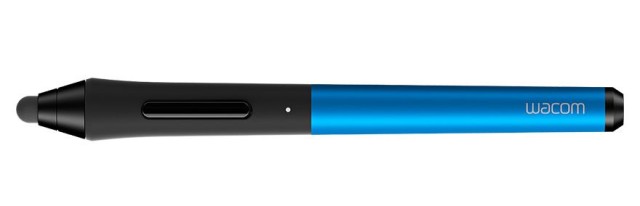
Wacom makes the best graphics tablets for Mac and PC and now it wants to do the same for the iPad. The Bamboo stylus is already my favorite iPad stylus, but the ICS, or Intuos Creative Stylus goes one better with pressure sensitivity.
The iPad’s screen is binary in terms of touches: It might detect multiple fingers, but they’re either touching or not. So the pen itself has to measure how hard you’re pressing and send that info to the iPad. In the case of the ICS, this is done via a low-power Bluetooth 4 connection, with the pen communicating 2048 levels of pressure. This wireless connection also means you can use the button on the side to control various functions: undo/redo for example, or to pop up a color picker.
The ICS uses a single AAA battery, has a replaceable nib, and comes in a natty box which carries extra batteries and nibs.
This, as they say, is the Rolls Royce of styluses.
Wacom
Price $100
Jot Tote Case
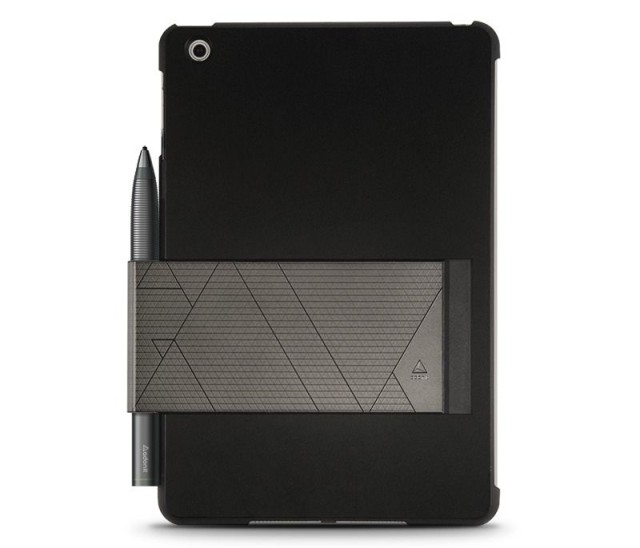
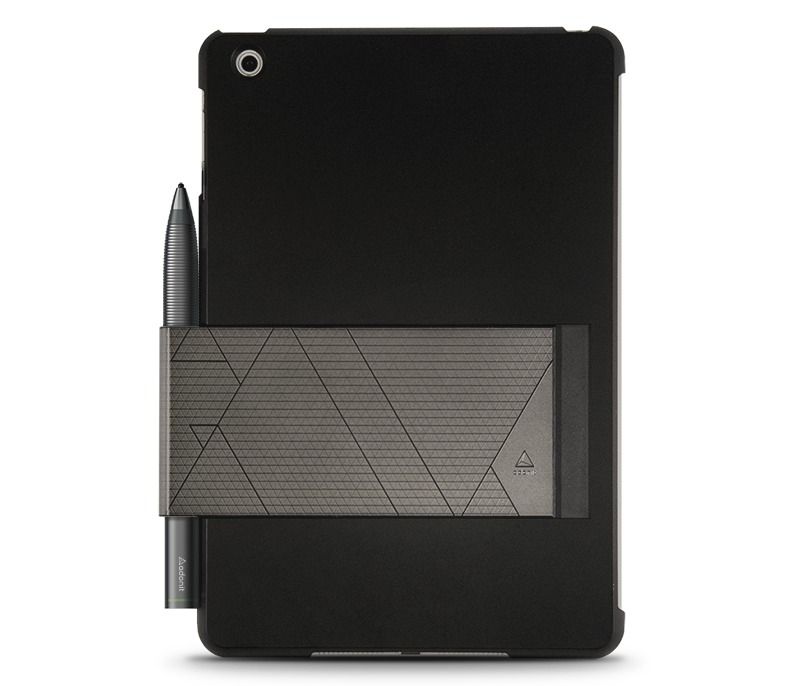
You have your pens and pencil, but what about somewhere to keep them? A pencil case is traditional, and the Wacom comes with one. But Adonit’s Jot Tote case is made to hold your iPad and also let you clip on a stylus. And while it’s designed for Adonit’s own Jot, you can use it with pretty much any pen-shaped object.
The case is a rear shell with a grippy finish, and on the back is a steel strip which slides out of the side and grabs onto the pen, holding it both safe and handy until you need it. This might not be strictly necessary, but for serial pen-losers it’ll be sure to save you some cash.
Adonit
Price: $50
Nomad Brushes
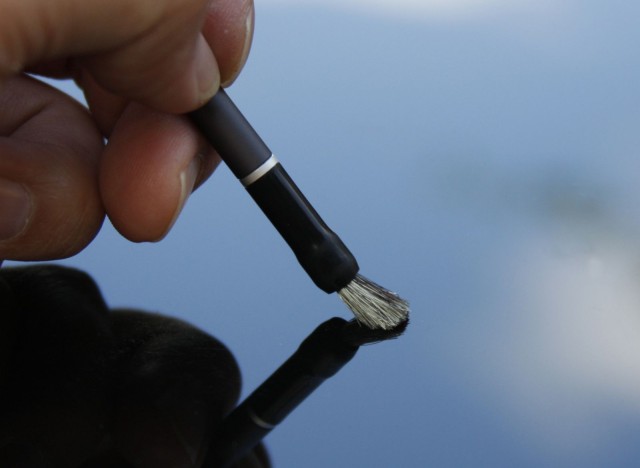
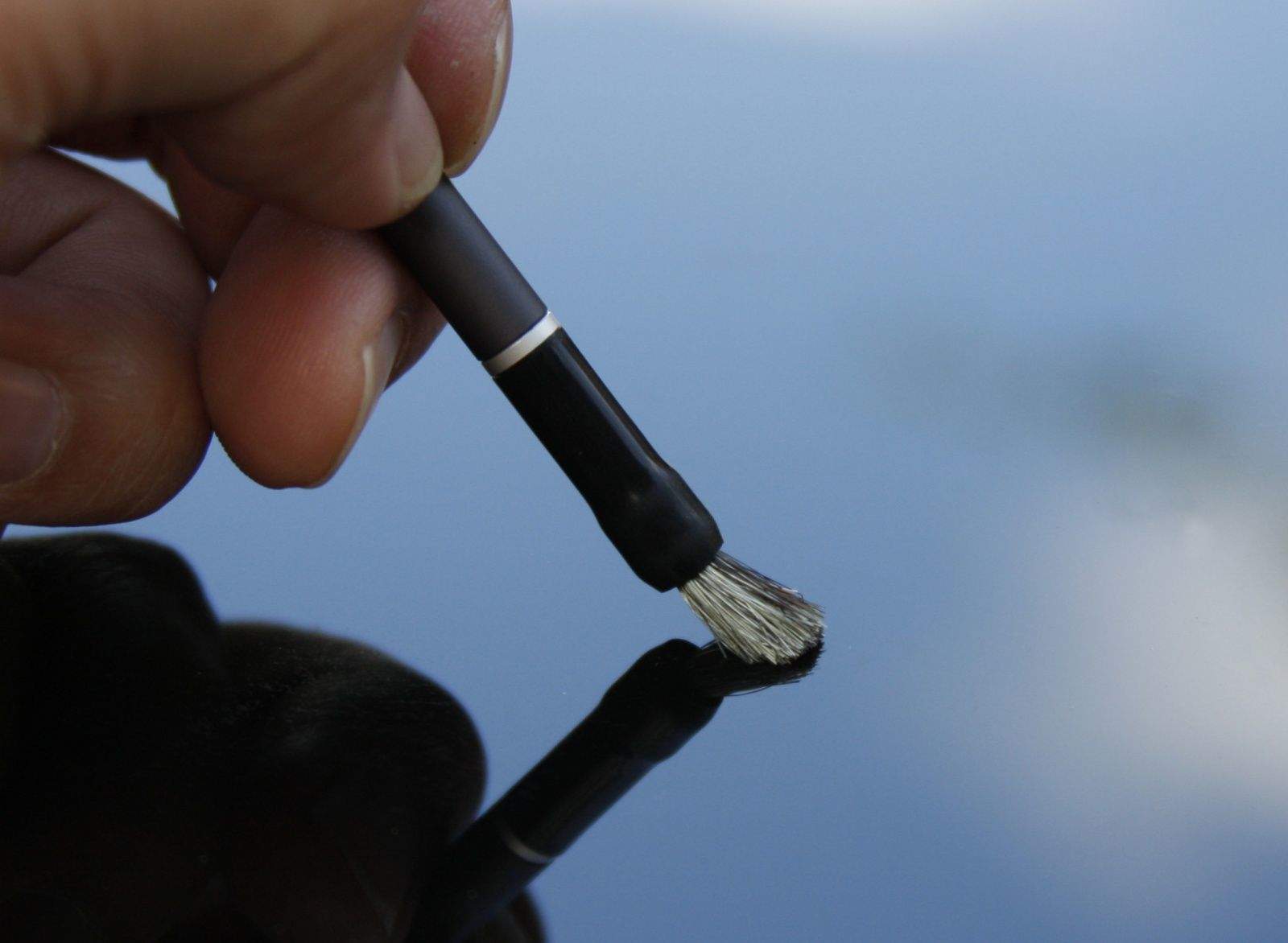
While a pen is nice and all, nothing quite beats the feel of a good hogs-hair brush when you’re smearing on the oils. When I first saw a Nomad capacitive brush years ago, I thought it was just a gimmick. Then I tried one, and I loved it. You can’t really scrub and stipple the paint of course – the iPad sees the brush as just another pink digit – but that doesn’t mean that the action of stippling, scrubbing or stabbing isn’t more pleasing to the brain. It really does feel like you’re painting on canvas. Well, not canvas, as canvas has a stretch and give that the glass screen lacks, but it is like painting on wood or card.
Now nomad has a range of brushes, but my advice would be to go for a set of whole brushes. The kits with the single handle and screw-on tip look good in theory, but these things take up so little space it’s nicer to have the convenience of quickly grabbing the brush you want without dicking around changing the tips.
Nomad
Price: From $20
Your iPhone
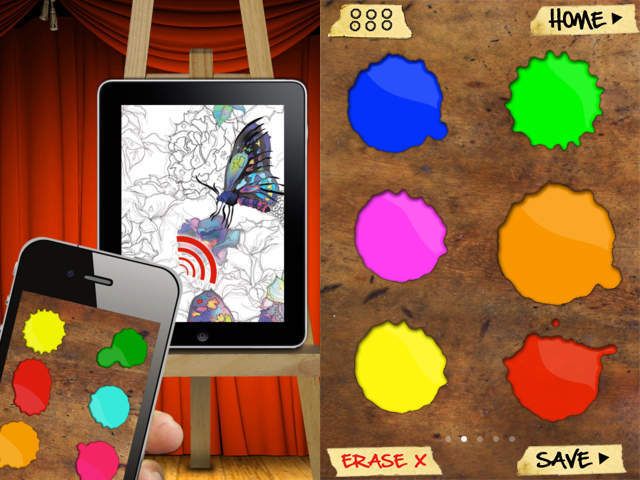
One thing that was essential to me when I painted in oils was a palette. I went the traditional route with a thin plywood board in the familiar shape, which is easy to hold in one hand, but I know people who just mixed their paint on tabletops or any nearby flat surface (including one of my own paintings).
Remote Palette is an app which lets you use your iPhone as a palette to mix paints. You can swoosh your colors around until you have the exact hue you need and the color will be automatically loaded into your brush in the iPad app. It works via Bluetooth so you can use it anywhere.
The only downside is that you have to paint using the Remote Palette app on the iPad, which is pretty limited. It’s not MS Paint, but neither does it come anywhere close to something like Procreate. Still, it’s cheap and fun.
Remote Palette
Price: $1
NeoLucida
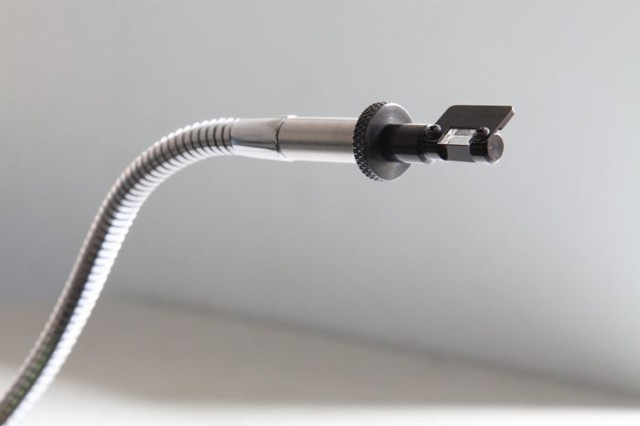
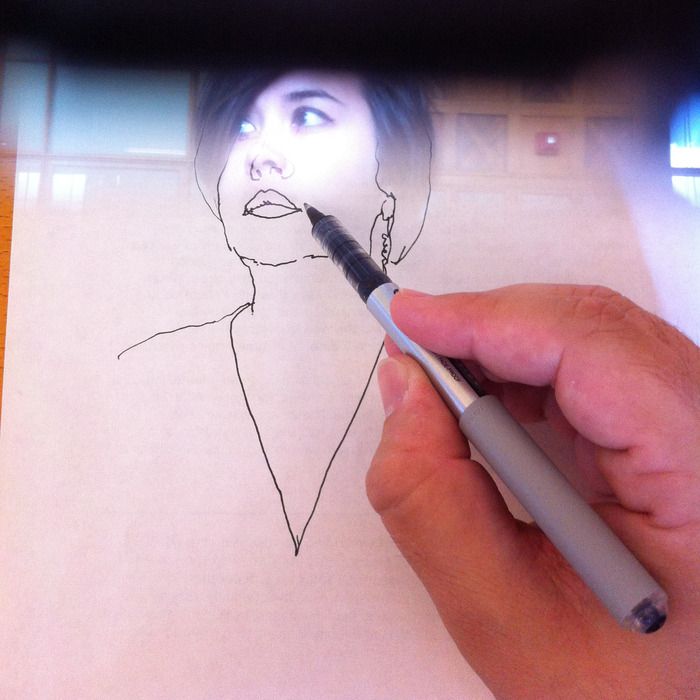
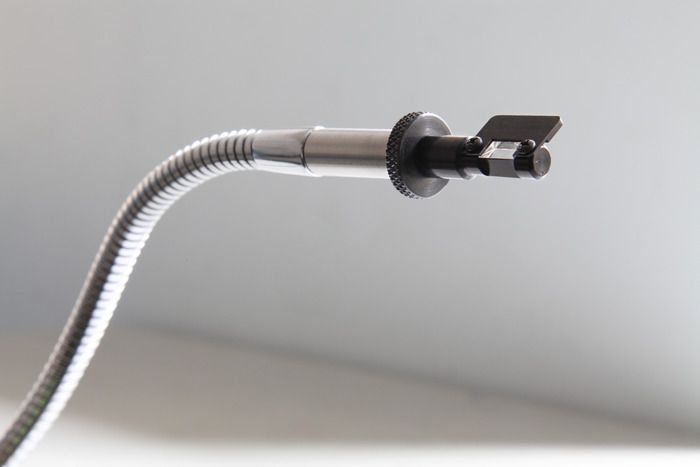
The NeoLucida isn’t really an iPad accessory, but it can certainly be used as one. It’s a modern version of the camera lucida, an optical device used by artists throughout history (well, since the mid–1800s anyway) to make their drawings more accurate.
The principle is simple: the unit has a prism on the end of a flexible arm, and this lets you see both your paper and your subject at the same time. This allows you to “trace” the image from real life as if it were projected onto your paper.
And of course when I say “paper” I also mean “iPad.”
The NeoLucida was made by university art professors Pablo Garcia and Golan Levin because antique versions are too expensive for working artists and students to afford. Their Kickstarter was super successful, raising almost half a million on a target of just $15,000, and they’ll be back in 2014 with a retail version. Until then you might want to speak to your bank manager before hitting Ebay.
NeoLucida
Price: Around $40