Last year we featured the Bluetooth fork that vibrates when it thinks you’re overating — and this year’s wackiest CES unveiling so far goes to the Bluetooth toothbrush (Bluetoothbrush?).
Shown off for the first time at a preview event on Sunday, the toothbrush (made by French startup Kolibree) aims “to reinvent oral care” — according to company co-founder Loic Cessot.
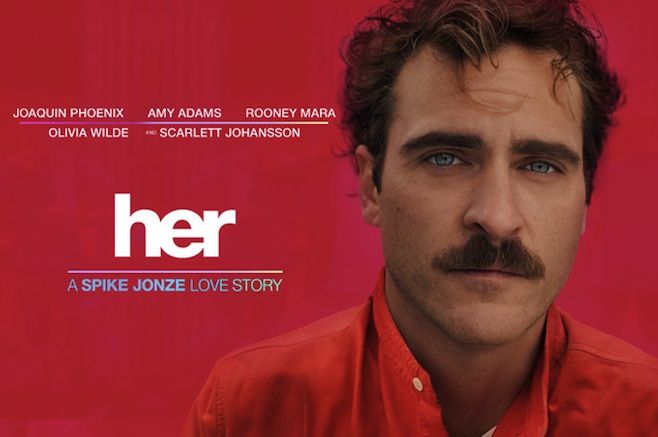
In Spike Jonze’s latest film, Her, a mustachioed Joaquin Phoenix plays a man who falls in love with a Siri-like “digital assistant,” Her, played by Scarlett Johansson.
You’d think Siri would appreciate having a movie made about her, but instead, kitty’s got claws when it comes to her filmic counterpart: thanks to Apple’s cheeky and surprisingly timely programmers, if you ask Siri “Are you her?” she will respond: “No. Her portrayal of an intelligent agent is beyond artificial”, “No. You know that it’s just a movie, right?” and “No. In my opinion, she gives artifical intelligence a bad name.”
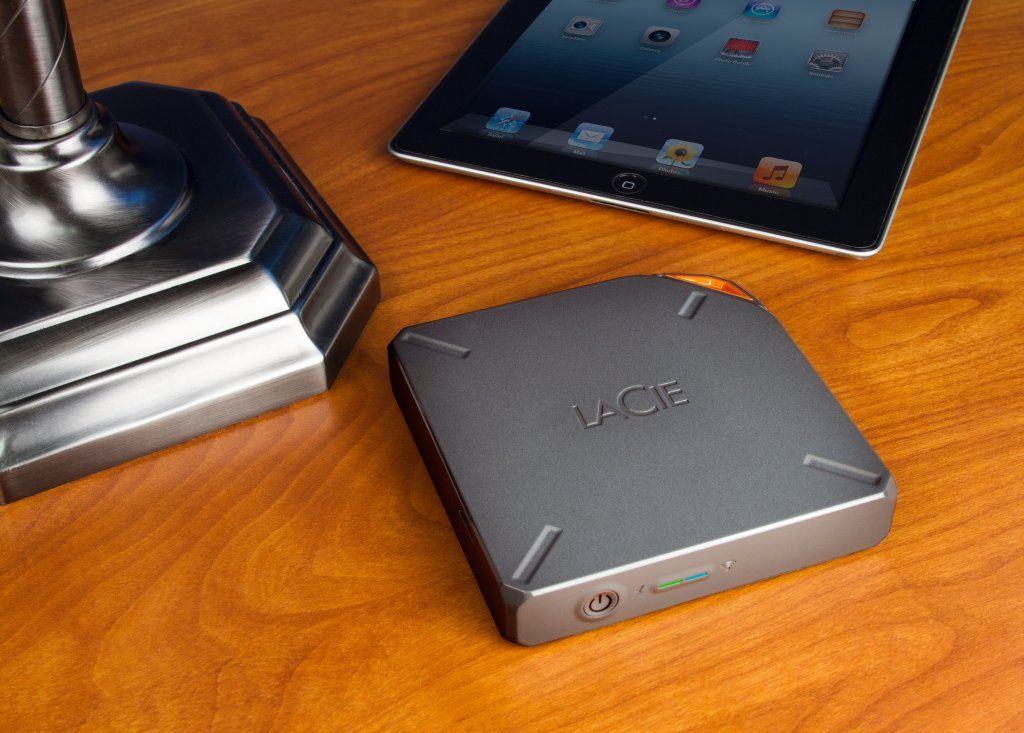
Today LaCie announced its new lineup of hard drives, including the Fuel, a wireless 1TB hard drive that works with the Seagate Media iOS app. This is the first collaboration between the two storage companies since Seagate bought LaCie last year.
Besides the Fuel, LaCie is also unveiling three new hard drives at CES, including the Little Big Disk portable drive with Thunderbolt 2.
This time on The CultCast: We all know the NSA likes backdoor access, but are they really spying on us via our iDevices, and worse, is Apple in cahoots? We’ll tell you what we think… Plus, if you had to pick just one app, one piece of tech, and one movie as your favorite of 2013, what would they be? We’ll tell you ours on this first episode of the year!
Have a few laughs and get caught up on each week’s best Apple stories. Stream or download new and past episodes of The CultCast now on your Mac or iDevice by subscribing on iTunes, or hit play below adventure begin.
Thanks to Squarespace for supporting this ep.! If you need a beautiful website that will look great on any device that visits, you need Squarespace. Try it for free, or checkout with code Cultcast1 to save 10%.
Cult of Mac Magazine wants to help you get it together in 2014: you are probably already using your iPhone, iPad and Mac to track the bejesus out of your habits, right? We’re calling it iFitness (*yeah, I know!) because Apple devices have kickstarted a new way of thinking about and monitoring everything we do.
But maybe in between logging your couch to 5K you’ve discovered that your iPhone isn’t always the best running partner — or that it still can’t kick you out that line for the cronuts.
Cult of Mac talked to a bunch of fitness experts, including personal trainers, on how to make sure your iPhone or iPad and those apps you love can help you reach goals you’ve set yourself for this new year and lessen the more painful fitness fails.
Reporter Sarah Stirland also examines the growing body of health-related apps and discovers what’s on the horizon for this burgeoning business and why doctors are keen on keeping track of patients this way.
Browsing the App Store can be a bit overwhelming. Which apps are new? Which ones are good? Are the paid ones worth paying for, or do they have a free, lite version that will work well enough?
Well, if you stop interrogating me for a second, hypothetical App Store shopper, I can tell you about this thing we do here.
Every week, we highlight some of the most interesting new apps and collect them here for your consideration. This time, our picks include something to keep you up-to-date on late-night TV, a creepy virtual boyfriend, and an app to help you randomly name your baby.
Here you go:
Late Night Talk Show Review — Entertainment — Free ($0.99 Upgrade)
If you missed your favorite late-night talk show, and you’re jonesing for a monologue, a Top 10 List, or whatever the hell Jay Leno does, you might want to pick up Late Night Talk Show Review. It collects video clips from 11 shows (and an assortment of things from Comedy Central) and updates them regularly. So if people are still gathering around water coolers these days, you will be all set to discuss that funny thing that Conan said.
I don’t know — my office just got a water cooler recently. I don’t really know how this whole thing works yet.
PocketBoy was the developer’s idea to keep his girlfriend from feeling lonely when he was away. It’s a blank virtual “doll” that you can slap your loved one’s face on and listen to it say adoring things in a not-at-all creepy robot voice. It’s endearing in a way that I can’t quite figure out, and the different “play” modes are pretty cute. I’m not sure what the whole “Frog Mode” bit is all about — “There is no Frog Mode, silly” — but even that’s pretty cute.
Unless you have some amazing relatives you were close to and to whom you want to pay tribute, naming a baby is hard. And not just for the reasons outlined in this amazing Saturday Night Live sketch where Nicolas Cage reveals that cruel schoolchildren can make fun of any name you can come up with. Name My Baby hopes to take the stress out of the whole ordeal by randomly generating first and middle names for both boys and girls. And even if you aren’t expecting, it’s kind of entertaining to see some of the combinations it comes up with.
The Yahoo! Sports app just received an update, bringing the interface more in line with iOS 7. The company also added a new feature to the app–Loops–which will let you and thousands of other sports fans create short animated gif-like clips of your favorite moments in sports.
Nothing says “I’m a super sports fan” than a carefully crafted photographic meme, complete with wacky motion and large outlined text.
Interactive zombie film series The Hunting is back with its third installment, which has you continuing to make life-threatening choices and furiously tapping on your screen to run and fight off crazed undead who want to put the nom on you.
The Hunting: Part 3 by Wotsamaflip Category: iOS Games Works With: iPhone Price: $0.99
It’s another creepy, high-tension experience that will quickly make you regret playing it with headphones and/or in the dark, both of which I did because I clearly don’t know what’s good for me.
But while the game is still completely scary and harrowing as ever, it fails to build on Part 2’s impressive shotgun blast of terror and what-the-hell-ery.
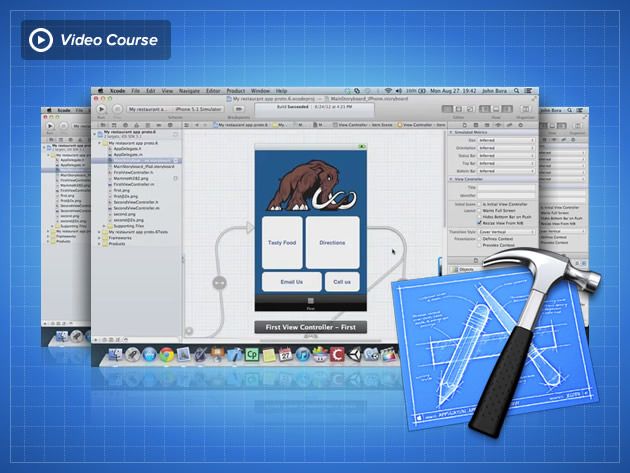
If you want to make iOS apps you pretty much have to use Xcode, Apple’s app-making program. But when you download it and take a look it seems really complicated to use. There are tons of books on how to program and use Xcode but none of them are that user-friendly. That’s where this course – offered at a discount from Cult of Mac Deals – is different.
This course shows you how to use Xcode while learning another in demand valuable skill: user experience. User experience is one of the toughest jobs to fill in 2012 according to Forbes. With this course you get to learn mobile user experience and Xcode at the same time! And you can get access to this course for 84% off the regular price – just $79!
The Consumer Electronics Show used to be the premier trade show for the unveiling of major products from big tech companies. But it’s been years since Apple made an official appearance at the Las Vegas convention, and recently the show’s relevance has been questioned as titans like Google and Microsoft have packed up their booths.
Still, Apple’s presence will be strong at International CES 2014, most significantly in the iLounge Pavilion, a sprawling section of the massive show floor that houses hundreds of Apple accessory makers. It’s bigger than last year, even if the actual number of exhibitors has shrunk.
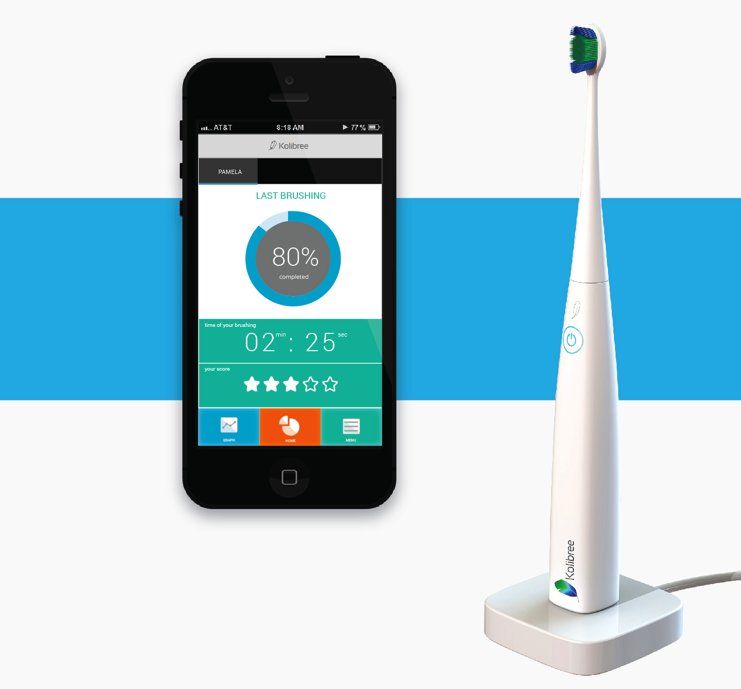
 Last year we featured the Bluetooth fork that vibrates when it thinks you’re overating — and this year’s wackiest CES unveiling so far goes to the Bluetooth toothbrush (Bluetoothbrush?).