Acclaimed biographer Walter Isaacson is crowdsourcing editorial comments for his new book — which will focus on innovators of the digital age. The book will begin with 19th century computer pioneer Ada Lovelace, and continue to the present day.
So far Isaacson has released a draft section — entitled “The Culture That Gave Birth to the Personal Computer” — that “sets the scene” in Silicon Valley during the 1970s: the decade in which Steve Jobs and Wozniak first started Apple.
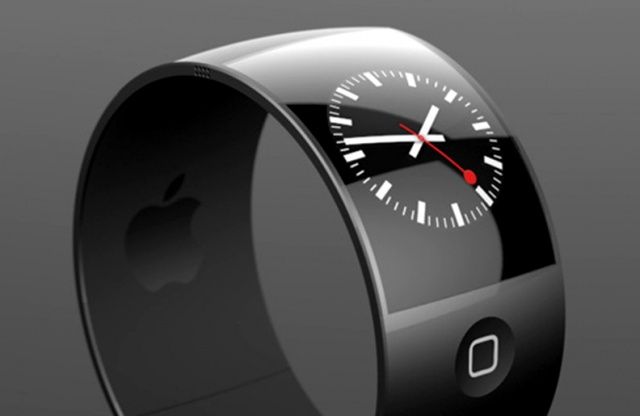
A third-party concept design for how the iWatch might look.
DigiTimes is reporting that Apple is experiencing difficulties in its long-rumored iWatch development — meaning that the (as yet unannounced) consumer launch may slip back further during 2014.
The not-always-reliable news site cites sources from the upstream supply chain, who report that the iWatch production slowdown is the result of the device’s body design. Apple is “reportedly seeing less than 50% yield rates due to difficulties applying surface treatments on their metal injection molded (MIM) chassis.”
Want to know which “freemium” (free to download, but with in-app purchases) game may just rule the App Store in 2014? Say hello to Farm Heroes Saga.
From the creators of social games including Candy Crush Saga, Bubble Witch Saga, Pet Rescue Saga, Papa Pear Saga, and License To Print Money Saga (note: the last one may not exist), Farm Heroes Saga is essentially an agriculture-themed variation of Candy Crush Saga — in which players must switch and match three “cropsies” in order to stop Rancid the Raccoon from spoiling the farm lands.
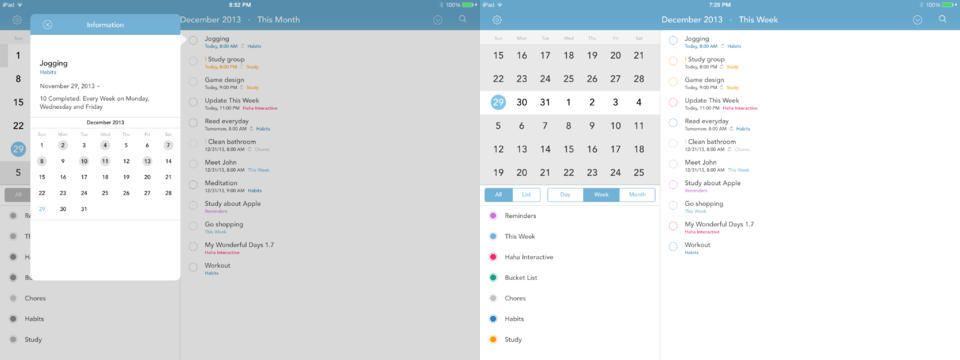
This Week, the app which we said “beats iOS Reminders app at its own game,” is now a universal app with newly-added iPad support. And it’s still way better than Reminders for adding dated tasks.
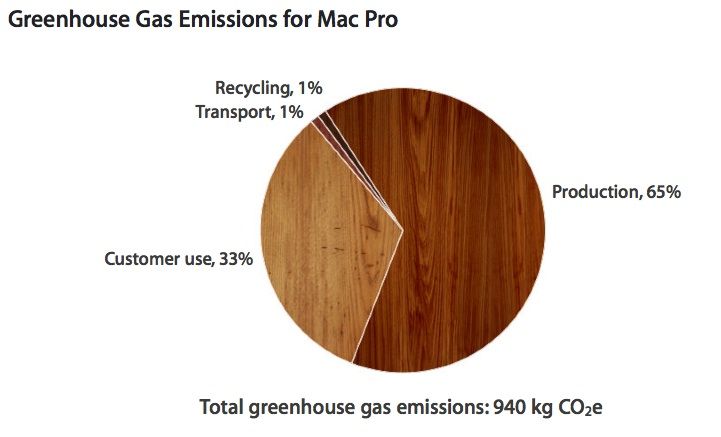
Having previously been labeled the “least green” tech company by Greenpeace due to its reliance on coal at data centers, Apple is keen to live up to its “force for good” mantra by demonstrating the environmental credentials of its products.
And when you’re speaking about the Mac Pro, those credentials are pretty damn impressive.
Rather than slogging through a lake of reviews to find something you’re just going to put down after 30 minutes, Cult of Mac has once again waded through the iTunes store to compile a list of the best new movies, albums and books to come out this week.
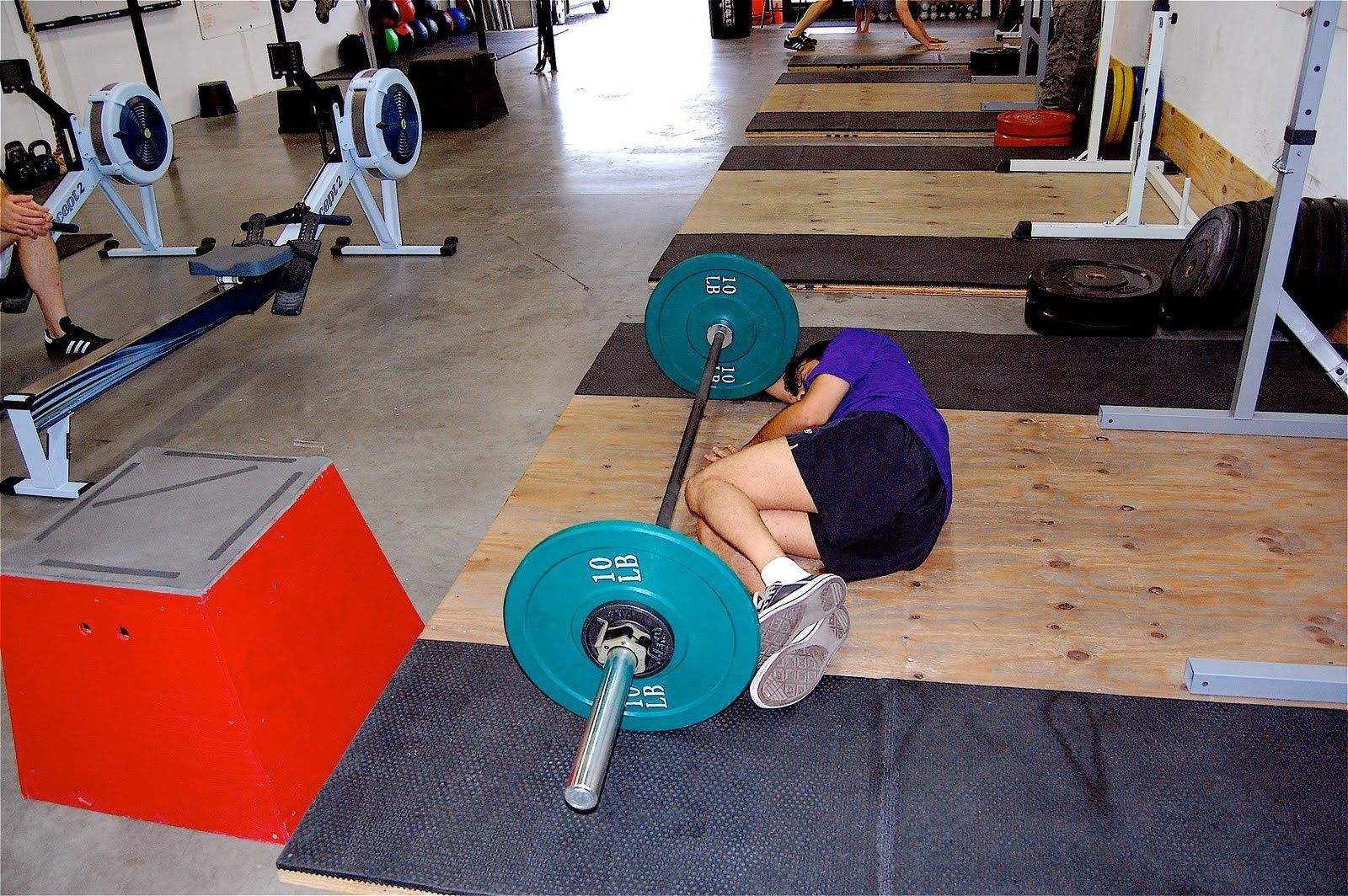
CC-licensed, thanks Crossfitpaleofitness on Flickr.
There are many pitfalls on the road to building abs at least strong enough to support your desk job and lung capacity to sing through your next epic road trip. To get there, you plan on using your omnipresent iPhone and Mac plus a tracking device like Jawbone or Fitbit and a bunch of apps.
Before you dive in, Cult of Mac polled a number of fitness experts to find out how you can avoid the fitness fails that gadget-happy folks commit most often: it turns out that over relying on apps, trackers and yourself may leave you flat.
Move That Goal Post
It’s about as well-worn concept as an obsessive marathoner’s favorite shoes: goals matter. Focusing on the gadgets (personally, I live for having another manual to read!) instead of the outcome is an easy way to get your desire for six-pack abs lost in the shuffle.
“For technology to be effective you need to start with a strong, well-thought goal(s), and determine your tactics to achieve that goal,” says Michael Rucker, director of digital products at Club One Fitness in San Francisco.
“This might seem straightforward, but I cannot tell you how many indoor cyclists who purchase a popular accelerometer like a Fitbit or Jawbone UP and then quickly become frustrated because given their fitness affinity they would have been better off with a heart rate sensor (with a corresponding appropriate algorithm) for calorie tracking.” Rucker declares himself “device agnostic” but says he’s currently a fan of easy-to-use Moves app.
How to make sure you don’t get left on the wayside with your gadgets gathering dust? “Pair the right tech with well thought-out goals and this creates a powerful combination akin to giving a carpenter the perfect hammer, opposed to a plumbing wrench,” Rucker says.
CC-licensed, thanks mike_mccormick on Flickr.
Why That Tracker Is All Washed Up
If you’re getting started (or getting started again) on a quantified self kick, it’s also good to think about which device will go the long haul for you. Some people will prefer a wristband, others a tiny tracker, says John La Puma MD, but each comes with pros and cons.
“In the first case you tend to stop wearing it after a few weeks, in the second case people sometimes forget the tracker in their pocket and it ends up in the washing machine,” La Puma, who is also the author of “Refuel: A 24-Day Eating Plan to Boost Testosterone, Lose the Gut and Pump Up Strength and Stamina, Naturally,” told Cult of Mac. As a physician who specializes in fitness, La Puma says losing the tracker is the most common mistake he sees. “They fall into the oven, come off while
running, or stay on a previous pair of pants,” he says.
The other speed bump on the way to tracking your health? Not taking advantage of wireless syncing. “Getting your numbers delivered to you is another way of getting a nudge to succeed,” La Puma says.
Time After Time
Once you’re setup with a tracking system, give it some time. The initial glow of seeing your habits may wear off quickly once you see you’re logging in as many steps as a poodle with a hip replacement but eating like an Olympian power lifter.
“The key mistake people make is not using them consistently, says Jenn Mitchell, a trainer and the force behind comebackmomma.com. “The best way to track trends with eating, activity and sleep is to stick with it for at least a month. The use of these tools need to become a habit.”
Her favorites? Get started with My Fitness Pal, a free app for tracking food intake as well as activity with a large following and built-in community. “I find that clients who can make a connection with others really find success using at app like this.
If the time crunch is limiting your workouts, try Interval Timer by Deltaworks. “You can get a great cardio workout in as little as 15 minutes with a good interval program. I recommend compound movements that use multiple body parts like burpees for best result,” she adds.
Mitchell also suggests getting family and friends involved in a “friendly competition” as of keeping yourself on track.
Stop Fudging Your Calorie Counts
Tracking your calories is a good way to keep your intake in line with your goals, but there are a few costly pitfalls you can take. Not all apps are created equal, says personal trainer Julian Hayes II who runs 206fitness.
“Some common mistakes people make with fitness apps is underestimating how much food they are eating when it comes to food tracking apps such as myfitnesspal.com and loseit.com,” Hayes says. “When this happens, they throw off their calorie numbers and, in turn, overeat for the day.”
Hayes recommends Fitbit, because in addition to accurate food tracking clients also can also monitor sleep quality – which may explain some of those late-afternoon sugar attacks. If you’re working with a trainer, Fitbit also helps them keep an eye on what you’re eating to bolster accountability. Going solo? Try social fitness network Fitocracy, he says, where you get virtual cheer leading from the community.
Don’t Keep It To Yourself
It may feel better to keep your 15-minute mile to yourself, especially in early days as you slouch from couch to 5K. While you may never want to broadcast your risible fitness levels to the world, be smart and sharing them with someone who will support your goals.
“People sometimes keep their numbers to themselves: they don’t have to go up on Facebook or Instagram, but they do need to be shared with someone who can help you evaluate and improve them,” says physician La Puma.
Take The Old To the New
CC-licensed, thanks ToddMorris on Flickr.
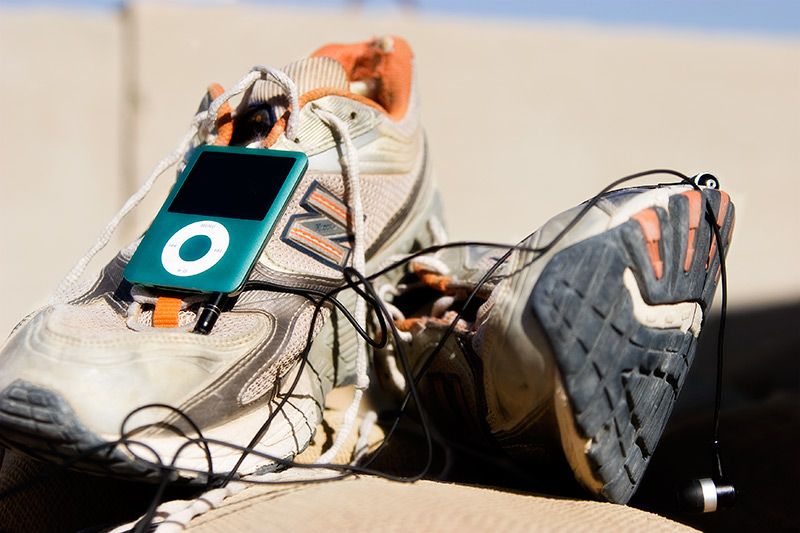
If your habits are already on track, don’t bore yourself out of a good thing. Runners, especially, are prone to getting into a groove that quickly becomes a rut. New shoes, a new route and new training can help break things up.
“It’s easy to get bored of the same old scenery if you run the same loop every time you go for a run. Varying your running route keeps things interesting, motivating and challenging,” says personal trainer Justin Hepner. Hepner also advocates buying some new kicks to start the year off right, “a new pair of running shoes is an invitation to run. Seeing them will remind you of your resolution. It’s an investment in your fitness.”
And mix it up, he adds, if you don’t have variety in your routine, it’s a non-starter in the long run. “Try mixing in some interval training or pace training. Add some weight or strength training and/or some stretching or yoga. It will make you a better runner.”
Overtrack at Your Own Risk
Many of the experts Cult of Mac polled said that tracking is good, but over tracking is risky. It can quickly spiral into focusing on the wrong things or over focusing on some unobtainable ideal.
“One of the potential hazards that really scares me is when people are influenced to change their original vision of success in unhealthy ways because of the limits of the technology being used,” says Rucker of Club One Fitness.
Rucker recalls working on a biometric tracking case study where an experience athlete started “obsessing” over weight when given a wireless scale.
“Also, many of the algorithms in activity tracking technology are initially standardized for general populations,” he notes. “People who begin self-experimentation need to remember they’re an n of 1 and should be wary of general baselines and instead create their own baselines calibrated to the technology they’re using.”
I went into Ark Saver expecting it to flounder about like the Noah’s Ark mini game in Bible Adventures on NES. I’m incredibly surprised that it is not only playable but pretty addictive.
Ark Saver by Ignacio Bononi Category: iOS Games Works With: iPhone, iPad Price: Free
The goal in Ark Saver is to match the next animal in a long line with its pair as quickly as you can. Each level gives you 30 seconds to pair 50 or more sets, and each level introduces more creatures to match. To get the highest score, you’ll need to maintain a combo streak that breaks every time you tap the wrong picture. Luckily, the only harm breaking a combo repeatedly has is decreasing your overall score.
If you upgraded your old iPad for an iPad Air late last year, you probably did so for several reasons — but I’ll bet one of the biggest was its new form factor, which is substantially thinner and lighter than any of its predecessors. The last thing you want to do with it, then, is slap a big chunky case on it that makes it even bigger than the iPad you owned before it.
Gauntlet by Thule Category: Case Works With: iPad Air Price: $54
Thule took that into consideration when designing its new Gauntlet folio case for the iPad Air. Although its main focus is clearly on protection, so the case is tough and robust and ready to absorb any impact, it’s also surprisingly light, and much thinner than you’d expect a case of this ilk to be.
It’s also practical, with rubber grips that provide a built-in stand for typing or watching movies, and a “stability clip” that keeps its front cover securely closed when your iPad’s not in use. There’s a soft interior lining that prevents scratching, and the Gauntlet provides easy access to all of your iPad’s buttons and ports.
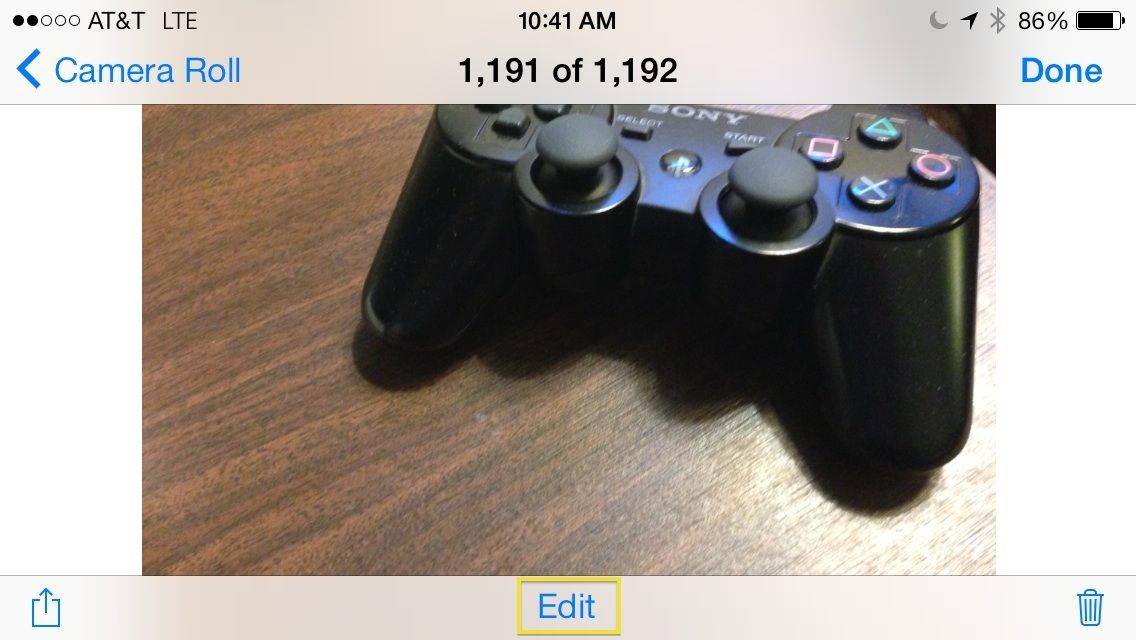
Apps like Instagram and Hipstamatic have trained us all to find photos with various filters applied attractive and cool. Apple realized this, obviously, when it updated its own built-in Camera app for iOS 7. These are only available on the iPhone 5 and up, though, so don’t worry if your iPhone 4S doesn’t show any filters here.
While filtering your photo is pretty darn easy, it might not be super intuitive for everyone. Plus, removing the filter is straight up non-intuitive. Launch your camera app and take a photo to walk through the steps involved.