Mobile menu toggle

Search results for: Apple One

Top iOS Apps Of The Week

By

Do One Thing

Browsing the App Store can be a bit overwhelming. Which apps are new? Which ones are good? Are the paid ones worth paying for, or do they have a free, lite version that will work well enough?

Well, if you stop interrogating me for a second, hypothetical App Store shopper, I can tell you about this thing we do here.

Every week, we highlight some of the most interesting new apps and collect them here for your consideration. This time, our picks include _____, _____, and _____.

Here you go:

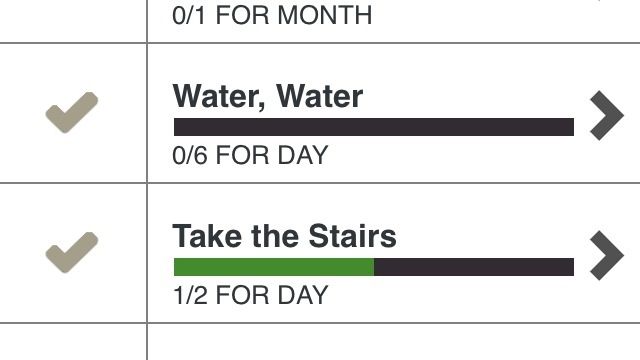
This new self-improvement app from the Seattle Cancer Care Alliance has a simple premise: Trying to do everything is hard, but doing one thing isn’t.

Sounds obvious, but what you do here is select a few habits you’d like to form; pre-loaded examples include drinking more water, inviting friends over, and going to bed early. You can also devise your own if you want to do something that isn’t on the list. The app sets goals, and you check them off when you do them. Eventually, you can “commit” to doing a thing without prompting and start on something else.

Do One Thing by SCCA – Free | 2Morrow Mobile

SwipyCalc

I know that your iPhone already has a calculator in it, but here’s a specialty app for people who suffer from the curse of Man Thumbs.

SwipyCalc is a basic calculator that gives all the screen space to the numbers. Only the numbers. You enter your basic functions — adding, subtracting, multiplying, and dividing — with swipes in one of four directions. It’s fast and easy, especially once you realize that the comma in the lower left corner is what you use for a decimal point.

Unless you’re in one of the 60+ countries that uses the decimal comma. That won’t slow you down at all.

SwipyCalc – Free | Domenico Scalambrino
Local Birds

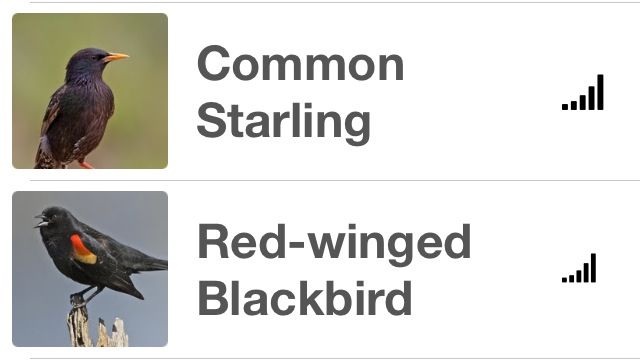
Spring is here, and–holy crap, do you see that bird? No, the other bird. It’s over by the tree. No, the tree by the shrub. Yeah. That bird there. Do we have those here, or is it some kind of bird-stranger?

Local Birds will help keep inane, interminable thought processes like that one from happening. You tell it your location, and it shows you birds in order of commonality to your region. So when I told people the other day that I saw a Western Scrub Jay, and they were like, “Nuh-uh,” and I was all, “Uh-huh”?

I can totally prove that that was possible now.

Local Birds – Free | Thomas Benner

Re(play)

This isn’t the most practical app for everyone, but it’s certainly interesting to look at.

Re(play) features six clips of athletes being all athletic and stuff. High-speed cameras captured the footage at 236 frames per second, and you can either watch the maneuvers play out or scrub back and forth to study the movements in detail. That could be nice for people studying movement for art or animation.

But even if you don’t have any professional or artistic need for Re(play), it’s really just kind of hypnotic to watch.
Re(play) – Free | JC Pinheiro

Blink

I don’t know if I’m just ridiculously clumsy or what, but I’ve had times where I saw something happening that I wanted to record, and by the time I got my camera app up and switched over to video, that thing had stopped happening. And regret is a powerful thing.

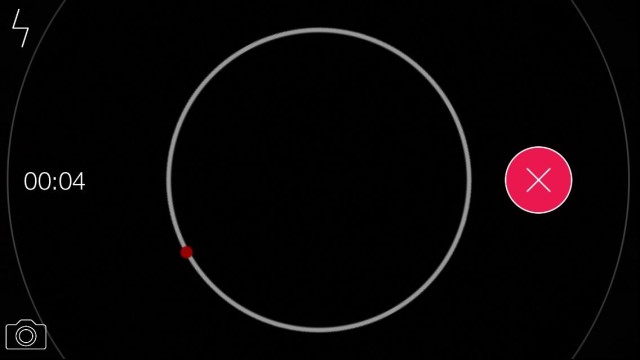
So Blink (or [Blink], if you’re super fancy) is a new app that starts recording the instant you open it; it also lets you take still photos while capturing with a single button press. And that’s slightly faster than opening your iPhone’s camera and then fumbling my stupid, giant thumb around trying to switch to video.

I feel like the black-and-white parts of an infomercial when that happens.

[BLINK] – Free | James Munro

Editor’s Letter

By

striscia

At the risk of sounding like a cranky old rocker: you people just have no idea how good you have it.

The ease with which you can put together a fairly amazing-sounding song with that iPad and a few peripherals is darn near insulting, considering the kind of stuff we used to have to do, back in the day.

When I was in a band in Los Angeles in the 1990s (no applause, really, please), we recorded a little demo on a friend’s recording set up. This was a full-on audio workstation that used, joy of joys, Alesis Digital Audio Tape, (ADAT) a thrilling new technology that let you record up to eight tracks at once. My buddy linked up two of these bad boys for a full 16-track mini studio, and we spent weeks in that smelly room playing the same 10 songs, over and over to get them right. If we screwed up a part, we’d have to back up to the beginning again, a laborious process that certainly extended our timeline exponentially, newbie recording musicians that we were.

Soon after that epic effort, I wanted to do some of my own recording, but I really didn’t have the money to buy the kind of crazy-expensive equipment that we had used on our demo tape (remember tape?), so I turned to my Mac, a Performa 638CD that the salesman at Circuit City had sold me without mentioning that PowerMacs were just about to come out. Jerk.

Anyway, I lost a few brain cells learning some arcane audio recording software enough to just scrape by. I’m not sure I remember which software it was (brain cell loss, remember?) it might have been Cubase, Logic, or ProTools, but to say these were overkill (and darn pricey) is an understatement. They were hard to learn, and you needed a ton of weird equipment to connect MIDI keyboards or drum machines to the thing, so I didn’t even bother.

Macs continued to play a role in my music, but not to any huge extent. I’d rather be a musician than a recording engineer — and that was what you’d need to be to make older equipment and software sound halfway decent.

Flash forward to 2004. Steve Jobs announced Garageband, with a little help from John Mayer. Here, finally, was multi-track recording software for the rest of us. A little program that would let me record live music, use pre-recorded loops like the most expensive software at the time, and mix it all down to something that I could then burn to a CD and play in my car? All for the cost of, well, next to nothing? Sign me up, right now.

The next few iterations of the Garageband software added amazing technological advances, like recording more and more tracks at once, pitch correction and automated pan tracking (moving the audio from one side of a stereo signal to the other). The ability to easily create and edit Podcasts led to my short stint as a podcaster, in fact.

Now you’ve got this ridiculously advanced audio recording software on an iPad. A tablet that you can slip into a backpack and just go. It’s a glorious time to be a musician with this kind of ability within your reach. Just be sure and know you’re totally spoiled.

‘Traveler’s Badges’ Gives You Something To Show For That Time Your Car Broke Down In Bowling Green

By

Traveler's Badges

It’s nice having some record of the places you’ve visited, but FourSquare is a little granular for my liking.

Traveler’s Badges keeps it simple and broad. You just let it detect your location, and it generates a unique badge for your current city that you can collect and add to your collection. It even logs the date and time you were there, in case anyone asks.

If you want to get all global with it, you can even display all of your badges on a map. It’s not the most practical app, but it is pretty cute (and free). And it’ll kill like five seconds of a layover. Every bit helps.

Source:Traveler’s Badges – Free | Yangfan Qi

FreeDum Throws An Innocent Ladybug Into Some Aww-ful Traps [Review]

By

Free Dum

Cute animals are always in trouble.

FreeDum by Pedro
Category: iOS Games
Works With: iPhone, iPad
Price: $0.99

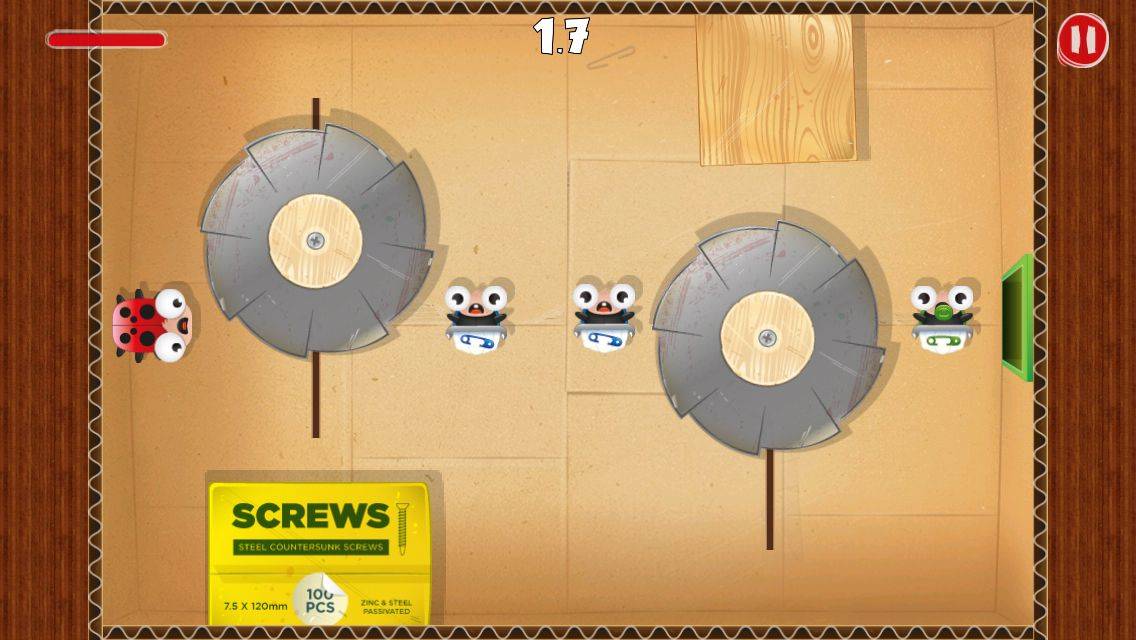
They’re always lost or in danger, or they want to eat a crap-ton of candy but can’t without your help. They’re a burden on everyone they meet, and if it weren’t for us, they would all die cold and alone in the woods from an attack by a larger animal or scurvy or something.

But that doesn’t mean that we shouldn’t help them. Like the star of FreeDum, who has fallen into the clutches of a pint-sized Jigsaw Killer of animals. I think he’s worthy of aid, and you can do so in this fun little maze game.

Wholesome App’s New Update Lets You Assess Your Risk Of Scurvy

By

Wholesome

A premium update to nutrition app Wholesome lets you do more than just see what’s in your food. The base app — with all its nutritional information — is still free, but for $2.99, you can unlock the “My Nutrition” and “Food Diary” features.

These give you tools to track your intake of hundreds of nutrients like vitamins, minerals and isoflavonoids. I had to look up what isoflavonoids are, but I definitely haven’t eaten any today (they’re in peas).

Learn To Play Like A Pro With GarageBand For Mac [OS X Tips]

By

music lessons garageband

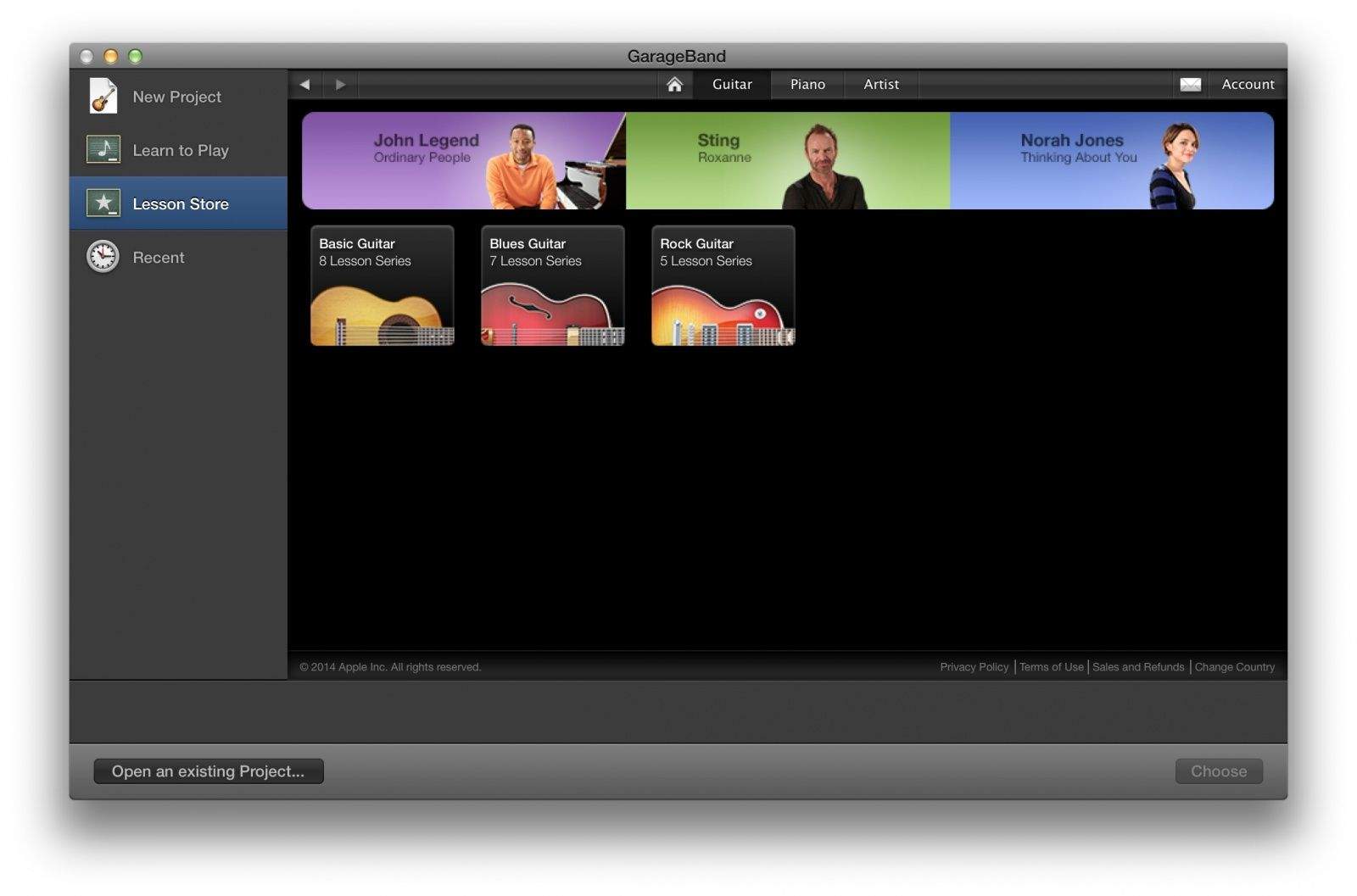
While the latest version of Apple’s fantastic (and free!) music production suite, GarageBand, has lost some functionality like podcasting and Magic GarageBand, it still has plenty to recommend it for those new to music or old vets alike.

One of these cool features is the Learn to Play function, which has some pretty good basic music tutorials baked right in, along with the capability to purchase videos from hit artists like Sting and Norah Jones, who teach you how to play some of their famous songs.

It’s a pretty heady set of music learning; here’s how to access it. Getting really good at your instrument will take more than watching a video or three, but this is a great start if you want to try your hand at the guitar or piano.

PDFpen Scan+ Does Searchable PDFs Better Than Ever

By

pdfpen

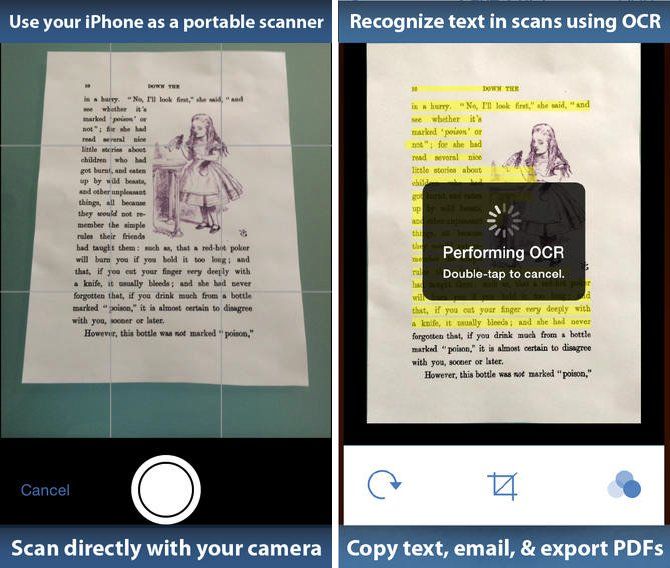
Gone are the days when simply taking a photo of a document was enough. Today, if you care enough to scan or photograph a piece of text, chances are you’re also going to want to edit it.

This is where a tool like Smile’s popular PDFpen Scan+ app comes in — which has just been updated for iOS 7.

PDDpen Scan+ differs from rival apps like Scanbot by performing optical character recognition (OCR) to create creating fully-searchable PDFs. The app’s latest update — Version 1.3 — adds an enhanced user interface, new paper sizes for scanned documents, the ability to preview OCR text as page overlays, and many more new features.

iOS 8 Will Let Users Ask Siri, ‘What Song Is Playing?’ [Rumor]

By

OriginalNipper

Want to ask Siri what song is playing and get a definitive answer? In iOS 8 you might be able to, according to a new report.

Apple will reportedly partner with Shazam for a song-recognition feature in the next version of its mobile operating system. For those who don’t know, Shazam has been operating its own song-identification app (a personal favorite of mine) for years.

The app pulls in data from an iPhone or iPad’s microphone, sends it to the cloud for processing, and then returns results to users — allowing you to track down those hard-to-find tracks, without having to spend ages googling lyric fragments.

Marissa Mayer Wants Yahoo To Be Safari’s Default Search Engine

By

marissa_new4

Having seen its shares jump recently, Yahoo CEO Marissa Mayer has another plan she hopes will continue her company’s turnaround: convincing Apple to adopt Yahoo as the default search engine for Safari on iOS.

Yahoo has reportedly been working on two secret projects designed to build “a viable mobile search engine and monetization platform to convince Apple to make Yahoo the default search engine on its Safari browser on the iPhone and iPad,” according to a new report from Re/code.

Codenamed “Fast Break” and “Curveball,” the projects will be the subject of an upcoming presentation Mayer will make to Apple at some point in the near future — with the aim of getting the company to ditch Google as its search partner.

Would You Wear This Rugged iWatch Design? [Concept]

By

i-watch

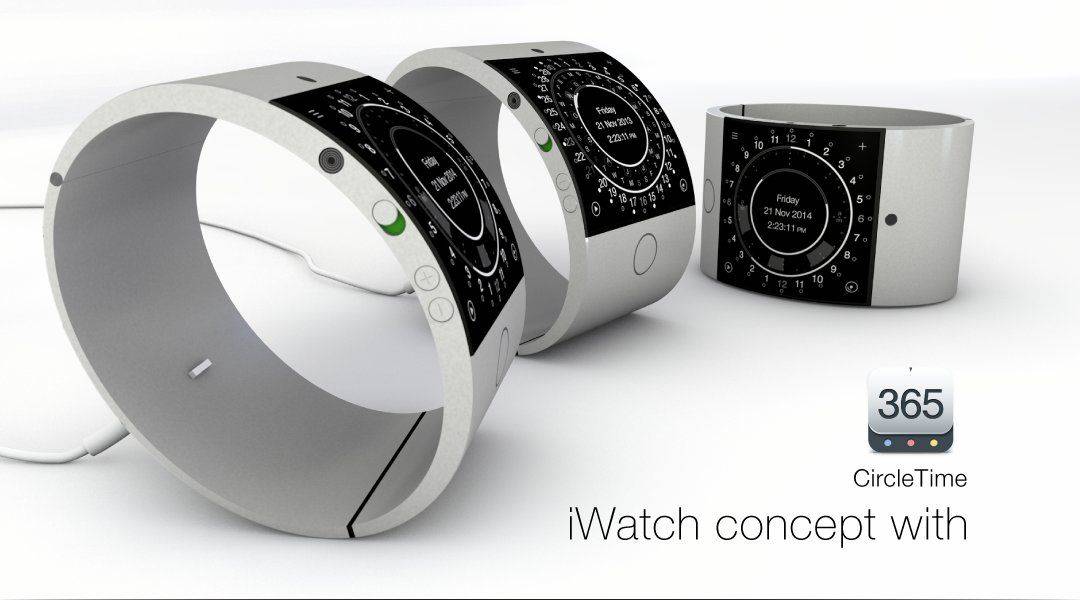
With so much buzz about the possibility of Apple’s expansion into the wearables sector, it’s no surprise that we’re not exactly short of iWatch concept designs.

The folks behind the universal CircleTime app have added another one to the pile, though — and it’s certainly eye-catching.

“Available” in black and silver, and featuring a 2-inch display with curved anti-scratch glass, full version of iOS, and a Li-ion battery that last seven days before needing to be recharged, HedgeHog’s design is more robust and high quality than some of the other variations out there — even if it does somewhat resemble the heavy duty bracelets worn by He-Man in Masters of the Universe.