Mobile menu toggle

Search results for: Apple One

Hipstamatic’s Director of Fun has coolest job ever, but don’t hate him for it

By

"I would get fired if people came to one of our parties and they didn't have fun," says Mario Estrada, Hipstamatic's Director of Fun. Photos: Jim Merithew/Cult of Mac

SAN FRANCISCO — Even in a town populated by ninjas, gurus and rockstars, Mario Estrada may have the coolest job around.

He’s the Director of Fun for digital photo app Hipstamatic and hopes you won’t hate him for it.

“Most people don’t believe that’s my job, but a lot of thought went into the title,” he says, enjoying the sun from the rooftop lounge of the startup’s SOMA headquarters. “Someone asked once why I wasn’t the VP of fun, but that implies there’s someone more fun than I am. And you can’t be the president of fun, because, actually, being president is never fun.”


Why is mobile email still so bad? And how can we fix it?

By

Despite all efforts to the contrary, email is still the default way to shift files, photos and – yes – mail around the internet. Even when you share a file using Dropbox, the link goes via old-fashioned email. And yet email clients are still awful. They’ve gotten a lot better in the last couple of years, on both iOS and the Mac, but we’re still stuck without a proper task manager that integrates with the native iOS/OS X Calendar and Reminders.

What’s going on?

Adobe Voice lets you turn audio messages into slick iPad animations

By

post-278098-image-ed8e904cba3ee87df41836392faac309-jpg

Adobe has launched an intriguing new iPad app called Adobe Voice. Designed to help users “create stunning animated videos in minutes,” the app lets you record an audio message, and then quickly and easily turn it into a slick animation. All you have to do is match your words with a library of 25,000 images, and then Adobe Voice does the rest by adding in transition animations and a backing track.

iPad regains title as top tablet in J.D. Power rankings

By

ipad

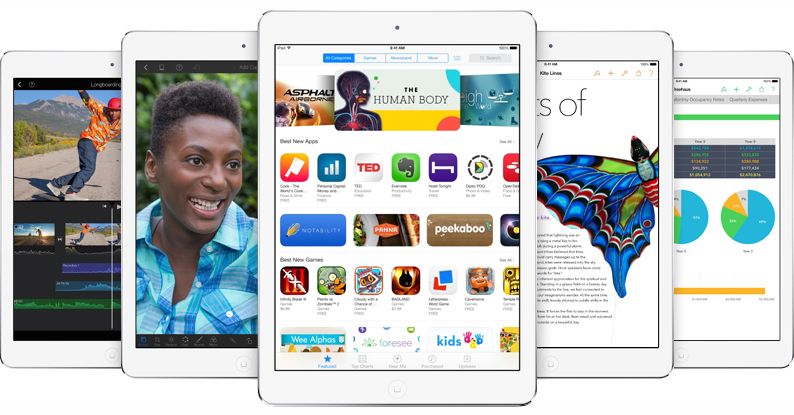
Apple has regained its crown as J.D. Power’s top tablet maker in the world, according to the company’s latest U.S. Tablet Satisfaction survey.

Samsung knocked the iPad off the top post last year, but after surveying 2,513 tablet owners Apple came out on top in 2014 with a score of 830, dominating in every category except cheapness.

Tiny gadget cures MIDI of its cable addiction

By

Photo: Jim Merithew, Cult of Mac

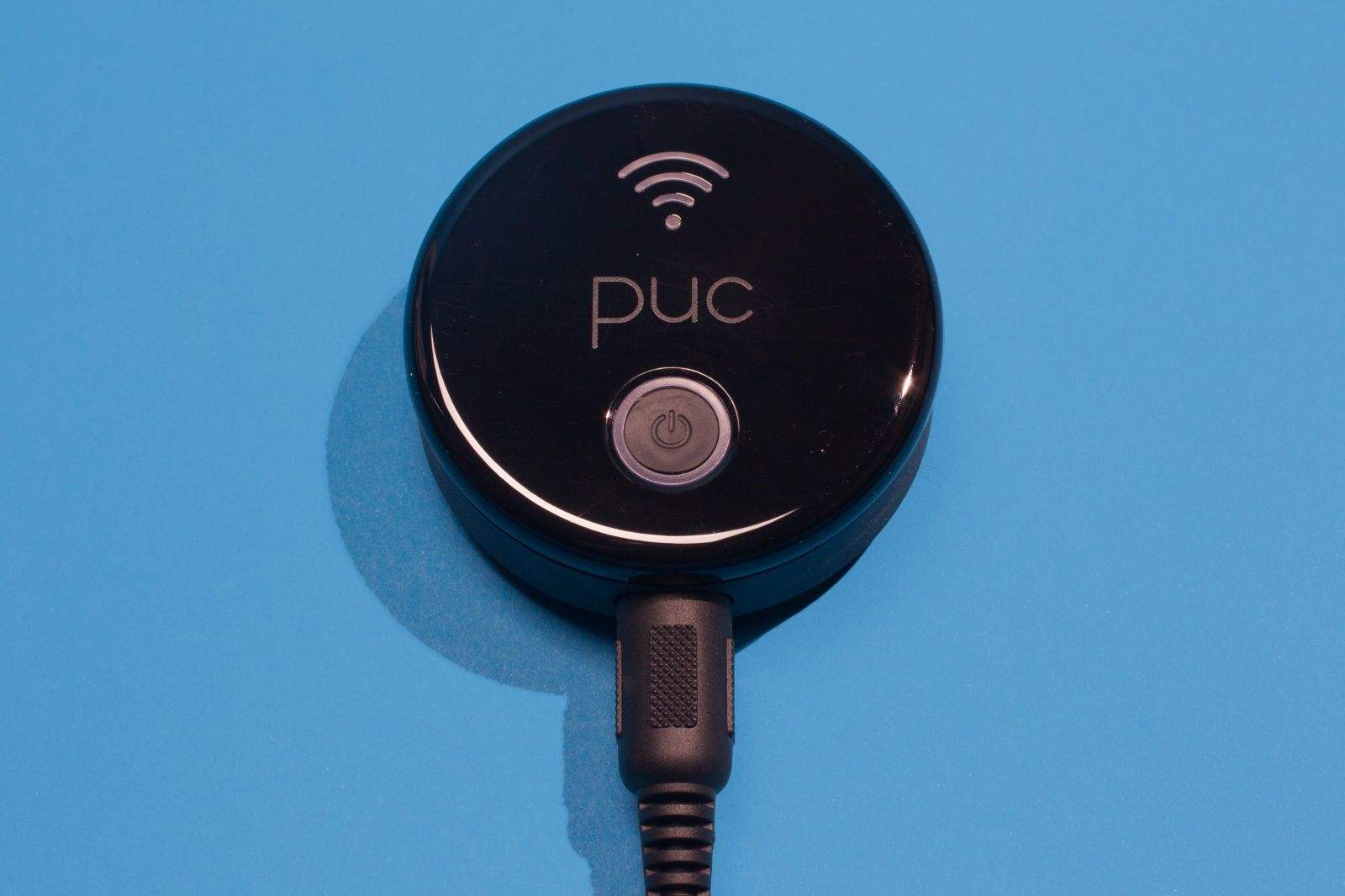
Getting your MIDI keyboard connected to your iPad or Mac can be a frustrating experience. You’ve got to make sure you’ve got the right wires that connect to your output device of choice, and then you’ve got to make sure you never ever lose them.

PUC by Zivix LLC
Category: Music & MIDI
Works With: iOS, OS X
Price: $129

Hopping onstage for a gig at the local brewpub can be a frightening experience if you’ve lost that one special cord that goes from your keys to your Ableton Live setup on your Mac, and missing out on a recording session because you can’t find that special 30-pin adaptor for your iPad is just a pain in the butt.

The folks behind the excellent JamStick, Zivix, have your answer, then, with a cool-looking little round gadget called a PUC that connects any MIDI keyboard or other capable device to your iPad, your Mac, your iPhone, your PC — you name it, if it’s got Wi-Fi and can run a MIDI app, you can use the PUC to send your MIDI performance to it.

Cigar feeds you all those Kickstarters you might otherwise miss

By

Cigar

Cigar is a new aggregation app that pulls in new content from crowd-funding site Kickstarter, Netflix, TED Talks, and the App Store and presents it to you in a giant pile for your consideration. You run through them one at a time, swiping up to dismiss ones you don’t like and double-tapping to save some for later.

It can be a little daunting when it throws like 300 things on your stack. But Cigar also e-mails you a digest of things you liked, so you don’t have to go back to the app and sort through your “Liked” list again.

Which is nice.

Source:Cigar – Free | FiveIron Software, LLC

Spirit Run: Fire vs. Ice will challenge your coordination and stress management

By

Spirit Run

I’ve been playing video games for almost 30 years. I like to think that I’ve developed a certain level of hand-eye coordination and an ability to recognize patterns and learn rules reasonably quickly.

Spirit Run: Fire vs. Ice by Lunagames
Category: iOS Games
Works With: iPhone, iPad, iPod Touch
Price: Free

But Spirit Run: Fire vs. Ice, a new endless runner from developer Lunagames, made me question all of that. Suddenly, I was transforming when I wanted to jump, and jumping when I wanted to slide, and just falling the hell off of things that I normally wouldn’t.

That isn’t to say that it’s a bad game; it’s actually quite good. But be prepared to feel like a monkey trying to do algebra. You know, if that’s a thing that one might call upon monkeys to do.

Surprise! This year’s iPads all likely to have Touch ID

By

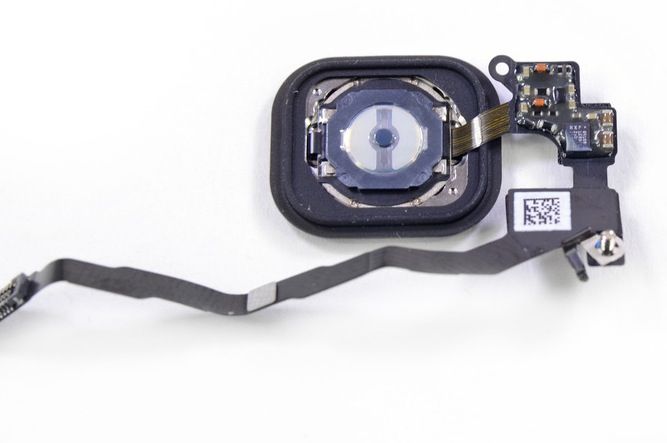
Apple wants to design its own Touch ID and display chips.
Image courtesy of iFixit.
Photo: iFixit

When the iPhone 5s was announced as featuring Touch ID, you could have been forgiven for assuming that the iPad Air and iPad mini would naturally follow suit. Like original thinking from Samsung, however, it never quite materialized — and to this date Apple’s flagship iPhone is the only Apple device to incorporate the technology.

That may be set to change with the arrival of the next generation iPad Air and iPad mini, though.

All your remotes are belong to us! Hands-on with the Blumoo A/V controller

By

post-277823-image-7e7c6f76e81a3d39f2e14be64cf7d384-jpg

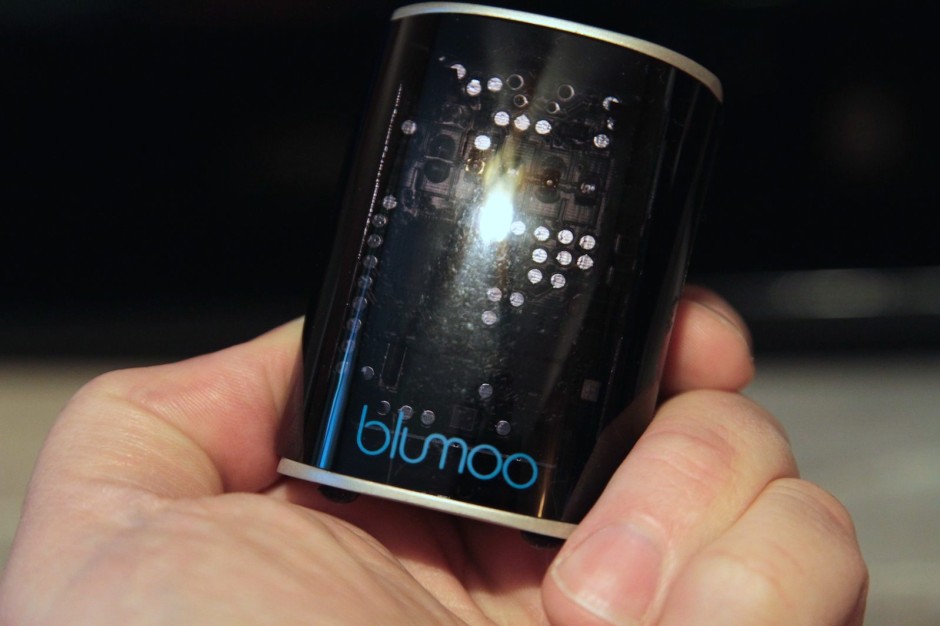
In the race to bestow absolute control over your home entertainment paraphernalia, the Blumoo device is a sort of a jack-of-all-trades standout.

Similar to the now-discontinued Griffin Beacon, Blumoo lets you control all your devices that normally work with a remote control — TV, DVR, Bluetooth player, stereo, etc — from an Android phone or iPhone. But it also does double-duty as a Bluetooth streaming device, giving you the ability to stream music to pretty much any set of speakers it’s physically connected to.

We had a little hands-on time with the Blumoo, and came away impressed with the device — but frustrated by the software. Also, unfortunately the Blumoo Android app is a few weeks away from availability, so we played around with its iOS sibling instead; we’re not expecting any major difference when the Android app eventually arrives. Here’s what we liked, and didn’t.