Mobile menu toggle

Search results for: Apple One

Carpool Karaoke ads show off the series’ big celebrity pairings

By

Carpool Karaoke
Maisie Williams and Sophie Turner are stars of HBO's Game of Thrones.
Photo: Apple

To hype its new Carpool Karaoke series on Apple Music, Apple has debuted two new teaser ads, offering a preview of what fans can expect from the show.

One ad features Game of Thrones stars Maisie Williams and Sophie Turner as they belt out Justin Bieber’s “Sorry” and Miley Cyrus’ song “Wrecking Ball,” and get ready to prank fans. The other ad includes Ariana Grande and Family Guy creator Seth MacFarlane singing show tunes.

Check them out below.

How to find your purchased apps in iOS 11

By

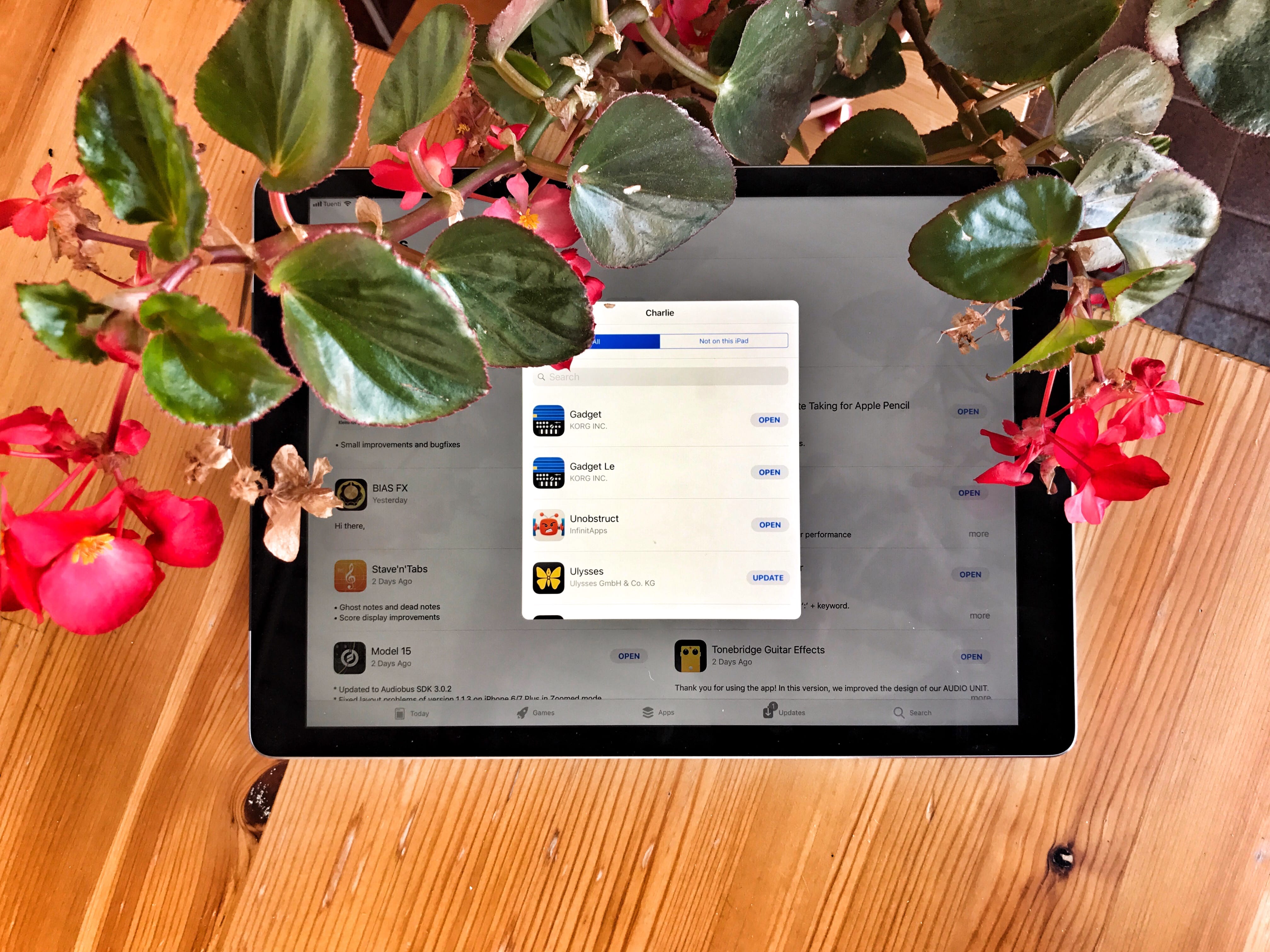
Purchased apps in ios 11
Your purchased apps haven’t gone in iOS 11 — they’ve just been hidden.
Photo: Charlie Sorrel/Cult of Mac

The Purchased tab in the iOS App Store may seem to have disappeared in iOS 11, but don’t worry — it has only moved. And got a little less useful. Whereas in iOS 10 and prior, your previously purchased apps were found in their own dedicated App Store tab (iPad) or above the list of app updates (iPhone), now they’re accessed by tapping the little silhouette of a head in a circle, which indicates your user account.

Instagram’s simple change makes comments much better

By

Instagram comment threads
Getting lost in long comments threads is no more.
Photo: Instagram

Instagram today made a simple change that makes commenting on photos much better.

Like Facebook and other services, it now supports threaded comments, so it’s easier to keep track of replies.

Street Fighter IV: Champion Edition gets three new characters this week

By

Street Fighter IV
Coming soon to an iPhone near you.
Photo: Capcom

Street Fighter IV: Champion Edition landed on iOS last month and, true to its promise, it’s already introducing updates designed to keep the gaming experience fresh.

This week, the game will introduce fan favorite characters Evil Ryu, Guy, and Gouken, all of whom will be available to players as free downloads.

Google will pay $3 billion to remain top search provider on iOS

By

Google logo
Amount will bolster Apple's services business.
Photo: Google

Google could pay Apple as much as $3 billion this year in order to remain the default search engine on iOS devices, a new report claims.

The claim comes from Bernstein analyst A.M. Sacconaghi Jr. If true, it would represent a sizable increase from the $1 billion that Apple was paid by Google for the same reason back in 2014.

Good luck getting your hands on HomePod this December

By

Apple's new HomePod smart speaker is ready to rock your house.
HomePod will launch in December, but supplies will be constrained.
Photo: Apple

Apple HomePod manufacturer Inventec Appliances warns that the device will be in limited supply when it launches this December.

Analysts expect the company to ship just 500,000 units by the end of 2017. However, supplies are anticipated to improve in 2018, when Foxconn will help with manufacturing duties.

Pikachu Snapchat filter lets you turn yourself into a Pokémon

By

Snapchat dysmorphia
Pika the new Snapchat filter to turn yourself into a Pokémon
Photo: Snapchat

Snapchat has paired up with The Pokémon Company to debut a Pikachu filter that turns users’ faces into that of the famous yellow electric Pokémon.

Best of all, whenever you open your mouth you’ll hear Pikachu’s instantly recognizable voice as the animated character leaps onto the screen to strike a pose!

Ristar, Twitch, and other awesome apps of the week

By

Awesome Apps
'Appy weekend everyone!
Photo: Ste Smith/Cult of Mac

Remember the innocent joy of gaming in the 1990s? You can relive it this weekend, courtesy of two rereleases of forgotten console gems from the decade of Nirvana and dial-up internet.

Those are just two of the picks we’ve highlighted for this week’s “Awesome Apps” roundup. We’ve also got a great update to an iOS email client and a livestreaming app for Mac.

Check out our choices below.

How to use AirDrop for instant file sharing

By

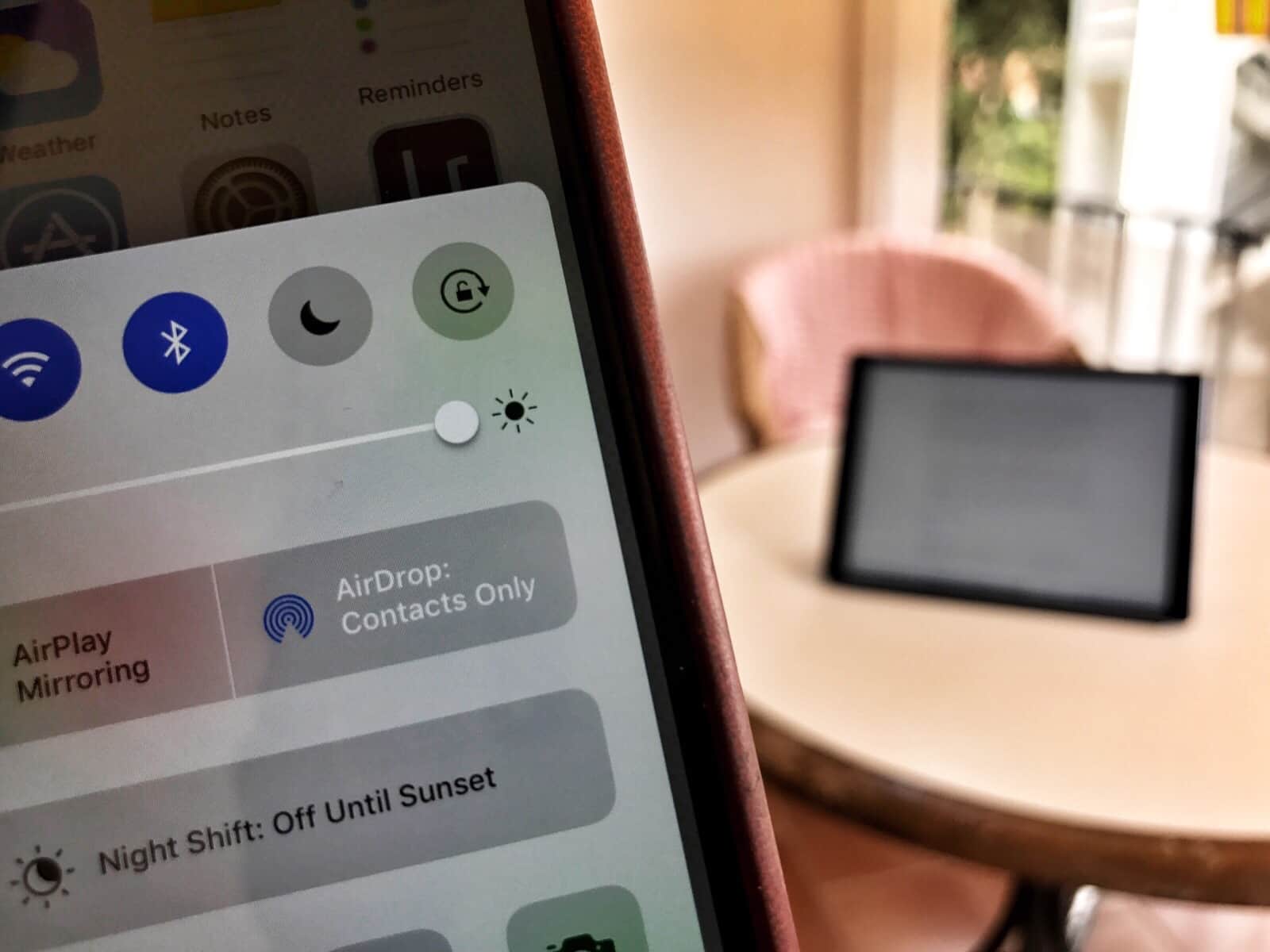
Airdrop ios iPad iPhone
AirDrop works across the room to make sharing files between Apple devices easy as can be.
Photo: Charlie Sorrel/Cult of Mac

AirDrop, Apple’s built-in sharing feature, lets you beam pretty much anything between any Apple devices. You can use it to share photos, videos, URLS, documents, snippets of text — in short, anything that can be shared using the standard “sharing arrow” icon is fair game for AirDrop.

AirDrop really should be your first choice for sharing, because it doesn’t use the internet to send the files. It connects you and the recipient directly to each other using Wi-Fi, and makes the transfer that way. This makes AirDrop secure and lightning-fast. It also mean it works as well on the top of a mountain as it does in a busy office.