Mobile menu toggle

Search results for: Apple One

Notes app gets new turbocharged text tools in iOS 11
By

iOS 11 notes
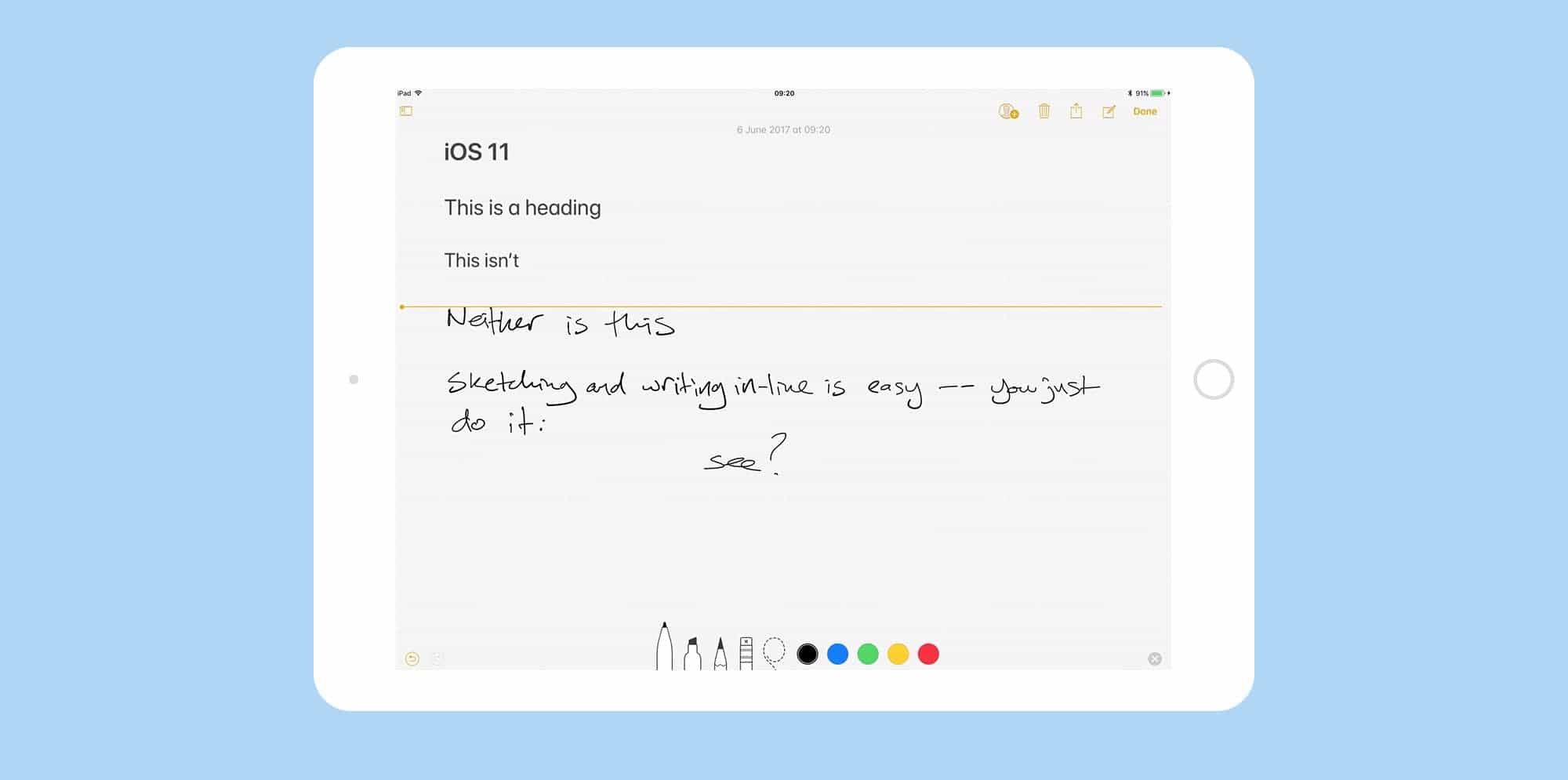
Notes app behaves more like a piece of paper than ever in iOS 11.
Photo: Cult of Mac

Up until now, if you wanted to do fancy formatting with the iOS Notes app, you had to dust off your Mac to do it. Now, with the iOS 11 Notes update, you no longer need to boot up a desktop computer just to switch a note to a monospaced font, or add a table. You can do it all on your iPhone or iPad. And this is in addition to the great new in-line sketch features and document scanner that headline this update.

Safari 11 privacy feature gets advertisers fuming

By

specify settings on a per-site basis
Enable settings on a per-site basis.
Photo: Cult of Mac

Apple is out to “sabotage the economic model of the internet” as it protects users from shady tracking while browsing the internet, according to several organizations representing digital advertisers.

Six different digital ad and marketing trade associations recently signed and sent an open letter to Apple opposing a pending Safari update aimed at protecting how your browsing data is used.

iOS 11 makes Spotlight search super-powerful

By

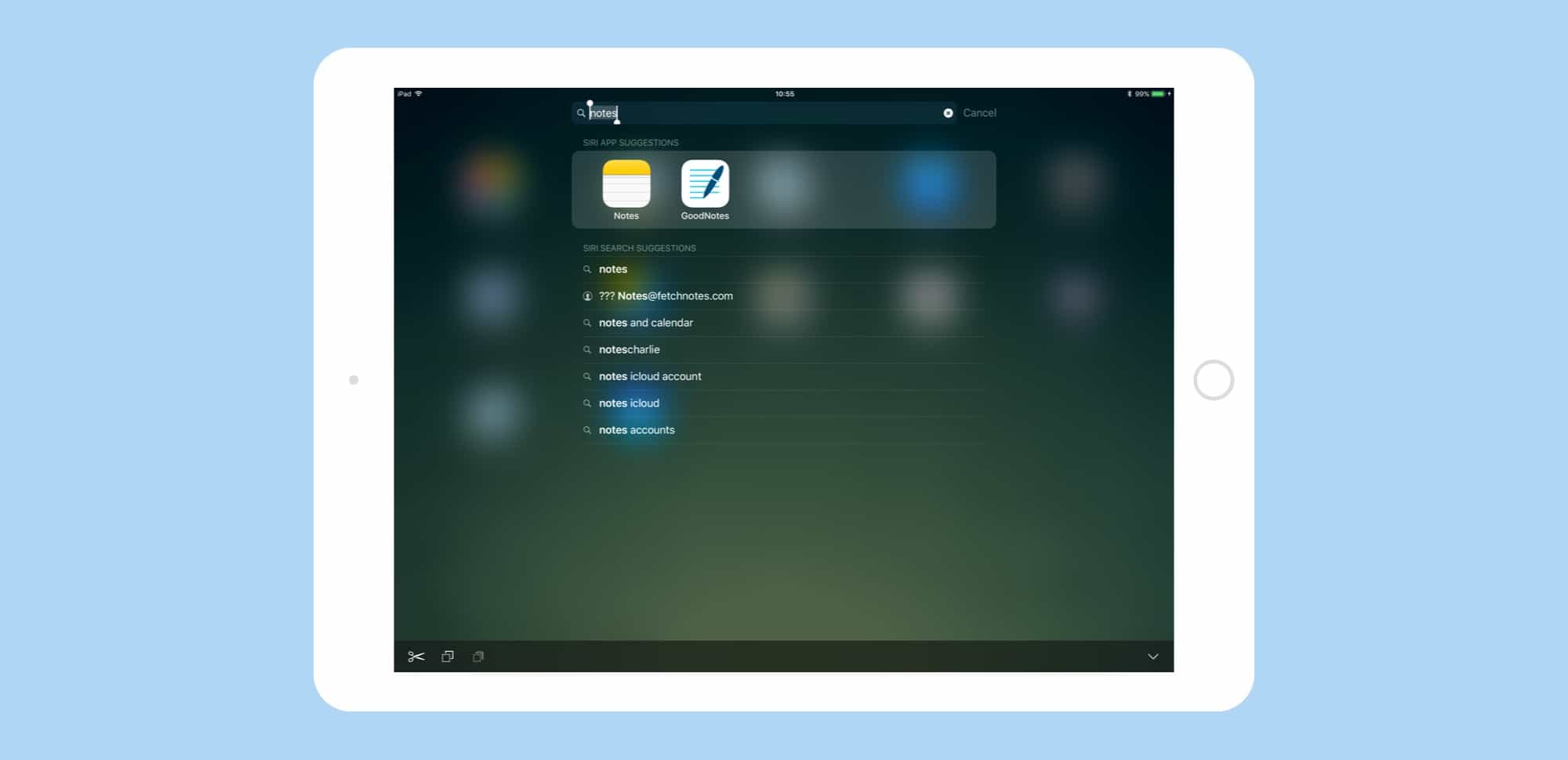
spotlight search in iOS 11
Spotlight in iOS 11 is a power-users dream, letting you find anything -- whether on the web on on your device -- fast.
Photo: Cult of Mac

Spotlight search gets a big overhaul in iOS 11. The Spotlight updates in iOS 11 don’t seem quite as spectacular as the iPad’s new Dock, or drag-and-drop, but the small tweaks make the search tool a lot more useful.

Now you can search both your iPad and the web, similar to how you conduct a search in Safari. If you ever used Launchbar, Alfred or Quicksilver on the Mac, the new iOS 11 Spotlight will feel familiar.

Everything you need to know about iOS 11

By

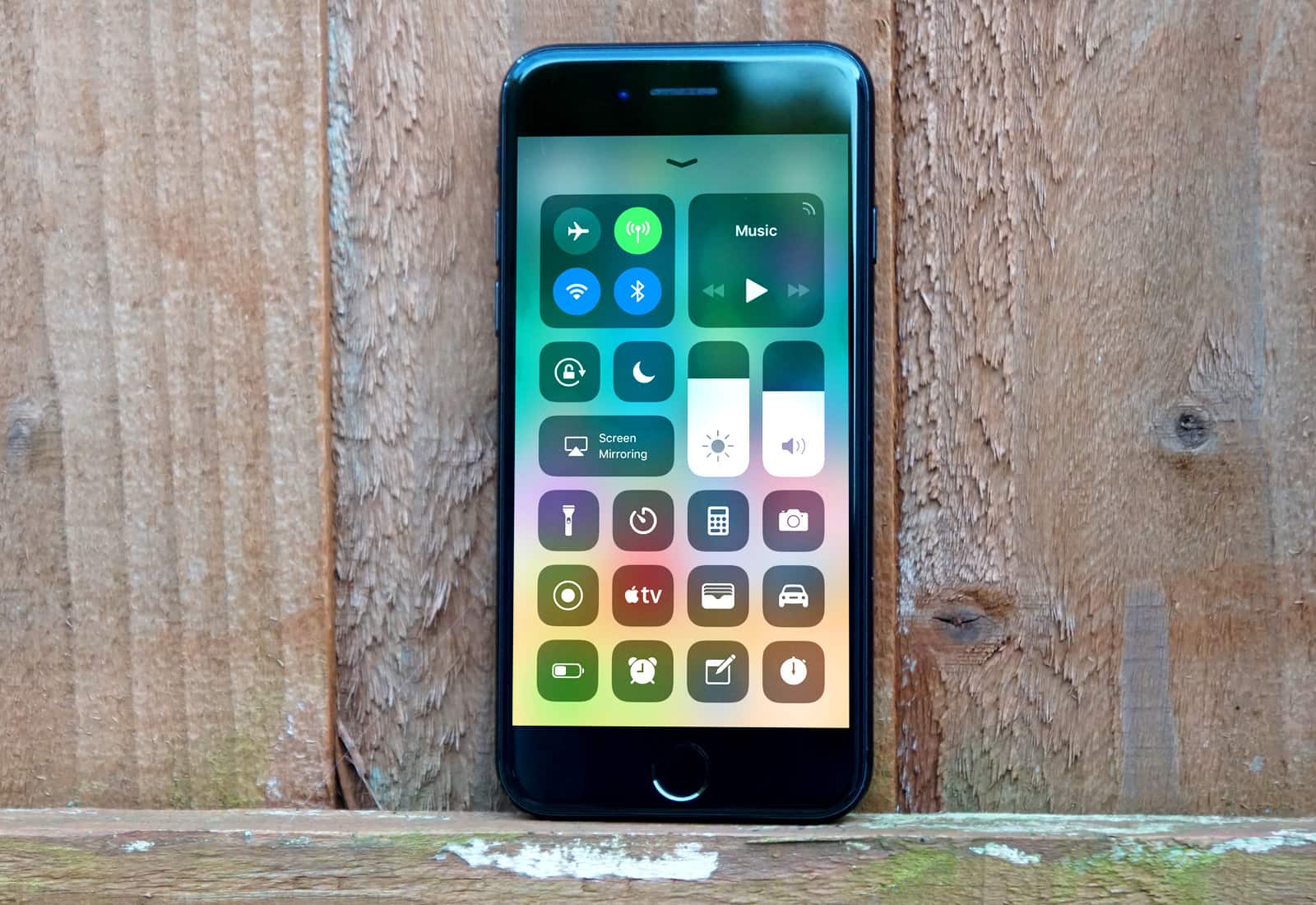
iPhone 7 iOS 11
The new Control Center is just one of many great new iOS 11 features.
Photo: Ste Smith/Cult of Mac

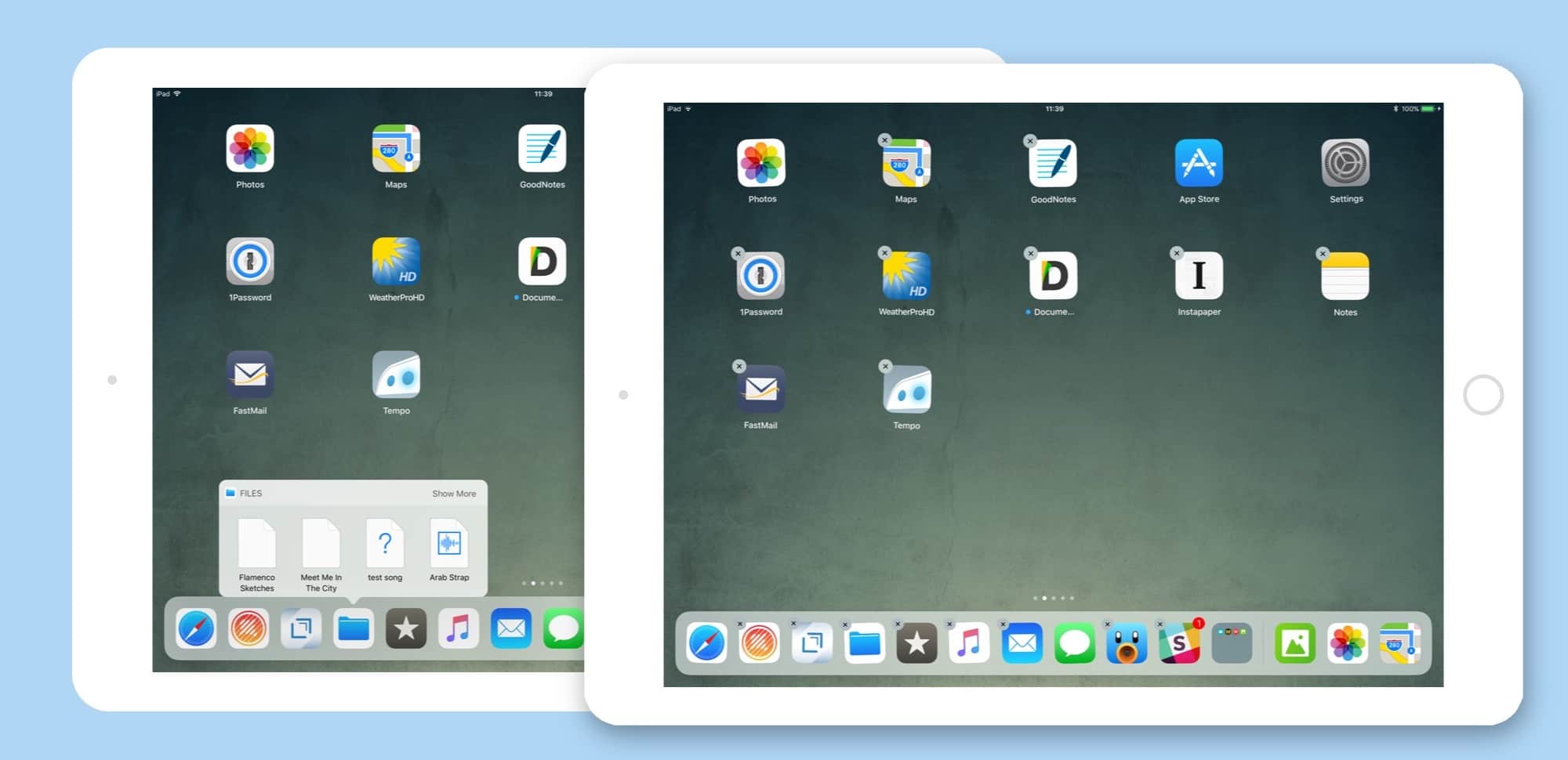
Over the past two months, Cult of Mac scoured the iOS 11 betas to collect tips and tricks for Apple’s latest mobile operating system. We’ve covered everything, from the iPad’s amazing new Dock and Drag-and-Drop to the iPhone’s new lifesaving Do Not Disturb While Driving.

We’ve created this iOS 11 guide, which we will update going forward, so you can easily find links to our best iOS 11 tips and how-tos. Read on for more on the radically improved Notes app, iOS 11’s powerful new camera features and more.

You can now download bigger iOS apps over cellular

By

iOS 11 iPad Pro
Look out for the changes next month.
Photo: Ste Smith/Cult of Mac

Apple has finally increased the cellular download limit for iOS apps.

Following the release of iOS 11, you can now download titles up to 150 MB in size without a Wi-Fi connection. That’s still not enough for many apps and games, but it is a step in the right direction.

Find and delete storage-hogging iMessage chats in iOS 11

By

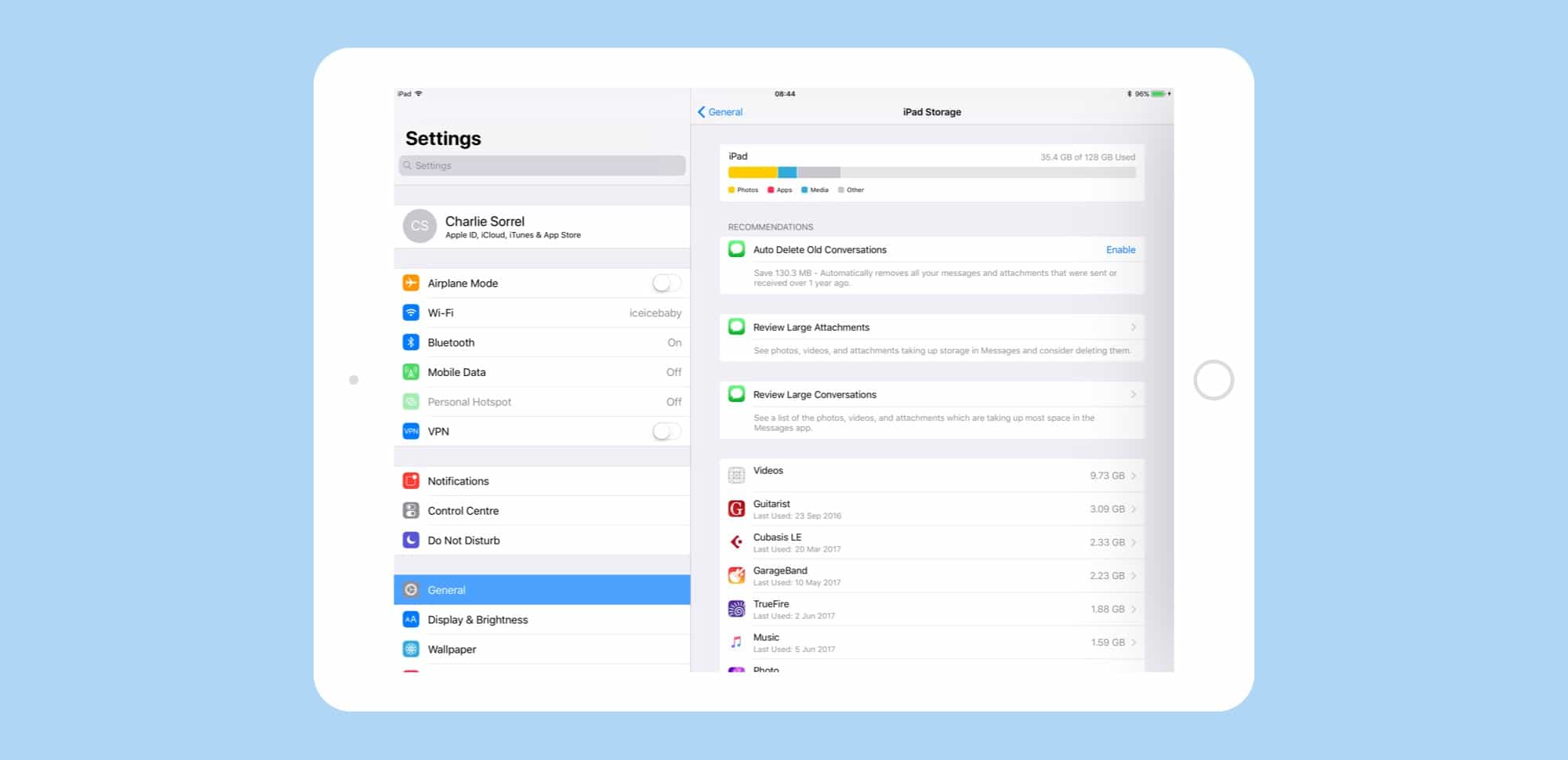
iMessage storage
iMessage gets a bunch of new space-saving features in iOS 11 beta.
Photo: Cult of Mac

Maybe, if you opt for one of the new 512GB iPads, you won’t have to worry about storage space. But for everyone else, iOS 11 has you covered. Now, under a new section in settings, you can whittle down the storage used by the iMessage app, weeding out old conversations, revealing oversized attachments, and even check to see which conversations are taking up the most space.

Let’s see how to use it.

How to draw on pictures in iOS 11 Notes app

By

Notes app in iOS 11 lets you draw on pictures in your notes, and introduces papers.
Drawing on pictures is easier in iOS 11 Notes.
Photo: Cult of Mac/Leonardo Da Vinci

The new iOS 11 Notes app is already far better than the previous version, but this one new feature might tip you over the edge. Now you can draw on pictures with your Apple Pencil, just by tapping on them.

Previously, images and sketches lived side by side, but could never meet. Now, with the power to scrawl directly onto images, you can do all kinds of things. Example: I keep a blank sheet of guitar tab notation paper in the Files app, then drag it to a note and start writing on top of my template. That’s just one use. Another might be to draw mustaches on pictures of your workmates.

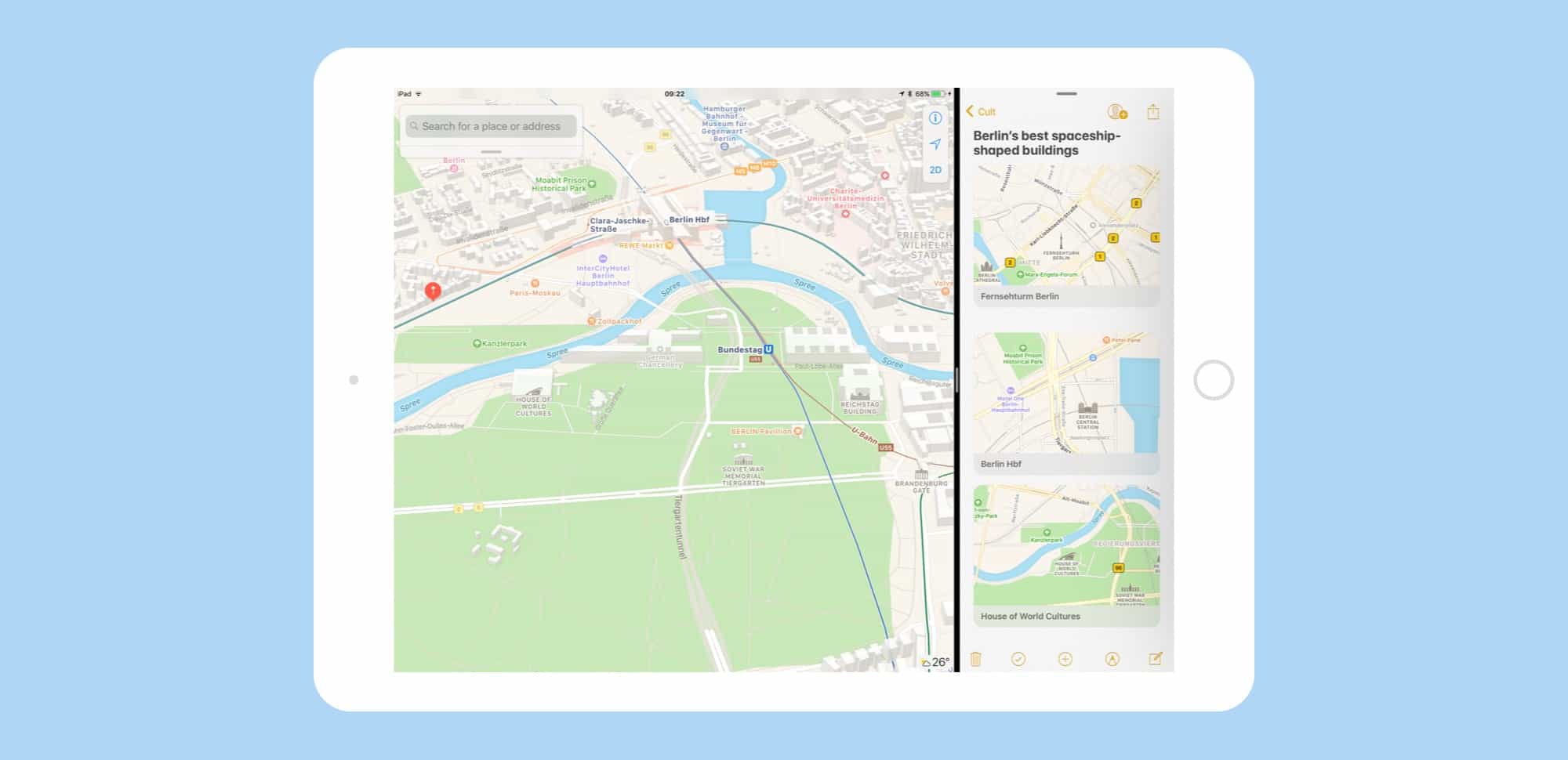
How to use drag and drop in iOS 11 Maps

By

drag and drop maps iOS 11
The more you use it, the more you realize just how great drag-and-drop is on the iPad.
Photo: Cult of Mac

Drag and drop is the headline feature of iOS 11 on the iPad, and rightly so — it changes the whole iOS paradigm, integrating a decades-old desktop feature in a way that makes it feel like drag and drop was just waiting for touchscreens to come along.

It seems like all of Apple’s own apps have gotten a dose of drag and drop in iOS 11, including Maps. Let’s take a look at it.

iOS 11 brings 5 different types of tap, but don’t panic

By

five touches
Both of these were caused by tap-and-hold, which sounds confusing but isn't.
Photo: Cult of Mac

When the iPhone launched 10 years ago, there were two kinds of tap. A regular tap for everything, and a special press-and-hold to get the Home screen icons jiggling and ready to rearrange. That was it. Now, with iOS 11, I have counted at least five different types of tap and press, and that’s just on the iPad. If you count the iPhone, then you also have 3D-Touch to deal with.

Partly this comes down to the new systemwide drag-and-drop capability baked into in iOS 11, and partly it has to do with Apple trying to mimic 3D Touch’s pressure sensitivity on the iPad.

The biggest surprise, though, is that Apple managed to pull it off, even in the early iOS 11 beta I’m running now. Not only are these gestures all intuitive, but the overall feel of interaction has gotten way better.

Fix iOS 11 update issues & recover lost iOS data

By

170814-pr
PhoneRescue can help make sure updating to iOS 11 doesn't mean dropping your data.
Photo: iMobie

This post is brought to you by iMobie, maker of PhoneRescue.

Today, iOS 11 launches at long last. It’s been hyped as one of the biggest updates yet, setting a new standard for Apple’s mobile operating system. There’s a new Dock, multitasking tools, drag-and-drop features, the ability to pay friends over messages, and lots more.

But with any major new update comes the risk of data loss. If the software update crashes, for example, you could lose data. Or look to the rollout of iOS 9.3, which was met with numerous reports of sudden data loss on people’s devices. Before you reincarnate your iPhone as an iOS 11 device, it pays to get a recovery solution in place.