Mobile menu toggle

Search results for: Apple One

How to use a mouse with your iPad

By

trackpad mode
Trackpads -- not just for the Mac any more.
Photo: Charlie Sorrel/Cult of Mac

The iPadOS beta is out, and it has one killer feature — mouse support. Not only can you use any Bluetooth mouse or trackpad to control the text-selection cursor on the iPad, you can use the mouse just like you would on a Mac — clicking buttons anywhere in the entire iPad user interface.

The feature is not on by default. It’s not even a regular checkbox. To enable mouse and trackpad support on your iPad, you have to dig into the Accessibility settings.

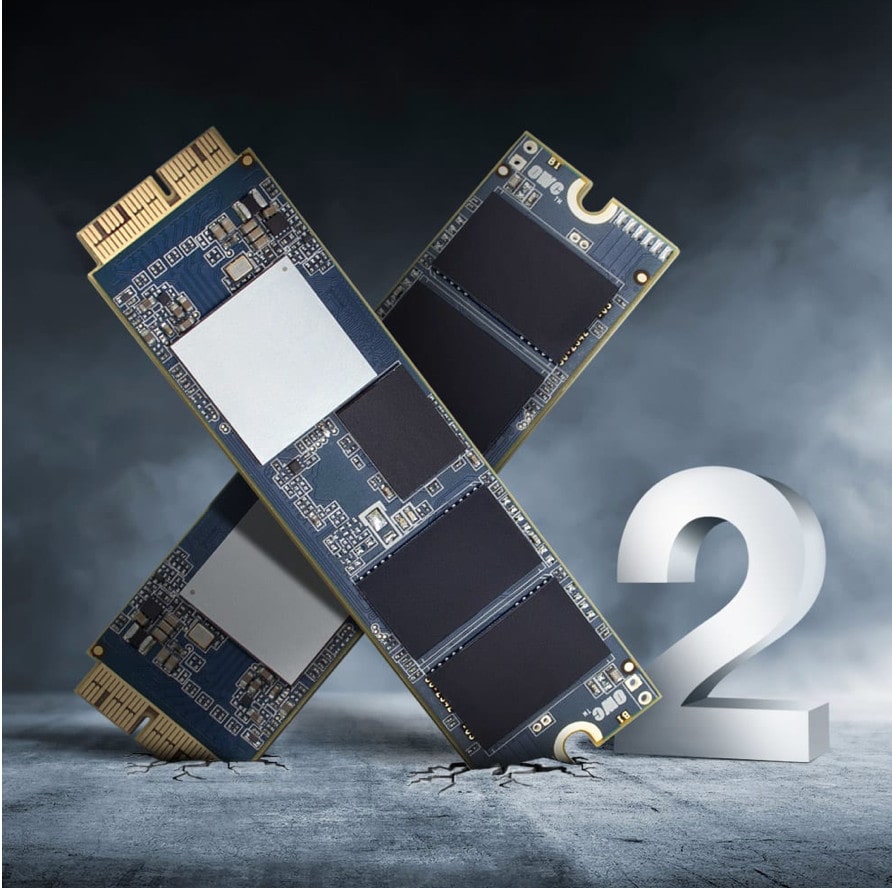
Give your old MacBook a serious boost the cheap and easy way

By

The Aura Pro X2 offers an easy and affordable way to upgrade your 2013 or older Mac to the latest SSD specs.
Photo: OWC

This post is presented by OWC.

New Macs are reliably cutting-edge when they first hit shelves. But as time goes by, Cupertino’s products, like any other, move toward obsolescence. Luckily, boosting your Mac’s performance — and extending its useful life — can be a cinch.

Why photographers won big-time at WWDC

By

photographers and new Mac Pro
Apple has a pretty good idea on how to make photographers and filmmakers happy.
Photo: Apple

WWDC 2019 bug The WWDC keynote delivered exciting news for every Apple user, but for photographers of all stripes, Monday was their jackpot.

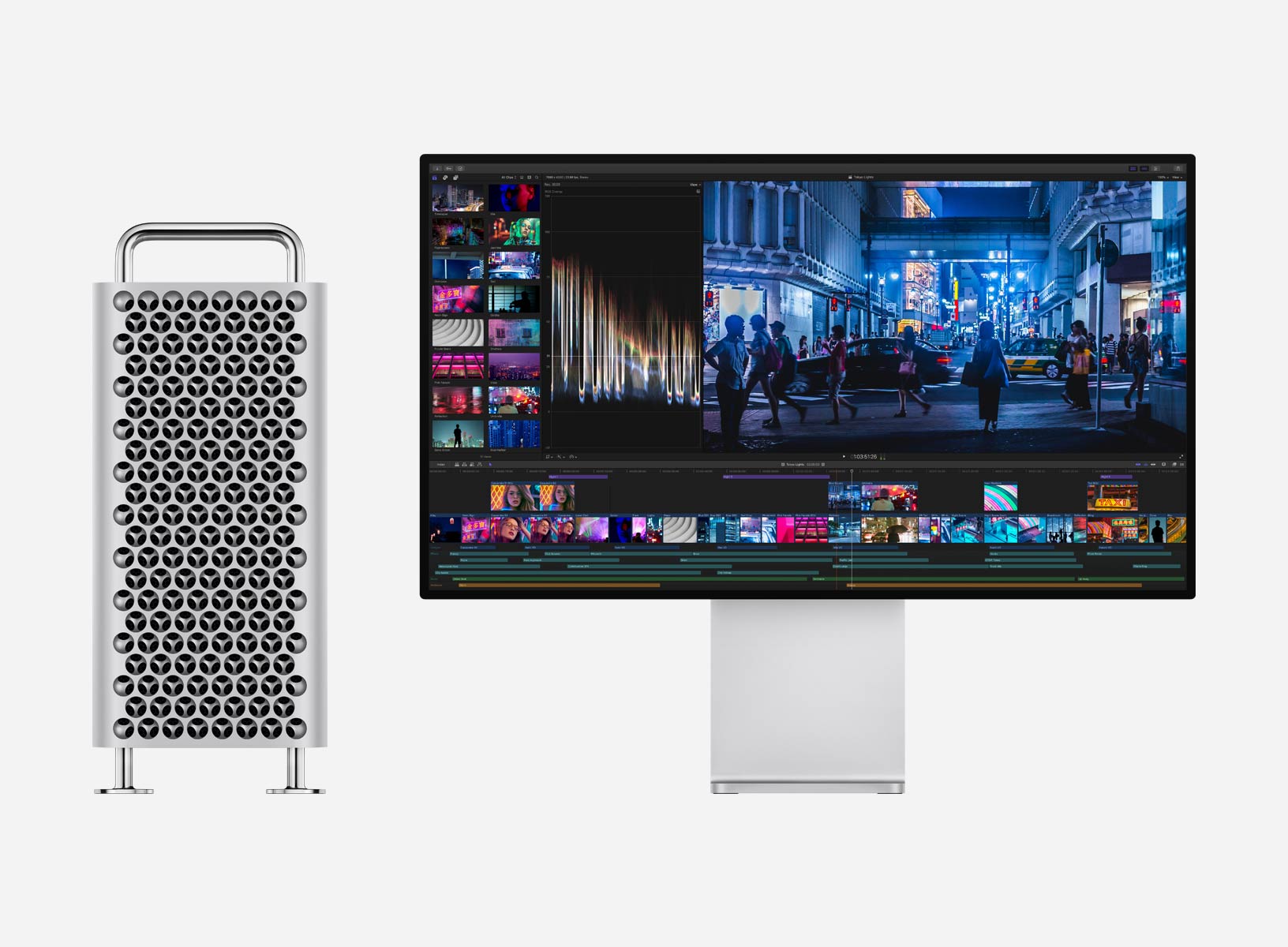
Professional photographers and filmmakers finally got a new Mac Pro that can handle ambitious workflows.

Operating system updates due out this fall for Mac, iPhone and iPad will bring a slew of new features for editing and organizing.

The iPad will be an even more capable tool in the field and changes to the iPhone camera should tamp down those worries that Apple was falling behind the likes of Huawei, Samsung and Google.

And we’re not even talking about the new hardware coming this fall.

iOS 13 brings brilliant charging option to save your battery

By

iOS 13
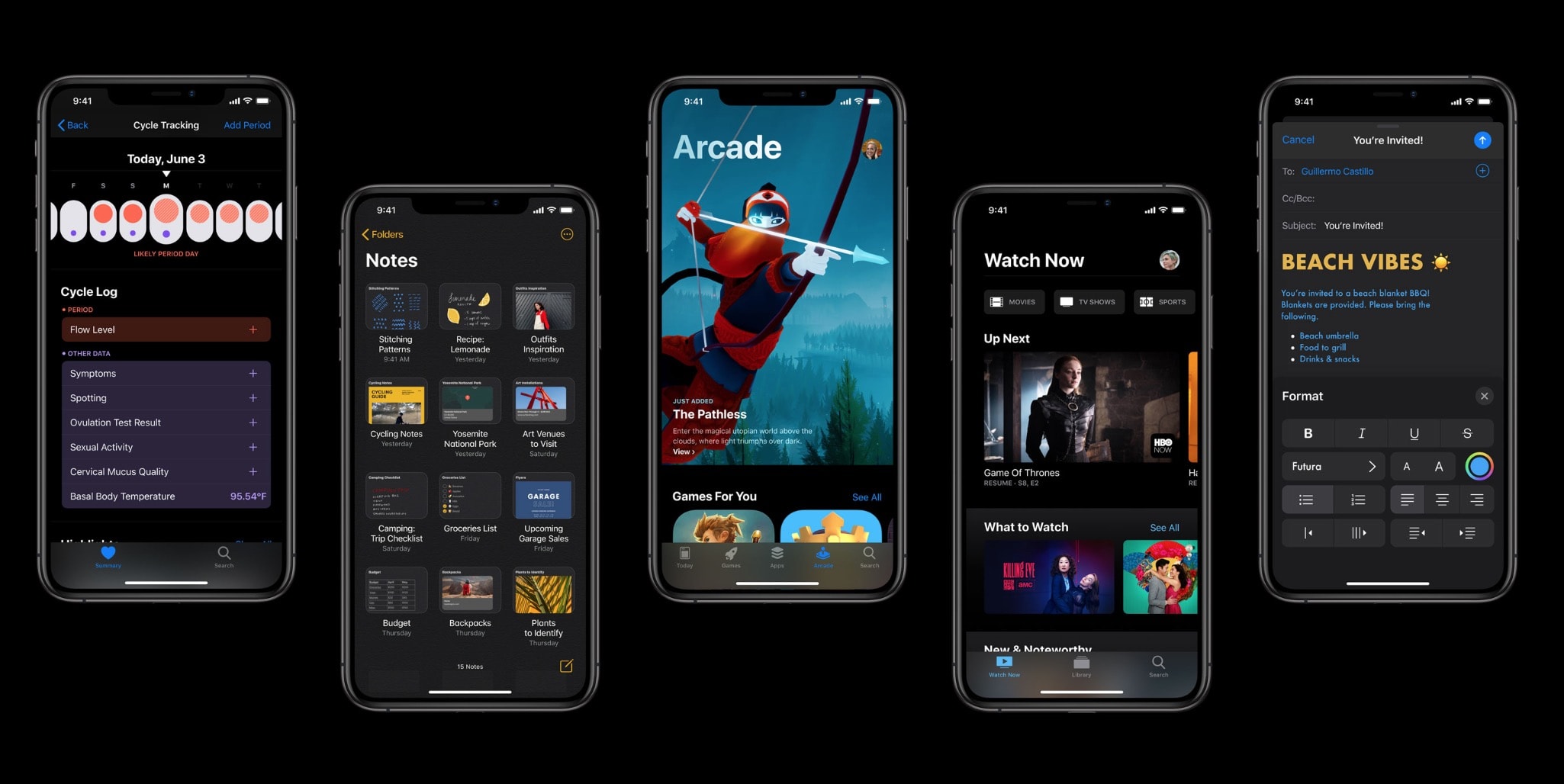
There's a lot to love in iOS 13.
Photo: Apple

iOS 13 could help keep your iPhone battery from aging too quickly due to overcharging, thanks to a new feature hidden away in the raft of new updates.

Apple came under fire for lowering CPU speeds on iPhones with older batteries during the end of 2017. $29 battery replacements were offered as an apology. Now it appears that Apple has come up with another novel solution to ease battery woes.

You can now watch the WWDC 2019 keynote all over again

By

Tim-Cook-WWDC-2019
Missing Tim already?
Photo: Apple

WWDC 2019 bug Apple has published its full WWDC 2019 keynote video for those who didn’t get a chance to watch the epic event live — and those who want to watch it all over again.

The video includes previews of everything Apple announced Monday, including iOS 13, macOS 10.15, iPadOS, watchOS 6 and more. It also lets you relive the new Mac Pro’s spectacular unveiling.

Sketchnotes breeze through WWDC 2019’s biggest surprises

By

WWDC 2019 Keynote sketchnotes, part 1 of 4
A quick visual highlight of the WWDC 2019 keynote through sketchnotes.
Photo:

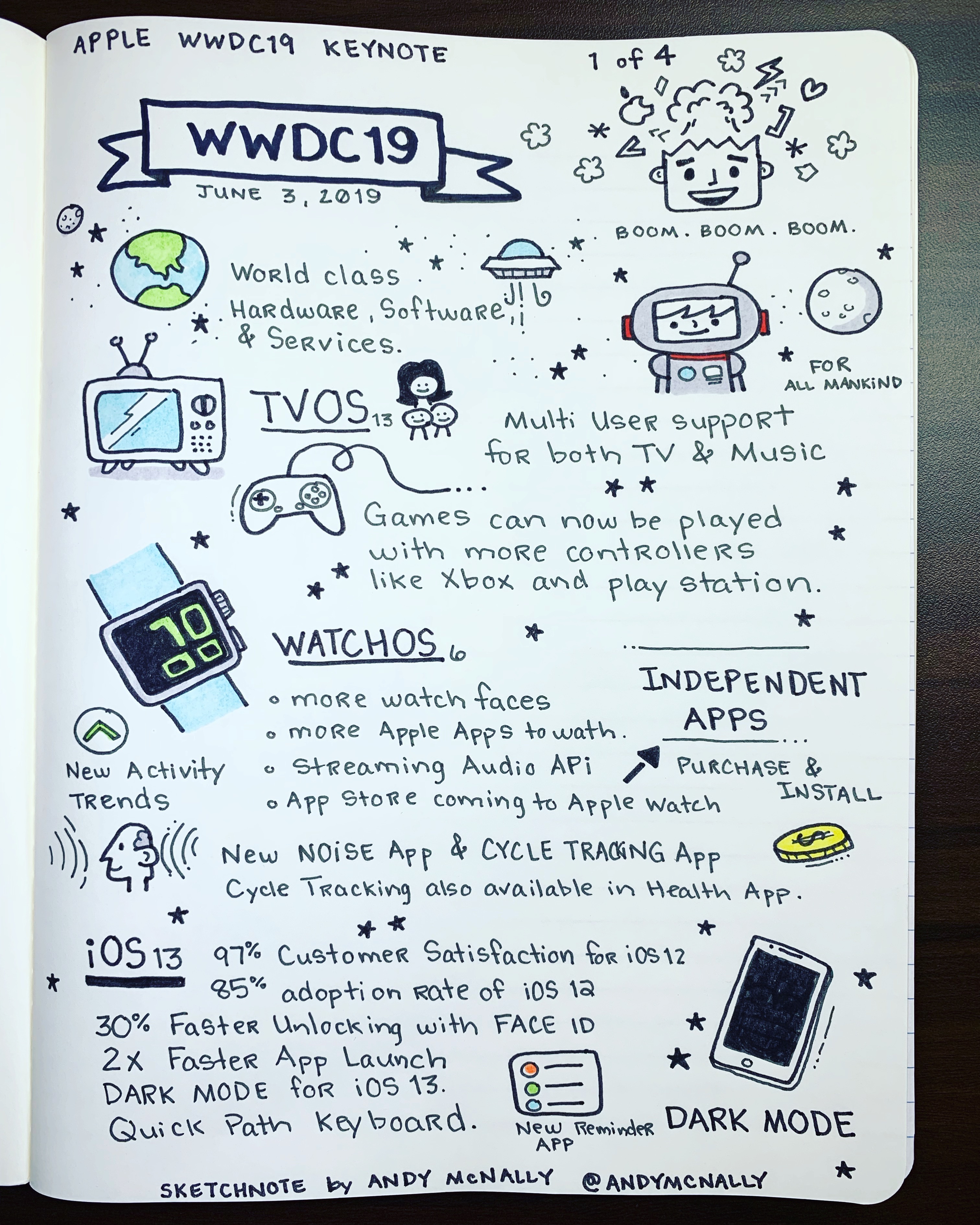
WWDC 2019 bug The WWDC 2019 keynote came packed with exciting announcements.  As in past years, I ended up with four pages of drawings in my notebook. I sketched out the biggest new features coming to tvOS 13, iOS 13, macOS Catalina and watchOS 6. And then there’s the new Mac Pro and Pro Display XDR.

As seen in my first sketchnote, above, tvOS 13 adds multi-user support and support for Xbox One and PlayStation DualShock 4  game controllers for Apple Arcade. Meanwhile, watchOS 6 will bring an App Store directly to the Apple Watch, a new Noise app, and a new Cycle tracking app for women.

For a quick visual recap of the highlights  of the WWDC 2019 keynote, check out the rest of my sketchnotes below.

Cheese grater-inspired Mac Pro gets creatives drooling

By

Mac Pro cheese grater
You might be better off with iMac Pro instead.
Photo: Apple

WWDC 2019 bug The Mac Pro cuts an impressive silhouette, and the lucky folks who saw it up close at WWDC today were left gobsmacked.

But it also made several people giggle. They could only stare at the machine’s ventilation holes and top handles and see an expensive cheese grater.

iPad finally gets mouse support thanks to iPadOS

By

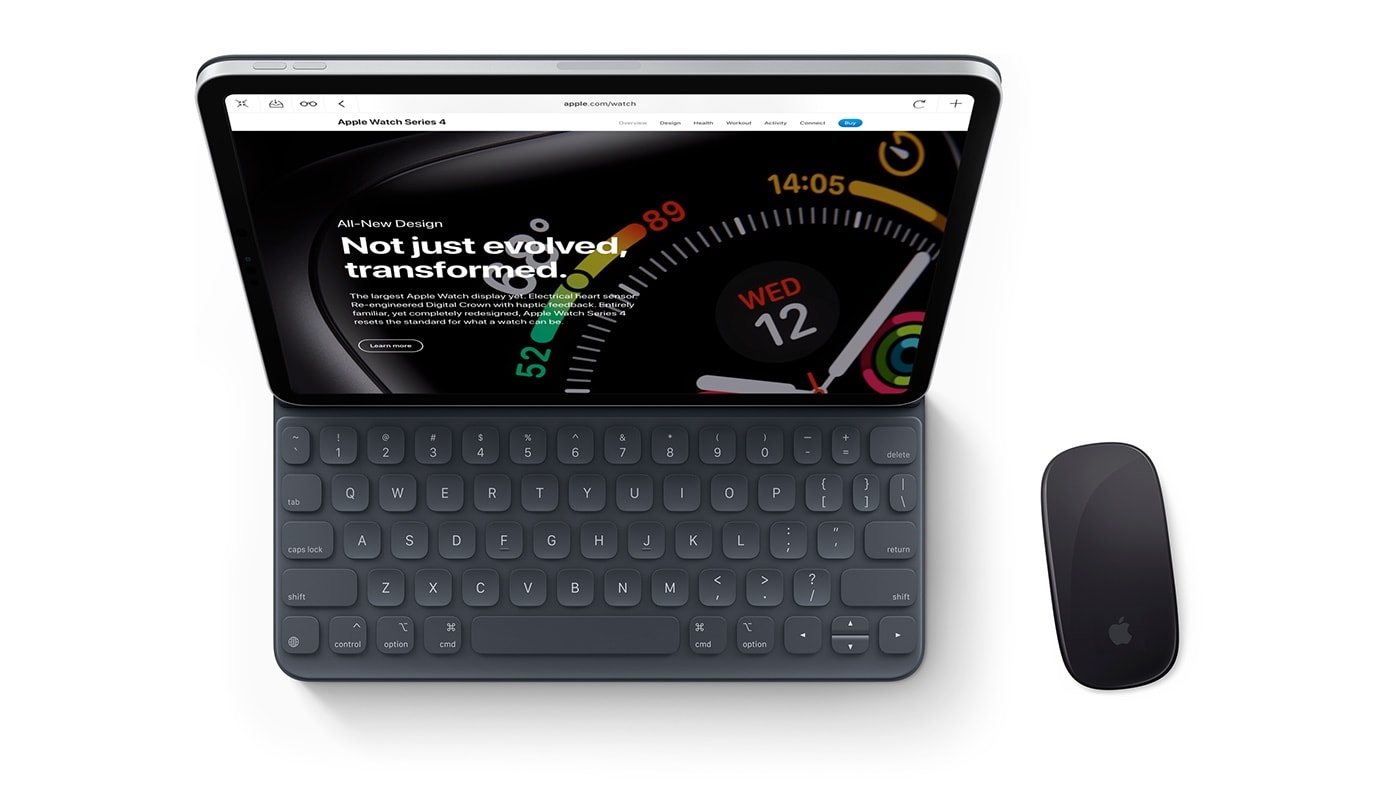
An iPad Pro with Smart Keyboard Folio and Magic Mouse, or a MacBook by another name?
Exciting news for full-time iPad users.
Photo: Guilherme Martins Schasiepen

WWDC 2019 bugApple rushed through a lot of iOS 13 features during its keynote this morning, but a major feature that’s long been requested from iPad users didn’t get any showtime: mouse support.

When Apple’s keynote wrapped up without any mention of mouse support on iPad my colleague Killian nearly had an embolism burst in his brain. The feature had been rumored for so long it would have been a huge disappointment if it didn’t make the cut. But after digging into iPadOS, it turns out that Apple has finally added mouse support.

Check it out in action: