Mobile menu toggle

Search results for: "MacBook Air"

Game on! Ugreen debuts colorful Genshin Impact charger collection.

By

Ugreen Genshin Impact charging products
"Genshin Impact" players or anyone who wants less-boring chargers might enjoy this collection.
Photo: David Snow/Cult of Mac

Apple users who enjoy the popular open-world adventure game Genshin Impact now have a stylish way to keep their devices powered up, Ugreen said Monday. Known for its charging accessories, the company said it partnered with game creators to launch a co-branded collection of four Ugreen Genshen Impact charging products. The company sent them to me. It looks like a fun collection.

M4 iMac makes surprisingly rare appearance [Setups]

By

iMac setup
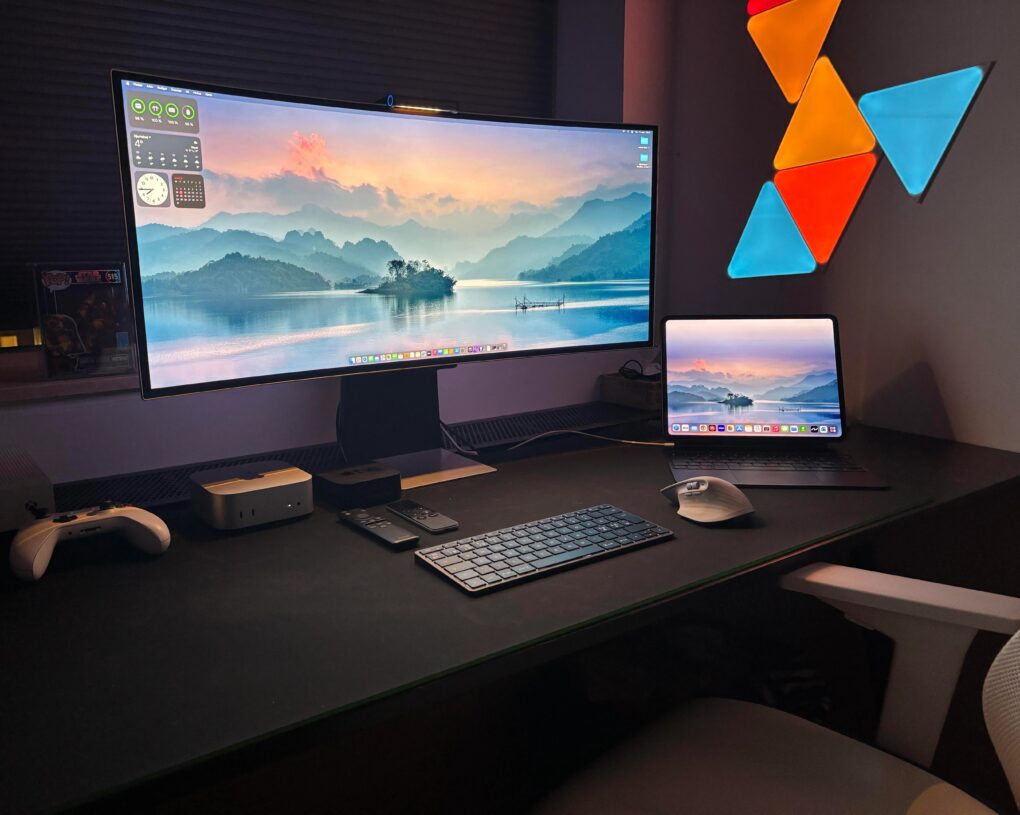
As the user points out, an iMac setup is a clean setup because so many components are included in the desktop computer.
Photo: [email protected]

When I came across today’s M4 iMac setup on the interwebs, I realized how rarely they come up in Cult of Mac‘s setups coverage. Out of 616 articles I’ve written about setups to date — over more than 4 years — this is only the 11th one to feature an iMac (plus a few others from before I took over the setups beat). And that small number doesn’t come from any hatred of iMacs on my part. It’s just that users seem to flaunt them much less on social media than other hardware. And they’re not top sellers for Apple.

Alogic Roam power bank keeps laptops going strong [Review] ★★★★

By

Alogic Roam power bank review★★★★
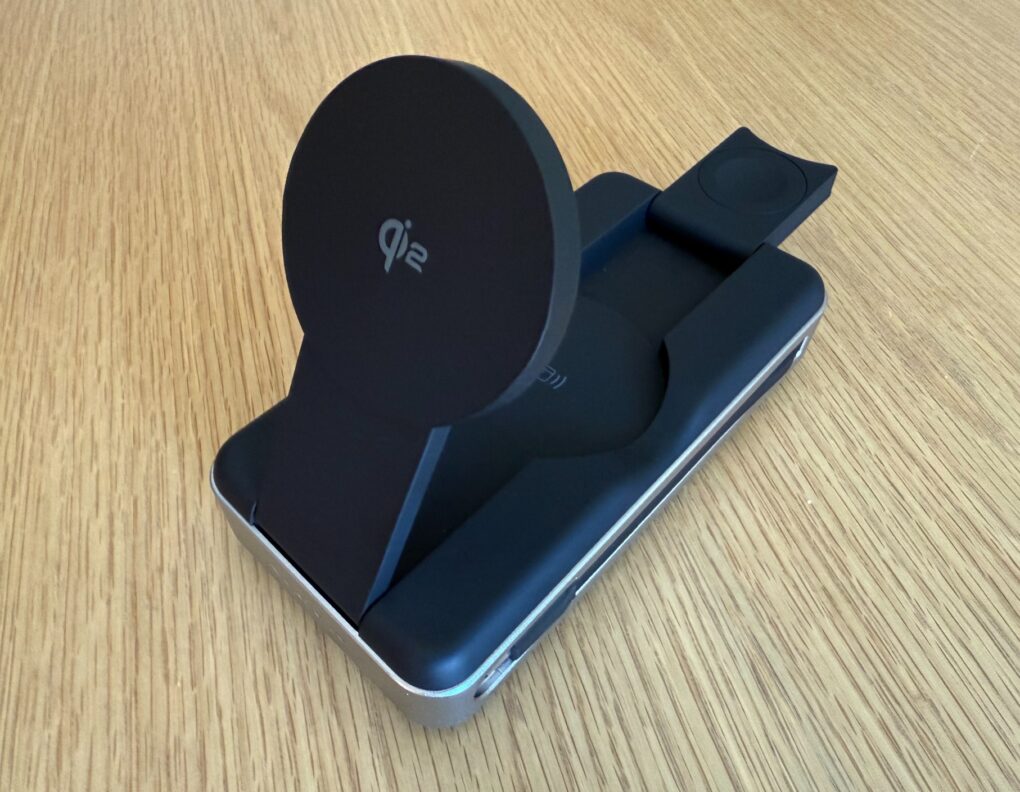
The Alogic Roam 21000mAh Power Bank keeps your gadgets going on the go.
Photo: David Snow/Cult of Mac
Anyone who constantly moves around with multiple devices knows finding a reliable power bank for laptop charging can be a challenge. After more than a week of using the new Alogic Roam 21,000mAh Power Bank, I’m ready to share my hands-on experience with the premium charger. Is it worth the investment? Yes. Let’s dive in, and I’ll tell you why.

A tale of two Airs: iPad and MacBook reviews [The CultCast]

By

CultCast 691 iPad Air vs MacBook Air
Which new Air is best? D. Griffin Jones puts the latest MacBook Air and iPad Air to the test.
Image: Cult of Mac

This week on Cult of Mac’s podcast: Griffin goes deep on the M3 iPad Air and the M4 MacBook Air, which he recently reviewed from his unique perspective as a Mac mini fanatic. He loved them both, but which one rules the day? And can either of them come close to his desktop dynamo?

Also on The CultCast:

  • Erfon digs into the M3 Ultra benchmarks.
  • There’s a shakeup in Siri land! Can the new boss fix Apple’s virtual assistant and/or deliver Siri’s promised AI upgrade?
  • Surprise, surprise — Apple is working on a new monitor.
  • iOS 19 might turn AirPods into real-time translators, which sounds like a killer feature for travelers.

Listen to this week’s episode of The CultCast in the Podcasts app or your favorite podcast app. (Be sure to subscribe and leave us a review if you like it!) Or watch the video live stream, embedded below.

How to use window snapping and tiling on the Mac

By

Window Snapping on the Mac
Another year, another window management feature on the Mac.
Image: Apple/D. Griffin Jones/Cult of Mac

Window snapping and tiling is a new way to quickly organize your Mac desktop. It lets you throw the two apps you’re working on side by side so you can focus on them.

Window snapping proves more versatile than fullscreen mode, which the Mac has had ever since OS X Lion. Using fullscreen mode comes with a few compromises. For one, fullscreen mode only supports two windows side by side. And while you’re in fullscreen mode, you can’t have any other apps visible — fullscreen apps exist in a separate space from everything else.

With window snapping, you can have your Mac windows tiled in halves, quarters or a mix — you pick the orderly layout that works best for the task at hand. You can use gestures or keyboard shortcuts for quick tiling. Or you can control the tiling from your Mac’s menu bar. Keep reading or watch our video to learn how this cool Mac productivity feature works.

Grab an Apple Studio Display at a discount

By

Firmware updates for Studio Displays failed over the weekend but they're fixed now.
Apple's Studio Display is a great 5K monitor for your Mac.
Photo: Apple

Apple’s Studio Display is the perfect monitor for most Apple users, and this deal makes it even better. The high-end monitor packs a gorgeous 27-inch 5K screen and lots of extras.

However, at its retail price of $1,599, the monitor is pretty expensive for what it offers, especially since it is a few years old now. However, a current Apple Studio Display deal on Amazon drops it to just  $1,539.95.

M3 iPad Air: Can it convert a stubborn Mac user? [Review] ★★★★☆

By

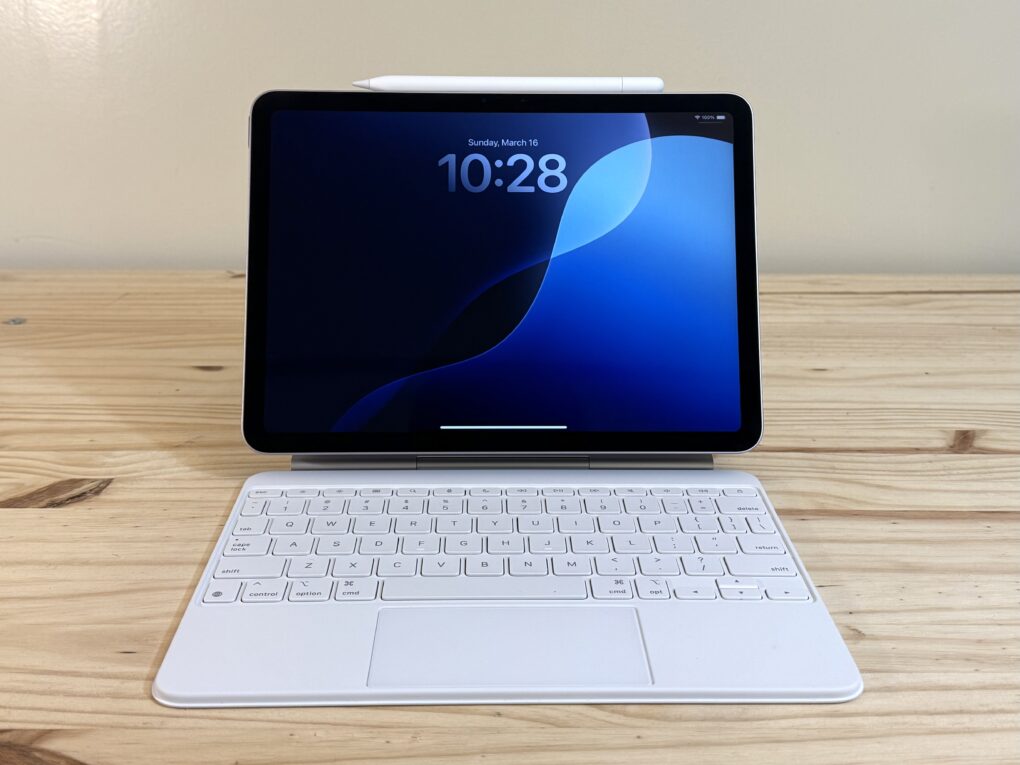
iPad Air M3 with Magic Keyboard and Apple Pencil sitting on a pine table showing the Lock Screen★★★★☆
The mid-range tablet is better than ever.
Photo: D. Griffin Jones/Cult of Mac

The M3 iPad Air can do it all, as I found while testing Apple’s midrange tablet for this review. At its core, the thin, lightweight device proves perfect for living room reading, watching and browsing. Add the Magic Keyboard and Apple Pencil, and you can get some serious work done. It’s fast, powerful and remarkably capable.

I never previously owned my own personal iPad. I’ve used Windows PCs and Macs since 2002, switching to the Mac full-time in 2012. Between my Mac mini and Vision Pro, I haven’t felt the need for an iPad in my life.

Nonetheless, for this M3 iPad Air review, I went all-in, using the tablet with a Magic Keyboard and Apple Pencil for as much of my work as I could to see if I was missing out. Here’s what I discovered — keep reading or watch our video review.

Studio Display beats down Samsung ultra-wide monitor [Setups]

By

displays for Mac mini
Here's the ultra-wide Samsung 1440p monitor used with Mac Mini.
Photo: [email protected]

Apple’s 27-inch 5K Studio Display continues to impress users — aside from its steep price tag. Lots of folks look for affordable alternatives. Today’s Mac mini user owns a Studio Display, but he wanted to try an ultra-wide Samsung Odyssey G8 OLED display. Well, guess what. He keeps going back to the Studio Display. See below for all the reasons why.

Get the latest MacBook with this affordable monthly subscription

By

MacBook pay monthly plan from Upgraded is easy way to finance a MacBook.
Subscribing to the latest, greatest MacBook has never been so easy.
Image: Upgraded

Let’s face it — a new MacBook is expensive. MacBook upgrade program Upgraded offers a smarter way to stay up to date. Instead of paying the full price upfront, you spread the cost over 36 months, with the option to upgrade after 24 payments. Plus, you don’t need to worry about selling your old device on a site like Facebook Marketplace.

SPONSORED
This post is brought to you by Upgraded.

Pricing starts at $33.28 per month for MacBook Air or $52.17 per month for MacBook Pro, with AppleCare+ included and interest rates as low as 0%. Check out all available models at getupgraded.com.

Why carry three chargers when this one can do it all?

By

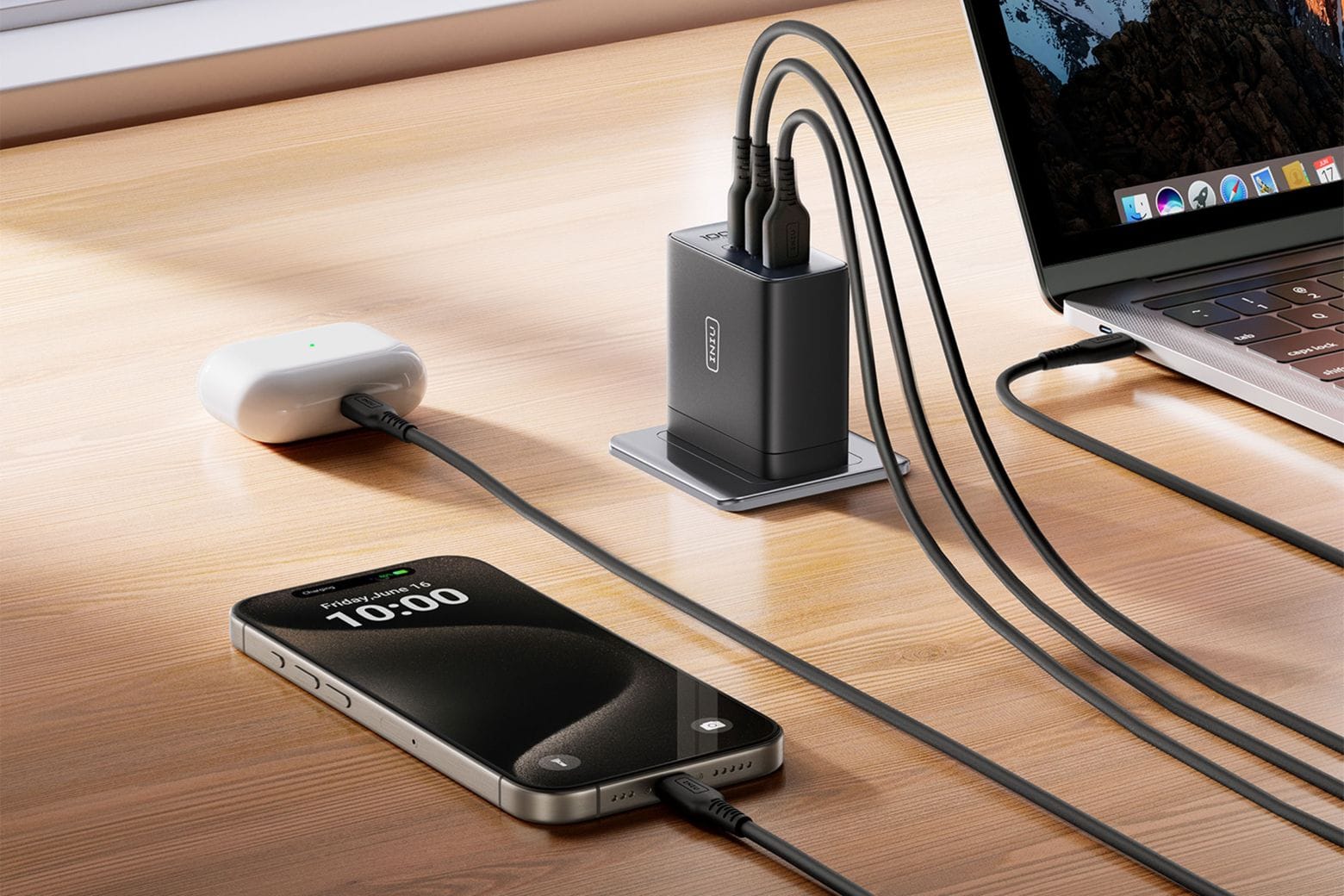
Multiple devices charged using a single Iniu Leopard 100W GaN charger
More power output from a smaller charger -- and with a smaller price tag!
Photo: Cult of Mac Deals

The Iniu Leopard 100W GaN charger is a compact charging solution designed to keep all your devices powered up efficiently. Whether you’re at home, at work or on the go, this sleek, ultra-portable charger delivers blazing-fast power without the usual bulk.

Traditional laptop chargers are big, slow and inconvenient. But the Iniu Leopard uses GaN (gallium nitride) technology to deliver 100W of power in a device that’s 35% smaller than Apple’s 96W charger. Plus, it comes with three ports. (Apple’s charger only offers one.) That means you can charge your MacBook, iPhone and iPad simultaneously — without sacrificing speed or efficiency.

Even better, you can grab this 100W GaN charger for just $42.99 with free shipping. Did we mention Apple charges $79 for its charger?

1 80 81 82 83 84 266