Mobile menu toggle

Search results for: "MacBook Air"

Mac mini with M2 Pro: Apple silicon for the rest of us [Review] ★★★★★

By

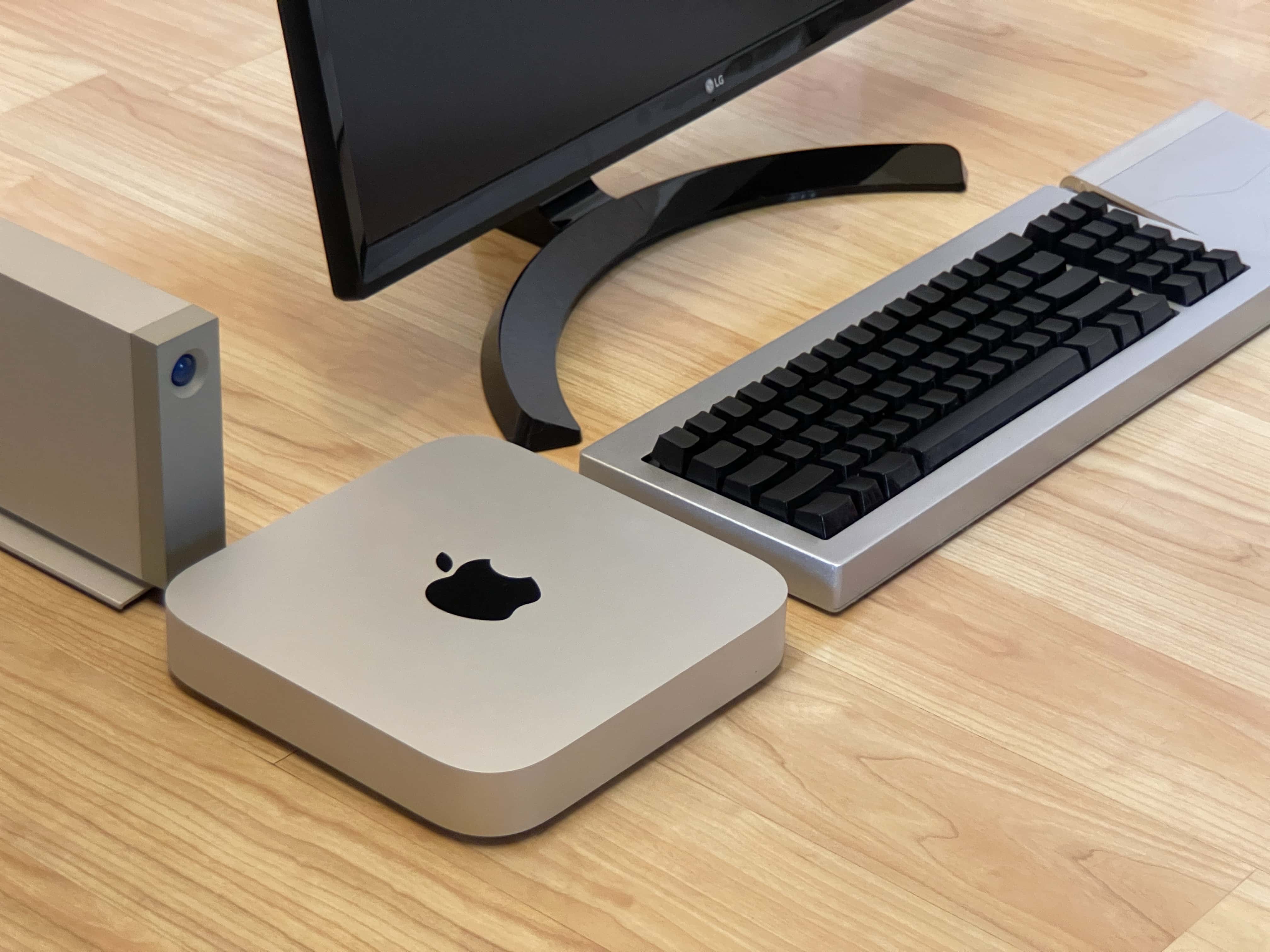
Mac mini with external hard drive, keyboard, trackpad and display sitting on the floor (isometric perspective)★★★★★
Here’s your classic product shot with everything sitting directly on a floor without anything plugged in.
Photo: D. Griffin Jones/Cult of Mac

The new Mac mini is the best value in the entire computer industry, point blank. It’s a $700 computer that won’t break a sweat editing high-resolution video, exhaustively long podcasts or giant graphic design projects — all at the same time. The M2 Pro model takes it even further.

Because of my job here at Cult of Mac, I wear a lot of hats. In a typical week, I edit videos, record a podcast, dabble in graphic design, compile open-source projects in Xcode and research topics for my writing. I’m basically all the creative professional stereotypes Apple loves to put in their promotional videos rolled into one.

After living with the new Mac mini for over a month, I can confidently say this is a fantastically powerful machine within the reach of independent creators, small businesses and schools.

Celebrating the joys of owning 2 Macs [Setups]

By

Some people seem to an M2 Mac mini and an M1 MacBook Air in one setup is overkill. Others wouldn't have it any other way.
Photo: [email protected]

Are two Macs better than one in a computer setup? People’s opinions differ. What’s overkill to one person could be a perfectly sensible use of resources to another.

Until recently, today’s featured setup ran just an M1 MacBook Air. But then the user added an M2 Mac mini. To discover all the reasons why — especially if you need an excuse to add a desktop machine to your laptop setup or vice versa — read on. If you’re looking for ways to streamline your workflow, you might also want to explore how to control MacBook with iPhone, which can enhance productivity and device integration.

Save big on the M1 iPad Air with this amazing deal

By

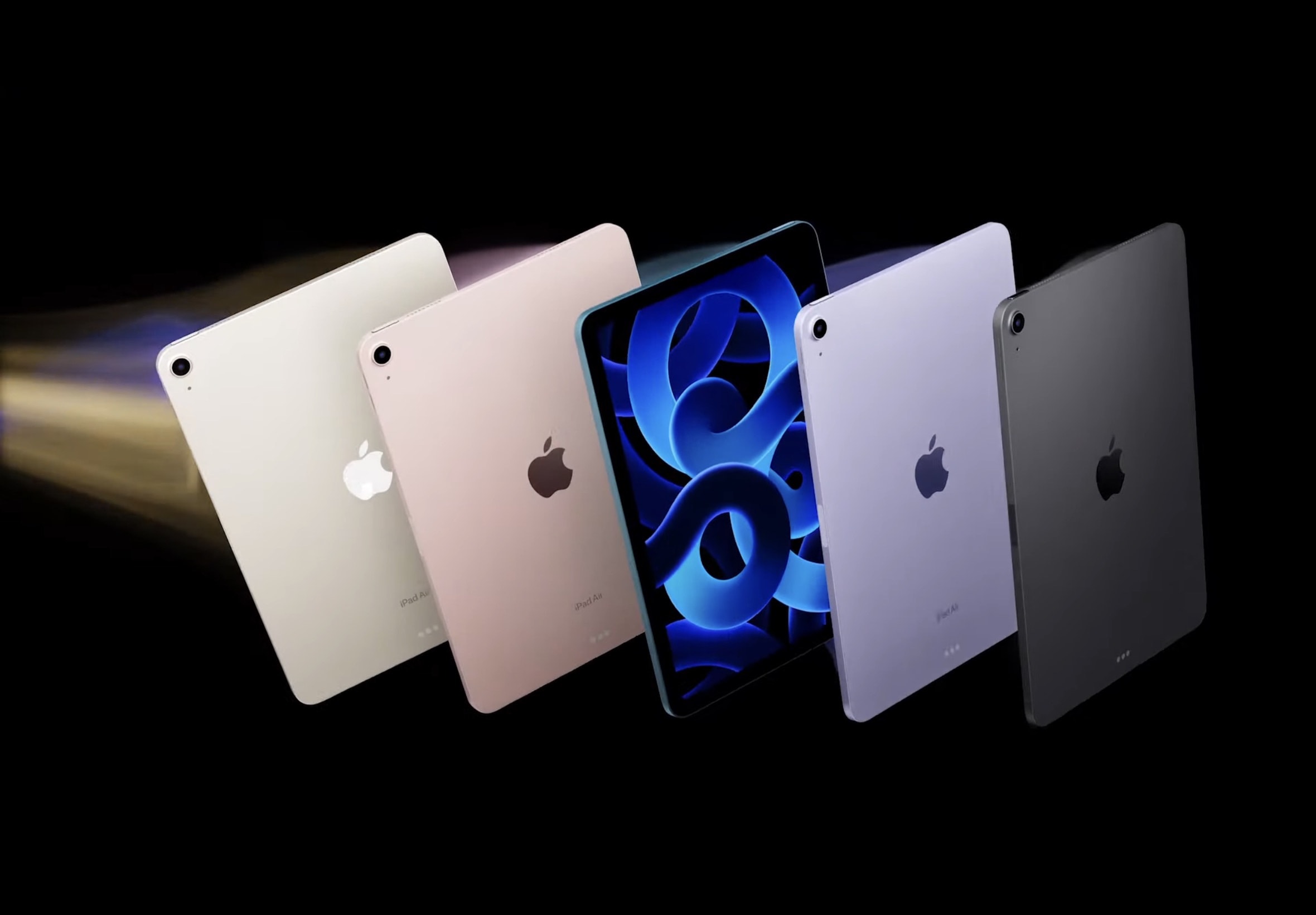
iPad Air 5 goes super fast with M1 processor
The iPad Air gets a major speed boost with a Mac-quality processor.
Screenshot: Apple

Amazon is currently discounting Apple’s excellent M1 iPad Air by a whopping $99. The deal brings the tablet’s price down to $499.99, making it much more affordable.

With a $99 discount, the M1 iPad Air makes a lot more sense than the M2 iPad Pro unless you need a ProMotion display.

New mophie powerstation battery can charge almost anything [Review] ★★★★★

By

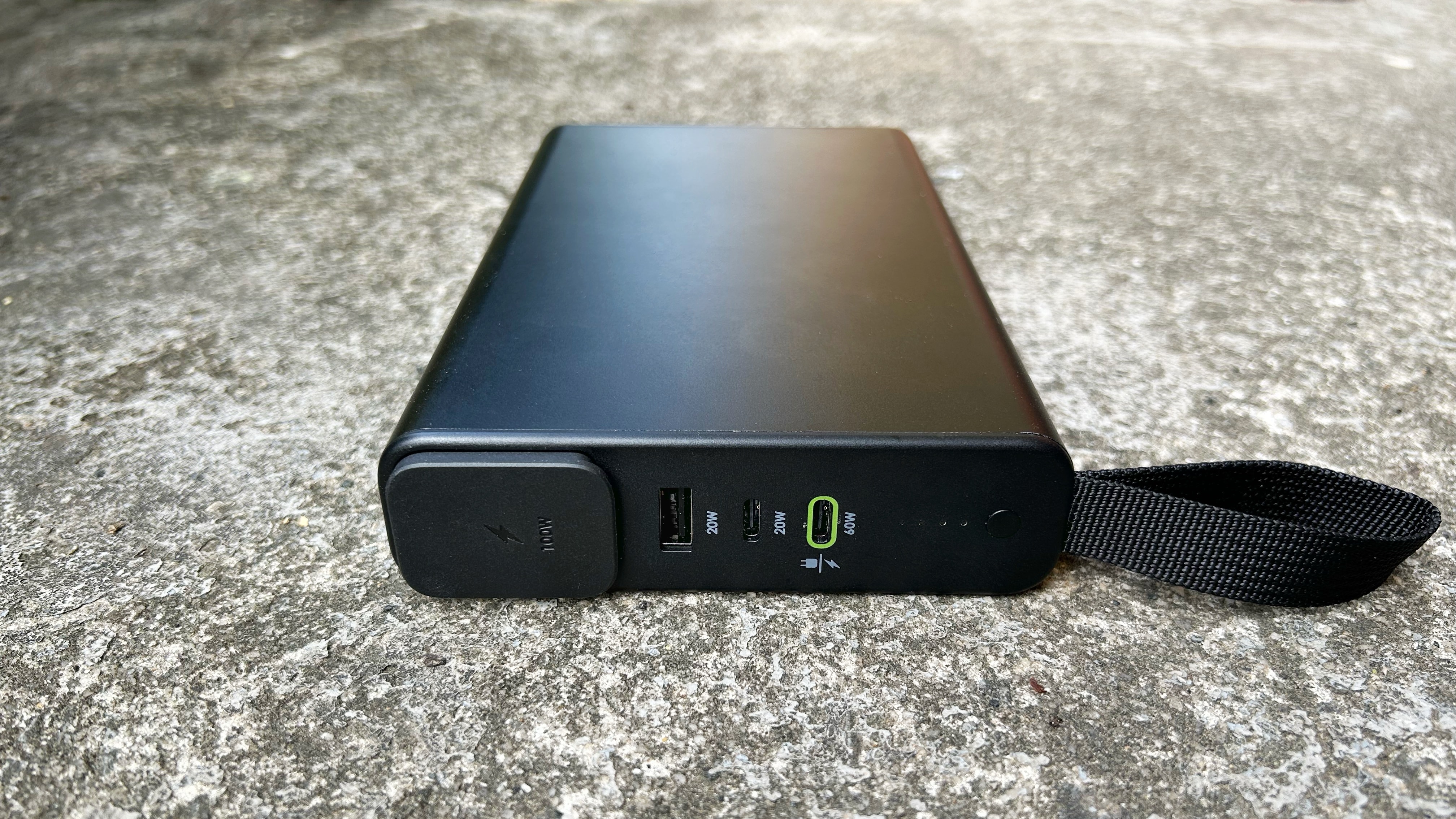
mophie powerstation pro AC review★★★★★
The mophie powerstation pro AC can keep your devices going long after smaller batteries have given out.
Photo: Ed Hardy/Cult of Mac

The mophie powerstation pro AC includes a three-prong power socket, making this external battery right for anyone who has a range of devices they need to charge on the go, not just phones and tablets. The 27,000mAh power bank also includes a mix of three of USB ports.

I put this hefty battery to the test. Here are its strengths and drawbacks.

Get up to 46% off iMacs and MacBooks this week

By

You can get a good deal on a 2021 24-inch 4.5K iMac, plus other iMacs and MacBooks.
Photo: Apple

Amazon bargain site Woot! is pushing M1 Macs at low prices through April 3. You can get up to 46% off some machines, which include MacBook Pro, MacBook Air and iMac from 2020 and 2021, plus a handful of Intel-powered Macs.

Don’t miss this deep discount on the M2 Mac mini

By

Mac mini in hand
It's hard to beat the value the M2 Mac mini provides at its discounted price.
Photo: Teddy GR/Unsplash

Apple’s small wonder, the M2 Mac mini, is down to its lowest-ever price. After a $99.01 discount, you can get the machine with 512GB of storage for $699.99.

The M2 Mac mini has previously seen a maximum discount of $50. This new deal makes the 2023 Mac mini a stellar deal.

Why you should buy Apple Certified Refurbished products

By

Apple logo lit up, with
Buying a Certified Refurbished product from Apple can make a lot of sense ... but not always.
Photo: Laurenz Heymann/Unsplash License/Modified by Cult of Mac

Apple products are known for delivering high performance and carrying a premium price tag. If you are on a tight budget, should you consider buying a refurbished Apple product instead?

Apple’s Certified Refurbished store offers a great way to get a like-new product while letting you save hundreds of dollars on your purchase. Here’s what you need to know about Apple’s refurbished gear.

Yellow iPhones, faster iMacs and more! [The CultCast]

By

A yellow iPhone 14 and a yellow iMac, along with the logo of Cult of Mac's Apple-oriented podcast,
Apple just decided to paint the town yellow.
Image: Cult of Mac

This week on Cult of Mac’s podcast: Did the world really need a yellow iPhone 14? Especially one that looks about as bold as a buttered banana? At least we’ve got new iMacs coming to ease our disappointment.

Also on The CultCast:

  • Those new iMacs are just the beginning of a coming wave of even-more-powerful Apple computers.
  • Who in their right mind would pay $600 for an Apple Watch band?
  • At least the yellow iPhone wallpaper is free (and so is Microsoft Outlook for Mac).

Listen to this week’s episode of The CultCast in the Podcasts app or your favorite podcast app. (Be sure to subscribe and leave us a review if you like it!) Or watch the video live stream, embedded below.

Our sponsors

New privacy screens for Macs protect data from prying eyes

By

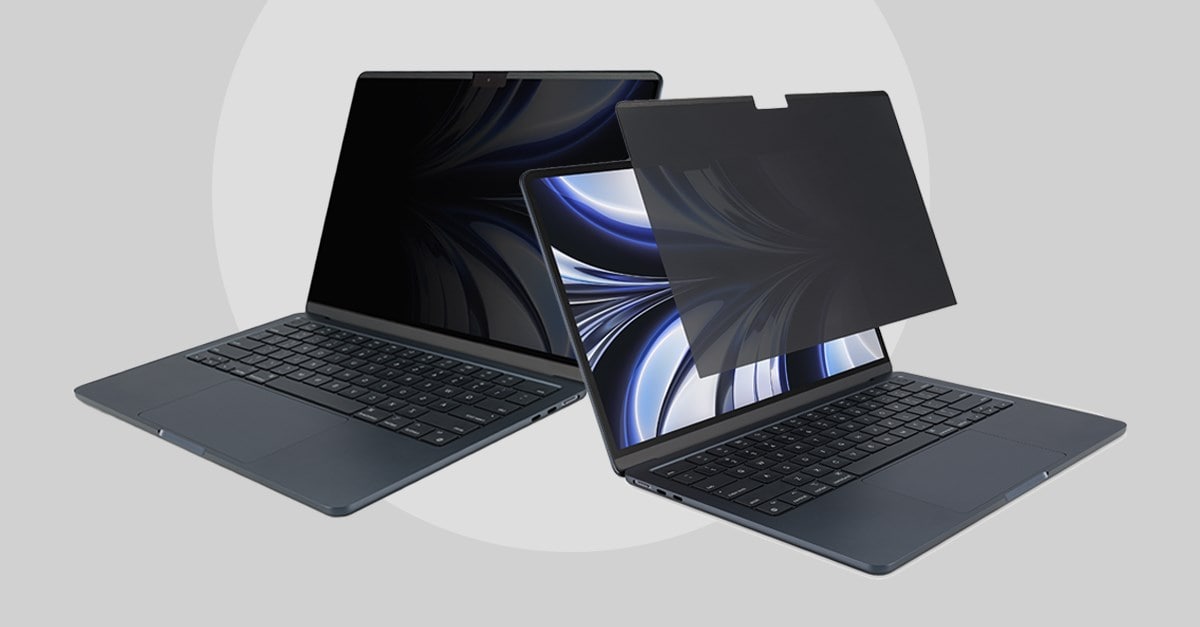
Kensington's new Privacy Screens. protect your screen privacy, your screen itself and even your health.
Kensington's new Privacy Screens protect your screen privacy, your screen itself and even your health.
Photo: Kensington

Kensington introduced three new privacy screens for Mac Tuesday. They’re designed for easy on-and-off, helping to protect the 2022 MacBook Air, 24-inch iMac and Studio Display from “visual hacking.” That’s when nearby computer screens or cameras pick up what’s on your screen.

Small desk fits mini-but-mighty workstation [Setups]

By

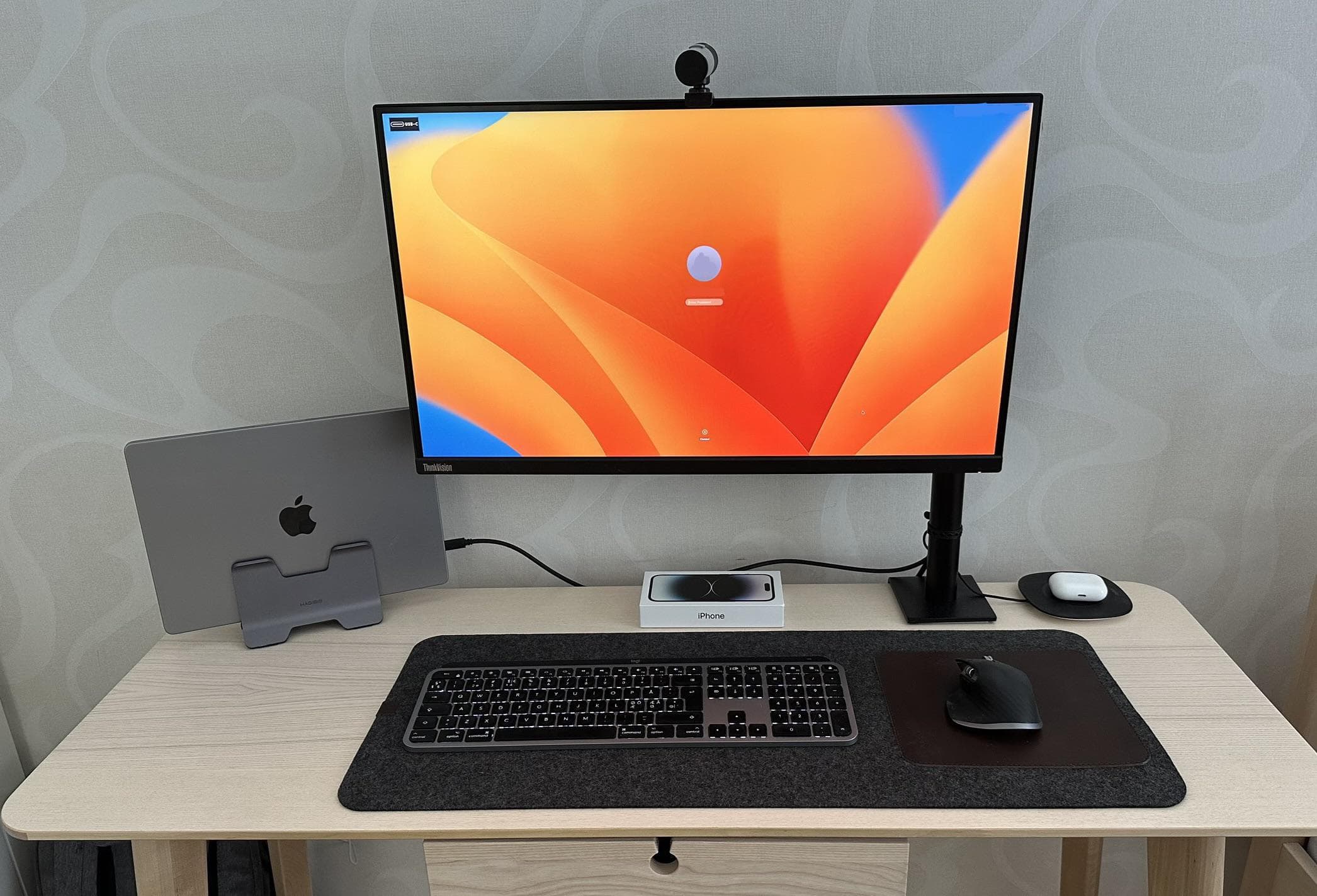
Small desk? No problem. You can still have a solid computer setup.
Photo: [email protected]

Even a small desk can’t keep you from having a powerful computer setup — if you get the right gear and not too much of it. All it takes is a great laptop — like a MacBook Pro or MacBook Air — a vertical laptop stand, a not-gargantuan display and a minimal amount of other gear, as shown in today’s featured setup.

Oh, and consider a monitor arm rather than a stand. That helps keep the external screen out of the way.