Mobile menu toggle

Search results for: "MacBook Air"

Only loyal Apple customers can use Apple Pay Later

By

iPhone using Apple Pay Later
Apple Pay Later: For the rest rich of us.
Image: Apple

In order to be approved for Apple Pay Later, the company’s own buy now, pay later service, individuals will need to be loyal Apple customers. The service has strict hoops you need to jump through: Apple will check your spending at Apple Stores, purchases and subscriptions on the App Store, Apple Cash payments, Apple Pay history and more.

Even if you work for Apple, you may only be approved for a $1,000 loan. The feature continues to undergo internal testing after being delayed since September, according to Bloomberg.

Alogic’s new Matrix ecosystem makes wireless charging easy anywhere

By

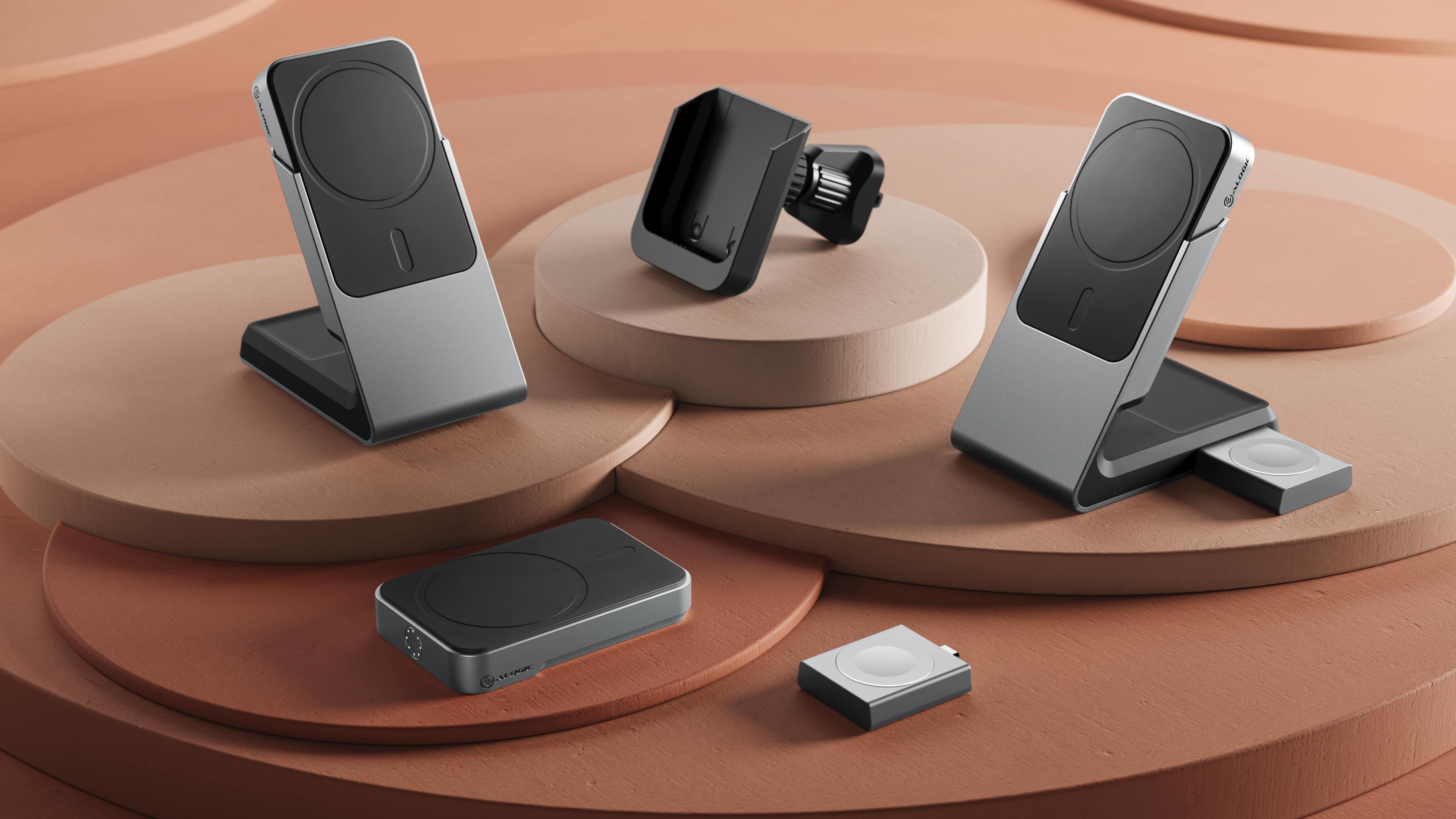
Alogic's Matrix series consists of five wireless chargers that you can purchase separately or together.
Photo: Alogic

In these busy times, when your crucial gadgets run out of power — your iPhone or Apple Watch, for example — it can really ruin your plans. That’s why Alogic built what it said is the world’s first modular wireless charging ecosystem to keep you powered up.

SPONSORED
This post is brought to you by Alogic.
It’s called The Matrix, and it’s designed to serve all your charging needs at all times, everywhere.

Bare-bones mobile workstation is ready for anything, anywhere [Setups]

By

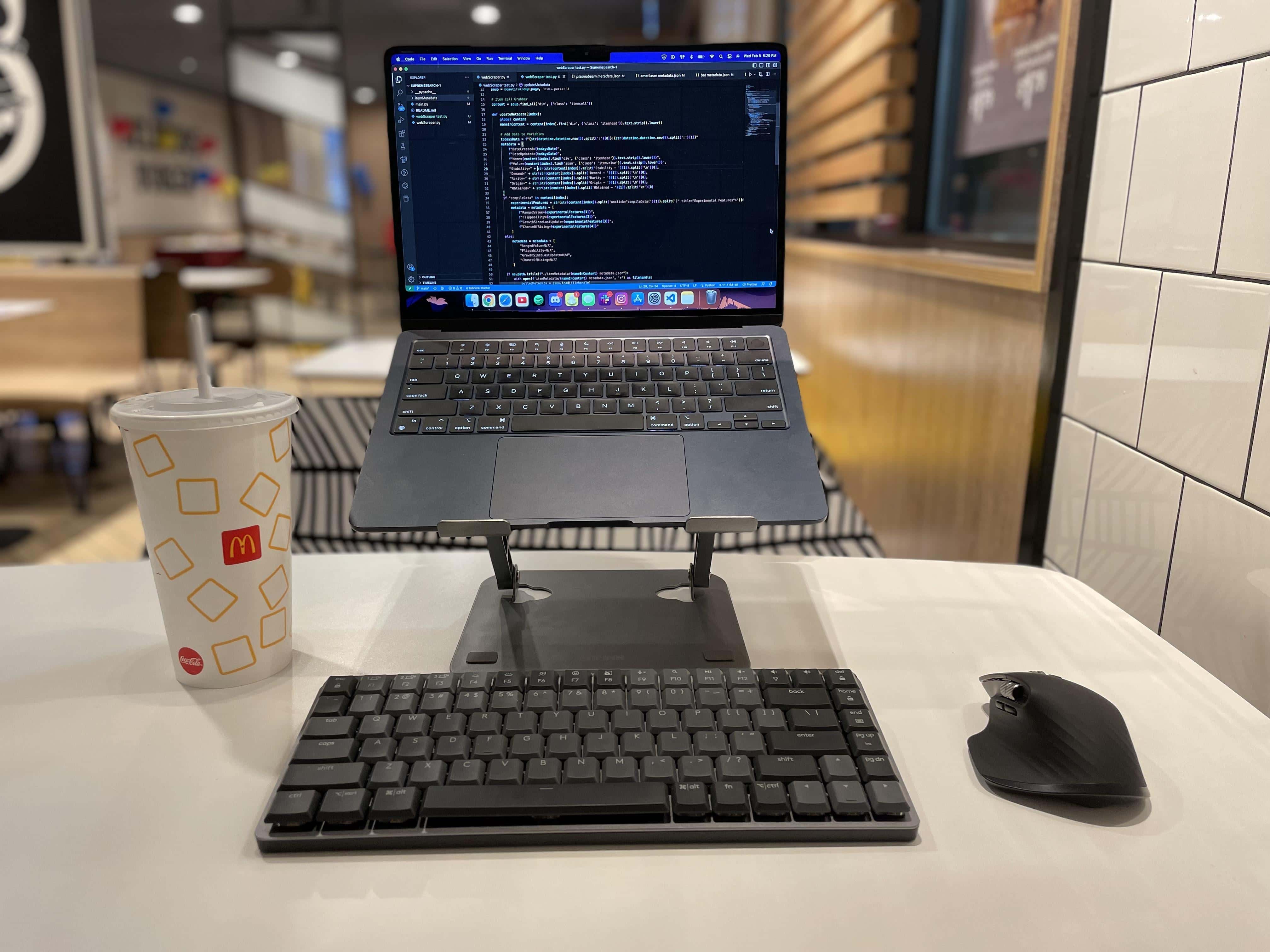
At home or in a fast-food joint, work is getting done.
Photo: [email protected]

Sure, you only need a MacBook Air or Pro to get things done almost anywhere. Or maybe an iPad with a stand and keyboard. But if you want to be more comfortable (and productive), wouldn’t you want a fuller computer setup? Today’s incredibly spare featured setup gets the job done.

The user is a journalist who takes their work on the road, like the fast-food joint in the photo above. They use just an M1 MacBook Air on a stand, a mini mechanical wireless keyboard and mouse, and sometimes a clamp-on light and iPhone mount to handle quality video calls via Continuity Camera.

Buy any 2 SwitchEasy accessories, get 20% off both

By

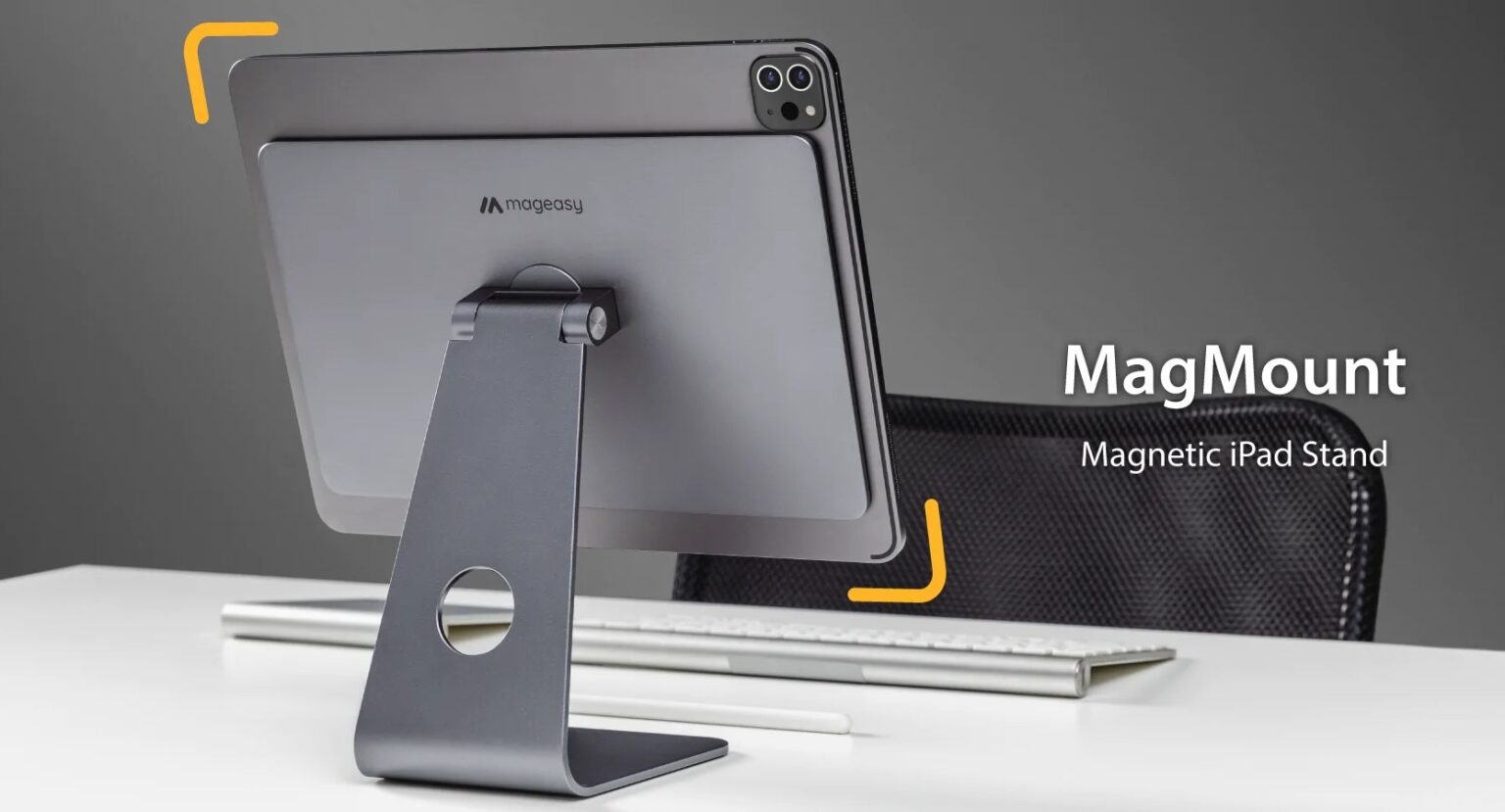
SwitchEasy's MagMount stand helps turn your iPad into a desktop computer.
Photo: SwitchEasy

The Cult of Mac Store opened up a new sale Thursday, offering a discount of 20% off purchases of any two SwitchEasy accessories. With 98 products to choose from, that covers a wide variety of needs any Apple user might have.

Check out the SwitchEasy collection as a whole, and read more about some product highlights for iPad, iPhone and more below. The sale goes through Thursday, February 16.

Handy mount turns iPhone into MacBook webcam and more [Review] ★★★☆☆

By

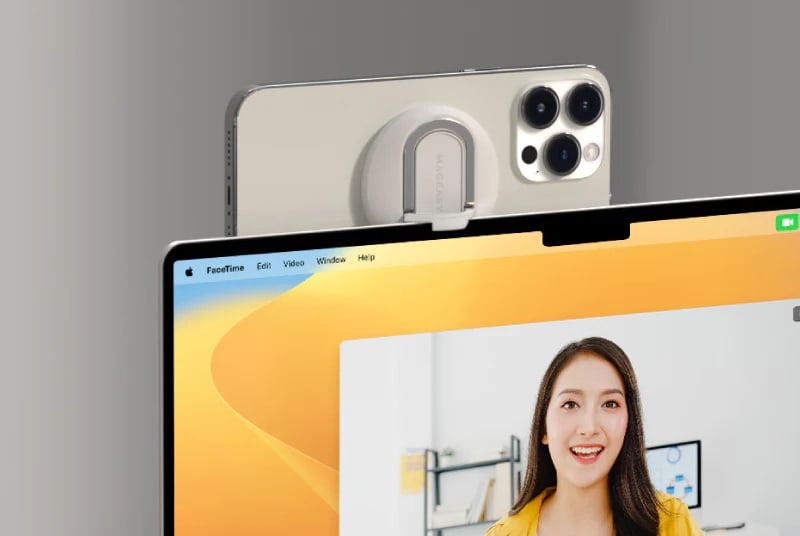
This is how the device is supposed to affix to the top of a device like a 14-inch MacBook Pro, but it wasn't very stable on mine.★★★☆☆
This is how the device is supposed to affix to the top of a device like a 14-inch MacBook Pro, but it wasn't very stable on mine.
Photo: SwitchEasy

SwitchEasy’s MagEasy MagLink Magnetic iPhone Mount for MacBooks provides a handy way to stick your iPhone on your MacBook to use the handset, via Continuity Camera, as a webcam. Recent iPhones have superior optics and solid microphones. Not only that, but the mount can serve as an iPhone stand or a grip for other uses, too.

While the clever little mount’s stability worried me at times, it works and it won’t break the bank at $29.99.

Apple execs reveal what went wrong with Intel

By

Vice President of Platform Architecture and Hardware Technologies at Apple, Tim Millet, standing in the Apple chip lab.
Tim Millet, Apple's vice president of platform architecture and hardware technologies, introduces the new MacBook Pro with M2 Pro and M2 Max chips.
Photo: Apple

What pulled Apple away from Intel? In a new interview, Apple executives Tim Millet and Bob Borchers reveal why the company shifted to making its own Mac chips.

Plus, they shed light on what they’re doing to make the Mac a gaming platform once again, how the Apple silicon architecture can make it happen, and when the best time is to buy a new Mac.

Super-slim new hub adds the ports a MacBook needs [Review] ★★★★★

By

Super-slim new hub adds the ports a MacBook needs★★★★★
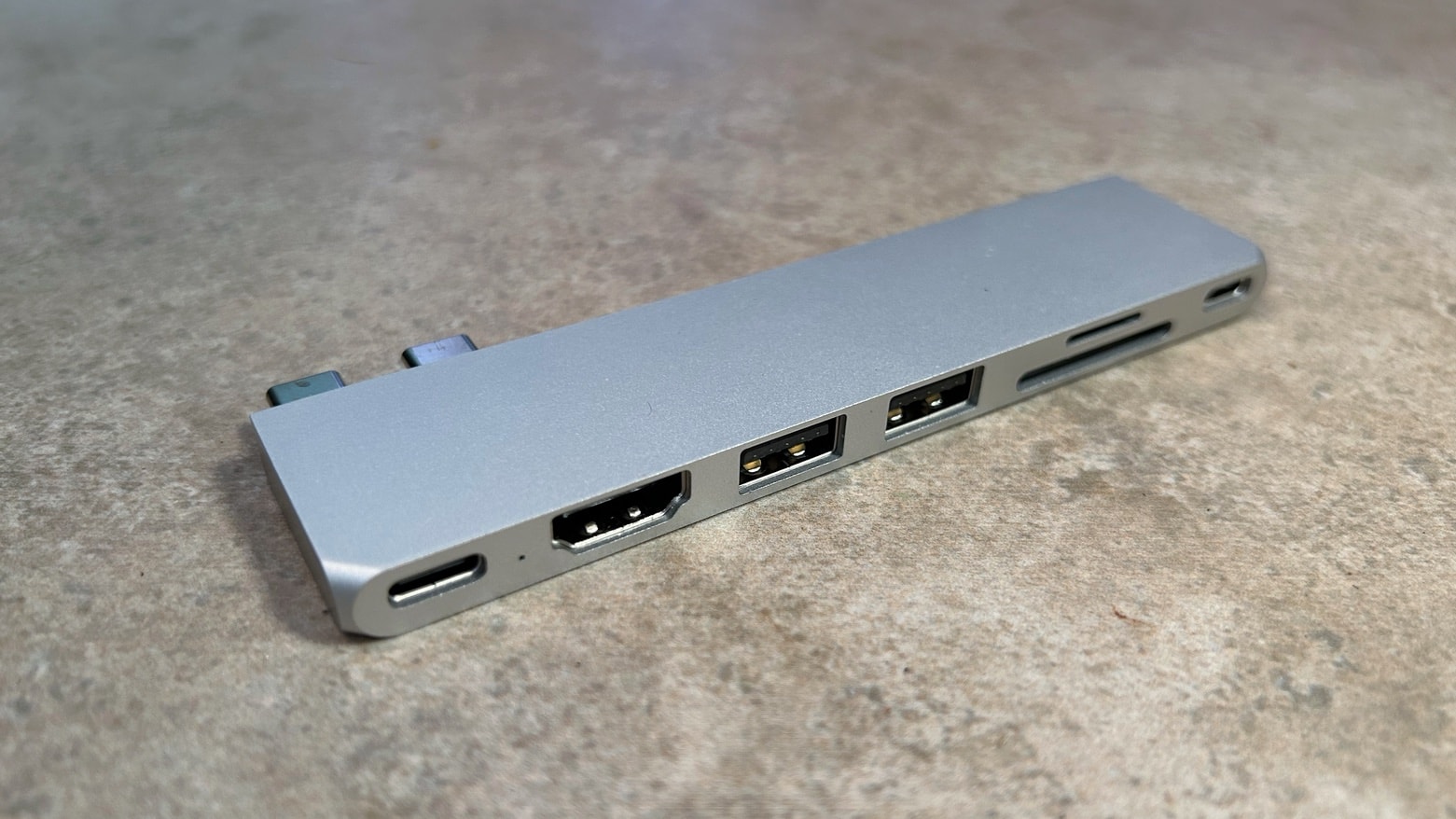
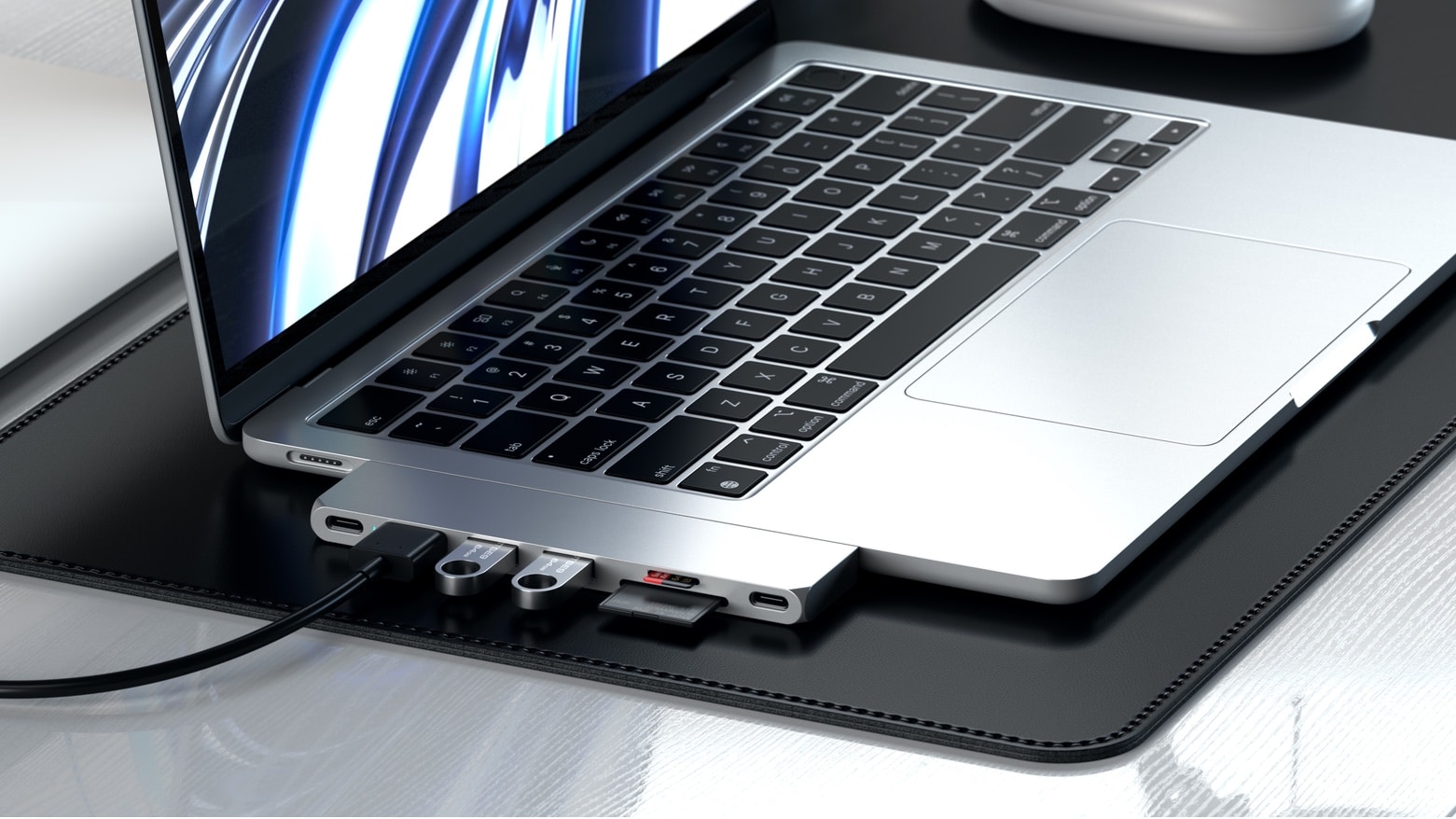
Expand the port selection on your MacBook with a USB-C hub that clicks to the side of the notebook.
Photo: Ed Hardy/Cult of Mac

The Satechi Pro Hub Slim plugs directly into the side of a MacBook to greatly expand the range of ports available. It’s sleek enough for Apple’s latest notebooks, and adds minimal bulk. But there’s still room for HDMI, a pair of full-size USB-A ports, memory card readers and more.

I tested each of the features of the 7-in-2 hub to be sure it lives up Satechi’s promises.

M2 Mac mini drives dual displays in rolling rig [Setups]

By

This user enabled dock-free dual-display use by adding an M2 Pro Mac mini.
This user enabled dock-free dual-display use by adding an M2 Pro Mac mini. And note the can of Death & Taxes black lager, a serious adult beverage.
Photo: [email protected]

“How many external displays can I easily run with my Mac and how” is a common question, and some Macs make it much easier to run more than one external monitor than others.

In today’s featured computer setup, a software developer went out and bought a new M2 Mac mini specifically for its generosity in that regard. It really helped his highly portable setup, which features a Studio Display and an LG 4K screen.

Carry MacBook or iPad plus accessories in style with these new sleeves

By

This soft and stylish sleeve works for any 15- to 16-inch MacBook.
Photo: Elago

If you like a touch of “soft and comfy” with your style, Elago’s fiber-fill sleeves for MacBook and iPad could be for you. They’re a soft cases for your devices that are also environmentally friendly because the material in them is recycled.

And these sleeves won’t break the bank, either. You can choose from different sizes and colors and pay less than $30 in some cases. Check out the collection in the Cult of Mac Store.

Slim new hub adds the ports a MacBook needs

By

Slim new hub adds the ports a MacBook needs
Make your MacBook more useful, not bulky.
Photo: Satechi

The Satechi Pro Hub Slim connects plugs directly into the side of a MacBook to greatly expand the range of ports available to the user while adding minimal bulk. It’s slim enough for Apple’s latest notebooks.

There’s nevertheless room for HDMI, two full-size USB-A ports, memory card readers and more.