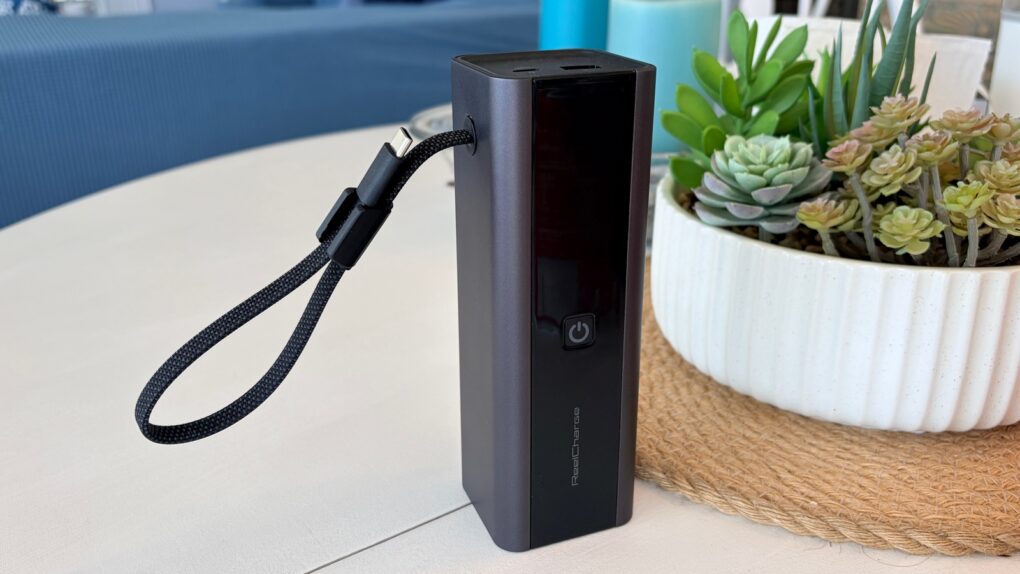
The ReelCharge ReelPro 200W Power Bank holds 27,000 mAh and can pump out up to 200W. But perhaps its standout feature is an integrated USB-C cable that acts as a carrying handle.
The accessory also includes a status screen so you always know how much power is flowing, plus it includes USB-C and USB-A ports.
I put the external battery through weeks of testing, including taking it on a beach vacation. Here’s how it stood up.
This post contains affiliate links. Cult of Mac may earn a commission when you use our links to buy items.
ReelCharge ReelPro 200W Power Bank review
When I travel, I don’t want to worry about access to electrical sockets. That’s why I carry a large enough power bank that I don’t have to be concerned about where my power is coming from.
Take my recent trip to the beach as an example. When I needed to work (I always do), I set up my laptop and external screen on a table with a beautiful view of the ocean. There was no power socket anywhere nearby, but I didn’t care because I connected my computer to the ReelCharge ReelPro 200W Power Bank. It kept the computer, screen and iPhone running for hours. And I really liked the integrated USB-C cable.
The ReelPro 200W Power Bank is built for serious, all-day power and high-output multidevice charging. Powered by a high-capacity 27,000 mAh battery, it’s designed to keep smartphones, tablets, laptops and other demanding devices charged throughout the day.
- Built-in USB-C cable
- Display with battery status, per-port charging speeds and temp
- Could use more USB-C ports

Table of contents: ReelCharge ReelPro 200W Power Bank review
- Lots of power, not too much bulk
- A built-in USB-C cable (and handle)
- An informative screen, too
- Power-packed performance
- ReelCharge ReelPro 200W Power Bank review: Final thoughts
- Pricing
Lots of power, not too much bulk
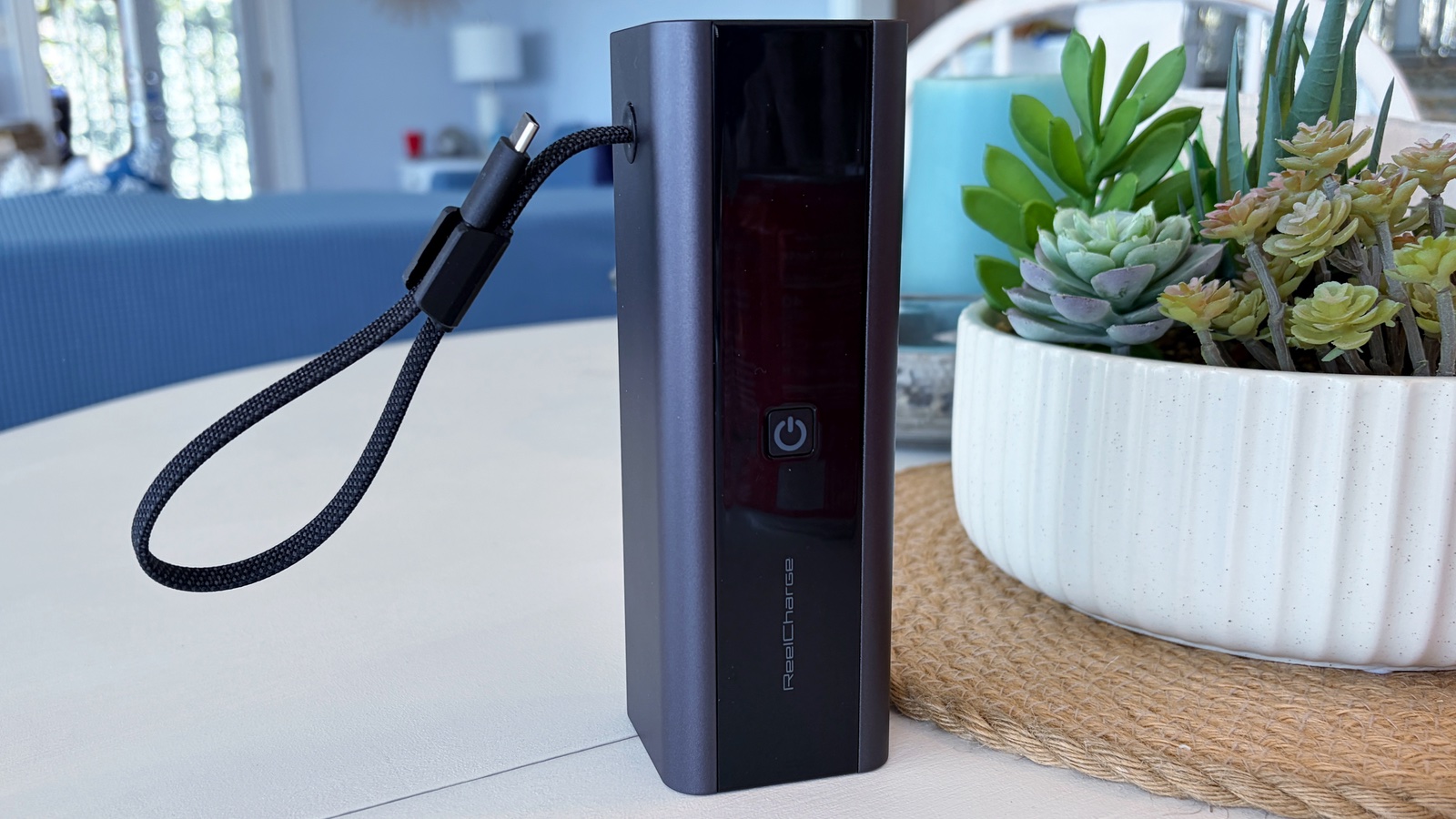
Photo: Ed Hardy/Cult of Mac
There’s no such thing as a small 27,000 mAh battery, but ReelCharge did its best with its latest model. It measures 6.4 inches by 2.1 inches by 2.0 inches and weighs 1.45 pounds.
I carried the device in my luggage, but it goes just as easily into a backpack.
You’ll notice that the ReelCharge ReelPro 200W Power Bank does not use the usual book shape of most such accessories — the power bank is much squarer. That’s because it includes cylindrical stacked battery cells, which ReelCharge says offer improved safety and stability.
I was surprised how much I like the blockier shape. I typically prefer much thinner batteries (like this one). Then I realized it’s because the power bank stands upright, so it takes up little space on my desk. Far less than typical external batteries that lie flat.
And the design gives easy access to the USB-C port next to a USB-A port on the top. That’s in addition to the USB-C connector on a cable that I mentioned earlier.
That said, another USB-C port or two would be nice. For the most part, I can only charge two devices at once because I never carry a USB-A cable with me.
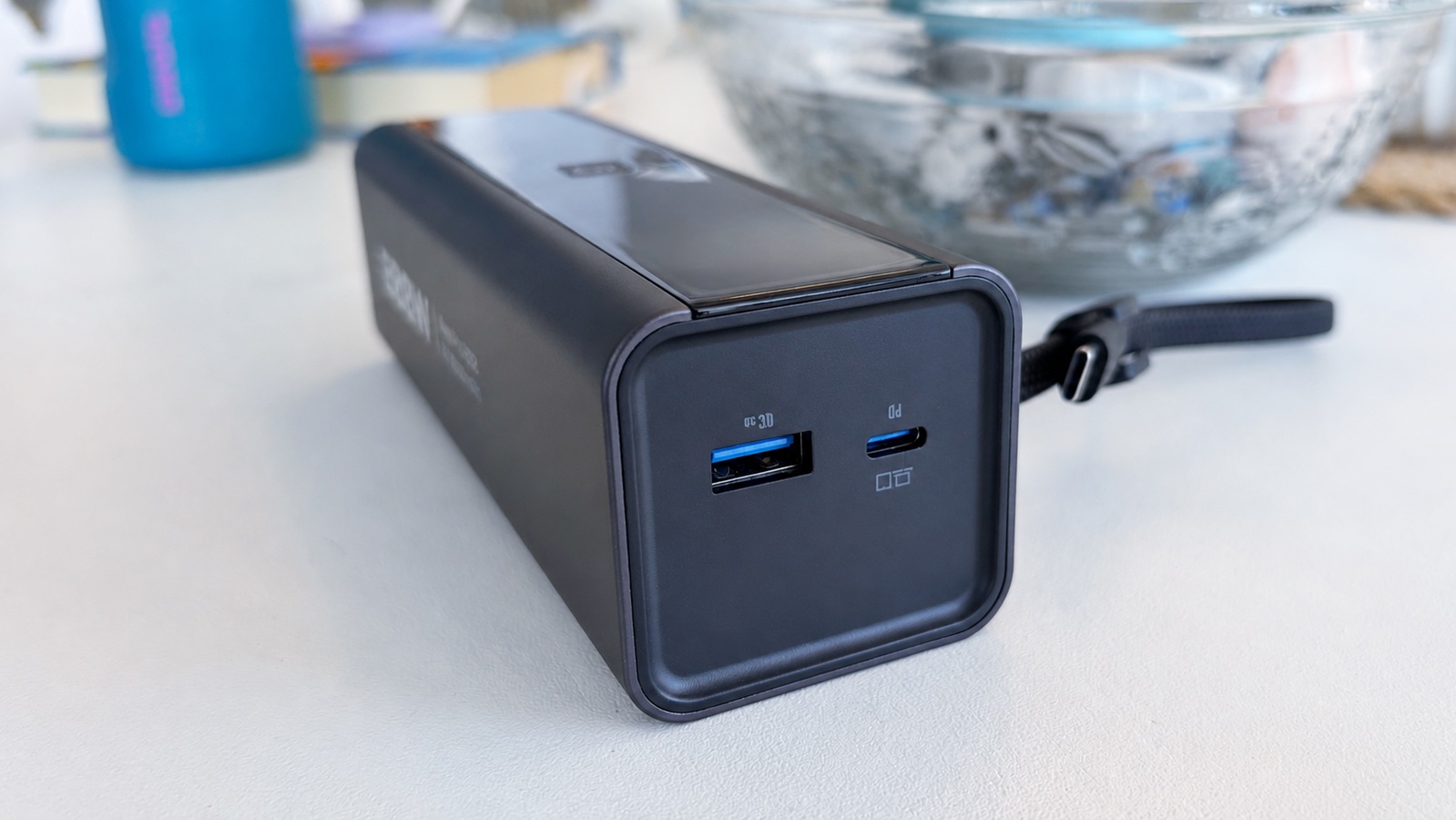
Photo: Ed Hardy/Cult of Mac
A built-in USB-C cable (and handle)
I much prefer power banks with built-in cables. It’s one less thing to worry about. And over the years, I really have found myself in situations where I had a device and an external battery, but no way to connect them.
The ReelCharge ReelPro 200W Power Bank includes a USB-C connector at the end of an 11-inch cable. That’s a very useful length – I generally set the accessory upright next to my computer to plug it in.
ReelCharge came up with a clever idea of using the charging cable as what it calls a “wristlet.” Basically, it can be turned into a loop that you wrap around your wrist.
In testing, it’s too small to wrap around my wrist, but it does make a good handle for the accessory. And the cable seems robust enough to handle this.
That said, I’d be nervous to do this all the time. It seems like unnecessary wear and tear on the cable. But it’s ideal for when I occasionally need to grab the power bank when my hands are full.
An informative screen, too
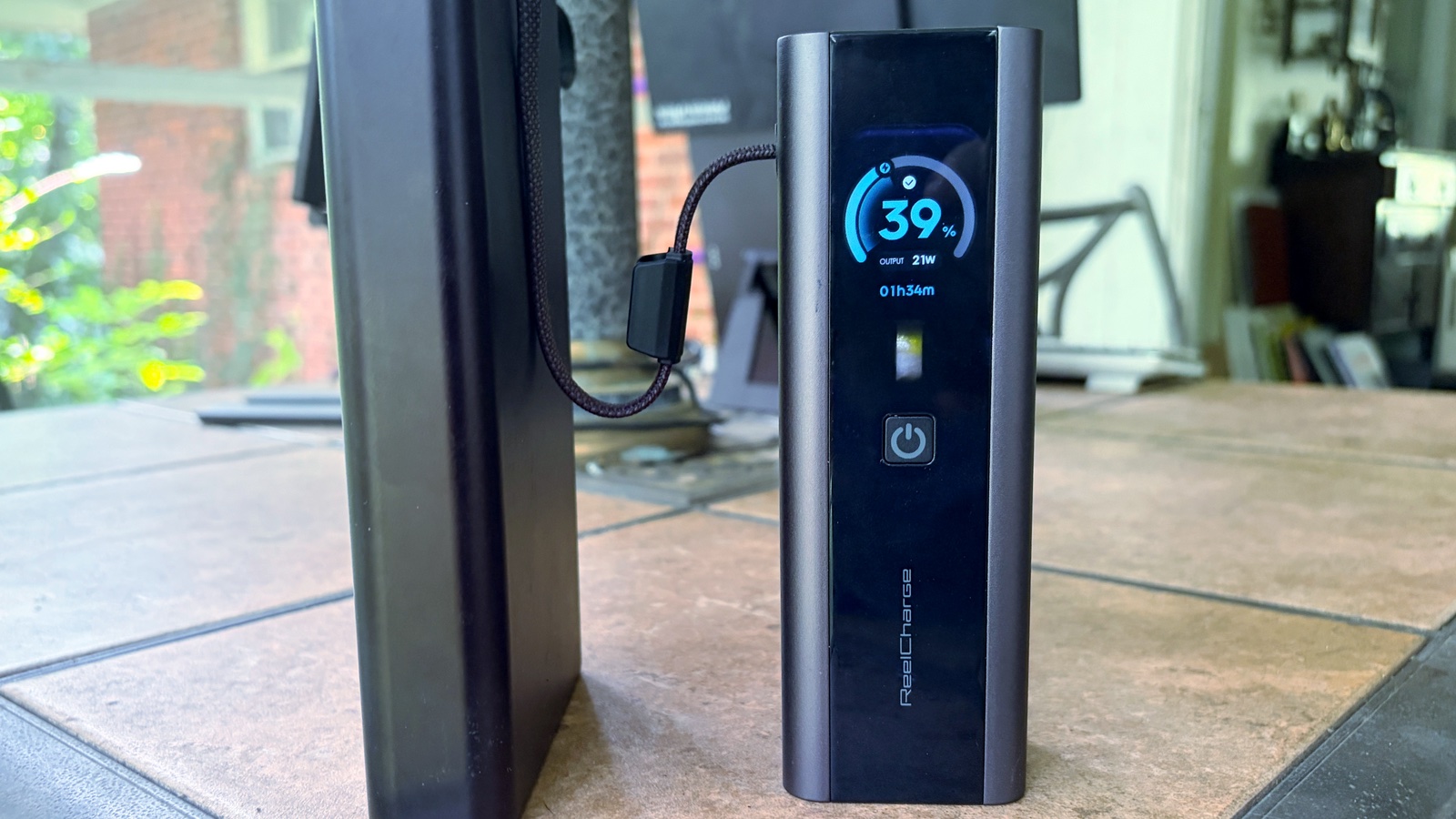
Photo: Ed Hardy/Cult of Mac
For too many years, external batteries forced us to judge how much power they had left with four semi-helpful LEDs. Thankfully, those days are coming to a close. Screens for power banks are rapidly becoming the norm.
The ReelCharge ReelPro 200W Power Bank includes one of the better displays I’ve tested. It offers all the details I want to know. That includes the basics: how much power is left in the battery, plus how much is being transferred.
And that includes the option to show how much power is moving through each port/connector. I can see how much is going to my iPad and my iPhone, for example.
Plus, the product goes above and beyond, estimating how much time it will take for the current rate of power drain to empty the external battery. And when the battery itself is recharging, I can also see an estimate of how long that process will take.
Plus, one screen shows the exact temperature of the battery. This is mostly a reminder that the accessory won’t let itself overheat.
What’s more, the screen on the ReelCharge ReelPro 200W Power Bank is more detailed than any I’ve ever tested. Percentages are shown to the second decimal place. So the battery isn’t 92% full … it’s 92.74%.
As a bonus, there’s a feature I’ve never seen on a power bank: battery health. One of the display’s screens shows how many charge cycles the battery has gone through, and the resulting health rating as a percentage.
I’m someone who likes to know what’s going on with his computers. This display takes the guesswork out of charging my devices. I like that.
Power-packed performance
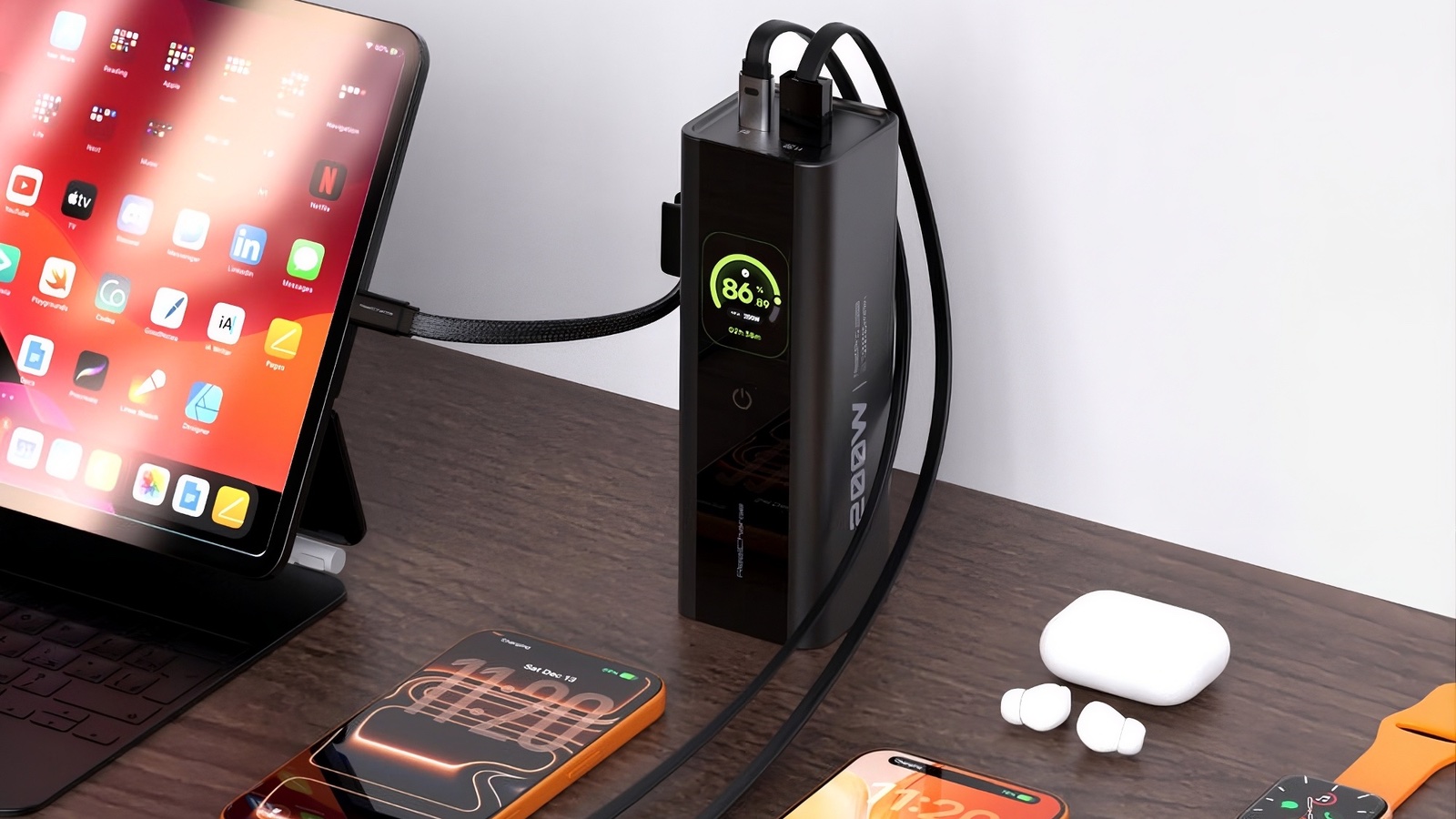
Photo: ReelCharge
I tested the real-world performance of the ReelCharge ReelPro 200W Power Bank by having it recharge a variety of my Apple devices.
The accessory was able to give my iPhone 17 five complete recharges. To put it another way, it raised the battery level 493% over multiple recharge cycles. To me, with the power bank in my backpack, I could go a week without needing a wall socket for the iPhone.
When I tested it with my 13-inch iPad Pro, I got two complete recharges. Specifically, that’s a 193% increase in the battery level over multiple cycles. During my testing, it meant I carried the ReelPro when working remotely and never worried about my iPad running low on juice. It stayed at 100% over many hours.
I don’t own the kind of power-hungry devices that can test ReelCharge’s promise that the power bank puts out 200W. But I know it can send my iPad 45W and my iPhone 28W, no problem.
ReelCharge ReelPro 200W Power Bank review: Final thoughts
I frequently see people using small power banks to juice up their iPhone, and they are great … but can’t do much for an iPad or MacBook. I prefer something hefty that can keep my whole travel setup going for hours. Or even days. This one from ReelCharge can do that easily.
Plus, it includes some standout features. I especially like the built-in USB-C cable and the level of detail provided by the stats screen.
★★★★★
Pricing
The ReelCharge ReelPro 200W Power Bank sells for $119.99.
The ReelPro 200W Power Bank is built for serious, all-day power and high-output multidevice charging. Powered by a high-capacity 27,000 mAh battery, it’s designed to keep smartphones, tablets, laptops and other demanding devices charged throughout the day.
- Built-in USB-C cable
- Display with battery status, per-port charging speeds and temp
- Could use more USB-C ports
ReelCharge provided Cult of Mac with a review unit for this article. See our reviews policy, and check out more in-depth reviews of Apple-related items.

Ed Hardy has been writing full-time about tech for 26 years, and using it for much longer than that. His intro to Apple was a Macintosh SE/30 (which he still has), but now he uses a 13-inch iPad Pro as his primary computer.
That’s because he’s a “tablet first” type of guy. Rather than use a Macbook, he connects a keyboard case to the iPad. And instead of a desktop Mac, he connects his tablet to a 27-inch display and full-size keyboard. (So don’t try to tell him that everyone has to use a Mac to be productive.)
Before coming to Cult of Mac, Ed wrote for NotebookReview, TabletPCReview and Brighthand, as well as other sites.

