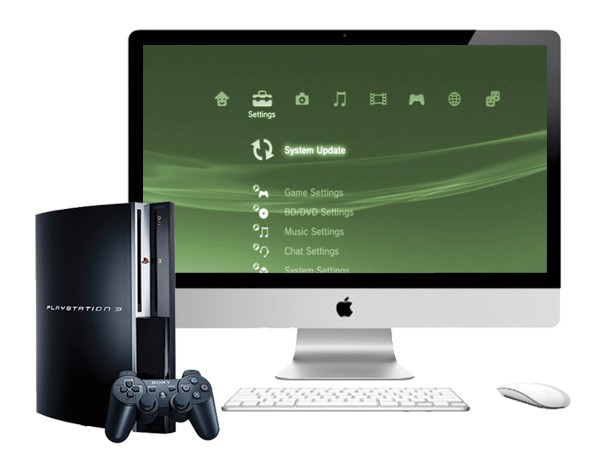
If you have a 27-inch iMac or 27-inch Apple LCD Cinema Display and you don’t already know about the Kanex XD, then you should. This miniature aluminum box enables you to take any device with a HDMI connection – such as your PlayStation 3, Xbox 360, or Blu-ray player – and hook it up to your iMac or Cinema Display via the Mini DisplayPort connector.
It’s perfect for casual gaming at your desk or catching a Blu-ray in your lunch hour, and it’s a great way to make the most out of your expensive Apple display.
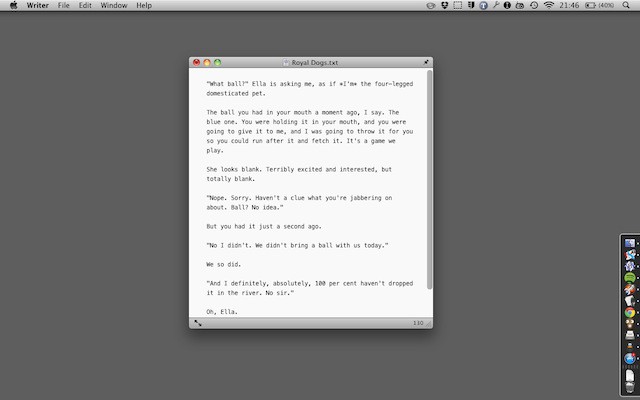
Now you might think that the world already has enough plain text editors, but those of us who spend all day writing will always disagree.
Writer is a new text editor on the Mac App Store. It’s similar in some respects to applications you’ve seen before, yet it’s also distinctly and subtly different.
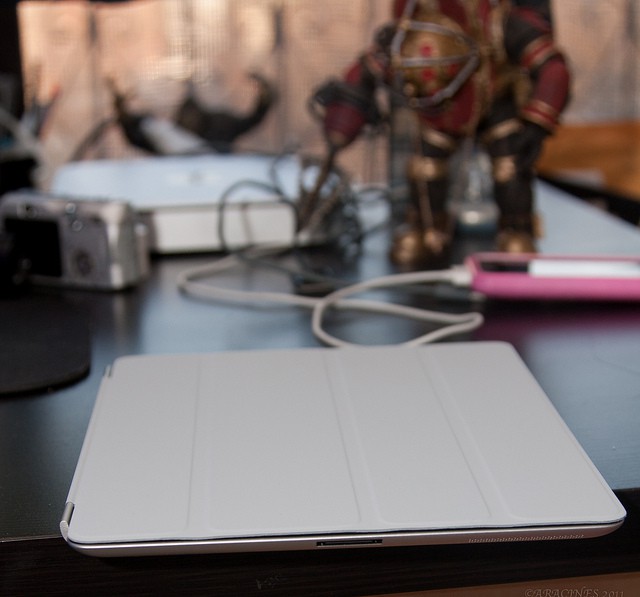
Apple's Smart Cover for the iPad 2. CC-licensed photo by N0fX: http://www.flickr.com/photos/nofx/5520596353/in/photostream/
Apple’s new iPad 2 is basically one big screen. So the very first accessory that many of us will look for is a protective case for our new iPad 2s.
On launch day I wasn’t aware of any other case options besides Apple’s very own iPad Smart Cover which was available for $39 (polyurethane) or $69 (aniline-dyed Italian leather). The Smart Cover isn’t even close to being a case since it just protects the iPad 2’s display. The sides and back are completely exposed and unprotected. It’s elegant, thin, and doesn’t add a lot of weight or bulk to the iPad 2.
The Smart Cover is very thin and fits the iPad perfectly. It’s so thin it feels like you haven’t really added anything to the iPad at all. Perhaps that is just an illusion after owning the first iPad, but regardless it just doesn’t add a whole lot to the iPad’s weight or thickness. That is how it feels without going crazy weighing it, measuring it, etc. It just feels right.
If you’ve ever used and loved the “Archive” function in Gmail or MobileMe, then found yourself missing it while using Apple’s own Mail application, this simple free plugin is a dream come true.
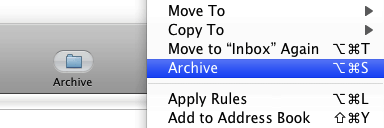
It’s an Archive button for Mail, and you can guess what it does. Instead of having to mess around with filing messages into folders, a single click will throw them into the archive. It even comes with its own ready-made keyboard shortcut (Command+Option+S), to make archiving even faster and easier.
When you need to find something specific, use Mail’s own search, which is quite up to the task of hunting through enormous archives (I’ve used Mail in this way, as a backup for my Gmail account, for years now).
(You’re reading the 33rd post in our series, 50 Essential Mac Applications: a list of the great Mac apps the team at Cult of Mac value most. Read more, or grab the RSS feed.)
Vito Technology, developers of the wildly successful iOS astronomy app Star Walk celebrates the company’s 10th birthday this week with an update to its more recently released geography app, Geo Walk 3D World Factboook — and especially for Cult of Mac readers — an iPad2 giveaway.
Geo Walk is one of those apps that, while engaging and interesting enough on the smaller iPhone screen, finds new life and greater dimensions of engagement when used on an iPad.
Like we said, the iPad 2 is one slim sexy slab of computing awesomeness. Most of the tech press has yawned at the iPad 2 because it doesn’t seem like there’s a ton of new features. But it’s the small changes — the thinness, the speed, the cameras – -that make all the difference. The iPad 2 is the tablet done right — finally.
For regular consumers, the iPad 2 is irresistible. Look around: the whole world is going iPad bonkers. Did you see the lines at the stores yesterday? There was nowhere near enough stock. A lot of people went home disappointed. And that was just the early adopters. There’s a lot of mainstream consumers lusting for the iPad 2. For weeks, I’ve been taking calls from friends and family of all ages and walks of life, from kids to grandparents. There’s a ton of non-nerds planning to get an iPad in coming months.
Are they right? Is this the iPad to get? What about the rumored iPad 3 in the fall? Should you wait?
Heck no! Take the plunge with the iPad 2. Read on for the details:
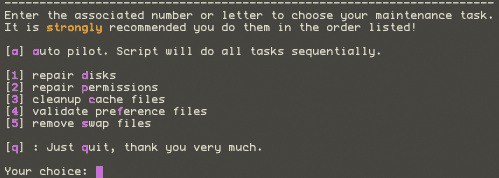
Applejack is a command-line application for rescuing your computer when disaster strikes, or threatens to strike.
Don’t let the “command-line” bit frighten you off. Applejack is probably the easiest-to-use command-line application I’ve ever seen. It was built for ordinary people to use, and won’t bamboozle you with geekspeak.
If you can’t justify buying the iPad 2 because you recently purchased the original model, or you just can’t afford it, don’t despair. Instead, give your original iPad a mini make-over by purchasing one of these four cases. They are way cheaper than the new iPad 2 and won’t add anything to landfills.
Here’s how to give some new life to the poor old iPad.
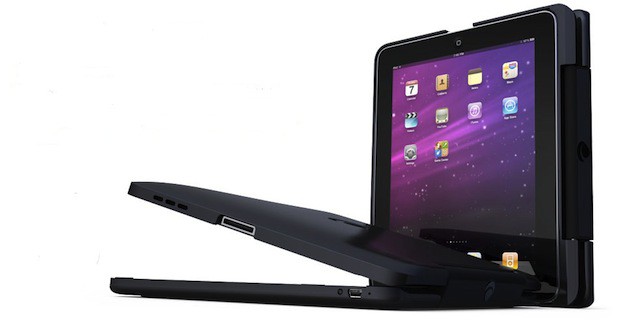
Everyone seemed to be pretty excited about the Clamcase for the iPad, from Clamcase LLC. I was a bit puzzled by that after all the iPad is a tablet and a real laptop, like my MacBook Air, would be a better replacement for an iPad stuffed into a keyboard case.
Yet people wanted to be able to covert their iPad into a laptop and if you build it they will come right? Well build it they did and now you can have a Clamcase of your very own to turn your iPad into a clunky laptop wannabe.
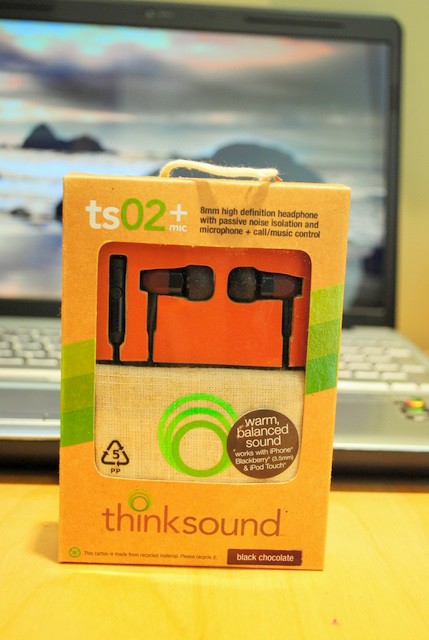
I love my iPhone, but absolutely hate the headphones that came with it. To me they sound horrible and always fall out of my ear. I suppose if you had ears like Dr. Spock or a massive cranium with ear caverns to match they’d work fine. But if you a) Love music b) Prefer the feel of a customized fit opposed to a one size fits all approach and c) Demand a functional call/music control button, then the Thinksound TS02 + Mic are a must have accessory.
Even if you don’t have a need for an integrated headphone + mic, the folks at Thinksound have something for you too; you bluetoothed cyborgs, check out the TS02. And Sport-O’s peep out the TS01’s…
Why they’re good: Great sound, four different sized flexible silicon ear inserts for a secure fit and smart eco-friendly packaging.
Why they’re not so good: I was hard pressed to find something constructive… I’ve had my share of earphones over the years and these are by far my favs. A high-end sound at $89.99 MSRP
Check out the tech specs:
Wooden housing with 8mm drivers
Passive noise isolation (This really works, even in my noisy car!)
Lightweight (12g) with PVC free, tangle resistant cable
“Dynamic driver” features 20Hz – 20kHz frequency response
3.5mm gold plated plug
Cord clip and cotton carrying pouch
One (1) year warranty
Before writing this review, I spent about six weeks taking these headphones through the ringer in a variety of situations. They made the San Francisco Bay Area Transit and CALTrain actually enjoyable. On the phone in the car, they were clear and filtered out a lot of the road noise. While exercising on my indoor cycling trainer, the fit was comfortable and the inserts didn’t slide out of my ear once I got a little sweaty. And even while working remote at my home office or in a coffee shop, the mic and passive noise isolation worked perfectly. I also listened to a variety to music genres from Rock, Jazz, Pop (no Justin Beiber) and Classical and was very satisfied with the how well they were balanced across the frequency spectrum.
Recommendation: Check em out! The founders of Thinksound have a lot of experience in this space and will not disappoint. To find out more, check out: https://www.thinksound.com
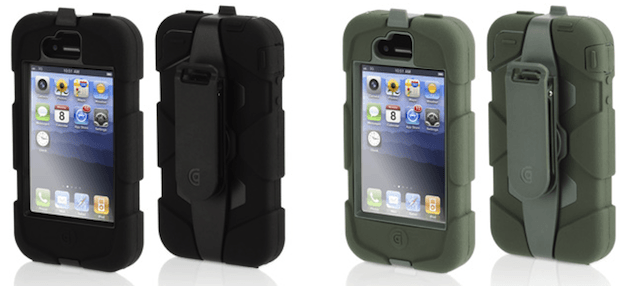
The Griffin Survivor case for iPhone 4, which retails for $49.99 and works on all iPhone 4 models, is the latest rugged case leaping out of the gate running neck and neck for top dog with the likes of the Ballistic HC and many others. I was surprised to see another new case this late after the release of the iPhone 4 with the iPhone 5 just around the corner. However, it may be that the vendors know something we don’t. Perhaps the iPhone 5 will share the same dimensions as the iPhone 4 just like the iPhone 3G and 3GS.
Griffin labels the Survivor as “Armored Ready for Anything. ” I don’t think so and I’d like to explain why I say that.
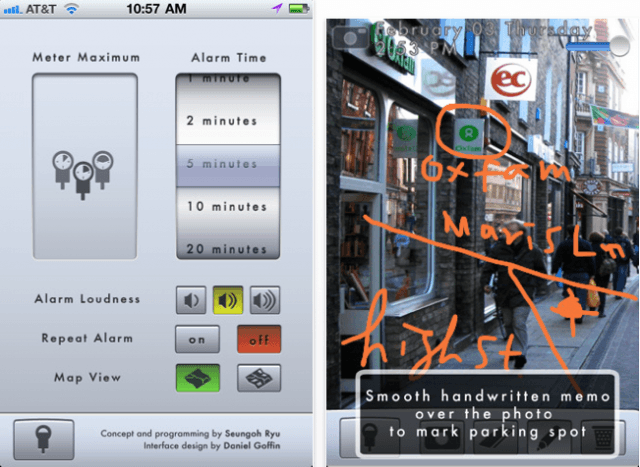
If you’ve ever returned to your car to find that you’ve earned yourself a whopping great fine for running over on the meter, or parking too long in the same spot, Honkis here to help! Simply swipe the virtual parking meter to record how much time you’ve got to park and Honk will ensure you’re reminded when it’s nearly time to move your car. The app icon on your home screen will even display how much time you’ve got left minute-by-minute, so it’s easy to see at a quick glance. You can even use to Honk to remind yourself of where you parked by making handwritten notes, taking photos, and using your GPS location.
iSkin has been my favorite case maker for longer than I can remember. I’ve bought their cases for iPhones and iPods. I liked some of those cases and others I didn’t like at all. Some of them were just okay, but in the end I always used one of iSkin’s cases on my iDevices.
I had to experiment with them, because the cases were like a good pair of shoes. You need to try them on and decide what’s best for you. I hope that this review will help you to make the right choice when choosing an iSkin case for your iPhone 4.
Playing poker against Bob is an experience unlike other poker games in the App Store, and finally injects some character and entertainment into the game for those looking to have a little fun. Poker With Bobis a draw poker game that features a real-time, fully animated 3D character for you to play against, armed with minutes of brilliantly lip synced animation to rant and rave at you when you’re winning, and tease and taunt you when you’re not. Bob doesn’t just move his mouth – his entire body is smoothly animated and he never takes a rest.
I was unfamiliar with draw poker when I picked up this game, but the brilliant in-game tutorial gets you playing in no time. You can challenge Bob over five different levels of increasing difficulty with higher stakes, and together with the one-on-one Bluetooth multiplayer, this game is hours of entertainment.
If you enjoy draw poker but you find other App Store releases a little boring, give Poker With Bob a try – he’ll ensure you have fun. Check out the video above to see him in action.
AirMusicis a superb application for streaming your music over Wi-Fi to your PS3, Xbox 360, or PC, and allows you to wirelessly listen to your tunes through your TV without using an AppleTV. Its incredibly easy setup means your music is there the moment you want it – just ensure all of your devices are on the same Wi-Fi network, start AirMusic, then navigate to your music library on your console or PC and your tunes will be there – it couldn’t be easier.
Although I use an AppleTV in our living room, I downloaded this application for use with a PS3 in another room and so far I can’t fault it. The only downside to AirMusic is that it won’t play older iTunes purchases that are protected by DRM, but I’m yet to find a way of playing DRM-protected tunes on my PS3 without putting them onto a CD first. AirMusic setup takes literally a few minutes, streaming is effortless, and the quality is great. If you’re looking for a way to share your iPod library with your Xbox, PS3, or PC, I recommend you give AirMusic a go!
In a day and age when every pair of headphones looks just as utilitarian as every other, I was surprised when I ran past the Urbanears booth at CES 2011 and was stopped by what I saw: understated; beautifully crafted; no-design-detail-missed; headphones. Surely they didn’t have the audacity to sound good too…
Not many DJ applications for iOS devices quite deliver the experience you get from using this week’s first must-have app – Tap DJ. Its bucket-load of features, together with its brilliantly designed and incredibly intuitive user interface, make it the ultimate pocket DJ application.
Another of our favorites is Wunderlist – a beautifully elegant task manager that’s been around for a short while on the iPhone, and now it’s available in all its HD glory on the iPad
Writing on your iOS device can sometimes be a painful experience, especially if you don’t have a good text editor. Fortunately, our third must-have application is just that. Text Editor is a wonderfully effortless, yet incredibly useful text editor that will go a long way to ensuring that writing on your iOS device isn’t so bad.
Find out more about the applications above and our forth must-have – Oscar Backstage Pass – after the break!
This week’s roundup of must-have iOS games features what I think could be the next iPhone craze; Tiny Wings is a simple one-button arcade game based on a dream of flying, and another huge App Store success that will be sure to hang around for a while at the top of the paid charts, just like Angry Birdsor Doodle Jump.
Volcano Escapeis another of our favorites – a terrific platformer that provides level after level of action-packed entertainment, which, together with its crazy characters and explosive weaponry, makes it one of the greatest games of its genre.
Zombies are quite the stars within the App Store – some of the most popular iOS games feature the living dead. Our third must-have game this week, and another to add to the list of zombie successes, is Zombie Runaway – a brilliant run-as-far-as-you-can game that’s a little different to the rest.
Find out more about the games above after the break!
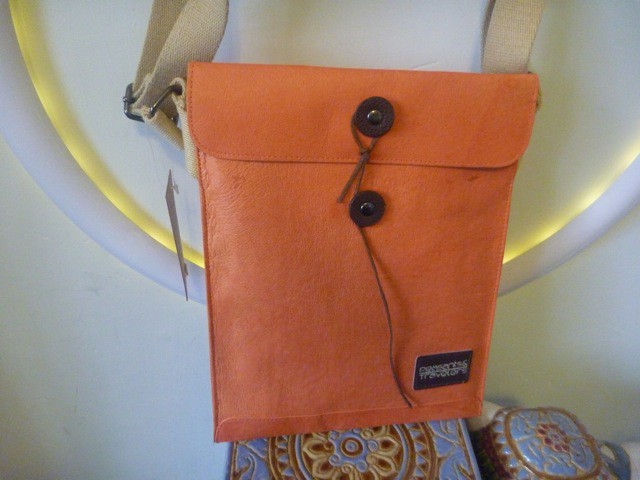
If you’re a packrat like me, and you need a really big bag for your MacBook plus everything else, you should seriously consider the Alix Laptop Tote Bag from J’Tote (pronounced zhe-tote).
I have been toting the Alix around for a month now. I have to say that this bag is my new favorite. It can take a beating and still looks great. If passion is your fashion, this bag is your match.
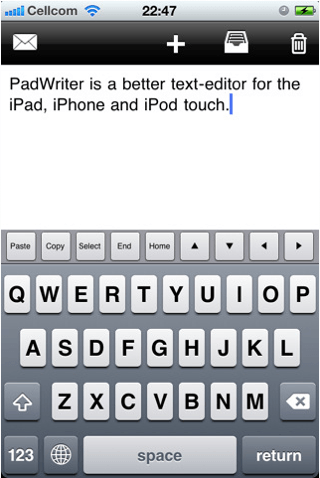
Writing on your iOS device can sometimes be a painful experience, especially if you don’t have a good text editor. Fortunately, Text Editoris just that – a wonderfully effortless, yet incredibly useful text editor that will go a long way to ensuring that writing on your iOS device isn’t so bad. My favorite feature is a very simple one, yet you’ll be surprised how much you use it: there’s an additional line of keys across the top of your keyboard that features the copy, paste, select, home, and end functions, as well as all four arrow keys for when you can’t quite drag your cursor where you want it. It makes performing different tasks that little bit easier, and you’ll soon miss it within other applications.
While you’re writing your document Text Writer will automatically save it, so you don’t need to worry about losing your work if you take a call, jump out of the app to reply to a text, or if your battery dies half way through your document. And once you’ve finished, you can send the finished article via email. This app is universal, so one download will work on all of your iOS devices, and it’s great value for money at just a dollar. I love this application for its pure simplicity and ease of use, and for anyone looking for a basic text editor without all the fancy functions, you won’t go wrong with Text Writer.
Zombies are quite the stars within the App Store – some of the most popular iOS games feature the living dead. The latest must-have game to add to that list is Zombie Runaway, a brilliant run-as-far-as-you-can game that’s a little different to the rest. Instead of fighting off the undead to save yourself, in this game you are one of them, and your aim is to escape the humans. As opposed to traditional 2D running games, this one’s in 3D, and uses a simple 3-button control system to dodge and jump objects that get in your way on your runaway chase.
This game’s a must-have thanks to its multiple game modes that provide you with countless hours of exciting gameplay, and two completely different ways to play, unlike most other running games. When you’re confident the humans will never catch you, try out your skills in ‘Blitz mode’ in which you run through a dark graveyard crushing as many tombstones as you can within a certain time. Once you start playing, the excitement never dies and ensures Zombie Runawayisn’t just another zombie flop.
Lucky me. I got the husband’s cast-off iPhone 3GS. But only after my old Razor phone fell in a lake. Although I do love the iPhone (who wouldn’t?), I am often forgetful and lazy with it. Meaning that I never charge it and never download photos to the computer.
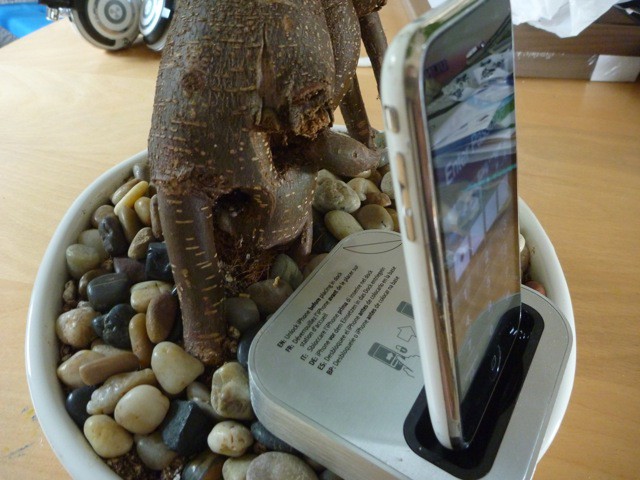
This is where the Iomega’s SuperHero Backup and Charger for iPhone saves the day. This small portable dock charges your iPhone and downloads your data simultaneously.
So when I inevitably drop my iPhone in the garbage disposal, at least I won’t lose my address book.