Onyx is a free system maintenance tool for Mac OS X.
One of the nice things about Onyx is that it covers everything you can think of. It’s packed with tools that you might want to use often, plus some you might use only once in a blue moon. But they’re all there, in one place.
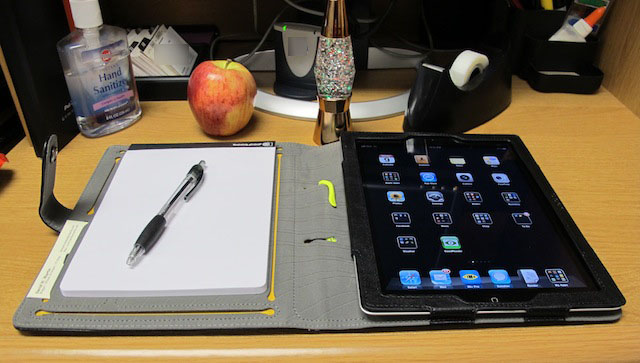
The Booqpad Agenda iPad 2 case from Booq is the perfect mix of past and future. It brings the futuristic technology of the iPad 2 and the old technology of pen and paper together making this the best iPad 2 case yet for note takers. It accomplishes all this in a package that is ready for the executive boardroom and beyond.
The Booqpad is a folio style case that is available in four styles. First, there are two models made from 100% recycled PET that come in Gray-Green and Sand-Plum colors that retail for $49.95. Second, one model made from a genuine Nappa leather exterior comes in Coffee-Cream and retails for $99.95. Finally, the last model the one that I am reviewing comes in black leatherette and grey and it retails for $49.95.
The iPhone comes with a pre-installed weather application that takes its data from The Weather Channel. While it looks okay, it isn’t exactly crammed with features, it doesn’t go into any detail, it doesn’t come with the iPad, and I find its weather forecast to be far from accurate.
That being the case, over the years I’ve been trying out all sorts of third-party weather apps that do a far better job – here’s my list of the App Store’s best weather apps.
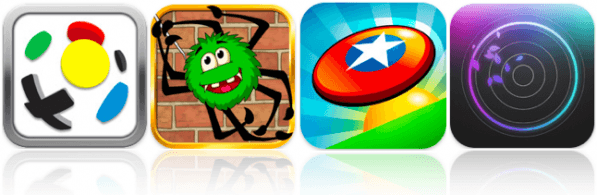
Kicking off this week’s selection of must-have iOS games is a brand new soccer game from X2 Games – the team behind the award-winning X2 Soccer titles. First Touch Soccer promises to be the true next-generation of soccer on iOS, offering the “most complete, realistic and addictive soccer sim available.”
Spider Jack is the latest puzzle release from Chillingo and I’m betting this game will be the next iOS game craze. Inspired by Cut the Rope, this game features a similar gameplay mechanic and all the ingredients needed to be a fantastic iOS puzzler.
Frisbee Forever is a whole new way to play frisbee and the only official frisbee game for iOS. It boasts super crisp 3D graphics and a frisbee experience like no other!
Find out more about the games above and check out Pulse: Volume One – this week’s final must-have – after the break!
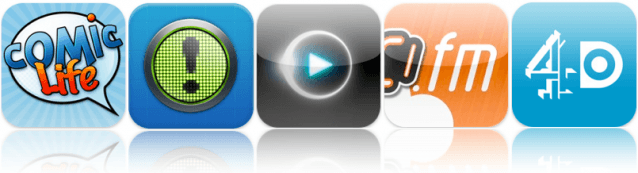
At the top of this week’s list of must-have iOS apps is the awesome comic creation tool that previously came bundled with Intel Macs. Comic Life from plasq allows you to use the photos in your iPad’s camera roll to create your own comic masterpieces.
Notificant is a brilliant new productivity app that makes is fast and simple to create reminders for the things you’d usually forget. Choose to have notifications alert you on your iPhone, as well as any of your other iOS or Mac devices.
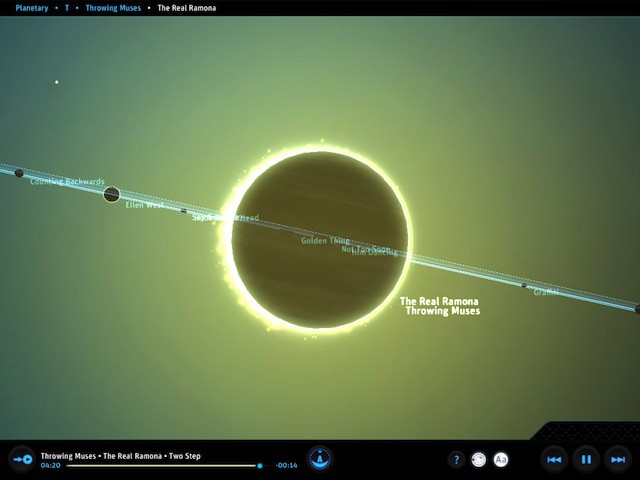
Exploring your music collection has never been as stunning as it is with Planetary – a free iPad app that has climbed rapidly to the top of the free app charts. Fly through a 3D universe dynamically created by information about the recording artists you love.
Find out more about the applications above and check out the rest of this week’s must-haves – including Cadence.fm and 4oD Catch Up – after the break!
When people look for cases and other accessories for their new gadgets, they tend to turn towards name-brand manufacturers. Me? I head straight for eBay. For years, I’ve purchased dozens upon dozens of cases and screen protectors for extremely good prices on eBay, and the quality of most of them were quite exceptional.
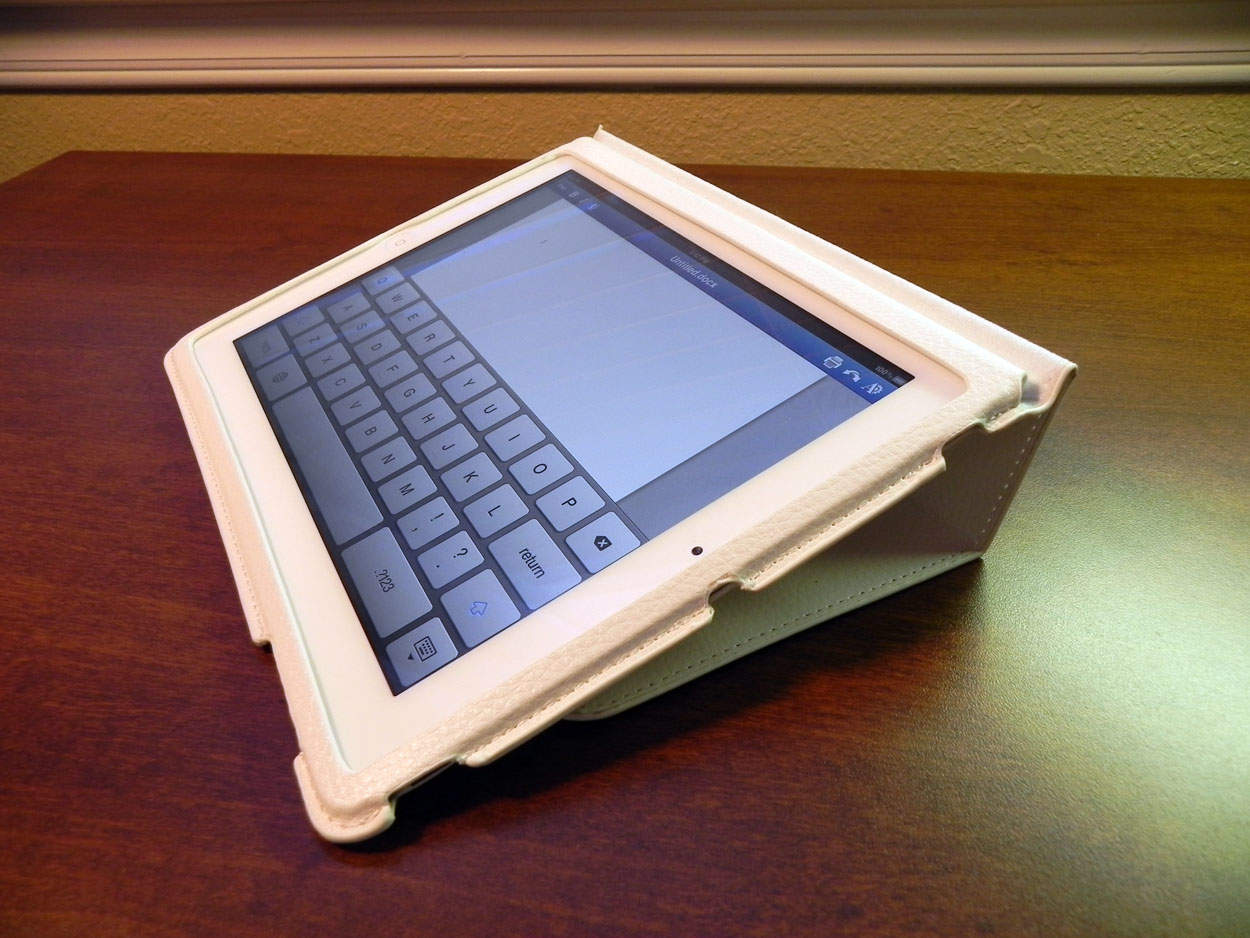
For less than $17, you can order a faux-leather iPad 2 case (in white), an iPad 2 screen protector, and a stylus. After about 2 weeks of using all of them, I’m ready to give you my verdict.
Sporting Intel’s Sandy Bridge processors, powerful new graphics cards and Thunderbolt ports that can support two external monitors, the new iMac is the undisputed champion of all-in-one machines. Plus, it’s the only one out there that’s not butt ugly.
As well as being the most attractive desktop computer available, it offers just about everything modern computer users might need in a self-contained package, from a HD webcam to a gesture-sensitive trackpad.
I’ve been testing a 27-inch model with a 3.1Ghz Core i5 chip (the biggest, fastest stock model currently available at the Apple Store), and it may sound silly, but it’s almost too much machine for my needs. The screen is so big, I have to sit back lest I get motion sickness. And the i5 chip has power to spare for someone like me, who doesn’t do high-end video or graphics work.
Still, I’ll take it. If the chip is too powerful now, it sure won’t be in a couple of years.
If you spend a lot of time using a lot of webapps, Fluid should be high on your list of software must-haves.
It’s been hovering in unofficial beta status for years now, but just this week got bumped to 1.0, and now comes in two flavors: free and paid. Either of them is well worth having.
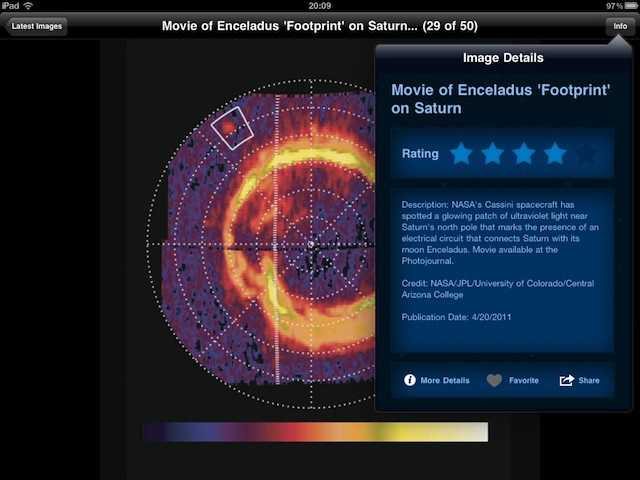
NASA has released version 2 of its popular Space Images app for iPad, and it’s lovely.
It’s packed full of gorgeous images from pretty much every aspect of the space agency’s work. Each one comes with a brief explanation, and you can fave or rate the ones you like.
Even better, you can save images to your iPad and use them as wallpapers. And all of this is free. If you have an iPad and you have kids, or even if you don’t have kids, this is well worth downloading.
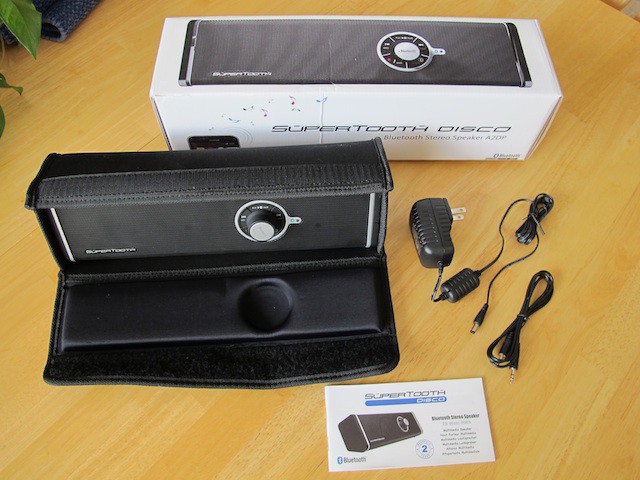
The SuperTooth Disco is a portable speaker that will wirelessly stream 28 watts of sound for your next parties dance floor. Here’s a hands-on review.
It won’t take the place of a dedicated sound system like the one you might have in your living room with only 28 watts of power, but for a portable Bluetooth device it is pretty impressive.
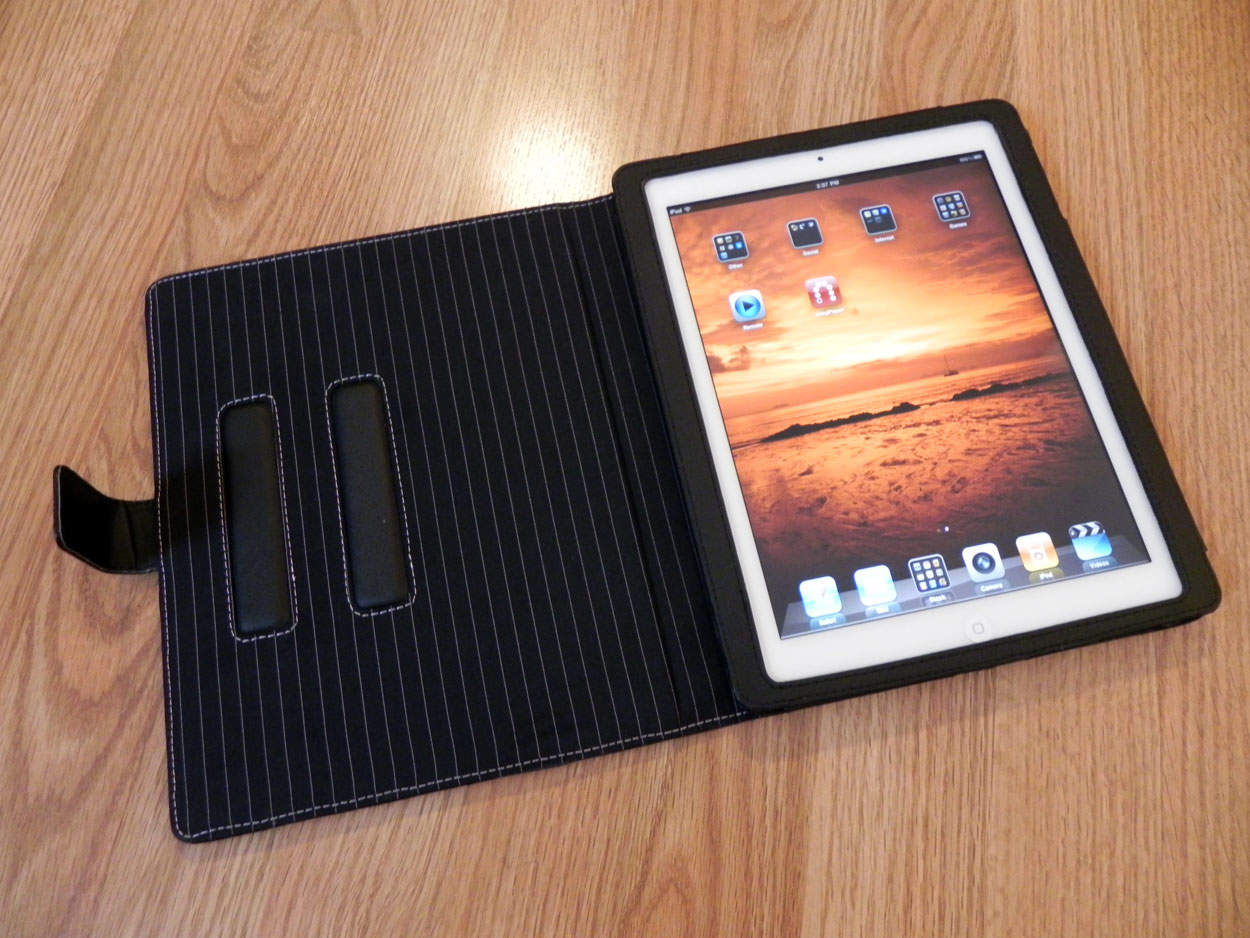
With the iPad 2 being released for over a month and a half, the number of main-stream cases are increasing day-by-day. Proporta (based in the UK) has a few of their own. Available for a whopping $79.95, this aluminum lined leather folio case adds some great protection to your new iPad 2, as well as adding some extra functionality. Is it worth it? Continue reading to find out!
At the top of our list of must-haves this week is Gameloft’s brand new World of Warcraft-like MMORPG called Order & Chaos Online. Set in a vast fantasy world with thousands of other players from around the world, this is the most promising real-time RPG to hit the App Store yet.
Also to feature is the third release of Zenonia – another RPG which promises to provide “greater enjoyment that the previous two Zenonia’s combined.” The Midgard Story has been revamped and upscaled for a truly epic gameplay experience.
Gears is a physics-based 3D ball roller that defines its genre with an immersive adventure across beautifully detailed worlds that feature dozens of unique and challenging levels.
Find out more about the games above and check out the rest of this week’s must-haves – including Unpleasant Horse and Snuggle Truck – after the break!
Kicking off this week’s roundup of must-have iOS applications is the brand new TweetDeck app for iPhone, which its creator claims has been completely re-imagined and rebuilt from the ground up to be fast, flexible, and powerful.
Fring is the popular video chat and VoIP application for iPhone and iPod touch. It deserves some recognition this week thanks to its recent update that makes it the first application for iOS to offer group video calling with support for up to four people.
Fahrenheit – or Celsius if you prefer – is a new weather application that displays the temperature in your area on your home screen. No, it doesn’t require a jailbreak: it uses the iOS application badges to display the current temperature over the application’s icon with push technology.
Find out more about the applications above and check out the rest of this week’s must-have iOS apps – including TuneIn Radio and Lamebook – after the break!
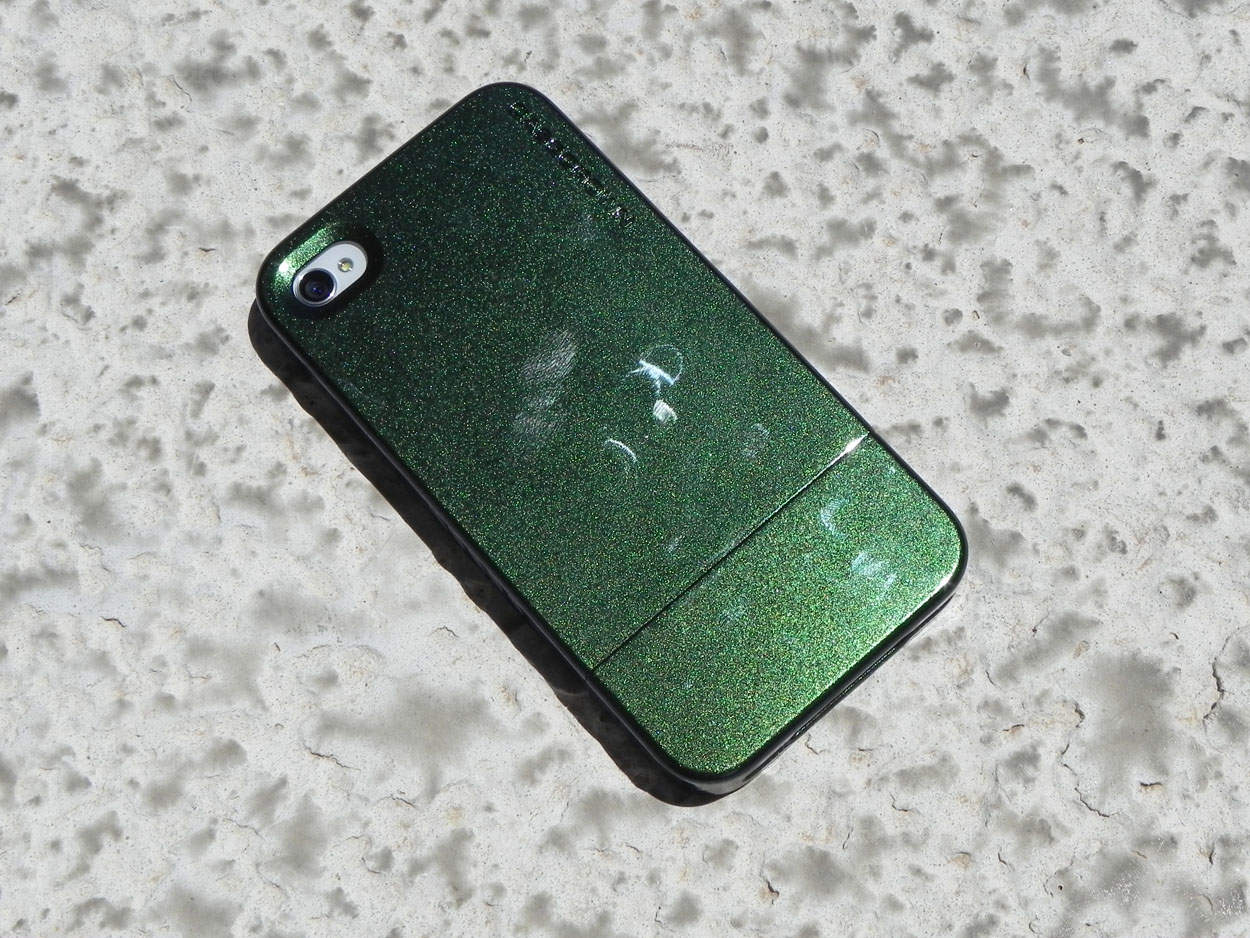
Have you ever liked a product, but found somewhat of an issue with it? That’s the case with the Chameleon Glider by CaseCrown. This 2-piece slider case for the iPhone 4 comes in 3 different color-changing variations: green/brown (the one being reviewed), purple/brown, and blue/purple. Each case retails for $32.95 from CaseCrown’s website. Is this case worth it? Well, you’ll find out shortly.
In 2009, Baltic Latvian Universal Electronics (Blue) released the Yeti, a wonderfully talented little microphone that many, especially many podcasters, took notice of then proceeded to fall in love with. The Yeti was beautiful, dead-simple to use, and very Mac friendly. Yeti was also the first USB mic to allow users to record in any one of four different polar patterns (four I say!) making it incredibly versatile. And now, with the Yeti Pro, Blue is making their hit mic even better.
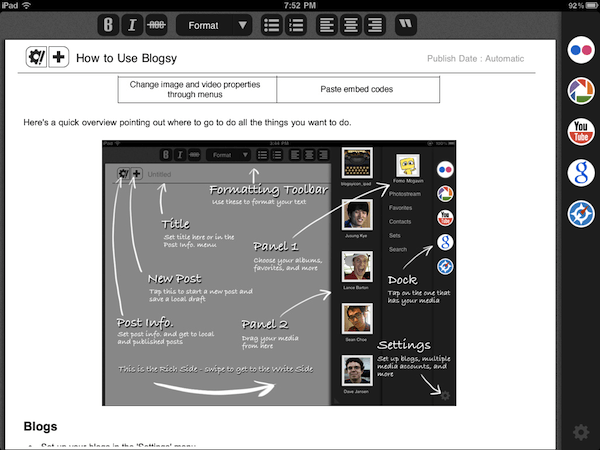
I’ve been looking forward to the day that I could swap my MacBook for an iPad as a blogging tool. I can write nearly as fast on the tablet as I can on a real keyboard, and I also tend to take it everywhere, unlike the laptop. Until the last week, however, every blogging app I’ve downloaded for the iPad so far has been inadequate. The official WordPress client is just a disaster — I’ve literally never gotten it to work with Cult of Mac’s hosted account. BlogPress has broad compatibility but generates crummy posts that look like they were put together on a BlackBerry Pearl.
So it was with considerable excitement that I ponied up my $3 to download Blogsy, a new app that promises to be the MarsEdit of the iPad. Having used it for nearly a week, I’m extremely pleased. It has serious formatting capabilities, HTML and rich text modes, administration tools for your blogs, and built-in content import from Flickr, Picasa, YouTube and Google Images, not to mention a popover Web browser. Basically, it takes all of the multitasking inherent to blogging and turns it into a single app.
Special credit should be awarded for the app’s genius media layout mode, which involves tapping and holding on an image to convert it into a friendly alien mascot, then dragging the mascot to the exact location desired for the picture. Simple.
That’s the good news. Though I am blown away by the features and user interface of Blogsy, the software is still too unpolished to rely upon. Sometimes when I start it up, it claims my connection to the CoM home base is corrupted. Other times, it crashes while trying to save a draft, wiping out writing with no chance of recovery. It’s really not ready for heavy use yet. I look forward to its improvement, however. Once the bugs get worked out (and they add Tumblr support), Blogsy will become the platform of choice for on-the-go writers.
Until then, it’s a great novelty. I wrote this post in it. Unfortunately, I couldn’t post it, so I had to email it to myself to save the text.
As a massive fan of first-person shooter games, I’m always looking for great iOS shooters that will help me get my fix when I’m away from a console. Thankfully, the App Store is home to some great FPS games from developers such as Gameloft, EA Games, Treyarch and Villain.
Our latest app list is a collection of the best FPS games in the App Store – check them out after the break!
This week’s roundup of must-have iOS games includes the second episode in a series of five Back to the Future games from Telltale – with a brand new story for Marty and Doc.
We’ve also got Real Racing 2 HD – which has just been updated to feature dual-screen gaming, allowing you to connect your iPad to your HDTV and enjoy the ultimate racing game at 1080p.
Final Fantasy III also makes our list of favorites. This 90s classic has been around on the iPhone for a few weeks, but it now features new and improved 3D visuals and story sequences exclusive to the iPad.
Find out more about the games above and check out the rest of this week’s must-have’s – including Bunny the Zombie Slayer and NBA Jam – after the break!
This is how much it costs in electricity to run my 13″ MacBook Pro per year, if it were continually left on: $11.20. My 32-inch flat screen TV? That’s a whopping $100/year, if left on; but when it’s off, it’ll only drain to the tune of about 75 cents per year (similarly, my MBP only drains about $2/year in sleep mode).
How do I know this? I’ve been (lame-pun alert) charging around, giddily testing everything in the house with Belkin’s Conserve Insight, a brilliant, $30 tool that measures the energy use of any gadget or appliance that plugs into a wall outlet — and the results have been (oh, and again) electrifying enough for me to really change my habits.
This week’s selection of must-have iOS apps features a brand new social news experience called News.me. Created by Bit.ly, with backing from The New York Times, this app shows you not just what your friends are sharing, but also what they’re reading.
Sony’s new Crackle application offers a library of over 100 great movies and TV shows, such as The Da Vinci Code, Ghostbusters, Seinfield and Spider-Man – all of which are completely free to watch.
RockMelt also makes this week’s must-haves – a web browser that seamlessly integrates social networking and syncs with RockMelt on your computer.
Find out more about the applications above, and check out the rest of week’s must-haves – including Seamless, Photosynth and FindOne – after the break!