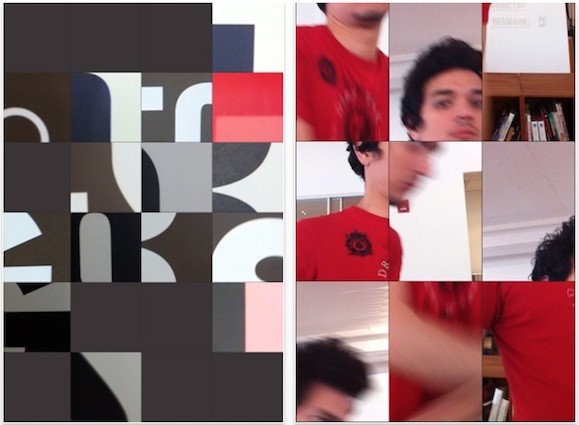
Here’s a little gem I found on the App Store this week. +Loop is a video recorder app for iDevices, but it stands out from the crowd because it records multiple mini video clips in one, and costs nothing.
This week’s roundup of must-have applications features one of the most unique video apps we’ve ever seen for the iPhone, a fantastic new note-taking app from tablet-maker Wacom, and a simplistic calendar app that aims to bring old-school desktop calendars to your iPhone.
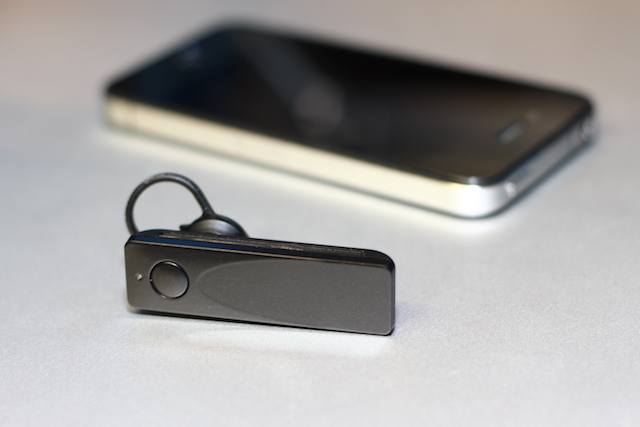
Here’s an interesting idea: Take a thoughtfully designed, well-rounded, high-tech Bluetooth headset and mate it to a dedicated iPhone app (called EarPrint) with a boatload of mostly useful functions, and — voila, the dazzling result would look exactly like the Sound ID 510 Bluetooth headset ($129).
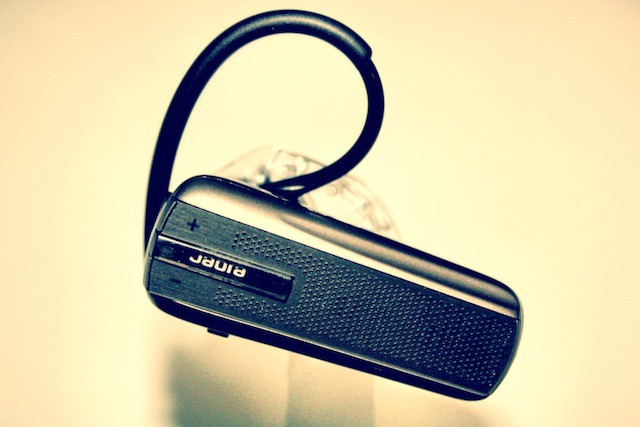
Nailing down the design and functionality of a Bluetooth headset seems like it’d be a fairly easy task. Yet if you’ve ever been in the market for a new headset, you’ve probably noticed that their aren’t many models out there that offer great design and functionality at a fair price. Jabra’s Extreme Headset ($79) is here to the rescue to provide a great experience at a reasonable price.
Despite the word “Droid” plastered everywhere, the new Motorola CommandOne Bluetooth headset ($100) has already become my friend. True, it’ll never learn to pronounce my name correctly, is misunderstood by some of my other friends and has questionable fashion sense. We remain friends, however, because it’s easy to understand and comfortably fits in my ear. It’s unlike most relationships, but it works for us.
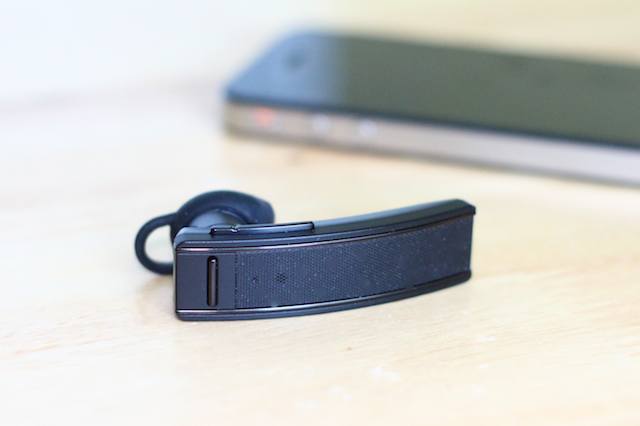
Although BlueAnt focuses exclusively on Bluetooth communication gadgets (and now earphones), they aren’t as well recognized as some of the other names coming up in our review, and they don’t proffer up a ton of offerings. In fact, they currently only offer five; with the BlueAnt Q2 Headset ($100) positioned as their marquis headset.
This week’s roundup of must-have games kicks off with the Nintendo DS classic Zookeeper — a vivid and engaging puzzle game in which your mission is to capture the animals and become the world’s best zookeeper. There’s more puzzle fun in Feevo HD, which boasts Bejeweled-like match gameplay from the makers of Tetris Online; and Bunny Shooter will be a huge hit with Angry Birds fans thanks to its physics-based bunny assassination with a bow & arrow.
This week’s roundup of must-have iOS apps features two great new titles for music lovers, which will provide you with instant access to your entire iTunes library wherever you may be, and allow you to find upcoming gigs for all your favorite artists based on the tracks stored on your device. We also have an app that makes discovering new iOS apps & games incredibly quick and simple, and Bungie’s new iPhone companion app for Halo gamers.
Find out more about the apps above and check out the rest of this week’s must-haves below!
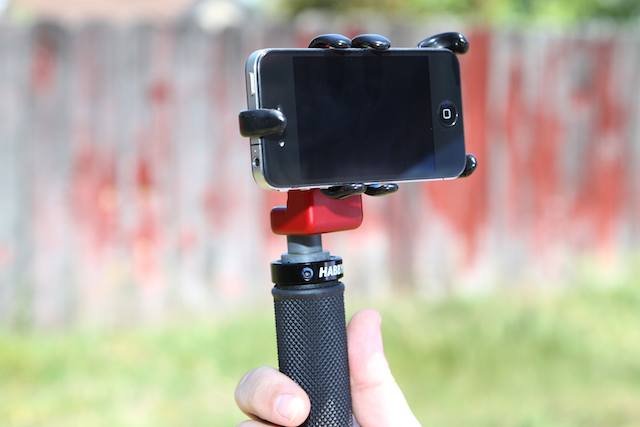
Anyone playing around with an iPhone 4 for any length of time will have realized that its compactness, decent sensor-processor combo and the huge selection of editing apps available make the darn thing is a superb platform for making both films and still photographs — if you can work around some of the gadget’s limitations. In this case, Habbycam, a small Southern Camifornia-based company that supplies all manner of rigs to the film industry, came up with the Habbycam iGrip ($140) as a better way to hold and position the iPhone for extended shooting. We think it needs work.
Before encountering Altec Lansing’s women-specific Bliss Platinum earphones ($70), I had never considered the idea that my ears might be too feminine and precious to handle having a larger earpiece forcibly shoved into their delicate canals. Now I know that, like many things, most earpieces are made for men and we poor, sweet ladies must go about life making do with too-big things. Altec Lansing hopes to solve that issue by giving ultra-precious lady ears a much-needed rest from all the bigness with the Bliss Platinum.
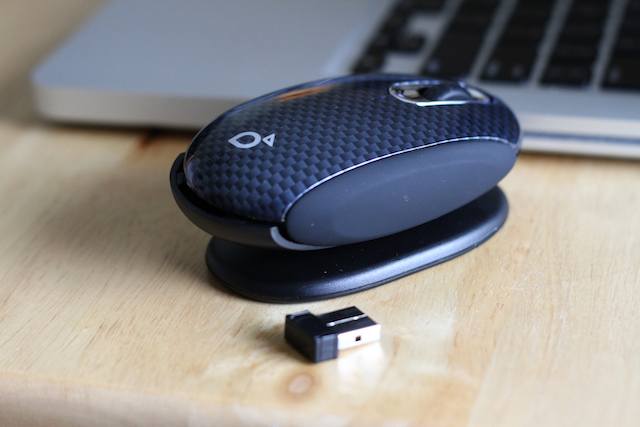
Since Apple started popping out the first mouse to be packaged with a personal computer with the Macintosh back in 1984, designers have been trying to find alternatives to the ubiquitous rodent. Apple itself seems to be out front in terms of interesting creations, experimenting on their mice with intriguing, if not always satisfying results. In this case, Smartfish, with their Whirl Mini laptop mouse ($50), have focused on perfecting the ergonomics of the mouse instead of trying to reinvent it. Did they pull it off?
Now that WWDC is over for another year and we’ve put all the excitement behind us, this coming week is going to be a little dull without something good to keep us entertained. Thankfully, our list must-have games is here to help. This week’s roundup features Dream:scape — the latest eye-popping game to use Epic Games’ Unreal Engine; 1000 Heroz which promises a new adventure every day you play; plus more great titles that are guaranteed to please.
Kicking off this week’s list of must-have iOS apps is a great new iPad 2 title from Evernote called Peek – the first iOS release that uses the Smart Cover to create a quiz game. We have a terrific new note-taking app from Junecloud, the developers behind the highly acclaimed Delivery Status Touch. Plus an app that will ensure you never get hit with a parking fine again, and plenty more.
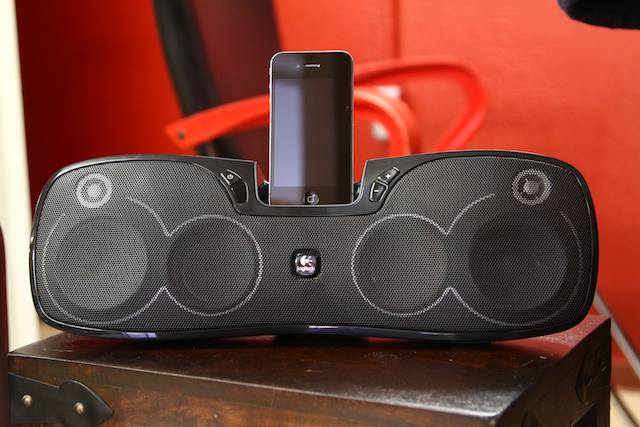
Road Warriors are people, not simply animatronic robots — if you prick us, do we not bleed? If you lose our luggage, do we not get pissy? And people need tunage. That’s where Logitech’s S715i rechargeable speaker dock ($150) comes in. Sling it in a bag and it’ll provide the party out on the road while you’re furiously tapping at that TPS report or chilling post-deadline — and it’ll look hot doing it. Just don’t expect much when the party goes ballistic, because the bass simply can’t keep up.
The Nuu MiniKey is a snap-on case for your iPhone 4 that aims to transform the way you type on your device. It features a slide-out QWERTY keyboard and connects to your device via Bluetooth, and promises to be “perfect for blogging and emailing.”
I’m not exactly sure why this thing works so damn well. The idea is pretty simple: Use Aviiq’s Portable Quick Stand ($40) to prop your laptop up (in this case, Aviiq has settled on a 12-degree angle) and suddenly the screen is closer to eye level, and the keyboard is tilted. And man, does it make a huge difference.
From the creators of Echofon – the popular third-party Twitter client – comes Photofon; the easiest way to browse the photos posted in your Twitter timeline. This isn’t just another Twitter client, but rather a photo browser for those who enjoy viewing all of the photos posted by their friends.
Ranky is a great application for app developers, marketeers, and those who want to keep track of App Store games and applications. It provides you with an overview of how well your selected titles are performing and their position in the App Store’s charts.
Apple’s iWork office suite for iOS has just made its way to the iPhone and the iPod touch, and just like its iPad counterpart, you won’t find an office experience as good as this from anywhere else. For getting things done on the move, nothing compares to iWork.
If you’re someone who has even the smallest regards towards fashion, then you’ve probably given some serious thought as to which bag to use for toting your precious MacBook around. What you wear says just as much about you as your MacBook does. If you’re looking for something that looks great for casual occasions but can also feel dressed up enough for business meetings, then you need to consider the Arnald Work Bag from The Property Of. We were lucky enough to receive a bags from the Amsterdam based company and here’s our take.
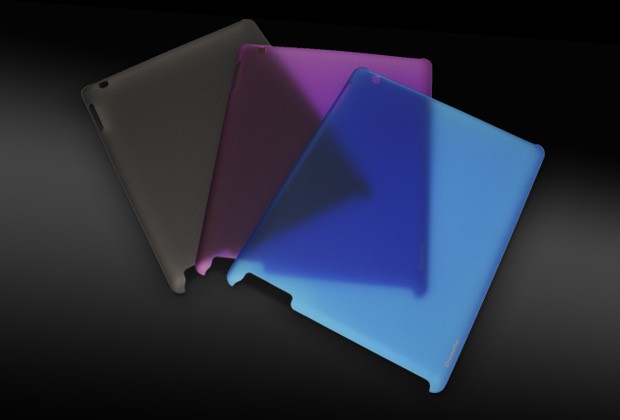
XtremeMac recently released a thin plastic snap-on shell that covers the back of the iPad 2 called the Microshield ($35). It ships as is with no other options and the minimalist case leaves you wondering about who it was made to appeal to and the use of the word “shield” in selecting a name for it is misleading.
Apple updated its iWork applications for iOS yesterday to include support for the iPhone and iPod touch, and I couldn’t wait to get my hands on them. As a regular user of Keynote, Numbers and Pages on the iPad, I have been patiently waiting for their iPhone counterparts for some time – and these are well worth the wait.
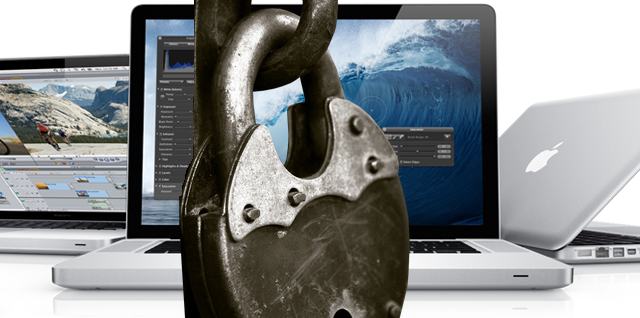
As any fan-boy (myself included) will testify, Macs don’t get viruses – or rather, that’s what we used to say…
With the popularity of the Macintosh platform at the highest it’s ever been, we are no longer as immune to cyber attacks as we could once claim. Only last week the ill intentioned ‘Mac Defender’ virus raged chaos on Macs the world over. The question of Mac security has raised its head once again – and this time, we might actually need to pay attention…
“If something ain’t broke, don’t fix it” is a phrase Etymotic must have taken extremely seriously, judging by a look at their now-mythic, $99 ER-6i. The set has been around since their release in 2004, after which they quickly became the standard against which all other sub-$100 IEMs were tested. But seven years is an eon for a product to have remained essentially unchanged in the gadget world. Are they still as good now as they were then?
Illusion Labs – the team behind the hugely successful Touchgrind skateboarding game – have taken everything that made their first hit such a success and used it to create Touchgrind BMX. Put the skateboard to one side and become a BMX pro – performing spectacular tricks in beautifully crafted locations all over the world.
The Heist is currently famous for its overwhelming popularity that has helped it knock Angry Birds off the top spot of the App Store’s paid chart. Featuring a collection of mind-bending puzzles that you must solve in order to get your hands on the valuable prize inside the vault.
Siege Hero boasts gameplay similar to Angry Birds, in that you must destroy a group of enemies protected by glass, rocks and timber. However, instead of taking aim at a group of ugly pigs, vikings are your enemies, and rocks replace the birds as your ammo.
Find out more about the games above and check out the rest of the week’s must-haves – including Back to the Future: Episode 3 and To-Fu: The Trials of Chi – below!