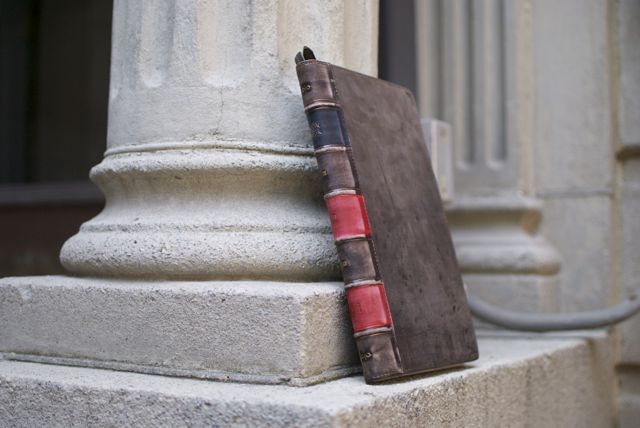
With the iPad 2 being released for over a month and a half, the number of main-stream cases are increasing day-by-day. Proporta (based in the UK) has a few of their own. Available for a whopping $79.95, this aluminum lined leather folio case adds some great protection to your new iPad 2, as well as adding some extra functionality. Is it worth it? Continue reading to find out!
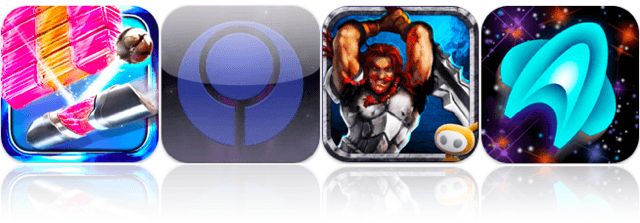
At the top of our list of must-haves this week is Gameloft’s brand new World of Warcraft-like MMORPG called Order & Chaos Online. Set in a vast fantasy world with thousands of other players from around the world, this is the most promising real-time RPG to hit the App Store yet.
Also to feature is the third release of Zenonia – another RPG which promises to provide “greater enjoyment that the previous two Zenonia’s combined.” The Midgard Story has been revamped and upscaled for a truly epic gameplay experience.
Gears is a physics-based 3D ball roller that defines its genre with an immersive adventure across beautifully detailed worlds that feature dozens of unique and challenging levels.
Find out more about the games above and check out the rest of this week’s must-haves – including Unpleasant Horse and Snuggle Truck – after the break!
Kicking off this week’s roundup of must-have iOS applications is the brand new TweetDeck app for iPhone, which its creator claims has been completely re-imagined and rebuilt from the ground up to be fast, flexible, and powerful.
Fring is the popular video chat and VoIP application for iPhone and iPod touch. It deserves some recognition this week thanks to its recent update that makes it the first application for iOS to offer group video calling with support for up to four people.
Fahrenheit – or Celsius if you prefer – is a new weather application that displays the temperature in your area on your home screen. No, it doesn’t require a jailbreak: it uses the iOS application badges to display the current temperature over the application’s icon with push technology.
Find out more about the applications above and check out the rest of this week’s must-have iOS apps – including TuneIn Radio and Lamebook – after the break!
Have you ever liked a product, but found somewhat of an issue with it? That’s the case with the Chameleon Glider by CaseCrown. This 2-piece slider case for the iPhone 4 comes in 3 different color-changing variations: green/brown (the one being reviewed), purple/brown, and blue/purple. Each case retails for $32.95 from CaseCrown’s website. Is this case worth it? Well, you’ll find out shortly.
In 2009, Baltic Latvian Universal Electronics (Blue) released the Yeti, a wonderfully talented little microphone that many, especially many podcasters, took notice of then proceeded to fall in love with. The Yeti was beautiful, dead-simple to use, and very Mac friendly. Yeti was also the first USB mic to allow users to record in any one of four different polar patterns (four I say!) making it incredibly versatile. And now, with the Yeti Pro, Blue is making their hit mic even better.
I’ve been looking forward to the day that I could swap my MacBook for an iPad as a blogging tool. I can write nearly as fast on the tablet as I can on a real keyboard, and I also tend to take it everywhere, unlike the laptop. Until the last week, however, every blogging app I’ve downloaded for the iPad so far has been inadequate. The official WordPress client is just a disaster — I’ve literally never gotten it to work with Cult of Mac’s hosted account. BlogPress has broad compatibility but generates crummy posts that look like they were put together on a BlackBerry Pearl.
So it was with considerable excitement that I ponied up my $3 to download Blogsy, a new app that promises to be the MarsEdit of the iPad. Having used it for nearly a week, I’m extremely pleased. It has serious formatting capabilities, HTML and rich text modes, administration tools for your blogs, and built-in content import from Flickr, Picasa, YouTube and Google Images, not to mention a popover Web browser. Basically, it takes all of the multitasking inherent to blogging and turns it into a single app.
Special credit should be awarded for the app’s genius media layout mode, which involves tapping and holding on an image to convert it into a friendly alien mascot, then dragging the mascot to the exact location desired for the picture. Simple.
That’s the good news. Though I am blown away by the features and user interface of Blogsy, the software is still too unpolished to rely upon. Sometimes when I start it up, it claims my connection to the CoM home base is corrupted. Other times, it crashes while trying to save a draft, wiping out writing with no chance of recovery. It’s really not ready for heavy use yet. I look forward to its improvement, however. Once the bugs get worked out (and they add Tumblr support), Blogsy will become the platform of choice for on-the-go writers.
Until then, it’s a great novelty. I wrote this post in it. Unfortunately, I couldn’t post it, so I had to email it to myself to save the text.
As a massive fan of first-person shooter games, I’m always looking for great iOS shooters that will help me get my fix when I’m away from a console. Thankfully, the App Store is home to some great FPS games from developers such as Gameloft, EA Games, Treyarch and Villain.
Our latest app list is a collection of the best FPS games in the App Store – check them out after the break!
This week’s roundup of must-have iOS games includes the second episode in a series of five Back to the Future games from Telltale – with a brand new story for Marty and Doc.
We’ve also got Real Racing 2 HD – which has just been updated to feature dual-screen gaming, allowing you to connect your iPad to your HDTV and enjoy the ultimate racing game at 1080p.
Final Fantasy III also makes our list of favorites. This 90s classic has been around on the iPhone for a few weeks, but it now features new and improved 3D visuals and story sequences exclusive to the iPad.
Find out more about the games above and check out the rest of this week’s must-have’s – including Bunny the Zombie Slayer and NBA Jam – after the break!
This is how much it costs in electricity to run my 13″ MacBook Pro per year, if it were continually left on: $11.20. My 32-inch flat screen TV? That’s a whopping $100/year, if left on; but when it’s off, it’ll only drain to the tune of about 75 cents per year (similarly, my MBP only drains about $2/year in sleep mode).
How do I know this? I’ve been (lame-pun alert) charging around, giddily testing everything in the house with Belkin’s Conserve Insight, a brilliant, $30 tool that measures the energy use of any gadget or appliance that plugs into a wall outlet — and the results have been (oh, and again) electrifying enough for me to really change my habits.
This week’s selection of must-have iOS apps features a brand new social news experience called News.me. Created by Bit.ly, with backing from The New York Times, this app shows you not just what your friends are sharing, but also what they’re reading.
Sony’s new Crackle application offers a library of over 100 great movies and TV shows, such as The Da Vinci Code, Ghostbusters, Seinfield and Spider-Man – all of which are completely free to watch.
RockMelt also makes this week’s must-haves – a web browser that seamlessly integrates social networking and syncs with RockMelt on your computer.
Find out more about the applications above, and check out the rest of week’s must-haves – including Seamless, Photosynth and FindOne – after the break!
It’s not everyday you see a case like Silva Limited’s bamboo Macbook Pro case. Hand assembled, hand finished, made from sustainable bamboo — it’s obvious these handsome cases have been crafted with love and a ton of attention to detail.
Your iPhone does more than just make calls. It’s the perfect companion for almost every situation because there’s an app for almost everything. Having taken my iPhone 4 with me on a couple hikes to the bottom of the Grand Canyon, I can attest that it’s an amazing tool to keep by your side during outdoor excursions. Of course that is until you see your battery meter dip below 3%. At which point the iPhone 4 becomes just an expensive piece of metal and glass. To aid your charging dilemmas on your next camping trips, Solio has created a great line of portable solar chargers.
Solio’s Mono Charger ($60), combines a high-efficiency solar cell, with a long life lithium-ion rechargeable battery in a solid impact resistant casing for all those adventurers who need battery power no matter where they journey. The design of the device is incredibly simple. Nothing detracts from the solar panel, and it’s very easy to use. To begin charging simply place it in the sun and press the Start button on the back of the device. A red LED light will blink to indicate that it’s collecting energy.
Whether it’s Facebook, AIM, or Yahoo, everyone is signed up to a service that provides them with instant messaging. Besides a phone call, it’s one of the quickest ways to have a conversation with our fellow man, and because it’s completely free, it’s also one of the most popular.
To make the most out of instant messaging on your iOS device, you’ll need a decent application. We’ve put together a list of the best apps currently available; check them out after the break!
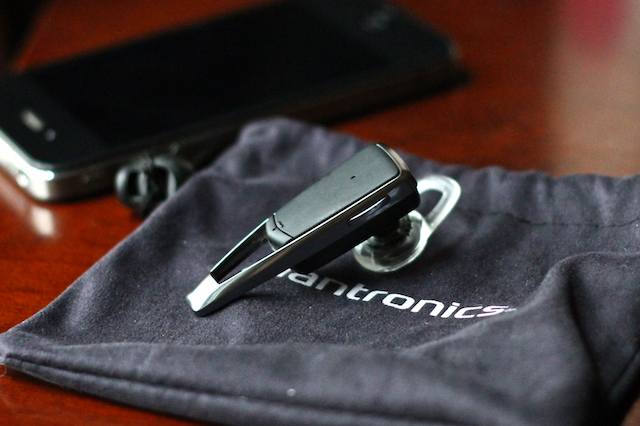
I’m a huge bluetooth headset fan. In fact, I don’t mean to brag, but I’ve been doin’ it “hands free” since the early aughts. So naturally when I heard Jawbone had a hot new headset on the market, the Jawbone Era, I was excited to get my hands on it and give it a go.
With Sonos announcing only yesterday that Airplay support was coming to the Sonos range, as well as updating their iPhone and iPad apps – we thought it was about time we took the Sonos for a spin.
Let me start this by saying the Sonos multi-room system is the best solution available for getting multiple sources of music playing throughout your home – period. It’s not necessarily the cheapest, but it is without doubt the most complete solution you will find – and we love it!
The iPhone is a phenomenal tool for a bit of tromping about in the bush; navigation, stargazing, photographing/filming and even staying alive can all be accomplished with the help of the little gadget. That is, if it’s got any juice left.
Solio’s Rocsta ($80) — a solar panel mated to a thin slab of a battery in a sleek, flat, user-friendly housing — seems to have been created with a nod to minimalist adventurous types who want a rugged, no-fuss solar charger aong on their next Iditarod or photo shoot for National Geographic.
Microsoft’s latest iOS offering hit the App Store today in the form of Photosynth; a fantastic photography application for taking 360º panoramic photos on your iPhone. It’s a free download, and one of the most impressive panorama applications I’ve tried.
The first thing I noticed about Photosynth is how easy it is to create your panorama. You simply tap the screen to start and then move your device around – up, down, left, right – and the application captures the images automatically, so there’s no need to move your device bit by bit while tapping a button to capture each tile.
It’s a little admitted secret, but one of the biggest reasons people like Network Attached Storage drives is for Torrent downloads. They’re the easiest ways to download obscure British TV shows, for example, that can’t be easily had here in the U.S. After downloading a couple of shows, users watch them via WiFi streaming on their MacBooks or iPads.
Trouble is, Torrent downloads slow everything on the home network to a crawl. Everyone complains when the network is clogged with Torrents of Shameless or The Killing. Well, not any more. You can set up one of Iomega’s new Home Media Network Hard Drive, Cloud Edition at work and use the office’s net connection to download Torrents at night. Then you stream them over the net to your home.
I’ve been testing one of the Home Media Drives for several weeks. There’s a been a few glitches, but on the whole, it works well. Now I’ve got my own little Amazon S3 system, with none of the monthly fees.
Moshi’sMuse is a nice iPad-sized sleeve case that works with or without a Smartcover on your iPad 2. It looks great and feels good. Moshi made good use of thick microfiber fabrics when they designed the Muse along with the excellent tailoring and stitching. As a result the Muse feels great in your hands.
According to Moshi the Terahedron microfiber inner lining protects and cleans your iPad. It cleans your iPad’s screen and body as you insert and remove it from the Muse. During my tests the Muse was like most products that make claims about cleaning — it sort of worked, but not that well. I still prefer a microfiber cloth and some elbow grease.
Facebook is yet to release an official application for the iPad, and with its founder Mark Zuckerberg claiming the device was “not mobile,” we’re not likely to see one anytime soon. Zuckerberg wants us to use Facebook in our iPad’s web browser, which is fine for some, but others prefer a dedicated application that brings simple photo and video uploading, better chat support, and a user interface better suited to a touchscreen device.
It’s no wonder, then, that iOS developers have attempted to fill this void, and are slowly started to introduce their own third-party Facebook applications to the App Store. We’ve selected the best apps currently available for getting your Facebook fix on your iPad.
As far as I’m concerned bubbles don’t have a place on my iPad 2 screen. So I’m pretty picky when it comes to placing a screen protector over huge display on my iPad. It seems that no matter what you do you’ll always end up with a bubble or two after applying a screen protector unless you are a professional installer. The Moshi iVisor AG is different. Moshi guarantees a bubble-free installation. It actually works because this screen protector is a lot different from others I’ve encountered before.
The Moshi iVisor AG adheres to the screen differently from other similar products. It only sticks to the edges of the iPad’s screen and that edge is either solid black or solid white to match the appropriate frame on an iPad 2. The adhesive is on the back side of that frame. This makes the iVisor AG a lot easier to install and remove. Once applied it acts like a bubble over the top of the display, but not a distracting one like other protective covers.