There’s not a lot I need say about today’s Best Thing Ever, so I’ll keep it brief.
Manga Camera does exactly what its name suggests, and it’s no surprise that it’s a sudden huge hit on the iOS App Store.

There’s not a lot I need say about today’s Best Thing Ever, so I’ll keep it brief.
Manga Camera does exactly what its name suggests, and it’s no surprise that it’s a sudden huge hit on the iOS App Store.


You wait for ages for a calculator, then two come along at once. Following on from Sums which we reviewed the other day, here’s Calculator LCD, a smart-looking one dollar desktop-style calculator for iPad.
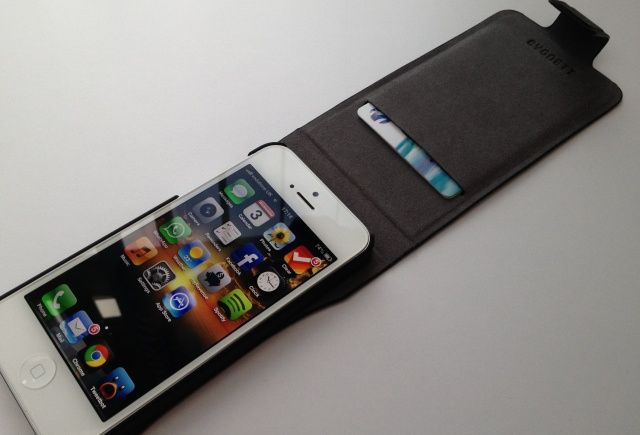
The Cygnett Lavish from MobileFun is a genuine leather flip case for iPhone 5 that contains a plastic snap-on shell that houses your device. It boasts a magnetic closure, and a card slot that will comfortable house one or two credit cards without adding too much bulk to your pocket.
The Lavish provides access to all of your ports and buttons, and can be folded back to expose your iPhone’s rear-facing camera. It comes in black or “regatta blue,” and it’s priced at $41 (£30).
It’s not the cheapest iPhone 5 case, then, but is it worth it?
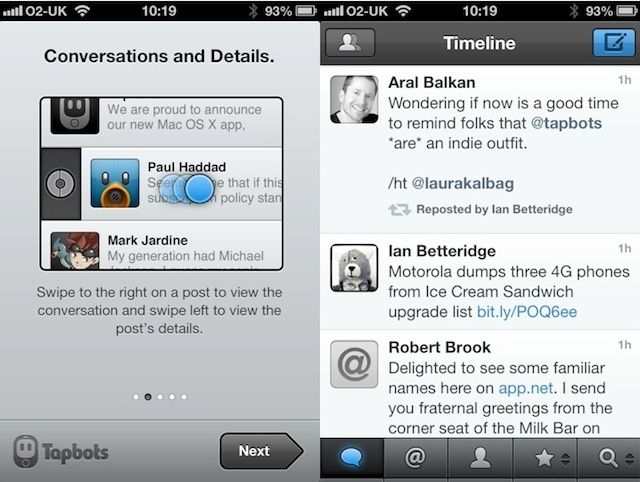
New from Tapbots is Netbot, an iOS client for app.net users.
If you’ve used Tweetbot, you already know how to use Netbot. It looks almost identical to its precursor, and behaves almost identically too.

Co-inciding with her latest TV series, Nigella Lawson’s latest foodie app, Nigellissima is now on the App Store. The theme is simple, delicious Italian food. Nigella, as always, makes amazing dishes look effortless.
The new app is free, but huge, demanding 750MB of storage space on your iOS device. That would be OK if it was packed with useful content. But it’s not.
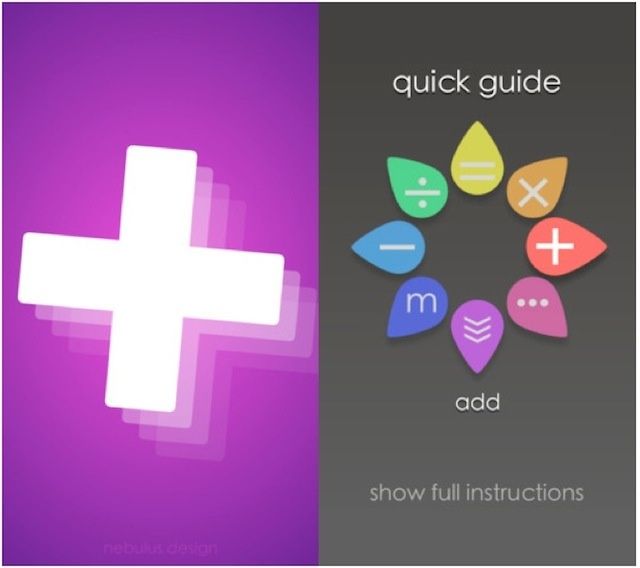
Sums is a gesture-based calculator for iOS, and whether you like it will, I suspect, largely depend on how much you’re already accustomed to using traditional calculators.

Brian Eno has a new app out. It’s called Scape. Like other apps he’s produced, it’s about making music – even for people who have no musical skill or knowledge whatsoever.
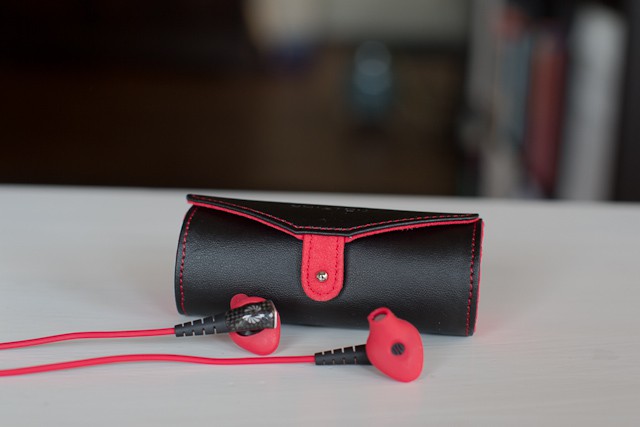
Phiaton’s new Moderna MS 200 earphones ($149) sound good and have great sound isolation, sure, but what’s more important is how good they look plugged in to your new iPhone 5.
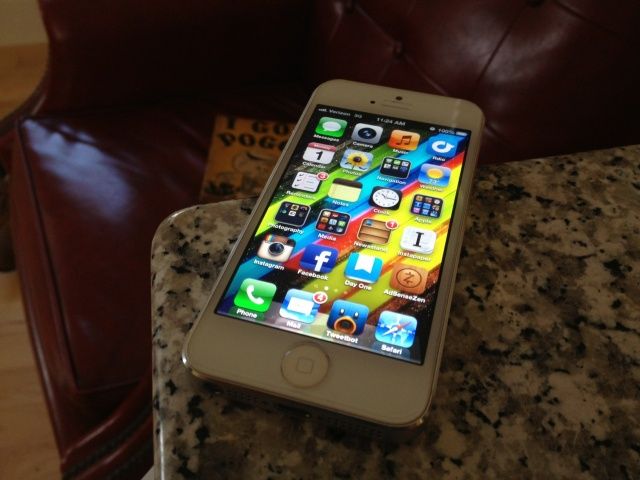
Screen protectors aren’t sexy or glamorous. They’re like condoms: prophylactics for your smartphone screen that are difficult to put on correctly, feel worse than going bareback, and are just disgusting totems to the shame and filth of your lifestyle when greasily wadded up and hurled into the nearest waste basket.
The only thing I hate more than screen protectors is watching the inevitable patina of nicks and scratches milkily cloud up my iPhone screen. Over the years, I’ve tried a bunch of iPhone screen protectors, from the inevitable Invisible Shield to the PureTek Roll-On. Last year, though, I finally found my favorite screen protector for the iPhone 4S: the Spigen Glas.t, a sheet of 0.4mm tempered glass that not only is easy to apply, but feels just the same as riding your iPhone bareback.
Now the iPhone 5 is here, and Spigen has released a new, longer GLAS.t to match the new iPhone’s longer dimensions. For my money, just like its predecessor, this is the only screen protector you should even bother with.
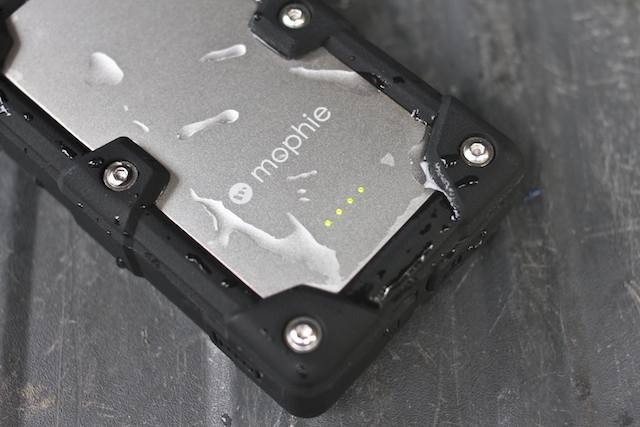
There’s an important list every serious outdoor junkie has at least heard of — it’s called the Ten Essentials, and it lists gear no adventurer should journey into the wilds without. But it was codified long before the digital age arrived; now that power-hungry electronic gadgets are a part of adventuring, a relaible backup fuel tank is pretty important. It could even make the difference between life and death.
That’s where Mophie’s Juice Pack Powerstation Pro ($130) comes in. It’s a monstrous 6000 mAh chunk of a battery guarded by a ruggedized, military-spec housing — and it’ll charge practically anything short of a laptop.
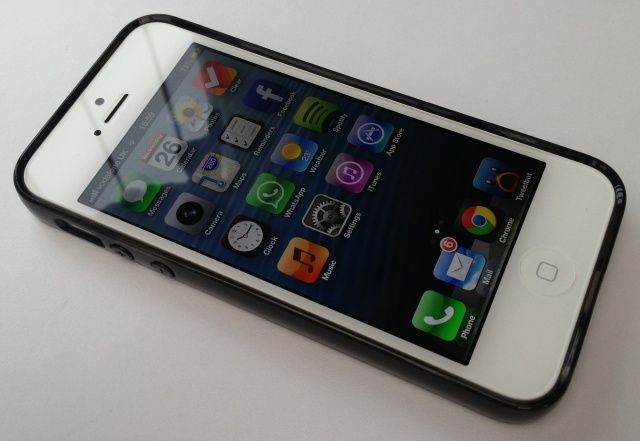
The Belkin Grip Sheer, provided by the fine folks at MobileFun, is an iPhone 5 case manufactured from thermoplastic polyurethane (TPU) that promises to be “super durable, yet thin enough to slip easily into your pocket.”
Priced at just $21 (£16), the Grip Sheer comes in a range of fancy colors, and boasts a high-gloss transparent finish that’s designed to look good and feel great. It also provides you with access to all your buttons and ports, and leaves a nice big cutout for your iPhone 5’s camera and flash.
So, is the Grip Sheer a case you should be picking up with your new iPhone 5?
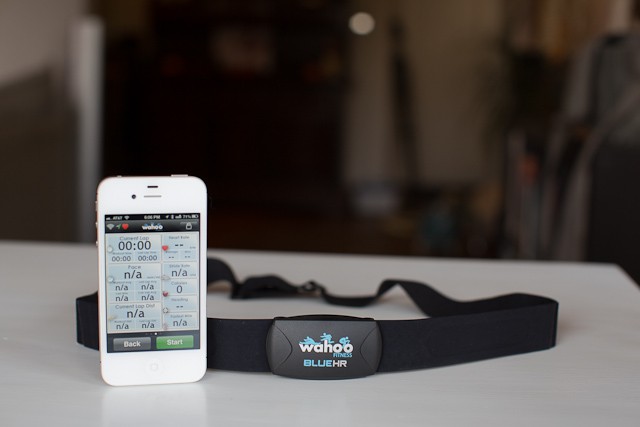
The Wahoo Blue HR ($79) heart rate strap performs a neat trick: by pairing with your iPhone (4S or 5 only) via Bluetooth, it allows you to transform your favorite iOS device into any of the amazing heart rate monitors available on the App Store today. Even better, it works with all the best cycling and running apps too, so now you can monitor your heart and calories on your rides or runs.
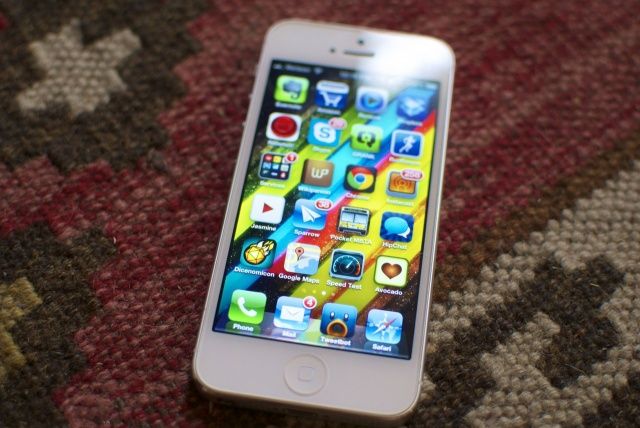
After months of rumors and speculation, the iPhone 5 is finally here, featuring a thinner, lighter design, a taller 4-inch display, LTE, the new Lightning connector, redesigned EarPods, and more. It’s the first major iPhone redesign in twenty-seven months, and the first iPhone ever to change the aspect ratio of the device, to have LTE, to use a new connector or to have new headphones, but despite this, many have criticized the iPhone 5 for being boring.
What’s the truth? Is the iPhone 5 dull, or is it a major leap forward for Apple’s most iconic device? We’ve spent the weekend reviewing a 64GB white-and-silver iPhone 5 on Verizon’s LTE network, and put it through its paces. Here’s what we thought.
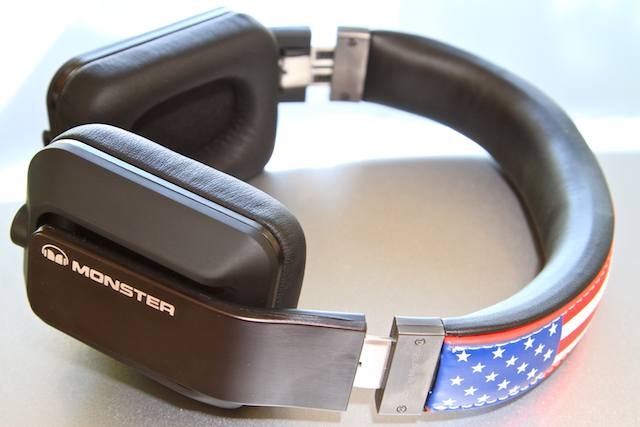
I remember saying something to the effect that these Monster Inspiration headphones (passive noise isolation, $300) looked like fluff when I first encountered them at the Consumer Electronics Show earlier this year. Boy was I wrong.

Every review of the iPhone 5 makes great efforts to talk about how light it is. I’ve read those reviews over and over again since Tuesday. Even so, when taking my iPhone 5 out of the box for the first time, I so misjudged the weight that it went flying from my fingers and onto the floor. This is lightness to the point of ephemerability. It’s so hard to believe, and yet it’s testament to the iPhone 5’s construction that such a thin slate of glass and aluminum doesn’t break apart between your fingers like a communion wafer when you touch it, let alone when you — as I did — accidentally fling it across a room. But my iPhone 5 wasn’t even scratched.
This isn’t our review of the iPhone 5. Far from it: we’ll be posting an in-depth review first thing on Monday morning, once we’ve had a chance to put it through its paces in full. These are our first impressions, and let’s say it right off the bat: from the second it comes out of the box, the iPhone 5 seems like such a leap over the iPhone 4S that it’s like picking up your first MacBook Air after lugging around a lunky 2008 MacBook Pro for years. In a couple of years, Apple has improved the design of the iPhone 4/4S so much that the latter now seems absolutely antediluvian.
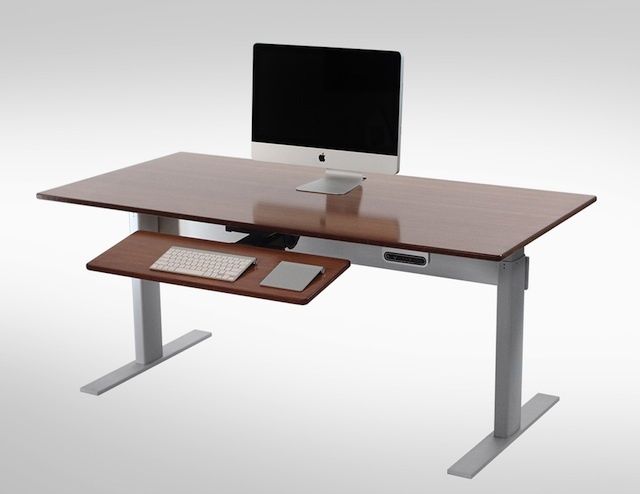
When it comes to home furniture, computer desks are pretty much the least exciting thing on the market. Even coffee tables are more exciting. That’s kind of all changed over the last 12 months as standing desks have become a sort of fad with studies showing that switching to a standing desk can improve your health tremendously.
Half of our time as humans is spent sitting down at work, watching TV, or driving a car. Something needs to change, so I sought out to find the best standing desk on the market that abides by Apple’s design principles, and the NextDesk Terra was the winner.

Editor’s Note: This review has been stickied to the top of the front page. There are likely new posts below it.
After months of testing, iOS 6 — the most recent major update to Apple’s mobile operating system — is now here. Featuring an entirely new Maps, a new Passbook app, some impressive new updates to Siri (who also comes to the iPad with this release), a great Do Not Disturb feature and a lot more, iOS 6 is a great refurbishment of the world’s best mobile OS. But all is not perfect, and in at least one way, iOS 6 might prove disappointing to people upgrading from iOS 5.
Over the last few months, we’ve been putting iOS 6 to the test on our iPhones and iPads. Here’s what we thought.
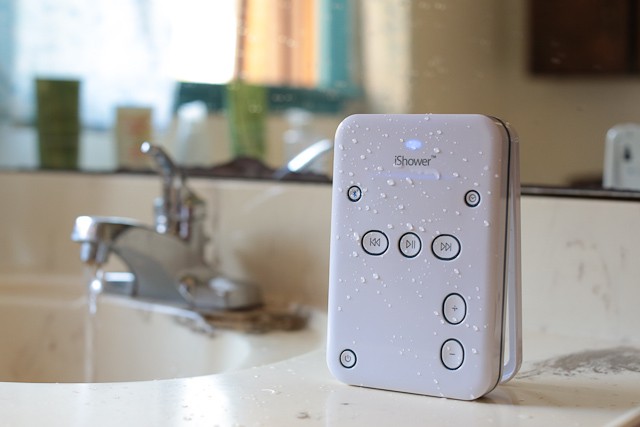
I’m one of those people that loves background noise. I like listening to podcasts when I cook; I love a running telly while I’m doing chores; and even when I’m in the shower, I’ve either got Spotify or those podcasts going again.
Previously, this love of shower-time bluegrass meant bringing my iPhone into the bathroom, cranking up the volume on its little speakers, then straining to hear its tinny audio through the whir of water and intense loofahing. But the iShower ($100) Bluetooth speaker fixes this problem simply and wonderfully. It brings your iDevice’s audio anywhere where water would usually kill it, like your bathtub, shower, or sink, and works so well, it’s quickly becoming my favorite new iPhone accessory.
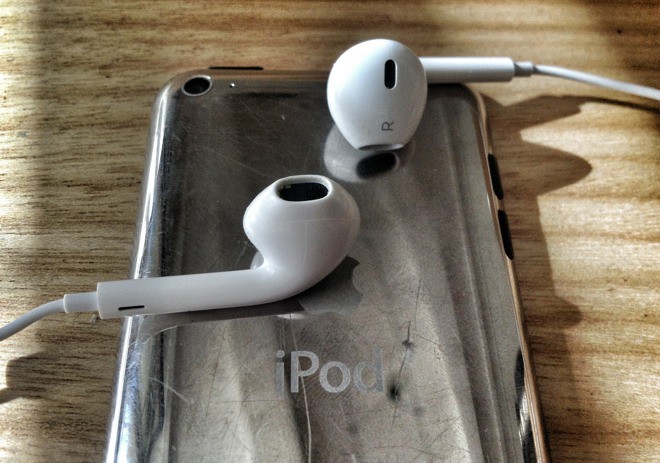
As of next week, when Apple starts shipping the iPhone 5, the standard earbuds supplied with its portable devices will be superseded by the new EarPods. From the outside, these look a lot like the iconic white buds they replace. But yank them out of your ear and you’ll see that the design is quite unlike any earbuds you’ve ever seen.
The product blurb tells us that they’re resistant to sweat, and that they sound as good as headphones many times the price. It also says that they tenaciously hold on to your earholes, even when doing sports, and that they do this while remaining comfortable. So how do these claims hold up?
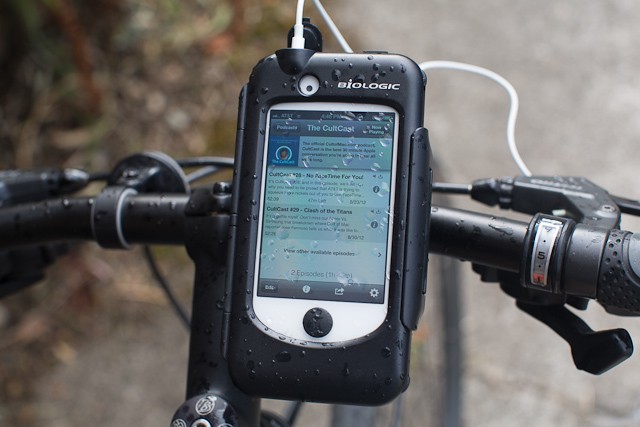
If you’re more than a casual cyclist, you might’ve considered buying a bike computer to track the details of your rides. But did you know, if you own an iPhone, you’re only one cycling app away from already owning the bicycle computer you so desire.
But you’re also going need a way to keep your new iComputer mounted to your handle bars during those long rides; and that’s where the excellent ReeCharge Case ($100) from BioLogic comes in.

Ever since the iPad 3’s magnet-reversal killed the ability for my Skech Porter case to wake the screen, I have been looking for an iPad case I can keep on all the time. The criteria are as follows, in no particular order:
The last of these was just a joke, but the New York Hong Kong (NYHK) cases includes it and everything else on the list. In fact, if not for one important niggle (which is the fault of the iPad 3 itself), then the NYHK could be just about the best slimline folio case I have yet tried.
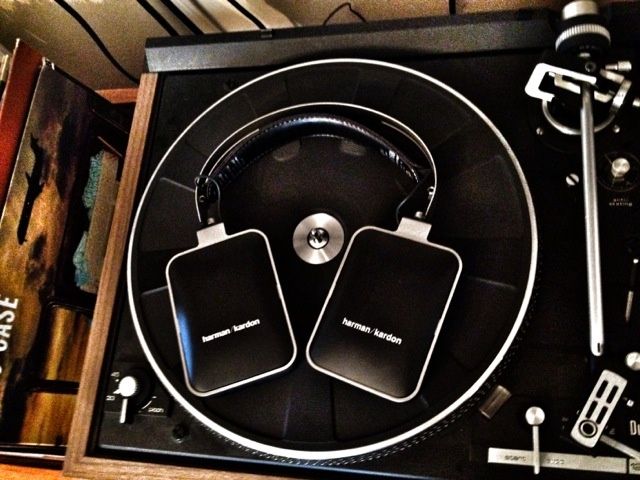
Most Bluetooth headphones are ugly. Most Bluetooth headphones are junk. Most Bluetooth headphones make you long for a cord. They are distorted, bass heavy, low-quality piece of junk.
For the most part, not so Harman / Kardon’s over-the-ear Bluetooth headphones. These are Bluetooth headphones worthy in both sound quality and design of the iconic company that not only helped create Hi-Fi, but is, in many non-trivial ways, the Apple of sound.
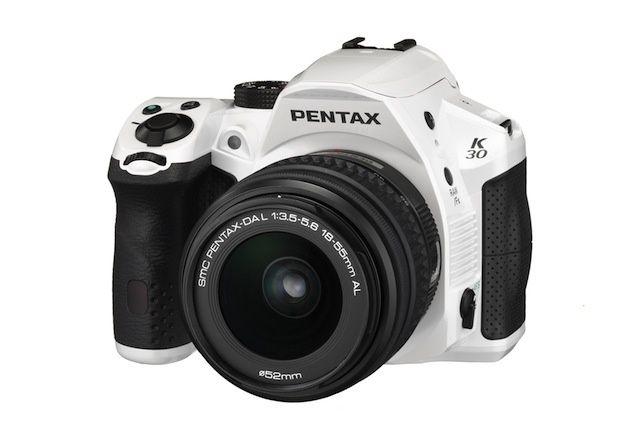
The chunky K-30 is the latest DSLR from Pentax. Don’t be deceived (or put off) by its unusual looks – in use, it’s a fantastic general-purpose camera that produces high quality, color-accurate pictures. Cult of Mac took it for a spin.
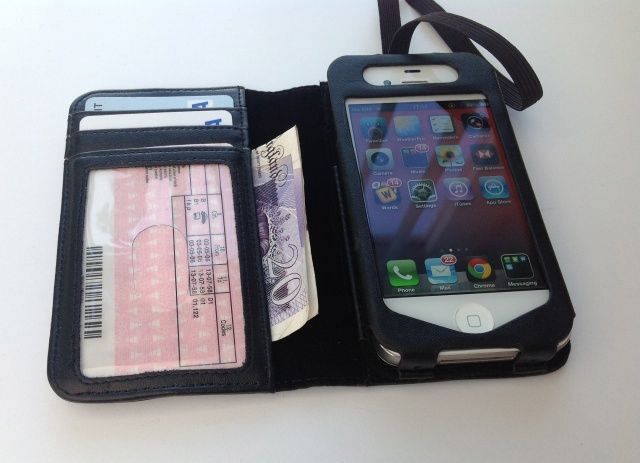
Yes, I’m reviewing another iPhone wallet case. But this is the last one on my pile of things to review — at least for now. Built by NutKase, this particular model is manufactured from thick leather that comes in black or red, and it boasts three card slots and a “hidden” cash pocket.
If you buy the black version, you get an elasticated band that keeps the wallet closed while its not in use; while the red version features a more elegant leather button clasp.
Both models come with a unique selling point that I’m yet to find in another wallet case: a built-in magnetic stand that allows you to elevate your device for FaceTime calls, typing with an external keyboard, or watching movies — wherever you may be.

Ah, fall. When the days grow shorter, the air gets crisper, and we finally get American football back after a purgatory of endless midseason baseball games and Olympics roundups about Bob Costas’s dimples. I’ve been obsessed with football — both college and the NFL — since I was a little kid, so this is unquestionably my favorite time of year. And there’s never been a better time to be a fan. Apps galore for iPhones and iPads have now made it possible to watch games on the go — and out of original broadcast market. A word of warning: several of these applications only work in the U.S. market and with a subscription to cable or satellite. So no fair complaining about that like the App Store critics do.