Mobile menu toggle

Reviews - page 126

Monster’s Clarity HD Model One Speakers Are Party Central [Review]

By

monster-clarity-hd-model-one-1

Let’s say you like music. And parties. In fact, let’s say you like partying and music so much, you flit around from house to house, grooving away each night, mesmerising your friends with your iPhone’s fabulous playlists. Sound like you? Then you’ll probably go nuts over Monster’s dock-equipped, super-portable, no-fuss Clarity HD Model One speakers.

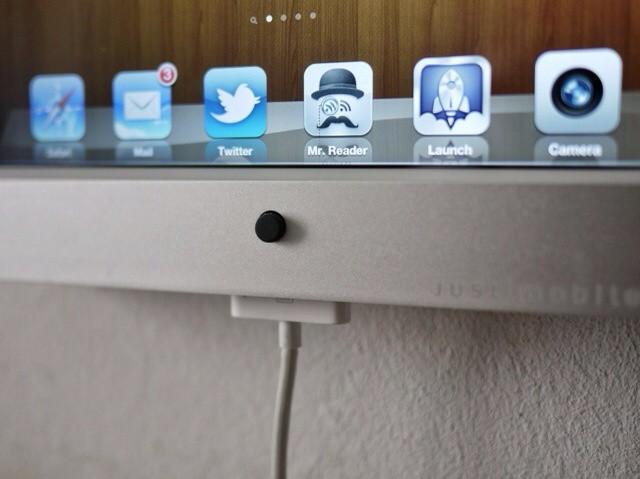
Monster really zeroed in on designing this set as a portable party. Each cabinet has a top carrying handle, and the right speaker sports a recessed 30-pin iPod/iPhone dock with a power button and volume knob nestled nearby. If you forget your iDevice at home, there are three other input options to choose from.

Face Recognition Photo App Hopes To Sidestep Basic Flaw With A Blink [Review]

By

Dare you show your face?

Facevault is a one-dollar photo archive app that can only be unlocked by one person – the one with the right face.

It sounds neat, and yes, it works. But the face recognition features come at a price, and are hindered by a flaw that affects other apps using the same technology: it can’t tell the difference between real faces, and photos of real faces.

Tochki: A Simple Concept, A Lot Of Fun [Review]

By

A simple strategic puzzle game
A simple, strategic puzzle game

An email arrived at Cult of Mac headquarters the other day: “Can you please let me know if it possible to make a review of our game on cultfomac site?”

It was from Andrey Uchaev, one of the team at Russian developers Manera Software, letting us know about a free iOS game called Tochki Online. We don’t often do reviews of free, ad-supported games, even less often about ones like this that we’ve never heard of and that have no user reviews in the App Store. So why are we reviewing this one? Because it’s fun.

Microsoft’s SkyDrive For Mac: Not Dropbox, But Not Too Shabby Either [Review]

By

It looks a bit euw, but it works

Microsoft’s online file storage service SkyDrive, got a boost today with the announcement of some new features, including a native Mac client app for OS X Lion. While SkyDrive might lack some of Dropbox’s more advanced features on OS X, it does offer something only a giant like Microsoft can afford: 7 GB of free space for everyone, and up to 25 GB if you already have a Windows Live ID and sign up fast enough.

Logitech Cube Mouse: For Starters, It’s a Flipping Cuboid [Review]

By

logitech-cube-1

Boy, can press releases be deceptive. When we recieved the email and photos from Logitech earlier this year unveiling the outfit’s cool new mouse/presentation device, we had the impression the little brick was much bigger than it actually is. In fact, the $70, wireless Cube is tiny — so tiny that it almost seems designed for the hands of a five-year-old.

Figure Music Making App Brings Out The Unknown Composer Within [Review]

By

Playing
Making music with Figure

Note: Since posting this article we received the following sound advice from app designer Propellerhead regarding the issue of latency we experienced with this app: “Try re-booting your iPad!” And it worked! The time delay reported herein seemed like a fun dimension intrinsic to the app, but this is not the case. My bad.

Figure is a new music-making app for iOS that allows users with a few minutes to spare to come up with electro / synth-pop grooves quickly while on the go. It’s a load of fun and sounds great, and you will never know what you are going to create next… really.

Pop: An iOS Writing App That’s Nearly Too Minimal [Review]

By

pop for iphone
Pop creates a dead simple writing environment on the iPhone and iPad.

Minimalism is a fascinating thing. Our world is getting increasingly loud and busy, yet many are starting to want more minimal and distraction-free experiences. Apps specifically are another way that the minimalism trend can be observed; more and more applications are getting back to the roots by cutting away superfluous effects and features.

Pop is a perfect example of how minimalism manifests itself in a basic iOS app. Unlike other writing apps for the iPhone and iPad, Pop is just a blank pad to jot down text. Nothing else. Nothing at all… But really, that’s all there is.

Sony RDP-X500iP: Now This Is What A Great iPhone / iPad Speaker Dock Sounds Like [Review]

By

This is one sweet-sounding trapezoid.

For the price, the Sony RDP-X500iP is a hell of a lot of sound. In fact, it’s the best-sounding iPhone, iPod or iPad dock we’ve seen in its price range, and it even manages to match the audio quality of some speaker docks that cost $100-$200 more. If you’re looking to buy one, though, you should be aware of a couple of niggles before you drop your dough.

645 Pro Takes The Best iPhone Photos You Have Ever Seen [Review]

By

pro645.jpeg
There.

645 Pro bills itself as an app which will turn your iPhone into a DSLR. At first glance, it seems like this has been achieved by mimicking the buttons and LCD panel of a modern SLR, and to an extent that’s true. But the real meat here is under the hood: 645 Pro shoots uncompressed JPEGs and TIFFs, and gives the closest that we’re likely to see to RAW images from the iPhone’s camera.

Sony Tablet S: Finally, An Android Tablet That Isn’t Just Another iPad Clone [Review]

By

post-162044-image-c374915e31c4384ca7c33ae717f39a5f-jpg
The Sony Tablet S does things different for Android tablets, but does it do them differently enough?

One of the first things you’ll notice about the Sony Tablet S is its design. It’s not flat, but a wedge that fits comfortably into the hand, like a magazine with its cover folded back on a hot summer day. The Tablet S looks wholly unlike any other tablet on the market. It’s something original, something that instead of simply trying to be an iPad knock-off has its own distinct design language. And it’s without a doubt the best thing about the Sony Tablet S. It’s just a shame that this brave and wonderful sense of identity in a sea of iPad clones is only skin deep.

Mattebox Might Be The Best iPhone Camera App Around [Review]

By

Screen2.jpg

Mattebox is the closest you'll get to using a high-end film camera on your iPhone

I’ll come out and say it at the top of this review: Mattebox is hands-down the best camera app I have used on iOS. That it was launched in December of last year and I only found out about it today is something of an embarrassment.

If you love the richness of features and tweakability of something like Camera+, then Mattebox may not be for you. But if you ever picked up a Leica and loved how the camera seemed to disappear, allowing you to just get on and shoot, you’re gonna be out by $5 in the next few minutes.

Able Planet Headphones Cancel Noise, But That’s The Boring Part [Review]

By

People with tiny pin heads might avoid these headphones. Photos Charlie Sorrel (CC BY-NC-SA 3.0)

For anyone who spends a lot of time in trains and planes, noise-canceling headphones are pretty much essential. But if you’re walking the streets, then noise canceling can be a pain or even a hazard, isolating you a little too much from your environment.

Luckily, the Able Planet Linx Audio Clear Harmony headphones sound pretty good with noise cancelation both on and off. And they’re also comfy enough to keep on throughout a long journey.

Carry Your Camera Gear Across The World With The Think Tank International [Review]

By

Think Tank International
The Think Tank International is ready for stowing in a carry-on compartment near you

The International ($350), from Think Tank Photo, is similar to every other piece of rolling luggage you’ve probably used, with a retractable handle and rolling wheels, but on the inside, instead of keeping your dirty drawers stowed, it secures treasures of a different kind: your plethora of expensive camera gear. And it does so admirably.

The Great New Alupen Pro Stylus Also Writes On Paper [Review]

By

The Alupen Pro: Thinner, healthier and pen-ier than its fat predecessor Photo Charlie Sorrel (CC BY-NC-SA 3.0)

I was a big fan of the Alupen when it launched — so much so that I went out and bought my own. It was chunky, looked like a metal pencil and felt pretty good in my big hands. Then came the Wacom Bamboo stylus and our love affair was over.

Now, though, the newer skinnier, cleverer Alupen Pro has got me two-timing the svelte Bamboo. Why? Because it has a biro built in.

This iOS App Blows Your Mind In Four Dimensions [Review]

By

Watch out for the cuboid shadow of the 4D object later on

If, like many people, you find Mondays just too much to cope with, you might want to avoid today’s app. It’s not the sort of thing that’s going to make your Monday feel any better, and in some cases it will just fry your brain until next Monday. Which would be a shame, because you’d miss out on a whole weekend.

Be forewarned, then: The Fourth Dimension is an app which will mess with your head. Deliberately. Even though the aim is education and expansion of knowledge, it will still mess with your head. You will emerge from the experience only fractionally the wiser, and quite a lot more confused than you were at the beginning. Don’t worry, this is perfectly normal.