I’ve stayed in some pretty nasty hotels in my time, but none of them ever quite got as bad as Bad Hotel.
Bad Hotel is bad in the sense that I wouldn’t want to stay there. Too many bad guys trying to smash it down all the time. Unusual, for hotels, but there you go.
As a game, though, Bad Hotel is fantastic. It’s brilliantly different. It doesn’t care what you think of its weirdness. It’s there to entertain, and does so with charm and wit.
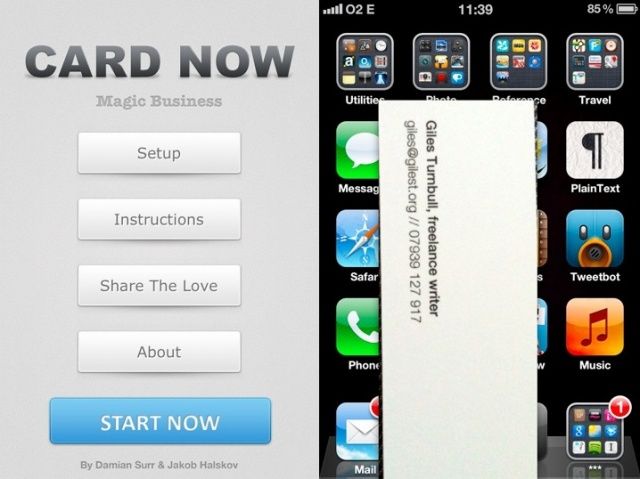
I didn’t expect Card Now to actually make me laugh, but it did. The idea of a business card-conjuring trick app made me shiver with horror – why would I inflict such a thing on other people?
But the reality, when I tried it out, was hilarious. When I “magically” pulled a freshly-printed business card off of my phone’s screen and into the real world, people’s reactions were delightful. I ended up laughing out loud.
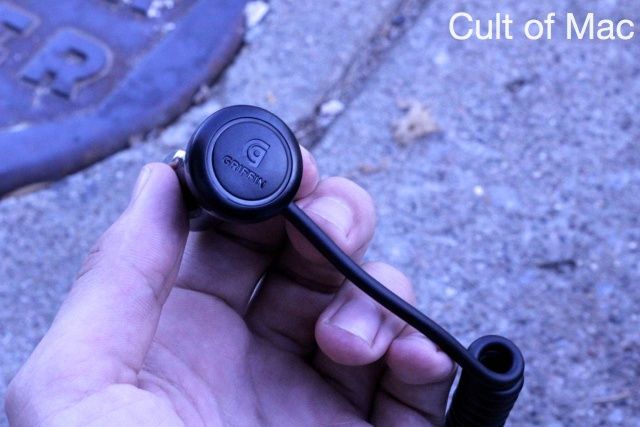
After months of silence, big accessory makers are finally starting to rollout products for Apple’s Lightning dock connector just in time for the holidays. One such example is Griffin’s new PowerJolt SE car charger. The cord plugs into your car’s 12 volt power outlet and channels 10 watts of juice to your Lightning-equipped iOS device.
My iPhone would die if I couldn’t charge it in the car. I’ve been using a 30-pin Belkin charger with Apple’s Lightning adapter since I got my iPhone 5, but Griffin sent me the new PowerJolt SE last week.
At long last, a full year after its iPhone debut, the Call of Duty Elite app (free) has finally made its way to the iPad. I can finally view my Xbox Live carnage on my iPad 3’s big, beautiful, retina display screen. But besides peeping kill counts, this freshly minted app also introduces some very interesting new features.
As expected, Nokia has unleashed its own maps app for iOS, under the brand name Here. If you’re not Here already, where do you want to be? And can Here take you there?
I bought a 15-inch MacBook Pro with Retina display this summer, and I’m absolutely in love with it. I firmly believe that it’s the best laptop Apple has ever made, and it has totally changed my workflow.
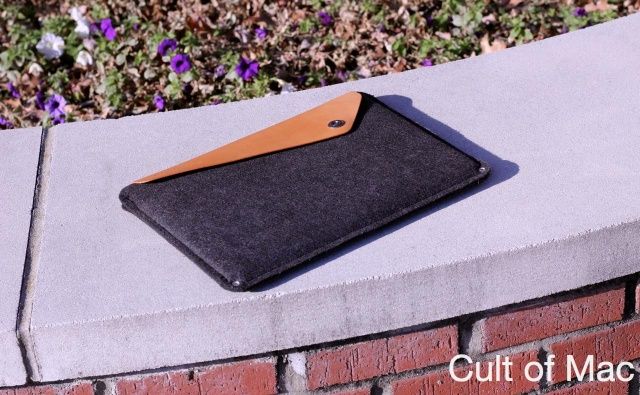
One of the main qualities of the Retina MacBook Pro is its portability. It’s crazy thin. I carry this laptop with me everywhere, and I knew when I bought it that I needed something to help keep it protected.
I’ve been using Mujjo’s wool MacBook sleeve nonstop for the past couple months, and I couldn’t be more pleased.
Roger Dean is famous for his fantasy world artwork, which graced many a record sleeve and book cover during the 1970s and 80s. His work is iconic and instantly recognisable to a generation.
This app – Dragon’s Dream – is an unfortunate foray into iOS. It fails to do justice to Dean’s skill as an artist, and fails to offer iOS gamers an experience worth five dollars.
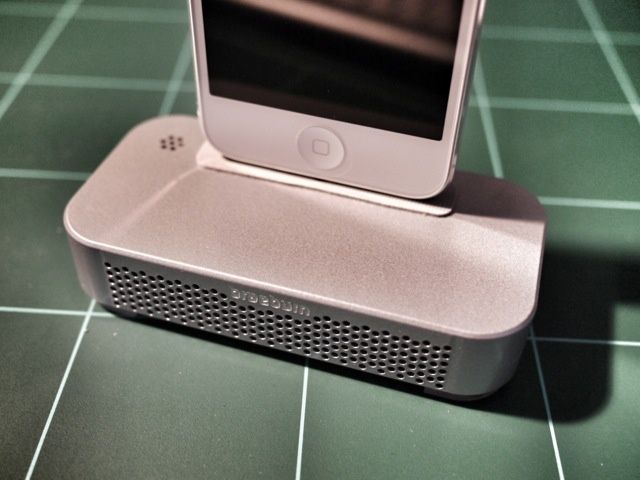
There are almost no iPhone 5 docks available right now, and that’s for two reasons. One is that Apple has only just let manufacturers start including the new Lightning connector in their products. The other is that the new iPhone has only been around for like five minutes.
Braeburn has managed to get around the former problem by asking you to use your own Lightning cable, and the latter by, well — who knows? By being smart and hard-working I guess.
I have been using the aluminum dock for the past week, and it turns out to be pretty neat, although it won’t be for everyone.
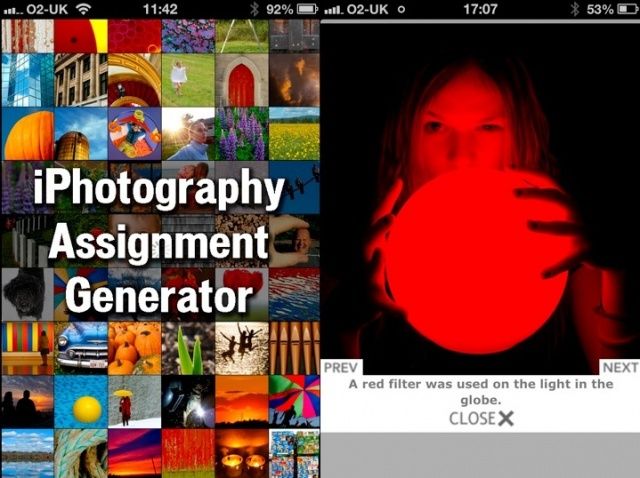
If you’ve explored all the creative possibilities offered by Instagram’s built-in filters, and people have stopped commenting on the pictures you upload to Facebook, maybe the time has come to push yourself a little further. Photo Assignment Generator for iOS can help you with that.
Do you smell that? Over the intoxicating aroma of gingerbread lattes, there’s another scent. The smell of fear and anxiety.
That can only mean one thing: the holidays are upon us. And if you’re anything like me, this time of year fills you with dread… the dread of picking out the perfect present that will delight yet not break the bank.
As someone who also feels the stress of holiday shopping, let me give you some advice: if you have a special gal in your life and no ideas on what to get her, consider the Melissa cross-body iPhone bag by Knomo. It’s an excellent choice, and she’ll probably love you for it.
Leander Kahney's plans for world domination grow ever more ambitious
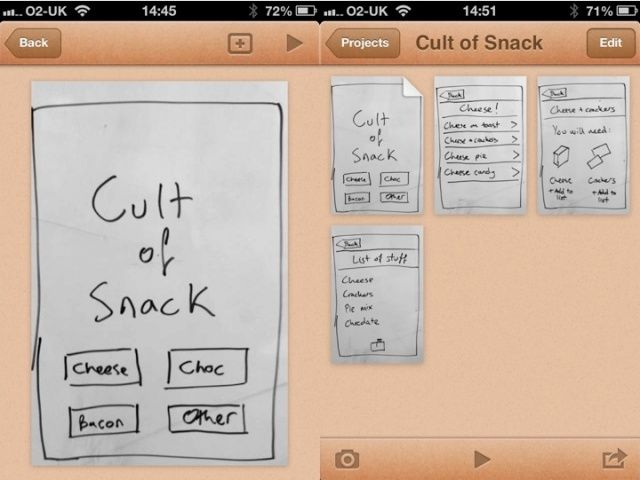
Ever had an idea for an app, but no way to record it? Worry no more: Pop is an ingenious free app for prototyping apps. You don’t need to know any code. All you need is a pencil and paper and an idea.
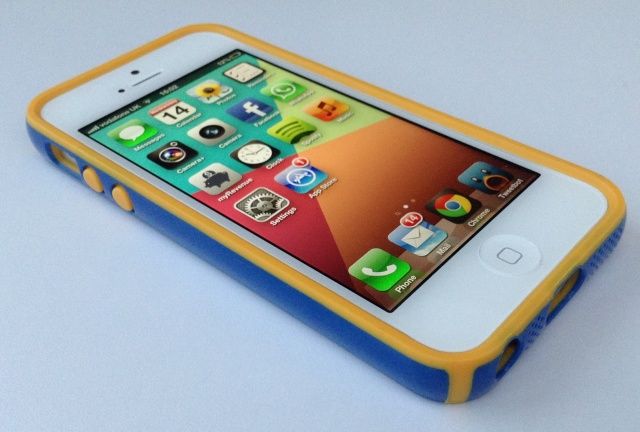
The Speck CandyShell is a dual-layer case with a patented design that aims to give you all-around protection for your iPhone 5. It combines a soft, rubber interior with a hard outer shell that offers plenty of impact resistance for those unfortunate yet inevitable drops.
The CandyShell also provides protection for your volume keys and sleep/wake button, while providing access to your headphone jack, Lightning connector, mute switch, and camera.
It costs $34.95 and comes in a plethora of color combinations, including black and slate, white and charcoal, raspberry and black, grape and malachite, and many more.
Anyone with fond memories of playing Zoo Keeper on a Nintendo DS a few years ago probably doesn’t need to read any further. Just go get it for iOS now, and have fun.
If you missed out on Zoo Keeper first time round, or if you’ve simply never encountered it, allow me to enlighten you: this is fantastic fast-paced color-matching puzzle fun. And for the time being, it’s free.
“OMG—it’s huuuuge…” That’s what my friend said when she first saw me holding the Retrospective 50 camera bag from Think Tank Photo ($240). My ego properly boosted, I heartily agreed with her.
But besides being the size of a japanese automobile, the Retrospective 50 (R50) is a continuation of functional, understated, vintage-looking camera bags from Think Tank. And unlike the other smaller bags in the Retrospective line, this one has a special space reserved for your 15-Inch Macbook Pro, which I discovered in testing, can be both a pro and a con.
This is Curiosity, a free iOS game from British gaming icon Peter Molyneux. The idea is that all of us – everyone playing the game – work together to peel off layers of cubelets that make up the larger revolving cube. At the center, a surprise (and a prize) awaits the person lucky enough, and determined enough, to tap on it at the end.
Only two people in the whole world know what’s at the center. Do you care what it is? Do you care enough to spend hours tapping on your iDevice to find out? No, really: hours.
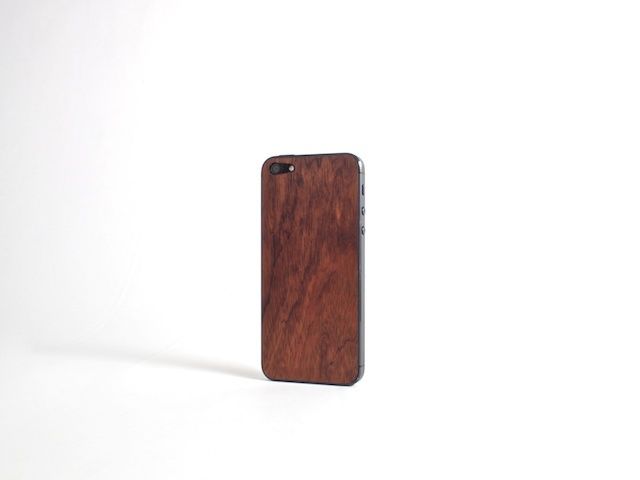
Monolith's new wood skins for the iPhone 5 are every bit as good as the replacement backs they made for the iPhone 4... and that's saying something.
I like my iPhones in wood. Part of it’s to satisfy my Danish mid-century pretensions, but as I’ve said before, there’s something perfect about making a smartphone after wood. Wood implies an intimacy that metal or plastic doesn’t — that it was hand-crafted with you in mind — which makes it a natural (but not practical) material for a smartphone, which is the gadget with which most of us have our most personal relationships.
Back when I had an iPhone 4S, I replaced the glass back of my device with a replacement teak back by Monolith and never looked back. Not only was it more practical and more unique than the iPhone 4S’s easily shattered glass back, but it felt just sublime in the hand.
When the iPhone 5 came out, I was eager to know from Monolith whether they’d be doing replacement wood backs for Apple’s latest handsets. The response I got was a disappointment: while it was possible to replace the back of the iPhone 4/4S by just popping out two screws, it was impossible to replace the iPhone 5 ‘s back plate in the same way. The best Monolith could do, they said, was adhesives. My heart sank. Surely, wood stickers you slap on the back of your iPhone 5 would just suck.
They don’t. Defying both my expectations and experiences with similar products, Monolith’s wood iPhone 5 skins are every bit as amazing as their wood iPhone 4 backs. They’re beautifully made, wonderfully packaged, easy to apply, feel rich and luscious to the touch and are so thin as to make you have a hard time believing they can shave a tree this thin.
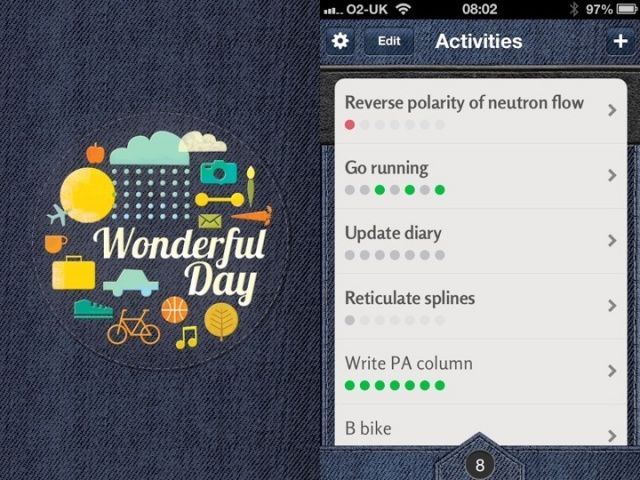
Wonderful Day is a different sort of one-dollar reminders app. It’s there to remind you of the things you’d like to get done, not the things you have to do. Although it sports an attractive visual design, it suffers from a handful of crucial failings that make it less useful than it could be.
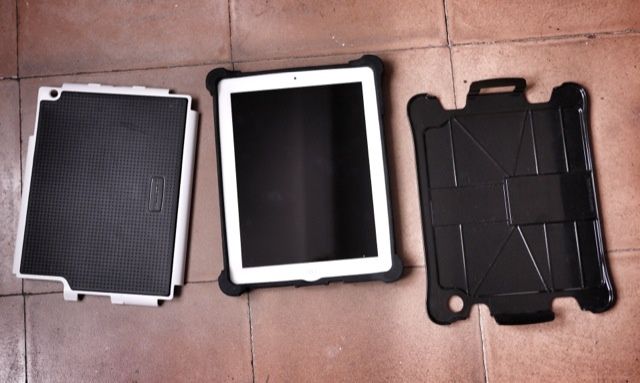
The Ballistic Tough Jacket is the clearest case of overkill I have seen in a while. If you need protection at the cost of size, weight and style, then you should probably buy one now. Otherwise, read on. The case is actually pretty useful.
Readers of a … certain age. Will remember. The way William … Shatner. Used to talk. On Star Trek. Few of you will have … wished to make poetry that sounds. Like. That. On your iPhones. But now … you. Can. My God, Bones. My God.
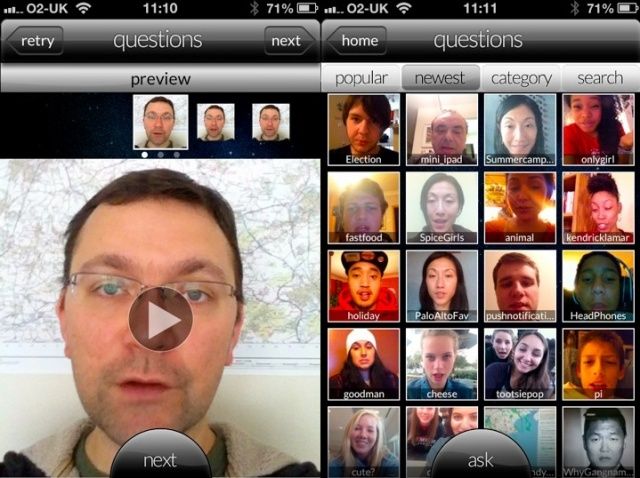
Questions is a video ask-and-answer community for iOS. A bit like a video version of Quora – although where Quora encourages thoughtful discourse and discussion, Questions is all about brevity and snappiness. You only get 10 seconds to ask a question or submit an answer.
When I first heard that Angry Birds Star Wars was on its way, all I could think was: I have a bad feeling about this.
The cynic in me felt disgruntled about the repetitive nature of the Angry Birds brand, but the realist in me told the cynic to shut up, chill out, and enjoy the game.
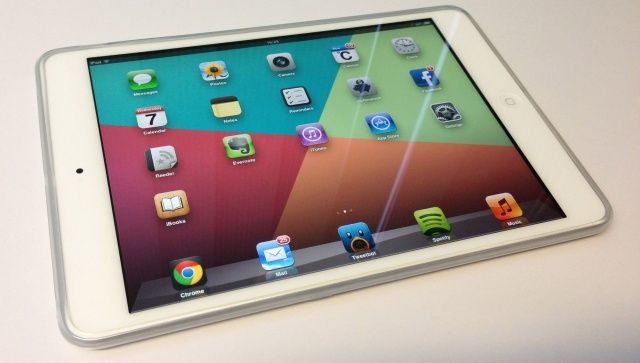
The FlexiShield Skin has just enough protection at the front for your display.
The FlexiShield Skin from MobileFun is a translucent silicone case for iPad mini that’s designed to offer long-lasting protection, extra grip, and a slender profile that “highlights the form of your iPad mini” rather than spoiling it.
It provides impact and scratch protection to the back of your device, while still allowing you to access all of its buttons, ports, and switches. It costs $16.49, and it’s available in white, purple, and black.
No matter how long it spent waiting for approval, Google’s updated search app for iOS was worth the wait. Is it a shameless Siri-clone for web search? Yes, pretty much? Is it fast, instantly usable, and useful? Oh yes. Oh yes it certainly is.