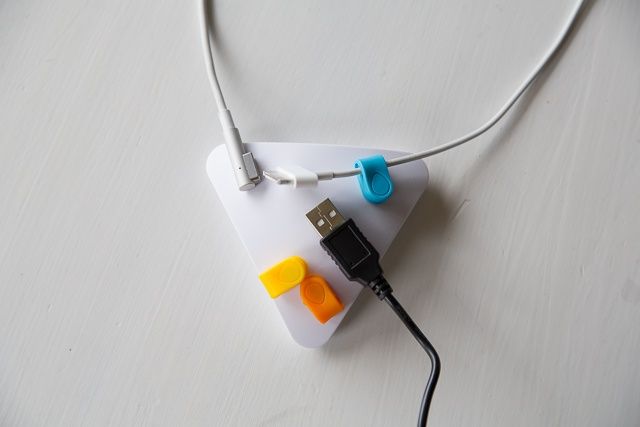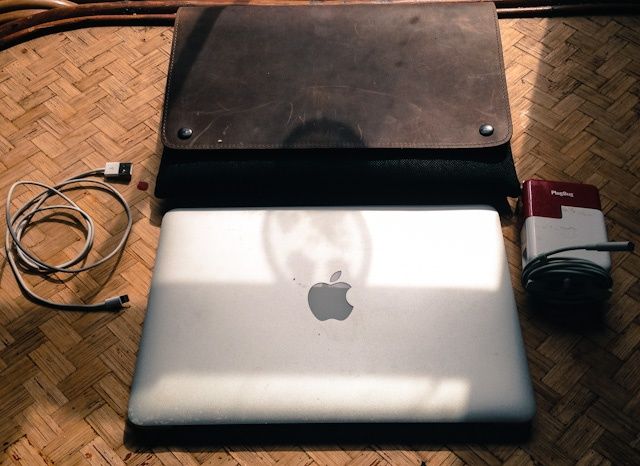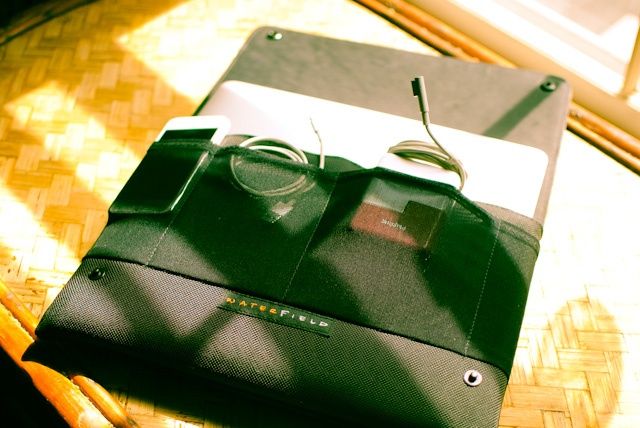
Even if the only traveling you do is from your home to your office, and even if that “office” is actually just your bedroom, then you will probably find the PlugBug wicked useful. But if you ever leave your home country’s own shores, then you might consider the PlugBug World, a globally-aware charger for your MacBook and iDevices.
Hey! Hi there! Grab a chair, pull it closer to the fire. It’s cold outside isn’t it? And you look like you could do with thawing out.
Yes, it’s a lovely fire, isn’t it? Feel free to add some more fuel – anything you like. Your chair, for example. Or your aunt. Or yourself. This fire burns anything. ANYTHING.
We’ve already enthused at length about Mailbox, Orchestra’s incredible new e-mail app for the iPhone, but if you want to see it in action or don’t have the time to read our full review, we’ve got you covered. Here’s a quick five minute walkthrough of Mailbox in action.
That message you meant to get back to gets buried in a pile of PR pitches, or deal mailers, or unsolicited spam, until the prospect of doing something as simple as writing back to an email from a week ago becomes as onerous a task as snorkeling in a sewage tank. In a day and age where walking away from a computer for just a few hours can result in dozens of emails piling up, all of which have different priorities, email has undergone a horrible mutagenic transformation in the minds of most users: from a supremely useful communication tool to a digital black hole where information, once trapped, inescapably leaves the universe forever.
The idea behind Orchestra’s new iOS emailing app, Mailbox, is simple. As we know, inboxes fester without constant vigilance… so why not make remaining vigilant as easy and satisfying as ticking off items on a to-do list? That’s what Mailbox is in a nut shell: an app that takes the GTD ethos and gesture-based interface of an app like Clear and applies it to your inbox.
How well does it work? So well that we’re comfortable saying that if you get any volume of email, Mailbox is worth throwing any other iOS email client in the trash.
Mr T is now 60. Let me repeat that for you, fellow children of the 1970s and 1980s: Mr T is 60 years old.
He could have left all that “I pity the fool” and “I ain’t getting on no plane” stuff behind him many, many years ago. But why let a good catchphrase go to waste? Especially when there’s a whole App Store’s worth of money to made from it.
Speck’s CandyShell cases are available for Apple’s entire lineup of iOS devices, and the latest edition comes to the iPad mini. Consisting of a soft, rubbery interior and a hard outer shell, the CandyShell promises impact protection from everyday dings and drops — without adding too much weight to your device.
Its simple shell design makes the CandyShell one of the most basic cases in Speck’s lineup. It provides protection from almost every angle, and leaves access to all of your ports, buttons, and cameras. But there’s nothing too fancy here; there’s no front cover or fold-out stand or pockets for your credit cards.
It is available in a number of bright and pretty colors, however, including raspberry & cool grey, flamingo & fuchsia, and harbor & malachite. It’s price at $44.95, but is it worth it?
BlackBerry — previously Research in Motion — launched the new BlackBerry Z10 last week, the first smartphone to run the company’s new BlackBerry 10 operating system. Originally set to launch in late 2012, the Z10 has been a long time coming for BlackBerry fans, and it’s a hugely important milestone for the Canadian company.
Many see this as BlackBerry’s last hope of survival in today’s cutthroat smartphone market. It’s been rapidly losing market share to Android and iOS devices over the past five years, and it hasn’t evolved quick enough to put up any sort of a fight. But it’s better later than never.
BlackBerry 10’s here now, and with the help of the Z10 — and later the Q10 — it’s going to be trying to persuade you to give up your iPhone or Android-powered smartphone in favor of a brand new platform. But is it good enough?
I’m a long-time iOS user who recently made the switch to Android, and I’ve been really curious to see if the Z10 is any good. I’ve been using the device almost exclusively since its release; here’s Cult Of Android’s review.
Made from rare woods, leather, and nickel-plated aluminum, Element’s Ronin iPhone 5 case is definitely one of the most beautiful and finely crafted cases I’ve seen. But at $180, its price might be hard from some to swallow.
I have a complicated relationship with gloves. On the one hand, I love that they keep my fingers from falling off in frigid weather. But then there’s the frustration at their complete lack of cooperation when I’m trying to use the touchscreen on my phone. As a result, I end up either constantly removing and re-donning my gloves in an endless cycle that freezes my delicate fingers anyway — or abandoning my phone altogether in disgust.
The problem is that most touchscreens rely on our fingers to act as conductors, and conventional gloves block that conductivity. But glove-makers have rolled with the times, and there are solutions — gloves that allow conductivity to pass through the glove’s fabric and onto the screen. One of the most buzzed about is Outdoor Research’s Sensor Gloves ($69), which use real leather that doesn’t appear or feel any different than leather used in non-conductive gloves.
The SkechBook case, from master iPad case-maker Skech, was one of the things that drove me to buy and iPad mini, so slim and cute and retro-tastic is its tiny form.
Since succumbing to the mini’s charms, though, I have come to believe that it really needs no case other than the Smart Cover, and the Smart Cover is only really needed to lock and unlock the screen quickly. Why? Because the iPad mini weighs just 307 grams on my kitchen scale, making even the 68-gram Smart Cover a significant addition to its weight. And apart from the glass screen, the little iPad is so light, tough and compact that further protection seems like unnecessary coddling.
Another week, another todo list. Given the fundamental simplicity of todo lists as we used to know them (scraps of paper with stuff scribbled on), it’s amazing that there’s so much endless innovation in the field of virtual ones. But so it goes, and Finish is one of the latest apps to try and add a new twist. And mostly, it succeeds.
Unu’s Ecopak is about as simple as an iPhone battery case can get. And as this also means that it is thin and light, and that it will work with not only the iPhone 5 but any gadget than charges via USB, that simplicity is perhaps its best feature.
The Ecopak consists of two parts. The thin, snap-on shell-style case, and the. Battery pack itself. Let’s take a look.
Hands up if you remember Dial-a-song. You don’t? Man, those were the good days. Even if you don’t remember them, now’s the time to re-live them on your iPhone. Like it’s an old phone. A dial-a-song phone.
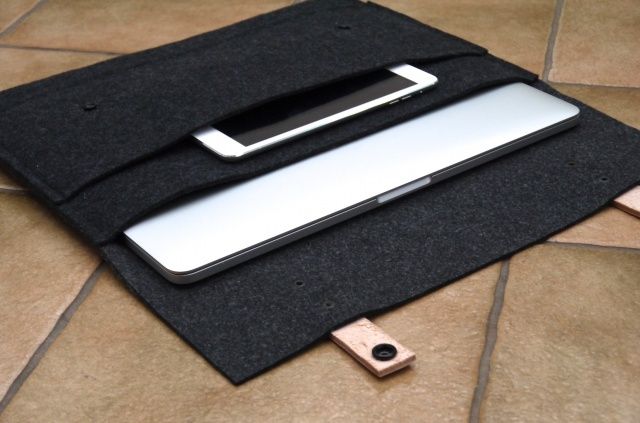
When iHome designed their Smart Brief computer bag ($99), they had the good idea to create a product with pockets for all of today’s modern-day computing devices and accessories. Problem is, like every good idea turned product, execution is everything, and that’s where the Smart Brief starts to get a little lackluster.
“With irritating regularity, my girlfriend and I dance the same dance. She, or I, go to bed with our iPhones. She, or I, lose it somewhere within the ocean of the bedfolds. She, or I, find ourselves apoplectic. She, or I, demands that the other calls the phone to locate. And then she, or I, realize that we’ve lost our phone too. And then we murder each other into a spattering of bloody chunks in our festering rage, somehow to reconstitute ourselves, temporarily find our iPhones and begin this amphisbaena dance anew.”
The guys behind HipKey, a keychain dongle that can track your iPhone (and vice versa), were paying attention, and so they sent me over a unit for review. I’m not sure it’s revolutionized my life, but it sure has simplified it: now, instead of constantly worrying about misplacing my keys or my iPhone, I only have to worry about misplacing both at the same time.
Vine is a new, free toy from Twitter. It replaces text with video, but only six seconds of it at a time, shot instant-by-instant. And it’s much cooler than I expected it to be.
The Bookcase is a three-dollar pocket database for your book collection, one that takes its role very seriously and might be best suited to people with a professional requirement to manage a large library.
Drafts just went from essential to, uh, really really essential.
Drafts, the default inbox for text on your iOS device, has just been updated to version 1.5 on the iPad and v2.5 on the iPhone. And, man, what an update!
Previously, Drafts was a great way to scribble down a note, and then send it off to pretty much any text-based app you could think of. Now, with two big new features called “URL Actions” and “Dropbox Actions,” Drafts not only becomes more powerful than you could possible imagine, it also lets you automate a whole lot of notetaking tasks.
How powerful are we talking about here? How about controlling your Mac at home from your iPhone by just jotting down a note?
These snazzy keyboard decals from MyBanana are a relatively cheap and simple way to add a splash of color and protection to your Mac.
Priced at £17 ($27), and available in a number of styles — including Lego bricks and rainbows — the decals are made from a waterproof vinyl that’s designed to last, no matter how often your greasy fingers caress them throughout the day.
If you want to protect your Mac’s keys from everyday wear and tear, these decals could be ideal. But do they work?
Meet Carrot, the getting things done app with an attitude. If you’re good and you actually do the things you add to its list, you’ll be rewarded. But if you don’t … actually, things get much more fun if you don’t.
If you’ve ever wished you could stream audio wirelessly to your car or home stereo, Blue Ant’s Ribbon ($69) might be just the gadget for you. Ribbon, tiny as it is, adds Bluetooth streaming to any set of headphones or any device with an auxiliary input. But, as you might’ve surmised from its unique shape, its abilities don’t stop there.
I don’t do spreadsheets. Well, I do, but unwillingly. Numbers give me the shivers, they always have. I’m a words person. But everyone’s different – my wife is the opposite. She spends more time in spreadsheets than anything else. She might like this little app. It’s called Tables, and it does spreadsheets right on iPhone. Small, simple little spreadsheets.
Skitch used to be my go-to Mac app for annotating images. Now I just use OS X’s Preview to get basic editing done in a pinch. As a blogger, I frequently deal with screenshots and images for posts. Sometimes you need to draw an arrow or draw attention to a certain part of an image. There’s never really been a good tool to do so, until Napkin.
Created by the guys at Aged & Distilled, Napkin is a new app in the Mac App Store that aims to help you with “concise visual communication.” If you’re a creative type, then this app should be in your tool belt.