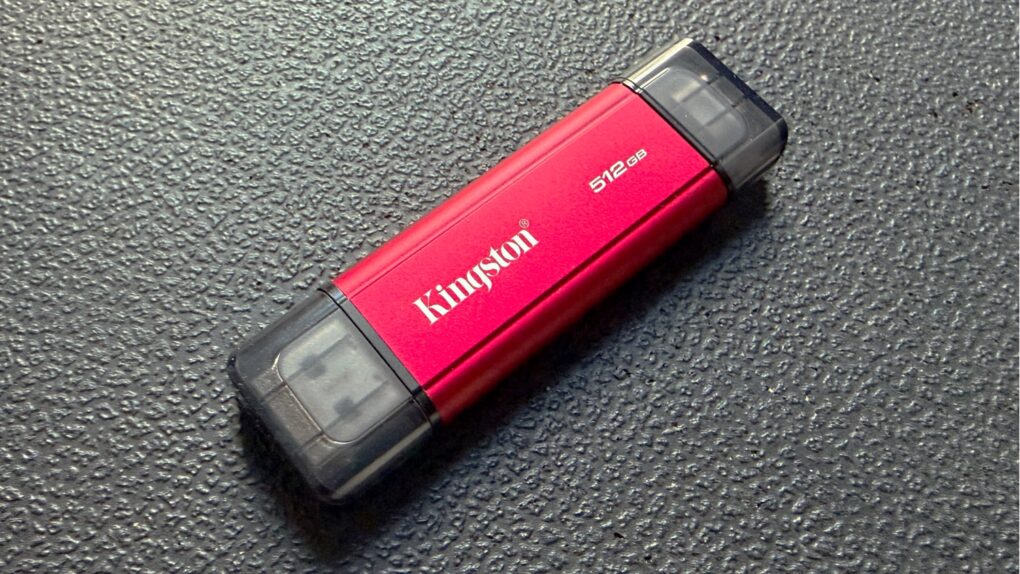
The Kingston Dual Portable SSD brings up to 2TB of storage to anyone in the process of transitioning from the old USB-A to the smaller USB-C standard. It’s small enough to easily carry around, and fast enough to quickly handle large files.
I ran tests on the drive to see how the portable SSD fares in real-world use. Read on to see how well it performed.
Kingston Dual Portable SSD review
Storage built into your Mac has obvious advantages, but don’t overlook the benefits of portable SSDs. Cost is an obvious one — an external drive costs much less than Apple charges to configure a Mac with terabytes of storage.
Beyond that, a thumb-size drive also works seamlessly across laptops, tablets and smartphones, making them a convenient, plug-and-play solution for people who want to share reliable, high-performance storage between a range of computers.
But there’s a challenge. The world is still transitioning from the older, larger USB Type-A standard to the newer, smaller USB Type-C standard. The switch started a decade ago, but many people still use computers and other electronics with the old port.
The Kingston Dual Portable SSD includes connectors for both types of ports, without making the drive too bulky.
This portable SSD takes "convenient" to a whole new level with a compact, durable metal design and both USB Type-A and Type-C connectors to easily transfer files between your laptops, desktop, mobile devices and more.
- Both USB-A and USB-C connectors
- Data transfer speeds up to 1,050MB/s read and 950MB/s write
- No connection loop or color options
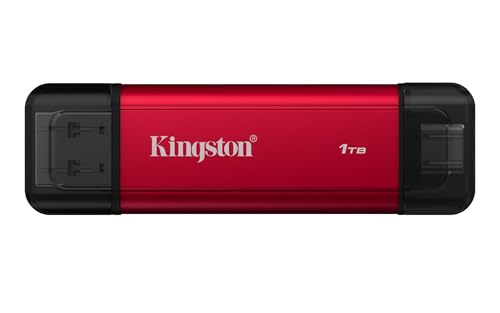
Table of contents: Kingston Dual Portable SSD review
- Thumb-size but with room for both USB-A and USB-C
- Ports
- Speedy performance
- Kingston Dual Portable SSD review: Final thoughts
- Pricing
Thumb-size but with room for both USB-A and USB-C
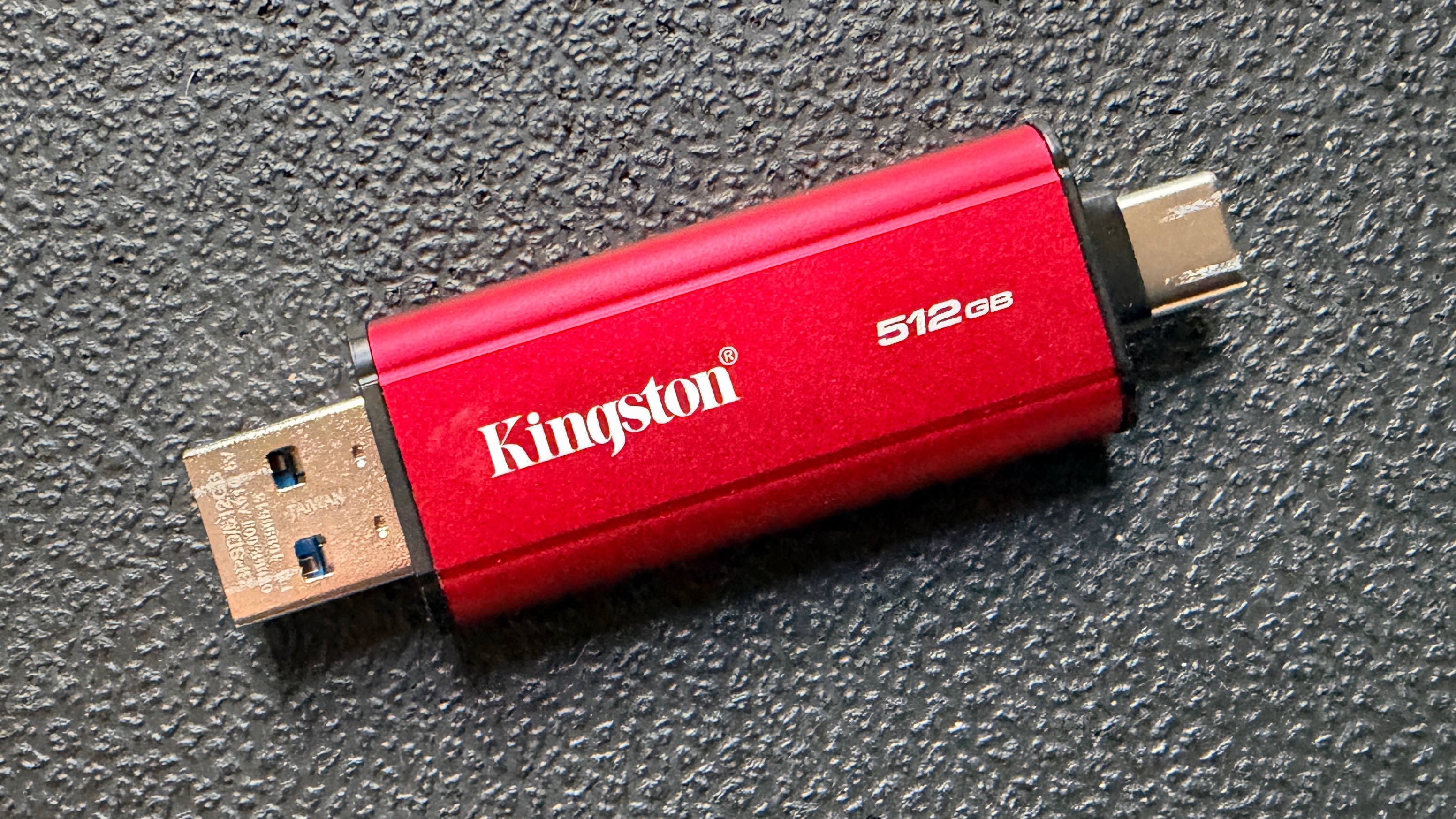
Photo: Ed Hardy/Cult of Mac
Kingston’s design for the Dual Portable SSD is basic but functional. It looks like a traditional thumb drive, but with a modern addition: there’s a USB-C connector on the opposite end from the USB-A connector.
You don’t need any cables to plug the drive into your Mac, iPad or iPhone. The same can’t be said about many rival SSDs.
The drive uses a basic design, but it’s highly functional. It’s small enough to be easily pocketable, and much of the casing is metal so it’s reasonably rugged. A pair of plastic covers protects the two connectors.
To get specific, the Kingston Dual Portable SSD measures 2.8 inches by 0.8 inches by 0.3 inches (71.9mm x 21.0mm x 9.0mm). It weighs only 0.03 pounds (13 grams).
Red is your only color choice, but that makes it easier to see. Besides, this is a functional item, not a fashion accessory.
Kingston didn’t build in a loop to make it easy to connect the drive to a backpack, keychain, AirTag, etc. So you’ll need to be extra careful that you don’t misplace it.
Speedy performance
The Kingston Dual Portable SSD supports USB 3.2 Gen 2, which means it can transfer data at up to 1,050 MBps read or 950 MBps write. Of course, I put the performance to the test.
A 10GB test file copied from the drive moved at 860 MBps, so the transfer took about 12.5 seconds. The write speed was just a hair slower: 850 MBps. That comes close enough to the full theoretical speed to impress me.
I also plugged the USB-A connector into a variety of older computers to confirm compatibility. I ran into no problems.
Kingston Dual Portable SSD review: Final thoughts
This portable SSD offers blazing-fast file transfers, and works seamlessly between your Mac, iPad and iPhone, making it a convenient option on the go.
The inclusion of both USB-A and USB-C connectors sets it apart from most thumb drives. It’s ready to hold the files you need access to on your work PC, your iPad, a Roku … wherever.
★★★★☆
Pricing
The Kingston Dual Portable SSD starts at $125.33 for the 512GB version, but the sweet spot is 1TB for $155.68. The 2TB variant costs $257.70.
This portable SSD takes "convenient" to a whole new level with a compact, durable metal design and both USB Type-A and Type-C connectors to easily transfer files between your laptops, desktop, mobile devices and more.
- Both USB-A and USB-C connectors
- Data transfer speeds up to 1,050MB/s read and 950MB/s write
- No connection loop or color options
Kingston provided Cult of Mac with a review unit for this article. See our reviews policy, and check out more in-depth reviews of Apple-related items.

Ed Hardy has been writing full-time about tech for 26 years, and using it for much longer than that. His intro to Apple was a Macintosh SE/30 (which he still has), but now he uses a 13-inch iPad Pro as his primary computer.
That’s because he’s a “tablet first” type of guy. Rather than use a Macbook, he connects a keyboard case to the iPad. And instead of a desktop Mac, he connects his tablet to a 27-inch display and full-size keyboard. (So don’t try to tell him that everyone has to use a Mac to be productive.)
Before coming to Cult of Mac, Ed wrote for NotebookReview, TabletPCReview and Brighthand, as well as other sites.

