Some readers might remember the fuss a few weeks ago, when Snow Leopard came out and people noticed that it did something screwy to the way files behave.
Possible Work-Around For Snow Leopard Creator Code Weirdness
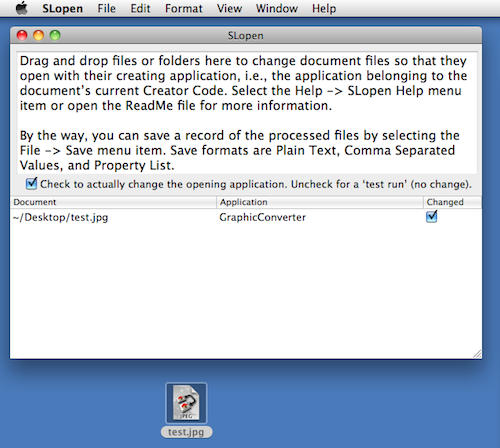

Some readers might remember the fuss a few weeks ago, when Snow Leopard came out and people noticed that it did something screwy to the way files behave.
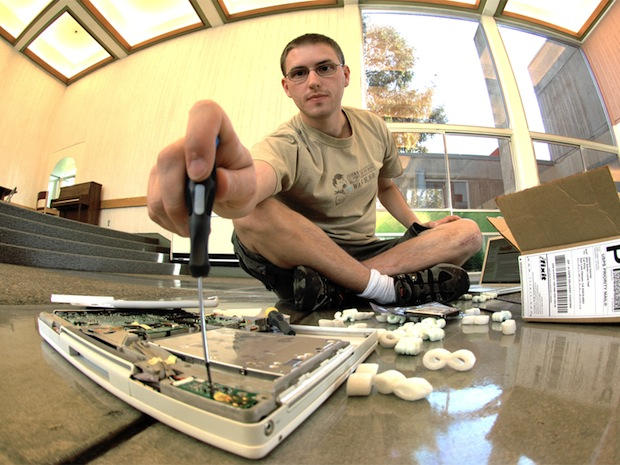
Best known for its awesome teardowns, the Mac-oriented repair company iFixit is launching a online community devoted to fixing high-tech products, rather than tossing them away.
“The world has a problem with rapidly consuming devices and tossing them aside, ignoring long-term environmental impact,” said iFixit CEO Kyle Wiens on the company’s blog. “With your help, we are going to change that. I’m confident that we can change our culture of ephemeral ownership.”
Currently in private beta, iFixit Answers looks like a cross between a forum and a wiki. In a blog post announcing the launch, Wiens outlines four points that should be of interest to all publishers focused on building productive online communities:
- It’s important that posts get more useful over time. It’s not uncommon for a traditional repair forum response to become the canonical source for an answer to a problem, only to get outdated and stagnant as technology changes.
- It’s important that we recognize expertise. It matters if the author of an answer is a professional technician, or has helped 200 people fix their problems.
- It’s important to make helping people fun. There’s a rush that comes from helping someone solve a tricky problem, being recognized by people for the research you put into a question before asking it, or testing your hardware diagnosis mettle against others.
- And most important, we need to close the feedback loop between the people answering questions and those asking them. Repairing things is uniquely tangible — when you use a solution proposed by someone, you know for a fact whether or not it worked. Finding out that the answer you gave someone actually fixed their problem is one of the greatest feelings in the world.
It’ll be very interesting how iFixit makes good on these points. The future on online publishing is nurturing community, and Wiens has nailed some of the key points. We’ll be keeping a close on the project.
To sign up as an Answers beta tester, add your name to the list.
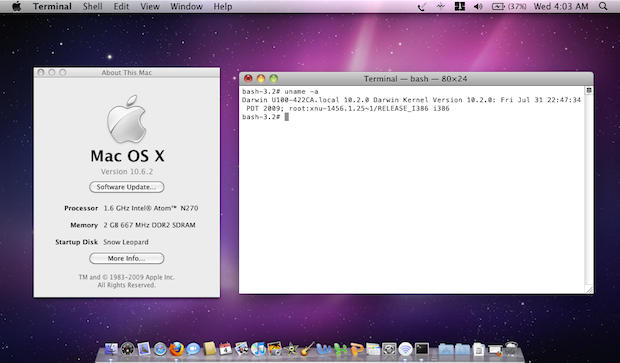
Last week’s bombshell that Apple’s upcoming OS 10.6.2 update dropped support for Atom processors seems to be unfounded.
The Atom is the chip of choice in netbook hackintoshes, and many speculated that Apple was trying to kill the hackintosh market.
But Stell, the hacker who first sounded the alarm, now says support for Atom is mysteriously back.
“… in the latest development build Atom appears to have resurrected itself zombie style in 10C535. The Atom lives another day, but nothing is concrete until the final version of 10.6.2 is out.”

Seems like a no-brainer: Take two different concepts that work great separately, Frankenstein them together and — viola! Instant more amazingness!
Except we all know how the Frankenstein story ended. The LiquidAUX story isn’t as ugly as that. But it isn’t pretty either.
Bash the jump for the full review.

We’ve reached mid-week and to celebrate, we lead off our top trio of deals with an offer on 15-inch MacBook Pros for $1,594 and a 27-inch 2.66 GHz iMac with AppleCare for $2,198. To mark Apple’s 100,000 available apps, we also feature the latest list of App Store freebies.
For details on these and other items (such as an 85 percent-off deal on iPhone accessories), check out CoM’s “Daily Deals” page after the jump.
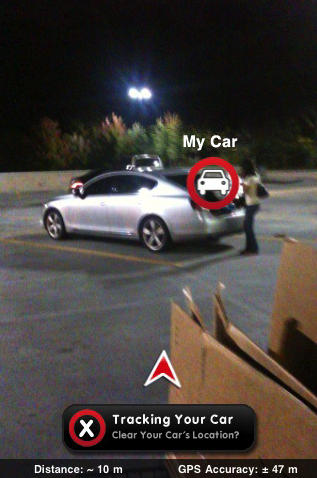
New on the app store is Car Finder, a clever app that leads back to your parked car using augmented reality.
The app uses the iPhone’s camera to overlay the direction of your car and how far away it is. The app relies on the camera and a digital compass, and is compatible only with the iPhone 3GS running 3.1 or later.

The Fab Four still haven’t made it to iTunes, but if you want to shell out $280, you can have some of their stuff on a limited-edition USB stick.
Collectors may crave 16GB key that comes with 14 stereo titles, plus re-mastered 13 mini-documentary films about the studio albums, replicated original UK album art, rare photos and expanded liner notes.
The USB “core” pulls out of an apple, recalling the Granny Smith from the record company founded in 1968. Some 30,000 keys are available from the online store, from December 7 in the UK and December 8 in North America. (You can also pre-order online now.)
If you’re more interested in their music, it sounds like slim pickings for a hefty price — at least one fan, alluneediscash, on the site argued:
“But the BOX SET is only $219! ($179 at amazon) no one loves the beats more than me, but shouldn’t they charge LESS for the usb?”
Which raises the perennial question of when this icon of Brit pop will finally make it to iTunes. Although the Beatles settled the marathon trademark dispute with Apple two years ago, the use of this apple key, meant as a nod to Apple Records, might stir the embers of animosity rather than hasten them for Apple downloads.

The App Store, not even two years old, has crossed the 100,000 mark for apps available to iPhone and iPod touch owners, Apple announced Wednesday. The milestone comes less than two months after the Cupertino, Calif. company said users downloaded more than 2 billion apps.
In September, the App Store reached 85,000 available applications.
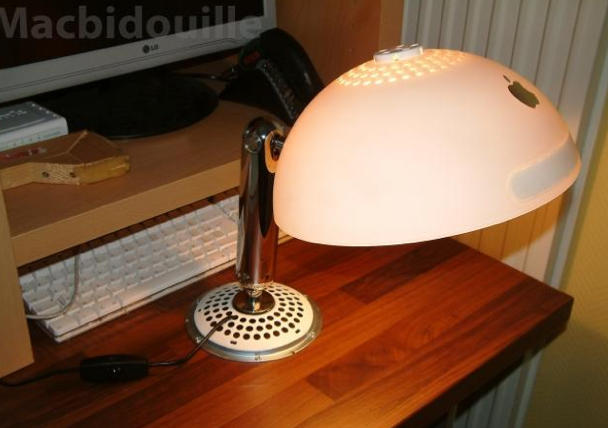
The swivel goodness at the base of the iMac G4 had a near-human flexibility and was nicknamed the iLamp in a nod to Luxo Jr., star of a short Pixar film.
Now, one of those aging bases from the early 2000s is living out its retirement as a lamp.
Creator Nicolas didn’t tell hardmac exactly how he did it, but did say it was easy:
“I decided to recycle my old iMac G4. With some spare parts, one can easily transform it into a nice lamp fully articulated thanks to the famous arm.”
Another illuminating idea courtesy Apple.
Via hardmac
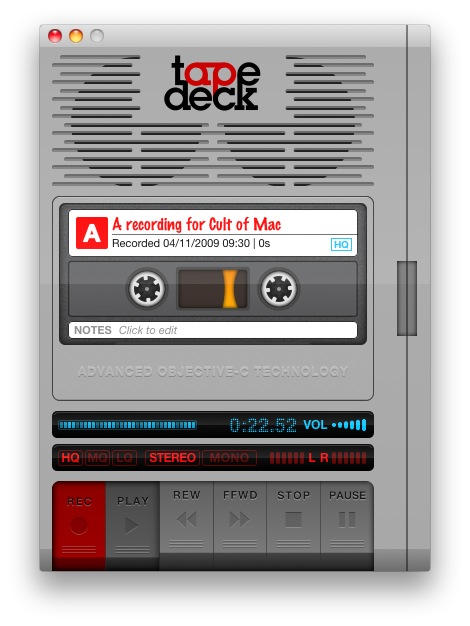
TapeDeck is one of those apps that I don’t use very often; but when I need it, I’m glad it’s there.

Meet Ken Segall — the man who dreamed up the name “iMac” and wrote the famous Think Different campaign.
Segall is a veteran creative director who worked at Apple’s agency, TBWA\Chiat\Day, back in the day.
“I’ve put in 14 years working with Steve Jobs on both Apple and NeXT,” says Segall. “I’m the author of the Think Different campaign and the guy who came up with the whole “i” thing, starting with iMac.”
Segall collaborated closely with advertising legend Lee Clow, chief creative officer of TBWA\Chiat\Day, whose retirement was widely — but prematurely — reported last week.
In this exclusive interview, Segall talks about working with Steve Jobs, how Jobs initially hated the word “iMac,” and the importance of the Think Different campaign to Apple.
Security software developers must think Mac users are quite daft. Tuesday afternon Symantec sent out a press release flogging its ‘discovery’ of a new trojan horse targeting Apple’s OS disguised as a ‘space invaders’ style video game in which killing invading aliens results in the program deleting files from the user’s hard drive.
Ooo.
The game in question is an art project called Lose/Lose that first appeared on the web back in September, created by digital artist Zach Gage and featured in Electrofringe’s current exhibition of online art, Electro Online 2009.
The idea behind the project is to use game mechanics to call into question the idea of mindless killing for fun. Are gamers so obsessive they must kill aliens at any cost? In the game, each alien is based on a random file on the players computer. If the player kills the alien, the file it is based on is deleted.
Gage asks, “Why do we assume that because we are given a weapon an awarded for using it, that doing so is right?”
The game has a clear warning at start-up that says, in scary red letters: killing aliens in this game will delete files from your hard drive.
Now Symantec is sending out an alert flagging the art project as malware.
“A new threat cleverly disguised as a classic video game is targeting unsuspecting Mac users,” Symantec said in an email to CultofMac.com. It continued:
The Trojan horse, known as Trojan.Loosemaque, is designed to look like a Space Invaders/Galaga style game. However, for every alien ship the user destroys, the program deletes a file from the home directory. Symantec – the world leader in online security – recently discovered this new Trojan horse targeting Mac users and video of it in action can be seen here. Online games are increasingly becoming a target for virus creators, and this threat shows it’s a possibility regardless of the platform. While the author of OSX.Loosemaque actually informs people on his website that the game deletes files, there’s nothing stopping someone with more malicious intentions from modifying it and passing it on to unsuspecting users who don’t have security software installed.
Symantec is not the first company to flag Gage’s project. Security blockers such as Sophos’ Anti-Virus and Intego’s VirusBarrier X5 also define the game as a threat.
So is it art or is it malware? Are Mac users equipped to know the difference? Seriously, what do security software companies take us for?

An Estonian website claimed Tuesday to have broken news of a major bug in iPhone’s Safari app that could put unsuspecting iPhone users at risk of running up huge bills with their cellular service providers in certain cases.
The danger appears related to Safari’s failure to close connections with web servers that run Motion JPEG to stream video over the Internet. In the case where an iPhone user uses Safari to browse, for example, to the webcam on the island of Keri and then closes Safari in favor of another app or simply returns to the iPhone’s home screen, data continues to stream over the phone’s 3G or EDGE connection from the Motion JPEG-running server.
The Estonian report claims to have been able to run up over 740MB of data transfer in a little over an hour in this manner and that the only way to get Safari to properly sever the data link is to browse to another site before closing the app.
The bug would appear to affect only those iPhone users who do not pay for ‘unlimited data’ as part of their standard service plan, and thus poses no risk to at&t subscribers using their phones in the US, or to many European users with similar plans in their home countries.
With the rise of limited data plans in some countries, however, and in the case of users traveling with iPhones overseas using limited International Data plans, this could cause a real problem.
A request for comment from Apple PR remained unanswered at press time.
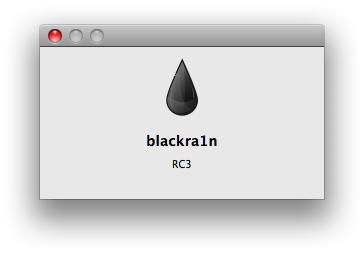
Warning: This method no longer works. To jailbreak the latest firmware, check out greenpois0n/limera1n/Pwnage Tool
George Hotz a.k.a GeoHot has released blackra1n RC3, which is an update to a 1-click jailbreak that adds activation options and an add-on blacksn0w, which unlocks latest iPhone 3G and iPhone 3GS baseband version 05.11.07. To use blacksn0w, make sure you have this new baseband (check under Settings –> General –> About –> Modem Firmware) and if not, then update to a stock 3.1.2 firmware.
It is pretty easy to use and worked perfectly with my iPhone 3G. Besides the tool, there’s a blackra1n application that gets automatically installed on the iPhone after jailbreak, which gives you option to install Cydia and some other alternatives like RockYourPhone and the ‘sn0w’ option to use blacksn0w unlock solution as well.
Please note that if you have an iPhone 2G, you can still jailbreak using blackra1n but blacksn0w will not unlock for you. You must use BootNeuter available in Cydia for that purpose. Also, if you purchased an iPhone 3GS or iPod Touch (any capacity) in October or later, there is a high probability that you have a new model. Blackra1n currently performs only a tethered jailbreak for these new devices, which means you need to use blackra1n every time you boot the device, otherwise all your jailbreak data gets wiped.
Here’s see how it works.
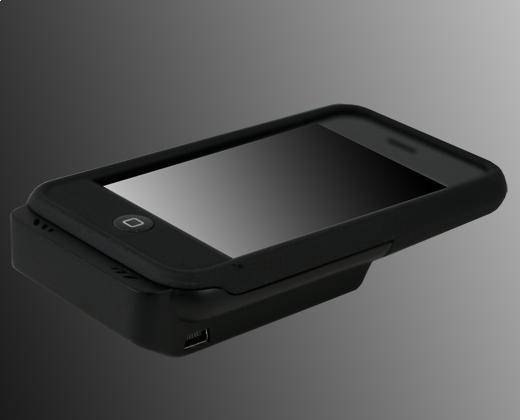
Whether funky or fashionable, protective or passe; made of titanium or cardboard, most iPhone cases are predictable. IvySkins Tuesday introduced an interesting twist on the ho-hum case: integrated energy. The SmartCase ($79.99) claim to fame is an integrated an interchangeable battery that supposedly will extend your iPhone 3G or 3GS’ battery by 200 percent.
The key is the case will signal your iPhone to first feed off the SmartCase’s battery, then your handset’s. The device includes a five-LED indicator, built-in power charger and a USB cable. The case itself is made of a polycarbonate and a polysilicon coating protection.
If you’re looking for something a bit more basic, iaPeel has a print-and-peel alternative for $21. You use the included designer software to create your own ‘skin,’ print it out on any inkjet printer and then apply it to a generic case.
[Via IvySkin and Gadget Lab]

Following reports of problems playing Flash video on the new iMac, here’s some footage of a quick video test I conducted. (Hit the jump).
BTW: Don’t miss our comprehensive review of the humungous new 27-inch iMac.
Thanks Dane for fixing the video.
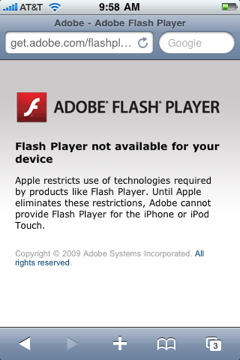
Adobe made its position on the unavailability of Flash for the iPhone clear Monday with a snippily worded announcement that points the finger squarely at Apple for any iPhone user who might end up at the ‘getflash’ web page.
But an interesting comment on the Reddit thread about the long-standing brouhaha makes it appear the Adobe folks might doth protest too much. Flash would suck the iPhone’s battery dry in less than an hour.
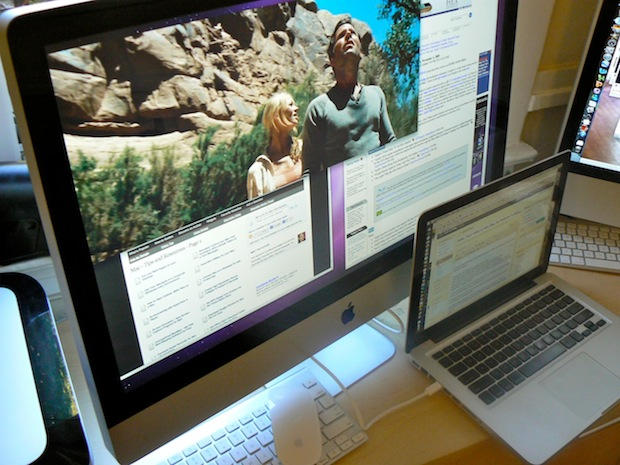
Here’s a couple of videos of the new 27-inch iMac in action as an external display. The new iMac is the first that can act as a monitor for another machine, but will only work with devices that output DisplayPort video, like newer MacBooks.
In these videos I’ve hooked my MacBook Pro (13-inch) to the iMac using Belkin’s Mini DisplayPort to Mini DisplayPort cable, which is available from Apple’s retail stores for $29.99.
Previously I tried to hook up the iMac using DVI and HDMI cables (and appropriate adaptors), but it didn’t work.
See the monster iMac in action after the jump.
Thanks Emil. And thanks Dane for fixing the videos.
BTW: Don’t miss our comprehensive review of the humungous new 27-inch iMac.
We start out with a number of deals on MacBooks and MacBook Pro laptops. The deals are flying off the shelves at the Apple Store, with a 13-inch MacBook for $899. A similar MacBook from PC Connection is selling for $925. A 17-inch MacBook Pro with AppleCare is offered for $2,348. Also on tap are a number of deals for iPhone and iPod accessories, along with various cases. Finally, we round out the top trio with a number of software deals, including price cuts from the App Store and other bargains.
For details on these and other items, check out CoM’s “Daily Deals” page for the complete information right after the jump.

China Unicom executives said Tuesday the carrier has added one million subscribers since Oct. 30, but only 5,000 of those are for iPhones. The numbers from Unicom Chairman Chang Xiaobing are far less than the 500,000 iPhones Apple had expected to initially sell. The disappointing figures are prompting many to question whether pricing is to blame.
Although Hong Kong’s China Unicom Ltd. President Lu Yimin said the 6,999 yuan ($1,025) price was not too high for the iPhone 3GS, so-called gray market versions cost around $800 locally. The disparity may serve as “an interesting exercise in how to sell an inferior product at a higher price,” Duncan Clark, a Beijing consultant, told Bloomberg.

GeoHot, creator of the famous blackra1n jailbreak tool has now released blacksn0w. Blacksn0w is a full fledged software unlock solution for iPhone 3G and iPhone 3GS, having baseband version 05.11.07 found in firmware version 3.1.2. Unlocking the phone enables you to use it with any carrier in the world.
This means if you have older firmware, you can now upgrade to a stock 3.1.2 and still have the ability to remain unlocked. Blacksn0w also enables the tethering option on these iPhones for you to share the data connection with a laptop or desktop computer.
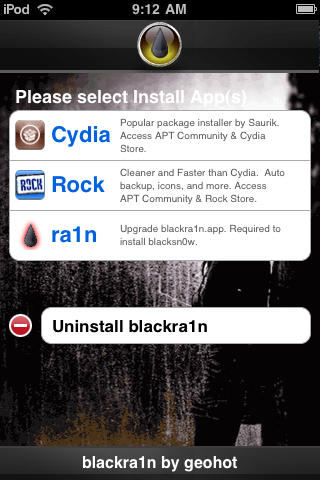
The blackra1n application for iPhone installed as a result of the blackra1n jailbreak process then allows you to run blacksn0w and finally unlock the phone. However, those who already have the old version of blackra1n application installed on the iPhone can upgrade to the latest version by selecting the new ‘ra1n’ option inside the application. After installing the updated version, tap ‘sn0w’ in the application to unlock. For those who used the DevTeam’s PwnageTool to jailbreak, blacksn0w will soon be available on Cydia.
To accompany blacksn0w, there is a new hacktivation feature added to blackra1n, which activates the iPhone to be used without the iPhone specific plans from carriers like AT&T, O2 etc. But, if you have an officially activated phone already, this won’t interfere. The update to blackra1n tool also makes it a lot faster, enabling it to jailbreak the iPhone / iPod Touch in just 15 seconds. It also adds support for Mac OS X Tiger and PPC Macs along with the existing Windows and Intel Mac support.
Please note that if you have an iPhone 2G, you can still jailbreak using blackra1n but blacksn0w will not unlock for you. You must use BootNeuter available in Cydia for that purpose. Also, if you purchased an iPhone 3GS or iPod Touch (any capacity) in October or later, there is a high probability that you have a new model. Blackra1n currently performs only a tethered jailbreak for these new devices, which means you need to use blackra1n every time you boot the device, otherwise all your jailbreak data gets wiped.
The new version of blackra1n is available to download at blackra1n.com
Check out our guide on how to jailbreak and unlock using blackra1n and blacksn0w here.
Not every touchscreen device is alike – or liked, according to new survey findings. Although 54 percent of Western European cell phone users think touchscreens are a nice idea, the number of touchscreen owners who say they’ll buy another slips below that 50-50 mark to 47 percent.
Apple iPhone owners are among the device owners most likely say they’ll buy another touchscreen device, announced research firm Canalys. HTC touchscreen owners were also highly satisfied. Least likely to purchase another touchscreen device: Sony Ericsson, with just 27 percent of owners reporting they’re next cell phone will use a touchscreen inteface.
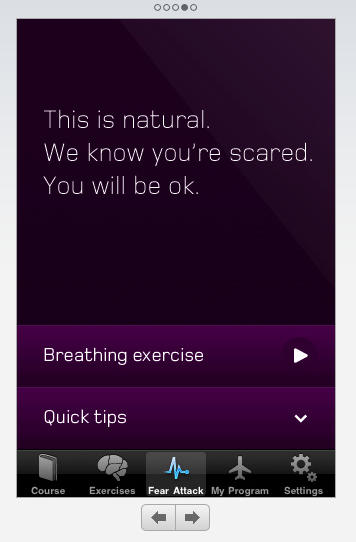
Virgin Atlantic Airways recently released an app for flying phobes. Called Flying Without Fear it’s modeled on the company’s brick and mortar course which they claim has a 98% success rate.
What do you get for $4.99? Well, a reassuring message from Mr. Hot Air Balloon
Sir Richard Branson himself, plus relaxation exercises, answers to fear-based questions, fear therapy and a handy inventory of on-board noises so you know everything’s ok.
Whoopie Goldberg recently got her wings back after an airplane hiatus of over 10 years thanks to the Virgin course:
“The program works, I was a skeptic. I hadn’t flown in 13 years but after doing their program, I understood that while my fear was real, there were many things I didn’t know or had misinformation about, which they were able to clear up. So what happened? I now fly. It’s that simple.”
While not everyone can attend Virgin’s £199 ($326) full day course, it’s worth wondering whether an iPod app can substitute the real thing.
I once had a co-worker for whom flying was a real drama — he ended up in such a state he regularly had to be taken off planes and usually booked multiple times before able to stay aloft in the friendly skies — and I don’t know if passengers more than a little discomfited by air travel would benefit by a few reassuring words and games.
Hearing his story, I also wonder if you’d be able to use the app during take off and landing, which seemed to be the critical moments.
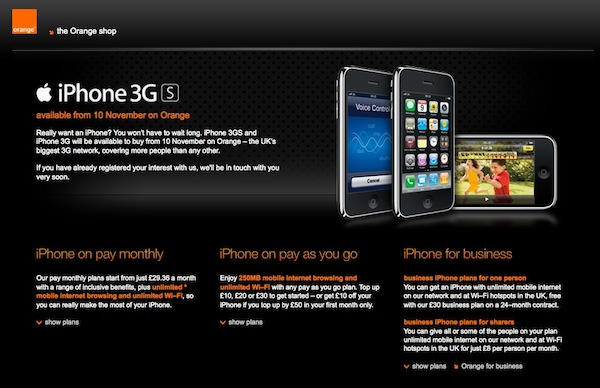
Orange UK Tuesday promised to review its terms of service that could effectively ban iPhone users from conducting anything but telephone calls. The uproar comes a day after British iPhone owners complained the carrier had placed a 750MB limit on its “unlimited” data plan.
In the latest turn of events, a BBC correspondent pointed to language in Orange UK’s Terms and Conditions which said its 3G network is “not to be used for other activities (eg using your handset as a modem, non-Orange Internet based streaming services, voice or video over the Internet, instant messaging, peer-to-peer file sharing, non-Orange Internet based video).”

We might not be the biggest fans of Apple’s new Magic Mouse, but we know you want one anyway. Cult of Mac Facebook fans the world over submitted pictures of their workspaces that allowed us a look deep into their souls. New Macs, old Macs, and Macs wading in saltwater tugged at our hearts in a battle for a wireless peripheral that could truly drive each to creativity and productivity.
For a full gallery of what we were working with, consult the Cult of Mac Facebook Page. We’ve also posted a gallery of cool workspaces that might inspire you to tighten up.
In the end, it was Nick Duarte’s optical illusion of an office that clinched the Magical Mouse. It could be that Cult of Mac was displayed on the screen, or the haphazardly hung pictures, but it was probably the wireless keyboard horribly paired with a USB mouse.
We can’t and won’t let you deal with this any longer, Nick. Your mouse is in the mail.


