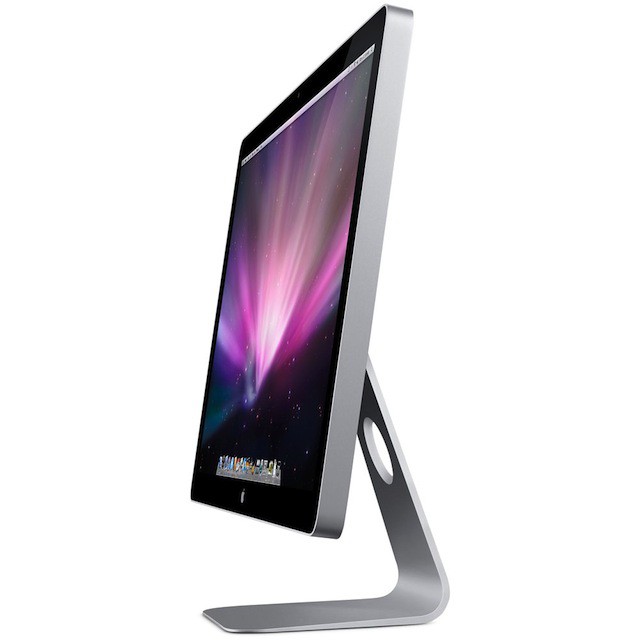
If you’ve got a new Thunderbolt-capable Mac and you’ve got it hooked up a 24-inch Cinema Display, you’ve probably encountered a bit of flickering every now and again. I know I have, and so have a number of users on Apple’s discussion forums.
Thankfully, Apple has issued to firmware update to resolve the issue, but it won’t be coming via Software Update.
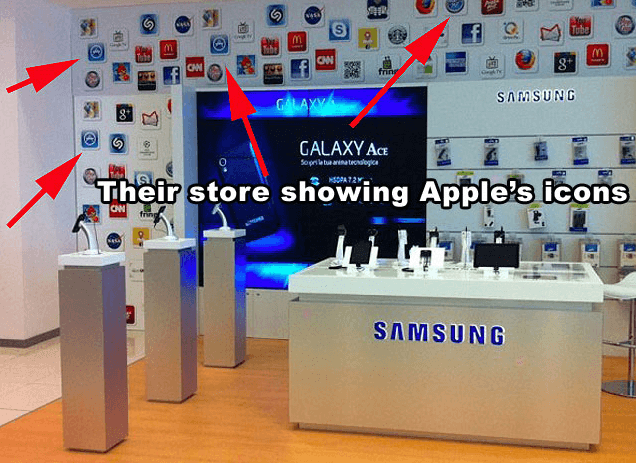
The back and forth between Samsung and Apple in the courts is getting ridiculous. For months, the two companies have been in the middle of a heated series of ‘copycat’ lawsuits, with Apple originally accusing Samsung’s Galaxy line of infringing on the Cupertino company’s patents and trademarks.
Whether or not Apple is right about all of its claims, it’s hard to deny that Samsung hasn’t received a little “inspiration” from Apple’s products.
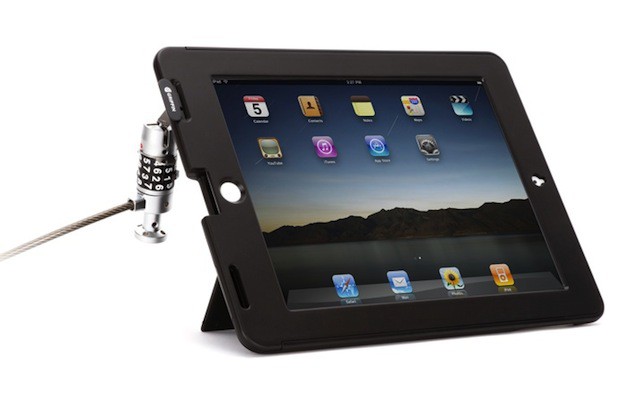
Of all the Apple stuff I’ve ever owned, only an iPod Mini and my beloved 3rd-Gen iPod and maybe a few stickers have ever been stolen; I consider myself lucky. If MacBook Pros come with slots to keep them locked down, why not the iPad? Griffin says “why not, indeed” with their new TechSafe Case ($80).
Apple is known for quality. Quality products, quality design, quality talent — Apple has it all. Unsurprisingly, Apple also serves quality food to its Cupertino employees.
Apple’s main 1 Infinite Loop campus is home to a world class cafeteria called Caffe Macs. An Apple employee named James at Caffe Macs has spilled the beans on everything you could every want to know about Apple’s cafeteria, including lots of yummy food and a run-in with Steve Jobs himself.
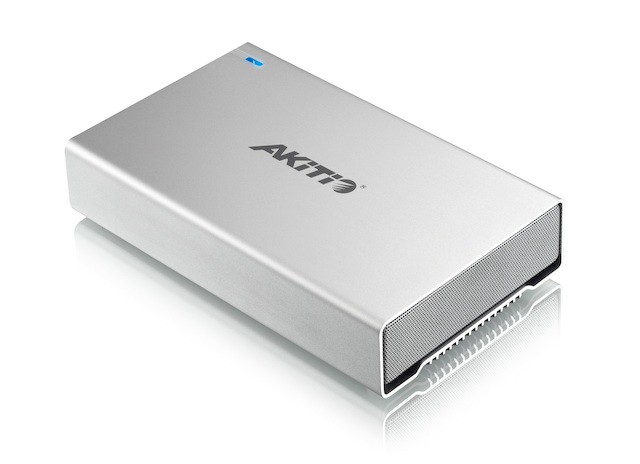
Akitio’s pretty new alloy enclosure has a back full of inputs: eSATA, USB 3.0 and two FireWire 800 ports. There’s no way to jack in a Thunderbolt connection, though.
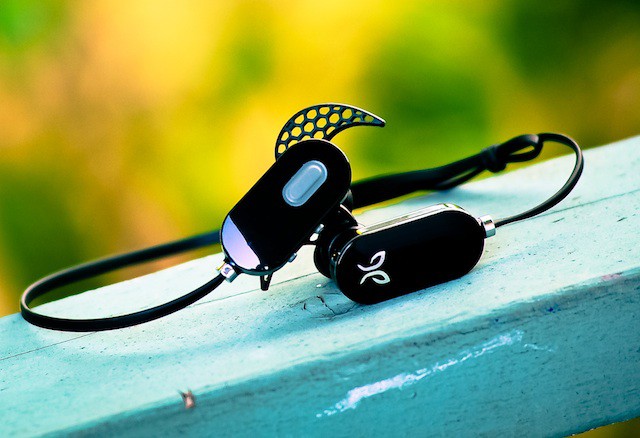
The JayBird Freedom JF3 ($99) Bluetooth wireless headphones are a successful attempt to build upon a paramount technological concept: take something good and make it great — or in this case, take a good pair of IEM headphones and ditch the cord. It’s like a musical bris without the rabbi — or the baby.
It’s time for round three of the Cult of Mac ‘Me and My Mac’ reader submitted gallery. We’ve asked our readers to send in pictures of themselves with their Apple gadgets, and we’ve got some great submissions to show everyone this time around.
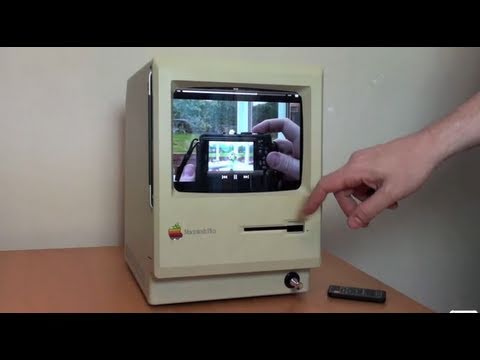
Say hello to the “iPad Dockintosh.” This iPad speaker dock is made out of a classic Apple Macintosh Plus and iPad insert. The retro and modern worlds collide.
Featuring an easy insert for your iPad, this setup will turn your favorite tablet into one seriously retro fusion of Apple gadgetry. You can initiate the home button from the Macintosh body itself, and open the detachable front to check out the integrated dock, charger and speaker.
Watch the video all the way through to hear how and why Techmoan created this awesome setup.
Apple has been on quite the winning streak lately. With the next iPhone announcement on the horizon, things are only looking up for the folks in Cupertino.
With Apple set to reveal its last quarter financial results on October 18th, predictions are that the company will see growth in Mac and iPad sales, with a slight decline in iPhone sales.
According to a study by research group InMobi, 41% of smartphone users in the US, Canada and Mexico are willing to buy a smartphone they have never seen. Yesterday Apple announced its next iPhone event to take place this upcoming Tuesday, and everyone is eagerly awaiting what Apple has up its sleeve.
Apparently, enough people have faith in Apple to place their bets on a phone that hasn’t been announced yet. More than 50% of surveyed consumers in the US said that they plan to buy the iPhone 5 within the next 6 months.
Is Jefferies & Co. analyst Peter Misek huffing the magic hallucinogen jay bone? He claims that Apple canceled an iPad 2 HD, despite having already built a million of them, but also, that Apple will be launching the iPad 3 in January. What?
Twitter is, of course, about to become deeply baked into iOS 5, and that’s going to drive a lot of traffic to the micro-blogging service’s servers. So what is Twitter doing to get its servers prepared for the rush of new traffic? Injecting them with radioactive super-server serum?
On Twitter, one of Cult of Mac’s readers said calling the Kindle Fire competition to the iPad 2 was like calling a Kia competition to a Porsche.
It’s an interesting analogy. True, the Kindle Fire’s hardware is inferior to the iPad 2’s in almost every way. It boasts an 800MHz dual-core processor to the iPad 2’s 1.2GHz A5 dual-core powerhouse. The screen is smaller than the iPad 2’s, though it has better pixel density. It only has 8GB of storage, it has no 3G, no GPS, no camera. It only registers two points of multitouch to the iPad 2’s eleven, for god’s sake. So the analogy seems to fit, right?
Not so fast. Sure, Apple’s hardware is great, but Apple has proven that hardware is only as good as its software. That’s why Apple’s products are so magical: they are a seamless amalgam of excellence in software and hardware design, intertwined.
It’s a philosophy towards design that Apple’s competitors have just never understood. And that’s why the Kindle Fire is going to be huge, the iPad’s first real competitor. The Kindle Fire is going to be a Kia that drives like a Porsche, and when Apple counters it — and I think they will — it’ll be going head-to-head with an iPad mini.
Apple appears to be tweaking its inventory database, making room for two versions of the iPhone 4, as well as a slightly updated iPod touch, multiple reports suggest Wednesday. The reports come on the heels of Apple announcing a media event for October 4, ‘Let’s Talk iPhone.’
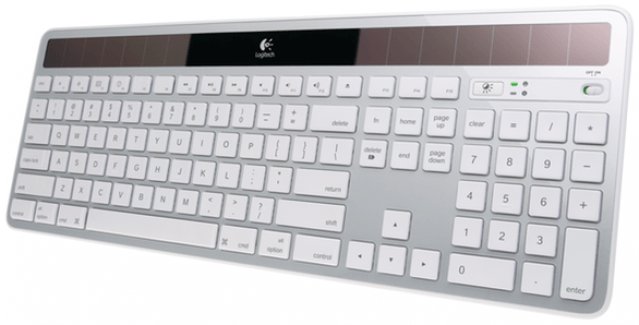
If you didn’t hear the news, Cult of Mac hit 100,000 Twitter followers last week. To celebrate, we hosted a huge giveaway yesterday on Twitter. Because some people were sad that they didn’t come away with a prize, we’ve decided to extend the celebration farther into the week and give readers a few more chances to win. Today we’re giving away a Logitech Wireless Solar Keyboard for Mac. It’s one of the coolest new keyboards we’ve seen because you don’t have to keep spare batteries on hand anymore. If you want a shot at winning this beautiful thing here are the rules for today’s contest:
Amazon has just launched its first real tablet called the Amazon Kindle Fire — a 7-inch device that runs Google’s Android OS, selling for just $200. A torrent of speculation in the months prior to its unveiling suggested the device would be the first to really compete with the iPad, so how does it compare to Apple’s iPad 2?
We take an in-depth look at the specifications for the Amazon Kindle Fire vs. the iPad 2 to see whether Amazon’s new device really has what it takes to worry the iPad.
Amazon just announced its long anticipated tablet, the Kindle Fire. And while the hardware doesn’t compete with iPad, the price certainly is: it’s a fully-featured tablet with access to millions of apps, games, songs, movies, TV shows and books, all for just $199.
Amazon has yet to announce specifics on its 7-inch tablet which some hope would compete with the iPad, but early leaked details suggest the “Kindle Fire” may be all wet.
Despite its unprecedented success and staggering popularity the world over, Apple’s iPhone is no longer Britain’s coolest brand, having been knocked off the top spot of the ‘Cool Brands index’ by Aston Martin.
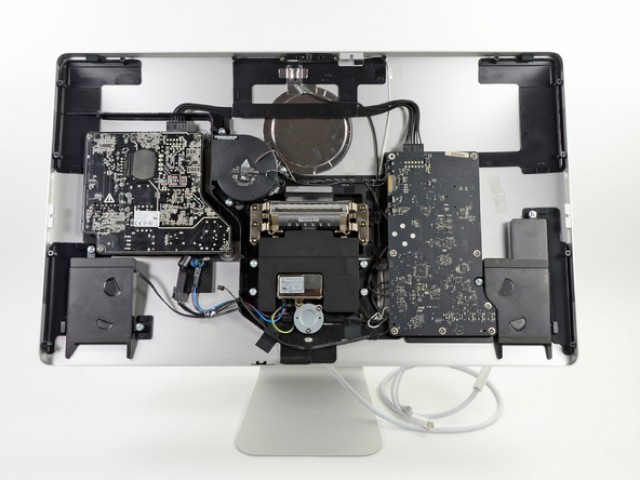
Our favorite friends at iFixIt have taken their rusty bone saws and hacked through the aluminized breastplate of Apple’s new 27-inch Thunderbolt display to find what they find inside
Their conclusion? Considering the fact that there’s no computer inside this thing, the Thunderbolt display sure has a lot of guts!
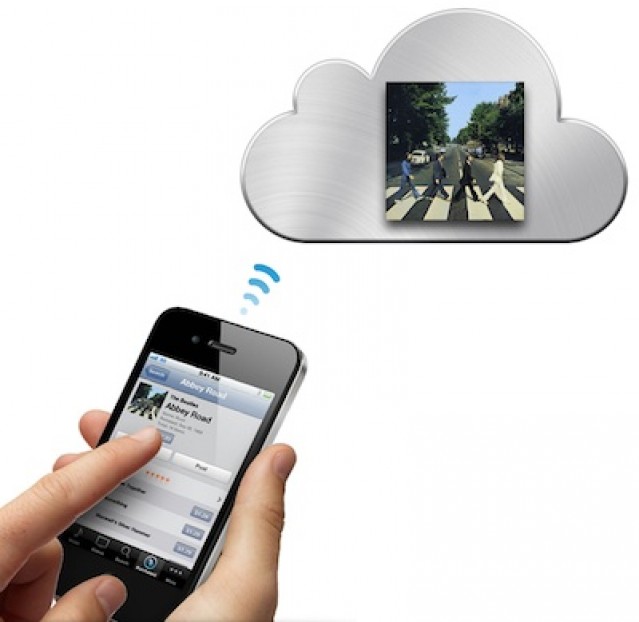
Following recent speculation that has suggested Apple may release a “budget” iPhone at its October 4 event, that will have minimal storage and will rely on streaming content from the cloud, the Cupertino company has gone ahead and taken over the iCloudiPhone.com domain name. But does it really mean anything?
Tracking shipped packages is fast and easy in Mac OS X Lion due to Apple Mails tight integration with WebKit. It is also one feature that Apple brought to Mac OS X from iOS that I actually like.
Those of us with Macs take for granted how easy it is to import pictures from our iPhones and iPods to our Macs – at least, once you’ve done it the first time. Things are a bit less obvious for iDevice owners running Windows:
Is there an easy way to move all the pictures from the camera roll [on my iPod touch] to my computer or an external hard drive?