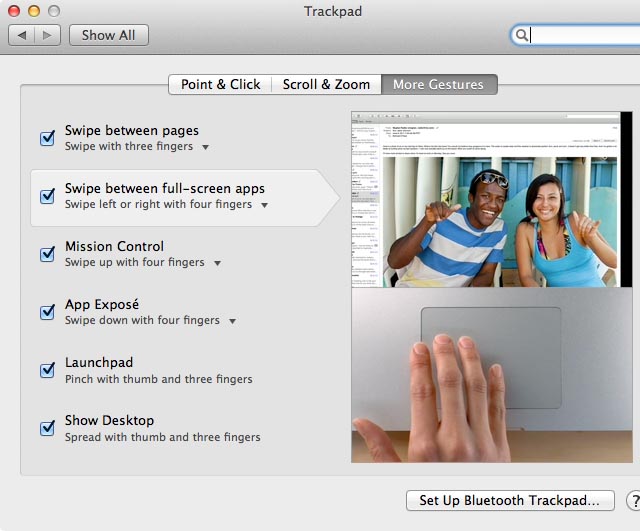
A secret gesture lets you double-tap with four fingers to switch back to the previously used space
There’s a secret gesture you can use with Mac multitouch trackpads that lets you double-tap with four fingers to switch back to the most recently used desktop space in OS X Lion (although not previous versions of OS X).
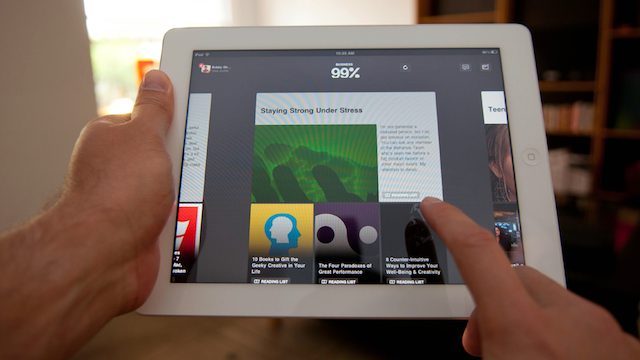
Reading the news on the iPad is one of the absolute best experiences you can have on Apple’s magical tablet device. So when news hit yesterday that our two favorite iOS news reader apps came out with updates, we were pretty stoked. While you probably heard a great deal about the other reader app, we wanted to tell you about the awesome news reader you might be missing out on. It’s called Flud, and it was just completely redesigned yesterday.
Besides sporting a major facelift, what’s spectacular about Flud is its new ability to make reading the news a social experience. Rather than relying solely on an app to recommend websites and content to you, Flud users have the ability to see what their friends are reading in the app and share content back with them rather than spamming their Facebook or Twitter feed with the 15 news stories they’ve read throughout the day. Giving each user the ability to create a “news personality,” Flud aims to change the way we consume news much in the same way that Spotify and Rdio have changed the way we listen to music, by allowing users to inspire and be inspired by others based on what they consume.
Although AT&T provided few details on how many iPhones the carrier sold this quarter, several analysts are upping their estimates based on consensus that Apple will report record-breaking sales. The Apple smartphone has “general strength across the board” with sales hovering around 30 million units for the three-month period.
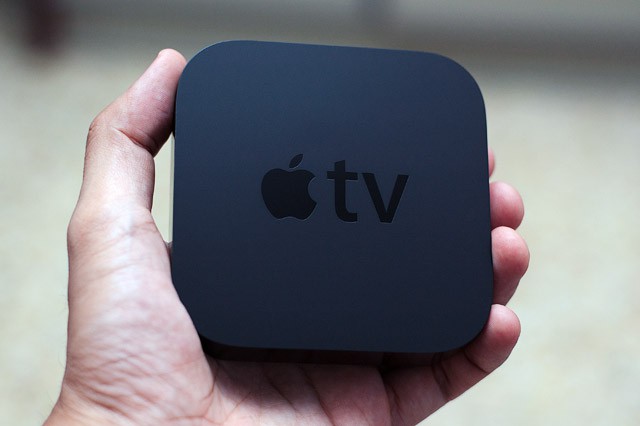
Apple has begun issuing an update to its second-generation Apple TV that finally allows users in Australia, Canada, and the U.K. to stream TV shows they’ve purchased on iTunes directly to their television.
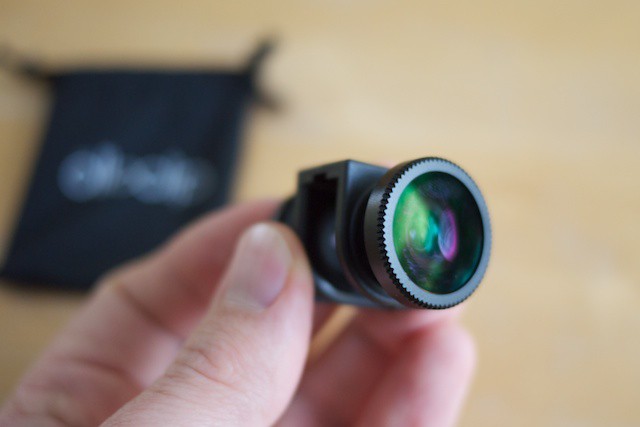
The Olloclip ($70) is a clip-on device for iPhone 4 and 4S which gives the built-in camera lens a little more flexibility for wide angle and close-up shots.
It includes three lenses. At one end, the largest of the three is the fisheye. At the other end you have a general-purpose wide angle. Unscrew this, and you uncover a tiny macro lens nestling underneath.
During an interview at the Le Web expo in Paris this week, Google chairman Eric Schmidt took a stab at Apple and insisted his company’s Android operating system is way ahead of iOS in a number of ways, including affordability and choice. What’s more, Schmidt claims that in six months, Ice Cream Sandwich will offer better functionality.
We’re huge fans of OnLive’s terrific cloud gaming service here at Cult of Mac, and we’re even more excited to hear that it’s coming to iOS devices. The company has announced that an OnLive app is on its way to the App Store, which will allow users to play top-tier console-quality games on the go.
Apple’s iTunes 12 Days of Christmas promotion is becoming an event that European users can depend on every year. A new app for its Christmas 2011 giveaway hit the App Store yesterday, and will offer iTunes users a free download every day between December 26 and January 6.
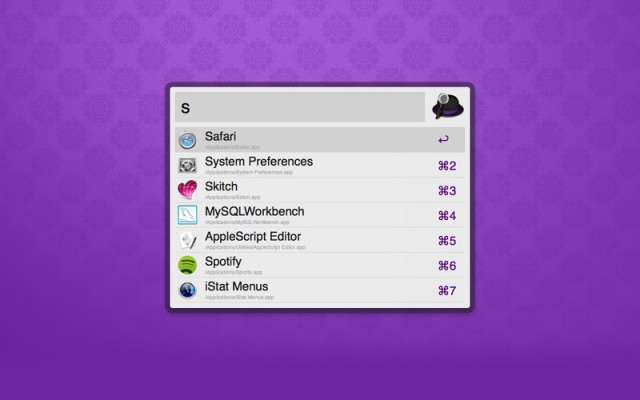
Alfred 1.0 is now available in the Mac App Store for free. The popular launcher utility recently received its major 1.0 update with a whole host of new features and improvements.
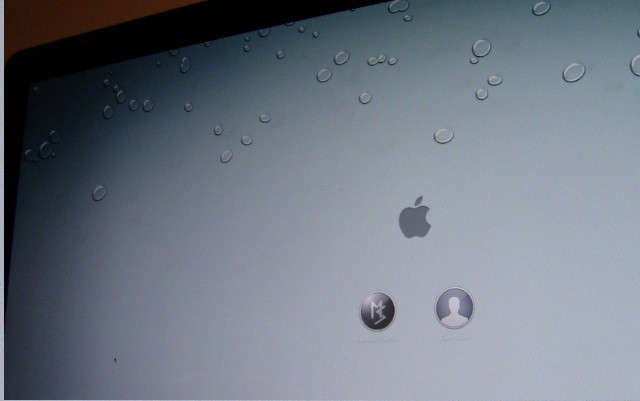
Sick and tired of seeing the same old linen wallpaper on the login screen every time you boot up your computer? It can get pretty boring after a while. In this video, I’ll show you how to change Lion’s login screen wallpaper to whatever you’d like.
We absolutely love the CamerBag iOS app; some of us, including me, believe it to be the best photo filter app on the iPhone. But take a look at the free beta version of CamerBag 2 for Mac, the desktop version’s forthcoming update — because it takes things to a whole new level of awesomeness.
Popular email client Sparrow has received a significant update today. Sparrow 1.5 brings several improvements to the beautiful Mac app, including integration with Dropbox. Users can mail attachments with either Dropbox or CloudApp.
Version 1.5 also introduces improved search tokens and several other bug fixes. The update is available in the Mac App Store as a free download for existing customers.
We’re pretty passionate here at the Cult of Mac. What are we passionate about? Well, the pecking order goes something like this (although maybe the order is flipped for one or two CoM writers):
1. Our loved ones
2. Gadgets
Of course, we’re also passionate about sharing our knowledge of gadgets and technology with the rest of the world. Combine these three passions, and here’s the result: our Holiday Gift Guide.
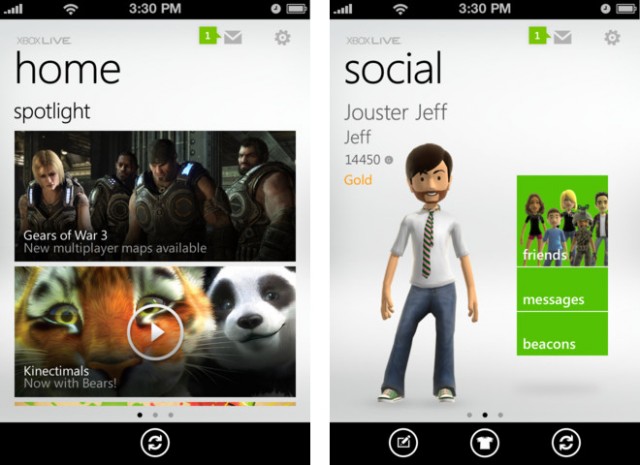
Microsoft has released its official iOS companion app for Xbox LIVE users. My Xbox LIVE is now available as a free download in the App Store for the iPhone, iPod touch, and iPad.
The new app allows users to interact with their Xbox LIVE accounts and talk to friends.
This has been a banner year for the iPad in U.S. education – with tots to teens and university students using Apple’s magical device to learn.
How effective iPads are as a teaching tool is open to debate.
A small study, carried out by Michelle Riconscente, an assistant professor of education at the University of Southern California, offers some promising results, even with the necessary caveat that it was funded by the Motion Math app with a grant from the Noyce Foundation.
Lookin' good in 3D? A sample from the Snapily app.
Personally, my favorite thing to do after having any picture taken is seek out the “delete” button. (Even if that entails arm wrestling the well-meaning friend to get at it.)
But you may embrace the idea of having your nose or midsection appear in all its glorious 3D in a photo – if so, a new iPhone app called Snappily 3D is for you.
For $1.99, it promises to bring photos from your iPhone 4 or iPad 2 into a new dimension. Snapily walks you through the shooting process and you can view the pic in 2D or gyroscope and anaglyph mode if you want to check them out with your 3D specs.
Flipboard released its official iPhone app last night. Many users were frustrated initially with error messages during installation and adding services.
The initial surge in traffic caused Flipboard’s servers to buckle under the strain, but the app came back online for most people this morning and it’s been working fine for me since. After playing with Flipboard on the iPhone, I love the way that it aggregates my news and social network feeds into a personalized magazine. The future of media consumption is here, and it’s all about curation.
I love Rocksteady’s series of Batman games for the Xbox 360, PS3 and PC. They are loving, incredibly crafted tributes to the Dark Knight clearly made by fans who get Batman, who is equal parts acrobat, brawler, psychopath, hero, detective and muscle. That’s why I’m excited to check out Batman: Arkham City Lockdown when it is released later tonight.
According to Japanese Mac blog Macotakara, the iPad 3 will be backwards compatible with current Smart Covers, despite the fact that it will be so thick as to not work with iPad 2 cases.
Macotakara claims that they don’t know the reason the iPad 3 will be thicker than the iPad 2, but we do: it’s necessary in order to install the twin-light system needed to lluminate the iPad 3’s Retina Display.
As for the image above, your guess is as good as ours. Macotakara seems to think it somehow relates to an iPad 3, so maybe it’s the unbranded aluminum back panel of one or something? As for the Smart Cover backwards compatibility, considering that all that is necessary to keep a Smart Cover on are magnets in the right places, I wouldn’t be surprised if Smart Covers continued to be backwards compatible for future iPads for many generations to come.
We’ve seen a lot of images of the inside of the new Grand Central Terminal Apple Store ahead of its Friday grand opening scheduled for 10AM, but up until I saw this three-minute YouTube video walking through it, I had no idea just how big the space was.
It’s just huge. I suppose it would have to be, given the amount of traffic this store is going to get, but even so, it’s going to take the average person at least a few minutes to walk from one end to the other.
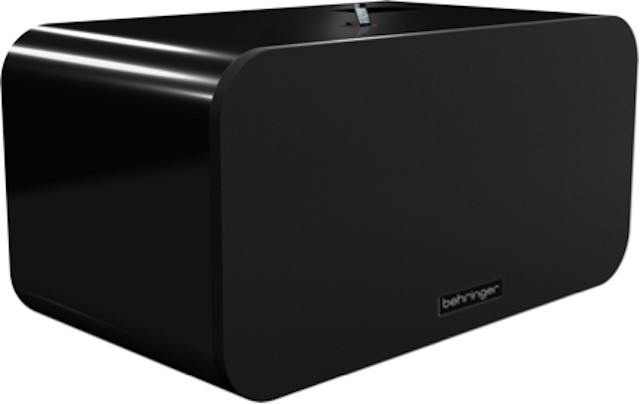
Not happy with your iPhone’s tinny speaker? If you’ve got 30 G’s to help solve the problem, BEHRINGER is ready to sell you the biggest, baddest iPhone/iPod speaker dock this side of Mount Olympus: the iNuke Boom, a 700 pound monster speaker system measuring 8 feet wide and 4 feet tall that can output up to 10,000 watts of sound.
Holy crap. That thing will have you sneezing skeleton. The iNuke Boom isn’t available quite yet, but it’ll be on display at CES 2012. We’ll make sure to stop by BEHRINGER’s booth then and see how many fillings we can knock out of their sockets with the iNuke then.
This morning we reported that Apple had provided some more details to the Cupertino City Council about their proposed plans to build a new “spaceship” campus, including a render that showed a roof entirely tiled in solar panels.
How much power would that generate, though? Enough to power a million Apple TVs.
If you’ve been whining about why the iPhone 4S has no 4G, get ready for a real letdown — 2G speeds. The move by AT&T to throttle its top 5 percent of data users to a snail’s pace is an unwelcome Christmas present for many iPhone users.
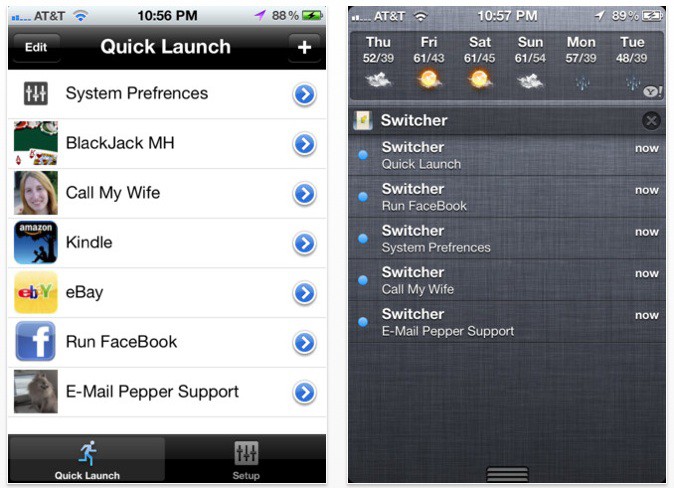
There’s a lot to like about iOS 5’s Notification Center, but unfortunately, it’s not nearly as configurable as it could (and perhaps should) be.
If you want to wring more power out of your Notification Center, though, we’ve got good news: there’s a really simple way to turn Notification Center into a quick launch bar for all your favorite settings and contacts. Even better? Unlike many Notification Center tweaks, there’s no jailbreak required.
We’ve been hearing a lot lately about the so-called iTV, Steve Jobs’s “cracking” of the HDTV problem. But what if the iTV is just a rumor, and Apple instead plans on fixing television by making iMacs into HDTVs?