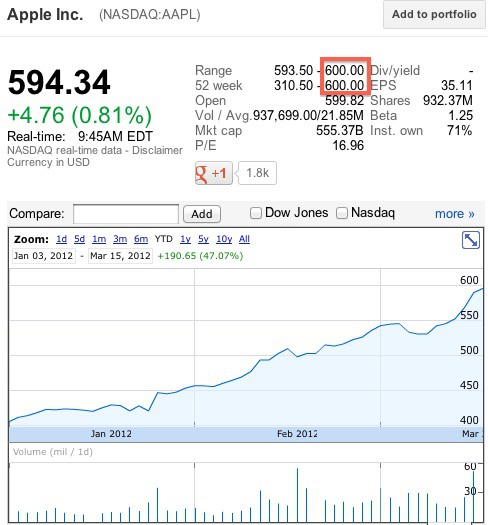
For the first time ever, Apple stock briefly touched, then dropped below, the price of $600 per share. Making that milestone even more impressive is the fact that AAPL just reached $500 per share for the first time a month ago.
Mark my words, Woz is right: Apple’s going to reach $1000 per share become the world’s first trillion dollar company.
I’ve been obsessing over my iPad pre-order so much since I placed it that I’m checking it tracking status almost hourly. I know it’s not going to arrive early, but I can’t help myself.
If you’re like me and you live in the U.K., you may have noticed that your iPad is listed as “out for delivery” today. But here’s why it won’t be arriving on your doorstep early.
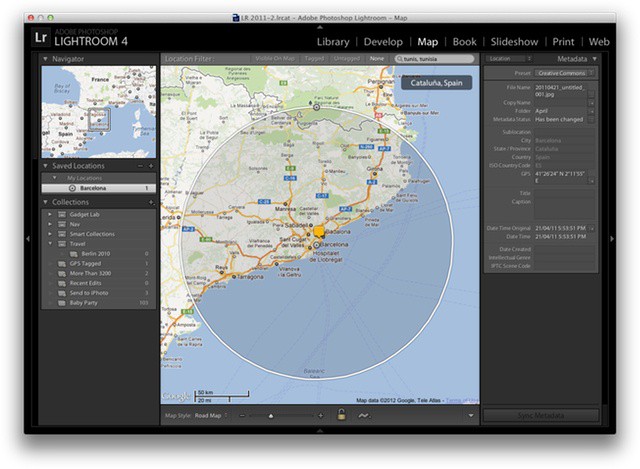
Lightroom 4 lets you easily geotag photos taken with an ordinary camera
Before our full review next week, here’s a great little how-to guide on using geotagging in Lightroom 4. Adobe’s photo-editing and cataloging app has caught up with iPhoto and Aperture in its latest version, and you can now view any photos with embedded GPS co-ordinates on an in-app map. This means any of your iPhone photos can be browsed by location, which is a surprisingly useful tool.
But what if you want to reverse tag your photos? Say your camera doesn’t have GPS, but you have a track log recorded on a GPS device or with an iPhone app. How do you put this data together in a useful way? Below, Adobe’s Terry White shows us how.
Get out of my way, chumps, I've got to get home to play Diablo III!
Oh Lord, after a dozen years, it’s finally come: Blizzard Entertainment has finally slapped a release date on their much-anticipated horror and fantasy themed hack-and-slash RPG, Diablo III. And that magic date?
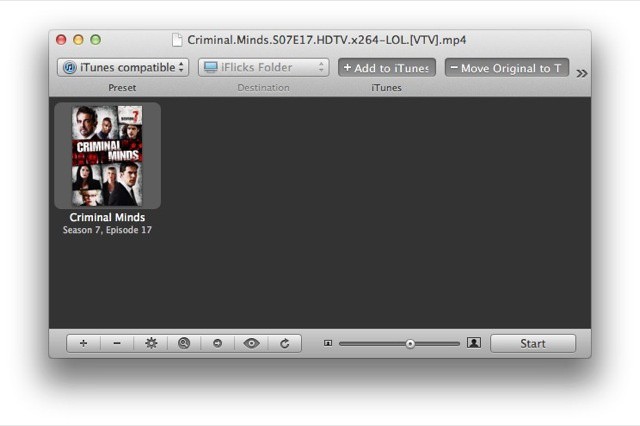
If you live outside the U.S and UK, you’ll find that the easiest and quickest way to get your favorite TV shows onto your iPad is via BitTorrent. But until now, you had to do some heavy post-download processing to make the XVID files play on your iPad, or at least use third-party software to play it.
Now, many BitTorrent groups have switched to the x264 MP4 format for most new releases. That’s good news for iPad and Apple TV users, but there’s even more entertainment to be had from this story: The BitTorrent pirates are crowing about the switch and even threatening to boycott the downloads.
Yes, you read that right. Pirates are threatening to boycott illegal TV show downloads.
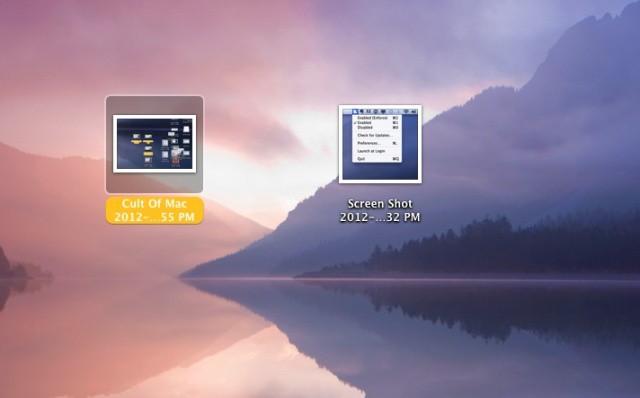
I have to admit it. I take a lot of screenshots here when trying to illustrate these daily tips. Wouldn’t it be great if there was a way to name them something more useful, say, like “Cult Of Mac Tips?” Well, it turns out there is a way to do that, requiring only a dip into the Terminal app and some copy and pasting. Ready?
It's hard to believe a clean cut, law abiding youth like this would smoke marijuana, isn't it?
You only need to look at the bloodshot eyes, crunchy appearance and tossled hair of famed PS3 and iPhone hacker George “geohot” Hotz to realize that this is a mind which works best when jerkied in the cannabinoid vapours inhaled from a tightly packed magic jaybone. He’s a viper from birth, and we wouldn’t have him any other way.
But the cops would. That’s why they arrested him for cannabis possession while driving to SXSW to deliver a speech on hacking.
Byword stands out from the Markdown crowd with its elegant simplicity
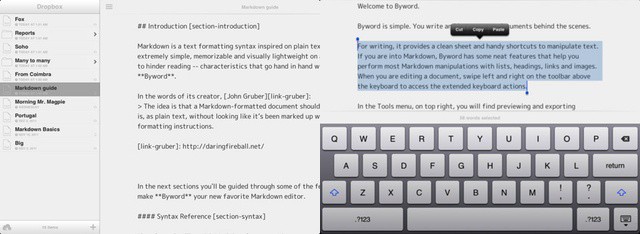
After a brief moment in the iTunes in the iTunes App Store sun last week, Markdown text editor ByWord has officially arrived on your iPad and iPhone. It’s a companion to the excellent OS X version of ByWord, and is one of a growing number of apps to sync using iCloud.
Apple's newest set-top box includes 1080p video and a beefier chip.
With all the attention deservedly going to the new iPad, it can be easy to forget that Apple also launched a third-gen Apple TV set-top box at its March 7th media event. The little hockey puck included 1080p HD video support and a faster processor, but that’s basically it. Not much has changed since the last Apple TV.
Apple has given early review units of the new Apple TV to certain publications to review. Here’s what they have to say:
Poor Joshua Topolsky from The Verge can't make a FaceTime call over 4G on his new iPad.
The new iPad uses blazing fast LTE 4G networking to let you stream YouTube faster than you can say “Tim Cook’s your uncle,” but you still can’t use the tablet to make FaceTime calls over 4G or 3G. Calls fail to connect when the third-gen iPad isn’t connected to a WiFi network, just like they do on the iPhone.
iPhone users have been hammering for FaceTime over 3G since the video calling technology was introduced by Steve Jobs and Jony Ive back in 2010, but Apple has yet to flip the switch. Due to the data-heavy nature of video calls, the carriers are likely to blame.
Will Sparrow be enough to tear you away from the clutches of Apple's Mail app?
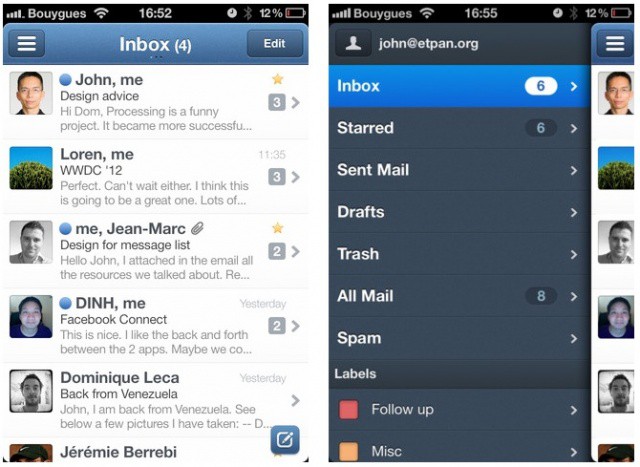
The highly-anticipated iPhone email client called Sparrow is now available in the App Store. The app costs $2.99 and promises an enhanced emailing experience. Flagship features include a unique and gorgeous interface, a threading system for messages, enhanced contact integration, better search, and more. If you’re ready to try something besides the default Mail app, Sparrow is definitely worth checking out.
Can Apple's early iPad reviewers charm you into buying the new iPad?
Apple always gives a few select media outlets a sneak preview of their newest products so they can post their reviews before the rest of us peons get to own their magical device. The embargo on reviews for the new iPad just lifted this evening, and so far everyone’s impressed with the retina display and 4G speeds, but is there anything they’re disappointed with in the new iPad?
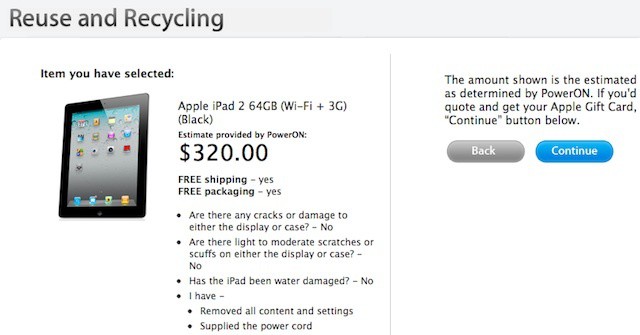
The arrival of the new iPad will be upon us in less than two days. Selling your old iPad to supplement the cost of the new iPad can be a quick and easy way to save money. Last week we published a guide on how to get the most money for your iPad, but it looks like another option has just emerged. Apple has updated their Reuse and Recycling program to include trade in values for the iPad 2 which will give consumers up to a $320 gift card to trade in their used iPads.
Apple Configurator - Is it right for your school or business?
One of the first things most IT folks will think about Apple Configurator is that it’s pretty limited compared to some of the mobile device management suites on the market (including Apple’s Profile Manager in Lion Server). MDM suites are designed to make device management as easy, automatic, and wireless as possible. Most include robust monitoring and reporting features – virtually all can use Apple’s push notification system to update a managed device at any time.
Configurator, on the other hand, requires connecting each iOS device to a Mac using a USB cable to perform any administrative tasks like configuring device settings, assigning a device to a user, installing apps, or updating iOS. That means that Configurator isn’t appropriate for a lot of businesses or workplace situations. Yet, for some organizations, Configurator is a more ideal tool than most MDM suites because of its hands-on approach.
So, what kinds of environments is Apple Configurator suited to?
"Hay gurl, wanna play a game of Twister on my new phone?"
Not satisfied with your iPhone’s screen size? Want Apple to come out with an iPhone to rival the Galaxy Nexus’ screen? Maybe even the Samsung Galaxy Note?
Cartoonist Leslie Wood gives us a humorous take on what the future of smartphones holds for mankind:
When we think about security for our mobile devices, we’re usually protecting it from nefarious individuals. Well guess what? It apparently works both ways. In a story straight out of James Brown’s diary, the FBI is having a hard time busting a notorious San Diego pimp thanks to Android’s pattern lock feature.
Whenever I share a screenshot of my jailbroken iPhone the number one question I’m always asked is, “How did you get rid of your carrier name like that??” The answer is actually a very simple one, as there are a host of Cydia tweaks that will let you hide your iPhone’s carrier name and other status bar elements.
If you’re itching to clean up your own status bar, here’s what you need.
There’s so much that’s impressive about the technology we all carry in our pockets that it’s easy to take it for granted. But one of the things that constantly amazes me when I see it in action is instant language translation.
Vocre (pronounced voh-creee) is a translation app that’s not new on the App Store, but has one important new feature: it’s free.
Don't get overwhelmed by the lines, just follow our Launch Day guide
Obviously, the best way to get the new iPad on launch day was to pre-order it as soon as Apple’s website came back up. That option is now gone and you’re looking at shipping times of 2-3 weeks before you can get a new iPad in your hands.
It’s ok. Despite everything Samsung says, waiting in line for the iPad isn’t that bad. In fact, it can even be a lot of fun. If you’re planning on braving the weather and the crowds Friday morning here is our killer guide on the gear you need to not just survive, but thrive on launch day and walk away with the new iPad model you want.
View your photos in all their glory in Picture Frame on iPad.
If you frequently use the iPad’s Picture Frame feature, you’ve probably noticed that it likes to zoom in on people’s faces within each photo. Fortunately, there is a way to prevent this.
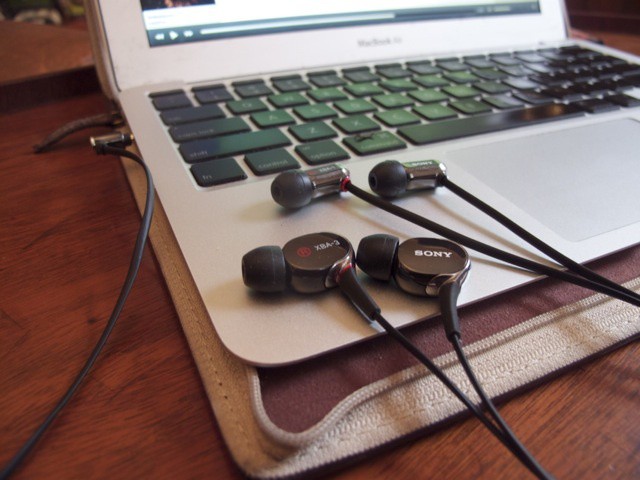
Sony's XBA-1iP and XBA-3iP earbuds are stylish and sound great.
Earbuds are a compromise. Bang for the buck, you’ll always get better sound and bass from over-the-ear headphones, and probably better comfort as well. Notoriously fragile, you’ll likely get more longevity with headphones than earbuds, too. But these are all the sorts of drawback you live with if you want to listen to your music on the go without carrying around a big pair of cans with you, and all of the technology of earbuds are largely extended towards minimizing their deficits when compared to their bigger, richer brothers.
Enter Sony’s XBA range of earbuds. Spanning four models, each defined by its number of drivers — the Sony XBA-1iP, the Sont XBA-2iP, the Sony XBA-3iP and the Sony XBA-4iP — Sony’s making a concerted effort to deliver high-end over-the-ear sound in a slim, light and portable package. But how well did they do?
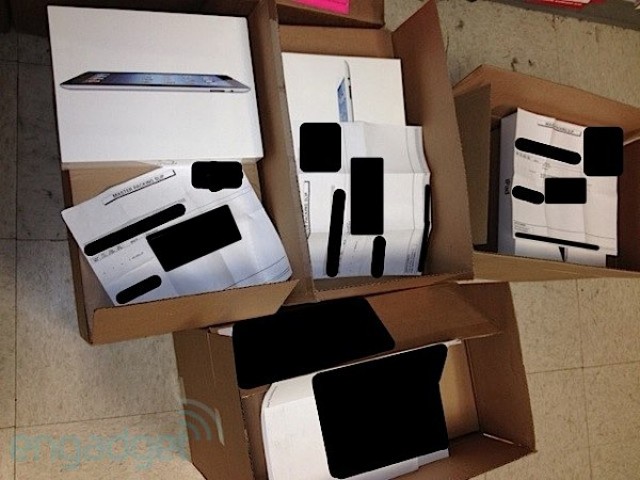
Some pimply Best Buy stock boy's last sight before suffering an early onset aneurysm.
We said just a couple days ago that there’s pretty much zero chance you’ll be getting your pre-ordered new iPad delivered early, but maybe people hanging out at Best Buy will have better luck? According to Engadget, Best Buy is already getting Retina Display iPads delivered to their back stockrooms, which means there’s a fair chance that some idiot stock boy will accidentally put them out on the floor early. Fingers crossed!
There’s no denying the fact that Verizon leads the charge in 4G LTE expansion. In fact, come this time tomorrow, over 200 markets will be blanketed in the lightning fast speeds of Verizon LTE. To put things in perspective, AT&T, who recently announced twelve new markets, covers a total of 28 markets. With the majority of devices now being manufactured to take advantage of LTE (including the new iPad) this huge gap in market coverage could very well push a large number of users over to Big Red’s network.
Boring sky? Jazz it up in seconds using Photoshop Touch's Fade tool
Adobe’s Photoshop Touch is flexible enough that you can really get your hands dirty with some desktop-level photo manipulation. But what the app is really meant to do is be a quick way for you to fix or edit your photos and then share them with your friends via social networks or email.
To this end, there are some incredibly powerful tools which take just a few taps to apply. One of the coolest is called Add Fade, and it makes blending two images together as simple as dragging a slider: Photoshop takes care of all the masking and blending for you. So go grab your iPad, fire up Photoshop and follow along.