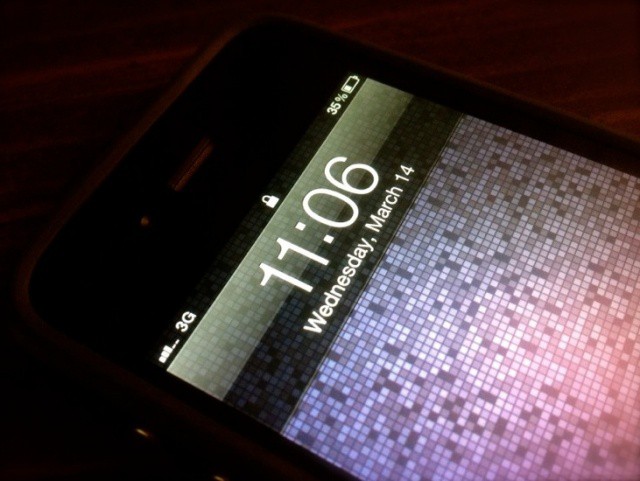
Whenever I share a screenshot of my jailbroken iPhone the number one question I’m always asked is, “How did you get rid of your carrier name like that??” The answer is actually a very simple one, as there are a host of Cydia tweaks that will let you hide your iPhone’s carrier name and other status bar elements.
If you’re itching to clean up your own status bar, here’s what you need.
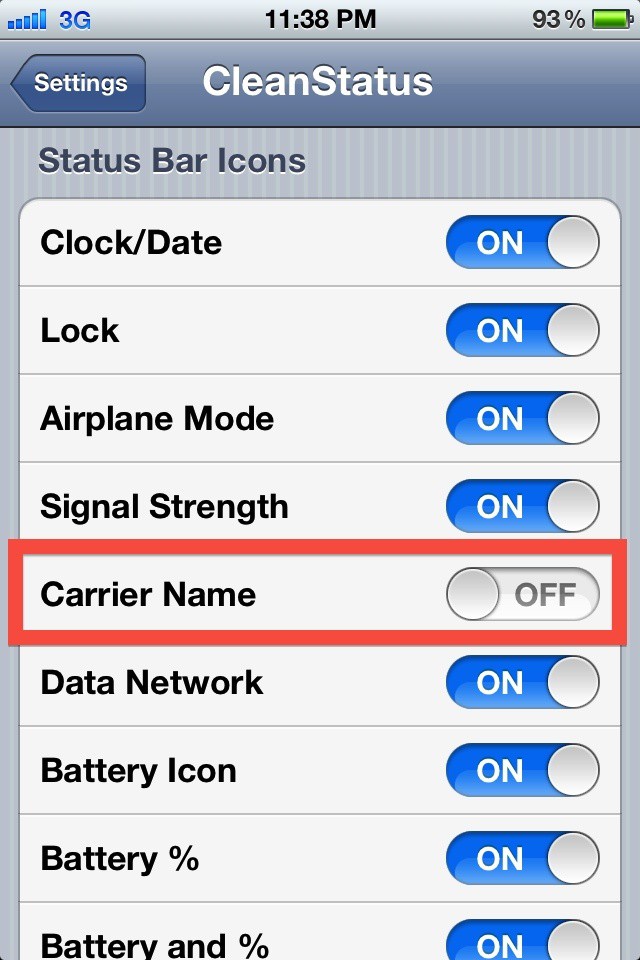
The simplest way to hide your carrier name would be installing a free tweak called “CleanStatus.” Search for it in Cydia, install, then head over to the Settings app and hide your carrier info. I told you about the ultimate customizing tweak for iOS 5, Springtomize, in my roundup for the iPhone 4S. Springtomize will also let you hide your carrier name, but it costs a couple bucks. Pick your poison.

Alex Heath is a journalist who works for Tech Insider. He’s the former co-host of The CultCast. He has been quoted by the likes of the BBC, KRON 4 News, and books like “ICONIC: A Photographic Tribute to Apple Innovation.” He lives in Lexington, Kentucky. If you want to pitch a story, share a tip, or just get in touch, additional contact information is available on his personal site. Follow him on Twitter.

