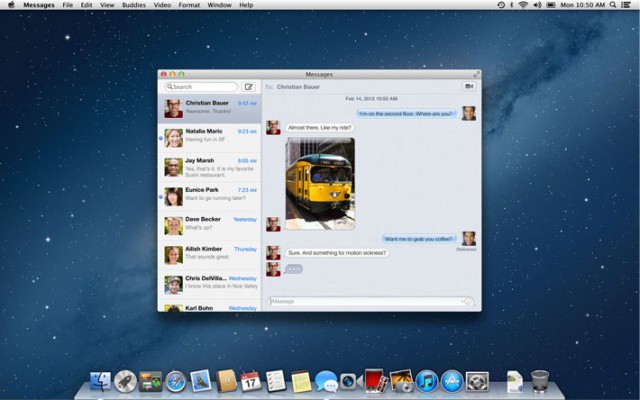
You know how in many Google web apps you can just press CMD-? to bring up an overlay containing all the keyboard shortcuts available? (you did know that, right?) Well, now you can do the same with any app on your Mac using the sweet and simple CheatSheet, a free app with this one single purpose.
See this? It's just another way Android is hopelessly fragmented.
We already know that between hundreds of different Android builds and handsets, Google’s smartphone OS is hopelessly fragmented, and requires immense expense and time on the part of developers to get even a simple app working reliably.
But the problem with Android — and why it’s such a bitch to develop for — goes deeper than just too many handsets and OS builds to support. Even developing a simple music app for Android is a nightmare due to Android fragmentation, because Google couldn’t even get volume control on Android right out of the box.
Apple's One to One sessions are ideal for those who want to learn more about their Mac or iOS devices.
Apple has today introduced a number of new features to its One to One program, which provides personal and group training to those with Mac and iOS devices. In addition to a redesigned website, the $99 per year subscription service now offers shorter, 30-minute sessions; more tutorial videos; VoiceOver support for the visually impaired, and more.
Ever notice that Instapaper never seems to switch off your iPad or iPhone’s display while you’re reading, no matter how long you get distracted while reading, nor how slowly you read a page, whereas iBooks and Kindle regularly go dark if you don’t keep up a good pace? No? That’s because you’re not supposed to, even though Instapaper developer Marco Arment spend quite a lot of effort tweaking the app to do it.
A group of developers have banded together to celebrate their freedom to price their games how they like within specific online stores. Most online app stores give developers this freedom, but others such as the Amazon App Store do not. Amazon allows a developer to set a recommended price for their app but reserves the right to change that price whenever they want. I can’t really think of another app store besides the Amazon App Store, so this coalition almost feels like an anti-Amazon App Store celebration to me.
Cuckoo works with your iPhone and lasts for a year on a single button cell
The Pebble watch is pretty neat and all ($10 million can’t all be totally wrong), but even with e-ink and low-powered Bluetooth it still needs charging way more than a regular watch. It’s also rather plasticky and dorky-looking.
The Cuckoo might not be able to fix the second part, looking as it does like a rather dull take on a Swatch, but it can certainly fix the first.
Launchpad brings the iOS Home screen look to the Mac.
When Launchpad first rocketed (sorry) onto the scene in Mac OS X Lion, most people were firmly in the “hate it” or “love it” camp. There didn’t seem to be much in between, but maybe that’s just due to the contentious nature of the internets. Regardless, today’s tip is firmly in the “love it” camp, showing you how to clean up Launchpad, add in just the Apps you want to use, and then a quick trick for clearing the background to show off that cool iOS-like Earth from space picture.
"There's a hole in my MacBook, dear Liza, dear Liza."
There are a long list of advantages that come with owning a Mac, but premium machines come with premium price tags. As such, we’re always on the lookout for fantastic deals on Apple’s latest releases, and we’ve found a terrific one on Craigslist. For just $200, you can pick up a late-2011 13-inch MacBook Pro with a 2.4GHz Core i5 processor and 4GB of RAM.
There’s only one caveat: You’ll have to work around six massive bullet wounds.
We’ve been waiting a long time for Pod2g and his team to release the untethered jailbreak for devices running iOS 5.1.1, but that wait could soon be over. It was already confirmed earlier this week that Absinthe 2.0 was just a matter of days away, sparking speculation that hackers will pull a “one more thing” announcement on the last day of this week’s “Hack in the Box” conference in Amsterdam.
According to the event’s official Twitter feed, that’s exactly what’s going to happen.
So far it’s been pretty consistent: Each time we review a set of Ultimate Ears ‘phones, the bar leaps up a few notches as our expectations regarding the outfit’s offerings rise. After reviewing the 350, 700, and especially the 600vi — which garnered a best-in-class verdict — we were expecting the TripleFi 10 ($400) to slay vampires and cure cancer.
Of Ultimate Ears’ more serious offerings — and by serious, I’m referring to UE’s armature-equipped models, which start at $100 — the TripleFi 10 is by far the most serious, with three drivers and a crossover in each ear, pro-level detachable leads, the thickest cable we’ve ever seen on an IEM, Comply foam tips (the best tips, period) and a sound signature that’ll have you madly running through your entire music catalog with a big, gleeful smile plastered all over your face.
The Apple iPad is the fastest-growing consumer electronics device in history. But what’s it for? Where do you use it?
As a hard-core iPad fan since day one and a certifiable foodie, I can tell you that the kitchen is the single best place to use an iPad. Sure, you can bring your iPad into the kitchen. But you really should buy your kitchen its very own.
Don’t think of it as a needless expense; think of it as the cheapest possible way to transform your kitchen into the futuristic smart kitchen of tomorrow. For less than $600, you can give your kitchen abilities that even the most optimistic futurists never dreamed of. It’s a wonderful time to be a gadget-happy foodie.
Yahoo announced tonight the launch of its new search platform, Axis. The idea here is that users can search the web using their iPad, iPhone or computer and then pick up that search when they move from one device to the next. It’s a cool idea, and one that we hope other search companies pick up soon.
Yahoo is touting Axis as a one-step search solution, allowing users to visually search the web from any other web page without having to leave that page to search. The visual layout on the app looks a lot like the Pulse News app, with previews of web search destination sites listed in swipe-able rows on a black background.
You’ve seen Stephen Spielberg’s film, Minority Report, right? Tom Cruise’s character stands in front of virtual screens, puts on a pair of gloves, and manipulates the data and the memories without touching a thing. Well, the super brains at MIT’s media lab have taken the first step toward that reality, using Apple’s magical device as a display screen and a special glove/attachment combo to interact with it.
The video the group has released shows some pretty fancy stuff, drawing objects in 3D real time, and then manipulating them in collaboration with others. There’s even some slick Minority Report-style interface there, with researches moving red and blue rectangles around in the virtual space they’ve created on the iPad.
Following a rollout in other iTunes Stores around the world over the last several hours, Panic’s Coda 2 and Diet Coda have officially gone live in the U.S. Mac and iOS App Stores. Panic announced the two apps yesterday by saying that both apps were set to drop on Thursday, May 24th.
Apple has begun airing two new ads for Siri and the iPhone 4S titled “Joke” and “Life.” Both spots feature actor John Malkovich. The new ads are similar to other recent Siri commercials starring celebrities like Zooey Deschanel and Samuel L. Jackson.
These two new commercials show Malkovich using Siri for a variety of tasks, such as checking the weather and his calendar. Malkovich also asks his iPhone for a joke, and Siri classically replies with “Two iPhones walk into a bar, I forget the rest.”
A great app called Dropzone had a killer sale yesterday. The Mac app normally sells for $14 in the Mac App Store, but the developer decided to participate in Two Dollar Tuesday and drop the price of Dropzone to only $2.
After taking the gamble, Dropzone made an astounding $8,000 in one day. The dev says the money is “beyond my wildest dreams,” and this reinforces how profitable price cuts in the Mac App Store can be.
May is Mobile Management Month at Cult of Mac, where we will be profiling a different mobile management company every weekday. You can find all previous entries here and read our Mobile Management manifesto here.
Tarmac is a fairly focused device management option from Mac and iOS developer equinux (makers of the Mac utility VPN Tracker). Tarmac focuses on delivering the core iOS management needs with low overhead. equinux’s narrow focus on just iOS allows the company to provide a wide range of enterprise systems integration options. Tarmac specifically targets the small business market with separate small/medium business and larger enterprise versions.
BYOD can help small business attract, retain talented employees
Often discussion around BYOD and mobile management focus on larger companies like IBM and VMWare (both of which have made big bets on BYOD). For larger enterprises, BYOD is a big change for IT professionals and users alike. Testing and transitioning to a BYOD model is filled with culture shock, challenges, and deeply held concerns about data and device security.
For small and mid-size businesses, however, the experience can be very different. That’s to be expected since smaller IT departments are often more tightly integrated with staff taking on multiple roles and less delineation of duties and job functions. Often this leads small business IT to be more agile and more engaged with the rest of the organization.
According to Nasstar, small businesses are employing BYOD in large numbers and with positive results.
There’s a new Plants vs Zombies stage, available only in China (for now) and only on Android (for now, we hope), called The Great Wall edition. Check out the screenshots for yourselves; we’re solidly on the fence between awe and confusion.
CleanMyDrive monitors and spit-shines your external hard drives.
MacPaw, makers of CleanMyMac, released a new menubar Mac app today called CleanMyDrive. As a simplified version of CleanMyMac, CleanMyDrive lets you monitor and clean up external hard drives connected to your Mac. The app is super simplistic, and it’s free in the Mac App Store.
Sometimes a good idea doesn’t have to be radical. It doesn’t have to have a $70,000 Kickstarter goal. Sometimes a good idea is just simplicity itself: easy to produce, affordable to own, beautifully designed and genuinely useful.
That’s what makes our eyes pop about The Wrap. Designed by Michiel Cornelissen, the Wrap is a simple plug that fits on the USB end of a European iPhone wall charger. Thread your 30-pin dock connector cable through The Wrap and you can easily wrap the whole cord around it. That’s it. Just EUR 9.95.
I love this. It’s just beautifully useful and wonderfully understated. And while The Wall is Europe-only for now, Cornelissen says that if 100 people email him saying they want a US version, he’ll make one. Get clamoring, people.
Ever wanted to check out the ghost of your city past? Interested in experiencing the history of the spaces around you? Well, you just may be able to do that with this free app from Enlighten Ventures, LLC.
A warehouse nestled in the heart of Louisville, Kentucky is home to hundreds of unnamed machines. Each white box gently wields a robotic arm that grips a normal-looking pen. As I walkdown the aisles separating the machines, disjointed sounds of clicks and squeaks fill the air. I’m in the home of Thank You Pen, a new startup that aims to blend technology with good, old-fashioned, dead-tree communication. “And while the service’s creator modestly says he can’t compete with Apple, Thank You Pen is doing what Cards can’t: putting love, care and soul into every card sent.”
Setting up a location-based reminder on the iPhone is fairly simple. Those lucky souls with an iPhone 4S can just ask Siri to do it for them, but – like the rest of us – they still need to have an address in a Contact entry on their iPhone to make it work properly. Aside from typing in address information into the Contacts app, there’s an even easier workaround, using the Maps app.
Apple's ditched iPod white and piano black from their Mac line, but luckily, there's the iGlaze.
Ever wish your MacBook Air came in carbon fiber black? Or maybe you just miss the classic old iPod white Apple used to ship its MacBooks in, and wish your Air was as clean and ivory?
Moshi’s got you covered. They’ve just announced the iGlaze, an ultra-slim case for your MacBook Air that adds maximal protection, minimum thickness and lets you have your Air in any color, as long as it’s black or white.