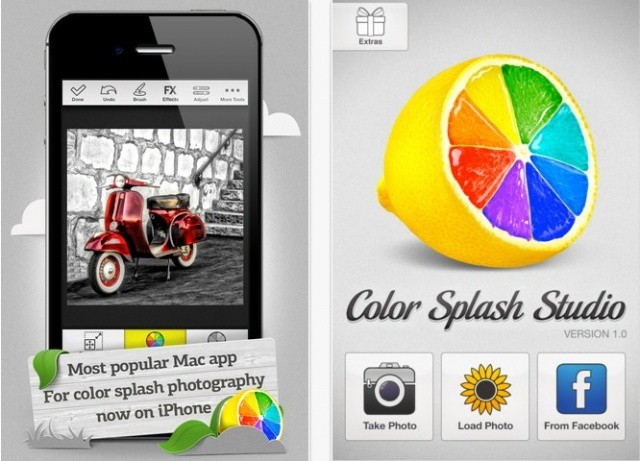
Earlier this month we reported that MacPhun squeezed their outlandishly colorful Color Splash Studio Mac app onto the iPhone. Today, they’re giving away free copies of the Mac app, with one small catch: You have to send them something you created on the iPhone version of the app.
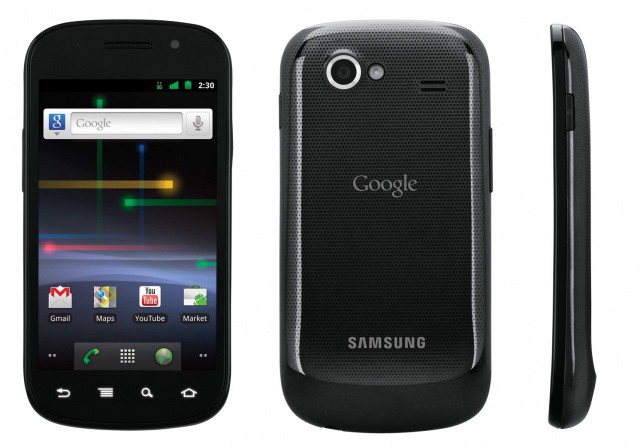
Three days after we reported an Apple win in regards to the Samsung Galaxy Tab, US District Judge Lucy Koh just handed Apple another, possibly temporary, victory.
Erica Sadun writes at TUAW about a new, possibly first of its kind ebook, one that includes American Sign Language (ASL) videos embedded along with the electronic text and pictures.
While bilingual education has been around for a good long while, the concept of prepackaged ASL translation is a relatively new one, as the tools to embed quality video in an eBook haven’t been mainstream enough. Until now, of course, with iBooks, the iPad, and iBooks Author.
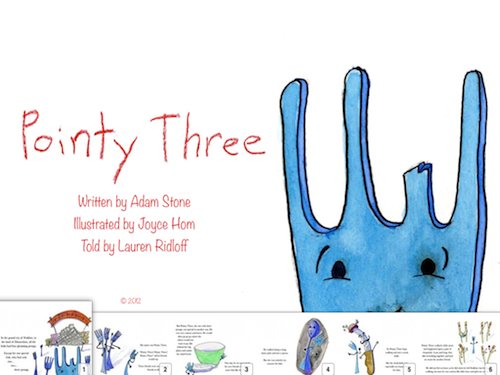
Author Adam Stone released his new book, Pointy Three, on the iBooks store last week. From the iTunes description:
Presented in American Sign Language (ASL) and English! The story of a fork who’s missing one of his prongs, but not his brave spirit. Follow Pointy Three on his journey through the land of Dinnertime as he meets characters left and right and looks for a place where he belongs.
Sadun interviews Stone and talks with him about his motivation to do such a book. “I want to show everybody that it can be done easily, quickly, and cheaply,” he said on his blog. “You don’t need to talk to a publisher; you are the publisher.”
Stone works as a first grade teacher at an ASL school in New York. He was inspired by the introduction of iBooks Author and came up with the idea for the story with ASL elements on the way home one day. He typed up the treatment on his iPhone in the Notes app, he says.
When asked why he hadn’t created an app, Stone reveals that he has no skills as a programmer. With iBooks Author, anyone can create an interactive story for their unique audience and situation.
This is the disruptive success of Apple, one that hearkens back to the original computer club and Steve Wozniak. Apple devices are all about empowering people to actually create and do things – wonderful and unique things – with the powerful technologies inside.
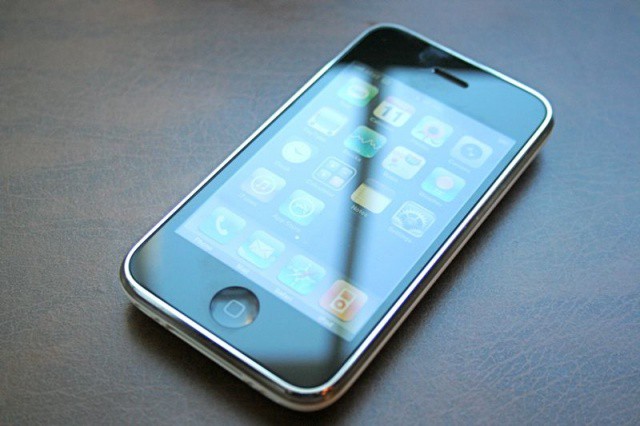
Today marks the 5th anniversary of the launch of the original iPhone, the phone that undoubtedly changed the world forever. To celebrate 5 years of iPhone, I’ve put together a little video showing just how much the iPhone has impacted not only our culture, but our everyday lives. Check out the video after the break.
Congressional testimony raises concerns about consumer protections for mobile payments
Are mobile payments safe? That was a question that the House Financial Services Subcommittee on Financial Institutions and Consumer Credit posed to various finance officials earlier today. The subcommittee didn’t get a particularly clear answer.
According to written testimony provided by Stephanie Martin, associate general counsel for the Federal Reserve Board of Governors, defining what protections apply to mobile payment systems is complicated by the fact that many businesses involved in the transfer of money through mobile devices aren’t banks. Companies involved in mobile payment systems that don’t meet the established definition of providing banking services aren’t subject to certain scrutiny, regulation, or consumer protection laws.
One of our favorite iOS games here at Cult of Mac is Robot Entertainment’s maniacally fun turn-based strategy game, Hero Academy. Now it’s coming to Mac, and bringing the heroes from Team Fortress 2 along with it.
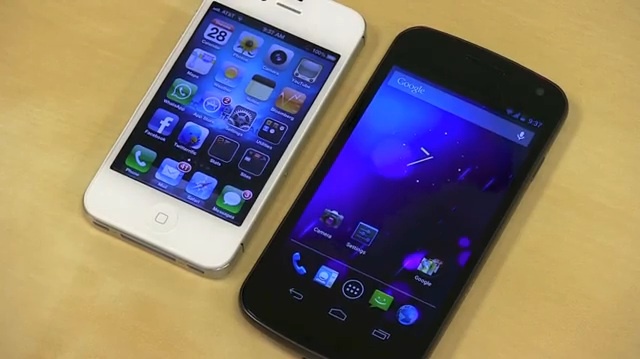
When Google announced Android 4.1 (Jelly Bean), they showed off the new voice actions as well as search cards. Naturally, everyone soon became curious about how the new voice actions compared to its Apple competitor and voice assistant Siri. While most Androidians didn’t have a spare iPhone 4S on hand, one blogger for TechnoBuffalo did, and was kind enough to put them to the test.
You’ve got an iPad. You were so taken with this magical device that you decided to write the next great American novel that doesn’t involve sparkling vampires using Pages or another word processing app for the iPad. One problem: How to print it.
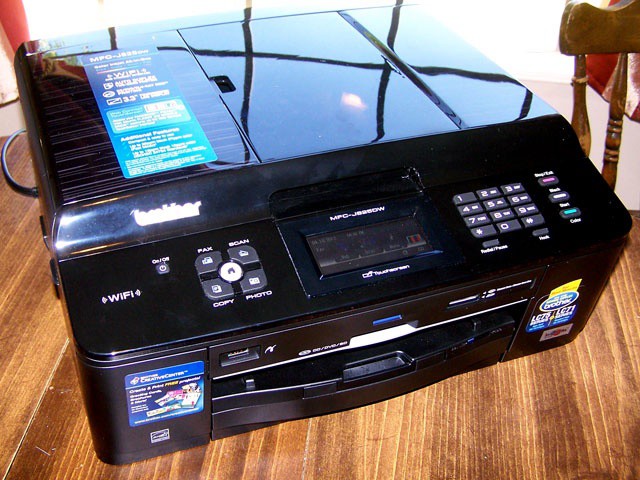
The Brother MFC-J825DW is one of the latest Brother printers to join HP, Lexmark, Epson and Canon as a capable Airprint printer. So how does it work with the iPad?
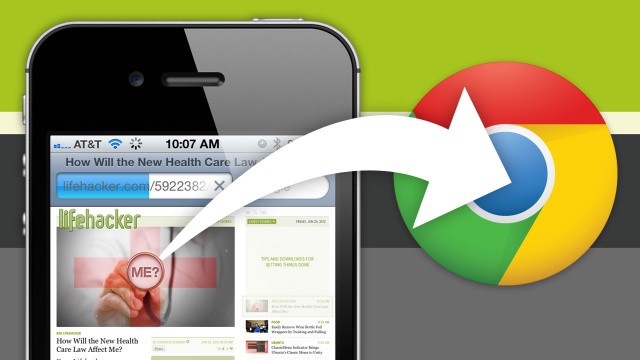
Here at Cult of Mac, we love Google’s new Chrome browser for iPhone and iPad… love it so much, in fact, that for many of us, we’re now using it as our default browser on our jailbroken devices using a Cydia tweak.
That’s all well and good if you’ve got a jailbroken iPhone or iPad, but what if you’re living on the straight and narrow? How can you make using Chrome as your default browser an easy experience when iOS wants to open every link in Safari instead?
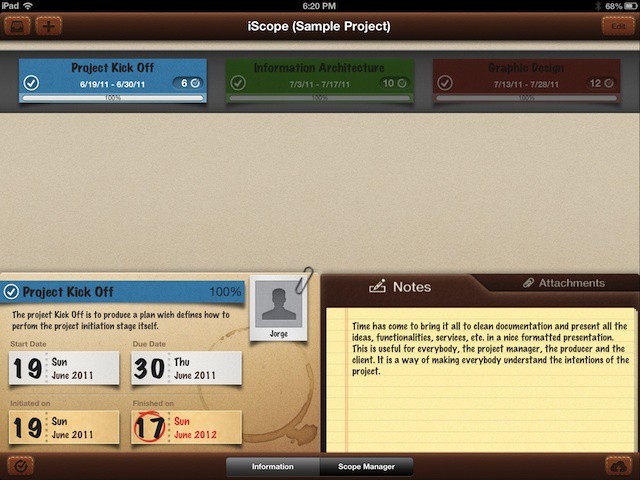
With the tagline, Gantt 4 Humans, iScope promises to give you the benefits of a centralized project management suite like OmniPlan ($50) for a lot less money ($5) and a lot less hassle. While I’m not reviewing the app here, I do like what I see so far.
iScope uses what it calls horizontal rails, which are basically Gantt chart-style tasks and schedules.
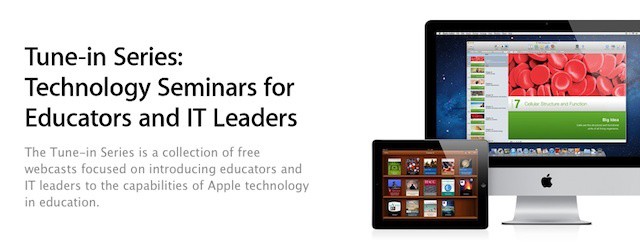
Apple is offering free webcasts on using iPads, iBooks Author, and iTunes in education
One of the ways that working in education is different from almost any other industries is the annual summer break. The summer break let’s schools and districts tackle large projects in ways that simply aren’t possible in other fields. Deploying a brand-new network, building an expansion, and taking part in professional development programs are just a few examples.
With the end of the school year, Apple is taking the opportunity to remind schools and educators about a free professional development program that it’s offering. Called the Tune In Series, the program is a series of webcast events covering the iPad and many of the technologies that Apple introduced during its education event in January. The series is running every week through the end of August.
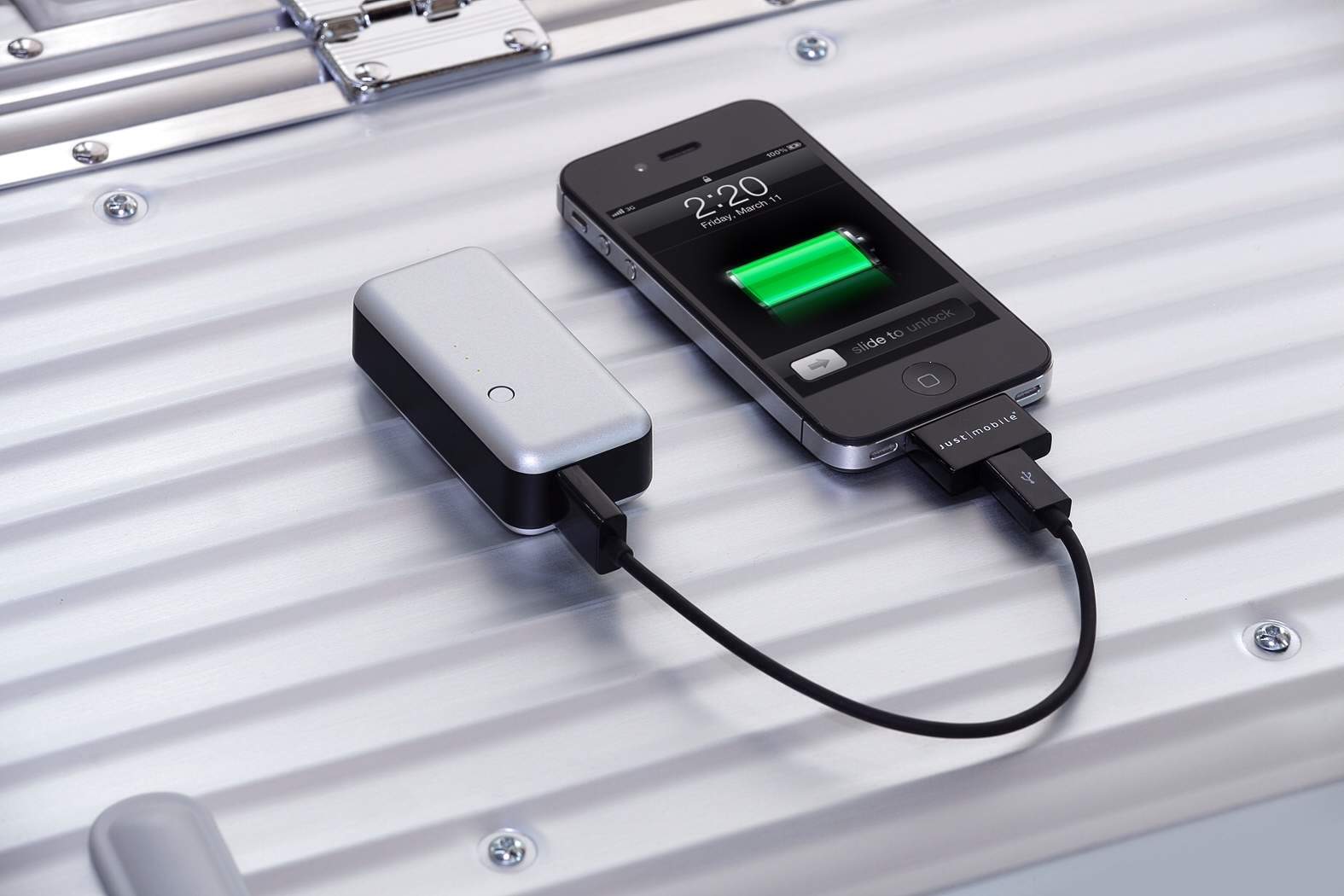
This tiny backup battery is small enough to take anywhere.
“You can’t take it with you.” This is a saying usually uttered by those people who are bitterly jealous of their richer friends' and relatives' success. It refers to the fact that your money is no good when you’re dead.
But it could equally apply to many external battery packs for the iPhone, which you can’t take with you because they’re too big, and you’re not carrying a bag.
Enter the Gum, a tiny 2200mAH battery pack which fits in your pocket, and while it won’t help you in the afterlife, it will help you where it counts: in the actual real world of too-short battery life.
First thing’s first: this report is as sketchy as it comes, and probably has no validity whatsoever. We still think the theory being presented, though, is interesting enough to discuss.With that out of the way, a Chinese newspaper is claiming that Apple will launch a new iPad later this summer, and far from being the seven-incher everyone has been expecting, it will actually be a 10-inch model that will fix everything that was wrong with the new iPad: mainly, the heft and thickness.
The mobile payment options becoming mainstream are the simplest and low-tech ones.
Read enough articles about NFC and its potential for mobile payments and you’ll find yourself thinking the technology is the inevitable mobile payment platform. Every major mobile platform except iOS already includes or will include support for NFC-enabled devices. There are lots of partnerships being announced between key players like device manufacturers, carriers, and banking or credit card companies. It also just seems to make sense that this is the future.
Until you look up from all the stories about what NFC and look at what’s really happening in the world. You don’t see much evidence of NFC payment systems in everyday life. NFC isn’t yet emerging into mainstream commerce, but there is ample evidence that mobile payments are taking off without it. Those options becoming mainstream are decidedly low tech by comparison, but that’s precisely why they’re succeeding.
After a day of dumb product names (Adixxion, Shoqbox), I’m glad to be able to bring you an app named Mc Loud. You’ll see how clever that name is when I tell you what it does: Mc Loud streams music and movies direct from your Dropbox account.
You know one of the secrets of great and productive designers? Great templates. Templates that don’t just look great, but are also flexible enough to make sure their project don’t look “cookie cutter”. Buttons, textures, backgrounds, design elements, layouts. A great designer has a slew of these stashed aside to pull out for a wide range of projects. Now, why should app developers be any different?
They shouldn’t. Which is what today’s deal is all about—The iOS App Design Bundle. Having great templates on hand to kick off your next iOS app project.
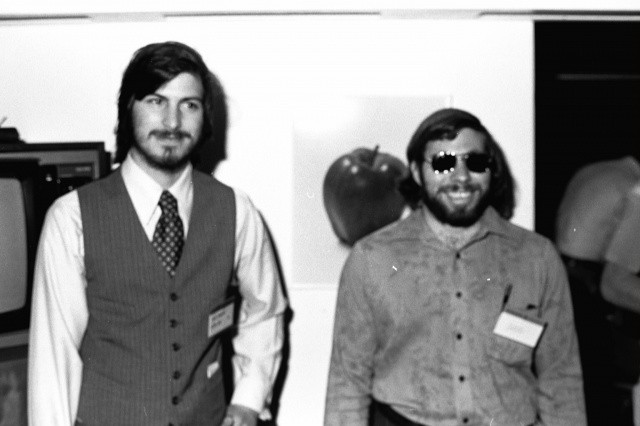
Steve Jobs (left) and Steve Wozniak (right) Photo:
A lot of people are getting excited that today is the iPhone’s fifth birthday, ourselves included, but it’s also arguably an even important anniversary: it marks the day that Steve Jobs and Steve Wozniak first got together and decided to change the world. Today is the day when two great minds first conceived not only Apple, but the PC.
Just the thought of letting a stranger use my iPad for anything other than a quick browse of Wikipedia creeps me out, so I’m certainly not the target customer for Griffin’s Kiosk. But I understand that some businesses use iPad’s for display material, and for them the protective, immovable stand looks ideal.
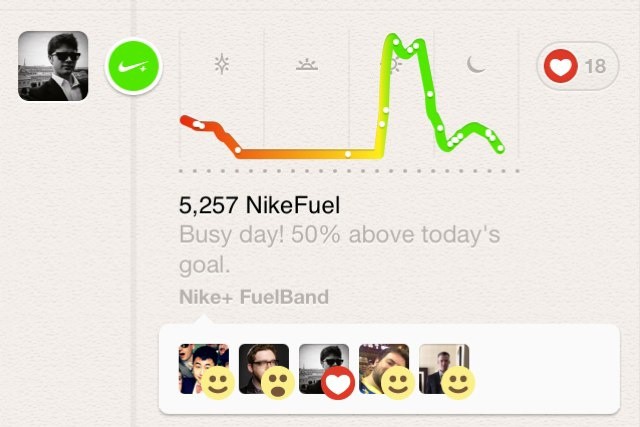
You can now brag about your latest FuelBand scores on Path.
There’s no point in exercising if you can’t tell your friends all about it afterwards, right? Well, if you’re a Nike+ FuelBand user, you now have yet another outlet through which to broadcast your latest jog. Version 1.2 of Nike+ FuelBand for iPhone introduces Path integration, background syncing, offline browsing, and more.
Mass iPad deployments in schools bring new challenges when it comes to filtering laws and regulations.
Technology in the education sector, particularly for K-12 schools, often poses unique challenges not seen in business or enterprise organizations. The iPad is a great example. As we noted yesterday, BYOD is generally not a good idea for school environments. That means effective iPad deployments are typically managed by schools and education IT staff.
There are plenty of stories out there about schools moving forward with one-to-one iPad deployments (we’ve run two this week – one about the massive iPad investment by San Diego’s school district and one on East Alton’s decision to lease iPads instead of buying them). One-to-one initiatives, in which each student gets his or her own device for use in class and at home, are generally considered a much more effective and ideal model than when students sharing devices during to school hours.
One-to-one programs, which were first established for laptops, can be challenging because such programs need to take into consideration that the iPads will be used at home. One area where this creates problems for schools is the need to comply with filtering regulations.
Everyone, and I mean everyone, seems to be getting in on the portable Bluetooth speaker game. Now the ante has been upped by the venerable Dutch consumer electronic company Philips, and the offering is a pretty good one.
Like the JamBox which inspired this whole market segment, the Shoqbox (as it is named) is a small rectangular “candy-bar” style speaker with stereo drivers and a Bluetooth radio. The difference is that this one has been ruggedized.
Get more accurate answers to your questions by typing them into Google, rather than asking Siri.
Although it sometimes doesn’t understand everything you say, it’s hard not to like Siri. After all, the voice-controlled assistant has made it easier then ever to perform all kinds of tasks on a smartphone using only the natural language that we use on a daily basis. But as we are well aware, Siri isn’t perfect.
Especially when it comes to answering your questions. In fact, Apple analyst Gene Munster believes she’s still two years behind Google after she only managed to answer 68% of the 800 questions he asked in a quiet room.
This changed everything. Where were you when it was announced five years ago?
Today is the fifth anniversary of the release of the original iPhone, and for Cult of Mac’s writers, it’s a particularly important birthday: not only does June 29th mark the anniversary of one of our most all-time beloved gadgets, but it’s also a day so momentous that it has rippled through every aspect of our professional lives as both Apple fans and writers.
To mark the occasion, Cult of Mac’s writers got together to talk about where we were when the first iPhone came out, what it meant for us then and what it means for us now. Check out our stories, then please feel free to hop in and leave a comment telling us where you were when the iPhone was born.
Pretty much the only segment of the camcorder market that hasn’t been destroyed by either cellphones or video-shooting SLRs is the rugged sports-cam market, if only because nobody wants to strap their iPhone or Canon 5D MkIII to their head and ski down a mountain.
So it’s no surprise that JVC’s latest offering is – you guessed it – a rugged sports cam, complete with various attachment to mount it on helmets, bikes and even goggles.
MobileMe will be gone in less than a month. Here are the best MobileMe replacement options. Photo: Apple
On Sunday, MobileMe will be dead, and anyone who is still using MobileMe and not Apple’s replacement service, iCloud, will be forcibly evicted. That means anyone still using MobileMe either needs to transition to iCloud and/or copy all data stored in their MobileMe accounts to their Mac or PC. Any files stored in MobileMe’s range of services that can’t be converted to iCloud will be deleted. If you opt not to use iCloud, all data in your MobileMe account will be deleted.
Although iCloud offers several advances over MobileMe, there are some MobileMe services that don’t have direct iCloud equivalents. These include MobileMe Galleries for sharing photos and videos, website creation using Apple’s iWeb, and iDisk remote storage and file sharing. File and information sync is available using iCloud, but the functionality is implemented a bit differently than in MobileMe. In addition, users still using Snow Leopard also can’t upgrade to iCloud.
It’s a tricky problem for thousands of users. There isn’t a single online service that delivers quite the same mix of features and functionality that Apple offered with MobileMe, but by combining some apps and services, you can get pretty close to MobileMe’s feature set. We’ve gone through all of the main competitors to try to find the best services for the soon-to-be dispossessed MobileMe subscriber.