Every time you drop by your local Apple Store it’s probably crazy busy. Even when they haven’t launched a new product in months, the floors are always packed with people. Apple just opened its 374th and 375th retail stores this weekend in Canada.
While he was up in Canada, Jim Dalyrmple talked to Apple about the success of their retail operation and came away with some interesting statistics – like the fact that the genius bar services about 50,000 people a day, for over 18 million appointments a year.
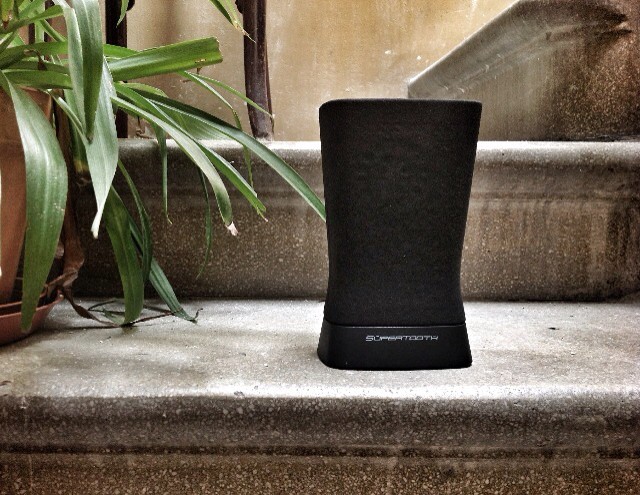
This is the SuperTooth Disco 2. It’s the sequel to one of my favorite Bluetooth speakers ever, the SuperTooth, only smaller, a little quieter, and a lot more stereo-er. It also has a quirky little flower-vase style which will probably grow on you, especially if you have small tables.
If you’re going to be in the Los Angeles area this week, you should really check out The LA Mobile Arts Festival. Tons of artists will be at Santa Monica Art Studios celebrating iPhoneography and the underground mobile arts movement with tons and tons of cool art installations that were all made with an iPhone.
The festival contains the largest ever exhibit of iPhoneography art, and will be open from August 18th-August 25th. The exhibit looks really awesome, and the organizers even sent Cult of Mac a sneak peak at some of the stuff you can find at the festival.
Here are just 12 of the many amazing iPhoneography works you can see at the festival:
Artist's interpretation of Steve Jobs' celestial palace in the afterlife.
Where is Steve Jobs right now? According to the abbot of a Buddhist temple in Thailand, Apple’s iconic co-founder has been re-incarnated as a mid-level angel currently residing in an ethereal six-storey building located not far from his Apple office in a parallel world. He is also a half-giant.
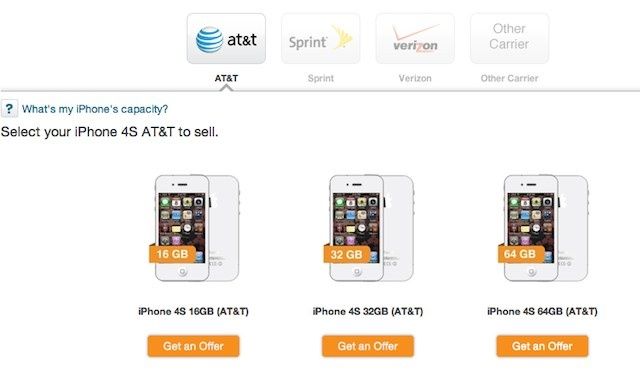
The rumor-mill has been churning for weeks and it seems almost guaranteed that Apple will unveil the new iPhone on September 12th. That gives you a little over three weeks to find a buyer for your old iPhone before its value drops once Apple announces the new iPhone.
Problem is, if you sell your iPhone right now you’ll have to go a couple weeks without it, maybe pick up a crappy Android phone for cheap, and no one should have to suffer through that. This year there’s actually a way to sell your iPhone and keep it, because Gazelle is offering a pretty sweet deal you’ll want to check out.
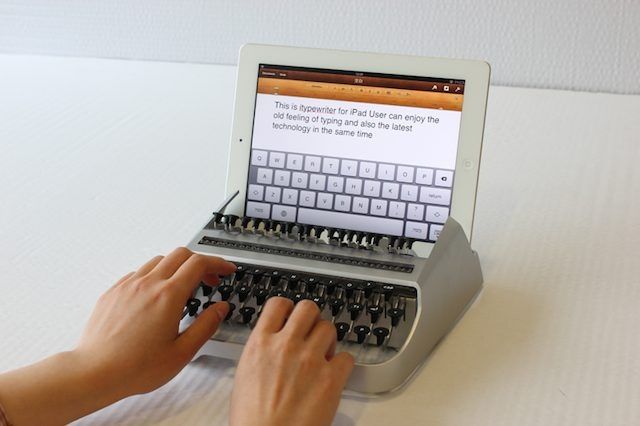
There has been no shortage of iPhone and iPad accessories that attempt to mix old school technologies with the new. Some pull it off pretty well, while others are just comical. The iTypewriter is probably the most preposterous thing we’ve seen all month, but hipsters everywhere are going to love it.
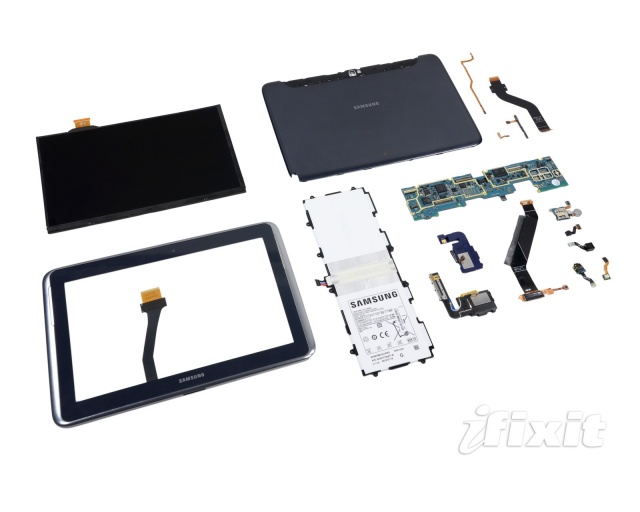
The Samsung Galaxy Note 10.1 made its debut last week and has already found its innards spread across a table for all to see. That’s right, I’m talking about the customary iFixit teardown. That’s when a member of the iFixit team dissects a device to expose its parts and determine its level of repairability. You’ll be happy to know the Samsung Galaxy Note 10.1 scored an 8 out of 10 for ease of repair, completely shaming Apple’s new iPad, which barely scored a 2.
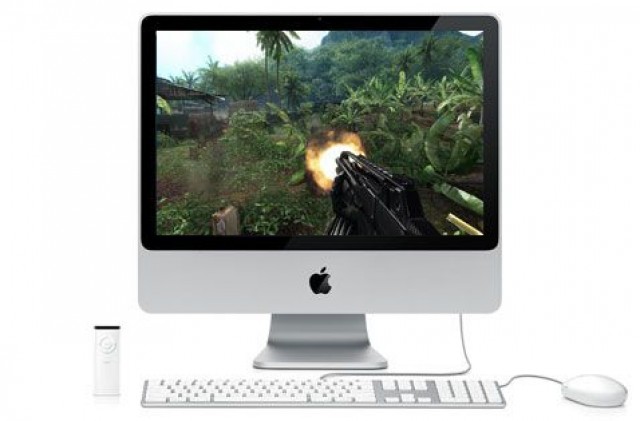
PC games: they can be the bane of a Mac gamer’s existence. The Mac may be a better computer than a windows box, but even so, most games don’t support OS X. Even on Steam, the leader in cross-platform computer game support, most games run only on Windows. The reasons for this are manifold, including mid-level integrated graphics chips and less customizable hardware, but it shouldn’t be this disparate.
There are a few options for running those PC games on Macs, of course. There’s Boot Camp, which allows you to run a full copy of Windows right on your Intel-based Mac, but it requires a reboot to switch between OS X and Windows environments, which can be tedious. There are emulators you can buy, like Parallels and VMWare Fusion, but these never quite pan out, in my experience, as they always seem to be fraught with issues when connecting peripherals, mice, etc. They also cost a bit, and require a full copy of Windows, which will run you some money, too.
I just want a way to play a game that is created for the Windows operating system on my Mac, without a reboot, without buying a new program or new copy of an operating system I really don’t want to use.
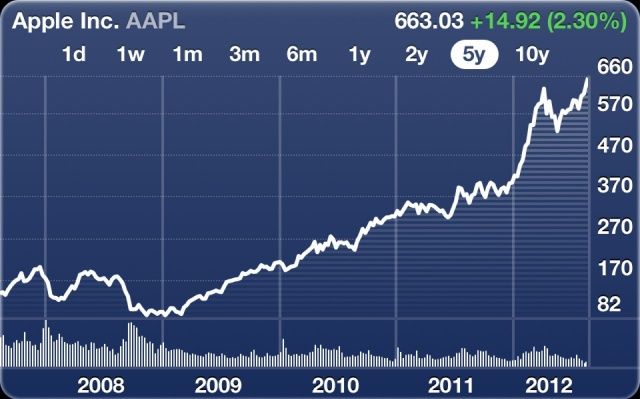
Last week, analyst Andy Zaky revealed that investors are scrambling to plough their money into Apple before the company releases its iPhone 5, and that its stock price will continue to rise for the foreseeable future. And unsurprisingly, Zaky was right. Apple stock hit an all-time high of $636.64 last Friday, but that’s nothing compared to today’s price of $660.73, which makes Apple the most valuable publicly-traded stock of all time.
PayPal looks to expand its mobile payment market share and features with an app-based payment trial at McDonald's locations in France.
Square’s announcement of its partnership with Starbucks and the launch of new mobile payment company by several key retail and service chains were signs that the mobile payment industry and digital wallet concept is big business. Late last week, however, there was more news on the mobile payments front that proves that the race is far from over – one could even say that it’s barely started.
In a move that could make Square’s deal with Starbucks seem small and limited, Reuters reports that PayPal may soon be expanding its brand of mobile payments to include on the biggest fast food chains on the planet – McDonald’s. PayPal is currently testing a payment system in 30 McDonald’s locations in France. The company demoed the technology earlier this year.
1984 --- Steve Jobs and John Sculley --- Image by Ed Kashi/CORBIS
When Steve Jobs brought John Sculley over to Apple as the new CEO in 1983, he wasn’t really known as a product visionary, but he was one of the best marketing guys on the planet. He knows how companies can capture a bigger marketshare for themselves, and he thinks that Apple is ready to pounce all over the TV market.
In a recent interview, the ex-CEO explained that Apple has the best chance of any company to take control of consumers’ living rooms, stating it’s “Apple’s game to lose.”
Tim Cook is hoping to make a last-minute arrangement with Samsung before the jury steps in.
The lengthy Apple vs. Samsung trial is now reaching a close, and this week the jury will make a verdict on who’s guilty of what. But before that happens, Apple CEO Tim Cook is set to make a last-ditch attempt to reach an agreement with Samsung CEO Kwon Oh Hyun over the telephone.
Apple and Samsung have now made their closing arguments against each other in the ongoing patent trial that is now entering week three, but they’re no closer towards seeing eye to eye. Both companies are now pushing for their own version of the jury’s verdict worksheet, which will be used to determine the outcome of the trial.
We have another great bundle for you today. This bundle includes 8 great apps:
– PDF Editor Pro (edit and enhance your PDFs with optical character recognition.)
– CrossOverXI (run Windows applications on your Intel Mac.)
– Invoice 3 (create and manage your invoices.)
– Fantashow (making your own movie has never been easier)
– Logoist (create logos, title art, icons, banners, web site elements, greeting card headings and more.)
– iClip (get past the limitations of a single clipboard)
– Speed Download 5 (speed up your download times so you can get your assets faster.)
– My Living Desktop (monitor your Mac for possible security infringements.)
While all the apps are great there is one that stands out for me as the “killer app” for me: PDF Editor Pro. So what makes it great? Read on…
The Camalapse timer runs like clockwork. Wait... What?
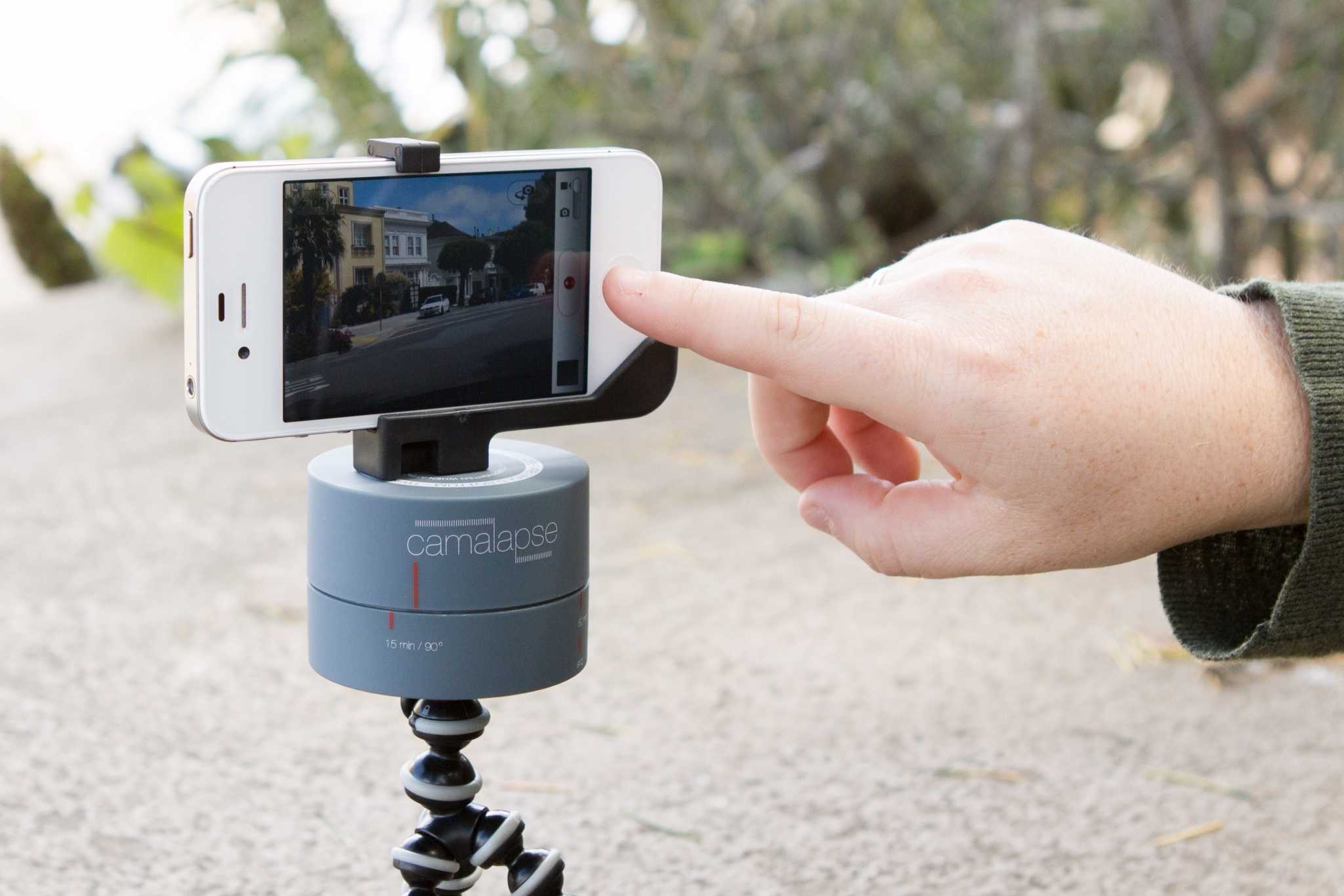
Camalapse is short for “camel prolapse,” although oddly it has nothing to do with either ungulate mammals or slipping organs. Instead, the Camalapse is a clockwork stand for your camera which takes 360˚ time-lapse sequences.
Samsung has been handed a lifeline in its trial against Apple.
Judge Lucy Koh has overruled Magistrate Judge Paul S. Grewal in the ongoing Apple vs. Samsung trial and handed the Korean company a chance to get a better verdict. Rather than providing an adverse interference instruction against Samsung alone over deleted emails — as Judge Grewal ordered — the court will tell the jury exactly the same thing about both companies.
After three years and having been ported to every platform under the sun (including, of course, the Mac and iOS), the botanical is once again ready to go head-to-head against the zombological: Pop Cap has just announced that Plants vs. Zombies 2 is “germinating” and will hit the App Store in early 2013.
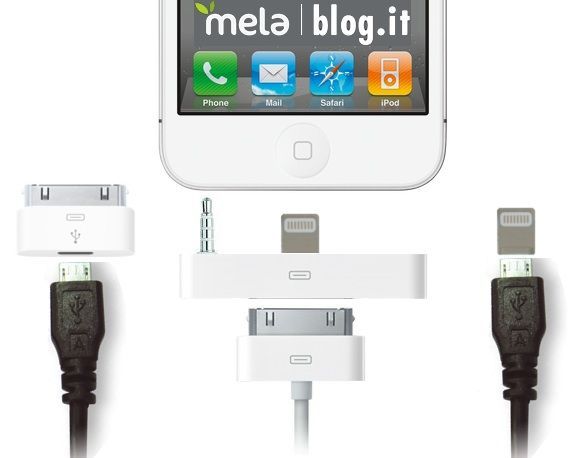
Here’s what we know. We know that the next iPhone and the forthcoming iPad mini will have smaller dock connectors. We also know that these smaller dock connectors will require Apple to sell adapters so that the next iPhone and iPad can interact with the existing ecosystem of 30-pin accessories out there.
The big question is, what will these adapters look like? Over at Metablog, they’ve got some interesting thoughts.
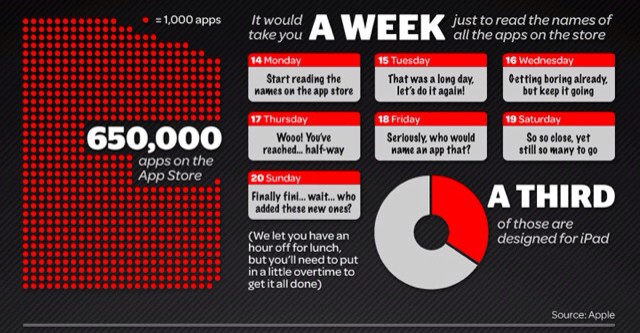
How long would it take you just to read the names of all the apps in the iOS App Store? According to an infographic (what we old timers used to call a “chart” or “poster”) by Tap Mag, this simple task would take you a whole week. And that’s far from all…
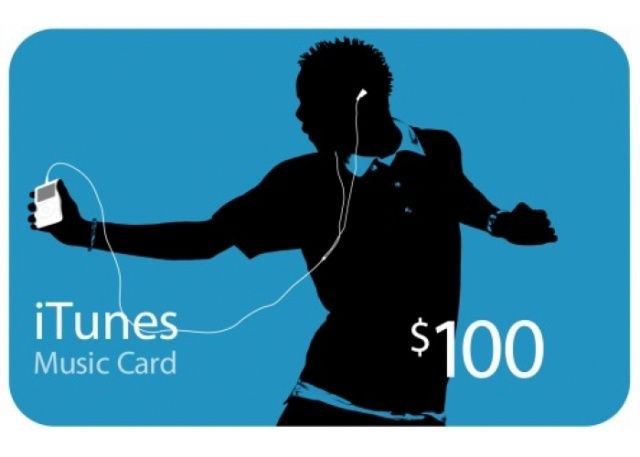
Hey, you! Like free money? Free music? Free apps? Then head on over to Walmart: the mega-retailer is selling an $100.00 iTunes digital gift eCard for just $80.
Sure, in the grand scheme of things, it’s still just the translation of real-world money into a virtualized credit system, but hey, if you’re reading this site, you’re going to spend $80 through iTunes eventually anyway. You might as well pay that $80 now and get an extra $20 free.
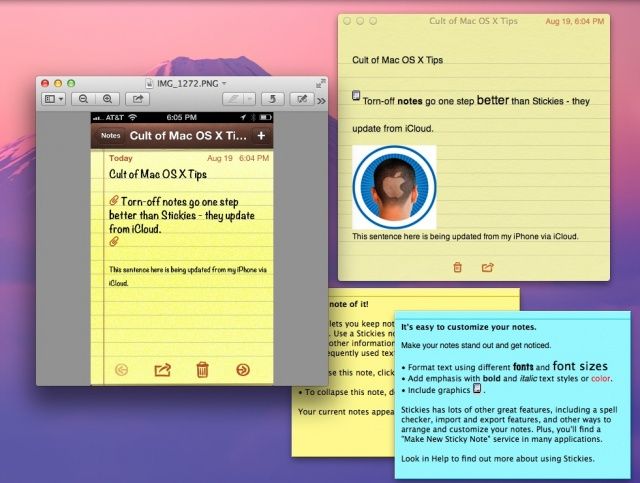
Stickies are still cool, but Notes synced via iCloud may actually be more functional.
I have to admit, I’ve been a big fan of the Stickies app that Apple has included with its operating system since way back in System 7.5. It’s fantastic to be able to have a little floating place to type notes and keep track of things right on the Mac, without having to resort to anything as mundane as an actual sticky note.
The one thing Stickies hasn’t had was a good way to access those notes when away from the computer. With OS X Mountain Lion, however, you can make this happen using Notes and iCloud.
This device alone makes more money than one of the biggest names in tech.
The iPhone has been an incredible success for Apple. So much more of a success than we all predicted when it was unveiled back in 2007. It’s the hottest smartphone on the planet, and at five years old, it’s now bigger than Microsoft’s entire business put together. With $22.7 billion in sales last quarter, the smartphone outsold everything Apple’s biggest rival has to offer.
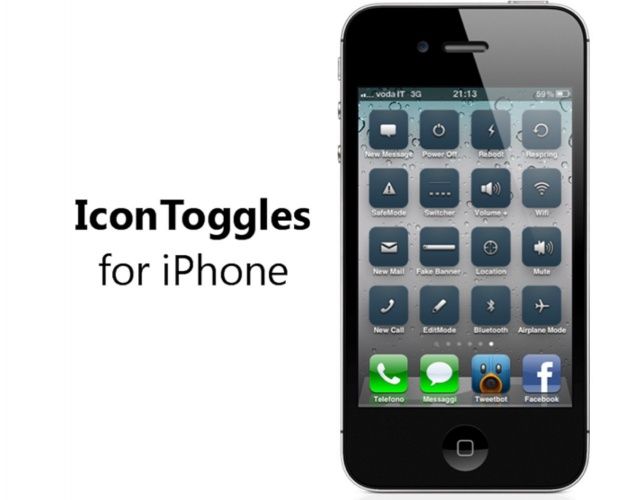
The quickest way to toggle settings on your iPhone.
It’s not difficult to open up the Settings app and activate or deactivate things like Wi-Fi, Bluetooth, or Airplane Mode. But it could be a whole lot quicker. Wouldn’t it be nice if you could have an icon on your home screen that allows you to toggle these things instantly — without having to navigate the Settings app? Thanks to IconToggles, you can.
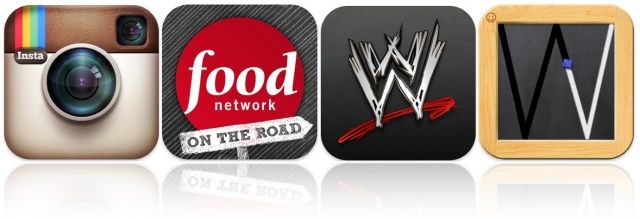
Kicking off this week’s must-have apps roundup is a brand new update to Instagram — the world’s most popular photo sharing service — that introduces an improved user interface and new features. We’ve also got a new Food Network app that every foodie should have, the official WWE app for wrestling fans, and a great educational app for the iPad that promises to teach your little ones how to write capital letters quickly and efficiently.
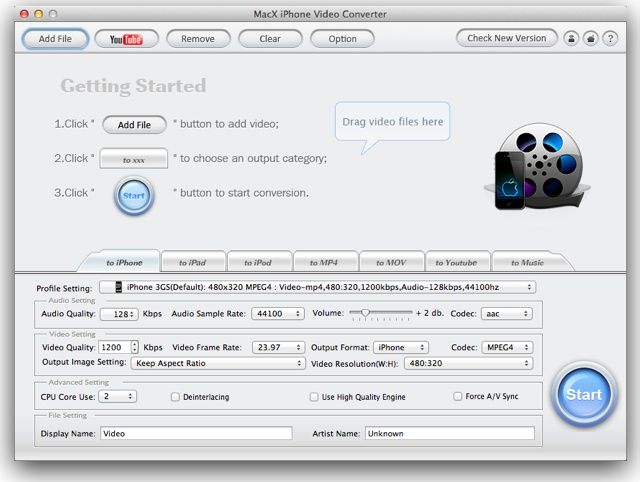
Like movies? Me too. Just watched ParaNorman (fun, cool animation, good for older kids) in the little theater down the block. Anyway, I also like to watch movies on the go, on my iPad for example. I have a good few movies on DVD and when I rip them to my Mac it’s great, just not very portable. I know I’m going to be heading to Comic Cons every month for the rest of the year (Columbus, Austin, then New Orleans) and that means flying. Flying means either I write or I watch movies. Sometimes I do both.