Earlier this year I praised Skip Tunes as a simple, gorgeously designed Mac menu bar app for controlling music. The best thing about Skip Tunes is that it can control not only iTunes playback, but Spotify and Rdio as well. Verizon 2.0 of the app has arrived in the Mac App Store, and the update packs some nice features.
School technology policies are often restrictive, but circumventing them can be dangerous for teachers and students alike.
One of the challenges of 21st century education is determining the appropriate ways to use technology in the classroom. That’s a challenge that each school or district needs to confront in its own way. One thing that is universal, however, is that the policies and processes put into place around technology need to come from an ongoing dialog between teachers, school administrators, and IT professionals.
While some schools may have restrictive policies, those policies are emblematic of the community to which the schools belongs. They are the policies that the school itself and the parents of its students feel are needed to protect its students. Those policies also teach students what is acceptable behavior and how to protect themselves in the online world.
Installing XBMC on a jailbroken Apple TV unlocks the ability to play unsupported video formats, install third-party plugins, and more.
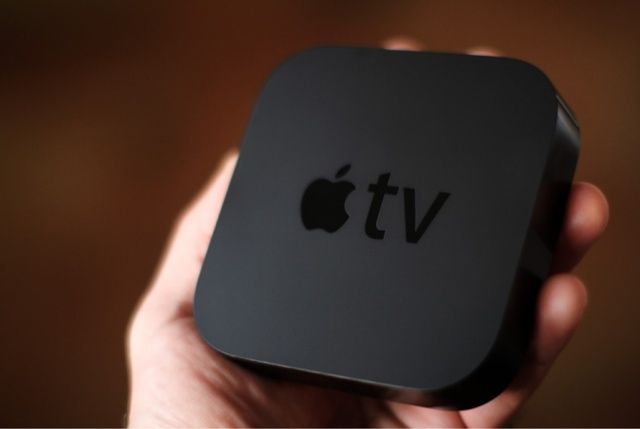
Lots of people love to jailbreak the Apple TV, but the process of unlocking the little hockey puck’s full potential can be a pain. When you want to jailbreak an iPhone or iPad, it’s as easy as downloading the free Absinthe tool, plugging your device into your Mac, and clicking a button. Once you’re jailbroken, Cydia is automatically installed as an alternative App Store for finding tweaks and apps.
On the Apple TV, it’s not so easy. Sure, the actual process of jailbreaking isn’t that difficult, but aside from staple packages like aTV Flash (black), you have to manually install third-party Apple TV apps via a command line interface on a connected desktop computer.
A new installer app for the Mac called Nito makes it much easier to install third-party apps on a jailbroken Apple TV.
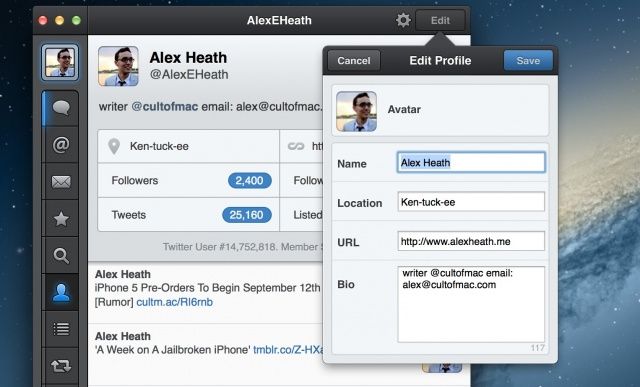
You can now edit your Twitter profile info inside Tweetbot for Mac.
The Tweetbot for Mac public Alpha has received a significant update today that packs several new features, including the ability to edit a profile. Borrowing from the popular iOS version of Tweetbot, users can now setup muted keywords on the Mac. Many of you will be happy to learn that animated support for .gif images (like these) have been baked into this version as well.
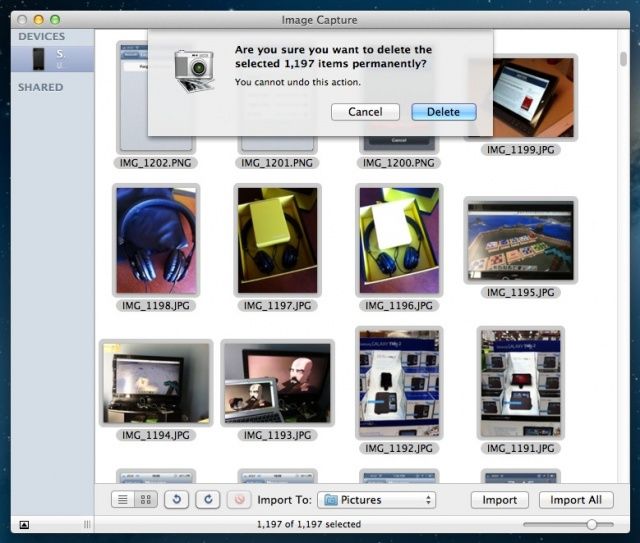
Photos take up a lot of space on our iOS devices. It’s important to many of us with the lower end iPhones to leave enough room on the device to capture new photos, let alone apps and music and books.
With the advent of Photostream, it’s easy to have the photos we take on our iPhone show up on our Macs or iPads, so deleting them from the iPhone makes a lot of sense and is much less of a scary proposition. Here’s how.
This is pretty much all you need to write and publish to the web.
I do all my work these days on an iPad. From organizing reviews through gathering story ideas to actually writing posts and features, and even photographing and editing gadgets for those reviews, it’s all — every last bit — done on Apple’s tablet. I just spent two weeks away from home using the iPad’s 3G connection to work, only opening up my MacBook to sync my FitBit.
And they still say the iPad is just for consumption.
One of the biggest problems with the iPad has been writing blog posts. You really did need a Mac to take care of the multiple browser windows and — most of all — the image uploading. Now, though, while there isn’t quite a wealth of options, there are certainly several credible methods to do this all from the iPad. So make a coffee, sit back and enjoy this how-to:
Get your checkbook ready for the new iPhone next month.
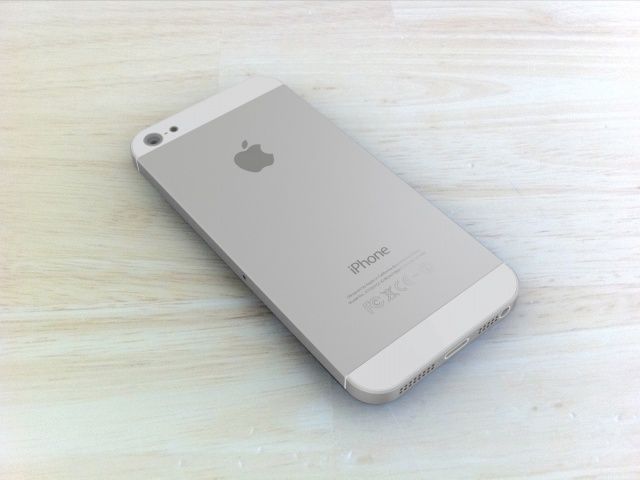
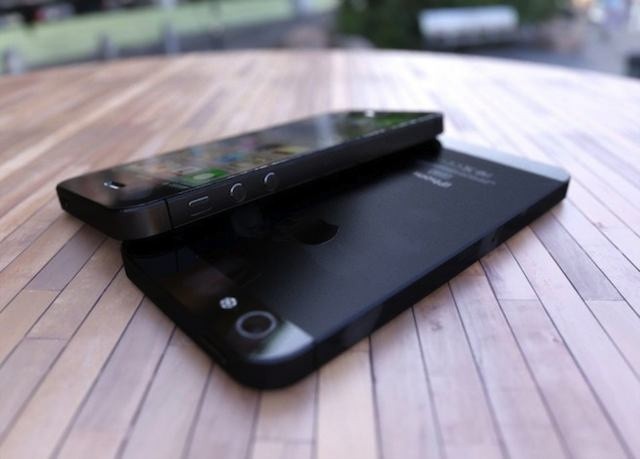
Apple is expected to unveil the next iPhone at a rumored media event Wednesday, September 12th. Today iMore reports that Apple will start U.S. pre-orders for the sixth-gen iPhone on the same day as the announcement. International customers will reportedly have to wait until the first week of October to place pre-orders.
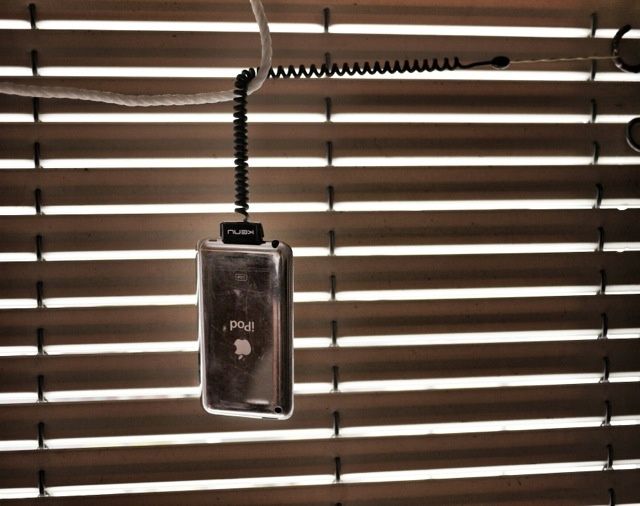
The Highline is like a leash for your iDevice. Photo Charlie Sorrel (CC BY-NC-SA 3.0)
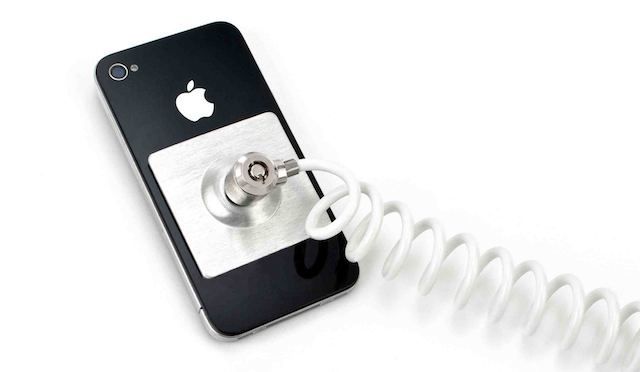
When I first glimpsed the Highline, I teased, calling it “an almost spectacularly misguided idea.” The Highline is a curly cable which hooks into your iDevice’s 30-pin dock connector and keeps it safe from drops and attempted snatch-and-grabs. Despite my conclusions, the kind folks at Kenu sent one over to the Cult of Mac test labs to check out. And while I’d probably never have a use for one, it turns out that it does its job just fine.
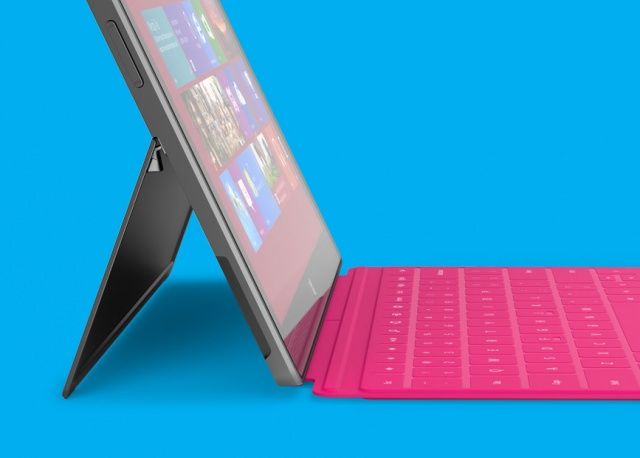
Apple is often accused by the likes of Samsung that it is unwilling to license its technology to competitors, but that’s not true. In fact, Apple has licensed many of its design patents to Microsoft, under the condition of an “anti-cloning agreement” that prevents Microsoft from releasing mere doppelgangers of the iPhone and iPad. You know, like Apple is accusing Samsung of doing.
Your iPhone contains a whole lotta information about your personal life. You got your bank apps, email, text messages, phone calls, browsing history, plus all those embarrassing songs you listen to on Spotify you don’t want people to know about.
You don’t expect to get hardcore encryption security on a tiny iPhone, and when the iPhone was first released in 2007 you didn’t. Huge security holes allowed hackers to easily take over the device, but Apple learned from their mistakes, and now your iPhone is like a freaking Fort Knox for data. Even the NSA is having a hard time breaking iPhone encryption, and it’s frustrating the hell out them.
Rumors have been circulating recently that Apple will announce the new iPhone in mid-September, with the official launch set a few weeks after. A new report has given more weight to the rumors with claims that AT&T has cleared their calendars to prepare for the iPhone 5 launch during the third or fourth week in September.
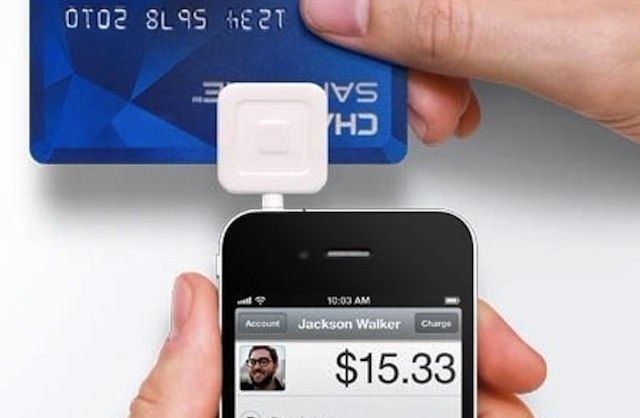
Square scored its big partnership with Starbucks by realizing mobile payments aren't really about mobile payments.
Last week’s announcement that Starbucks is partnering with Square for mobile payments and credit card processing is big news for the nascent U.S. mobile payments market. It was also a warning shot fired by the startup across the bow of traditional payment processing companies, many of which have struggled to bring together an effective and successful digital wallet (or iWallet) solution. The move could also complicate any plans that Apple has to move into that market following the release of iOS 6 and its Passbook feature.
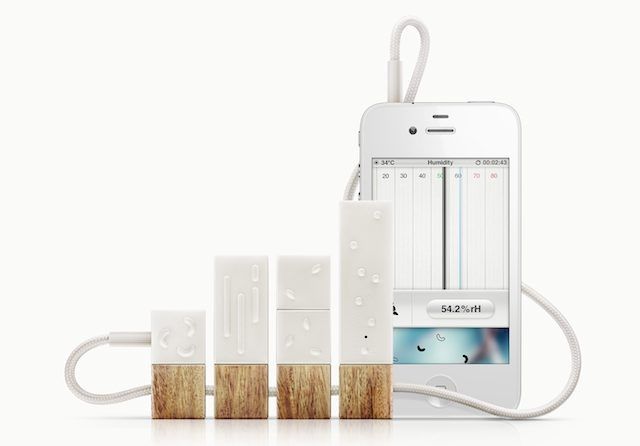
Scientific instruments usually look crazy weird and aren’t designed to be user-friendly for the every day, non-scientist man. Lapka is looking to change that with their beautifully designed, semi-affordable Personal Environmental Monitor.
Lapka allows iPhone users to attach four different measuring instruments which can test for radiation, nitrates, humidity, and electromagnetic frequency, so you can create a perfect climate in your home, make sure your food is truly organic, find the perfect spot for your router, and make sure you’re not going to get cancer.
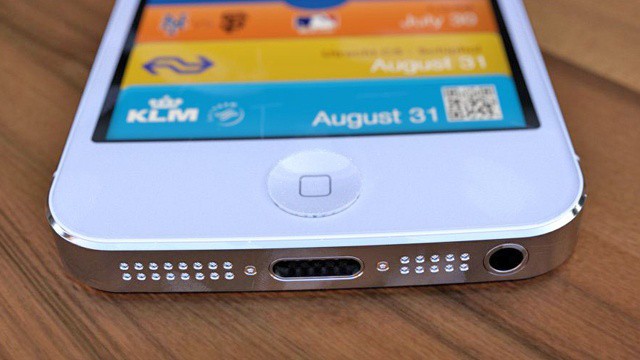
That 8-pin dock connector is really a 9-pin one upon closer inspection.
Will the next iPhone have an 8 pin or 9 pin dock connector? The iOS 6 beta says 9, but if you count the pins on the leaked dock components, there are only 8. Which is correct? Both: according to a new report, the new dock connector’s aluminum shell teams up with the 8 gold pins to make a ninth pin, resulting in 60% less real estate than the existing 30-pin connector, and better transfer rates with a fraction of the electrical contacts.
App updates appear to be snappier in the latest iOS 6 beta.
While Apple’s latest iOS 6 beta didn’t make any significant changes to the platform’s front-end — aside from removing the YouTube app — it did make some changes under the hood. In addition to “bug fixes,” it appears the fourth beta has made some improvements to App Store download times that make updating your apps super snappy.
What can businesses learn from a company that spent millions of dollars on thousands of iPads without knowing how they'd be used?
I’ve been a big proponent of the iPad in business since Apple first announced its tablet more than two and a half years ago. In that time, the iPad has more than proved its value in companies of all different sizes and across virtually every industry. That said, the iPad isn’t a fit for every job within every workplace. If a company is considering investing in iPads for its employees, one of the first things that company and its IT leaders need understand is how the iPad will be used.
That seems like a pretty basic step in the procurement process, but it’s one that seems to be getting overlooked by some companies – including one very large enterprise company that should have known better.
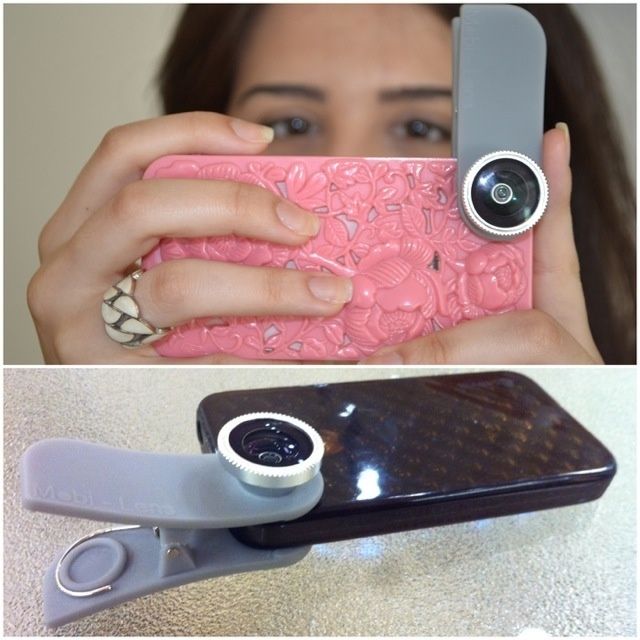
Mobi-Lens: Like the Olloclip, only more promiscuous.
If I owned an iPhone, then I’d already have bought the Olloclip lens, a clip on widget which adds fisheye, macro and wideangle lenses to the iPhone using a slip-over clip. It’s impossible to line it up wrong, and it fits in a pocket or bag. But I don’t have an iPhone. I have an iPad. And I hate futzing around with all the magnetic lenses I have: they’re easy to lose, easy to get dirty and impossible to line up. What I need is a Mobi-Lens, a universal clip-on lens from Kickstarter.
There's a good reason why this new dock connector won't be coming to all iOS devices this fall.
It seems like Apple’s sixth-generation iPhone will be the first iOS device to boast a brand new, mini dock connector when it launches this fall. But there have been rumors that claim Apple will refresh all its iOS devices to make the new connector a standard across its entire lineup.
Not only does this seem highly unlikely, but there’s one reason why it’s an impossibility: Apple’s supply chain just couldn’t handle a refresh that big.
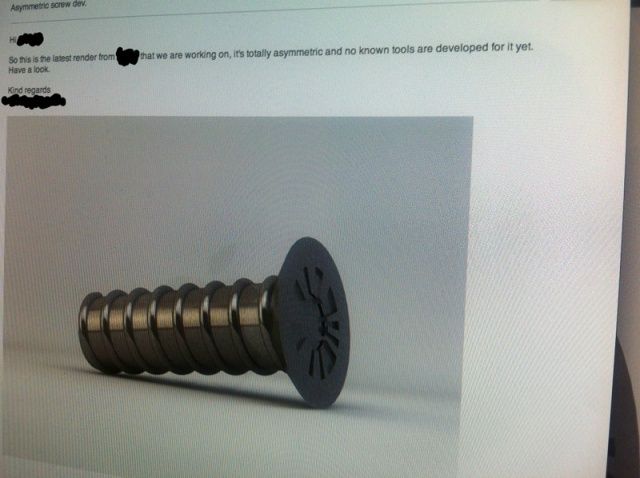
The”leaked” asymmetrical screw we reported on last week has turned out to be a fake, put forth as an experiment by a Swedish design company on how Apple rumors propagate themselves across the internet.
If you’re a Mac user on the Internet, chances are you’ve come across a few websites where embedded content isn’t displayed correctly. Instead you get an icon or an error message saying Missing Plug-In, often with few additional details about exactly what is missing.
While there’s no single installer which will solve all missing plug-in problems, there are a few common things to start with. If those don’t work you can delve deeper into non-common formats or the forgotten codecs of yesteryear.
Yet another way to open a file in a different app. Yay!
You may already know that you can right click on any file in the Finder and choose “Open With” from the contextual menu. This gives you a list of all the apps Mac OS X thinks can open that file. An image file, for example, will show Preview (default), Firefox, Google Chrome, and any image editing app that you may have on your system, like Adobe Photoshop or Fireworks.
You may also know that tapping the space bar after clicking on any file in the Finder, Open and Save dialogues, or in Mail app, will give you an instant preview of that file. This feature is called Quick Look, and it’s been in OS X for a while, now. iTunes will play their audio content, images will zoom to their actual size, and videos, if you have the right codex on your Mac, will play in a little pop up window.
What you may not know is that these two features can be combined now in OS X Mountain Lion.
BBC iPlayer is finally Retina-ready for the new iPad.
The BBC has updated its iOS today, finally delivering high-resolutions visuals for the third-generation iPad. It also introduces “improved video performance,” better accessibility with VoiceOver controls, and more.
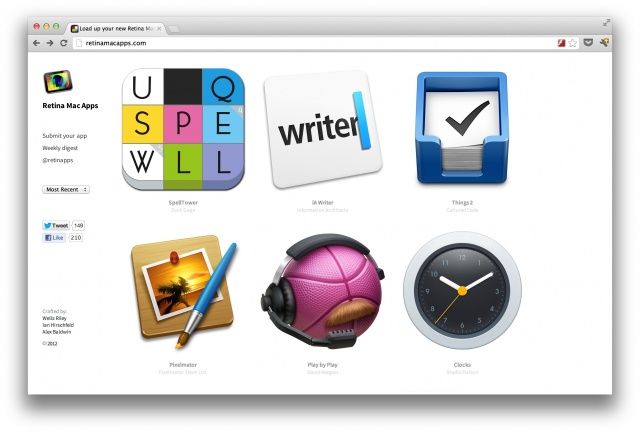
The quickest way to see which Mac apps are ready for the Retina display.
If you’re the proud owner of a Retina MacBook Pro and you’re on the lookout for great apps that showcase its high-resolution display, don’t spend your spare time wading through the Mac App Store searching the hard way. Check out RetinaMacApps.com — a simple site that brings together all the Mac apps that are now Retina-ready.
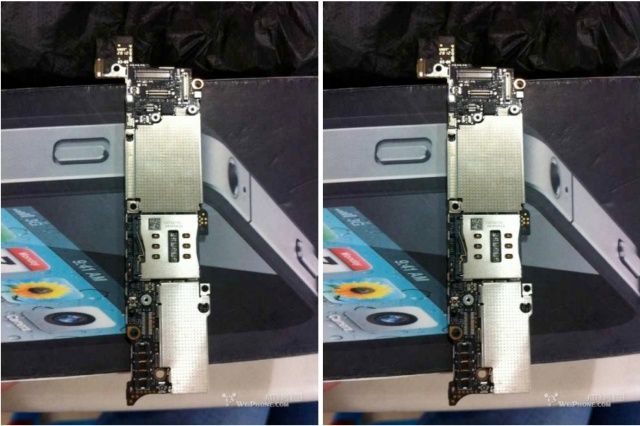
This is the part that will be the brains for your next iPhone.
As we edge closer towards the unveiling of Apple’s sixth-generation iPhone next month, component leaks have hit their peak. Last week we showed you images of some of the handset’s internals — including a number of flex cables and a display shield — and today we get our first glimpse at what appears to be the iPhone 5’s logic board.
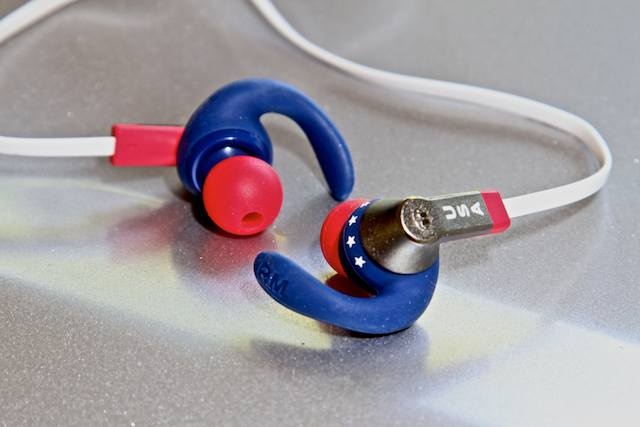
You’re an American, and you’ve just watched your athletes come away with a barrel full of gold medals in London. Maybe you’re feeling a little patriotic; maybe a little like you want to go out and train for Rio de Janiero. If so, then Monster has created the perfect earphones for you: A special edition “USA” version of their impressive, washable, iSport IEMs.