Mobile menu toggle

Mountain Growl Is Like A Liger: One Part Growl, One Part Notification Center

By

original

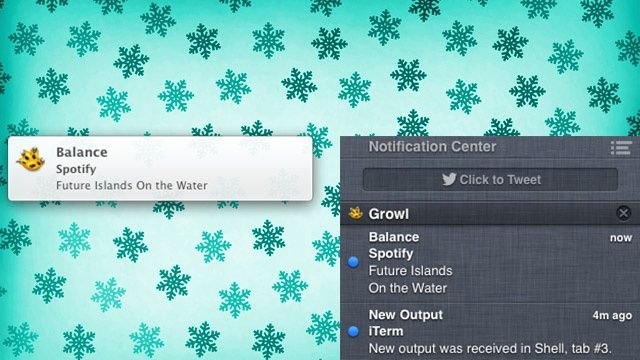
For years, Growl was the good old, third-party standby when it came to OS X notifications, but with Mountan Lion, Apple’s ported Notification Center to OS X, giving everyone a built-in drawer for keeping up with all the little messages their apps send burbling up for attention. Unfortunately, while a lot of apps still use Growl for notifications, these don’t show up in Notification Center.

Growl will eventually be updated with Notification Center support, solving the problem, but in the meantime, here’s another great way to do the same thing: Mountain Growl. Not only will it push all your Growl notifications to Notification Center, but you keep full Growl support, allowing you to continue using remote notifications or Prowl, as well as a lot of granularity of control over the notifications you see.

If you’ve been having a hard time waiting for Growl to get proper Mountain Lion support, this is a good app to try.

Source: Mountain Growl
Via: Lifehacker
Image: Lifehacker

10,000 PPI Image Makes Retina Look Like Mr. Magoo’s Wallpaper

By

This is the highest-resolution image that could ever be made.

What resolution is Retina resolution? 220 ppi (like the new MacBook Pro)? 264 ppi (like the iPad 3)? Or the amazing 326 ppi found on the iPhone?

What about 10,000 ppi? That’s the resolution of an image printed by researchers at the Agency for Science, Technology and Research in Singapore. It’s the picture you see above which, at just 50 x 50 microns, is the same size as a single pixel on an Apple Retina display.

New Withings Fitness App Now Tracks Training And Sleep

By

Confused? You will be...

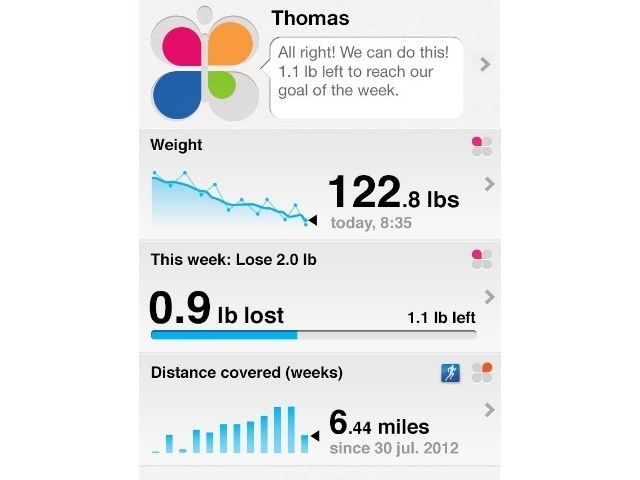
By huge coincidence, I downloaded the brand new Withings app moments after its launch, almost by accident. The new app, which is iPhone-only (or pixel-doubled on the iPad) until a future update arrives), does a much nicer job than the old one of tying together the data from Withings’ various health devices, and remains completely free.

Dark Sky 2.0 Weather App For iOS Will Send You A Notification When It’s About To Rain

By

Who needs an umbrella?

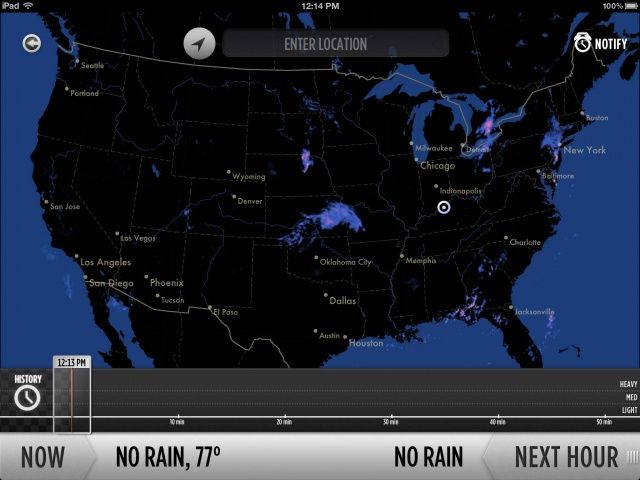
Dark Sky started as a Kickstarter project and turned into a gorgeous, functional iOS weather app. Cult of Mac’s Charlie Sorrel praised the app when it launched back in April, and Dark Sky has since seen great success.

The key feature of Dark Sky is its ability to quickly tell you when it’s going to storm. In a huge 2.0 update, Dark Sky has gotten even better with several improvements, including the ability to send you a push notification before it starts raining.

How To Build An Unbeatable Fantasy Football Team Using Your iPad or iPhone [Feature]

By

A fantasy draft can make or break a fantasy football season, these apps help you develop the best draft strategy so you can dominate your league.

For any fantasy football fan, draft day can be filled with mixed emotions – excitement at the impending start of the season, hope that you’ll get to build your dream team, and nervousness about where you’ll be in the draft order and whether or not you’ll get your top picks before someone else does.

Predicting the outcome of any fantasy draft is hard to do because there are so many variables in terms of drafting order, draft type, the team that you want to build, and the choices that other members of your league will make. That said, solid research and preparation can go a long way to helping you build a winning team and there are some great iPhone and iPad apps out there to help you before and during your draft.

New “SimCity” Coming To The Mac In 2013

By

SimCity_screenshot

EA has announced that the next major installment of SimCity will be headed to the Mac in February, 2013. The game will debut on both the PC and Mac, but PC users have access to an early beta starting tomorrow.

The Mac version of the new SimCity will be available as a digital download through EA’s Origin. Pricing has not yet been announced.

Do You Plan To Switch Carriers When You Buy The New iPhone? [Let’s Talk]

By

Have you been waiting for the next iPhone?
Which carrier will you run this bad boy on?

My contract with AT&T is finally up, which might be the most glorious moment of my smartphone owning days. I’ve been jealous of my friend’s using their iPhones on Verizon for over a year, and now I can join them and maybe get some better service. Or go to Sprint. Hell, I might even go to Virgin Mobile and save some fat stacks of cheddar on their pre-paid plans.

I don’t know exactly what I’ll do, but I’m free, and that’s the important part. But what about you guys? Do you plan to switch carriers when the new iPhone comes out? Is the grass really greener in other cellular pastures? Or is it pretty much all the same? I’d love to hear your thoughts or stories about switching carriers in the comments.

Click here to go to the Cult of Mac Forums and tell us whether you’ll switch carriers when you buy the new iPhone

iOS 6 Maps App Offers Roadwork Alerts To Help You Avoid Traffic Jams

By

Isn't that helpful!
Isn't that helpful!

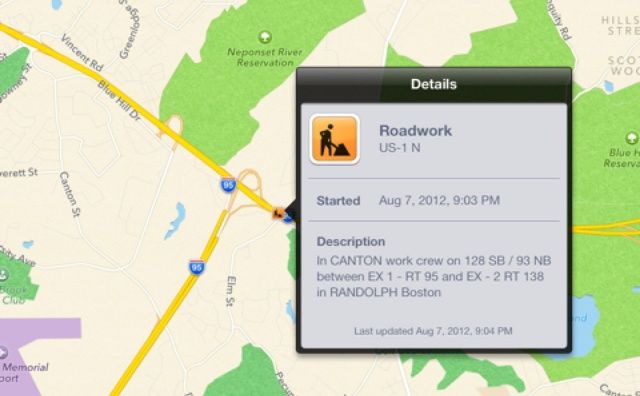
Here’s a handy feature in Apple’s new Maps app in iOS 6: When you’re traveling and you get near to roadworks, or there are roadworks ahead of you, Maps will throw up a new roadworks icon to alert you to them. What’s makes this feature really awesome is that you can then tap on that icon to find out more about the construction, including its start and description.

Gartner: iPhone Sales Slow In Anticipation Of New Model Next Month [Report]

By

Have you been waiting for the next iPhone?

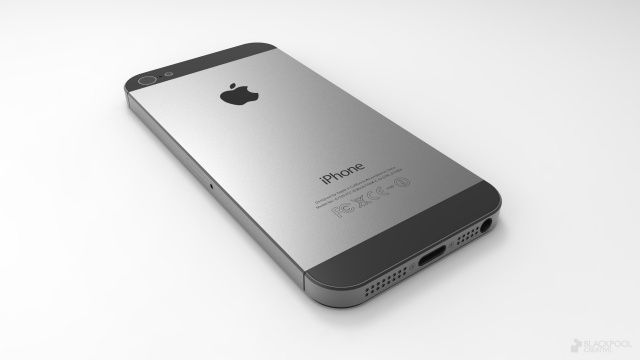
Rumors surrounding Apple’s next iPhone have reached a fever pitch in the weeks leading up to the expected announcement date, September 12th. With pre-orders rumored to begin on the same day, Apple is expected to see record sales this holiday season. Anticipation for the next iPhone is higher than it’s ever been, and smartphone sales from the past quarter reflect that fact.

Gartner’s results for Q2 show slowed iPhone growth, with Apple sitting behind Samsung and Nokia in worldwide smartphone sales.

Meta Adds Genuinely Cool New Filters To Your iPhone Camera

By

Forget old-timey fake film effects -- Meta is as modern as it gets.

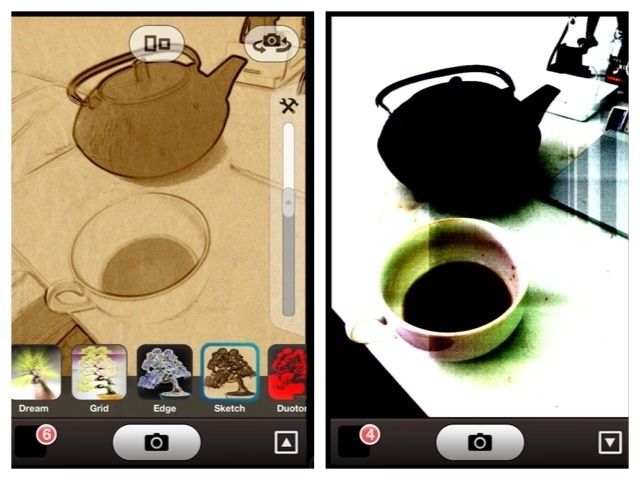
Meta is yet another photo filter app for the iPhone, but if you have any interest in this kind of thing, you should just go and buy it right now (it’s just one lousy buck).

Meta gives you a bunch of live filters through which you can snap pictures, and lets you share and upload to the usual places. The difference here is that the filters are genuinely new, and that you’re going to love them.

Inpaint & iResizer Image Editing Combo [Deal Ending]

By

inpaint_resizer

Update: This deal is wrapping up and so is the Retina MacBook Pro Giveaway!

Following up on the suggestion to pick up HydraPro before you head off on holidays, here are another couple apps you should toss into your (virtual) kit—Inpaint and iResizer. Why? Because these two apps combined solve one of the most common issues with photos—getting rid of stuff you don’t want in your pictures.

Inpaint helps you remove objects, people, date stamps, or flaws in your pictures. iResizer let’s you take out one element in a picture, remove it, and move the other parts of the image around like it wasn’t ever there. Sweet, eh? More after the jump.

The Greatest Easter Egg Of All Time Was Exclusive To The Apple II

By

Screen Shot 2012-08-14 at 8.49.43 AM

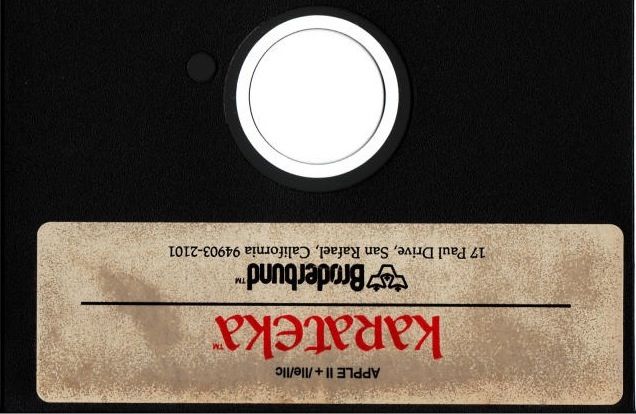
If you’ve ever had the pleasure of inserting an old floppy of Jordan Mechner’s classic beat-em-up Karateka into a vintage Apple II, you already know it’s one of the most timelessly classic video ames ever made.

Ever tried inserting the floppy disk upside down, though? If you’re one of the few people who have, whether by accident or design, you’ve experienced one of the greatest and funniest Apple easter eggs of all time: the whole game played upside down.

Use Your Keyboard To Filter Launchpad Apps Super Easily In Mountain Lion [OS X Tips]

By

LaunchPad Filtering

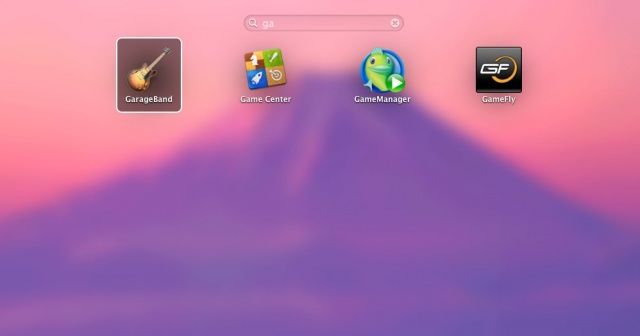
Launchpad tries to bring an iOS-style app interace to OS X. Whether you like it or not, it’s here to stay. Introduced in OS X Lion, Launchpad arranges the apps you have installed on your Mac in a grid array, much like the apps are arranged on your iPhone, iPad, or iPod touch. Of course, your Mac has a much bigger screen than these iOS devices (hopefully), so there’s even more of a need to filter out the apps you don’t want so that you can find the apps you do want to find.

In iOS, as you get more and more apps installed on your device, you’re gonna end up swiping to the right of the home screen at some point and typing the name of an app into the Search field there. Prior to Mountain Lion, there was no way to do this in OS X. Now, however, there is, and I sincerely hope they bring this concept back to enrich iOS itself.

(PRODUCT) Red iPhone Bumpers Now Available On The Apple Store

By

Screen Shot 2012-08-14 at 8.21.48 AM

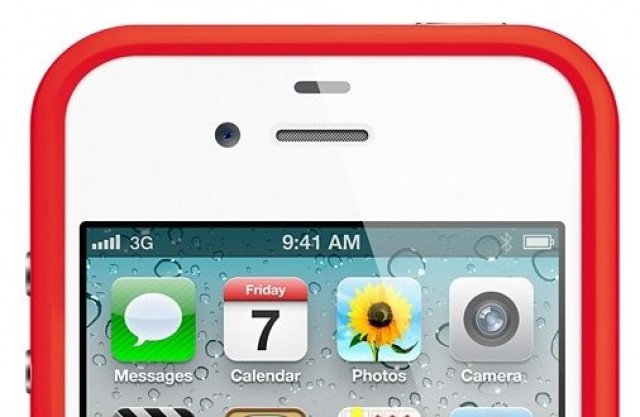
If you’ve been waiting with bated breath for Apple’s official iPhone 4 and iPhone 4S bumper to come in (PRODUCT) Red, or just want your iPhone case to help fight AIDS in Africa as well as scratches, good news: you can now buy a (PRODUCT) Red iPhone bumper on the Apple online store for just $29.00, with shipping happening in between 4-6 business days. Who is getting one?

Source: Apple
Thanks: Nick G!

Verizon’s Viewdini Video Streaming Service Finally Comes To iOS

By

Viewdini is no longer an Android exclusive.

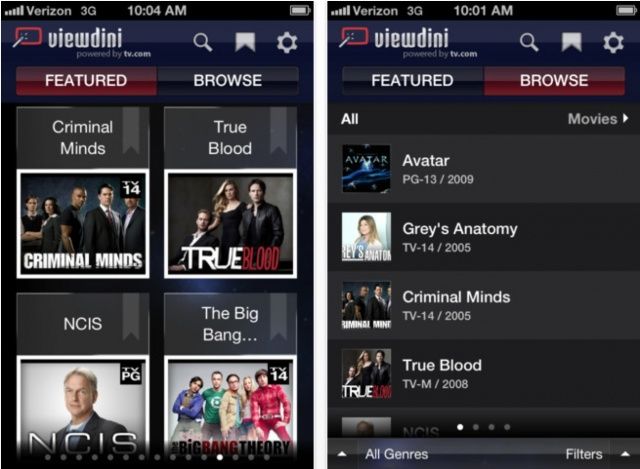
Verizon Wireless has announced that Viewdini is making its debut on iOS today, allowing users with an iPhone 4, iPhone 4S, iPad 2, or new iPad to enjoy the video-on-demand service on the go. The app provides access to both free and subscription-based providers, including Comcast Xfinity, Hulu Plus, mSpot, Netflix, Vimeo, and more.

Play More Than 100 Classic Nintendo Games In Your iPhone’s Web Browser Without Jailbreaking

By

Well... they're almost playable.

With Nintendo adamant it’ll never bring its games to iOS, the only way to enjoy your favorite titles on your iPhone, iPod touch, or iPad is to jailbreak your device and download an emulator. But that’s no longer the case. You can now enjoy more than 100 NES and Game Boy games in your iPhone’s web browser.

The Shelbot Has Nothing On These iPad Telepresence Robots

By

Go to the museum without actually going to the museum!

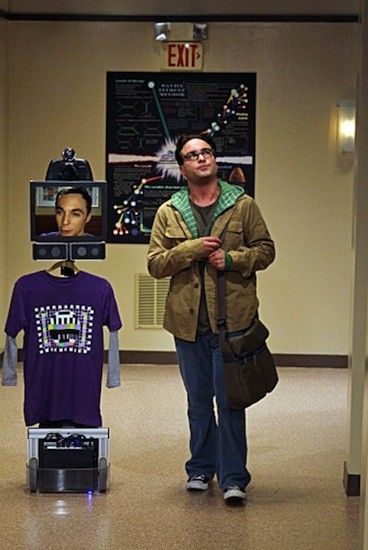
Remember that Big Bang Theory episode where Sheldon decides he won’t live long enough to download his consciousness into a robot body to attain immortality, so he hides himself in his room to focus on eating healthy and avoiding the dangers of life, both real and imagined? No? Well, you really should watch The Big Bang Theory more. It’s on the CBS website.

Anyway, in the episode, Sheldon uses what he calls the “Shelbot” to narrowcast his face into a wheeled robot with a big giant monitor on the top of it and a T-Shirt hanging from the front.

Now, for a measley $2400, you can do the same thing, only with iPads. I love the future.

Apple Study Claims That US Consumers Bought Android Devices To Remain With Current Carrier

By

Samsung's Galaxy S Vibrant vs. iPhone 4

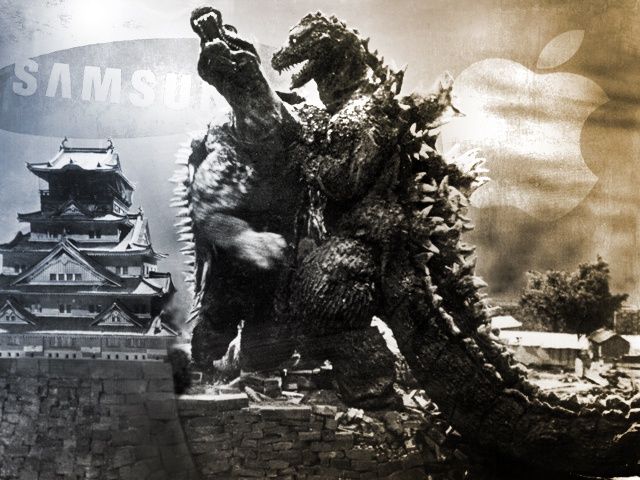
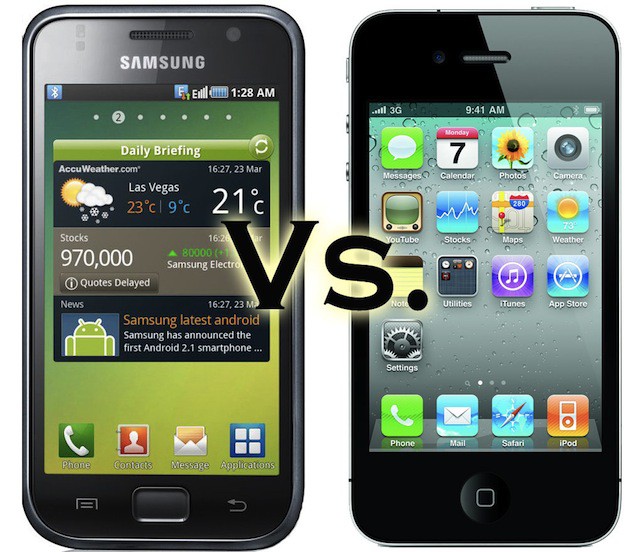
Apple claims that its internal research shows that the main reason US smartphone consumers purchased an Android phone instead of an iPhone was in order to stay with their current carrier. The study only covers the US smartphone marked and was brought up by Samsung today as court evidence in the patent infringement trial between the two companies in Northern California.

The study was published at Apple in January of 2011, and shows that 48 percent of those surveyed said that they had went with an Android phone because they “wanted to stay with current wireless provider.”

36 percent said that they “trusted the Google brand,” while 30 percent just like bigger screens. Sometimes, bigger *is* better, according to these folks.

Everything You Need To Know About The Apple vs Samsung Trial [Day 7]

By

applevssamsung

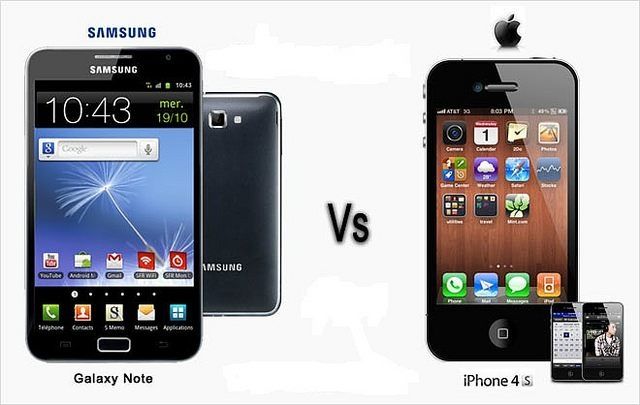
In the latest drama in the contentious Apple-Samsung patent trial, Samsung accused Apple of trying to extend the range of authorship of its patent holdings through sales figures of global products not covered by U.S. law.

Lawyers for Samsung explained that three phones that have been repeatedly used as examples of exact replication by Apple are not, in fact, sold in the US and have been trying to throw them out of evidence. Their argument is that if the phones are not really sold in the U.S., and there are no significant marketing attempts to help sell them, then there is no reason they should be admitted in a U.S. court where they don’t have any effect on Samsung’s or Apple’s sales.

Check Out Kayak Pro For iOS, Apple’s Free App Of The Week [Deals]

By

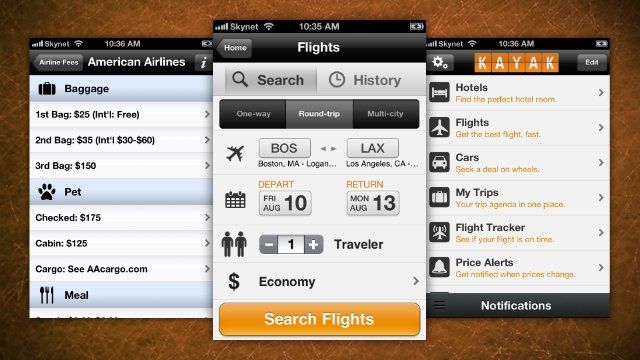
Kayak makes sure you get the best deal of airfare and hotels by comparing prices on the web.

Each week Apple selects a paid App Store app and makes it totally free. CultCast listeners may know this already, but I’m a huge fan of Kayak for creating trip itineraries and ordering plane tickets, hotel rooms, etc.

There’s a free version of Kayak in the App Store that runs on the iPhone and iPad, but there’s also a pro version with additional features that normally sells for $1.