Mobile menu toggle

Make Safari More Secure By Disabling The Saved Website Password Feature [OS X Tips]

By

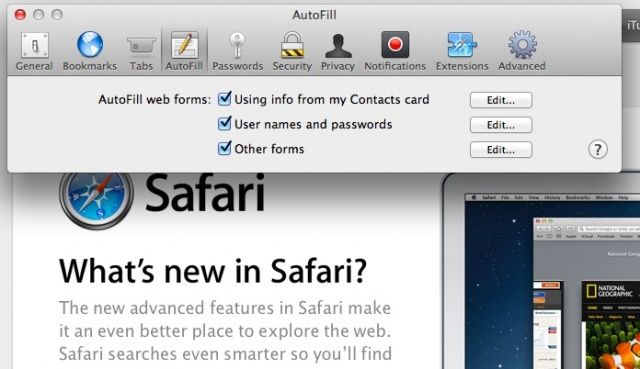
User Names and Passwords

Safari does a great job at making your time on the web easy and simple. It will fill in frequently occurring form information, like your name, address, and email address, so that you don’t have to for every site you visit with a form requesting this information. Fill it out once, then let Safari auto-fill the info the rest of the time. It will also save website user names and passwords. Which, when you think about it, is a great idea for your own personal computer at home, but not so great for a work or shared computer.

Here’s how to disable that.

Benchmarks Reveal New iPod Touch Isn’t Even Half As Fast As iPhone 5

By

The iPhone 5 is way ahead of its siblings when it comes to Geekbench performance.

Geekbench benchmarks for the new iPod touch prove Apple has made lots of improvements to the fifth-generation device, with its dual-core A5 chip making it significantly faster than its predecessor. When compared with iPhone performance, however, the iPod touch is lagging far behind.

Despite the same 800MHz processor, the new iPod touch is still slightly slower then the iPhone 4S, and not even half as fast as the iPhone 5.

SoftBank Confirms It Will Acquire 70% Of Sprint For $20.1 Billion

By

post-195880-image-701d645d18b96c0d23398299885ddecc-jpg
SoftBank will combine with Sprint to become one of the world's largest carriers.

SoftBank, Japan’s third-largest carrier, has this morning announced that it will acquire Sprint in a deal worth $20.1 billion. The company will purchase $8 billion in newly-issues shares from Sprint, in addition to $12.1 billion in existing shares — giving it a 70% stake overall.

RapidWeaver, Powerful, Simple WYSIWYG HTML Editing [Deals]

By

RapidWeaver5_header

There are times, believe it or not, that you just need a basic web page (or site), and using WordPress is just getting in the way. Maybe you need to layout a table in HTML. Maybe you just need a splash page as a place holder. Regardless of the why, the need is clear and you need an app to make it happen.

Oh, sure, you can code by hand. You know how to code complex tables by hand and maybe toss in some in-line CSS too, right? Right, neither do I. That’s why I have a copy of RapidWeaver. Yeah I got it years ago (in an app bundle) and I’ve installed it, deleted it, and reinstalled it several times now (I’ve finally wised up and I’m not deleting it again). Why? Like I said above, sometimes you just need a solid WYSIWYG HTML editor—Create Powerful Websites With RapidWeaver 5: Build Beautiful Websites & Get Realmac’s Nobility Theme to Get You Started.

Leaked Screenshots Show Google’s Upcoming Maps App For iOS 6

By

maps2

Amidst the criticism of Apple’s new iOS 6 Maps app, many users have been (not so patiently) waiting for Google to release their own official Maps application. While Google has confirmed that they have yet to submit an application to the App Store, they certainly have one in development. If these photos that were leaked today are to be believed, we could have our first glimpse of Google’s new Maps app.

While the interface isn’t impressive by any means, it sure beats the likes of Google’s miserable Gmail app it released last year. From the blurry pictures posted by developer Ben Guild, it appears that Google has brought over some Android design language into the app. Ben says the app will support the iPhone 5’s increased resolution, and will offer similar two-finger rotation gestures as the current iOS Maps app.

Jabra Freeway Bluetooth Speakerphone: Excellent for Chatting, Not So Much for Music [Review]

By

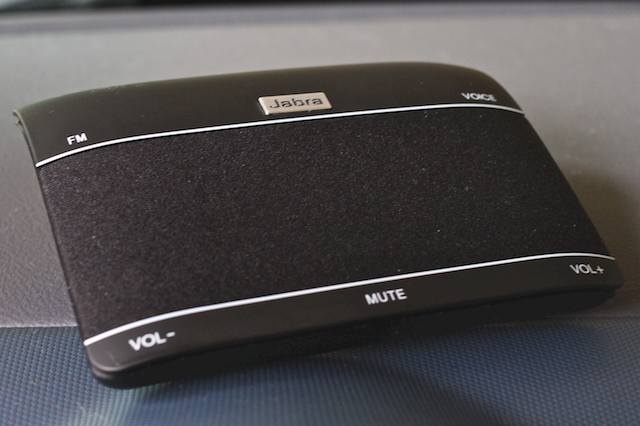
post-195859-image-f5d84dc62a55c6972fc4d5c2571f9924-jpg

The Jabra Freeway ($100) is Jabra’s flagship bluetooth car speakerphone. The Freeway has loads of top-rung features like hands-free voice commands, caller announcements and FM music-streaming, wrapped around three loud, powerful speakers accompanied by noise-cancelling dual microphones — making it a very attractive option for drivers who want to add a hands-free speakerphone to their cars.

iOS Charge Up Pack—No Excuse Not To Have Extras Now [Deals]

By

medium_fanooki640

This is short and sweet for a Sunday. Have an iOS device with a 30-pin (old school?) connector? Have extra chargers, car charger, cable, or headphones? No? You should. Keep a set in your car. Keep a set in your bag (a set that doesn’t come out of your bag except on the go). Right now we’ve got a power bundle for $20—Stay Charged With The iOS Power-Pack Bundle: Charging Adapters, Headphones, & an Apple Dock, Oh My!—than is just the ticket to have extras around. Snap this up, it’s a great deal.

How Apple’s Passbook Could Replace Your Wallet On Our Newest CultCast

By

cultcast-site-promo-pic.jpg

It’s back to the Mac on this week’s CultCast, and on our newest episode, we’ll tell you everything we know about Apple’s rumored 13-inch Retina Macbook Pro, and why you might be seeing it before the year is through.

Then, is Apple’s Passbook really going to take over the world of tickets, coupons, and payments? It’s tough to imagine, especially with how little Passbook can do now. But imagine coupons on your lock screen right when you need them and making payments with nothing but your iPhone. Ready to leave your wallet behind? Passbook may soon let you do exactly that.

All that and our three favorite Mac apps on our latest CultCast! Subscribe now on iTunes, or easily stream The CultCast via Apple’s free Podcasts App.

Read on for the show notes!

This Week’s Must-Have iOS Apps: The Magazine, Taskbox, Recall & More [Roundup]

By

Screen Shot 2012-10-14 at 09.06.54

Kicking off this week’s must-have apps roundup is a brand new Newsstand publication that’s “loosely about technology,” from Instapaper developer Marco Arment. We also have an awesome new email client that turns items in your inbox into tasks and to-dos, a great little iPhone app for remembering recommendations, the ultimate unarchiver, and more.

Patagonia MiniMass Courier: Could be the Most Versatile Bag I’ve Ever Had [Review]

By

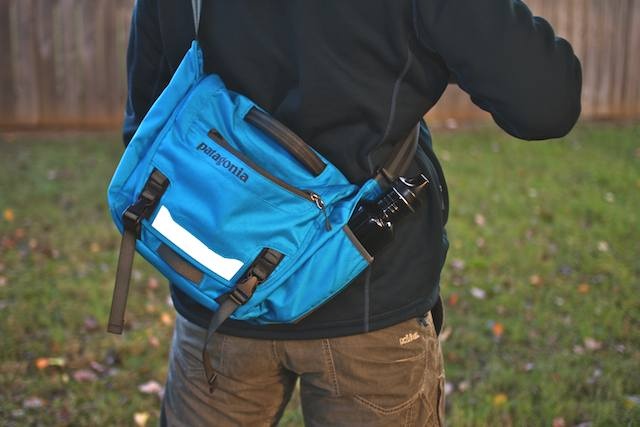
post-195811-image-b7445fbb044cb8ada513107844e11377-jpg

The Patagonia MiniMass commuter bag ($69) is my first taste of Patagonia’s gear, and I’ve always wondered if their stuff was worth the hype. The company has a bit of a reputation — perhaps fair, perhas not — as the outdoor industry’s bourgeois player, probably due to generally higher prices than the competition, an innovative design ethic and the use of green materials throughout their line.

But Patagonia has also spawned a fanatical following. I once worked with someone who literally camped outside the company’s Southern California headquarters (it sits literally right aross the road from the beach) in the hopes she’d be hired. She wasn’t, but toting around my tablet in the the fantastic little MiniMass let me grasp why she tried.

The MiniMass is the smallest sibling in Patagonia’s family of courier bags (all of which end in “Mass” — a nod to the Critical Mass bicycle movement). This makes the MiniMass a perfect tablet carrier. And even though it isn’t explicitly to ferry tablets, it excels in the task.

This Week’s Must-Have iOS Games: Crazy Taxi, Ivy The Kiwi?, E.T. & More [Roundup]

By

Screen Shot 2012-10-13 at 11.55.00

This week’s must-have apps roundup includes two classic console games that have been reborn on iOS, including Sega’s hugely enjoyable Crazy Taxi, and Acclaim’s 1999 classic Re-Volt — both of which first made their debut on the Dreamcast. It also includes a great little action platformer called Ivy The Kiwi?, a wonderful puzzle game called Girls Like Robots, and more.

The Best Thing About iPhone Is the Stuff Apple Doesn’t Make

By

hand_closeup

Another year, another iPhone. Since 2007, Apple has been churning these gadgets out like it’s a bodily function. Each iPhone is undeniably better than the last, although sometimes not in every respect.

iPhone fans always say it’s the best phone because it has the best overall user experience, best out-of-box experience, best industrial design, best selection of apps and a few other things perceived as being “best.”

But the iPhone itself is not the best thing about the iPhone platform. It’s the universe of crazy customization and expansion products that support the iPhone. 

Get Your Cute Monster Battle On With Free To Play iOS Game, Mo’ Monsters

By

Super. Cute.
Super. Cute.

It’s the weekend, and if you’re looking for a cute little romp through the monster-battling arena for some down time, Mo’ Monsters just went live. It’s a free to play game from Rumpus, a development studio out of San Francisco, and it’s fairly typical tap-tap-tap fare, with some cute characters and fun monster capturing mechanics in addition to the standard battling.

The iPad Mini Apple Event May Focus More On iBooks [Rumor]

By

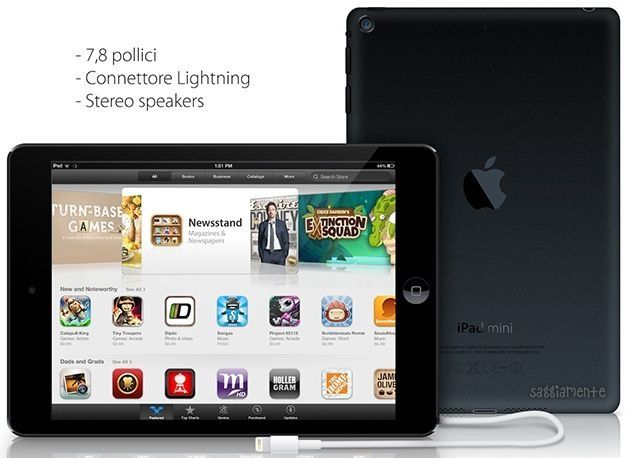
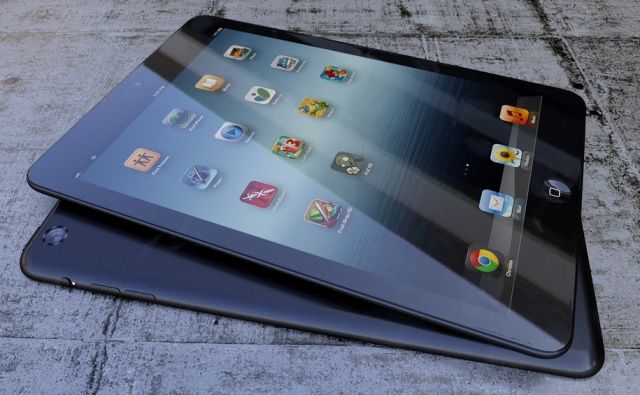
This isn't the real thing, but it's likely to be identical.
I still want to call this the iPad Air.

As you know, the upcoming media event for Apple’s smaller, thinner, and less expensive tablet, the as-yet-named iPad Air iPad mini, is being widely reported as happening on October 23,2012.

While the invites haven’t gone out yet, we’re seeing a rumor that the event will focus on iBooks, which makes a ton of sense considering that a smaller iPad is in the same market category as a device like the Amazon Kindle Fire, which is kind of like a souped-up eReader, with media consumption its main purpose, at least from Amazon’s perspective.

While this seems like a plausible rumor, I’m not ready to fully embrace it yet.

Grove’s Making The Sexiest, Bamboo-iest Cases Yet For The iPhone 5

By

submarine

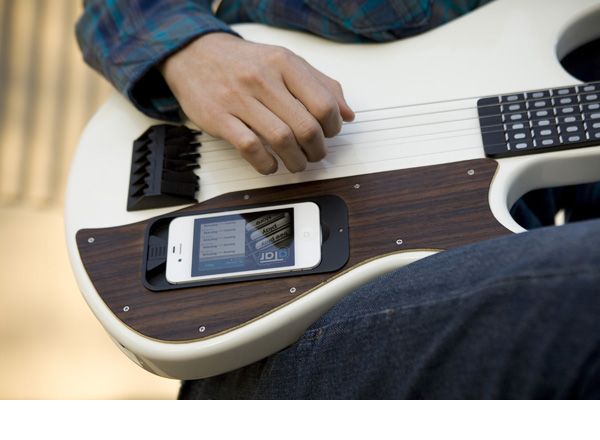
Grove has long made some of the sexiest Apple accessories around, hewing them out of polished bamboo and then laser etching them with attractive designs of your choice, so it’s no surprise that the Portland, Oregon based outfit now have cases available for the iPhone 5. Also unsurprising is just how gorgeous they are, especially in their etched incarnations.

You’ll pay, of course — Grove’s iPhone 5 cases start at $79 without any engraving, and go up from there to $99 for one with a design and $129 for a custom engraving. Fashion never comes cheap.

Source: Grove

Customize Your Text Replies To iPhone Calls When Busy [iOS Tips]

By

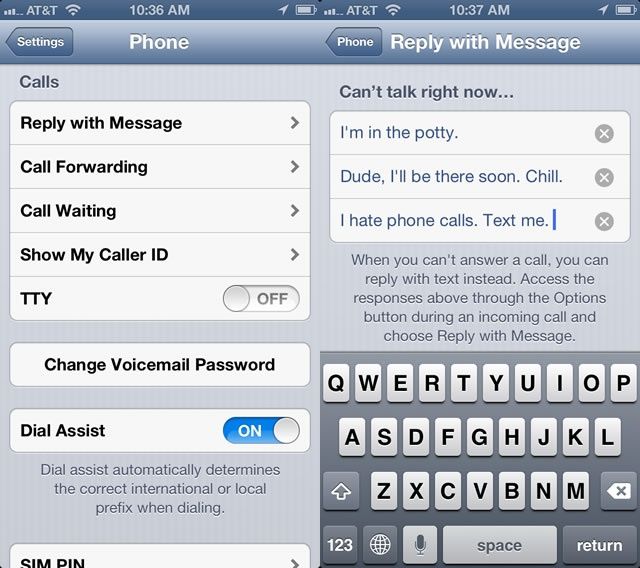
Never pass up an opportunity for potty humor.

In our Ten Killer Tips for iOS 6 feature, we showed you how easy it is to reply to a phone caller with a text message in iOS 6. When the call comes in, tap on the little phone icon in the lower right and slide up. You’ll get the option to either reply with a message or have your iPhone remind you to call the person back later.

If you choose to reply with a text message, you get a couple of built in replies–Call you later, I’m on my way, What’s up–or you can type a custom message. Ever wanted to change those pre-written messages? I know I have. Here’s how.

This Massive Gallery Of iPhone 5 Wallpapers Will Blow You Away

By

massiveiphone5papers

The Internet is filled with tons of beautiful wallpapers to decorate your iPhone 5 with. The problem is in order to find the high quality ones you have to sort through an endless pile of crap. You don’t got time for that, so one benevolent person has created this massive collection of high quality iPhone 5 wallpapers just for you.

You’re bound to find something you like in the collection, and the layout of the Tumblr page is great for quick browsing on your desktop, and it works fine on the iPhone 5 too. Hurry up and dig in.

Source: iPhoneFiveWallpapers Tumblr

Productivity Bundle 11 Great Apps, Themes, & Graphics [Deal Ending!]

By

medium_macproductivitybundle640

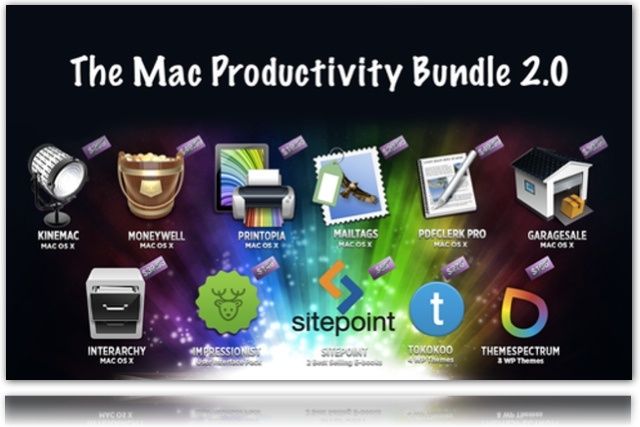
Need to round out your app toolkit? New a few new WP themes? How about some graphic elements for projects? Oh yes, it Productivity bundle time and we have another fantastic value pack for you—The Mac Productivity Bundle 2.0: Get 11 Best Selling Mac Apps & Design Goodies For One Shockingly Low Price.

Remember, picking up bundles isn’t about needing all the apps, but needing a few of the apps or goodies that you need right now and tapping into the others when you need them.

90% Of iPhone 5 Users Don’t Have A Problem With Apple Maps

By

mapsiphone


Apple Maps have received a WWE beat down of bad publicity since iOS 6 launched a few weeks ago, but maybe all the drama was a bit overblown. In a survey of 4,300 customers conducted by ChangeWave Research, ninety percent of iPhone 5 owners claimed they “haven’t experienced any problem” with Apple’s Maps app. Six percent of those surveyed said that they think Apple Maps is somewhat of a problem, and only three percent claimed it’s a very big problem

The survey also discovered that one-in-three consumers plan to buy the iPhone 5 in the future, and that 31% of consumers think that Apple switching to the new Lightning port will be “somewhat of a problem” because of the extra costs of buying new cables and adapters.

Source: ChangeWave Research