There are bound to be times when you would like your OS X Mountain Lion Mac to not go to sleep. You can set you Mac to Never sleep in the System Preferences, Energy Saver preferences pane, but that’s not always going to work. Even when it’s set to Never, your Mac may still, in fact, go to sleep. The other problem with the Energy Saver preference is that you only have the ability to set the sleep action to hold of foor three hours, or never. What if you wanted to keep it from sleeping for four hours? Or four and a half hours? Or eight hours?
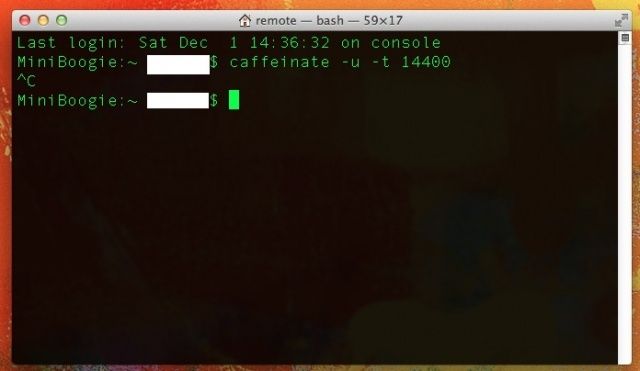
With a neat little Mountain Lion-only Terminal command, you can set it to whatever you like. Here’s the scoop.