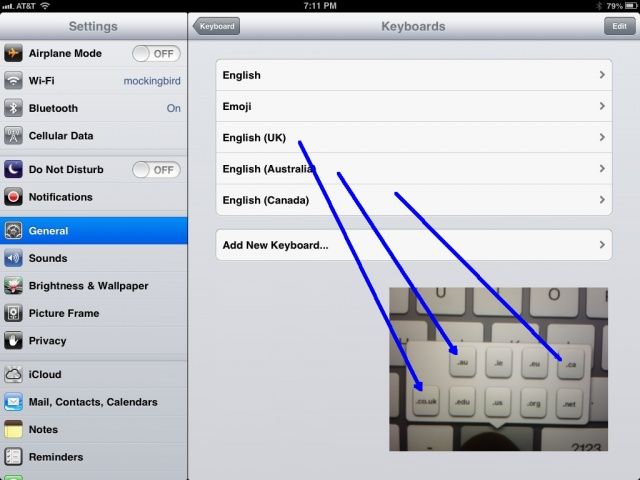
You probably already knew about how to tap and hold on the .com button in your iOS version of Safari to bring up the top level domains that come with the basic web keyboard, right? Tap into the URL bar at the top of Safari, and the web keyboard will show up. Tap and hold on the .com button and you’ll see all the top level domain suffixes for .com, .edu., .org, .net, and the like (if you’re in the US).
But what if you want to be able to quick access domains not in your main country, like Australia (.au), Canada (.ca), or the UK (.co.uk)? With a quick trip into the Settings app, you can add these and others, super easily.