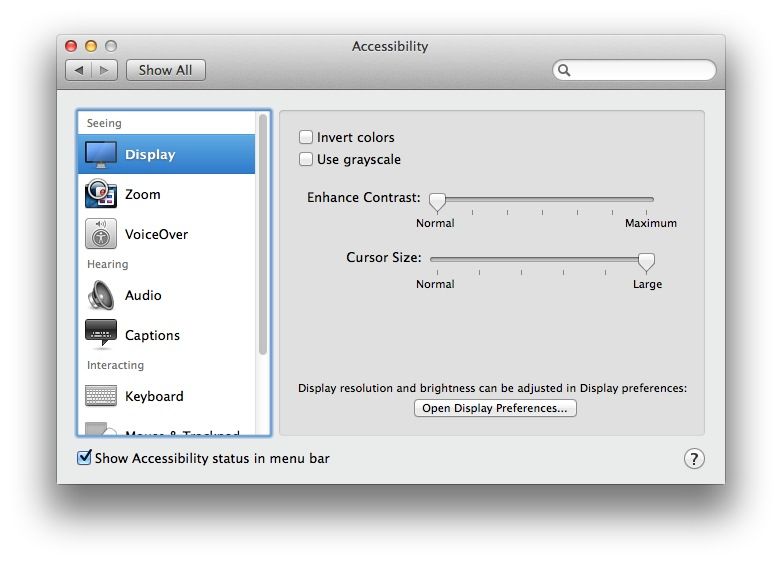
It used to be that if you wanted to increase the size of your mouse pointer, you’d hop into the Universal Access pane in the System Preferences and then click on the Mouse & Trackpad tab to find the Increase Cursor Size slider.
With OS X Mavericks beta, if you go looking for the Universal Access preferences pane, you’re out of luck. It’s called Accessibility now. However, if you know that much, and drop into it, you won’t find a Mouse & Trackpad tab.
So, in OS X Mavericks beta, if you want to increase the size of your mouse pointer, here’s what you have to do.