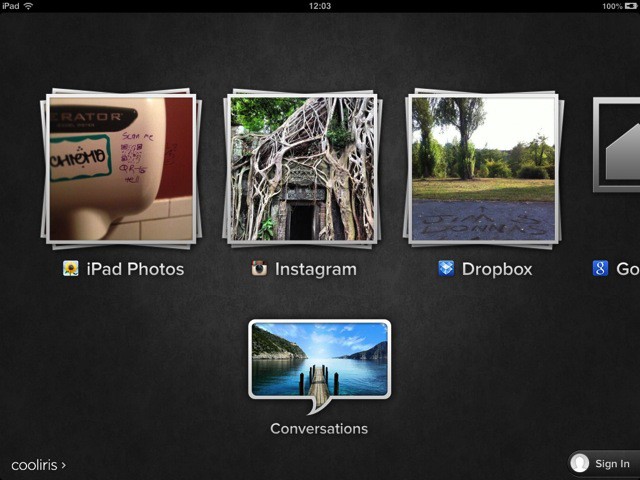
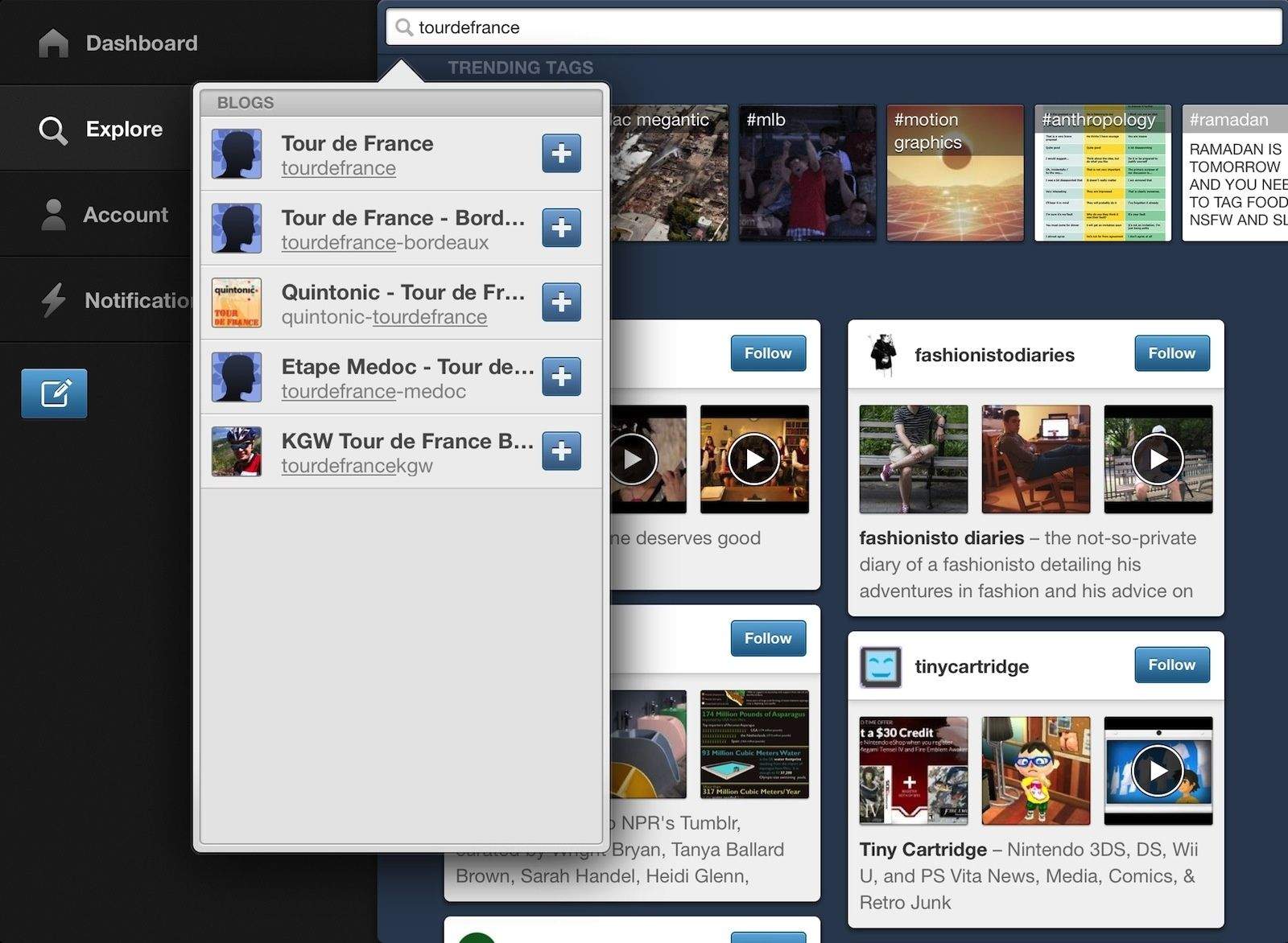
Those looking for a great alternative way to browse their photos on an iOS device might think about Cooliris, an app which has been around in various forms (I think I first saw it as a browser plugin) for some time. Cooliris’ gimmick is its endless wall of photos which you can almost throw around the screen, but recent versions have added so many sources that it might well become your iOS photobrowser of choice.
This week, the app has gotten support for Evernote images, plus more. And it still works great with Dropbox photos.
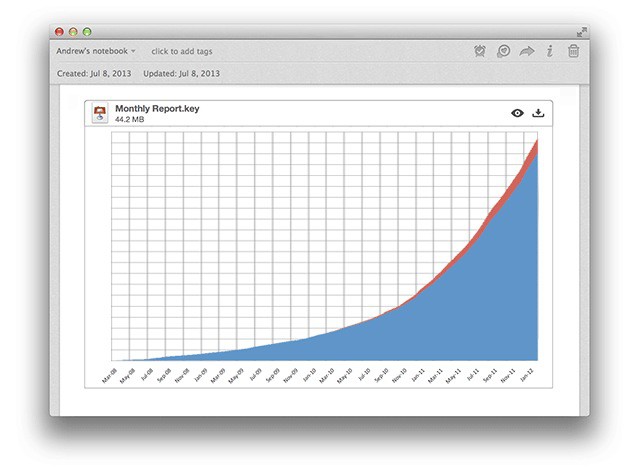
Evernote for Mac – my favorite I-don’t-quite-hate-it-enough-to-delete-it everything bucket – has gotten quite a big feature boost Not only does it now integrate Skitch, it lets you highlight text files and view files inside the note editor.
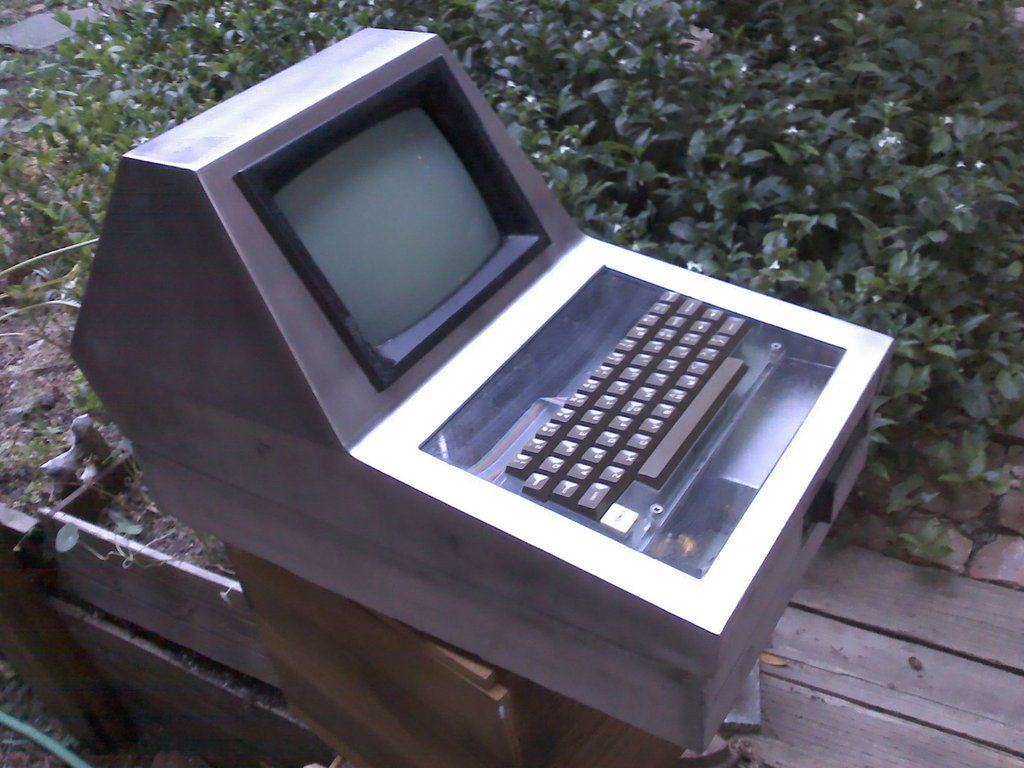
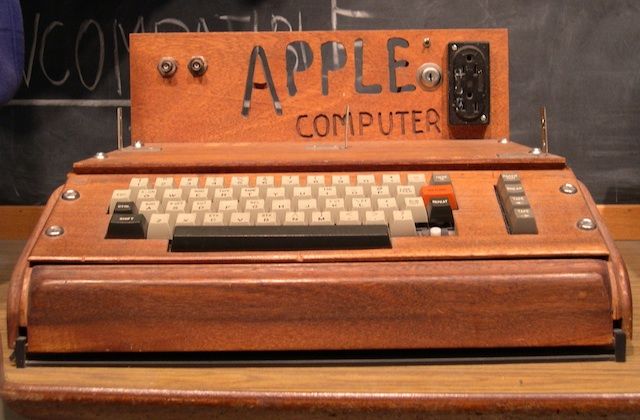
The original Apple II was a huge breakthrough for Apple when it went on sale in 1977. And even though the 8-bit computer made Steve Jobs and Woz legends, you’ve got to wonder what Apple’s first big hit would have looked like if Jony Ive got his hands all over it.
A true Jony Ive edition Apple II will probably never see the light of day, but this customized aluminum Apple II some redditor bought off eBay might be the next closest thing. It’s simple, sleek and aluminum – everything Jony loves.
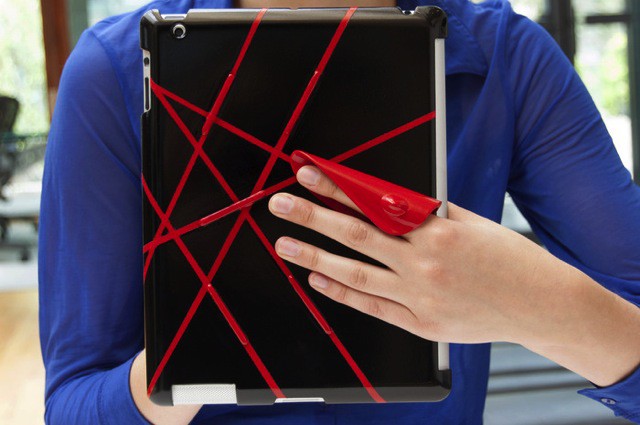
hŌld is an orange plastic taco for your iPAd which makes it a lot easier to hold. Instead of having to grip the thing the whole time, risking a broken wrist from the Retina iPad’s monstrous bulk, you can kind of let it hang on your fingers. And it even works with your Smart Cover attached.
Google has rolled out a major Google Maps update for Android smartphones and tablets, which is also “coming soon” to iPhone and iPad. It introduces a new design that finally boasts a dedicated user interface for tablets, as well as enhanced navigation and new features.
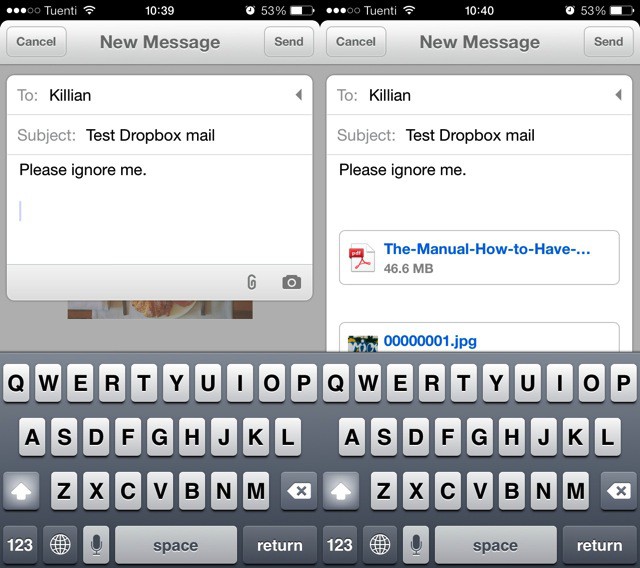
Mailbox, the miracle mashup of mail and to-do lists, has just seen the first fruit of its Dropbox ownership – Dropbox Attachments. Thought the release notes don’t make a big deal of this at all – they read “Dropbox attachments integration,” and there’s not even a new screenshot to show it – it’s actually a pretty great new feature.
Well, that’s exciting! Apple and Amazon have apparently settled their differences over who can use the “App Store” name, making it possible for one or both companies to use it in their business.
US District Judge, Phyllis Hamilton, ordered today that the case be dismissed, as requested by both Cupertino-based Apple and Seattle-based Amazon. The trial, originally scheduled for August 19, will no longer occur.
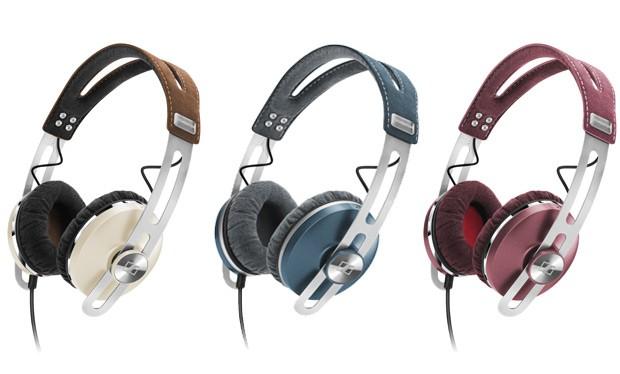
Sennheiser must have thought what I thought: That their amazing-sounding Momentum headphones perhaps appeared a tad too Teutonically severe (in the case of the red-and-black version) or stuffy (in the case of the brown version) to appeal to everyone (read: women).
So the Germanic, family-run company gave the Momentum a big fashion makeover, dressing them up in three soft pastels — pink, blue, green — with a fourth in a chic ivory-earthy combo.
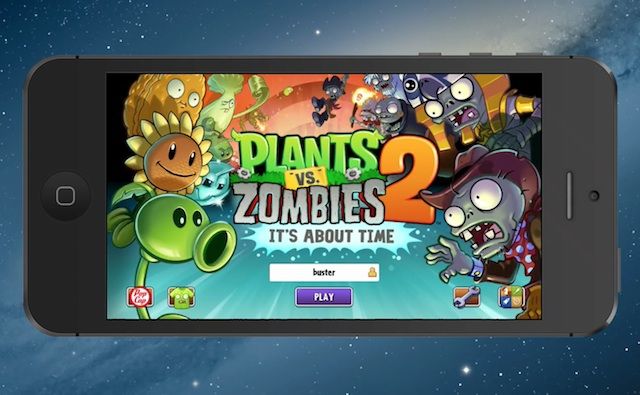
PopCap’s highly anticipated sequel to mega-hit Plants vs Zombies has hit some rough patches lately as the launch date has been pushed back to later this summer. But if you can’t wait a second longer we have good news – you can download the new game right now.
Rather than unleashing Plants vs Zombies 2 on the world all at once, PopCap has decided to do a soft-launch in Australia and New Zealand today to test things out. Which is a bummer for iOS users in the U.S. except it’s really easy to get the new game anyway.
To download the app you’ll have to create an Apple ID for the New Zealand or Australian App Store. Normally, iTunes requires new users to provide a credit card from that country to verify you actually live there, but there’s a workaround.
The folks at Industrial Toys have been busy. Their upcoming scifi first-person-shooter game continues to garner advance praise and anticipation from everyone, with good reason. The CEO of Industrial Toys is none other than Bungie (Halo) co-founder, Alex Seropian, and the team is an all-star cast of amazing talent working together to bring a core gaming experience to iPads this summer (we hope).
With all of that work in progress, the team somehow found time to make a brand new, amazing interactive graphic novel that contains not only the backstory to the game, but a ton of choices to make and characters to meet. These choices, and which characters you befriend, will have lasting effects in the actual game when it comes out later this season.
Pretty slick stuff, but the best part? This graphic novel is written by none other than John Scalzi (Old Man’s War, Redshirts) and illustrated by Mike Choi (Marvel Comics). You really need to check this thing out.
Microsoft is continuing it’s anti-iPad ad campaign with a new TV ad that attacks the iPad’s multitasking capabilities. The ad pits two baseball scouts against each other as they’re armed with an iPad and Windows 8 tablet to see if a certain prospect is worth signing.
The tag line for the ad is “do two things at once without dropping the ball,” so naturally it ends with the Windows 8 bearing scout signing the prospect to a major league deal while the hombre rocking the iPad just couldn’t switch his apps fast enough because Windows 8 allows you view two apps at the same time.
You have to give it to Microsoft for not pulling any punches. It will be interesting to see if Apple responds. Remember the good ol’ days of Mac vs. PC?
Today sees the release of the Mac version of Civilization V’s Brave New World, the original title’s second expansion pack, following last year’s Gods and Kings expansion.
And it’s being released right alongside its PC version twin, also released today — which means multiplayer is gleefully cross-platform.
We’ve seen a coupleofvintageApple I computers auctioned off over the past year or so, each with an astronomically huge price tag. Another rare Apple I was sold at a Christie’s online auction today but this time the auction failed to reach its expected price.
The winner of the auction purchased the Apple I with its original manual, schematics and photo of Steve Jobs and Woz for $387,750.
While pocketing nearly 400 grand off an old dusty computer sounds like a pretty nice pay-day to most, the Apple I was expected to sell for as much as $500,000 according to pre-auction estimates, though it wasn’t expected to break the $671,400 price tag a working Apple I received in May.
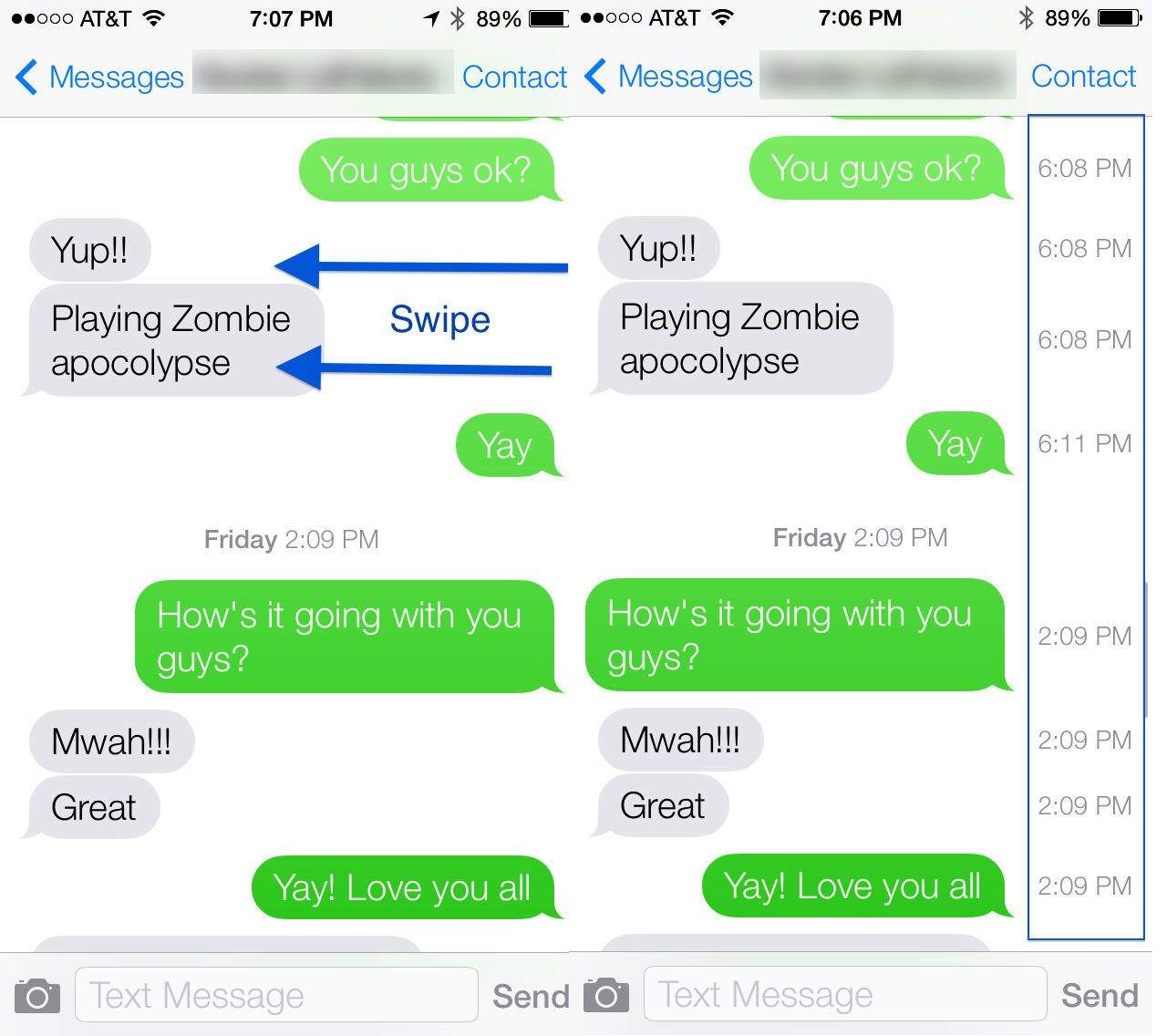
In previous versions of iOS, the date and time stamps of iMessages you sent and received were printed right in the app, above the iMessages they pertained to.
Not so in iOS 7, with only a date stamp showing up at the top of each segment of messages that come in on a particular day. If you want to know what time those messages came in or were sent, it looked as if you were out of luck.
But wait! There’s more! Turns out that you can, in fact, see a time stamp for every message in the Messages app. Here’s how to access it.
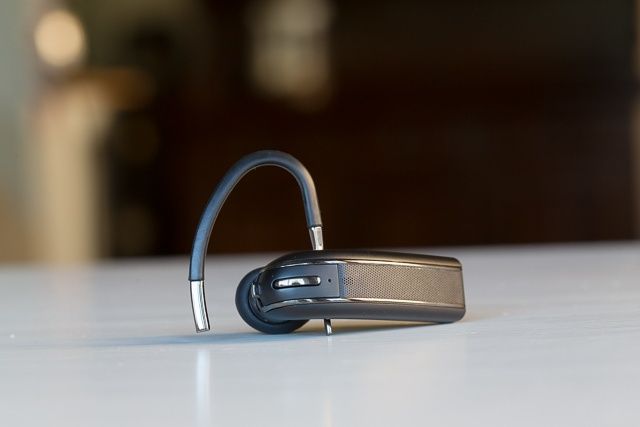
When I first tested the BlueAnt Q3 headset, paired with my iPhone 5, I was surprised by how poorly it performed. I couldn’t get over how bad the audio quality was, and I was surprised a top-notch company like BlueAnt could release such a dud. Investigating further, I decided to snoop around online to see what others were saying, but it I wasn’t alone, other iOS users we experiencing similar issues.
With that in mind, I had no choice but warn readers, and rate the Q3 poorly.
Q3 Bluetooth Headset by BlueAnt Category: iOS Accessories, Bluetooth Headsets Works With: iPhone, iPad Price: $100
But here, the story begins anew. After filing my review, several readers, and BlueAnt themselves, alerted me that the real problem has to do with the problematic ways Apple implements Bluetooth, and BlueAnt assured me a simple Q3 firmware update would absolve any audio issues I may have had. Fair enough, I thought, after all, this wasn’t the first time I had experienced subpar audio with Bluetooth headsets that, when used with non-Apple devices, seemed to function sublimely.
I’ve now tested a brand new fully-updated Q3, and I’m happy to report that it has indeed solved many of the Q3’s initial audio faux pas. BlueAnt, to their credit, has now earned at least some reprieve, as the Q3 is now bringing both fists to the fight.
Being able to find a great restaurant in any city from your iPhone is pretty great and all that, but when you’re starving, the only thing that matters is injecting that food straight into your digestive system as soon as possible.
Rather than drooling on your way to a restaurant you found on Yelp, you can now order your meal straight from the app. Restaurants supporting the feature will have an “Order Pickup or Delivery” button on their Yelp page where you can binge on all the burritos, pizza, bonbons and kabobs you want.
Support for the new feature is limited to select locations, but Yelp says it will be rolling out to more locations in the coming weeks. The free update is available now in the App Store.
Apple and Amazon have agreed to end their lawsuit regarding the rights to use the “app store” name, leaving room for both companies to use the phrase.
The case was dismissed on Tuesday afternoon by U.S. District Judge Phyllis Hamilton in Oakland, California. The dismal comes after Apple promised Amazon it won’t sue, thus eliminating the need for a counterclaim from Amazon.
Using your iPhone while driving is a huge no-no unless you want to die in a fiery crash of metal and flesh. Rather than putting all of its hopes behind Siri though, Apple has dreams of replacing all of your dashboard controls with a touchscreen interface.
According the the U.S. patent filing No. 8,482,535, Apple has developed a concept that would replace the analog controls of car dashboard with tactile and touch screen controls so you can keep your eyes on the road while adjusting temperature or changing the radio station.
Here’s how Apple described its dashboard to the USPTO:
We already know that companies can track our location in real-time through a smartphone’s GPS and serve deals or ads relevant to your location, but what if your iPhone could predict where you’re going to go in 24 hours?
A group of researchers have created an algorithm that uses location tracking data on people’s phones to predict where they will be 24 hours from the present. Shockingly, the average error is within a mere 20 meters.
You know how painful it can be when a customer or team member doesn’t understand your instructions. This Cult of Mac Deals offer aims to help you solve that problem…with Clarify.
Clarify makes it easy to communicate with images. It is screen capture software that offers a faster, simpler alternative to screen recordings. Create annotated images with ease – and be sure your message is understood.
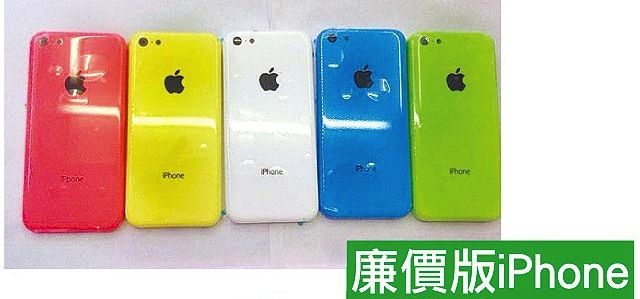
When the first colorful shells for the so-called budget iPhone first started leaking, they seemed like they were probably fake. Surely, Apple would find some other way to skimp on their new low-end iPhone build price than by casing it all in cheapish plastic in a Froot Loop pallette of colors.
But it’s starting to look like there’s a lot of smoke for no fire, with another leak out of the Far East showing the budget iPhone in red, yellow, white, blue and green. These are starting to look real: budget iPhones with a 4-inch Retina Display that are about 2-3mm thicker than current devices, and will end the fragmentation between 3.5-inch and 4-inch displays among Apple’s for-sale iPhone range when the budget iPhones go free on contract.
What do you think of the budget iPhone’s look? Let us know in the comments.
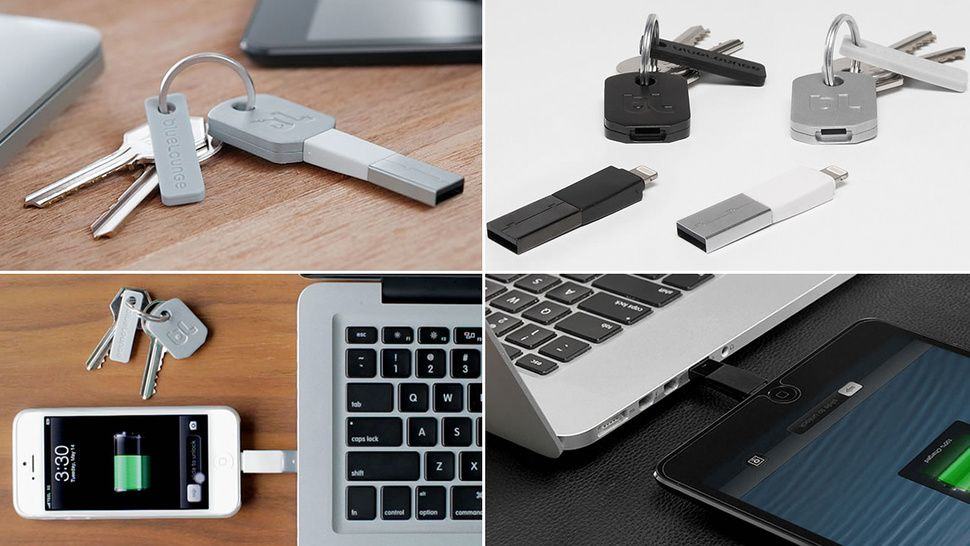
There’s a fair few accessories that put an iDevice charging cable on your keychain, but I think I like Bluelounge’s Kii the most, in that it’s actually housed in a key. It’s pricy, though: $20 will get you the 30 pin model, but if you have an iPhone or iPad with a Lightning connector, it’ll cost you twice as much to have a charge-and-sync cable that you’re always drunkenly trying to thrust into your house lock.
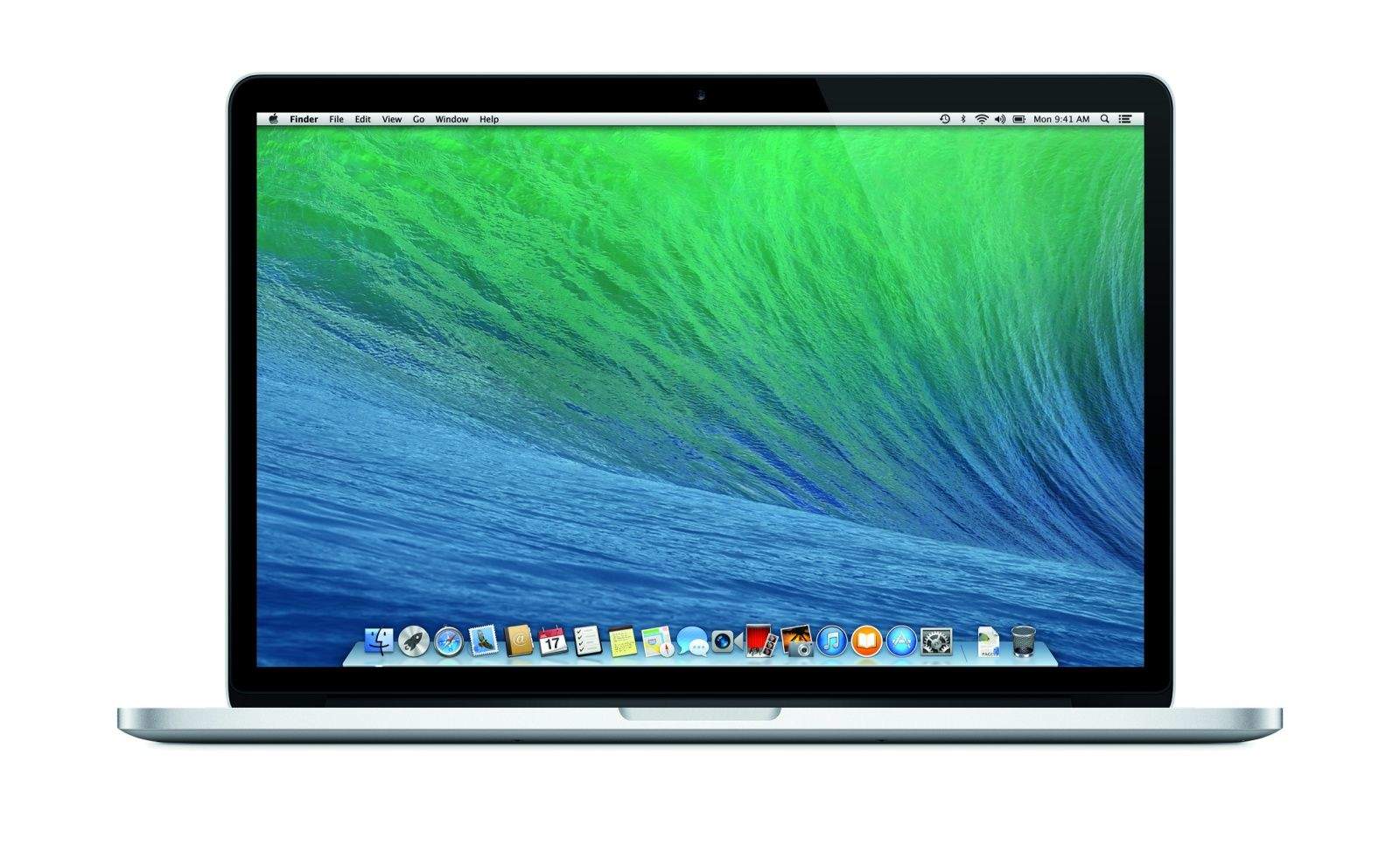
Although Apple beefed up the MacBook Air line at WWDC last month with new ultrabooks packing Intel’s Haswell processors, they have yet to upgrade the venerable MacBook Pro with the same technology. That’s a bummer, because Haswell can greatly improve battery life without sacrificing speed… surely the kind of tech you’d want in a Retina MacBook Pro.
We still don’t know when we’ll see the MBP line updated, but it’s looking like it might be happening soon, with new benchmark results for a next-gen 15-inch MacBook Pro popping up on a community benchmarking site.
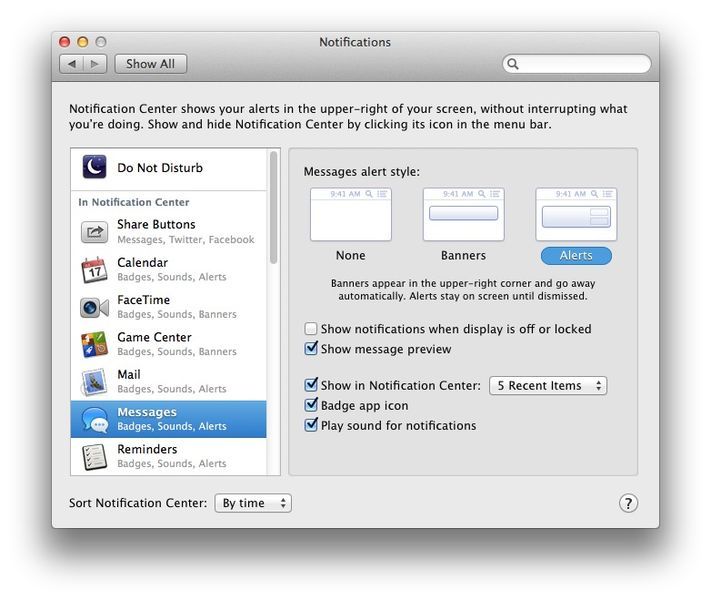
In the new OS X Mavericks beta, there’s a new Notification system in place that mimics much of the way iOS handles notifications. Your iOS notifications, in fact, can push right to your Mac desktop as well.
Much like iOS, each app that uses Notification Center can be set to a fine-grained level of customization, letting you show them in Notification Center (activated with the icon in the upper right corner of your Mac’s screen), decide whether to let them use a Badge app icon, and whether or not to play a sound for each app’s notifications.
If, however, you value your privacy, you may want to disable the default setting that has your notifications showing up even when the display is off or locked.