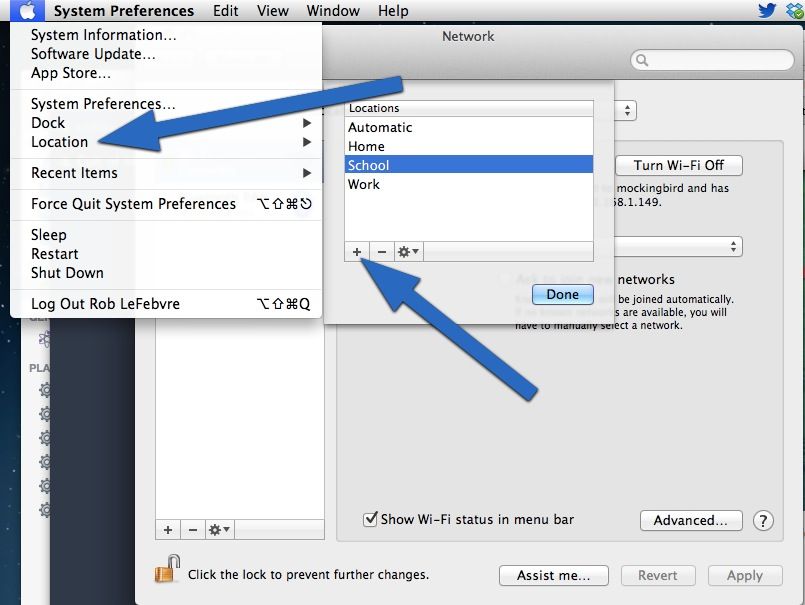
Network locations are extremely useful if you use your Mac across a variety of networking environments, like a Proxy-laden school building, a super secured enterprise site, or a special set up at home. Each environment could take a ton of extra time setting up the details if you only had one networking setup system.
Luckily, Mac has always had this idea of Locations, a way of setting and saving all the little networking details for each location you use your Mac in. Did you know, however, that you can switch between network locations in the Apple menu? I didn’t, so I figured I’d share what I found out.