With all the excitement over the recent release of Apple’s mobile operating system, iOS 7, it’s easy to forget that the Cupertino-based company has another OS in the works, OS X Mavericks Beta. Currently at version 8 of the Developer Preview, or beta, OS X Mavericks continues to quietly update in the background, with more refinements over time.
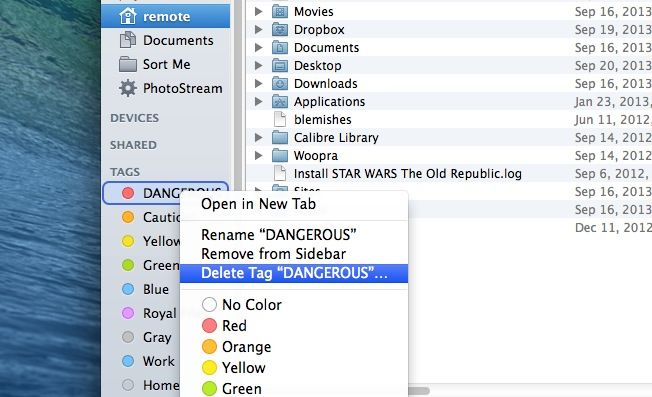
One of these improvements is the ability to delete tags from the sidebar. As you may recall, we showed you how to add and modify tags to the list in the Finder sidebar, as well as how to drag and drop files to tag them.
It turns out, though, that now you can actually delete tags as well, completing the tag circle of life. Here’s how.