Mobile menu toggle

Hunting For a Gold iPhone At the San Francisco Apple Store [Gallery]

By

Only a few are lucky enough to get a golden ticket.
One of the few golden tickets for a gold iPhone 5s.

SAN FRANCISCO — The gold iPhone 5s is rarer than, well, gold. If you wanted to snag a gold-colored iPhone 5s this morning, you had to start lining up outside the Apple Store at 7:30 p.m. the night before. Apple had only 20 or so at the flagship Apple Store, which was a lot compared to most outlets.

At about 5 a.m. this morning, Apple staffers handed out tickets to everyone in line reserving them an iPhone. But there were only 20 tickets for gold iPhones, people in line estimated, and they were snapped up instantly by those at the front.

By the time I arrived to the Apple Flagship store on Stockton Street at 6:30 a.m. this morning, all the gold iPhones were gone. The line was already two blocks long though but I wasn’t worried because Cult of Mac.com had someone from Task Rabbit holding a spot.

There was only one problem: I couldn’t find her.

iPhone 5s First Impressions: Camera

By

It’s almost a given that the iPhone 6 will feature a new, more-advanced camera — although there's been far less of a consensus on what form that camera is likely to take. Some things are known for sure: Apple recently snapped up Nokia’s PureView camera engineer Ari Partinen, although his impact is more likely to be felt on the iPhone 6s or iPhone 7. 

Apple also recently received an electronic image-stabilization system instead of an optical one, essentially faking the stabilization technique using software instead of moving parts.

It’s likely that the iPhone 6 camera will have pixels that are 1.75 um instead of the iPhone 5s’ 1.5 um, too.

It’s almost a given that the iPhone 6 will feature a new, more-advanced camera — although there's been far less of a consensus on what form that camera is likely to take. Some things are known for sure: Apple recently snapped up Nokia’s PureView camera engineer Ari Partinen, although his impact is more likely to be felt on the iPhone 6s or iPhone 7.

Apple also recently received an electronic image-stabilization system instead of an optical one, essentially faking the stabilization technique using software instead of moving parts.

It’s likely that the iPhone 6 camera will have pixels that are 1.75 um instead of the iPhone 5s’ 1.5 um, too.


One of the big new features of the iPhone 5s is the updated camera. Oh, but it’s still only has a 8MP sensor you say? True, but Apple has managed to make the sensor larger and increase the size of each individual pixel so more light hits your sensor, meaning your really crappy night shots are going to be slightly less crappy.

Out of the box, the new iPhone 5s camera doesn’t look that special – other than new dual LED flash – but one of the first places you’re going to notice the improvements are on your low-light indoor shots. The wide aperture and larger pixel size allow for better low-light shots around your house, which means your Snapchats are about to be immaculate. Well maybe not immaculate, but there is definitely be a notable improvement.

iPhone 5s First Impressions: Touch ID

By

iPhone-5s-touch-id

You’ll be blown away by the new Touch ID fingerprint sensor in the iPhone 5s the first time you use it. You’ll be prompted to set it up when you first start up your iPhone, and you’ll have to scan your fingerprint numerous times at different angles before your iPhone is happy with it. Once it’s recorded, you can use the tip of your finger to unlock your device and authorize purchases from iTunes and the App Store.

Apple Says Demand For iPhone 5s & iPhone 5c Has Been ‘Incredible’

By

first iPhone 5s

I just wrote a piece about how difficult it is to obtain the iPhone 5s — particularly if you want the gold model — and Apple has now confirmed that it has completely sold out of certain iPhone 5s models in some stores. Demand for that and the iPhone 5c has been “incredible,” the Cupertino company said, but it’s yet to reveal just how many handsets have been sold so far.

Good Luck Getting An iPhone 5s Today, Particularly If You Want Gold

By

iPhone-5s-box-gray

Photo: Cult of Mac

Apple never seems to be able to make enough iPhones to meet launch day demand, but it seems the Cupertino company has found that task particularly difficult this year. The iPhone 5s has proven incredibly difficult to get hold of all over the globe, while that fancy new gold model is near impossible to get hold of.

At Apple’s flagship store in San Francisco, there were just 20 gold iPhone 5s units waiting to go on sale this morning, and they were all claimed before the store even opened its doors.

Is iOS 7 Just A Mask?

By

9008667943_7d3edef436_o

Jony Ive and the rest of the design team at Apple really pushed the boat out when it came to refreshing the look of its next-generation mobile operating system. Everything from the icons to the menus is dramatically different in iOS 7, and largely unlike anything Apple has ever developed before.

While reactions to the new design have been mixed, you have to commend the Cupertino company for making such significant changes in such a short space of time. Scott Forstall, who was previously in charge of all things iOS, left Apple just eight months ago, and it wasn’t until then that Ive was given the opportunity to make his mark on the platform.

 Ive has  made it very clear that his idea of software design is very different from Scott Forstall.

One thing’s for sure: Ive has certainly made it very clear that his idea of software design is vastly different than Forstall’s. If Forstall was still at Apple, there’s a good chance iOS 7 would look largely identical to iOS 6… and iOS 5, iOS 4, iOS 3… you get the picture.

iOS 7 doesn’t just boast a new look, either; it also delivers a number of key new features, some of which we’ve been asking for a long time. Those include Control Center, which gives us the ability to control music and toggle certain settings from anywhere; and improved multitasking, with scheduled updates and the ability to preview what’s happening inside your apps before you jump into them.

The Mask

The iOS 7 home screen.

It’s true. A number of the things we were calling for ahead of iOS 7 — the new look, the ability to change settings from anywhere, automatic app updates — have now been delivered, and we have to appreciate that Apple can only change so much in 12 months.

But there are a number of other important features — maybe more important than the annihilation of skeuomorphism — that are still missing from iOS. These things aren’t being talked about right now, because the novelty of iOS 7 is yet to wear off, but these features are still conspicuous for their absence.

iOS 7’s new design is currently acting as a mask. It’s so significant that for the majority of users, there isn’t a second thought about anything else. The question isn’t “Can I do anything new?” but “How new does it look?” But when the dust settles, it’ll be easier to spot the features that are still missing.

And things are missing, because underneath all the new frost and parallax, iOS 7 is essentially the same operating system as iOS 6. While there are some terrific improvements, it’s not the grand departure from its predecessors that it seems.

Let’s go over some of the things that are still missing.

Communication Between Apps

We’ll start with the big one. iOS apps still don’t talk to each other like they should.

Let’s use an easy example to illustrate what we’re talking about. Let’s say you want to share a photo from inside the Photos app. If you tap the ‘Share’ button,  your options will include messaging, email, iCloud, Facebook, Twitter, and Flickr.

Fair enough. But what if you want to share via WhatsApp? Or Google+? Or Skype? Or send your photo to a service like Dropbox or Evernote? Your only recourse is to open each of these apps separately and upload the image to them, one at a time.

Sharing options on iOS vs. Android.

This isn’t the way it has to be. OS X, for example, allows apps to communicate with each other. You can fairly easily shoot a file from one app to the next. The ability for apps to talk to one another without each app having been specifically programmed to know some arcane secret handshake with every other app is part of what gives an operating system its sense of cohesion.

Yet this rudimentary ability is missing from iOS. In fact, it’s all over the place, whether sharing links in Safari, videos in YouTube, and files in Dropbox. Unless an app has been pre-programmed to “know” it can share with one specific app, they simply can’t communicate. It’s a messy and inconvenient system: not at all what you’d expect from Apple software.

But this isn’t a mobile limitation. Apps talk to each other just fine on Android without any fancy tricks. When I take a picture on my HTC One, I can go into my Gallery app and then send then image just about anywhere — and I’ve only had to open one app manually.

iOS apps need a deeply integrated service to talk to one another. That’s more important than iOS getting a fresh new look: it would result in a fresh new feel, and untold new possibilities for app developers. Why isn’t Apple concentrating on that?

Default Apps

While we’re on the subject of apps, let’s quickly address the issue of Default Apps.

In iOS 7, Apple still won’t let you choose a third-party app as a default app. Hate Safari? You can’t set Chrome as your default web browser. Don’t like Mail? You have no option to make Mailbox your default mail client. And even after Mapsgate, iOS users have no way to make Google Maps the default maps app, short of a jailbreak. Apple still forces you to use its own apps, and there’s no good reason why.

It’s almost as if Apple doesn’t trust us to choose our own default apps.

It’s almost as if Apple thinks we can’t be trusted to choose our own defaults — like Apple’s worried that it’s going to have a Genius Bar full of people who accidentally set Chrome as their default browser and can’t work out why Safari won’t open when they click on links.

Maybe this is a genuine concern. But we’ve all learned to deal with this kind of thing on our desktops, and other mobile devices powered by other platforms. We should be able to deal with it on our iPhones and iPads, too. And as iPhones and iPads replace our PCs and laptops, it’s only natural that they inherit some of their tweakability

Customization

What SwiftKey might look like on your iPhone.

The ability to tweak our iPhones and iPads doesn’t have to end at setting default apps, though. We should also be able to install third-party tweaks on our iOS devices, and we shouldn’t have to jailbreak to do it. These don’t have to be big changes that will completely change the way our devices operate: even simple tweaks, like third-party keyboards and icon packs, would greatly enhance the way in which we connect with our iDevices.

After all, not everyone likes the keyboard Apple provides in iOS, and it would be nice if we could install something like SwiftKey, which has become so popular on Android. Tweaks like these could be sold through the App Store just like iOS apps, and Apple can demand the same 30% cut it does on everything else — it’s a win-win situation.

Admittedly, this is a big ask, especially from Apple, who is famous for locking down its software and not allowing us to tinker with it. But there is some hope. During his interview at D11 back in June, Tim Cook said, “I think you will see us open up more in the future.” Let’s hope this means the ability to customize our devices.

Live Icons

Wouldn’t it be nice if you could see today’s weather forecast, or the latest sports scores, or how many page views you’re getting on your blog, without having to open up an app? Simple information like this should be accessible from the home screen, but that’s still not possible in iOS 7.

The Clock app has a live icon in iOS 7.

Apple has given us one live icon with the Clock app, which now shows the time, but that’s as far as live icons go on iOS. Hopefully, it’s the start of something, and future iOS releases bring us more.

I have a great idea how live icons should work on iOS. Imagine you could tap and hold an icon and then change the size of it, so that instead of taking up just one space on your home screen, it could take up two or three, or even more. The more space it has, the more information it can display.

I’ve created a (poor) mockup below that explains what I mean. I’ve used Twitterrific as an example. As you can see, when it’s taking up just one space, the icon is static — just like normal. But as it gets bigger, it can display things like the number of mentions, direct messages, and retweets that are waiting for you inside the app.

iOS-7-live-icons-mockup

This is a simple example, of course, but the same concept could apply to all kinds of different apps.

These aren’t simple changes, and Apple cannot implement them all in one year  so we shouldn’t have expected that. Apple’s priority with iOS 7 was clearly to remove all of the design niggles we had been complaining about and introduce a fresh new look that would immediately signal its change of direction under new leadership.

iOS 8 should be something special.

But let’s not forget that rival platforms have had some of these features for a number of years. Apple has had lots of opportunities to match them, or even take the basic concepts and create even better experiences. But it hasn’t.

As a result, iOS has gone from a cutting-edge mobile operating system that’s way ahead of everything else to a platform that’s now trying to catch up to its rivals in many key areas.

But iOS 8 should be something special. Now that the new design is here, Apple can finally concentrate on the core features beneath it and address the things that iOS is currently lacking.

I’ll bet that a lot of the features I’ve mentioned in this piece or others like them are here next fall, alongside many more that could give iOS the edge over its rivals once again.

Why The Mac Has Nothing To Fear From iOS

By

OS-X-Mavericks-Features-MacBook


There’s a conspiracy among some Apple watchers: the ‘iOS-ification’ of the Mac.

The past couple versions of OS X, specifically Mountain Lion, have proven that Apple is not afraid to bring features from its mobile operating system to the desktop. Sometimes the borrowing is incredibly blatant, like the Mac version of Reminders, and sometimes the trend is more subtle, like when Apple inverted scrolling in OS X Lion to recreate the “natural” scrolling experience from a touchscreen.

Before the June unveiling of OS X Mavericks, it would not have been farfetched to look at the evolution of OS X and iOS and draw the conclusion that the two were becoming more alike. Now that we’ve seen Mavericks, it’s clear that OS X isn’t getting more iOS-ified like everyone feared. The two platforms are headed in different directions and while they share similarities, Apple does not appear to be on a mission of convergence. Cupertino has decreed that never the twain shall meet.

The Walled Garden

Compare iOS 7 to Mavericks, and the untrained eye could be led to believe that the two operating systems were designed by separate companies. iOS 7 is full of bright, unrestrained colors and abstract interface elements, while Mavericks largely still looks like the OS X we know and love. There are plenty of great improvements in Mavericks, but the general aesthetic of the OS is by no means a radical departure from Mountain Lion. Mavericks remains grounded, while iOS has been set free to soar into a new world of design.

iphone5-pf-pyramid_features_print

“Mavericks remains grounded, while iOS has been set free to soar into a new world of design.”

To Apple, iOS is the software used by its largest and most profitable customer base: iPhone, iPad and iPod touch owners. iOS is designed to appeal to the masses and offer a consistent experience from one device to the next. iOS 7’s aesthetic design may be incredibly different, even jarring, to users of past iOS versions, but the core philosophy behind the platform hasn’t changed in 2013.

Unlike OS X, the file system in iOS is totally invisible. You can send media and certain files in-between certain apps, but there’s nothing like a Finder equivalent—no ability to open a zip file’s contents like you can on the Mac. The innards of what composes iOS are kept hidden so you don’t sweat the small stuff, or more importantly, do something damaging to the smartphone you rely on every day.

Each iOS app is sandboxed, meaning that it is forced to operate within a silo of its own under Apple’s rules. App Store apps have limited ability to talk to each another and they definitely can’t take over all of the OS, like Facebook Home on Android. An analogy that’s commonly used is a walled garden. You can enjoy the experience, just respect the boundaries.

Apple approaches iOS in a fundamentally different way than OS X, and that’s a good thing for the future of the Mac.

“PCs are going to be like trucks.”

“PCs are going to be like trucks,” said Steve Jobs, hitting the nail on the head way back in 2010. Like the car industry has been revolutionized by the automatic transmission, power steering, and hybrids, the world of traditional desktop computers has been upturned by smartphones and tablets. “Trucks” will always be needed, just not as much. The Mac is still a cornerstone for Apple. It will never have the huge install base of iOS, but that doesn’t make it any less important. Since when has Apple only cared about taking as much market share as possible?

Mavericks
Mavericks is the first wave of a new age for OS X.

The recently unveiled Mavericks continues to bridge the gap between iOS with a couple of additions, like iBooks and Maps. But then there’s also plenty of new features for power users, like enhanced support for multiple displays, Finder Tabs, Timer Coalescing for more efficient CPU management, and App Nap for managing power. Apple has historically been about connecting the familiar with new, groundbreaking technology.

Word on the street is that Apple has given Mavericks less attention in recent months to devote resources to polishing up iOS 7 in time for its Worldwide Developers Conference (WWDC). That may explain why iOS 7 looks so different and Mavericks is more of an incremental upgrade to OS X. Now that Jony Ive is in charge of all software design at Apple, he surely has more tinkering to do with OS X if he wants to unify the company’s design language across platforms. He’s already stripped out most the garnish textures with Mavericks (“No cows were harmed in the making of this virtual interface,” said Apple’s Craig Federighi at WWDC), but there’s a lot of needed change for OS X to truly be ushered into the era of Ive.

osxmavericks

“The Mac is still a cornerstone for Apple.”

That doesn’t mean OS X will eventually dissolve into iOS, at least not for decades to come. While explaining the reasoning behind naming OS X 10.9 “Mavericks” on stage at WWDC, Federighi said, “We’re really excited about the future of the Mac, and we want a set of names that will carry us for the next 10 years.” Future versions of OS X will be named after special places to Apple in California. OS X is an inspirational product for the company and it has its own vision.

This is the first time in several years that Apple’s mobile and desktop platforms look so different from one another. Will our concept of “desktop computers” not exist years down the road? Thanks to the rapid pace of innovation in the tablet industry, probably. Will underpinnings of OS X fade into obscurity as the platform is phased out by iOS? Certainly not.

It’s nice to know that iOS and OS X can co-exist in the post-PC era. The future remains bright and full of possibilities.

Khoi Vinh on The Good, The Bad and The Meh of iOS 7

By

perspective

In a 92-character shot heard around the web, graphic designer, blogger and former design director for The New York Times Khoi Vinh weighed in on Twitter about the new operating system: “If iOS 7 is revenge on Forstall, Forstall’s revenge may be that it’s kind of not that great.”

Now that he’s had a chance to play with it for a few months, Cult of Mac asked Vinh what the best (and worst) parts are of Apple’s new operating system. His first impression that iOS 7 is a mixed bag hasn’t changed – but he’s grown to appreciate the lighter side of the new OS as well as dread switching his mom’s iPhone over.

The good

ios7

The new iOS is beautiful

Lighter fonts, clear colors. And no more green felt in the Game Center! The clean lines of the new system are definitely easy on the eyes. Also, it’s the unbeige answer to the ho-hum design everyone else is doing. With a little more polish, Apple might really have something, he says.

“The overall look of it is really beautiful. And the fact that they’re willing to take this chance is commendable…they’ve built some really slick things,” he said.

Vinh finds the new mutlitasking feature irksome, but admits even that has some upsides. “They made zooming much more consistent throughout the operating system and not just on the home screen but throughout the apps too. So when you tap on an app you actually are zooming into the app tile and then you see that in the calendar app, too. When go out to a month, you zoom out to a month rather than just switching to a different view. And I think that stuff is really nice.”

You will find everything

“It’s really not that different, it’s a question of perspective. I think you could argue convincingly that the majority of the changes are cosmetic, that the underlying interaction models are consistent: you still have this concept of the home screen, there are apps that you launch and so forth.”

Your kids will love it

“I’m not concerned at all about three-year-olds understanding this,” he said. “Every time they inherit a device like this or an operating system like this they’re fully prepared to learn from square one and do so very rapidly.”

It opens up a whole new world for developers

The sleek new look of the OS makes everything that came before it look like knee-length bloomers at a Victoria’s Secret fashion show. And that may create an opportunity for indie developers to crash the scene by getting up to speed with the new UI and making the competitors look like last year’s news.

“One interesting thing of what they’ve done is they’ve created this artificial sort of disruption in the continuum of like an app’s lifecycle, and they’ve kind of created an opportunity for new players to come in and quickly gain favor. ”

The Bad


Picture 4

The new “back” button

Vinh feels so strongly about the former back button that he wrote a requiem for it, calling the it the best back button of all time.

“The original back button is just a really marvelous sort of piece of work. It does all those jobs at once and nobody ever has problems with visually understanding what’s there. And the new one sort of introduced this problem where there was no problem before. It was solved before. So I’m sad to see the old one go.”

Expect hell when you get stuck upgrading your favorite baby boomer’s phone

Boomers are a slow-growing but important segment of smartphone owners and they’re not always the quickest to adapt. Those of the rock n’ roll generation will probably skip the needle when they see iOS 7, given how different it looks. Expect squinting at skinny, high-fashion Helvetica Neue fonts and some senior moments over the interaction, too.

“It’s going to be kind of confusing for them. I’m kind of wary of the day I have to upgrade my mother’s iPhone,” Vinh said. “In the long run it might be just fine, but just the very fact that so much is changing, even if Apple can pull off the feat of making the net result neutral, why should someone have to muddle through it to that extent?”

The gestures are not as nicely in synch with the UI, as they were on the old operating system, he says. “There were stylistic changes that don’t necessarily break the feature, but they create like a half second of disorientation.”

The Meh

ios6_ios7_home_screens

It’s pretty, but it’s not that much of an improvement on the previous version

“I haven’t seen anything that makes me believe that it’s better…I’m hoping that maybe something gets pulled out of the hat at the last minute. I also feel like we might have our minds changed a bit by new hardware,” he says, recalling that it makes sense to visually overhaul the device when what’s under the hood changes too. “Otherwise, the redesign is often just a failure.”

Then again, he added, “Maybe there’s just so much glare from the gold of the new phone that you can’t even see the UI anymore.”

iOS 7 Revs Up Gaming With New Controllers, Developer Tools

By

Apple Controller Specs bottom

iOS 7 provides two new features under the hood that will blow the lid off mobile gaming: game controllers and a sprite animation and particle physics engine. While these may not sound super sexy, they have the potential to revolutionize the way we play games on our mobile devices. The first is a recognition that many games really need physical buttons to provide high-end gaming experiences, while the second is a step toward supporting game developers in the way that development engines like Unreal and Unity already do, but built right in to the operating system. Together, these two developments are nothing less than—forgive the pun—complete game changers. Mobile gaming is already a big business for game developers, publishers, and Apple. And while Apple has never put gaming front and center before, that’s going to change with iOS 7. Gaming is already huge; now it’s going to get even bigger.

Meet The Real-World Products That Inspired The iOS 7 Icons

By

Here's how to animated iOS's app icons.
Photo: Apple

When it came time to redesign the UI of iOS 7, Apple decided to buck its love of skeumorphic UIs in favor of a new minimalist look that’s flat and parallaxed all over. The big design updates have been a welcomed improvement because iOS was starting to look a little long in the tooth.

Scott Forstall and his love of skeumorphic elements may be long gone, but closely at iOS 7 you’ll see a couple of skeumorphs are still clinging to. Here are some of the real world products that inspired the new iOS 7 icons.

FaceTime

Facetimeicon

Ever notice how the App Store icon resembles the Anarchy symbol?

appstoreicon


Safari

safariiconiOS7

Phone.app

phoneiconiOS7


Settings

settingsiOS7

Camera

iOScamera


Compass

compassiOS7


Maps

i280iconsiOS7


Why iOS 7’s Kill Switch Won’t Take A Bite Out Of iCrime

By

Used with permission, thanks to Caprisco on Morguefile.com
Thanks to Caprisco on Morguefile.com

This article first appeared in Cult of Mac Magazine.

Apple devices are on the most wanted list for thieves who snatch smartphones and tablets out of the hands of distracted commuters in big cities.

This type of theft is so easy and generally without consequence that it’s become known as “Apple picking.” The Cupertino company has been on the forefront of trying to curb these crimes, dating back to the Find My iPhone app in 2010 and the new Touch ID fingerprint sensor for the iPhone 5s.  Apple has also added a new i0S 7 feature called Activation Lock, which many are dubbing the “kill switch.”

“As a consumer, I love the idea of a kill switch for the device that I, as the owner, can invoke, but giving that type of power to my carrier is another thing.”

In doing so, Apple has responded to further pressure from authorities who are inundated with cases involving iPhone and iPad crime. (See our investigation into lost and stolen iPhones on Craigslist for more.) But prosecutors in New York and San Francisco, where about half of all crimes involve smartphones, were initially lukewarm on the feature but say they are now optimistic after seeing it in action.

The industry insiders Cult of Mac sounded out, not so much.

“To really make this work, the ‘kill switch’ would need to be wired to carrier networks, so that as soon as the device’s IMEI shows up on the network, the device is disabled by the carrier,” said Tom Kemp, CEO of Centrify, a company that provides unified identity services across data center, cloud and mobile for businesses. “As a consumer, I love the idea of a kill switch for the device that I, as the owner, can invoke, but giving that type of power to my carrier is another thing.”

As smartphone use grows — nearly half of Americans own one — so has iCrime. According to recent comScore data, Apple owns almost 40 percent of the smartphone market, more than its next closest competitors Samsung and HTC combined, with 23 percent and 8.7 percent, respectively. But part and parcel with Apple’s success and their distinctive design aesthetic is the fact that Apple products are an easy targets for a quick snatch-and-resell.

“How much would mugging decrease if your wallet was worth $0? Essentially, that’s what Apple is doing with its new kill switch feature – making your smartphone worthless, ideally. But, who is it really worthless for in the end?” said David Anderson, director of product for smartphone insurance company ProtectYourBubble. “Smartphone thieves often resell stolen devices on the secondary market…Unknowing consumers will purchase devices from sites like eBay and Amazon to cut costs but (will) end up receiving a ‘killed’ device in the mail.”

Craig Ferenghi introduces iOS 7's new "kill switch" during the WWDC keynote.
Craig Ferenghi introduces iOS 7’s new “kill switch” during the WWDC keynote.

Companies that survive on tracing stolen gadgets are also not worried that the kill switch will sound the death knell for their businesses. “Unfortunately for consumers, Apple’s tracking and other anti-theft measures are also fairly easy to disable. People are going to continue to steal iPhones and hackers will find a way around the kill switch. It can be as simple as jailbreaking the phone,” said Ken Westin, founder of GadgetTrak. Most of GadgetTrak’s customers are tracing Apple devices — check out the live map — and use of the service has led to a few spectacular recoveries like this one from Kansas to Mexico.

Which brings up another point: whether Apple should be partnering with authorities rather than potentially enabling users to pursue their stolen iPhones

Maybe Apple should be partnering with authorities rather than enabling their customers to pursue their stolen iPhones.

Absolute Software, which says it has recovered 29,000 devices in 100 countries to date, recently launched a partnership with Samsung and says one with Apple is very possible. They work with police and discourage people from trying to get their gadgets back, rogue style.

“Deactivating a device with Activation Lock so that an unauthorized user is unable to use it or sell it can have a positive impact on deterring theft. However, the value of this capability is limited and could lead to encouragement of owners trying to recover devices from thieves themselves,” said Ward Clapham, vice president of recovery services at Absolute. “Self-recovery can be dangerous – even fatal. The best case scenario is for the user to rely on trained professionals to work with law enforcement to recover the device and pursue any criminal charges that may result.”

iPhone users who keep their smartphones mute in their pockets out of fear may find the new service makes it once again OK to stumble down a crowded sidewalk while checking email.

The iWatch might be a really popular theft target.

“With the kill switch, you will no longer feel unsafe using your iPhone on a city street. The kill switch makes the iPhone a much less desirable target for thieves — they’ll have to go back to nicking gold watches and fancy handbags,” says Dave Howell, founder and CEO of Avatron Software, which makes a number of productivity apps. “With this feature, Apple is responding to rising iPhone theft rates, but the company may also been preparing for the launch of the iWatch. The iWatch might be a really popular theft target. The kill switch is a neat, thoughtful feature but it won’t move the market-share needle.”

Howell, a former Apple software engineering manager whose team includes a number of veteran Mac programmers, says he doesn’t have any inside knowledge about the kill switch but that the service fits into Apple’s general ethos.

“I know Apple’s been working hard for some years to make iPhone as safe as possible…Apple has always garnered a reputation for designing for the benefit of users, even when it hurts sales. Certainly preventing theft will put a dent in replacement iPhone revenues.”

This article first appeared in Cult of Mac Magazine.

Padacaster Mini Turns Your iPad Into A TV Studio

By

cult_logo_featured_image_missing_default1920x1080

There’s no getting around the fact that you look like a total dork when taking photos with your iPad, a problem only slightly mitigated by using the iPad Mini. But id you start shooting video with the Padcaster Mini, all bets are off. Even with my finely-tuned DorkDar (like a radar for nerdiness), I have no idea whether the Padcaster Mini will make you look awesome or utterly ridiculous.

Kindle For iOS7 Is The Best Kindle App Yet

By

kindle iOS7

There were so many app updates tumbling out into the new iOS7 app store on Wednesday that we didn’t have time to cover them all, but the update to the iOS Kindle app is definitely worth a look. I do most of my reading on an actual Kindle device, but I love the fact that I can pick up on any device thanks to Whispersync. And now the iOS Kindle experience is way less ugly than before.

Triggertrap Camera Remote App Updated For iOS7

By

triggertrap20

Triggertrap Mobile has just released v2 of its camera-controlling software, allowing you to hook it up to any of 300 camera models by wire, and fire the shutter remotely.

Of course, that’s not all it does: Triggertrap can use any and every sensor in your iPhone to trigger the camera, along with timers.

Retro Phone Handset Actually Pretty For Desk Jockeys

By

ku-xlarge

I never make actual phone calls – they’re for people who don’t know how to use the internet. But I used to, and I remember one thing: real telephone handsets are way more comfortable to use than cellphones, especially for long calls.

Which is to say, the POP Desk handset will look great next to your fax machine.

Apple Adds Kids Section To App Store

By

Hopefully
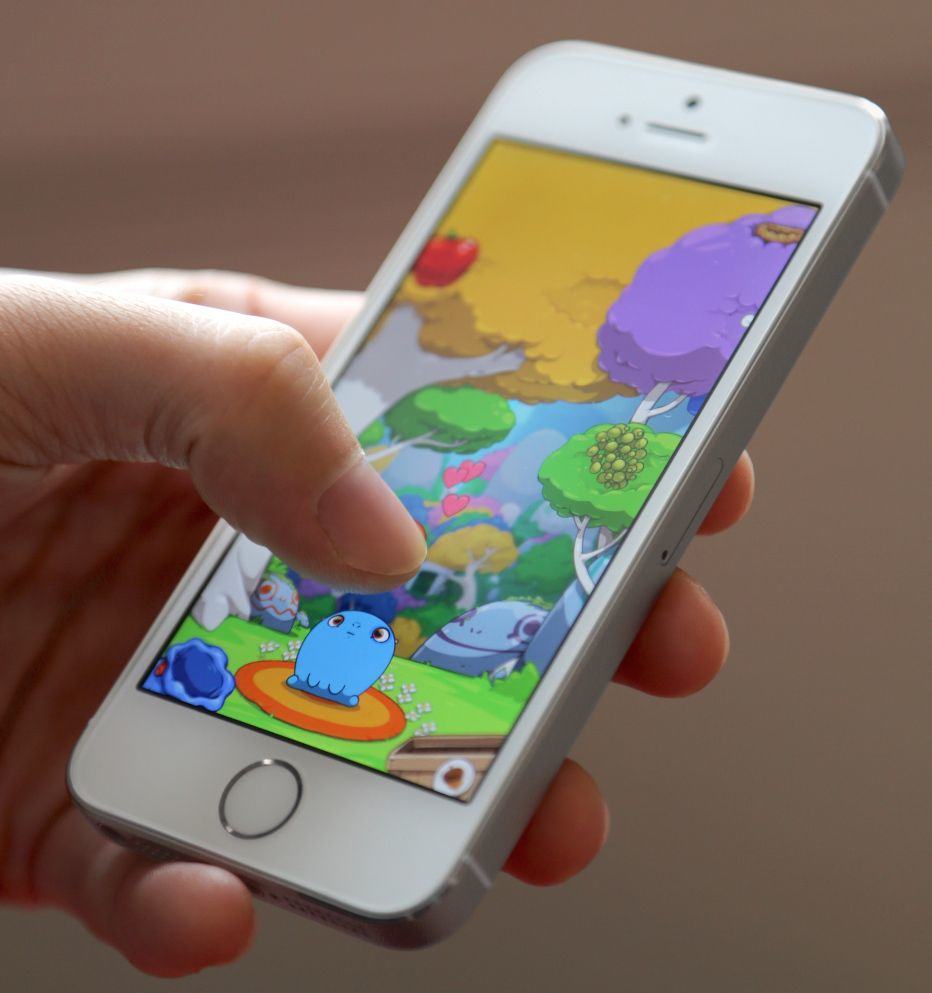
Hopefully "Sprinkle Junior" is name, not an instruction.

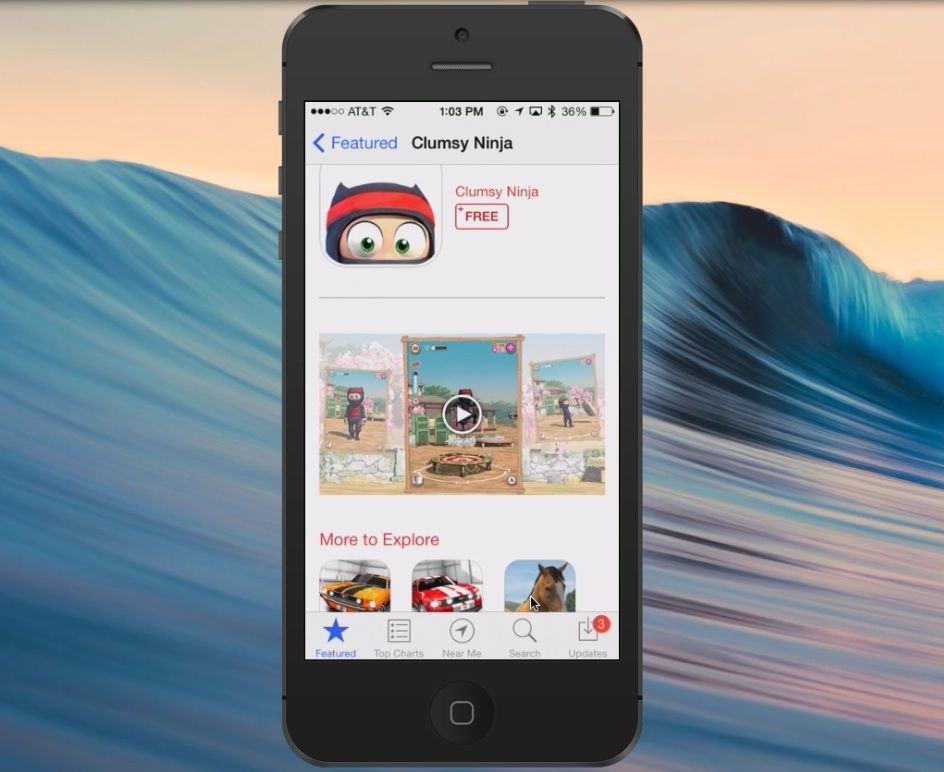
Kids: Love ’em or hate ’em, they’re here to stay (unless they stop being born in some kind of Children of Men nightmare world). And one of the things we love and hate most about kids is that they are drawn to our iDevices like a hooker is drawn to dangerous situations.

Now, these monsters get their own section in the app store, which means that you should probably consider visiting the Restrictions section in your iPhone’s settings and switching off the store.

Update: iFixit Finishes Its Gold iPhone 5s Teardown

By

Yikes. We're nervous just watching.

Update:
After ripping it apart and posting in real time, iFixit finished the teardown of the gold iPhone 5s last night. The team there pulled it to pieces (carefully, gently) to find out just what makes it tick. They were able to see inside the A7 chip, can’t find the M7 chip, and were able to identify the maker of the iSight camera (Sony). All in all, some great stuff from the folks down under.

What they found isn’t too surprising, but it’s a ton of fun to read through the details, below.

Original Post:
The team over at venerable rip-into-gadgets site, iFixit, have gotten their hot little hands on a brand new iPhone 5s, and they’re tearing it down to let us all know what’s inside. If you’re into seeing the guts of Apple’s latest iPhone 5s, check out all the gory goodness below.

It’s Coming! iPhone 5s Hopefuls Queue Up Around The Globe [Gallery]

By

iphone 5s

In case you’ve been living under a rock, you’ll know that the iPhone 5s goes on sale tomorrow around the globe. We’ve been watching the lines start to form via the magic of the internet, keeping an eye on Twitter and Instagram, for starters.

As you get in line tonight, and tomorrow morning, feel free to send us your photos of the queues you’re sitting and standing in to us via email or Twitter.

Here’s several form-ups we’ve seen:

First Two iOS 7 Game Controllers Teased By Logitech, ClamCase

By

Awwww, yeah.
Awwww, yeah.

As we noted earlier this week, iOS 7 includes some code that will allow third party manufacturers create universal controllers for iPhone, iPad, and iPod touch using Apple’s latest mobile operating system. It’s groundbreaking stuff, especially for a traditionally game-averse tech company, but we’re starting to see the first wave of controllers to come out.