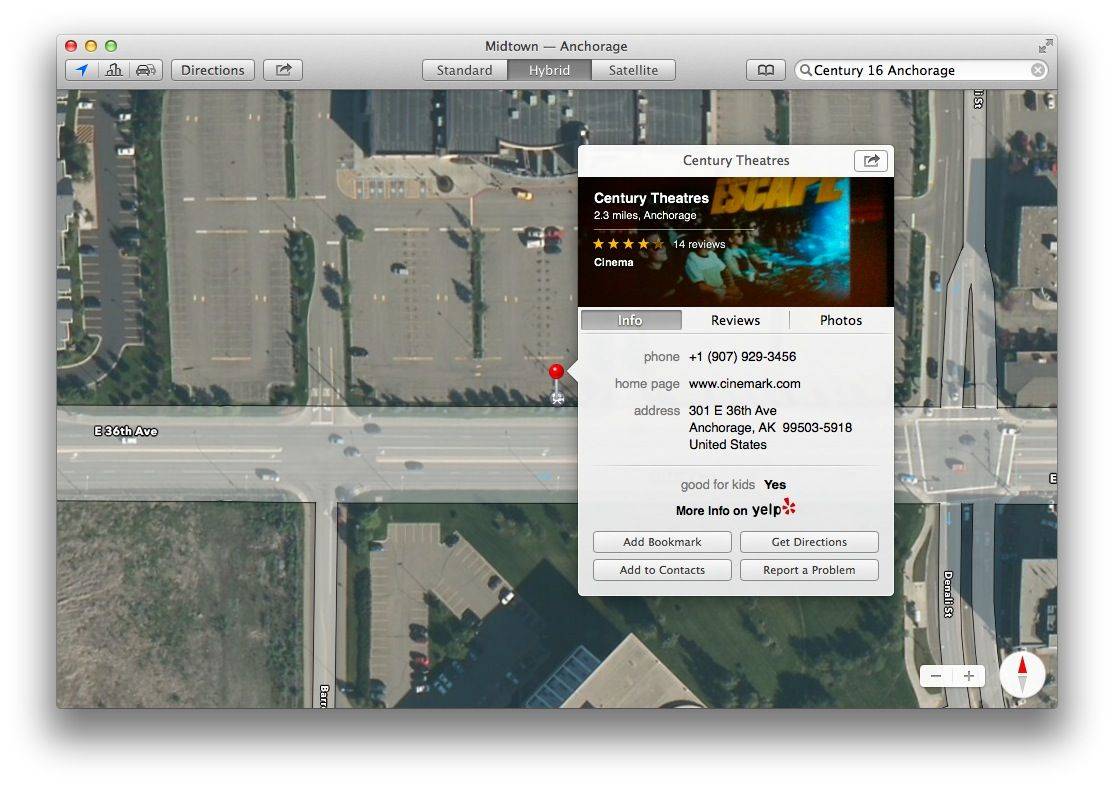
Cult of Mac reader Alvaro P writes, “After upgrading to mavericks, the Preview app doesn’t show the Bookmarks tab anymore. That’s no good, because I need them to quickly access pdf stuff during meetings.”
Having just upgraded my Macbook Air to Mavericks, I figured I’d give it a look. Here’s what I found.
Now that Halloween is over, the rest of the holidays are clamoring for our attention. And some of them require shopping, which can mean a lot of driving all over town. And if you want to make sure you’re taking the most efficient route possible, you might want to plug your stops into BestRoute Free, a new app that lets you quickly and easily mark waypoints (by searching or just a long tap on the screen). It’ll then tell you the best order in which to make your stops.
It would probably also come in handy if you suddenly had to deliver a bunch of pizzas or something.
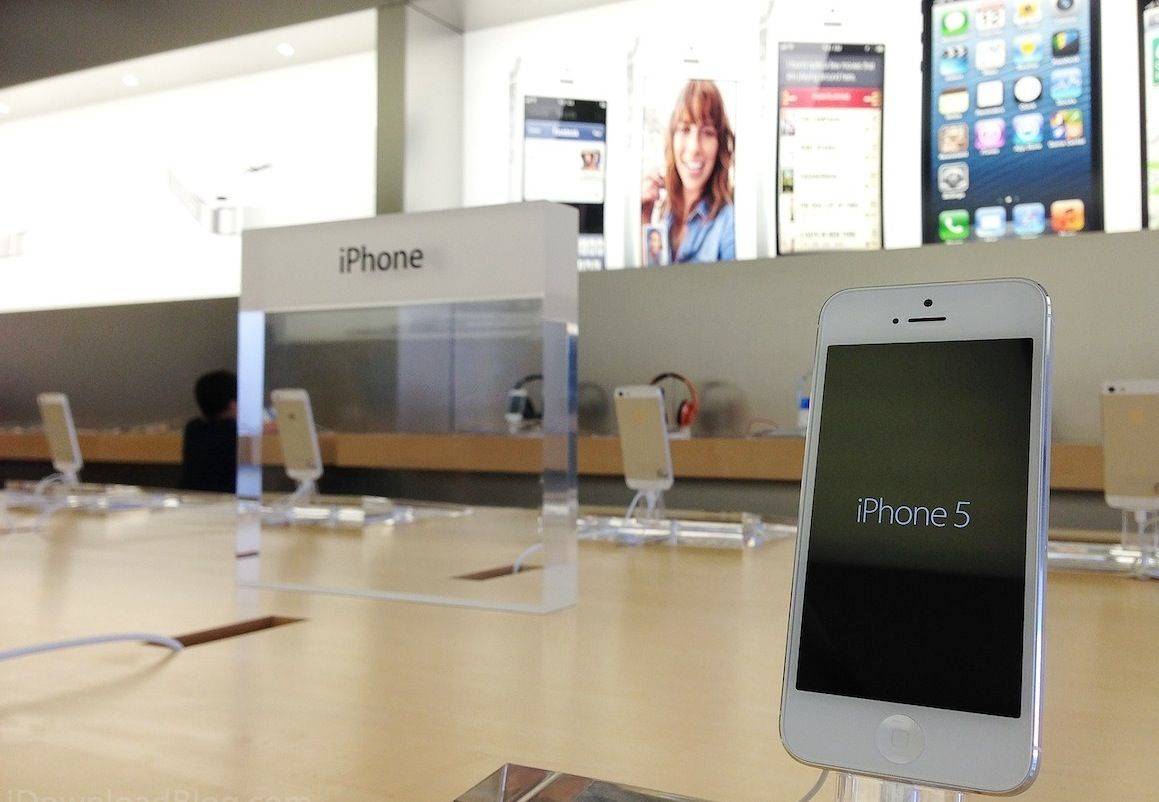
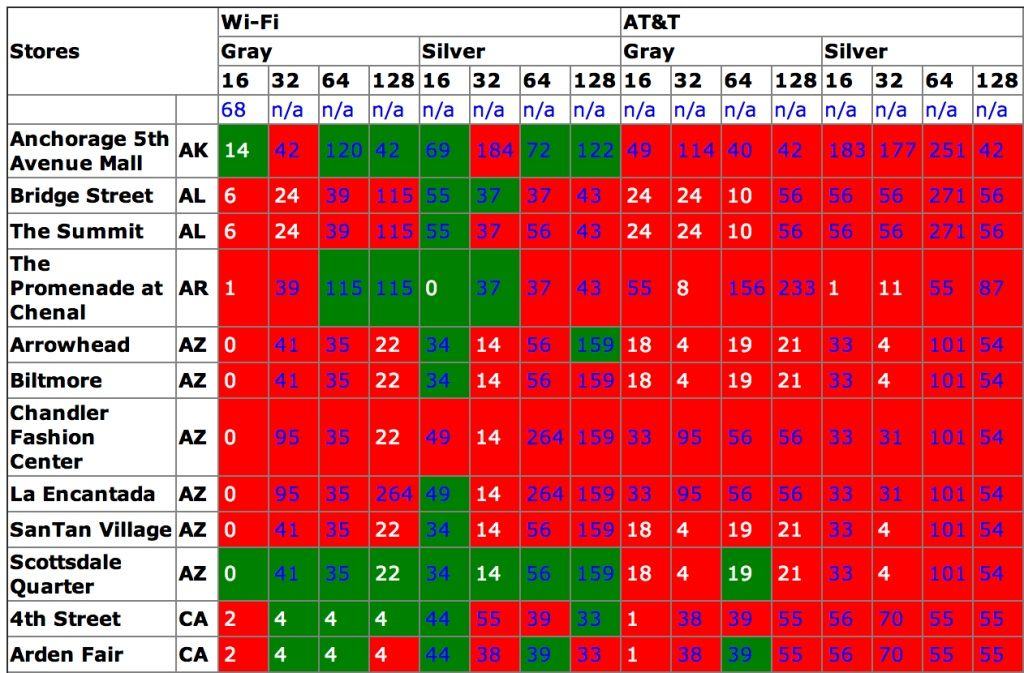
The iPad Air has been on sale for nearly 12 hours now and early reports are starting to indicate that the higher end models are becoming scarce as initial supply is dwindling. It may not be quite as hard to get your hands on the iPad Air as a the gold iPhone 5s, but our pal who made the extremely useful iPhone Tracker tool is back with an update that will help you find the iPad Air you want.
The simple web app scrapes data from store.apple.com for the most up-to-date info on local pick-up options for the iPad Air. A chart of green and red squares indicate whether local Apple Stores have stock of 16GB, 32GB, 64GB and 128GB units in the color of your choice, so you can know where to head to for the best shot at getting the iPad you want.
Apple Tracker has also been updated to support stock information on the iPad mini with Retina display too once it becomes available this month. Use the drop downs to select the color and carrier you want, press submit and viola. There’s even a purchase button at the bottom of each inventory listing to speed up the shopping process.
If you fancy yourself an expert on abbreviations, acronyms, and symbols, you might want to have a go at Name It!, a new trivia game that focuses on those three things (known collectively — and somewhat awkwardly — as “AASs”). It’s a pretty niche subject, really, but the game covers a lot of ground, including such disparate topics as Presidential history (“POTUS”) and the term “YOLO,” which stands for “I have failed at life.”
Name It! by Brian Green Category: iOS Games Works With: iPhone, iPad Price: Free
Name It! throws a startling number of questions at you across four rounds. And it’s all great fun until you get tired of it.
Cult of Mac has a set of earbuds that meets that criteria, The iPhone 5/5S/5C headphones are only $14.99, but you’ll also get free shipping to select countries. Plus, if you buy two pairs, you’ll get one at 50% off the already low price!
Wondering what to download first on your new iPad Air? If you’re an Angry Birds fan, you’ll probably want to get the new Angry Birds Star Wars II update, which adds a bunch of new “secret” levels, new characters — including silver C3PO and Darth Sidious — and more.
The 2013 iPad Air was an obvious design influence on the iPhone 6. Photo: Apple
Unless you got incredibly drunk last night and you don’t know what day it is, you’re probably already aware of the fact that the iPad Air launches today. And if you don’t want to venture out and wait in line to get one, you can order yours now from the Apple online store.
If you picked up a new iPhone 5s this year, you’d better take good care of its home button, because you can no longer pick up a cheap replacement on eBay and fit it yourself. The repair experts at mendmyi have discovered that Apple pairs every Touch ID sensor with an A7 chip, and if you install a home button that doesn’t match up, Touch ID simply won’t work.
Tim Cook, Phil Schiller and others sold Apple stock at a time when it was hitting record highs.
Forget for a moment all the talk about Apple’s recent quarter financials disappointing Wall Street analysts — and instead focus on two “nuggets” from Apple’s recently released 88-page Form 10-K, as picked up by ISI’s Brian Marshall.
In a note to clients sent Thursday, Marshall notes that not only is Apple’s $11 billion in projected capital expenditures for fiscal 2014 a double-digit increase for a company already “the single largest CapEx spender” in his “Big 7 Hyperscale group”, but also that Apple generates “off-the-charts” revenue-per-head metric compared to the other IT and networking companies he covers — which includes Google (GOOG), Microsoft (MSFT), Amazon (AMZN), eBay (EBAY), Facebook (FB) and Yahoo (YHOO).
North Korean dictator Kim Jong-un might be an Apple user, but that doesn’t mean that North Korea’s state-run computer agency doesn’t see the value of launching a tablet of its own.
Costing around $250, the Korea Computer Center’s Samjiyon SA-70 has a 7-inch screen with a resolution of 800 x 480 pixels, 1 GHz CPU, 1 GB RAM, 4 GB internal memory, and a card slot equipped with an 8 GB micro SD memory card. There is also a 2 mega pixel camera, microphone, gyro sensor. Currently there’s no way to connect to the Internet, although there is an extendable antenna for receiving state television signals.
iOS 8 is Apple's most privacy-conscious mobile OS yet.
Apple had added its name to an open letter from the tech industry — also signed by Google, Microsoft, Facebook, AOL and Yahoo! — demanding “oversight and accountability” of NSA surveillance.
The letter, sent Thursday, was addressed to the sponsors of the USA Freedom Act, a legislation designed to end bulk data collection by the National Security Agency. It claims that the tech industry (including Apple) welcome debate about the best way to further national security, while also protecting individual user privacy interests.
For the first time in the country’s history, Turkey has an Apple online store. Apple’s full lineup of newest products is available except for the iPad Air and Retina mini—both should be available as the international rollout continues in the coming months.
Apple is expected to open its first retail store in Istanbul, Turkey next year. Apple executives recently flew to Turkey to discuss the country’s multi-billion dollar tablet initiative for schools.
Keeping tabs on your brood this Halloween? Sure, you could use Apple’s Find My Friends. But it doesn’t have as many cool features as these two new apps, and it also can’t track Android phones — while these two apps can.
Apple was bested by Samsung in the results of J.D. Power’s latest tablet customer satisfaction survey, marking the first time that Apple hasn’t come out ontop in the rankings in over two years.
Samsung was the only tablet manufacturer to improve its score since the last survey was released in April by jumping from a 822 to a score of 835, even though it finished third behind Apple and Amazon in the last survey. Apple ranked second in the latest survey with a score of 833 with strong scores in both performance and ease of use.
It’s almost a given that the iPhone 6 will feature a new, more-advanced camera — although there's been far less of a consensus on what form that camera is likely to take. Some things are known for sure: Apple recently snapped up Nokia’s PureView camera engineer Ari Partinen, although his impact is more likely to be felt on the iPhone 6s or iPhone 7.
Apple also recently received an electronic image-stabilization system instead of an optical one, essentially faking the stabilization technique using software instead of moving parts.
It’s likely that the iPhone 6 camera will have pixels that are 1.75 um instead of the iPhone 5s’ 1.5 um, too.
In what little advertising attention the iPhone 5s has received from Apple, the device’s new gold color option has been the main focal point. There are both TV and print ads in circulation that tout the gold, and the gold 5s is still the hardest to buy.
While Apple capitalizes on gold fever, the company has required that third-party developers not use the color in any of their marketing materials.
I like some notifications. I try to keep it down to a dull roar, of course, but I enjoy knowing when I get a phone call, text message, and email from specific clients or friends.
It’s just that when I see all these notifications in my lockscreen, I mentally dismiss them, only to have them appear again the next time I check my iPhone for the time.
I messed around with it a bit yesterday, and came up with this solution, thanks to iOS 7.
Previous iPad launches have been crazy, and the iPad Air might be the most insane one yet. Be prepared.
So Apple won’t let you pre-order the iPad Air and the very thought of waiting in front of an Apple Store for eight hours send spasms of dread from your eye sockets all the way down to nether regions you don’t even want to think about. Standing in a line, any line, for hours, sucks.
Yes, it’s a huge time investment, and no one really wants to sit outside an Apple Store for a couple of hours before the break of dawn, but we’re here to help you come prepared and make the most of your iPad Air launch line waiting experience. In fact, this could even be a lot of fun. Just follow this guide and you’ll be in and out of the store and cradling your skinny new iPad Air.
Worldwide smartphones shipments reached a whopping 251.4 million units during the third quarter of 2013, up 45% from the 172.8 million units sold during the same quarter last year, and 81.3% of them were running Android. The iPhone’s share fell to 13.4%, while Microsoft’s Windows Phone platform reached 4.1% — an improvement over last year’s 2.1% share.
Apple stores are ready for the crowds. Photo: Apple
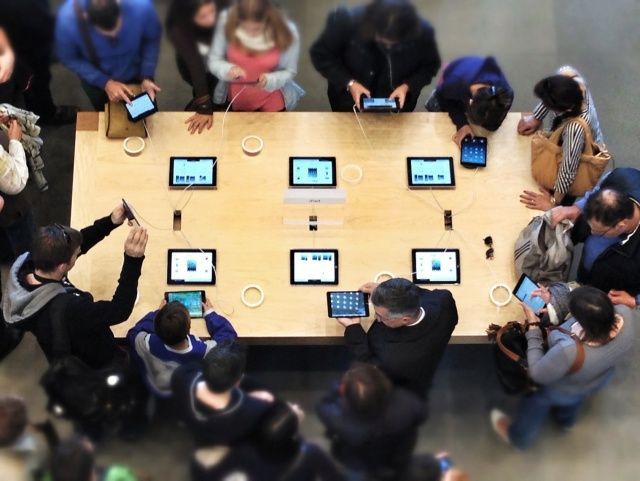
iPad Day is less that 12 hours away if you live on the East Coast – or already here if you live in Japan. Either way, Apple fans across the globe are already lining up in front of the nearest Apple Store, waiting anxiously to fork over their cash for the new iPad Air.
We don’t expect to see quite as long lines as at the iPhone 5s and 5c launch last month, but early indications show that Apple’s new lightweight tablet will be in high demand over the weekend. One reader in Hong Kong told us their reservation system filled up in 15 minutes.
If you’re planning to brave the night in front of the Apple Store, tweet us a pic @CultofMac. If not, check out all these people crazy enough waiting for their iPad Airs.
Who doesn’t love bugs? Kids of all ages love them, of course, and in new educational app, Grandma Loves Bugs, they’ll get a chance to explore the wonderful world of the many legged creatures with ten super fun mini games and eight instructional bug videos for young kids.
The mini games include Spot the Difference, Magic Coloring, Letter Match, bug Spelling, Counting Fireflies, and more. The live action nature videos are fully narrated and teach kids all about the wonderful world of bugs, too. The artwork and pedagogy are spot-on, as well, so parents can feel comfortable releasing their tiny bundles of joy onto their iPad, iPhone, or iPod touch.
Check out this adorable video to see what we mean:
Alright, so today’s app isn’t the most practical one you’ve ever seen. It’s not even the most clever. But it’s fun and easy to use, and it’s Halloween, damn it. Boo Halloween is a quickie photo app that lets you put a variety of spooky faces on pictures of you and your friends using reasonably accurate facial recognition. It comes with six masks — four of which are pumpkins — and you can buy nine more for a dollar if you think your buddy would look better as Batman, a zombie, or Billy, the puppet from Saw. Not much to it, but it’s silly, and it made me chuckle.
While malware isn’t as widespread or as common on Macs as it is on PCs, you’re kidding yourself if you still believe OS X is immune to it. It’s a very real threat, and if you’re not careful about what you download and install, you could end up with a serious problem. But there are ways in which you can avoid it.
There are anti-malware programs that will detect threats, of course, and OS X now has some nifty tools built-in that prevent software from running on your machine if it’s not from a trusted source. And if you’re a Google Chrome user, you’ll soon find that malicious downloads are blocked automatically.
Yesterday, I reviewed the first part of The Hunting, an interactive zombie film for iOS devices. I had some issues with its actual interactivity, which mostly amounted to swiping to put on pants and a meaningless choice between leaving a house through a window or a door.
The Hunting: Part 2 by Wotsamaflip Category: iOS Games Works With: iPhone Price: $0.99
Part 2 is out now, and unlike the first installment, it costs money. But it’s longer, has more interesting decision points, and is scary as hell.
So basically, remember the problems I had with the first one? Forget them.
The FAA has today announced that it will finally allow the use of certain electronic devices during all phases of flight — including takeoff and landing. We’ve long been able to use devices while the plane is in the air, but you’ll no longer be forced to turn them off and put them away at certain times.
We know clothing isn’t our niche but geeks still need to look good…right?
If your goal is to become the biggest rock star the galaxy has ever seen, then pay homage to the original guitar “Solo”-ist with this galactic t-shirt courtesy of Cult of Mac Deals at a price that also rocks: $15.99.