The Mac turns 30 today. It’s a big day for Apple, and obviously it’s a big day for every member of the Cult of Mac (that means you!).
Here’s a roundup of all our stories about the Mac’s milestone:
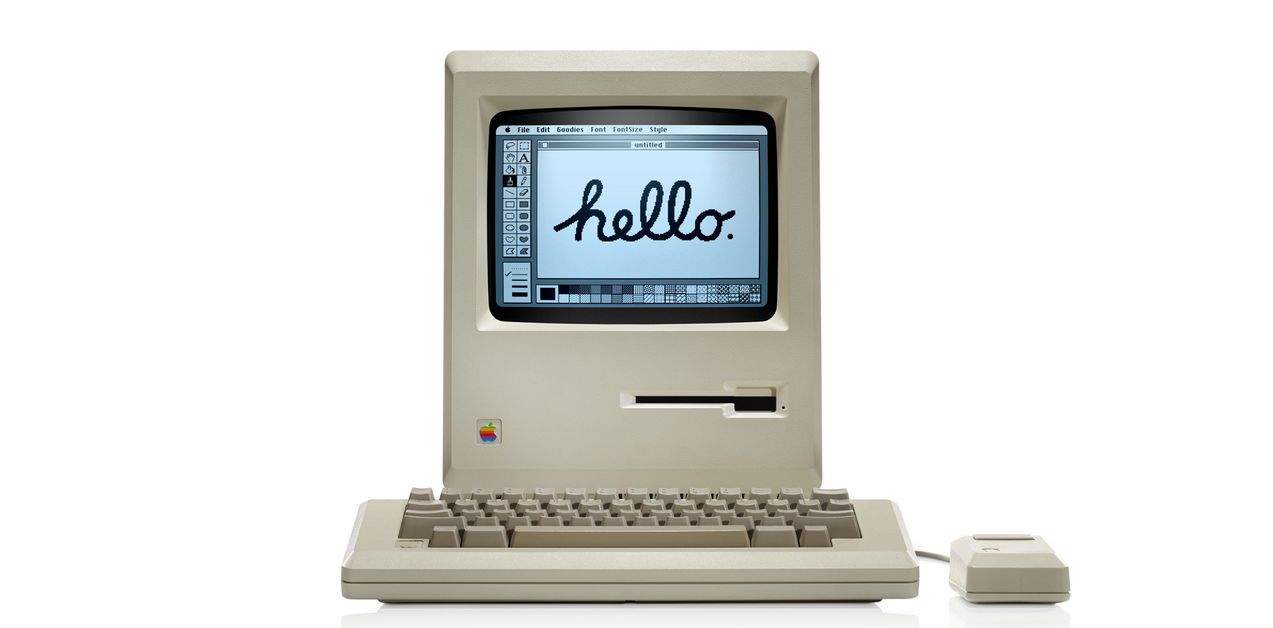
The Mac turns 30 today. It’s a big day for Apple, and obviously it’s a big day for every member of the Cult of Mac (that means you!).
Here’s a roundup of all our stories about the Mac’s milestone:



There are a bunch of apps out on iOS for kids, from educational apps to sports apps and more. Sure, you can get reviews of these games by adults, sometimes even from parents of kids who use them.
We thought it’d be fun, though, to ask the kids themselves.
Welcome to Kid APProved, a series of videos in which we ask our own children what they think of apps on the App Store that they’re using.
This week, it’s a game about bringing rainbows of happiness to sad, grey creatures, TCHOW Rainbow from TCHOW. Here’s what our Kid APProved reporter “Battle” thinks.
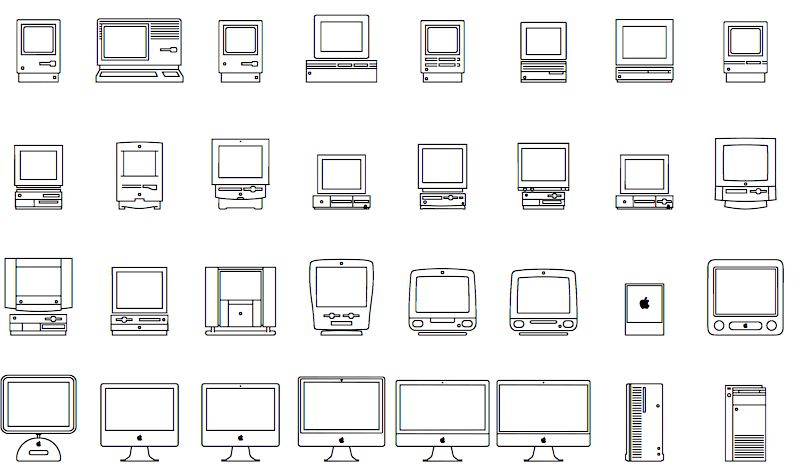
To celebrate the Mac’s 30th anniversary today, Apple created an amazing font set made up of tiny little Macs. It depicts every model the Cupertino company has released since the original Macintosh made its debut back in 1984, and with the right URL, you can download it for yourself.

Infinite runners are called infinite because they continue indefinitely. This is a fact, and one completely lost to the developers of Joe Danger Infinity. In this side-scrolling “racing” game, you tap the screen as Joe charges along any of the 100 toy stunt tracks provided.
You can unlock new bikes (or rockets) through the coins you collect in each stage or through micro-transactions, and generally you’re competing against other players to get the highest score.
That’s if you can figure out how to score more than a few hundred points at any time.

Inlight — Lifestyle — Free
If you have a few minutes to stare at your phone, and you don’t really feel like watching a video, you might want to look into Inlight. It’s a really good-looking app that collects articles from the Internet in one place and lets you browse by categories like “Me Time” and “Nourish.”
So that’s a little weird, but I found a lot of interesting stuff in there. For example, now I know, as a man, which 21 compliments I crave. And that’s just news I can use.

Recently, I was playing my favorite match-three game, and a thought occurred to me.
“This is all well and good,” I said to myself. “But it could really use a lot more punching.”
And then, because I am apparently some kind of wizard, I found Zez, an oddly-named puzzle title that has you clearing groups of three (or four) robots in order to propel a cat with a boxing glove farther into the sky so that he can inflict the maximum amount of damage to his opponent in the ring below when he comes crashing back down to Earth.
I had a fever dream once with a similar premise, but it wasn’t nearly as much fun.

Pay attention, audiophiles! This Cult of Mac Deals promotion offers an all-in-one audio mastering solution at a price that’ can’t’s tough to beat.
DSP-Quattro is the do-it-all audio editing program for Mac. Simple yet powerful, this program is great for novices and professional musicians alike. This most recent version, DSP-Quattro Version 4, is the best yet. It can handle everything from standard audio editing and recording to more advanced audio mastering. And now you can get it for 54% off the regular price – just $44.99 – thanks to Cult of Mac Deals.

Hiding in Apple’s slick birthday tribute to the Mac is the most common of desktop creatures — a Microsoft mouse. The out-of-place peripheral shows up in a new video that highlights the Mac’s amazing impact on the world, and it sticks out like a sore thumb.
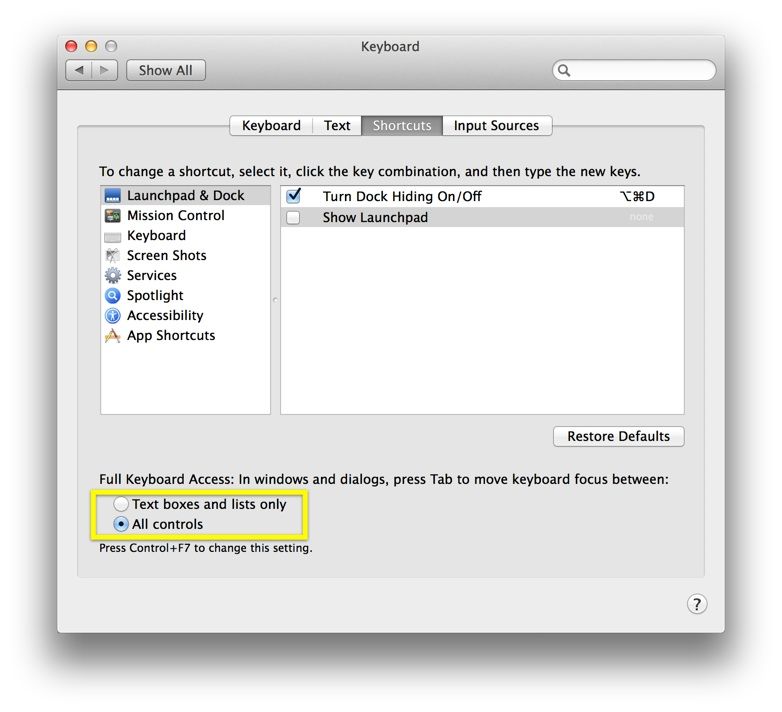
I know it’s probably a tiny thing, but man, do I hate having to click on the web form fields to fill in stuff in a drop down menu, like those State choosers, or Date choosers.
There I am, tabbing along from form field to form field, blithely filling in the data being requested (Name, Address, Phone Number, etc.), when it’s time to hit the State form. The input skips it, every time! I have to take my hands from the keyboard, drop them to the trackpad, or (even worse) the mouse, and click on the dang thing.
There’s got to be a better way.

The original Mac was released thirty years ago today, and to celebrate, Apple has unveiled a special “30 Years” section of its official website that allows users to scroll through a visual timeline of the Mac’s history, starting with the original all the way to the new Mac Pro.

Back in 1984, the birth of the Macintosh was not a quiet affair. Among his many talents, Steve Jobs was one of the great orators and inspiring speakers of our time. Part sage, part showman, Jobs combined the wizardry of a magician with the skills of a master salesman. The Macintosh was his baby, the intended salvation for Apple, and he wanted it launched with flair.
Many people have heard about, but not seen, one of the most influential demos of all — the actual unveiling of the Macintosh on January 24, 1984. In front of a group of Apple shareholders and VIPs, and giving a hint of Apple keynotes to come, a tuxedo-clad Jobs and his magical child stole the show. Now you can relive that glorious moment.

According to Phil Schiller, merging the OS X and iOS operating systems would be a “waste of energy.”
Schiller was giving an interview with MacWorld on the eve of the Mac’s thirtieth anniversary. Asked about the chances of such a convergence, Schiller had the following to say:

It’s the 30th anniversary of the launch of the Macintosh, and we wondered at Cult of Mac what can we do to celebrate? Then we thought, let’s dissect an original Macintosh and see what made it tick! There’s nothing like destruction in the persuit of knowledge.
In full retro spirit, we asked our friends at iFixit if they would help perform a special anniversary teardown of the 128k Mac. How does our silicon hero compare to modern Macs in terms of components, assembly and ease of repair? Of course being true geeks themselves, they jumped at the chance.
There was only one problem: where to find an original 128k Mac.

Called 5by, StumbleUpon’s new iOS app is designed to let users, well, stumble upon videos that might be of interest to them.
5by is basically a video concierge service that sifts through the mountains of videos available online, and creates custom playlists based not just on your mood and interests, but also the time of day and the length of time you have available for viewing.
Whether you’re at work and want to watch videos on your lunch break, or looking for a dinner recipe while waiting for the bus, 5by can pull up relevant content.
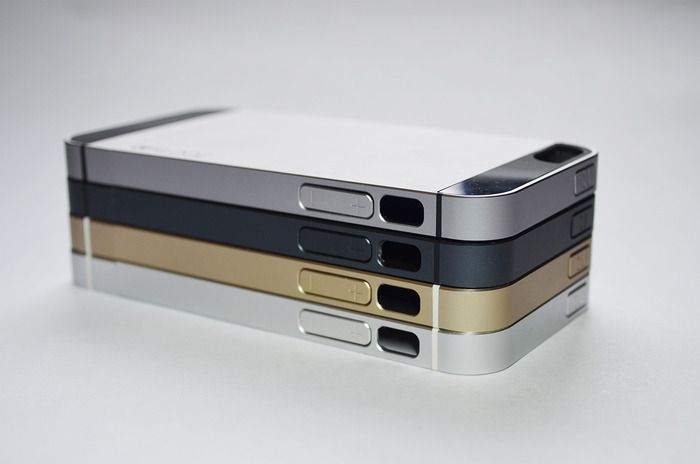
The KLOQE is billed as “the iPhone case for those who don’t like iPhone cases.” As a vocal member of that group, I feel qualified to judge this case. But that;s not it. The KLOQE also promises to be the only aluminum iPhone case without reception issues. So let’s get that part out of the way first.

Love chess, but don’t have the time or the sticking power to play a whole game? Then you should probably take a look at the $1 Mate in 1 Puzzle app, newly updated for iOS 7 and ready to puzzle your brain with something a little more satisfying that an other round of QuizUp.

Audio accessory maker Zoom launched its iQ5 microphone this week — providing a nifty, Lightning-connected solution for users looking to record high quality audio with their iOS devices.
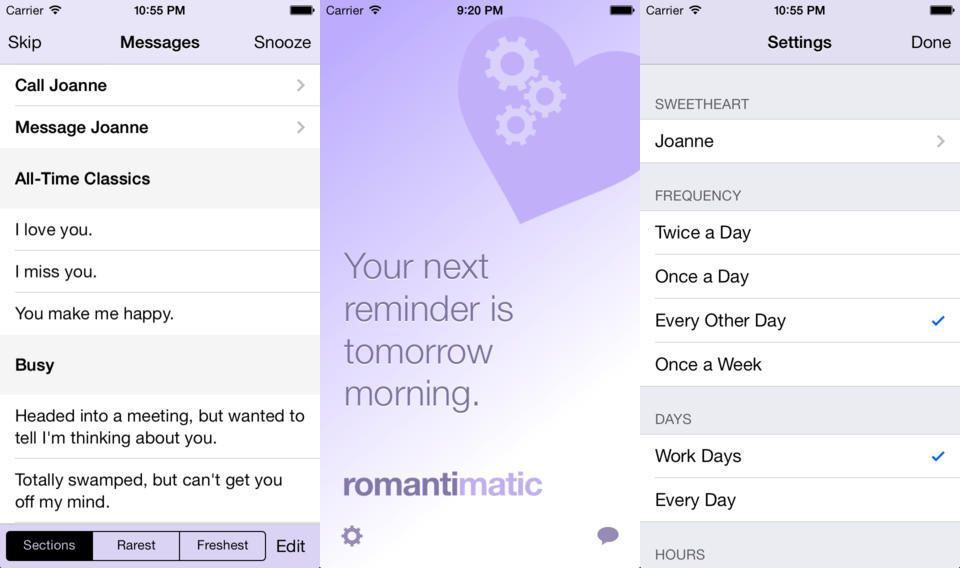
You know how you really, really love your significant other? And how you like to remind him/her of just how important they are to you by sending sweet little messages to them every day? Well, now there’s an app for that, letting even the most forgetful, self-centered idiot make himself look like the most romantic person in the world. Behold, Romantimatic, probably the first app ever to combine pink and cogs into a single logo.

Popular free iOS news app Newsy has gone universal.
The app — which delivers news through engaging video bites — first launched for iPhone and iPod touch in September 2009, with Newsy for iPad following in April the next year.

The Macintosh may be celebrating its thirtieth birthday today, but three decades on it’s no longer Apple’s flagship device — coming a distant third to the iPhone and iPad (although still ahead of iTunes — for now.)
But just how many Macs did Apple sell last year?
Combing through the data, Fortune created the above infographic, which shows the Mac’s fluctuating sales throughout 2013: starting off weakly in Q1 when a missed iMac deadline signaled the end of a 26-quarter streak in which Mac sales outpaced those of the PC industry. In all, Macs generated $21.5 billion for Apple in fiscal 2013 — representing one eighth of the company’s total revenue.
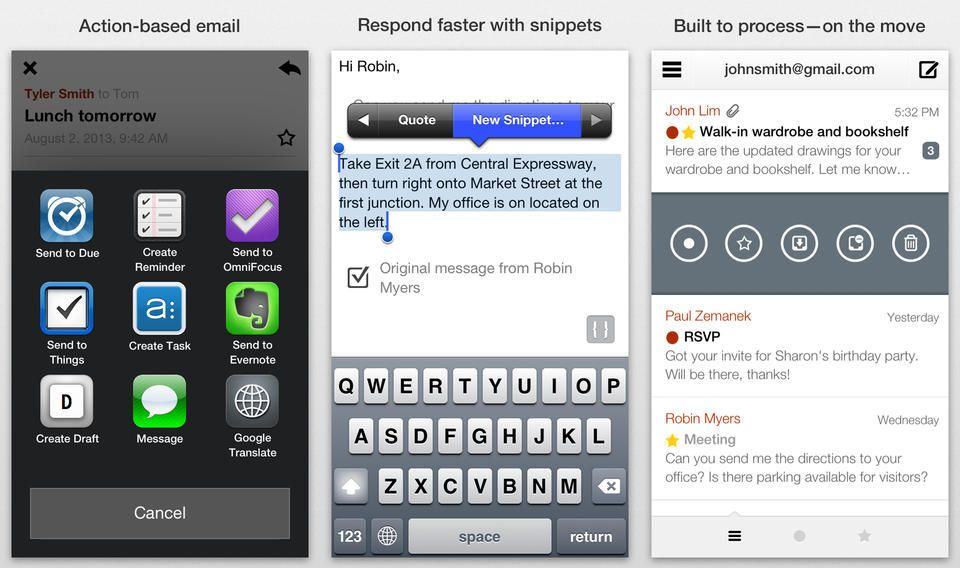
Dispatch is one of the greatest email apps for the iPhone (but sadly still not the iPad). It’s purpose is to let you power through your emails and whittle down your inbox in double-quick time. And the latest update adds some welcome streamlining.

I probably wouldn’t written anything about the new Netatmo Weather Station Channel on IFTTT, but then I saw one of the sample automatic actions that it can trigger, and figured I had to show you. Once set up, you can have IFTTT send a Twitter DM to your roommate when his music is too loud. Amazing.

Most of use post our crap onto Twitter, Flickr, Instagram or – ugh – the Facebook. But creative pros have their own social network. Behance is more than just a place to hang your latest photos, motion-graphics, fashion or branding design, though. It’s kind of a mix between an online resume and and portfolio, with plenty of concept ideas thrown in for good measure. And it’s also built into some Adobe apps: Lightroom lets you publish straight to Behance, for example.
Which is a long way of getting to the point. Behance v3.0 for iOS just launched, and it brings an updated look and new features.

Thirty years ago today — January 24, 1984 — the Apple Macintosh went on sale for the first time.
Arriving in stores two days after the SuperBowl airing of the famous “1984” television commercial directed by Ridley Scott, the Macintosh 128K forever changed the way people look at personal computers. It wasn’t Apple’s first mass market computer (that would have been the Apple II), it wasn’t the company’s first machine to use a WIMP interface (windows, icons, mouse pointer), and it was pretty underpowered in its first iteration — but this was the computer that brought everything that was good and innovative about the Apple brand together: the ease of use, the focus on personal creativity, and the idea that there was something better going on in computing than the green-text-on-black-screens that were more or less ubiquitous everywhere else.
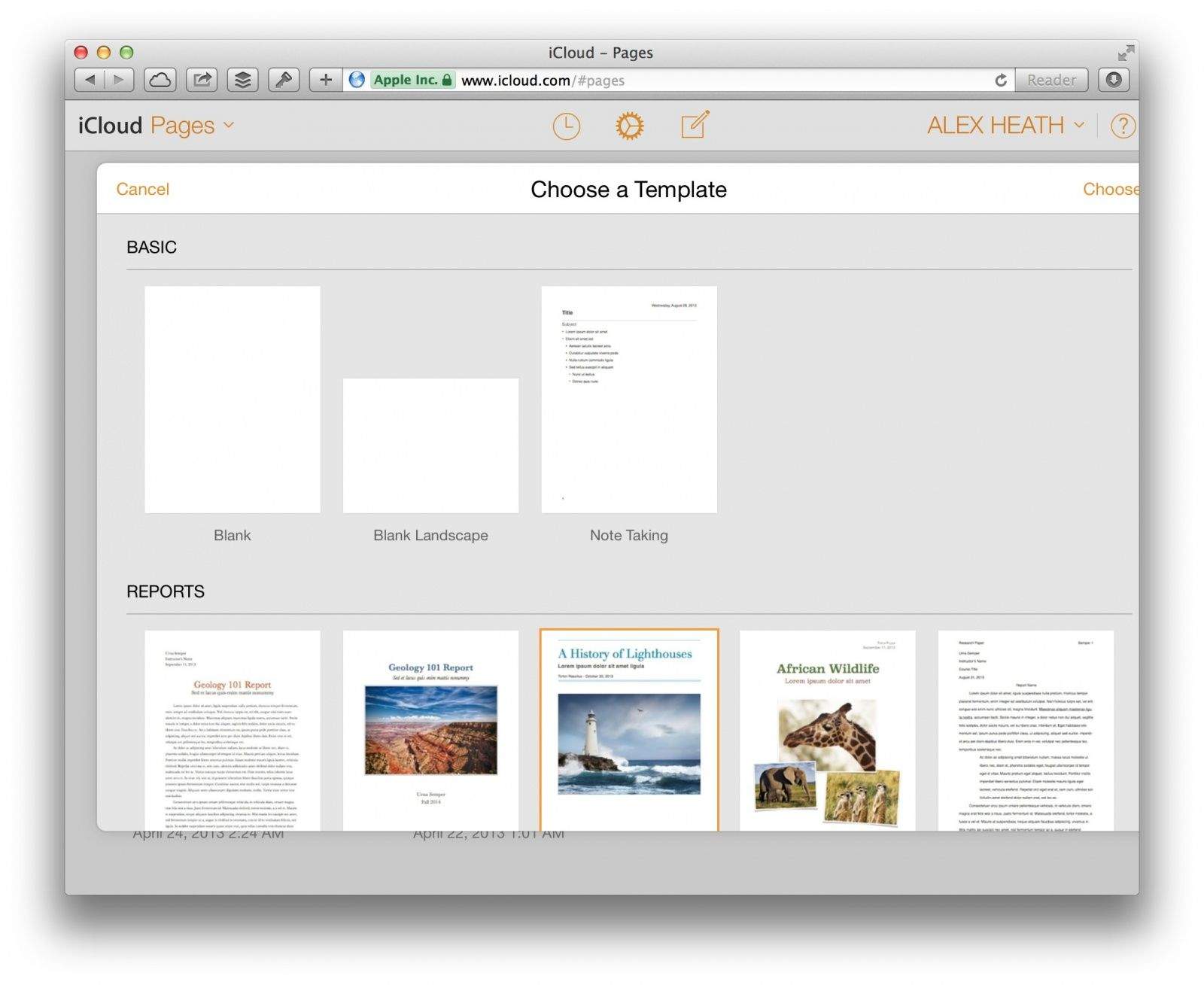
Today Apple released a slew of updates to its iWork productivity suite. On the web, iWork for iCloud has received an iOS 7-like makeover in every aspect except the editing interface. Browsing for documents on iCloud.com now looks more like it does on iOS.
An emphasis has been placed on document sharing with a new “Shared with Me” menu in each app’s toolbar. You can also share password-protected documents, presentations, and spreadsheets.
Apple didn’t just update iWork’s web apps today. Several updates have been released on iOS and OS X as well.