Mobile menu toggle

Watch Steve Jobs Introduce the Macintosh on January 24, 1984

By

Macintosh-Insanely-Great
On January 24, 1984, Apple Computer introduced the Macintosh.

Back in 1984, the birth of the Macintosh was not a quiet affair. Among his many talents, Steve Jobs was one of the great orators and inspiring speakers of our time. Part sage, part showman, Jobs combined the wizardry of a magician with the skills of a master salesman. The Macintosh was his baby, the intended salvation for Apple, and he wanted it launched with flair.

Many people have heard about, but not seen, one of the most influential demos of all — the actual unveiling of the Macintosh on January 24, 1984. In front of a group of Apple shareholders and VIPs, and giving a hint of Apple keynotes to come, a tuxedo-clad Jobs and his magical child stole the show. Now you can relive that glorious moment.

Cult of Mac and iFixit Teardown the Original Macintosh 128k [Feature]

By

128k Mac Teardown
Cult of Mac and iFixit teardown the 128k Macintosh

It’s the 30th anniversary of the launch of the Macintosh, and we wondered at Cult of Mac what can we do to celebrate? Then we thought, let’s dissect an original Macintosh and see what made it tick! There’s nothing like destruction in the persuit of knowledge.

In full retro spirit, we asked our friends at iFixit if they would help perform a special anniversary teardown of the 128k Mac. How does our silicon hero compare to modern Macs in terms of components, assembly and ease of repair? Of course being true geeks themselves, they jumped at the chance.

There was only one problem: where to find an original 128k Mac.

5by Is A Video Discovery App That Gets To Know You

By

5by

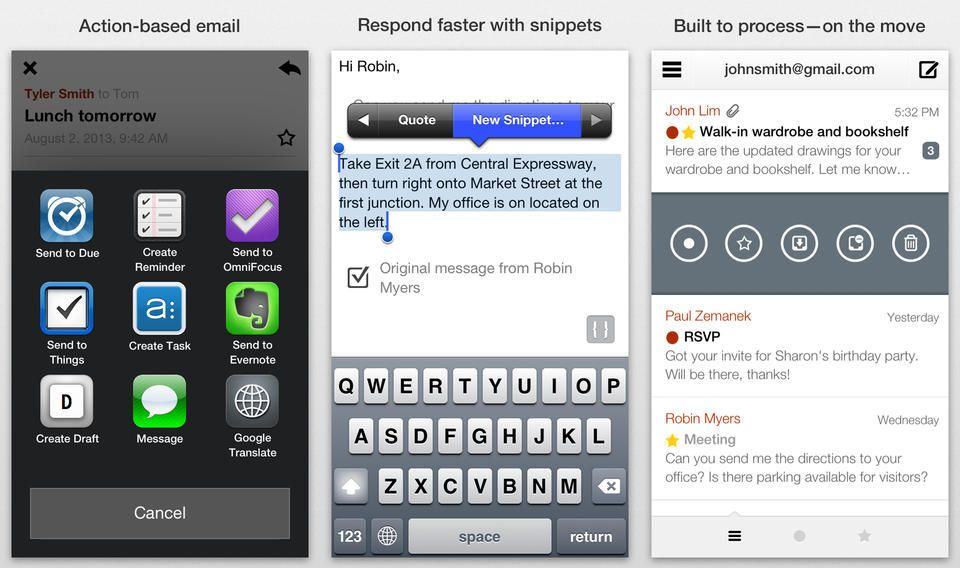
Called 5by, StumbleUpon’s new iOS app is designed to let users, well, stumble upon videos that might be of interest to them.

5by is basically a video concierge service that sifts through the mountains of videos available online, and creates custom playlists based not just on your mood and interests, but also the time of day and the length of time you have available for viewing.

Whether you’re at work and want to watch videos on your lunch break, or looking for a dinner recipe while waiting for the bus, 5by can pull up relevant content.

Romantimatic Automates The “Thinking Of You“ Texts You Can’t Be Bothered To Send

By

romantimatic

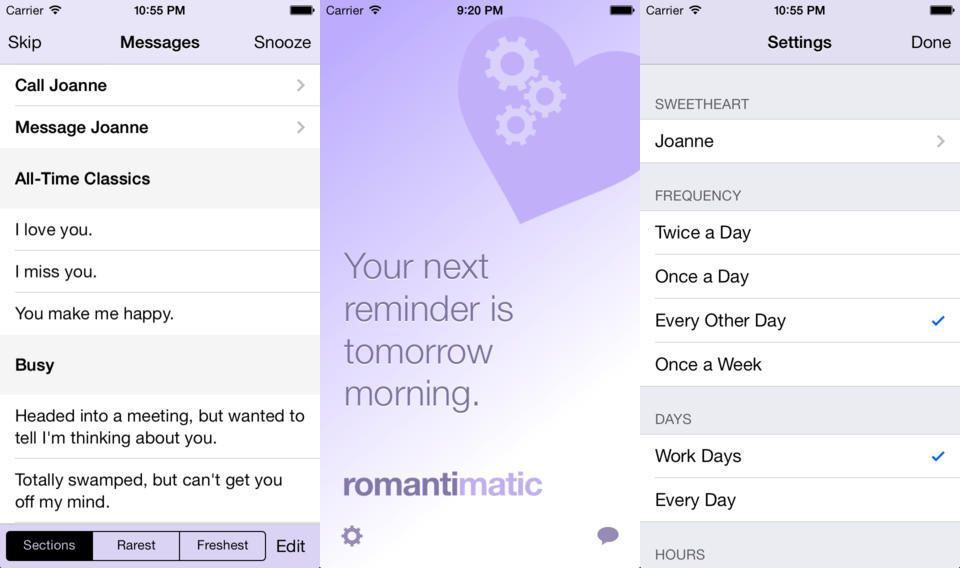
You know how you really, really love your significant other? And how you like to remind him/her of just how important they are to you by sending sweet little messages to them every day? Well, now there’s an app for that, letting even the most forgetful, self-centered idiot make himself look like the most romantic person in the world. Behold, Romantimatic, probably the first app ever to combine pink and cogs into a single logo.

Macs Earned Apple $21.5 Billion In 2013

By

(Credit: Fortune)
(Credit: Fortune)

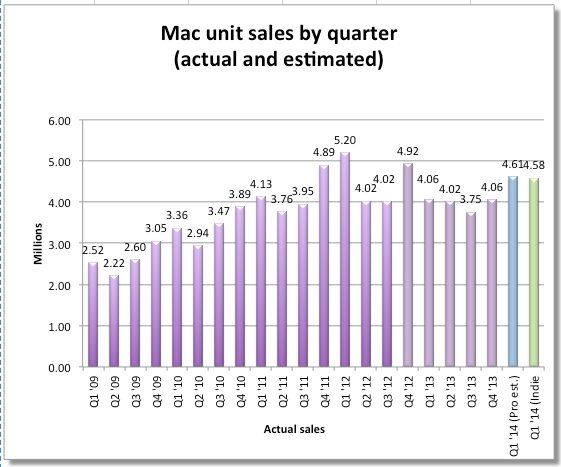
The Macintosh may be celebrating its thirtieth birthday today, but three decades on it’s no longer Apple’s flagship device — coming a distant third to the iPhone and iPad (although still ahead of iTunes — for now.)

But just how many Macs did Apple sell last year?

Combing through the data, Fortune created the above infographic, which shows the Mac’s fluctuating sales throughout 2013: starting off weakly in Q1 when a missed iMac deadline signaled the end of a 26-quarter streak in which Mac sales outpaced those of the PC industry. In all, Macs generated $21.5 billion for Apple in fiscal 2013 — representing one eighth of the company’s total revenue.

Behance App Updated For iOS 7, Adds iPad Support

By

behance

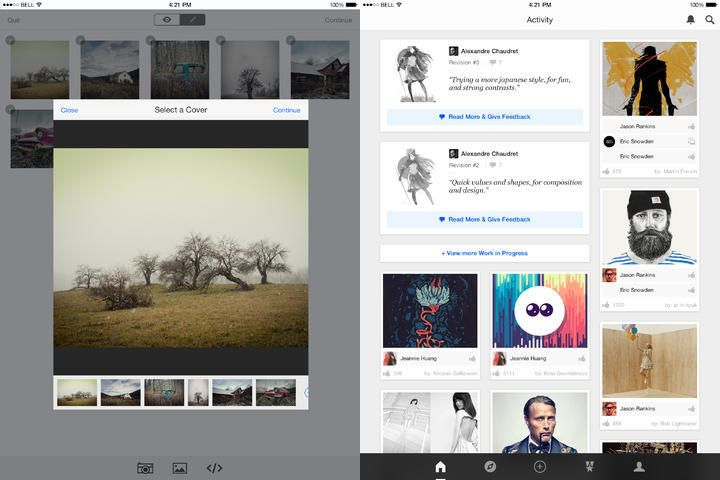
Most of use post our crap onto Twitter, Flickr, Instagram or – ugh – the Facebook. But creative pros have their own social network. Behance is more than just a place to hang your latest photos, motion-graphics, fashion or branding design, though. It’s kind of a mix between an online resume and and portfolio, with plenty of concept ideas thrown in for good measure. And it’s also built into some Adobe apps: Lightroom lets you publish straight to Behance, for example.

Which is a long way of getting to the point. Behance v3.0 for iOS just launched, and it brings an updated look and new features.

The Apple Mac Went On Sale 30 Years Ago Today

By

jobs_macworld1984.jpg

Thirty years ago today — January 24, 1984 — the Apple Macintosh went on sale for the first time.

Arriving in stores two days after the SuperBowl airing of the famous “1984” television commercial directed by Ridley Scott, the Macintosh 128K forever changed the way people look at personal computers. It wasn’t Apple’s first mass market computer (that would have been the Apple II), it wasn’t the company’s first machine to use a WIMP interface (windows, icons, mouse pointer), and it was pretty underpowered in its first iteration — but this was the computer that brought everything that was good and innovative about the Apple brand together: the ease of use, the focus on personal creativity, and the idea that there was something better going on in computing than the green-text-on-black-screens that were more or less ubiquitous everywhere else.

iWork Gets Refreshed Design And New Features On Web Alongside App Updates

By

Screen Shot 2014-01-23 at 5.51.56 PM

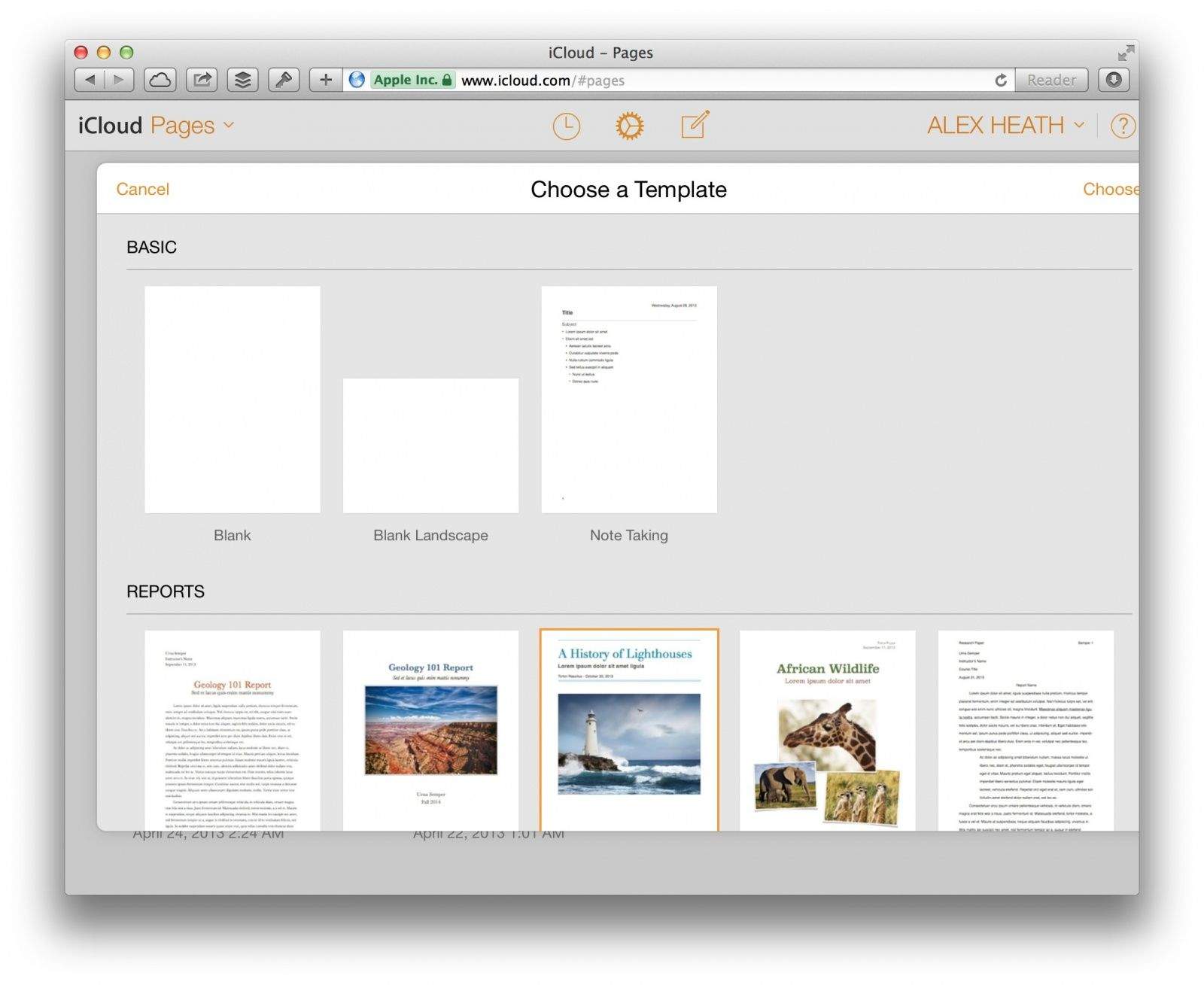
Today Apple released a slew of updates to its iWork productivity suite. On the web, iWork for iCloud has received an iOS 7-like makeover in every aspect except the editing interface. Browsing for documents on iCloud.com now looks more like it does on iOS.

An emphasis has been placed on document sharing with a new “Shared with Me” menu in each app’s toolbar. You can also share password-protected documents, presentations, and spreadsheets.

Apple didn’t just update iWork’s web apps today. Several updates have been released on iOS and OS X as well.

Apple Arch Rival Microsoft Posts Record $24.52 Billion Revenue

By

Those are some better numbers, for sure.

Microsoft announced $24.52 billion in revenue the second quarter this year, showing gains across all segments of its consumer technology business, including Surface, Xbox, and Bing search.

As a previous heavy competitor and sometime collaborator with Apple, Microsoft hasn’t been doing as well in the post-PC era. It’s interesting that the company is defying expectations on the eve of CEO Steve Ballmer’s run at the company, with growth across the board, except in PC sales, of course.

Flowboard’s Painless Publishing Coming Soon To The Mac, With PDF Export [Exclusive]

By

flowboard-for-mac-preview
Photo: Flowboard


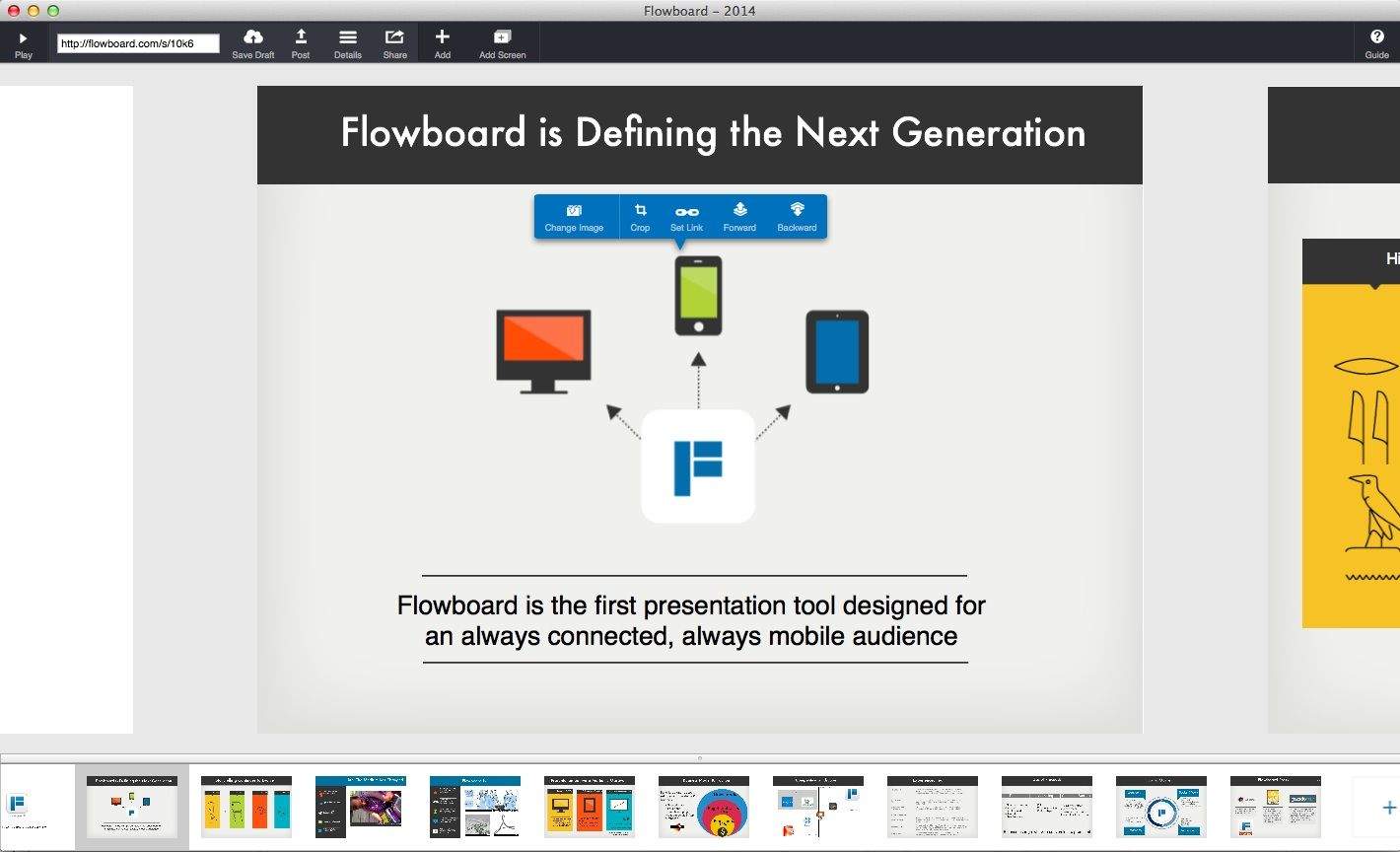
We’ve gone on and on about the merits of Flowboard, a web-based platform that lets users easily create  media-rich stories or presentations and publish them onto its servers. Until now, the service has only been available as an iOS app — but that’s about to change, as a Flowboard authoring app hits the Mac this spring.

FaceFilter Pro 3 For Mac: The Ultimate Beauty Kit For Your Photos [Deals]

By

redesign_facefilter_mainframe

The holidays are over, and that means you now have tons of unedited photos from ugly sweater parties, family gatherings, and New Year’s Eve festivities. So before you post that album to Facebook or start mocking up next year’s Christmas card, then you’ll want to get your hands on FaceFilter3 Pro.

And Cult of Mac Deals has it for 37% off the regular price for a limited time…only $49!

What’s The Meaning Of The Macintosh Turning 30?

By

The Mac at 30
On January 24, 1984, Apple Computer introduced Macintosh.

Thirty years ago, Apple Computer introduced Macintosh.

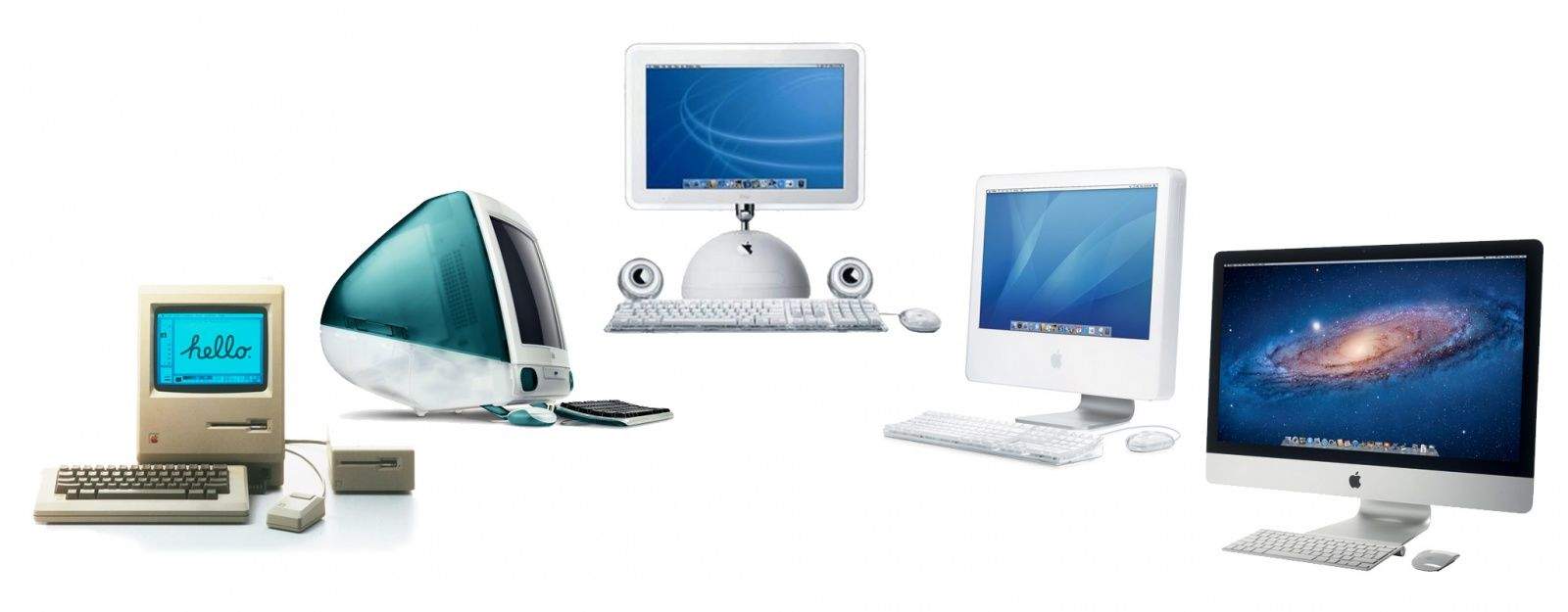
The computing universe was far different back then, and this groundbreaking little computer represented a major change from the status quo. Appealing to creativity and emotion, the Mac introduced the world at large to the Graphical User Interface, the mouse, and a computer that was friendly and non-intimidating. Many of those ideas became new industry paradigms and survive with us to this day.

Computers come and go, it’s a fast changing industry and the pace accelerates every year. But the Mac as a brand has survived 3 decades. This is notable for any product and unheard of for computers! Why, what’s so special? What’s the meaning of the Macintosh turning 30?

Two Keyboard Shortcuts For Faster Searching On Your Mac [OS X Tips]

By

Search Shortcuts

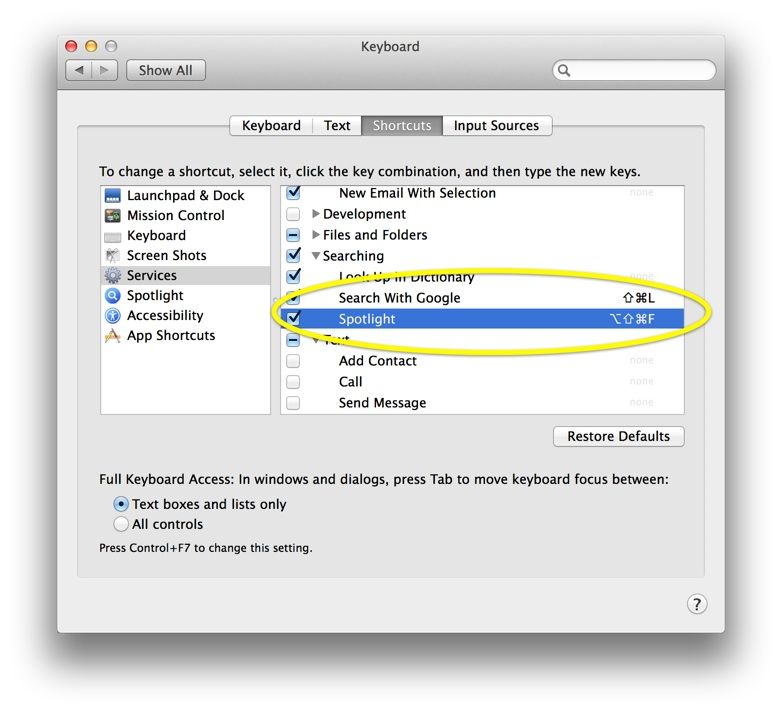
Searching for stuff is a big part of what we do on our computers, right? I know that I use Google daily for searching, both for topical information as well as just plain old “where is that website” search. Both Safari and Chrome search right from the address bar, and Spotlight has been in the upper right corner of Mac OS X for several iterations now.

There’s a faster way to access your preferred search engine and Spotlight, however, using only your keyboard.

Top iOS Apps Of The Week

By

52 Weeks

Browsing the App Store can be a bit overwhelming. Which apps are new? Which ones are good? Are the paid ones worth paying for, or do they have a free, lite version that will work well enough?

Well, if you stop interrogating me for a second, hypothetical App Store shopper, I can tell you about this thing we do here.

Every week, we highlight some of the most interesting new apps and collect them here for your consideration. This time, our picks include another cool timer, a money-saving challenge, and a thing to help you unwind.

Here you go:

52 Weeks Money Challenge — Finance — Free

If you haven’t heard of the 52 Weeks Money Challenge, you probably don’t have a Facebook account. And I envy you for that.

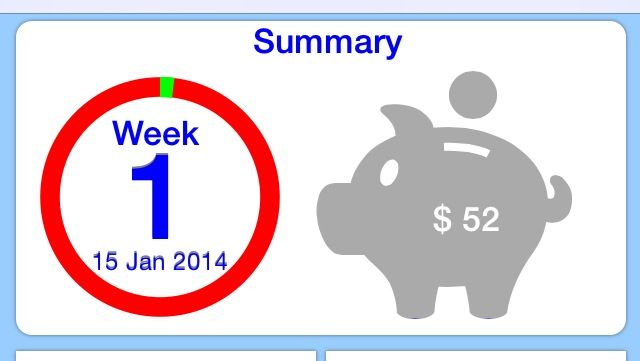
Anyway, the challenge is a way to help you build up a nest egg through regimented saving. You put away one dollar the first week, two dollars the second, and so on. At the end of 52 weeks, you’ve set aside a total of $1,378. This app tracks your progress and grand total, and it will even send you weekly reminders in case you’re the forgetful type.

52 Weeks Money Challenge

Relaxatron

Relaxatron — Entertainment — Free

People keep telling me I’m too highly strung, which is probably why I keep finding relaxation apps to write up. It might also be why I just yelled at my TV for 15 minutes for refusing to contain any episodes of Quantum Leap.

Anyway, Relaxatron has two things going for it: a badass name and a little more interaction than some of those other calming apps. You create a “seed shape” by placing dots into a grid, and then you just tap the screen and watch calming patterns emerge, and …

That was two hours ago.

Relaxatron

Night Sky Guide 3D

Night Sky Guide 3D+ — Reference — $1.99

Alright, this one’s really cool.

Sometimes, I’m outside at night (fewer bees then), and I’ll see something in the sky and think, “Is that a planet, or should I call NASA and tell them that we’re all probably about to die?”

Night Sky Guide 3D+ will save me a lot of embarrassing phone conversations with scientists. It uses your iOS device’s GPS and compass, so you can just hold it up and it’ll show you a notated view of the patch of sky you’re facing.

So it was just Jupiter. Sorry, NASA operator.

Night Sky Guide 3D+

Tico Timer

Tico Timer — Education — $0.99

Here’s another app from the maker of the very clever Humming Timing. Developer Ricardo Fonseca made Tico Timer for children, and it counts down using animated shapes instead of numbers. So the clock will expire when, for example, all the squares disappear from the screen. Or when the large circle shrinks down to a point and disappears. And all of this happens while some very relaxing music plays.

The goal of the app is to teach kids a sense of time, but I’ll probably use it myself because it’s the most relaxing timer I’ve ever seen.

Tico Timer

Racing Game Offers Bitcoin Rewards To The Fast And Furious

By

Racing for Bitcoins? Yes, please.

Hot Rod Hustle wants to bring bitcoin wagering to the Mac and PC, with real money betting available on iOS and Android. This is the first time we’ve heard of a racing game with available real-world money rewards on any platform.

All versions of Hot Rod Hustle will use the same servers, letting those on iOS play with those on Mac, for example. The Mac and PC version of Hot Rod Hustle will allow for Bitcoin wagering, while the mobile versions will use Skillz.com, an online wagering system, which is limited to 37 states as well as the UK and Scandanavia. The cross-platform compatibility means that you can build up your hot rod on your iPhone, then log in on your Mac and race for Bitcoins. Exciting!

Apple TV Update Expected Soon With Focus On Gaming

By

Apple isn't happy with Imagination Technologies.
Photo: Apple

It has been nearly two years since Apple has released a major update to its set-top box. And now a fourth-gen Apple TV could be announced as soon as March. Today a pair of reports from iLounge and 9to5Mac claim that a new Apple TV will be unveiled within the next couple months.

While the hardware probably won’t be that exciting, Apple is rumored to finally give the product’s software the overhaul it so desperately needs. Some kind of dedicated gaming experience may even be in the cards.

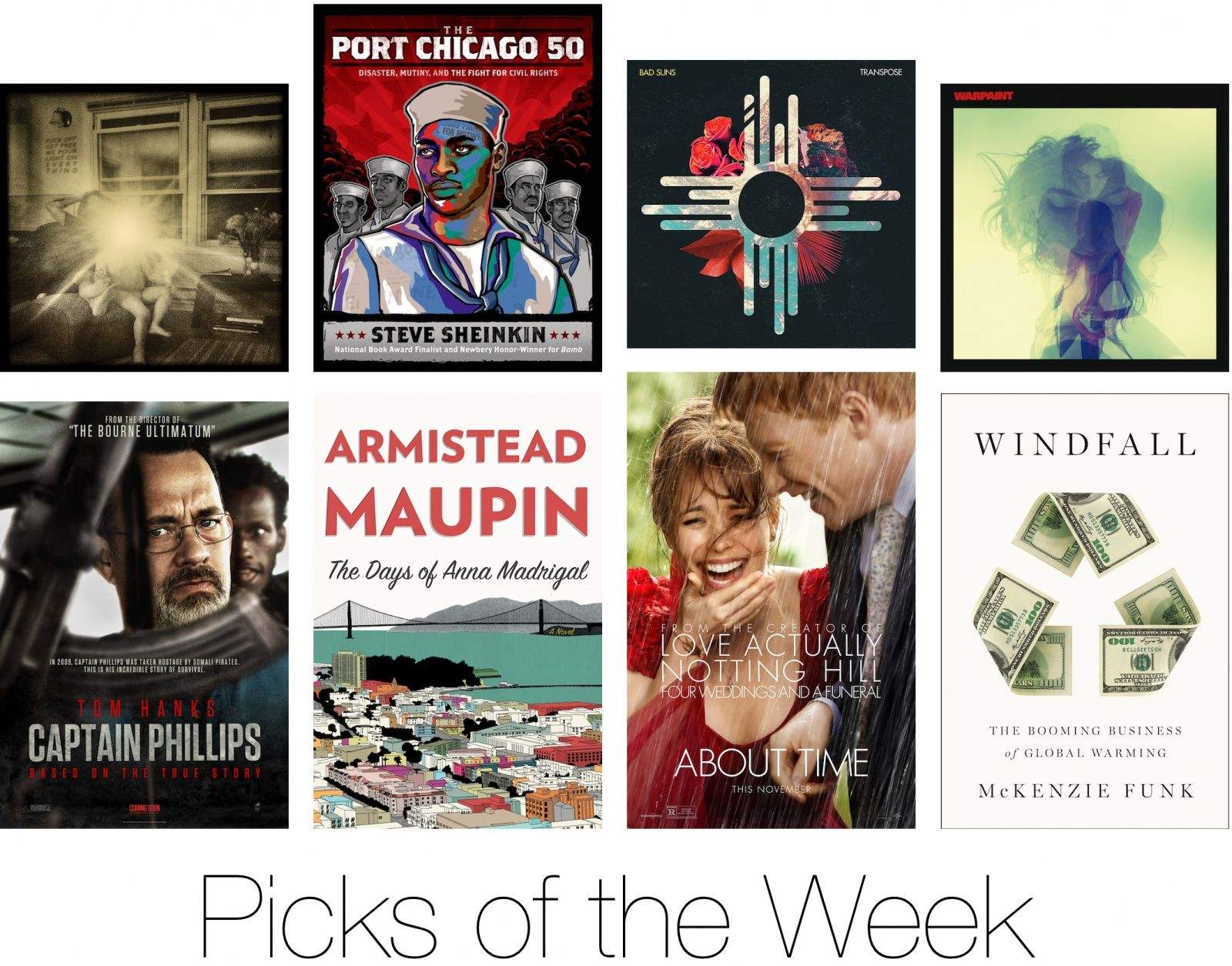
The Best New Albums, Books And Movies On iTunes This Week

By

picksoftheweek

Rather than slogging through a lake of reviews to find something you’re just going to put down after 30 minutes, Cult of Mac has once again waded through the iTunes store to compile a list of the best new movies, albums and books to come out this week.

Enjoy!

Movies:

 Captain Phillips

captainphillips-poster2

Captain Phillips was one of the best movies to hit theaters in 2013, but you can finally cuddle up to it on your iPad. It’s up for like 50 Oscars, including a best supporting actor nod for Barkhad Adbi who had never even acted before taking over Tom Hanks’ ship.

iTunes – $17.99

About Time

about_time_xlg

On the surface About Time seems like it’d be just another romantic comedy starring Rachel McAdams of The Vow, The Notebook and Wedding Crashers fame, but romance takes a back seat in this moving story about the relationship between Tim, played by Domhall Gleeson, and his father, both of whom have the ability to travel through time.

iTunes –  $12.99

Sepideh

spedieh

Sepideh: Reaching for the Stars premiered at this year’s Sundance, and for the first time ever, Apple’s made the film available on iTunes while it’s on at the indie film festival.  The documentary follows a young Iranian woman, Sepideh, who teams up with the first female space tourist to follow her dreams of becoming an astronaut.

iTunes – $7.99

Albums

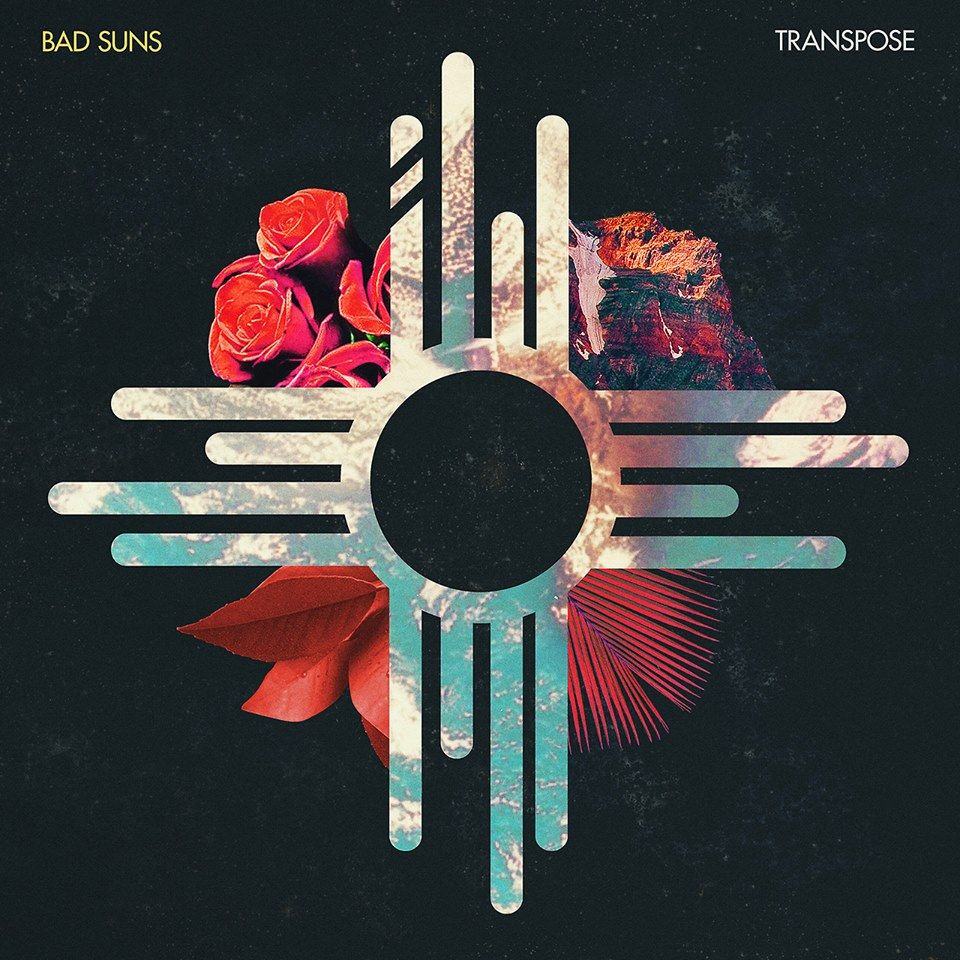
Bad Suns – Transpose
badsuns

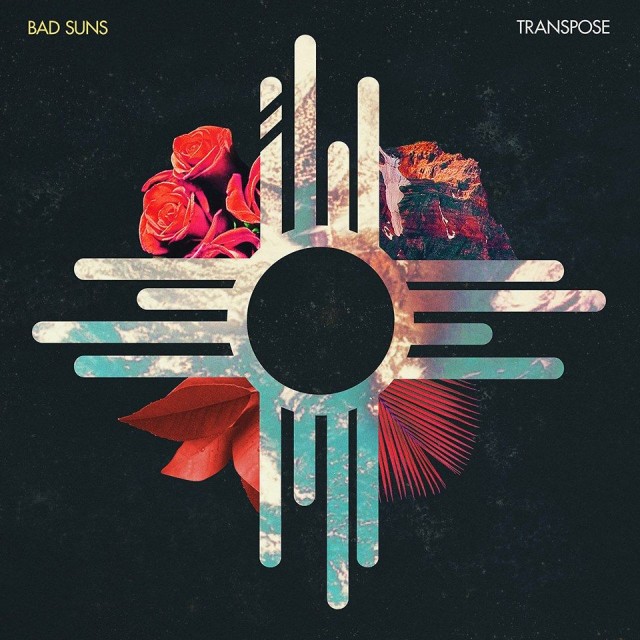
Fans of Imagine Dragons, AWOL Nation and the like are destined to enjoy the new EP from Bad Suns. I’m allowing them a spot on this week’s list even though they’ve desecrated my the Zia Symbol. Groovy bass lines and great guitar are followed with some impressive vocals in the four-track EP full of earwormy tunes.

iTunes – $3.99

Warpaint – Warpaint

Warpaint_Warpaint_Album_Cover

Warpaint has been around for almost 10 years, yet they’ve only managed to drop two LPs in that decade. Despite the wait, their second album, Warpaint, oozes with slow-flowing pop moodier than your teenage sister ever was, making it one of my favorite albums of the month.

iTunes – $9.99

Thee Silver Mt. Zion Memorial Orchestra – F*** Off Get Free We Pour Light on Everything

mtsilver

The title for Thee Silver Mt. Zion’s seventh album is a bit ridiculous, but what else would you expect from the motley group of Montreal rockers? Lead guitarist Efrim Menuck and violinist Jessica Moss recently became parents, so the album fittingly intros with their son Ezra before the group jumps in declaring, “We live on the island called Montreal, and we make a lot of noise… because we love each other!” before unleashing a new wave of orchestro-punk mayhem.

iTunes – $9.99

Books

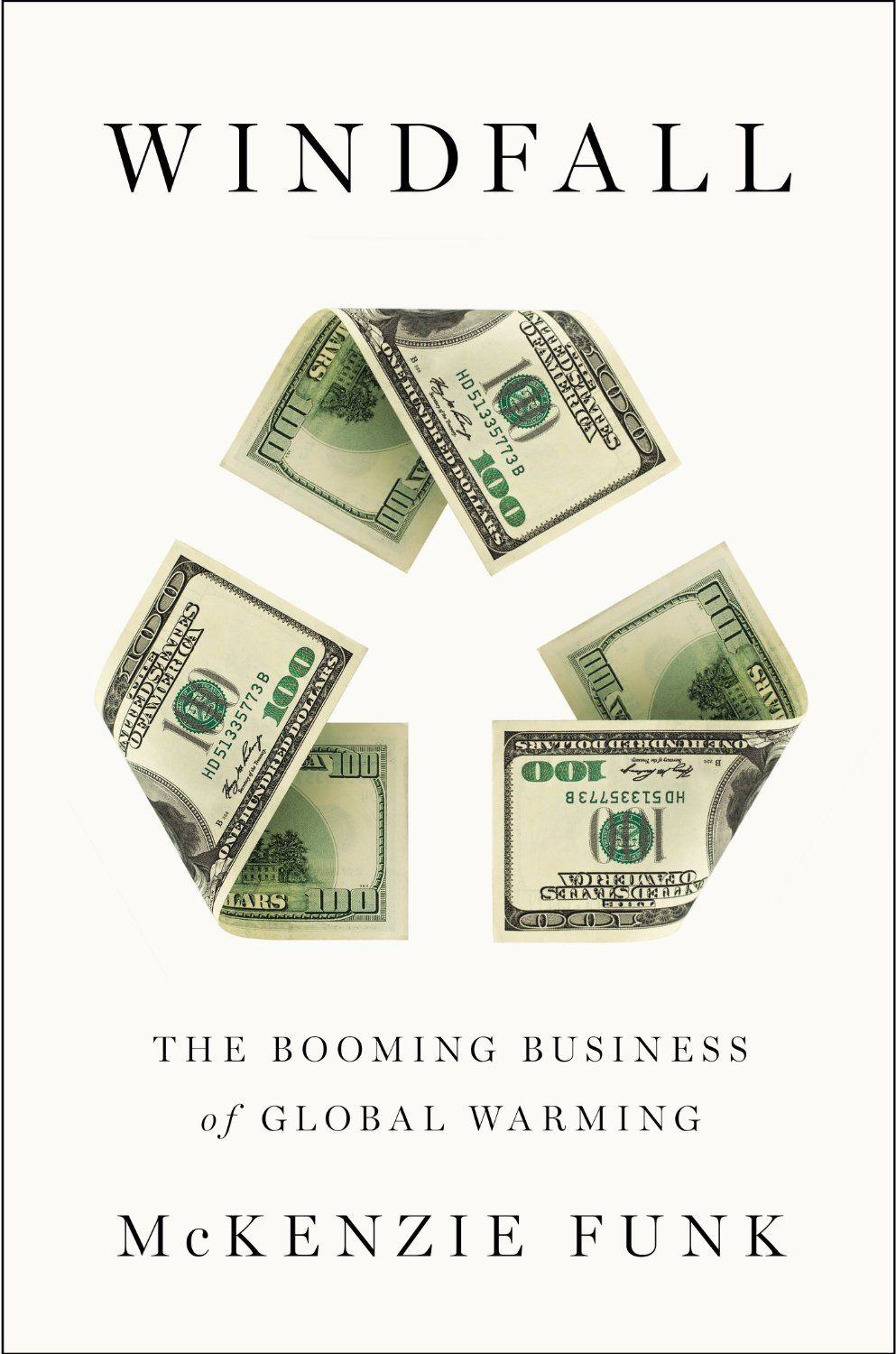
Windfall: The Booming Business of Global Warming
by McKenzie Funk

windfall

Most of us look at global warming as an ominous threat, but in McKenzie Funk’s new book Windfall we learn that some people view Earth’s looming disaster as a ticket to the One Percent. Funk spent six years traveling the planet to study climate change and dives into three major categories of global warming – the melt, the drought, and the deluge – that have nations and major corporations lining up to cash in on the global meltdown.

iTunes – $14.99

The Port Chicago 50: Disaster, Mutiny, and the Fight for Civil Rights
by Steve Sheinkin

Port-Chicago-50

We enjoyed a great MLK day this week and if you’re looking for more background on civil rights stories, check out Sheinkin’s book which covers the events of a massive explosion that rocked the segregated Navy base at Port Chicago in 1944. More than 300 sailors were killed in the blast and when 244 men refused to go back to work because of unsafe conditions 50 were charged with mutiny, facing decades in jail and even execution.

iTunes – $9.99

The Days of Anna Madrigal
by Armistead Maupin
annamadgirgal

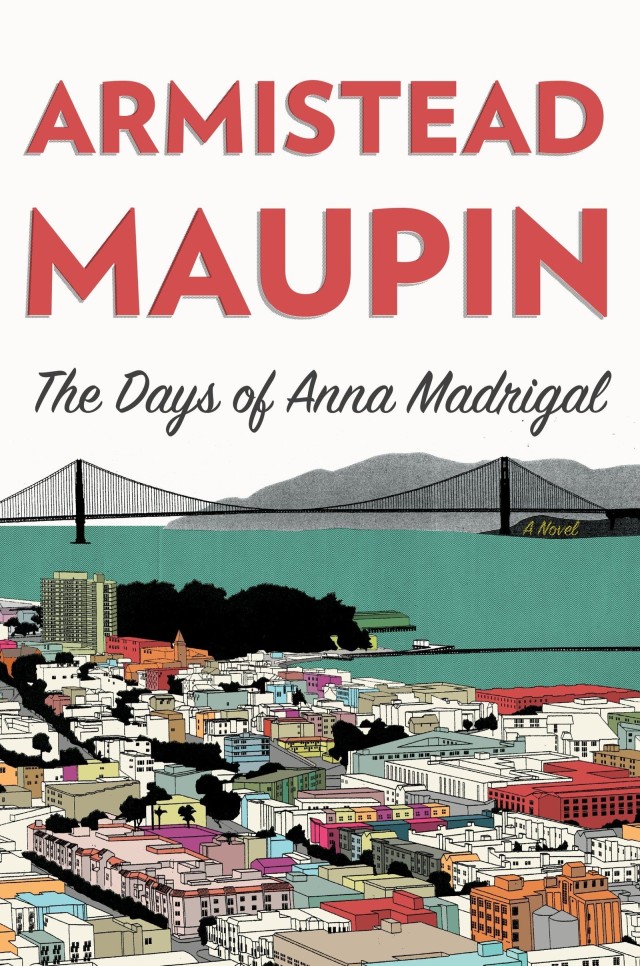
Armistead Mauphin’s Tales of the City series is finally coming to an end. The ninth and final novel features Anna Madrigal, a wry 92-year-old transgendered landlady who has found peace with her “logical family” in San Francisco, and culminates with the group attending Burning Man in this memorable and captivating capstone to the series.

iTunes – $14.99



WaterField’s Spacious Smartphone Wallet Carries Everything You Need [Review]

By

post-263656-image-f26f7133212af93636cc0a8560bb6d70-jpg

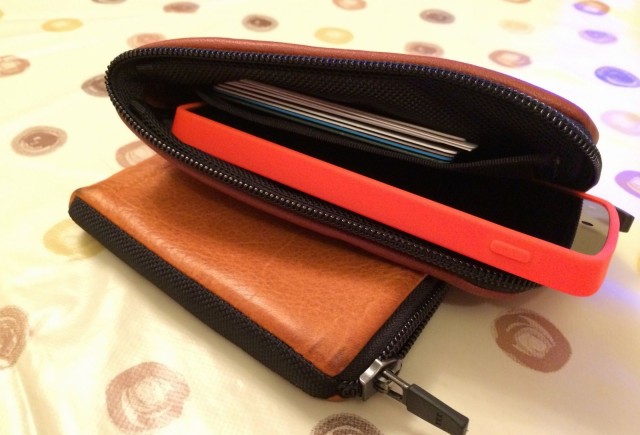
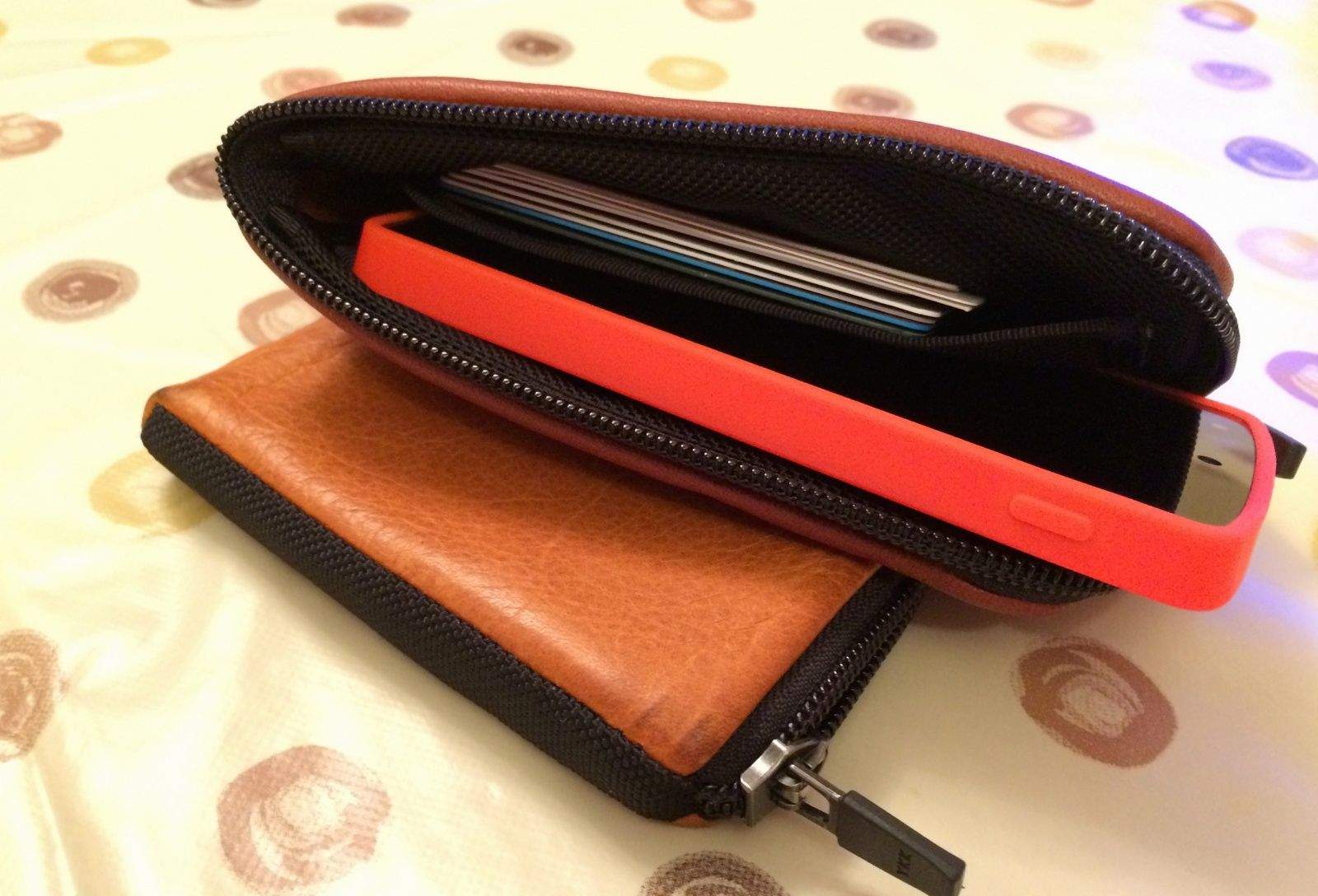
When you buy a smartphone wallet case, the chances are you’re going to have to make some cutbacks — because the vast majority of them only carry a small number of cards. But that’s not the case with the Finn wallet from WaterField Designs, which has plenty of space for your phone and all the cards and cash you can carry.

Finn by WaterField Designs
Category: Wallet Cases
Works With: Everything
Price: $39+

Finn’s available in four different sizes: the size 25 model is designed to be a wallet only, but the other three — size 27, size 42, and size 69 — are designed to carry your smartphone as well. Of course, the larger the Finn, the bigger the smartphone you can stash into it (and the more it’ll cost you).

I’ve been reviewing the size 25 and the size 69, which measures 5.5 inches by 3.3 inches, and is designed to carry an HTC One or a Galaxy S4, according to WaterField’s website — but it’s compatible with a whole bunch of other smartphones, too. I’ve mostly been using mine with a Nexus 5, but I’ve used HTC, Samsung, and BlackBerry handsets with it, too.

WaterField calls Finn “the best wallet ever,” so let’s see if it lives up to those claims.