The next version of Apple TV may allow you to take your viewing with you wherever you go. Photo: Apple
It’s been nearly two years since Apple has updated the Apple TV, but according to a report from Bloomberg fans will only have to wait until April to see a redesigned Apple TV with new interface and plenty of new channels to boot.
Stratus by SteelSeries Category: Game Controllers Works With: iPad, iPhone, iPod touch Price: $79.99
The joy of most iOS titles is the ability to play using the touchscreen. The gaming world has benefitted greatly from iOS game developers learning how to best control their games without a physical controller.
However, there are a few games — especially versions of old-school console games — that just cry out for an actual button-filled controlling device that you can use while staring intently at the screen.
The Stratus, and other controllers like it, aims to fill that need with a smaller, super-portable and highly accurate controller that takes advantage Apple’s own iOS game controller code that’s built right into iOS 7.
Whether you’ll find this a successful or not depends a lot on your device, the games you want to play, and how your hands fit on the Stratus itself.
This Cult of Mac Deals is the perfect software stack for any creative. It’s so perfect, you could even call it a “super” stack.
Cult of Mac Deals has assembled $650 worth of creative resources in one massive package, featuring software that is ideal for the designer and photographer. We’ve even planted an app in there that many bloggers and online writers use. And you can get all of these apps – 9 in total – for just $29 during this limited time offer!
Whether you’re a fashionista looking for new sources of inspiration or a tone-deaf jeans and t-shirt kind of dresser, new app Flink will help you connect to the world of fashion blogging.
Flink allows you to see hot new “looks” from the top fashion bloggers around the web, including Garance Doré, La revue de Kenza, Adenorah, Absolutely Glamourous, Mercredie, le blog de Lilou, Modasic, and Blondie Baby. You can also save these looks for later, visit the original blog posts, and “heart” the looks you love.
When you first launch the app, you’ll tap to follow as many of the included bloggers, and then tap your way through each of the photos included in each screen. You can tap through to see what clothes and accessories make up each look, or you can just swipe through and see various images of the different parts.
All in all, if you’re looking to kick up your fashion knowledge, or just find some new looks to recreate in your own life, Flink just might be the free app you’re looking for.
O’Rear, 73, recalls Jobs being aloof and preoccupied but — despite being young (he was just 27) — carried a real aura that this was someone who couldn’t be ignored.
“We had barely heard of him at the time,” O’Rear says. “With the same project I ended up photographing names like David Packard and Bill Hewlett of Hewlett-Packard, and Bill Noyce of Intel — all of who were better known than Steve. But there was a sense that Steve was a renegade, and so we should make sure we get his picture.”
The buzz continues around Flappy Bird, Dong Nguyen’s scary addictive side-scrolling bird flapping game. The developer pulled the wildly successful app from both iOS and Android App Stores on Sunday, citing the fact that his game was too addictive. There are mobile devices out there on eBay and Craigslist for outrageous prices, and everyone seems to want to talk about the retro-inspired flap-fest.
While many of us have Flappy Bird still installed on our phones, it’s possible many folks didn’t get to the party until now.
We’ve already shown you a straight-up clone of Flappy Bird that you can play on any web browser, but these new ones are odd. And totally cool.
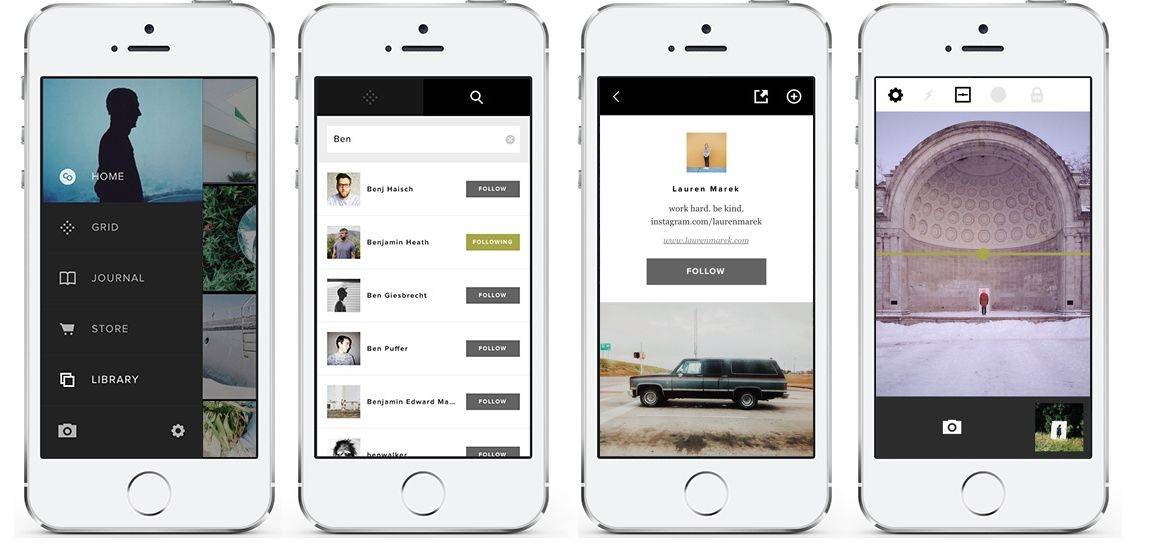
One of our favorite photography apps for the iPhone, VSCO Cam, got a big update this morning that give you more reasons than ever to turn VSCO into your only photography app/social network.
Windows Phone is over three years old now, but its app catalog still looks pretty slim when compared to rival offerings from Apple and Google. In an effort to plug the gap, Microsoft could allow Windows and Windows Phone users to run Android apps — just like BlackBerry 10 does.
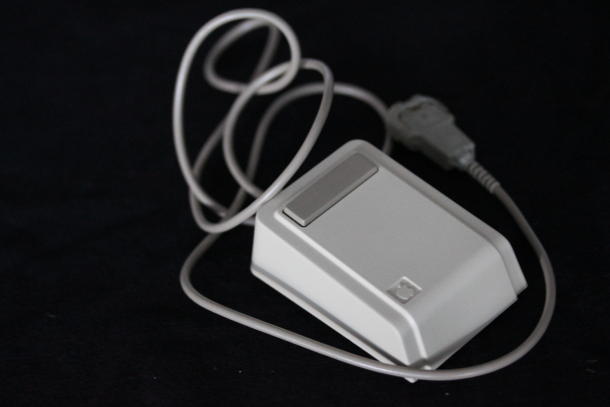
Footage has been released of a television crew discovering an original Lisa mouse used by Steve Jobs. The mouse was one of a collection of miscellaneous items found inside a time capsule in Aspen, Colorado.
Jobs had visited the area in 1983 for the Aspen International Design Conference — during which he delivered a speech predicting many of the Apple technologies which would come to pass during his lifetime — including the iPad, wireless networking, and even the App Store. Afterwards, Jobs was one of several conference attendees who donated objects for the “Aspen Time Tube” which has now been recovered.
Google has today confirmed in a regulatory filing that it has completed its $3.2 billion acquisition of Nest Labs, the smart home thermostat company founded by Apple’s former iPod chief, Tony Fadell.
With the exhibition having now opened, this is the portrait of the Apple co-founder that curators Joel Dinerstein and Frank H. Goodyear III chose to use: an image taken by photographer Charles O’Rear — perhaps most widely known for his digitally augmented “Rolling Hills” background used for Microsoft Windows XP.
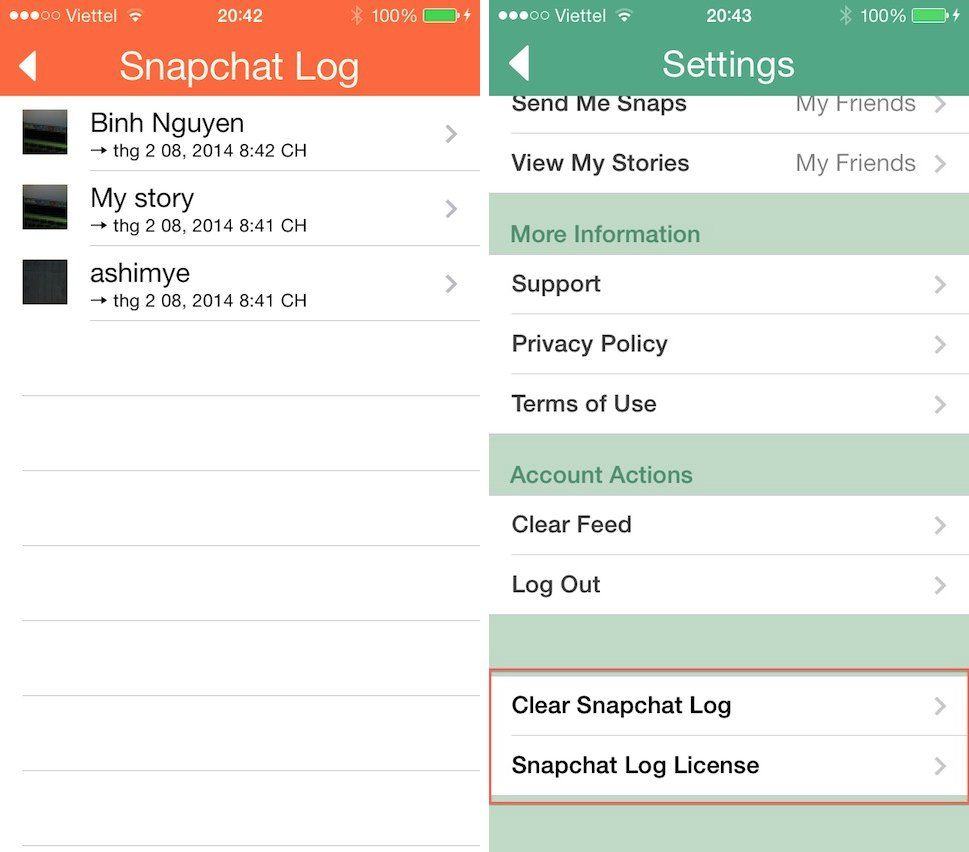
A new Cydia tweak lets Snapchat users easily log their conversations in a way that subverts the original concept behind the private one-time message sending tool.
Integrating with the existing Snapchat app, the tweak adds an additional option under the “Open Settings” button on the official app. To access past conversations, users can hit the the settings icon to access the popup menu, then tap on the “Open Snapchat Log” option to view the log.
When Heidi from Waterfield Bags wrote to tell me about the Rough Rider, I had no choice but to write about it. It’s called the Rough Rider after all, which pretty much means I can make as many “going commando” and “bareback” jokes as I like.
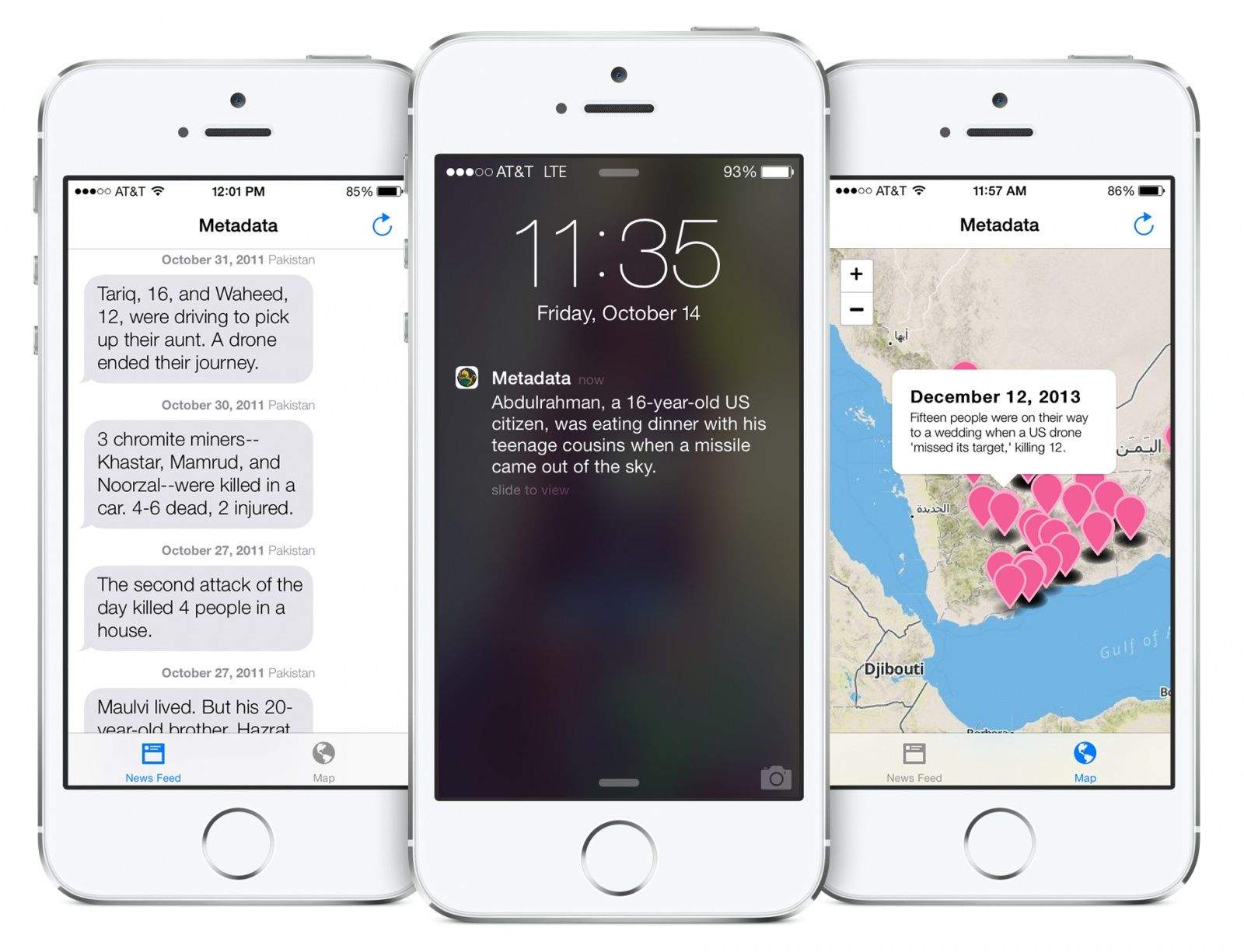
New app Metadata+ tells you whenever a drone strike kills somebody overseas.
Working by pulling data from the UK’s Bureau of Investigative Journalism, the app plots the location of each strike on a map, and then sends a push notification when an attack takes place.
If that doesn’t strike you as something the often-conservative Apple would want available in its App Store, you’re not wrong.
The app’s official release comes on the back of five separate rejections by the company, and a renaming from Drone+, Drones+, and Dronestream to the more innocuous-sounding Metadata+. The official App Store description reveals only that the app deals in, “Real-time updates on national security.”
Popular account manager and bill organizer app Manilla has received a significant update.
Back by the Hearst Corporation, Manilla is designed to let you manage and share personal finances, household bills, subscriptions, healthcare account, and travel rewards — alongside acting as a handy reminder tool for various bill payments.
Fancy a blue virtual keyboard for your iOS 7 device? If so, the appropriately named Cydia tweak BlueBoard may just be the tweak for you.
Once installed, users need to launch the Settings app and respring the device to get the tweak up and running. The tweak affects both keyboards within iOS 7, so that when enabled both the standard light keyboard or dark keyboard come with blue keys.
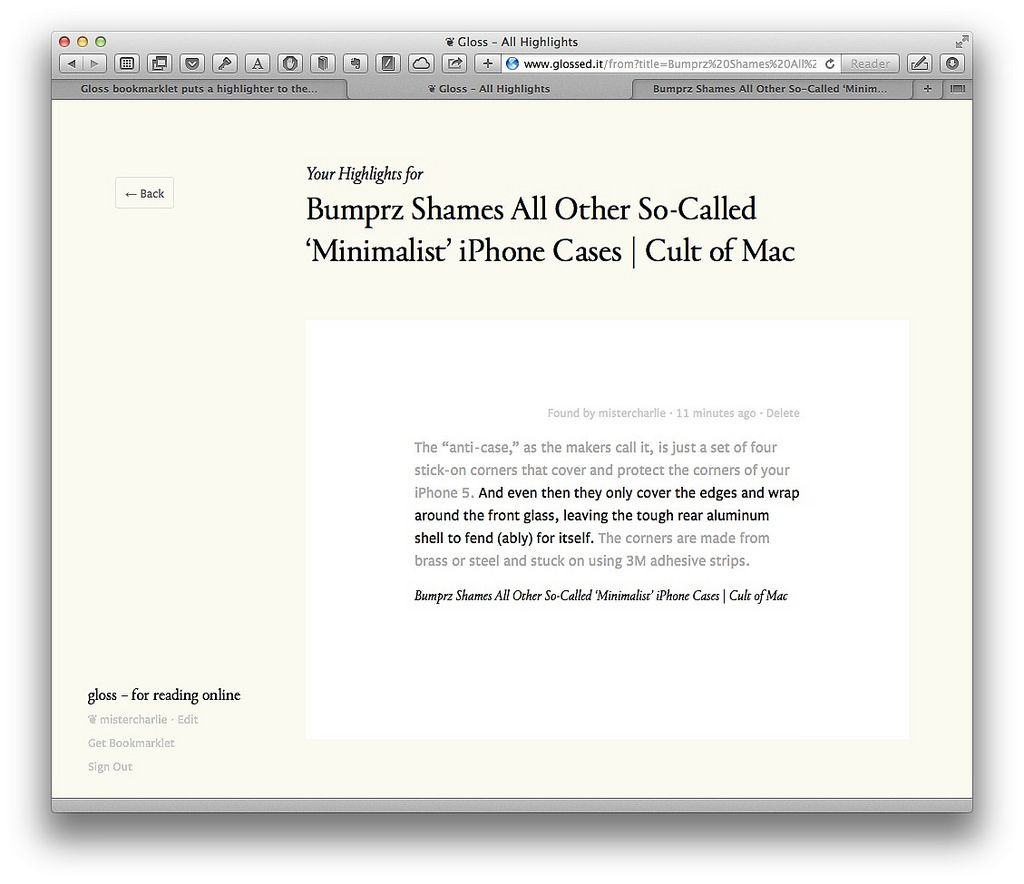
Ever wanted to save just one sentence of a web page? Or have you ever bookmarked a page, or sent it to your favorite read-later service, only to come back and wonder what the hell it was you’d wanted to remember?
Then Gloss is for you. It’s a bookmarklet and service that lets you highlight a single line of text on any web page, and it rocks.
Excessive demand and limited production cycles have pushed the Mac Pro’s estimated shipping date back to April.
The high-end machine, available in both Quad-Core and 6-Core editions, was originally supposed to ship in December, before being pushed back to February, then March, and now April.
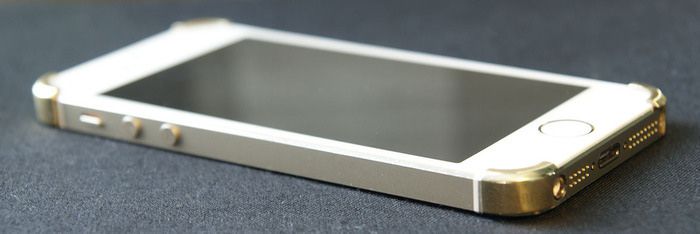
If you Google Cult of Mac for “minimal iPhone case” you get a lot of results (too many, in fact, including a Mac-only music app – nice job Google). But you should ignore every last one of them, becasue the Bumprz really is a “case” so tiny you almost can’t see it.
Canon’s new G1 X Mark II brings good news and bad news. The bad news is that it ditches the optical viewfinder that has been found on G-series compacts like forever. The good news is that it adds a faster lens, better manual controls, a flip-up touch-screen LCD panel, Wi-Fi and NFC.
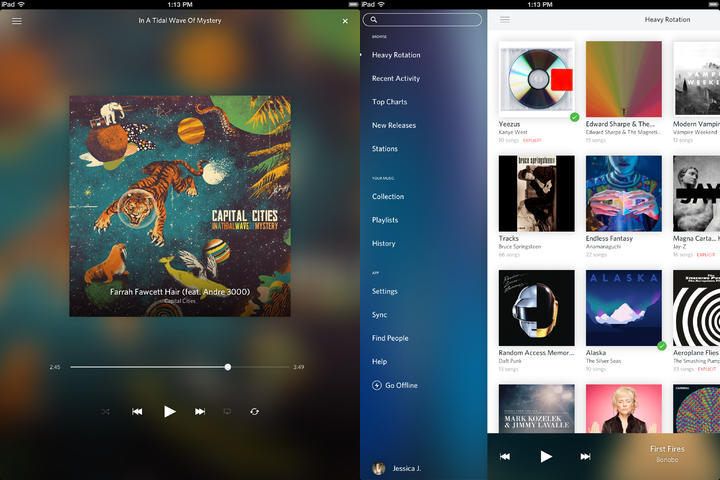
Rdio users can now ditch the desktop entirely, thanks to an update which brings playlist editing and reviews to the iOS version of the app. No more booting up that dusty old Mac just to remove an accidentally-added song from your “awesomest songs evah” list.
Weekend Read is a way to squeeze old-fashioned movie manuscripts onto the iPhone’s little screen so you can read them on the go. If you’re a professional script reader – or even a script writer – you’re going to love it.
BloomThat is a unique flower delivery service that harnesses the power of the bicycle to deliver a bouquet of flowers “in under 90 minutes” — pretty fast. But before you read on, there’s one big catch to using the brand-new BloomThat iPhone app to order roses on Valentine’s Day: Your sweetheart must be in the Bay Area — specifically in the tech (and bicycle)-rich towns of San Francisco, Palo Alto, Menlo Park, Mountain View or Sunnyvale.
Getting so many naked pictures from beautiful, nubile women that are in love with you that your iPhone crashes? That sounds like one of those good problems to me… and to Russian snowboarding athlete Alexey Sobolev, whose iPhone was bombarded by nude pics after he put his phone number on his helmet for all the world to see. But it’s not stressing him out.